TL;DR: The "best" laptop for dyslexia isn't about a specific brand; it's about combining the right hardware with powerful assistive software. Focus on devices with high-quality, anti-glare screens, comfortable keyboards, and robust built-in accessibility features (like text-to-speech). Pair this with specialized software and ensure websites you visit are accessible for the best experience. Ready to make your own website accessible? Get Started with WebAbility.io for Free.
The Best Laptops for Dyslexia: A Quick Guide for 2026
This guide is authored by our team of accessibility experts at WebAbility.io, who have spent years working directly with assistive technologies and understanding the digital needs of users with diverse learning profiles, including dyslexia. Our experience is rooted in thousands of hours of research and practical application, helping organizations create more inclusive online environments. We believe in empowering every user by providing clear, reliable, and actionable information.
Think of it this way: the laptop itself is the body, but the software is the brain. You need both working together to create an experience that empowers the user instead of frustrating them. This guide will walk you through how to match the right device with the right tools. If you'd like to get a better handle on the condition itself, you can find more information here: https://www.webability.io/glossary/dyslexia.
This isn't a niche issue. Dyslexia is estimated to affect a significant 15-20% of the population around the world. Because of this, educational frameworks like the Individuals with Disabilities Education Act (IDEA) in the United States require schools to provide students with the assistive technology they need—including laptops—to access the same curriculum as their peers.
The infographic below offers a great visual summary of the three pillars that support an effective laptop setup for someone with dyslexia.
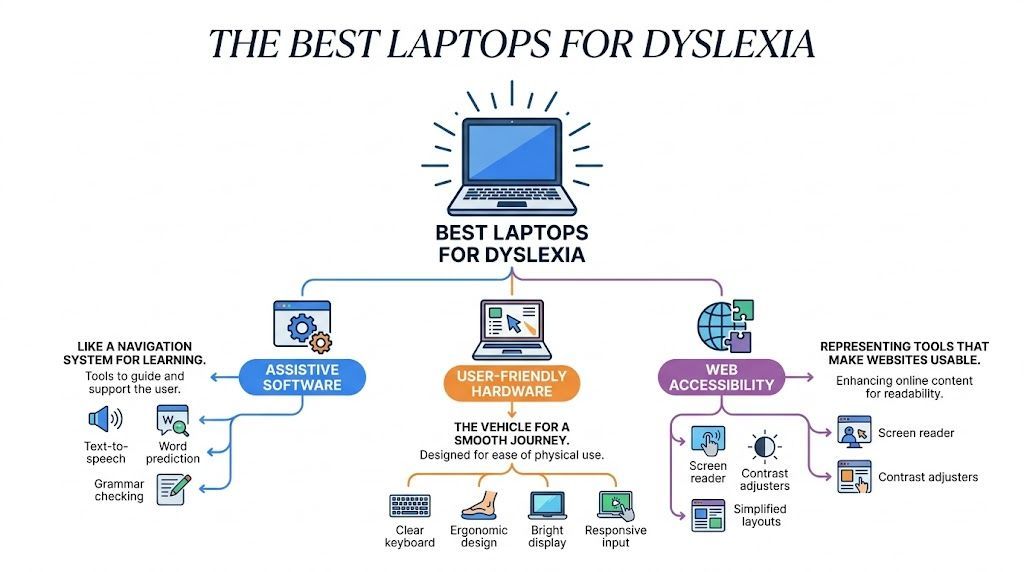
As you can see, the goal is to get software, hardware, and web accessibility tools working in concert to form a complete support system.
Key Considerations for Your Purchase
Let's be realistic—budget is almost always a factor. But you don't necessarily need the latest and greatest model fresh off the assembly line. If you're working with a tight budget, checking out a buyer's guide to the best refurbished laptops can reveal some excellent, high-quality options that are perfectly suited for users with dyslexia.
Remember, the goal is to find a device that reduces cognitive load and removes barriers to learning and communication. The right laptop builds confidence by allowing the user to focus on their ideas, not the mechanics of reading and writing.
Of course, even the perfect laptop setup can hit a wall if a website isn't designed to be accessible. That’s where the final piece of the puzzle comes in. Making the web itself more accessible is just as critical, and tools designed to bridge that gap are essential for a truly supportive digital environment.
How Laptops Can Change Everything for Someone With Dyslexia
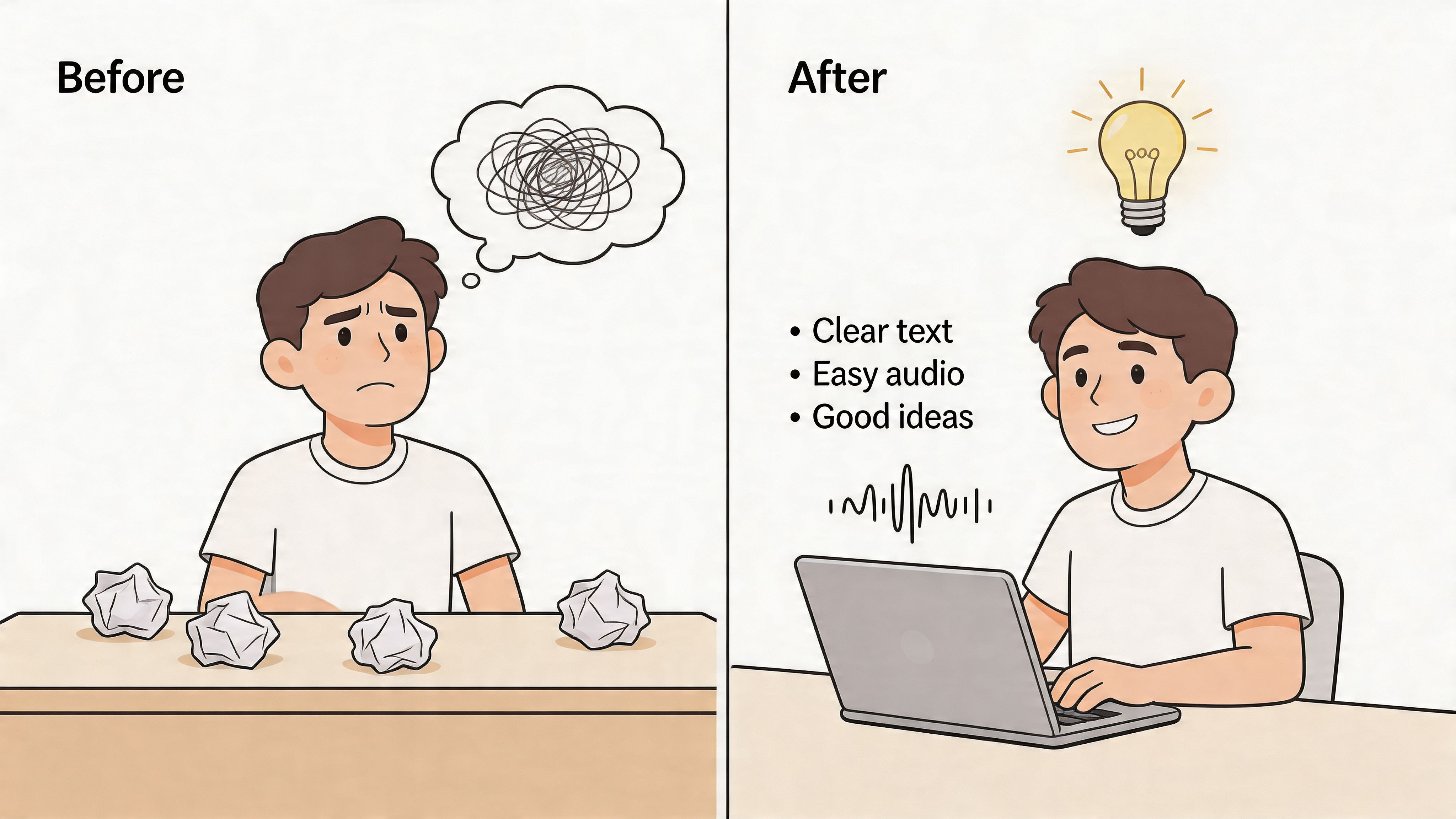
If you have dyslexia, you know the frustration. Your mind is brimming with ideas, but getting them down on paper feels like a battle. The constant struggle with reading, spelling, and writing can make you feel like your own thoughts are trapped. This isn't a matter of intelligence; it's a matter of the tools you have.
The right laptop can be a game-changer. It’s not just a device; it’s an equalizer. With built-in tools like text-to-speech and spell-check, the focus shifts from the mechanics of writing to the ideas you want to express. The anxiety of staring at a blank page, worrying about mistakes, starts to fade away.
Think of it this way: instead of wrestling with every word, you can type freely, letting spell-check catch typos on the fly. If you're not sure how a sentence sounds, text-to-speech can read it back to you, helping you catch awkward phrasing or missed words. It’s about clearing the hurdles so your creativity and intellect can shine.
Building Real Confidence and Independence
This kind of tech support does more than just help complete a task. It completely changes a person's relationship with learning and work. The best analogy is a pair of eyeglasses—they don't "fix" your eyes, but they correct for a specific challenge, allowing you to see the world clearly. Laptops do something similar for dyslexia.
When the constant stress of decoding text is gone, it’s replaced by a sense of control and empowerment. We're already seeing this in the professional world. One recent study found that 71% of neurodivergent professionals felt more optimistic about their careers when they had access to AI-powered tools on their computers. This isn't just about getting more done; it's about feeling capable and self-assured.
The right technology doesn't just help someone with dyslexia do the work—it allows them to own the work. It builds a bridge between their true abilities and the task at hand.
This newfound confidence naturally leads to independence. A student no longer needs to wait for a parent to read a tough chapter aloud. An employee can draft a client email without asking a coworker to check it for spelling. That kind of autonomy is invaluable for self-esteem and future success.
From Frustration to Fluid Expression
At its core, a laptop helps reduce cognitive load. When your brain isn't spending all its energy just trying to decipher letters or remember spelling rules, it’s free to focus on bigger things—like critical thinking, creativity, and problem-solving.
Here’s how this transformation happens in real-time:
- Writing: Tools like voice dictation and word prediction let you get your thoughts out at the speed you think them, bypassing the hurdles of typing or spelling.
- Reading: Text-to-speech and displays with dyslexia-friendly fonts make reading less of a chore, which in turn boosts comprehension and cuts down on mental fatigue.
- Organization: Digital calendars and note-taking apps are a lifeline for managing deadlines and assignments, supporting the executive function skills that often go hand-in-hand with dyslexia.
This is especially critical in education. The right technology can dramatically improve how a student learns, particularly when used in specialized homeschool programs for dyslexia that customize instruction.
By removing these frustrating barriers, a laptop can help reignite a person's passion for learning and creating. It empowers them to show the world what they're truly capable of. To get a better sense of how this works in the real world, you can learn more about assistive technology for dyslexia in our in-depth guide.
Essential Software That Makes the Real Difference
When you're choosing a laptop for a user with dyslexia, it's easy to get caught up in the hardware specs. But I always tell people that the device itself is just the starting point. The real magic happens with the software.
Think of the right software as a dedicated personal assistant for reading and writing. It’s what transforms a standard laptop into a powerful tool that directly addresses the unique challenges of dyslexia. These programs don't just "help"—they build genuine confidence by bridging the gap between a person's ideas and the written word, clearing the path for their thoughts to flow freely.
Let's dive into the software features that truly move the needle.
Your Personal Reading Partner: Text-to-Speech
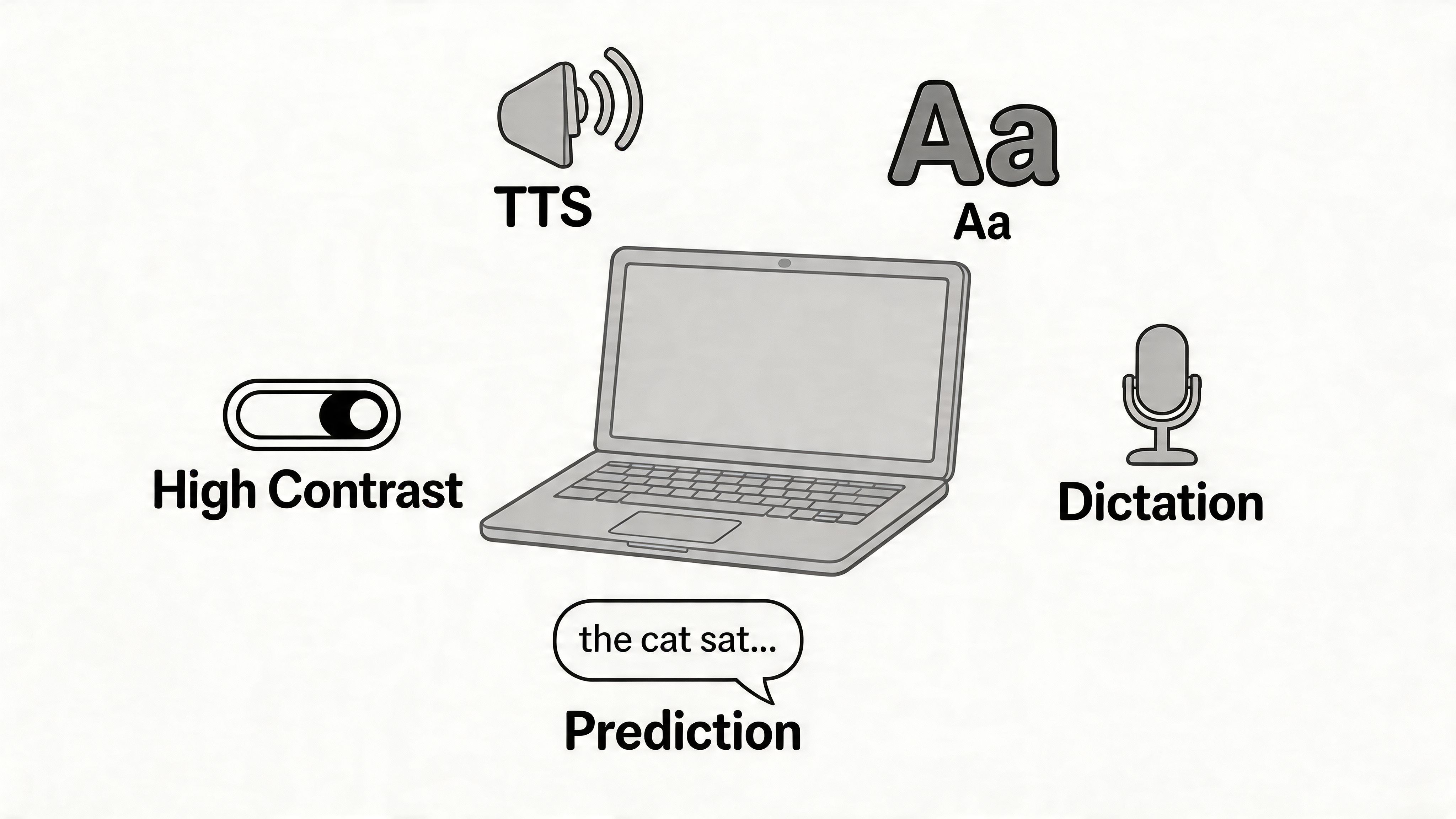
Text-to-Speech (TTS) is easily one of the most game-changing tools out there. It’s like having a personal reading partner on call, ready to read any digital text aloud—websites, documents, emails, and even your own writing.
For someone with dyslexia, this is huge for two reasons. First, it presents information auditorily, which can make a world of difference for comprehension by sidestepping the mentally taxing process of visual decoding. Second, it's an incredible proofreading tool. Hearing your own words read back to you makes it much easier to catch awkward phrasing, typos, and other errors you might otherwise miss.
The data backs this up. One study showed that students with reading disabilities using this kind of tech saw their decoding and fluency skills improve by up to 25%. Other research points to a 15-20% boost in reading comprehension. If you're curious, you can explore a summary of how technology empowers students with dyslexia.
Reducing Visual Stress With Fonts and Contrast
Have you ever looked at a page of text where the letters seem to swim together? That’s called visual crowding, and it’s a common hurdle. Specially designed dyslexia-friendly fonts, like OpenDyslexic, tackle this head-on. They use unique letter shapes and heavier weighting on the bottom of characters to make them more distinct, helping to reduce common reversals (like 'b' and 'd').
The goal of dyslexia-friendly fonts isn't to "fix" reading, but to reduce the mental energy required to process text. By making letters easier to distinguish, these fonts can lower cognitive load and make reading a more comfortable experience.
High-contrast modes are the other half of the visual equation. These settings, usually built right into the operating system, change the screen’s color scheme to make text pop. Options like white text on a black background or yellow on blue can dramatically cut down on eye strain, especially during long study sessions.
Tools for Effortless Writing and Expression
Writing can be just as difficult as reading, but modern software provides some brilliant workarounds. These tools let users concentrate on their ideas instead of getting bogged down in the mechanics of typing and spelling.
Voice Dictation (Speech-to-Text): This feature is exactly what it sounds like—it turns spoken words into written text. For many, talking is much faster and more natural than typing. Dictation allows someone to get a first draft of an essay or email down at the speed of thought, bypassing keyboarding and spelling hurdles.
Word Prediction: This software works like your smartphone's autocomplete, suggesting words as you type. It cuts down on keystrokes and provides real-time spelling support, which is a massive confidence booster.
When you combine these tools, you create a seamless writing workflow. A student could dictate an entire essay, use word prediction to fine-tune it, and then use TTS to listen for any mistakes. This supportive ecosystem empowers users to express themselves clearly and independently, making it an essential part of any laptop setup for dyslexia.
Choosing an Operating System for Accessibility
Picking the right software is a huge step, but the next piece of the puzzle is the operating system (OS). The OS is the very soul of a computer, managing everything from the hardware to the programs you run. Think of it as the foundation of a house—everything else is built on top of it.
There’s no single "best" OS when you’re looking for laptops for dyslexia. The right one for you comes down to your specific needs, your budget, and what you’ll be doing day-to-day. The big three—Windows, macOS, and ChromeOS—all have great accessibility support, but each brings a completely different philosophy to the table.
Windows: The Versatility Champion
If you’ve used a computer in the last two decades, it was probably running Windows. Its greatest strength is its sheer versatility. Almost any piece of assistive software you can imagine will run on a Windows machine, giving you the widest possible range of choices.
This makes Windows a fantastic pick for anyone who wants to build a truly custom setup. You can easily combine built-in tools, like the excellent Immersive Reader, with specialized third-party applications. It gives you an incredible amount of control to create the perfect digital environment for your needs.
The real power of Windows is its open ecosystem. It’s like a massive hardware store where you can find the exact tool for any job, making it perfect for users who need a specific mix of software that just isn’t available anywhere else.
This flexibility is also a huge plus for schools and businesses that have to support people with many different requirements. Plus, you can find Windows laptops at every price point, from affordable entry-level models to powerhouse machines.
macOS: The Seamless Experience
Apple’s macOS is legendary for its smooth and intuitive design. Right out of the box, its built-in accessibility features are polished, powerful, and deeply woven into the fabric of the operating system. Tools like VoiceOver, Speak Screen, and Dictation feel like a core part of the experience, not an afterthought.
For many people with dyslexia, this "it just works" approach is a massive relief. You don't have to go hunting for other programs to get a top-tier experience. Apple's focus on quality and integration means you have a robust support system from the second you power it on. Our guide on screen reader software explores how some of these integrated tools work in more detail.
The main thing to consider here is price, as Apple’s hardware is definitely a premium investment. But for those who are willing to pay for a polished, hassle-free experience, it's often money well spent.
ChromeOS: Simplicity and Focus
ChromeOS is the engine that runs Chromebooks, and it’s built entirely around three things: simplicity, speed, and security. These devices are lightweight and designed for working on the web, which makes them a wonderfully distraction-free choice for students or anyone who spends most of their time in a browser.
Chromebooks come with solid built-in accessibility tools, like a screen reader, select-to-speak, and high-contrast modes. While you won't find the vast library of desktop software that Windows has, the Chrome Web Store and Google Workspace are packed with fantastic extensions and apps designed for dyslexia support.
Their biggest selling point is affordability, which has made them incredibly popular in schools. For writing, researching, and communicating online with assistive tools, a Chromebook is a smart, budget-friendly option.
Operating System Accessibility Comparison
So, how do you choose? Each operating system caters to a different type of user. We've put together this table to help you compare them at a glance and see which one might be the best fit for you or your organization.
| Operating System | Key Strengths for Dyslexia | Considerations | Ideal For |
|---|---|---|---|
| Windows | Widest third-party software compatibility; deep customization; broad hardware selection at all price points. | Can require more setup and configuration; the user interface may feel more complex to some. | Users who need specific software or want maximum control over their assistive technology setup. |
| macOS | Powerful, high-quality built-in accessibility features; seamless and intuitive user experience; consistent across devices. | Higher cost; limited hardware options (only Apple products); less compatible with some specialized software. | Users who value a premium, out-of-the-box experience and prefer integrated, easy-to-use tools. |
| ChromeOS | Simple, distraction-free interface; affordable and secure; excellent for web-based tasks and Google Workspace. | Limited offline functionality; relies heavily on web apps and extensions; fewer desktop software options. | Students, budget-conscious users, and anyone who primarily works online and values simplicity. |
Ultimately, the best OS is the one that removes barriers and makes digital tasks feel easier. Whether you value endless choice, seamless integration, or focused simplicity, there’s a great option out there waiting for you.
Hardware Features That Support Daily Use
Software and built-in accessibility tools are crucial, but they’re only half the story. The physical device itself—the hardware—is the foundation for your entire experience. Choosing the right hardware can be the difference between a frustrating day and a productive one. Let’s talk about the tangible things that make a real difference.
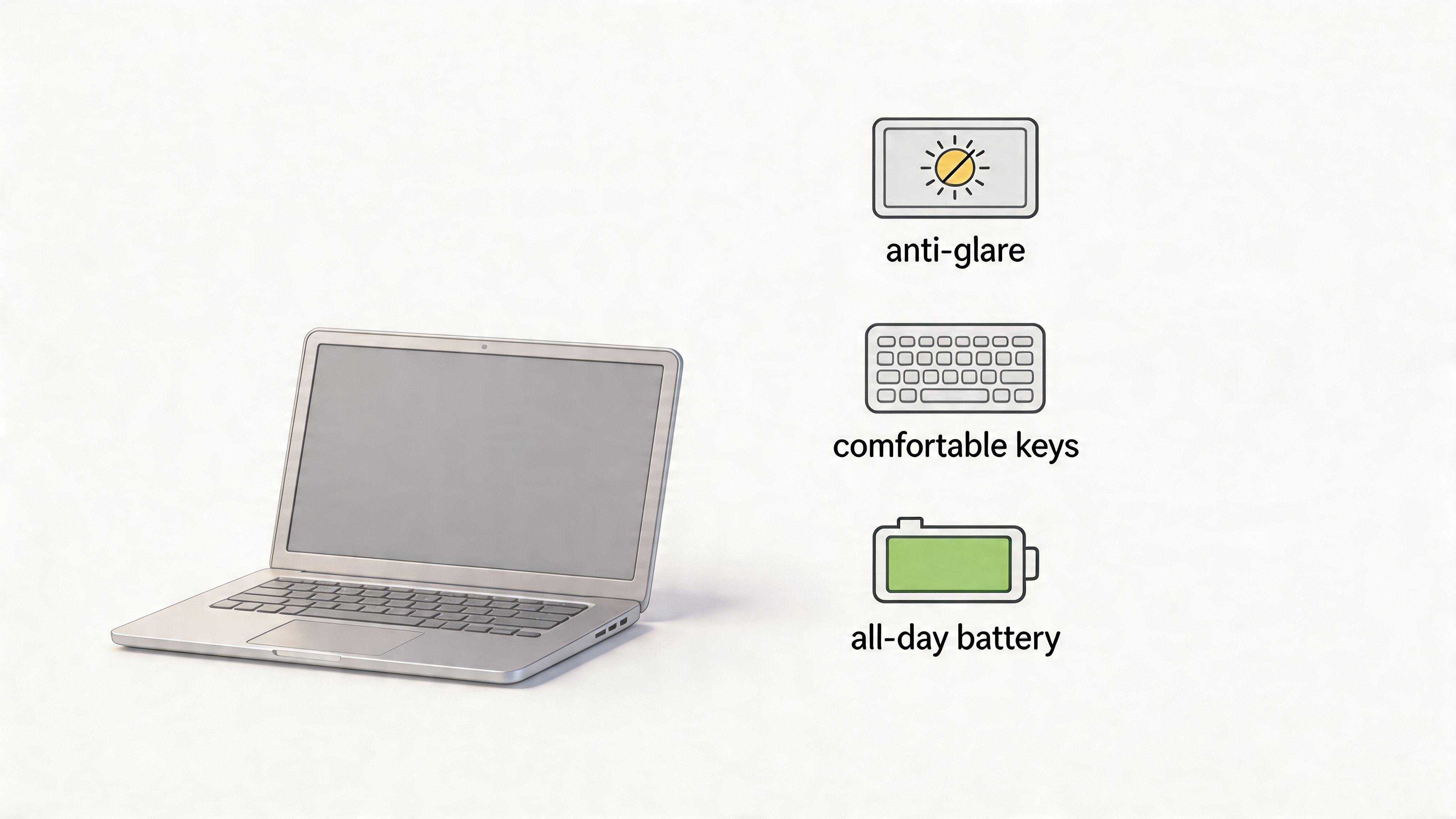
It’s easy to get caught up in technical specs like processor speeds, but for a user with dyslexia, the features that improve comfort and reduce mental strain are far more important.
The Screen: A Window to a Calmer Experience
You're going to spend hours looking at this screen, so its quality is everything. But "quality" isn't just about having the sharpest resolution. When it comes to dyslexia, the main goal is to minimize eye strain.
This is where a matte or anti-glare screen becomes absolutely essential. These screens work by scattering the light that hits them, which cuts down on distracting reflections from windows or overhead lights. That "visual noise" from glare can make text shimmer and dance, making it incredibly difficult to read. A matte display provides a much calmer, more stable canvas for your eyes.
Don't forget about brightness controls, either. A good laptop will let you easily adjust the brightness across a wide spectrum. You want to be able to dim it way down in a dark room or crank it up in a bright one, ensuring your eyes aren't working overtime just to see the screen.
The Keyboard: Your Bridge to Expression
For many people, typing is the primary way to get thoughts out of their head and onto the page. A flimsy or cramped keyboard can throw a wrench in that whole process, leading to typos and frustration. It becomes a barrier, not a tool.
Here’s what to look for in a great keyboard:
- Good Key Travel: This is simply how far down a key presses. Keys with decent travel give you a satisfying little "thump" with each press. It’s a small bit of physical feedback that confirms your keystroke, which helps reduce missed letters and typos.
- Backlighting: A backlit keyboard is a must-have. Whether you're in a dimly lit lecture hall or working late at home, being able to clearly see the keys makes a world of difference, especially if you’re still building your touch-typing confidence.
- Spacious Layout: Look for a keyboard that doesn't feel cramped. When keys are well-spaced, you’re far less likely to hit the wrong one by accident, making the entire typing experience smoother and more accurate.
Think of a quality keyboard as a clear and reliable bridge for your thoughts. When typing feels effortless, you can focus on what you want to say, not on the mechanics of how you're saying it.
All-Day Independence With Strong Battery Life
There's a real freedom that comes with a laptop that can last the whole day on a single charge. It means a student can move from the classroom to the library without panicking about finding an outlet. It means a professional can work from a coffee shop without being tethered to the wall.
This is more than just a convenience. This all-day independence ensures your tools and your established workflow are always ready when you are. It removes a layer of stress and allows you to work where you feel most comfortable and focused.
The Right Ports for an Expanded Workspace
Finally, don’t sleep on the ports. The right connections give you the power to create a much more comfortable and effective workspace.
For instance, an HDMI or USB-C port that supports video output is a game-changer. It lets you plug into a larger external monitor, which can drastically reduce eye strain and give you more room to organize your work. Plus, having a few extra USB ports is always a good idea for connecting ergonomic mice, external keyboards, or other assistive hardware that might suit you better than the laptop's built-in options. The flexibility to build a setup that fits you perfectly is invaluable.
Why Your Laptop Needs Accessible Websites to Work
So, you’ve done your homework and found one of the best laptops for dyslexia. You’ve fine-tuned the operating system, loaded it with powerful assistive software, and mastered all the built-in tools like text-to-speech and specialized fonts. Your device is a perfectly tuned vehicle for getting around online—but what happens when the road itself is full of potholes?
That’s a frustrating reality for far too many people. An accessible laptop is only half of the solution. If a website is built with messy code that blocks your settings or a confusing layout, you hit a dead end. Your powerful tools suddenly become almost useless, turning what should be a simple task into an exhausting one.
A truly accessible experience is a two-way street. You can have the right device, but website owners have a wonderful opportunity to make sure their digital front door is open to everyone.
Common Website Barriers for Dyslexia
Think about trying to read a menu in a dimly lit restaurant where the text is tiny and printed in a swirly, decorative font. That's what browsing an inaccessible website can feel like. Even with the best technology on your end, certain design choices create huge roadblocks for users with dyslexia.
Here are a few of the most common hurdles you're likely to run into:
Blocked Custom Fonts: Many people rely on specific fonts, like OpenDyslexic, which they install on their laptops. The problem is, some websites force their own brand font to load, completely ignoring your personal settings and making a key accessibility tool worthless.
Low-Contrast Text: Websites that use light gray text on a white background, or other trendy but faint color combinations, can be a nightmare to read. This causes serious eye strain and makes it incredibly difficult to tell words apart, no matter how good your screen is.
Crowded and Inconsistent Layouts: A cluttered website with no clear visual organization, packed with huge blocks of text and flashy elements all competing for your attention, creates a ton of cognitive load. It makes it nearly impossible to find what you’re looking for or even just follow the content, leaving you feeling drained and confused.
Your assistive tools can only work with what a website gives them. If a site’s underlying structure is broken or locked down, the technology may not be able to fix it. It’s like having a great GPS in your car, but the road ahead is closed.
This is where the other half of the accessibility puzzle comes into play.
Bridging the Gap With On-Site Accessibility Tools
Thankfully, more and more website owners are tackling these problems head-on. They get that building an inclusive site isn't just about compliance—it's a core part of creating a good experience for every single visitor. This is where a solution like WebAbility.io becomes so important for businesses.
WebAbility.io gives website owners the ability to add powerful accessibility features that work with, not against, a user's existing setup. Our tools add an on-site menu that lets visitors instantly customize the site to their needs, guaranteeing that a great laptop for dyslexia can do its job.
For instance, our platform lets site owners offer:
- Dyslexia-Friendly Fonts: A user can choose a font like OpenDyslexic right on the website, making it readable without having to fight with browser extensions.
- Adjustable Text and Spacing: Visitors can make the text bigger and adjust the spacing between letters and words to cut down on visual clutter.
- High-Contrast Modes: Users can flip between different high-contrast color schemes, like yellow text on a black background, to make the content stand out.
By providing these options, websites become active partners in creating an accessible web. It builds a seamless experience where your laptop's features are supported, not stonewalled. To get a better handle on this, check out our article that explores what website accessibility is and why it's a game-changer for everyone. The best technology experience is always one where your device and your digital destination are both built with inclusion in mind.
Frequently Asked Questions
When you're looking for the right tools to support a dyslexic learner, a lot of questions pop up. It's completely normal. Below are some of the most common ones we hear from our community, with straight-to-the-point answers to help you feel confident in your decision.
What Is a Realistic Budget for a Good Laptop?
You can find a great laptop without spending a fortune. While the high-end models get all the attention, a dependable device in the $500 to $800 range is usually more than enough for what’s needed.
Honestly, the bells and whistles aren't what matters most. Your focus should be on features that directly impact the user experience, like a high-quality matte screen to reduce glare and a comfortable, backlit keyboard for typing. It’s better to invest in those than in raw processing power you'll likely never use.
Are Tablets Like iPads a Good Alternative?
Absolutely. For many, a tablet can be a fantastic alternative to a laptop. Devices like the iPad are wonderfully portable and intuitive, and their built-in accessibility features are incredibly powerful. The hands-on, touch-screen interface is a huge win for a lot of users.
The main thing to think about is writing. If you or your child will be typing long essays for school or reports for work, a physical keyboard is almost always more efficient and comfortable. Of course, you can easily add an external keyboard to a tablet, giving you the best of both worlds.
The real choice between a laptop and a tablet boils down to the main tasks it will be used for. A laptop usually wins for heavy-duty writing and multitasking, while a tablet is an amazing and accessible tool for reading, portability, and lighter work.
Can My Child's School Provide a Laptop?
In many places, yes. Laws like the Individuals with Disabilities Education Act (IDEA) in the United States require schools to provide students with the assistive technology they need for an equal opportunity in education.
If you feel a laptop with specific software could make a real difference for your child, your first step should be to talk with the school's special education coordinator. You can request an official evaluation to see what kind of assistive technology would be a good fit for their specific learning needs.
Ready to make your website a welcoming place for every visitor? WebAbility.io provides a complete suite of tools to ensure your site is accessible, compliant, and user-friendly. Start your free trial today and see how easy it is to build an inclusive digital experience.