Loading
Documentation
Docs > 💵 Billing and Payments
Handling Payments and Changing your Plan
Welcome to our accessibility widget solution! This guide will walk you through our billing portal and its features.
Billing Management Overview
- Access the Billing Portal
- Update your plan
- Delete your plan
Payment & Subscription Management
1. Access the Billing Portal
After you have logged in, look for the Profile Image in the top left corner of the page in the Navbar. Click on it to open a dropdown menu.
Choose the Profile Option to navigate to your profile management page

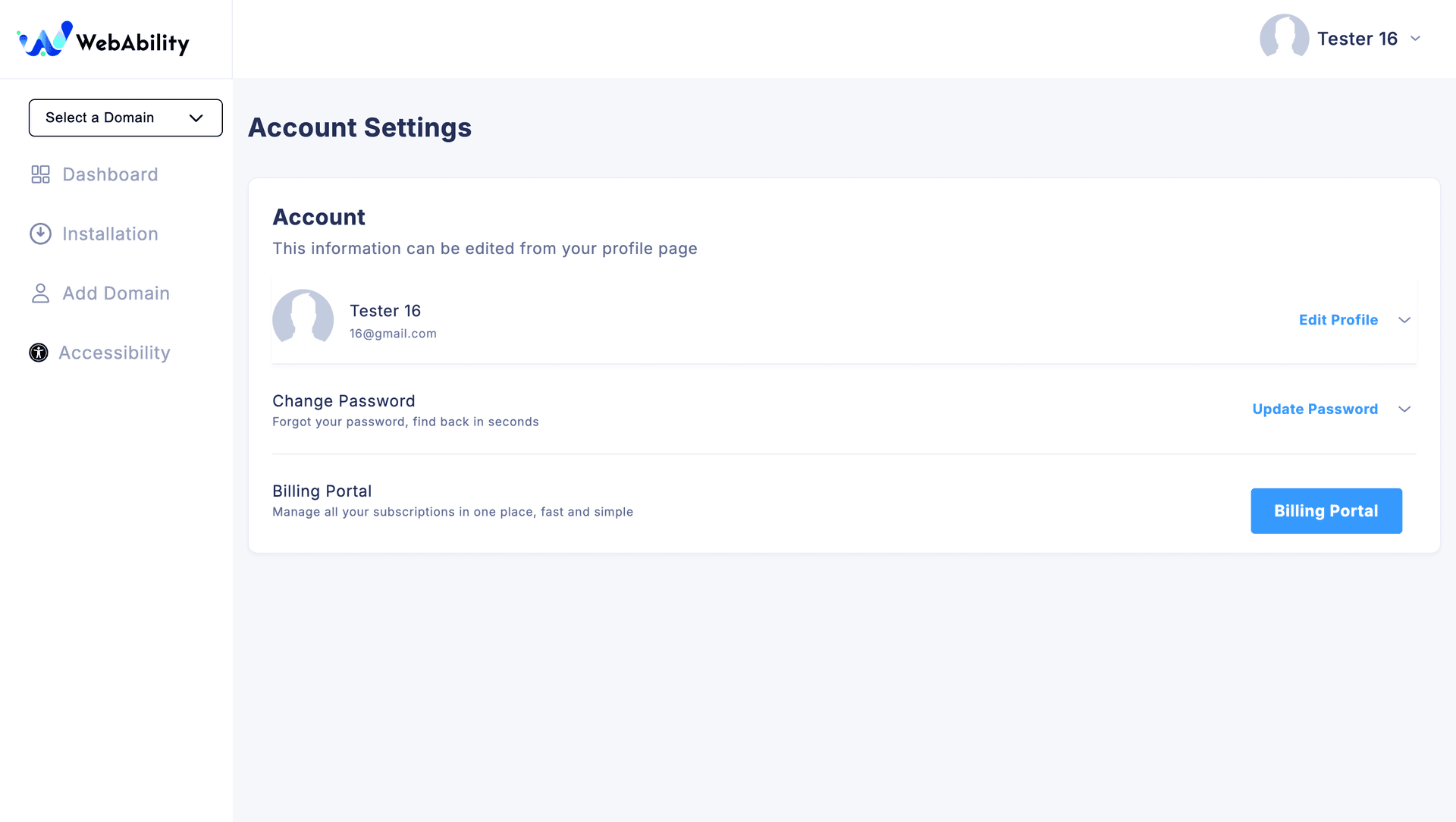
You will reach this page. Here press the Billing Portal Button and navigate while you get navigated to our Stripe Hosted Billing Portal.
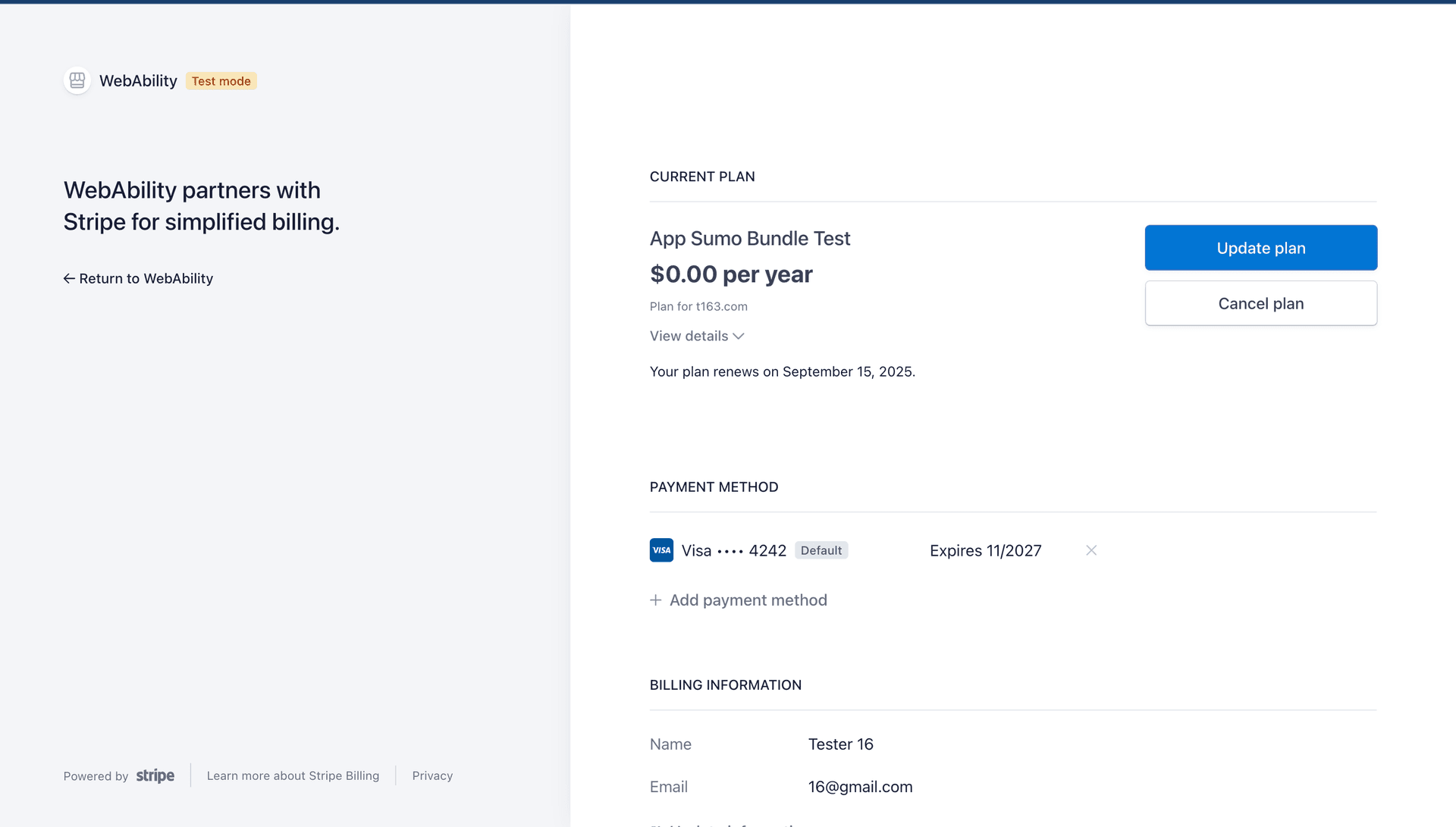
This is our Billing Portal where you can manage your subscription
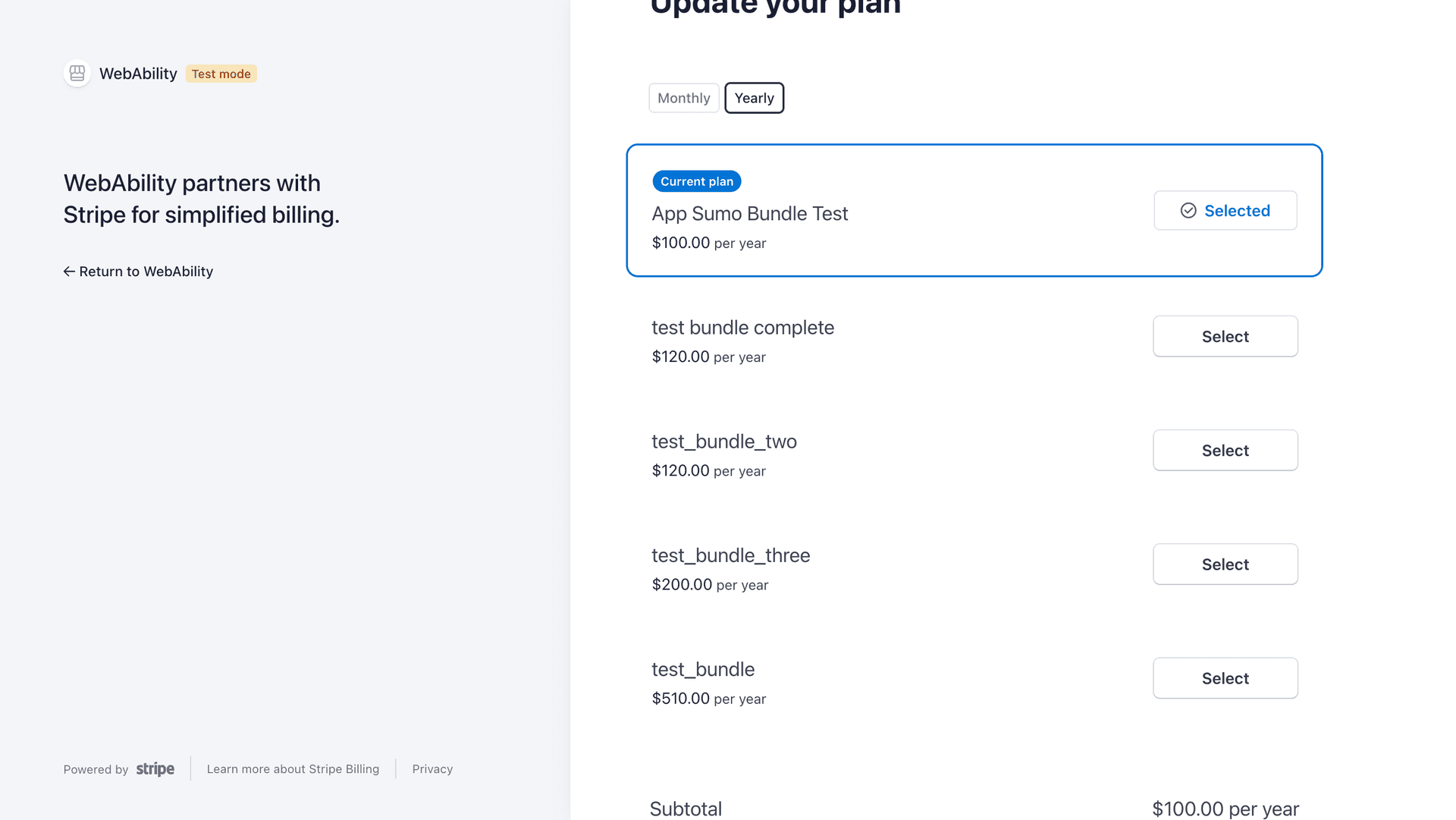
2. Update your Plan
You can choose to update your plan and choose from the list of available subscriptions
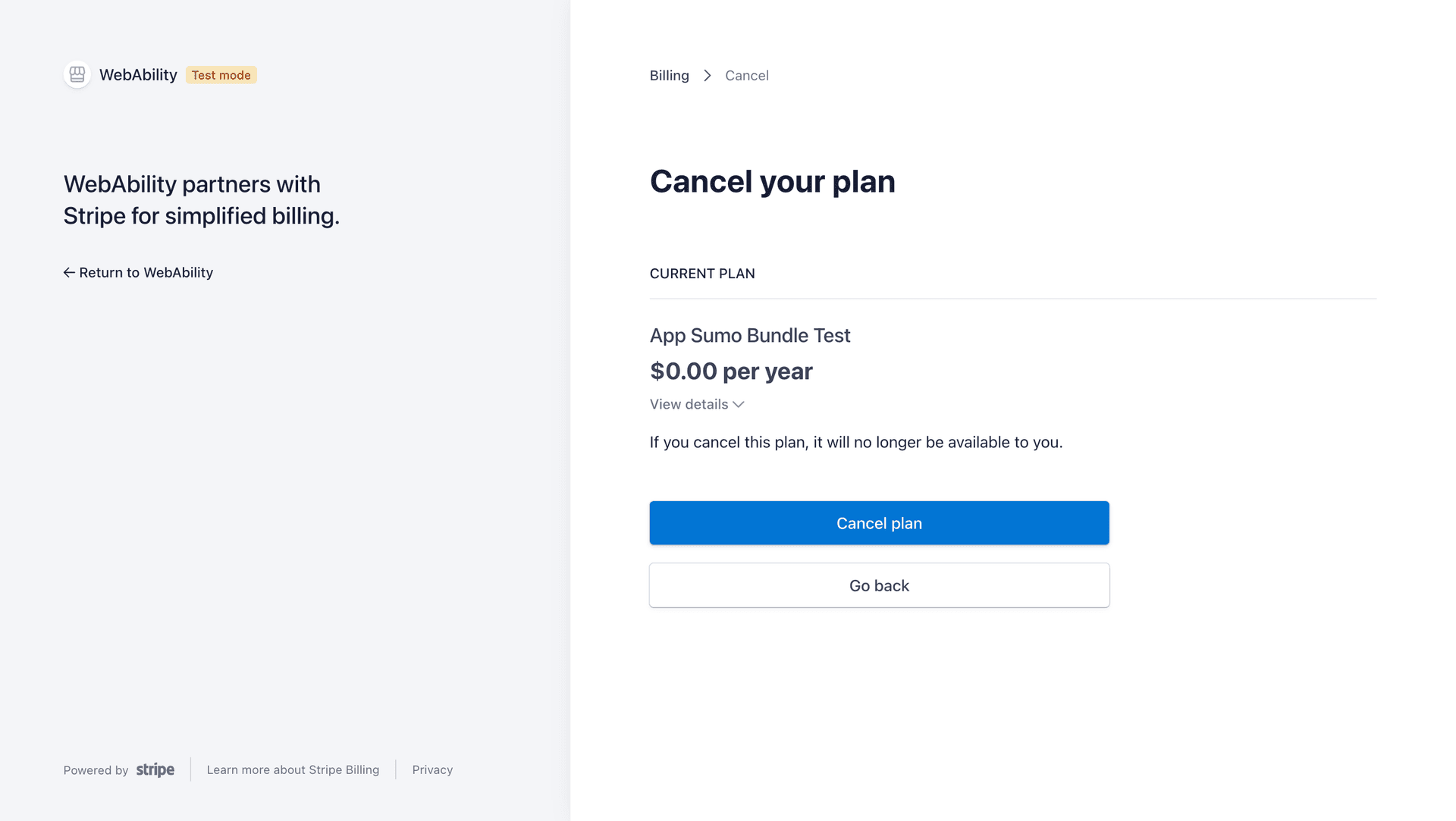
3.Delete your Plan
You can choose to Cancel your plan