Unlocking Digital Access with assistive technology dyslexia

Sidharth Nayyar
TL;DR: Assistive technology for dyslexia includes tools like text-to-speech, dyslexia-friendly fonts, and customizable text displays that make digital content accessible for the 15% of the population with this learning difference. Integrating these tools is a core part of web accessibility, improving user experience and aligning with WCAG principles. Managed solutions and accessibility widgets offer a straightforward way to implement a full suite of these essential features.
If you're building a website or creating digital content, understanding assistive technology for dyslexia is crucial. These tools are what make the digital world accessible for millions of people, acting as a translator between your content and users who process information differently.
Think of it this way: for a person with dyslexia, a wall of text can feel like an insurmountable barrier. Assistive technologies are the tools that break down that wall, brick by brick.
A Quick Guide to Dyslexia Assistive Technology
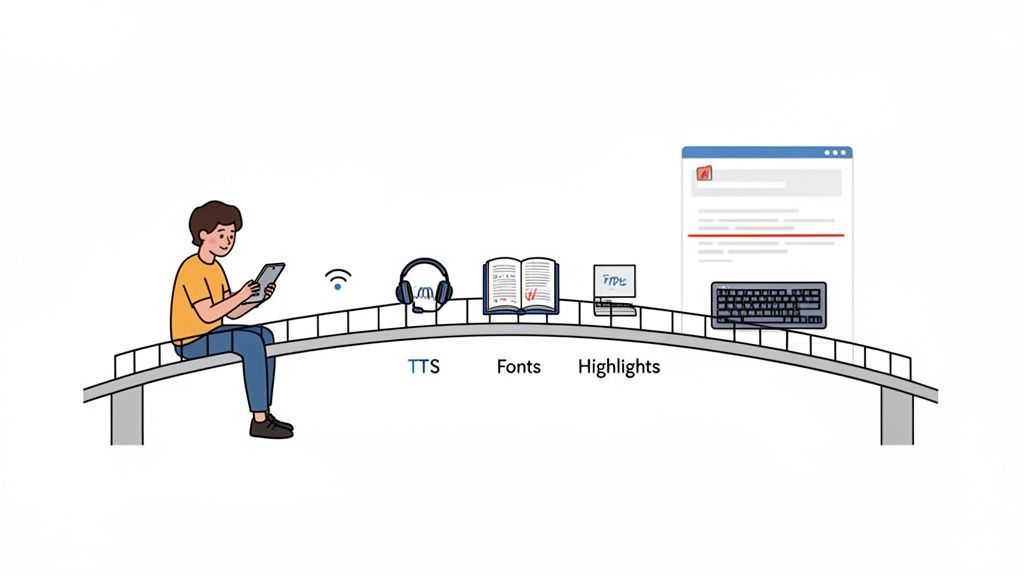
Most of us browse the web without a second thought. But for the estimated 15% of the population with dyslexia, things like dense paragraphs, tricky fonts, or the absence of audio alternatives can make the experience incredibly frustrating. Assistive technology tackles these problems head-on.
This isn't just about ticking a compliance box. It’s about building a better, more welcoming online space that works for everyone. When you support users with dyslexia, you’re simply practicing good design.
Core Assistive Solutions
While there's a wide variety of tools out there, a few key technologies deliver the biggest impact for users with dyslexia.
Text-to-Speech (TTS): This is a game-changer. TTS software reads text aloud, turning a reading task into a listening one. This helps tremendously with decoding tricky words and absorbing information.
Dyslexia-Friendly Fonts: You've probably heard of fonts like OpenDyslexic. These typefaces are designed with heavily weighted bottoms and unique letter shapes to stop them from flipping or looking jumbled, which can cut down on visual stress.
Customizable Text Displays: Sometimes the simplest changes make the biggest difference. Letting users increase text size, add more space between lines and letters, or tweak color contrast can make reading far more comfortable.
Key Takeaway: Integrating assistive technology isn't just a niche feature; it's a fundamental part of universal design. By helping users overcome common reading hurdles, you make your content more effective for a much broader audience.
To really get a handle on this, it helps to connect the specific challenges people with dyslexia face to the technologies designed to solve them. This table breaks it down clearly.
| Common Challenge | Assistive Technology Solution |
|---|---|
| Difficulty decoding words | Text-to-Speech (TTS) Reader |
| Letters appearing jumbled or reversed | Dyslexia-Friendly Fonts |
| Losing place while reading | Digital Highlighters & Reading Rulers |
| Overwhelm from dense text blocks | Adjustable Line and Word Spacing |
TL;DR
To make the web work for everyone, we first have to understand how people with dyslexia actually see and use it. Dyslexia isn’t a flaw; think of it as a different mental operating system. Everyday web design—like dense text and tricky fonts—can throw up major roadblocks, making assistive tools absolutely vital for a fair shot online.
Understanding How Dyslexia Shapes the Web Experience
If you want to build a genuinely accessible website, you have to get inside the user's head. The first step is to stop thinking of dyslexia as a disorder and start seeing it for what it is: a different way of processing information.
It’s a bit like comparing two computer operating systems. One isn’t inherently better than the other; they just handle commands differently.
People with dyslexia often have brains wired for incredible big-picture thinking, creativity, and out-of-the-box problem-solving. Where the challenge comes in is with the linear, symbol-heavy nature of written text. This fundamental difference in processing affects how they navigate everything online, from a news article to a shopping cart.
The Core Cognitive Hurdles
For someone with dyslexia, the online world is often shaped by a few key cognitive challenges that most web designs accidentally make worse. Once you grasp these hurdles, the need for assistive technology for dyslexia becomes incredibly clear.
Phonological Processing: This is the brain's ability to map letters to the sounds they make. When that connection is weak, decoding words becomes a mentally draining task that tanks reading speed and comprehension.
Working Memory Limits: Reading forces you to hold the beginning of a sentence in your mind while you work through the end. For many with dyslexia, this puts a heavy strain on working memory, making long or complex sentences feel like an impossible puzzle.
Visual Stress: Also known as Irlen Syndrome, this is a real phenomenon where letters can seem to blur, jumble together, or even dance around on the page. Things like certain fonts, stark black-on-white contrast, and cramped line spacing can trigger it, making reading physically uncomfortable.
These challenges mean that standard web design choices can become serious obstacles. A wall of text, a fancy but illegible font, or a confusing layout isn't just a minor annoyance—it can render a page completely unusable. This is precisely why assistive tech isn't a "nice-to-have" feature; it's a non-negotiable tool for digital equality.
Key Insight: Web accessibility for dyslexia is all about lowering cognitive load. Every design choice should be geared toward making information easier to process, not harder.
The sheer number of people with dyslexia shows just how many users stand to gain from more considerate web design. Globally, dyslexia affects a huge slice of the population, with estimates typically falling between 5% to 15%. In the United States, about 15% of people show signs of dyslexia-related reading issues, and it’s the reason behind 70–80% of all diagnosed reading disabilities.
Let’s put that into perspective. If your website gets 10 million visitors a year, a conservative 5% estimate means 500,000 of your users could have a much better experience with dyslexia-friendly features. These numbers make it obvious: building for accessibility isn’t just the right thing to do; it’s a smart move to serve a massive, often-ignored part of your audience.
To dig deeper into how dyslexia affects learning in other areas, such as picking up a new language, this article is a great resource: Dyslexia and Learning a Second Language.
Key Technologies That Empower Users with Dyslexia
Think of assistive technology as a digital toolbox, filled with specialized instruments designed to bridge the gap between a website's content and a user with dyslexia. These aren't just minor conveniences; they fundamentally change the online experience, turning frustrating barriers into accessible pathways.
Let's open up this toolbox and take a closer look at the most effective solutions out there.
The flowchart below shows how the core challenges of dyslexia—things like phonological processing and visual stress—directly translate into a tougher experience on the web.
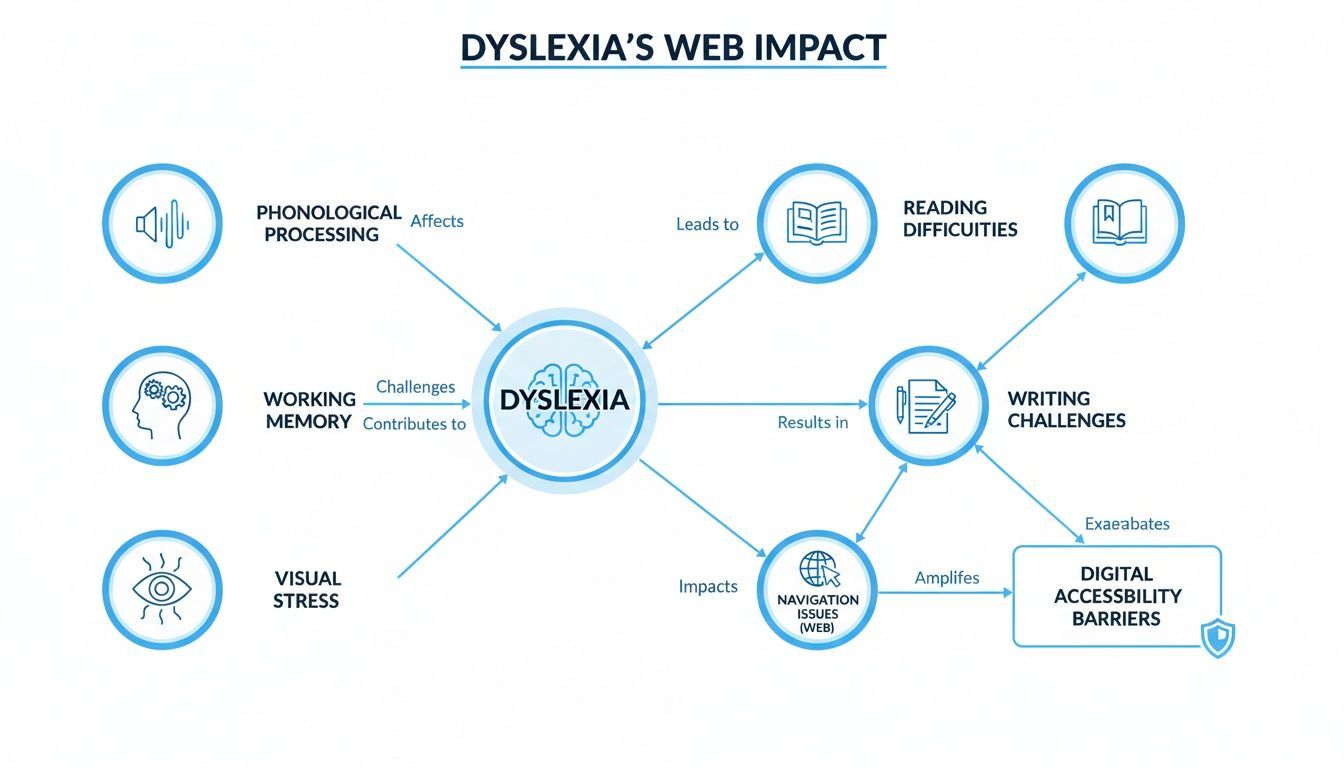
You can see how cognitive differences create very real, practical difficulties with reading and navigation, which is exactly why targeted tech solutions are so essential.
Text-to-Speech: The Digital Reading Partner
For many people with dyslexia, Text-to-Speech (TTS) is an absolute game-changer. TTS software simply converts the written text on a screen into spoken words. This transforms a reading task into a listening one.
This simple switch bypasses the heavy cognitive lifting of decoding jumbled words, freeing up mental energy to actually understand and think about the content. Imagine trying to follow a complex manual while the letters seem to swim on the page. A TTS tool is like having a helpful colleague read the instructions aloud, making sure the message gets through loud and clear.
Dyslexia-Friendly Fonts and Customizable Text
Visual stress is a huge hurdle where letters can appear to blur, rotate, or even merge. This is where specialized fonts and text customization features become invaluable.
Dyslexia-Friendly Fonts: Typefaces like OpenDyslexic or Dyslexie are engineered with clever design tricks, like heavily weighted bottoms and unique letter shapes. This makes each character more distinct and reduces the chance of confusing similar letters like 'b' and 'd'.
Customizable Spacing: The ability to increase the space between letters, words, and lines of text can dramatically reduce that feeling of visual crowding. It creates more "white space" on the page, making text blocks less intimidating and much easier to follow.
Contrast and Color Options: That standard high-contrast black-on-white text can be surprisingly harsh and actually make visual stress worse for some users. Giving people options for different background colors (like a soft sepia or light grey) or using a color overlay can make reading far more comfortable.
These adjustments are more than just cosmetic. They're grounded in cognitive science and are proven to reduce the mental load required to read.
Mapping Dyslexia Challenges to Assistive Technology Solutions
To make this even clearer, the table below connects the specific challenges someone with dyslexia might face online with the assistive technologies designed to help. It's a quick guide to understanding the "why" behind each feature.
| Challenge for User with Dyslexia | Assistive Technology Solution | How It Helps |
|---|---|---|
| Difficulty decoding written text (phonological processing). | Text-to-Speech (TTS) | Reads text aloud, bypassing the need to decode words visually and allowing focus on comprehension. |
| Letters appearing blurry, jumbled, or swapping (visual stress). | Dyslexia-Friendly Fonts | Uses unique letter shapes and weighted bottoms to make characters more distinct and less confusing. |
| Text feeling dense and overwhelming (visual crowding). | Adjustable Spacing | Increases space between lines, words, and letters, making text easier to track and less intimidating. |
| Losing one's place while reading long paragraphs. | Reading Ruler / Digital Highlighter | Isolates a single line or paragraph, removing surrounding distractions and improving focus. |
| Difficulty navigating a site with complex menus and links. | Screen Reader | Vocalizes all page elements (headings, links, buttons), providing a full auditory map of the site's structure. |
| Eye strain from harsh screen contrast. | Custom Color/Contrast Modes | Allows users to select softer background colors (e.g., sepia) to reduce visual stress and improve comfort. |
This mapping highlights how thoughtful technology provides direct, practical solutions to real-world accessibility barriers.
Screen Readers and Navigation Aids
While TTS focuses on reading selected text, a screen reader is a more comprehensive tool. It vocalizes everything on a webpage, including headings, links, and buttons. This helps users understand a site's structure and navigate confidently without having to rely solely on visual cues. It's a powerful tool that serves users with visual impairments and reading disabilities alike.
Beyond that, even simpler aids can make a huge difference:
Digital Highlighters: These tools let users highlight text as it's being read, either manually or in sync with a TTS reader. This is great for maintaining focus and keeping your place in a long article.
Reading Rulers: A digital reading ruler masks most of the screen to isolate a single line or paragraph. This simple trick is incredibly effective at eliminating distractions and helping the reader focus on one piece of information at a time.
These tools are crucial for making complex web pages and long-form content manageable. If you're curious about other digital aids, you might want to check out our guide on the different assistive technology types.
The impact of these tools is well-documented. Research from organizations like the International Dyslexia Association consistently shows that integrating features like TTS and customizable typography leads to measurable gains in both accessibility and engagement. These are evidence-backed accommodations, not just optional add-ons. And with the assistive technology market for learning disabilities projected to grow into a multi-billion-dollar industry, their adoption makes perfect business sense, too.
Integrating Dyslexia Support into Your Accessibility Strategy
TL;DR Integrating dyslexia support is a core part of any good web accessibility strategy, not a separate task. Focus on a user-centric approach by testing with people who have dyslexia, and align your efforts with WCAG principles. Using managed accessibility platforms can simplify the process, providing a full suite of tools like dyslexia-friendly fonts and text-to-speech without complex, manual coding.
Knowing which tools can help users with dyslexia is a great start, but real progress happens when you move from theory to practice. Thinking of dyslexia support as a separate project is a common mistake. Instead, it should be woven directly into the fabric of your overall web accessibility strategy. For any team serious about building inclusive digital experiences, this mindset shift is everything.
You’ll quickly find that many features designed to help people with dyslexia align perfectly with the core principles of the Web Content Accessibility Guidelines (WCAG). Things like providing clear text alternatives and making sure content is perceivable, operable, and understandable are universal wins. But for someone using assistive technology for dyslexia, they're absolutely essential.
When you frame dyslexia support within your existing WCAG efforts, you create a much smarter, more efficient workflow. It’s not an "extra" item on the to-do list; it’s a way to meet multiple success criteria at once while making a massive improvement to the user experience for a huge part of your audience.
Adopting a User-Centric Implementation Model
The most effective accessibility strategies are built on a foundation of empathy and real-world feedback. That means going beyond automated scans and compliance checklists and actually involving people with dyslexia in your design and testing. A user-centric approach ensures you’re solving the problems people actually have, not the ones you think they have.
So, what does that look like in practice?
Usability Testing: Bring in people with dyslexia to test your website. Watching them navigate your content will give you insights that no automated tool could ever provide. It’s often humbling and always eye-opening.
Feedback Channels: Make it incredibly simple for users to report accessibility issues they encounter. This not only helps you find and fix bugs but also sends a powerful message that you genuinely care about their experience.
Persona Development: When you’re in the design phase, create user personas that include dyslexia. This simple step helps your team spot potential roadblocks long before a single line of code gets written.
Key Takeaway: An accessibility strategy is only as strong as its connection to real users. Prioritizing feedback from the dyslexia community transforms your efforts from a compliance exercise into a meaningful user experience improvement.
It’s also important to remember that support extends beyond the screen. Empowering individuals with dyslexia often involves understanding the broader ecosystem of support, which includes things like learning about how to get academic accommodations such as extra time on standardized tests.
Streamlining Implementation with Managed Solutions
For many teams, especially smaller ones without dedicated accessibility experts, the thought of manually building and maintaining a whole suite of dyslexia support tools can feel overwhelming. This is exactly where managed accessibility platforms and widgets can be a game-changer.
Instead of trying to build a text-to-speech reader, a font switcher, and custom display controls from the ground up, you can lean on a pre-built, expertly-vetted toolset. A platform like WebAbility.io, for example, lets you deploy an accessibility widget that gives users a full menu of options—like specialized fonts, text-to-speech, and adjustable spacing—with a simple installation.
This approach brings some pretty clear advantages to the table:
Speed of Deployment: You can add a comprehensive set of assistive tools to your site in a matter of minutes, not months.
Continuous Updates: The accessibility world evolves. A managed service keeps your tools up-to-date with the latest tech and compliance standards, so your dev team doesn't have to.
Reduced Technical Burden: It frees up your developers to focus on your core product, trusting that accessibility is being handled by specialists.
By bringing a managed solution into the mix, you make robust dyslexia support both achievable and sustainable. It’s a practical way to ensure your website doesn't just check a compliance box but delivers a genuinely welcoming and functional experience for every single user.
How to Choose the Right Assistive Technology Solutions
Picking the right assistive technology for dyslexia is more than just comparing feature lists and price tags. It's a strategic decision. With so many options popping up, the goal is to make a smart choice that actually helps your users and supports your long-term accessibility goals.
Think of it like choosing the right tool for a job. A high-performance drill is fantastic, but it’s overkill if all you need is a simple screwdriver. In the same way, an assistive tool might boast a ton of features but fall flat if it's a nightmare to install, customize, or use on a phone. You need a solution that fits your team's technical skills, your budget, and—most importantly—the real needs of your audience.
Core Evaluation Criteria for Your Shortlist
As you start comparing platforms or even consider building something yourself, you'll want to focus on four key areas. These pillars will help you see past the marketing hype and find a tool that’s both effective and manageable for your organization.
Ease of Implementation and Maintenance: How much heavy lifting is required to get this running? A solution that demands weeks of a developer's time just isn't practical for most teams. Look for tools that offer a simple integration, like dropping in a single line of code, and that handle all the maintenance and updates for you.
Depth and Quality of Features: Does the tool offer a well-rounded set of supports? A dyslexia-friendly font is a good start, but a truly helpful solution goes further. Check for high-quality text-to-speech voices, adjustable text spacing, various color contrast modes, and a digital reading ruler. The best platforms provide a complete toolbox for different needs.
User Customization and Control: Accessibility isn't a one-size-fits-all experience. The best tools give users the power to fine-tune the experience to what works for them. Can they save their preferred settings for their next visit? Is it easy to turn features on and off without digging through confusing menus?
Cross-Device and Browser Compatibility: People will visit your site from everywhere—desktops running Chrome, tablets on Safari, and Android phones. Any technology you choose has to work seamlessly across the board. If the experience is buggy or inconsistent on different devices, it creates frustration and undermines trust.
Crucial Insight: The best accessibility solution is one that people actually use. Always favor a smooth user experience and straightforward implementation over a long list of features that are buried or hard to figure out. A tool that feels intuitive and just works will have a much bigger impact.
Understanding the Business Case for Investment
Putting money into assistive technology for dyslexia isn't just another expense. It's a smart move that expands your audience and strengthens your brand reputation. The global market for dyslexia tools and digital support is booming, which tells us there’s a real and growing demand for this kind of technology.
Market estimates valued this space at around $4.6–$4.9 billion in the mid-2020s, with forecasts predicting it will nearly double to $9.0 billion by 2035. This growth is driven by better awareness, more people getting diagnosed, and a wider embrace of digital tools. For any business, these numbers point to a large and engaged audience actively looking for accessible online experiences. You can dive deeper into these figures by exploring the market growth projections for dyslexia interventions.
When you provide these tools, you're doing more than just ticking a compliance box. You're showing a genuine commitment to inclusivity. That kind of action builds powerful brand loyalty and opens your digital doors to a much wider audience, turning what could be an accessibility hurdle into a real competitive edge. The right solution doesn't just help some users—it makes your website better for everyone, proving you value every single person who visits.
TL;DR The future of assistive tech for dyslexia is all about hyper-personalized, AI-driven experiences. We're looking at adaptive interfaces that learn as you go, real-time text summaries, and powerful tools baked right into browsers and operating systems. This just goes to show that web accessibility is a continuous journey, not a one-and-done task.
The Future of Digital Reading Support
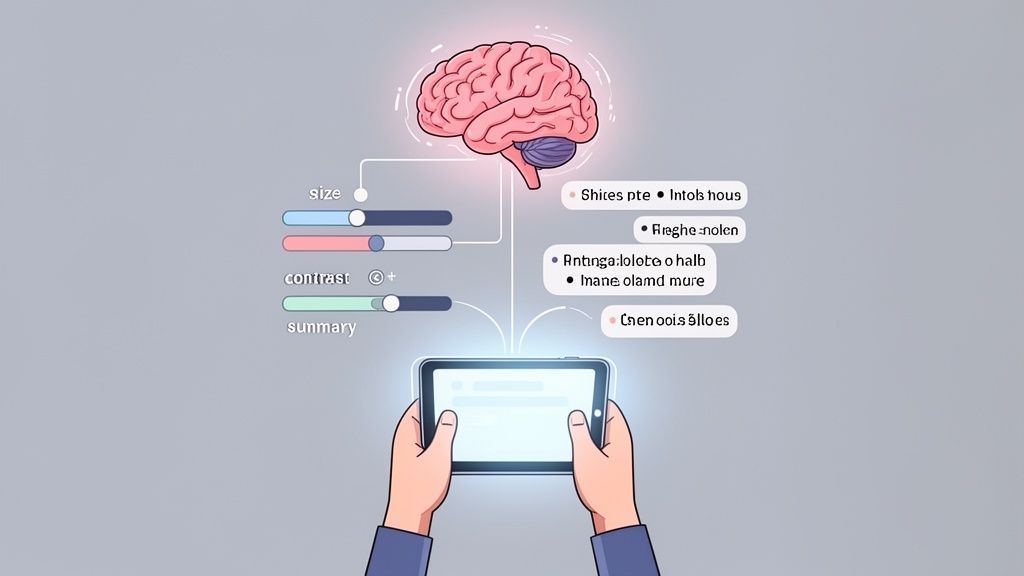
The world of assistive technology for dyslexia isn't standing still. Far from it. We're on the cusp of some really exciting advancements, moving toward support that's intelligent, adaptive, and so well-integrated that it anticipates what a user needs before they even have to ask.
Leading the charge is Artificial Intelligence (AI). We're about to leapfrog the tools we have today into a future of true hyper-personalization, where the technology actually learns an individual’s unique reading patterns and preferences.
Think about a website that doesn't just give you a menu of options but actively fine-tunes its presentation as you interact with it. That’s the kind of impact AI is starting to have.
AI-Powered Personalization on the Horizon
The next crop of assistive tools will offer dynamic support that’s truly tailored to the person using it. This change promises a much more intuitive and less frustrating experience for people with dyslexia.
Adaptive Interfaces: Soon, websites and apps will be able to adjust text size, spacing, and contrast on their own, based on a user’s behavior. The goal is to create the perfect reading environment automatically, without anyone having to fiddle with settings.
Real-Time Summarization: AI is getting incredibly good at taking long, dense articles and spitting out a quick, concise summary. This is a game-changer for grasping key concepts without the cognitive drain of tackling a wall of text.
Predictive Text and Contextual Aids: We’re moving beyond simple word suggestions. Advanced predictive text will also offer up definitions and context for tricky terms right when you need them, boosting comprehension on the spot.
These aren't just minor tweaks; they're turning assistive technology from a reactive tool into a proactive reading partner.
The ultimate goal is to create a digital world where accessibility is so deeply embedded that the technology becomes invisible, allowing the user to focus entirely on the content.
Deeper Integration into Core Platforms
Another major shift is the move to build powerful assistive features directly into browsers and operating systems. Instead of having to rely on a patchwork of third-party extensions or website-specific widgets, solid support will become a standard part of our digital lives.
This means features like high-quality text-to-speech, specialized fonts, and reading rulers will just be there, ensuring a consistent and reliable experience no matter what site you visit. If you want to dive deeper into this, you can explore more about the power of Open Dyslexia fonts and other key accessibility trends at https://www.webability.io/blog/unlocking-web-accessibility-the-power-of-open-dyslexia-fonts-and-key-trends-for-2.
At the end of the day, creating a genuinely accessible web is an ongoing commitment, not a final destination. The only way forward is to embrace this path of constant improvement to build a digital space that truly works for everyone.
In a Nutshell
This FAQ cuts through the noise around assistive technology for dyslexia. The main takeaway? "Assistive technology" isn't just about complicated hardware; it's about practical tools like text-to-speech and specialized fonts that make digital content usable. These tools don't "cure" dyslexia—they offer smart workarounds for accessing information. And yes, building these features into your site is a huge part of meeting accessibility standards like WCAG and, more importantly, creating a better experience for all users.
Frequently Asked Questions
When you start digging into digital accessibility, especially for conditions like dyslexia, a lot of questions pop up. Let's tackle some of the most common ones head-on to clear up confusion and help you map out your strategy.
What Does "Assistive Technology for Dyslexia" Really Mean?
The term "assistive technology" often conjures up images of complex, expensive gadgets. But in the context of dyslexia and the web, it’s usually much simpler and more about software.
Think of it as any tool, big or small, that helps someone with a disability get something done. For users with dyslexia, this often means software-based solutions that can be easily integrated right into a website.
Text-to-Speech (TTS): Software that reads the words on the screen out loud.
Dyslexia-Friendly Fonts: Typefaces like OpenDyslexic that are specifically designed to reduce letter-swapping and improve readability.
Customizable Displays: Simple controls that let users adjust text size, spacing between lines, and color contrast to find what works best for them.
Digital Reading Rulers: A clever tool that highlights one line of text at a time, keeping the reader focused and preventing them from losing their place.
Each of these tools is designed to lighten the cognitive load that reading can create, making your content far easier to access.
Can Assistive Technology Cure Dyslexia?
This is a big one: No, assistive technology doesn't cure dyslexia. Dyslexia is a lifelong, neurobiological difference in how the brain processes language. It isn't a disease that needs a cure; it's simply a different way of thinking and learning.
Key Clarification: Assistive technology is a compensatory tool, not a treatment. It’s all about providing an alternative route to access information, effectively bypassing the specific challenges tied to reading. A great analogy is eyeglasses for someone who is nearsighted—they don't change the person's eyes, but they provide a highly effective way to navigate the world.
Are We Required to Provide These Tools Under WCAG?
While the Web Content Accessibility Guidelines (WCAG) don't mandate a specific list of technologies, its foundational principles point directly to the need for them. The guidelines are built around making content Perceivable, Operable, Understandable, and Robust (POUR).
Perceivable: If a user struggles to perceive written text, a text-to-speech option makes that information perceivable through hearing.
Operable: A clear site structure, which screen readers rely on, makes your website much easier for everyone to operate and navigate.
Understandable: Features like customizable text and dyslexia-friendly fonts directly improve readability and comprehension, hitting the "understandable" principle right on the head.
Adding these tools isn't just about checking a compliance box. It’s one of the most practical ways to meet multiple WCAG success criteria while drastically improving the experience for a significant chunk of your audience. They're a cornerstone of any serious accessibility effort.
Ready to make your website genuinely accessible for users with dyslexia? WebAbility.io offers a complete set of tools—including dyslexia-friendly fonts, text-to-speech, and customizable displays—all bundled into one simple widget. You can start a free trial today and see just how easy it is to create a more inclusive digital space for everyone.
Quick Questions
Tap to ask AI about this article