A Complete Guide to Screen Reader Software in 2026

Sidharth Nayyar
TL;DR: Screen reader software is essential assistive technology that converts on-screen content into speech or braille, enabling users with visual impairments to navigate the digital world. For businesses, ensuring your website is compatible with tools like JAWS, NVDA, and VoiceOver is not just about compliance—it's about demonstrating trustworthiness (E-E-A-T), tapping into a massive global market, and improving SEO. The best approach combines a strong foundation of clean, semantic HTML with a comprehensive accessibility platform like WebAbility.io to automate compliance, enhance user experience, and drive business growth. Get a free analysis of your site with our website accessibility checker.
At its core, screen reader software is a type of assistive technology that reads digital content aloud. It takes the text and elements on a screen—things like buttons, links, and images—and translates them into synthesized speech or a braille display. This makes it an indispensable tool for people with visual impairments, giving them the freedom to browse websites, use apps, and access information on their own terms.
Understanding Screen Reader Software
Before we get into the nuts and bolts, it’s helpful to understand the bigger picture of web accessibility. If you're new to the concept, this guide on What Is Website Accessibility is a fantastic starting point. Thinking about accessibility first helps you see that screen reader support isn't just a technical checkbox—it's a fundamental part of good business and design.
Think of a screen reader as a bridge connecting the visual digital world to users who can't see it. Imagine trying to use a website with your eyes closed. A screen reader becomes your guide, narrating everything from page titles and headings to image descriptions and button labels. It essentially creates an auditory map of the page.
Who Benefits from Screen Readers
It’s a common myth that only people who are blind use this technology. The reality is that the user base is much larger and more diverse, which really drives home just how impactful accessible design can be.
The main groups of people who rely on screen readers include:
- People with Blindness or Low Vision: This is the primary group, and for them, screen readers are the main way they interact with almost all digital content.
- Individuals with Reading Disabilities: For someone with a condition like dyslexia, having text read aloud can make a world of difference in comprehension and focus.
- Users with Cognitive Disabilities: The software can simplify complex information by presenting it in an auditory format, which can be easier to process.
- Anyone with a Situational Impairment: Think about someone trying to follow a recipe on their tablet while cooking. A screen reader offers a hands-free way to get information without stopping what you're doing.
The impact of this technology is massive. The World Health Organization reports that at least 2.2 billion people have a near or distance vision impairment. A huge portion of this group depends on assistive technologies to navigate the digital world.
This wide range of users shows why building universally compatible websites and apps is so important. When you ensure your site works well with screen reader software, you’re not just catering to a small group; you’re practicing inclusive design that helps everyone. This kind of commitment to accessibility also signals that your brand is knowledgeable, credible, and trustworthy.
Ultimately, a well-built, accessible website brings your business to a larger audience and improves the experience for every single user. To dig deeper, you can learn more about what a screen reader is and how it works in our glossary. And with tools like those offered by WebAbility.io, you can make sure your site is fully compatible, turning a simple requirement into a real strength.
It's easy to assume screen readers "see" a website, but the reality is more interesting—and far more technical. They don't process visuals at all. Instead, they interpret the underlying code, specifically something called the Document Object Model (DOM). Think of the DOM as a building's architectural blueprint; it's a structural map of the entire page. A screen reader follows this blueprint, reading semantic HTML tags and ARIA attributes to convert what's on the screen into a structured, audible experience. When the code is clean, the experience is seamless.
How Screen Readers Interpret a Website
A common misconception is that screen readers function like text-to-speech apps, simply reading whatever text is visible on the screen. The truth is, they operate on a much deeper level by engaging directly with a website's code structure. The process is less like reading a book cover-to-cover and more like an interpreter translating a complex language in real-time.
The foundation for this interpretation is the Document Object Model (DOM). When your browser loads a webpage, it builds the DOM—a tree-like map representing every single element, from headings and paragraphs to images and buttons. A screen reader doesn't see colors or layout; it methodically navigates this DOM tree, announcing each element it encounters based on its code.
This diagram breaks down the fundamental flow from on-screen code to spoken output.
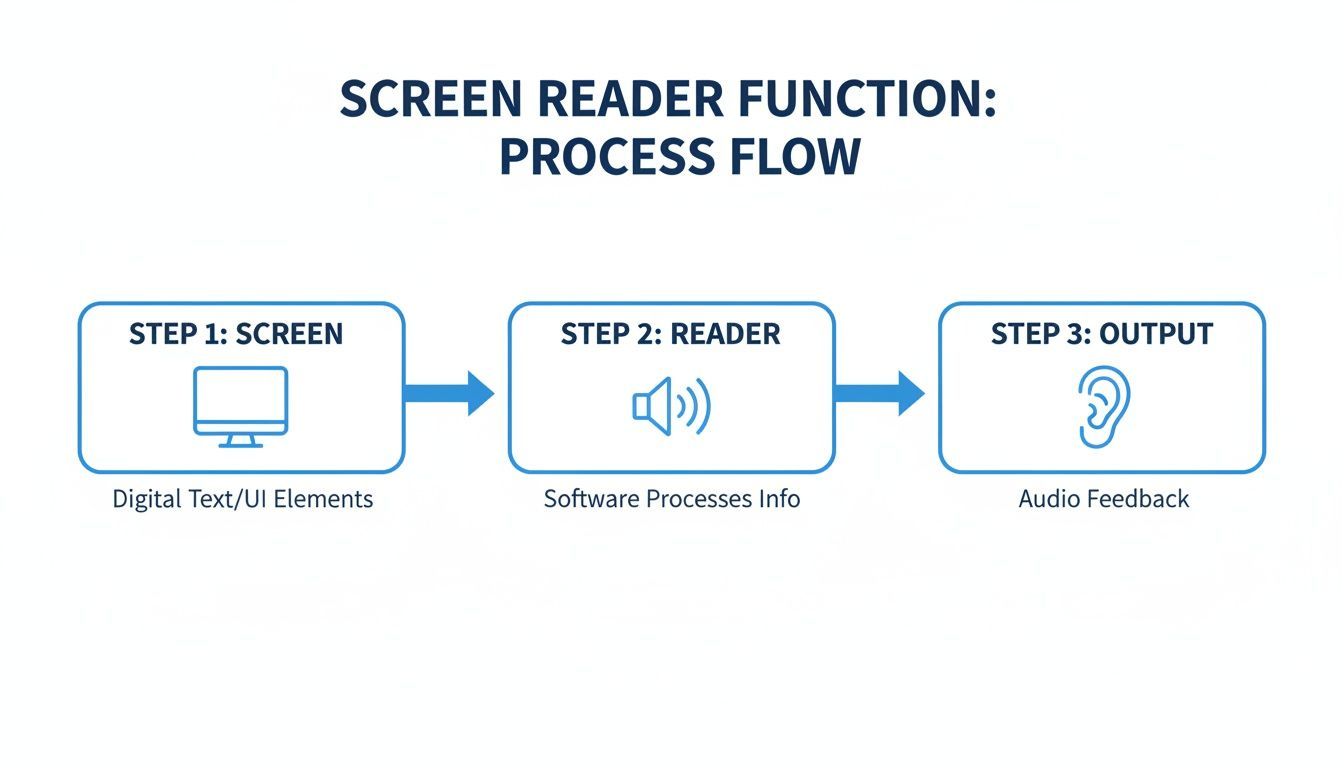
As you can see, the software acts as a crucial go-between, translating the site’s digital structure into clear, understandable speech that a user can act on.
The Role of Semantic HTML
This is why clean, well-structured code is non-negotiable for accessibility. Screen readers depend on semantic HTML tags to give everything context and create a navigable outline. These tags are like digital signposts.
For instance, when a screen reader comes across:
<nav>: It announces a navigation menu, letting a user know they've found the main links.<h1>: It identifies the page's main topic, like a newspaper headline.<button>: It communicates that an element is interactive and designed to be clicked.
Without these semantic markers, the page devolves into a confusing wall of text. The user has no way to jump to the main content, find the navigation, or understand what's a button and what's just text. It’s the digital equivalent of a building with no signs, doors, or hallways.
Providing Context with ARIA Attributes
Semantic HTML is the perfect start, but modern websites are filled with dynamic components—sliders, accordions, and custom pop-up dialogs—that go beyond what standard tags can describe. This is where ARIA (Accessible Rich Internet Applications) attributes become indispensable.
ARIA is like a set of helpful notes left for the screen reader. It adds critical context about an element's purpose, state, or properties that aren't obvious from the code alone, making custom interactive elements fully accessible.
For example, an ARIA attribute can tell a screen reader that a collapsible menu section is currently "expanded" or "collapsed." It can also announce when a pop-up appears and shift the user's focus there, so they don't get lost or miss important alerts. To get a better handle on this, you can learn more about ARIA in our detailed glossary article.
This is a huge deal for developers. A staggering 70% of screen reader errors can be traced back to sloppy semantic HTML and incorrect ARIA implementation. This makes code auditing an essential step in any professional workflow.
A Real-World Example on an E-commerce Site
Let’s put it all together. Imagine a user who is blind visits an e-commerce product page. A well-coded site allows their screen reader to create a clear, actionable experience. Here’s what they might hear:
- Product Name: "Heading level 2, Lightweight Running Shoes."
- Product Image: "Image, blue and white running shoe on a white background." (This description comes from well-written alt text.)
- Price: "Price, $129.99."
- Add to Cart Button: "Add to Cart, button."
Each piece of information is clearly identified with its role (a heading, an image, a button) and its content. This logical flow empowers the user to understand the page and make a purchase with confidence. That's the power of building with accessibility in mind from the start.
If you want your website to work for everyone, you first need to know what tools they're using. When it comes to screen reader software, the market isn't a monolith. A few major players dominate, and understanding who they are and how they differ is the first step toward building a truly accessible website.
People choose a screen reader based on their operating system, their budget, and simple personal preference. This means your audience is accessing your site through a variety of different lenses. What sounds perfect on one screen reader might be confusing or broken on another.
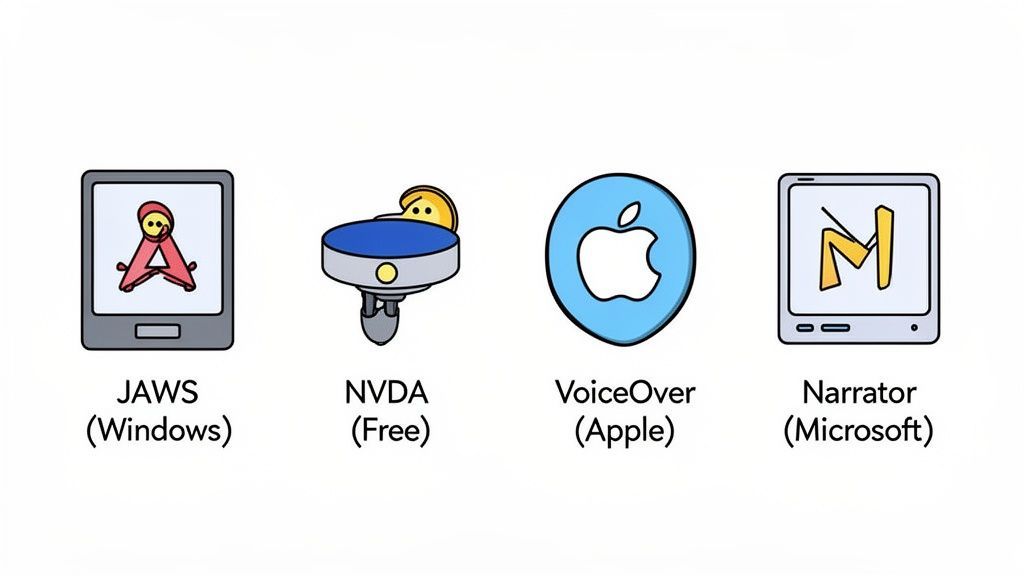
This diversity is why a multi-faceted approach to accessibility testing is so important. You can't just test for one and call it a day. The key is to ensure your site’s underlying code is clean and semantic, so it can communicate clearly with any of these tools.
To help you prioritize your testing efforts, it's useful to see how the most common screen readers stack up. The table below gives a quick overview of the major software, their platforms, cost, and who typically uses them.
Major Screen Reader Software at a Glance
| Screen Reader | Primary Platform(s) | Cost Model | Key User Base |
|---|---|---|---|
| JAWS | Windows | Paid Subscription/License | Corporate, Government, Power Users |
| NVDA | Windows | Free (Donation-supported) | Global, Individual, Education |
| VoiceOver | macOS, iOS, iPadOS | Free (Built-in) | Apple Ecosystem Users |
| Narrator | Windows | Free (Built-in) | Casual or New Windows Users |
This isn't an exhaustive list, but it covers the vast majority of what you'll encounter in the wild. Focusing your testing on these four will give you excellent coverage and help you catch the most critical issues.
JAWS (Job Access With Speech)
For years, JAWS has been the gold standard, especially in professional and educational settings. Developed by Freedom Scientific, it's an incredibly powerful and feature-packed screen reader for Windows. Its extensive customization and scripting options make it the go-to choice for power users who depend on it for their work.
The trade-off? JAWS is a premium tool with a significant price tag, which puts it out of reach for many individual users.
NVDA (NonVisual Desktop Access)
Standing in stark contrast to the paid model is NVDA. It's a completely free, open-source screen reader for Windows, and it has absolutely taken the world by storm. Maintained by the non-profit NV Access, its core mission is to ensure computer access is a right, not a privilege.
Because it’s free and incredibly capable, it has grown to be the most popular screen reader on the planet. WebAIM's 2021 survey found it was the primary tool for a staggering 73.7% of respondents. If you test with only one screen reader, this is the one you can't ignore.
VoiceOver and Narrator: The Built-ins
These days, you don't need to install special software to get started with a screen reader. Most operating systems come with one right out of the box.
- VoiceOver: This is Apple’s built-in screen reader, found across macOS, iOS, and all their other platforms. It's famous for its smooth, high-quality voice and its tight integration with the Apple ecosystem, especially on mobile.
- Narrator: This is Microsoft's answer for Windows. What was once a very basic tool has transformed into a legitimately powerful screen reader. Recent updates to Narrator have made it a solid choice for web browsing and everyday computer use.
The fact that high-quality, free screen readers are now standard issue means you have to assume any visitor might be using one. Your website can't just be accessible for those with expensive, specialized software; it has to work for everyone, right from the start.
While all these tools do the same basic job, they don't always speak the exact same dialect. A button might be announced as "Save, button" on one and "Button, Save" on another. Users are generally used to these little quirks. The real problems happen when sloppy code creates a major roadblock on one tool but works fine on another.
To see how these differences play out in practice, you can get hands-on by following our guide to conducting a proper screen reader test.
Why Screen Reader Compatibility Is a Business Imperative
In today's world, your website is often the first—and sometimes only—impression you make. Thinking of screen reader compatibility as a simple technical checkbox is a massive missed opportunity. It’s a core business decision that speaks volumes about your brand's quality, values, and who you're willing to serve.
When you look at it through Google's E-E-A-T lens (Experience, Expertise, Authoritativeness, and Trustworthiness), the picture becomes perfectly clear. A website that works flawlessly with a screen reader sends a powerful signal that you care about every user. This isn't just about ethics; it's about demonstrating a high level of professional skill, which builds the kind of deep trust and loyalty that marketing campaigns can only dream of.
Unlocking a Massive, Overlooked Market
Beyond just building a better brand, the financial case for accessibility is staggering. The market for screen reader software alone was valued at an incredible USD 113.5 billion in 2024. Analysts project it will skyrocket to USD 401.7 billion by 2032.
This isn't a fluke. That growth is fueled by a global population of over 2.2 billion people with some form of visual impairment. By making your website accessible, you’re not just doing the right thing—you are tapping into the $13 trillion global disability economy. This is a massive, loyal consumer base that is actively looking for brands that will meet them where they are.
For a business, ignoring accessibility is the digital equivalent of locking the front door on billions of potential customers. Investing in screen reader compatibility isn't an expense; it's a direct investment in market expansion.
When you choose to make your site accessible, you immediately stand out as a leader. It becomes a competitive advantage that resonates with everyone, whether they use assistive technology or not.
Steer Clear of Legal and Financial Headaches
While the opportunity is huge, the risk of ignoring accessibility is just as significant. Digital accessibility isn't optional—it's mandated by regulations like the Americans with Disabilities Act (ADA) and Section 508. And enforcement is ramping up.
Lawsuits targeting inaccessible websites have become frighteningly common, leading to punishing legal fees, costly settlements, and a tarnished brand reputation. A site that doesn't work for screen reader users is a direct invitation for legal trouble. These lawsuits aren't just about the money; the negative press erodes customer trust and can cause long-term damage that’s hard to come back from.
The only smart move is a proactive one. By using a platform like WebAbility.io, you can lean on AI-powered tools that find and fix accessibility gaps automatically. This not only helps you meet standards like WCAG 2.2 but also builds a strong defense against potential lawsuits.
Better Usability and SEO for Everyone
Here’s the best part: optimizing for screen readers makes your website better for every single visitor. The fundamental principles of accessible design are the same principles that drive great user experience (UX) and top-tier search engine optimization (SEO).
Think about it:
- Logical Heading Structure (
<h1>,<h2>): This doesn't just help screen readers outline the page for their users. It also helps search engines understand your content's hierarchy and makes the page easier for all visitors to scan. - Descriptive Alt Text: It’s absolutely essential for screen reader users to understand images, but it’s also a critical signal that tells search engines what your images are about, improving your image search ranking.
- Keyboard-Only Navigation: This is a must-have for many assistive technology users, but it's also a huge help for "power users" and anyone who's ever had their mouse die unexpectedly.
These aren't just minor tweaks. They lead to lower bounce rates, more time spent on your site, and ultimately, better search rankings. When you build for accessibility, you’re simply building a higher-quality website. Tools like those offered by WebAbility.io can put this process on autopilot, improving the experience for everyone while keeping your site compliant and ahead of the curve.
Best Practices for Building Screen Reader Friendly Websites
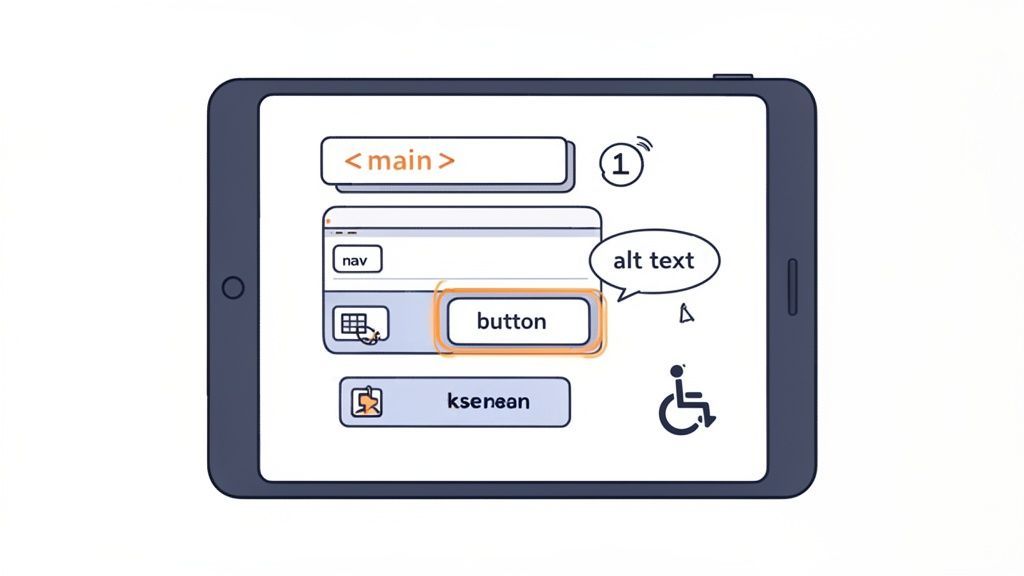
Making a website that plays nicely with screen reader software isn't some dark art. It’s simply a matter of embracing solid, modern development practices—the kind that separate a truly professional site from an amateur one.
When you build a site the right way, accessibility often falls right into place. A well-structured, accessible website isn't just for a specific group of users; it’s a sign of quality craftsmanship that benefits everyone.
Start with a Strong Semantic HTML Foundation
Everything starts with your code's structure. Using semantic HTML5 elements correctly is the single most effective thing you can do for accessibility. These tags aren't just for organization; they give a screen reader a logical map of your page, turning a flat wall of text into a navigable, understandable space.
Instead of wrapping everything in generic <div> and <span> tags, use elements that actually describe their purpose:
<main>: Identifies the primary content, so users can skip the header and nav and get right to the good stuff.<nav>: Wraps your main navigation links, making them easy for a screen reader to locate.<header>and<footer>: Define the top and bottom sections of a page or article.<button>: Use this for anything clickable that triggers an action. A screen reader announces it as a "button," setting the right expectation for the user.
This clean structure is what enables screen reader users to navigate efficiently. They can use shortcuts to jump from heading to heading or to find specific landmarks like the main content or navigation, which is far faster than listening to the entire page from top to bottom.
Write Meaningful Alt Text for Every Image
Don't fall for the myth that screen reader users don't care about images. Many users have low vision and can see an image is there but can't make out the details. Others simply appreciate the context an image adds to the content. Your alternative text (alt text) is how you communicate that context.
Every meaningful image must have descriptive alt text. This isn't just a suggestion; it's a fundamental requirement for an accessible web.
When writing alt text, your goal is to convey the image's purpose, not just what it looks like. Instead of "graph," try "Bar chart showing a 30% increase in user engagement for Q3." If an image is purely for decoration and provides no information, use an empty alt attribute (alt=""). This tells the screen reader to ignore it completely.
Ensure Flawless Keyboard Navigation
Many people who use screen readers also rely entirely on a keyboard to get around the web, often due to motor disabilities. Every interactive element—links, buttons, form fields, menus—must be reachable and usable with just the keyboard, typically the Tab key.
As a user tabs through the page, their current location needs to be crystal clear. This is done with a focus indicator, usually a bright outline around the active element. Never, ever remove this outline without providing a more obvious alternative. It's the digital equivalent of turning off the lights and asking someone to find the door.
Use ARIA to Clarify, Not Complicate
While clean HTML is your best friend, sometimes you need to build complex widgets like accordions, tabs, or custom pop-ups. This is where ARIA (Accessible Rich Internet Applications) comes in. ARIA attributes are like little notes you leave in the code to give screen readers extra context about these dynamic components.
- Use
role="dialog"to tell a screen reader a pop-up window has appeared. - Use
aria-expanded="true"or"false"to communicate whether a collapsible section is open or closed. - Use
aria-labelto give a name to an element that has no visible text, like an "X" icon for closing a modal (<button aria-label="Close">X</button>).
A word of caution: use ARIA only when you have to. A poorly used ARIA attribute can cause more confusion than it solves. Always default to a native HTML element if one exists for the job.
Understanding the principles behind these practices is crucial, and a great place to start is by reviewing established website accessibility standards. These guidelines form the backbone of a truly inclusive web.
Putting all of this into practice, especially on a large and evolving website, can be a challenge. That’s where a tool like the website accessibility checker can make a real difference. It automates the process of finding issues like missing alt text, incorrect heading structures, or ARIA mistakes, helping your team enforce these best practices at scale. By catching these problems early, you can maintain a high-quality, accessible experience for all users of screen reader software.
How a Complete Accessibility Platform Bridges the Gap
In short: Clean code is the bedrock of an accessible website, but it’s only half the story. To truly support users and stay compliant, modern sites need an intelligent platform like WebAbility.io. It works on top of your existing code to supercharge screen reader software compatibility, give users control, and automate the hard work of maintaining accessibility.
Starting with good, clean code is absolutely the right first step. But if you’re trying to manage accessibility only through manual coding on a website that's constantly changing, you’re fighting an uphill battle. The code is your foundation, but you need a smarter system built on top to keep up.
This is where a partnership between your developers and an AI-powered solution really shines. Think of it this way: your developers build a structurally sound house. A platform like WebAbility.io then acts as a smart home system, ensuring the signs, pathways, and controls are perfectly adapted for every single person who walks through the door, whatever their needs may be.
A More Personal and Inclusive Experience
An advanced accessibility platform does more than just patch up code. It adds an intelligent interface that lets visitors adjust the website to fit their own needs, right on the spot. This creates a much more welcoming environment, especially for people who rely on screen reader software and other assistive tools.
Here’s what that looks like in practice:
- Smarter Screen Reader Support: The platform helps screen reader software make sense of complex elements like pop-ups, dynamic forms, and other interactive features that often cause confusion.
- Flawless Keyboard Navigation: It ensures that every button, link, and menu can be used with just a keyboard. This is a must-have for many screen reader users and people with motor impairments.
- On-Demand User Customization: Visitors can instantly change settings, like increasing contrast, switching to a dyslexia-friendly font, or making text larger.
By combining a solid codebase with an intelligent, user-facing layer, you build a website that doesn't just meet a standard—it genuinely serves a broader audience.
An AI-powered accessibility platform closes the gap between your site's technical backend and the real-world needs of your users. It provides the live adjustments and oversight required to turn good intentions into a truly great and usable experience for everyone.
Governance and Scale for Your Business
For any organization, maintaining compliance is just as critical as achieving it in the first place. WebAbility.io offers a central dashboard that automates 24/7 site scanning and generates clear, detailed compliance reports. This gives you the a bird's-eye view you need to manage accessibility, monitor improvements, and demonstrate due diligence.
Ready to see how a complete platform can instantly improve your site’s compatibility with screen reader software and lower your legal risk? Run a free scan with our website accessibility checker or start a free trial to see how WebAbility.io can take your accessibility efforts to the next level.
Frequently Asked Questions About Screen Readers
As we get further into web accessibility, a few questions always seem to pop up. Let's clear the air and tackle some of the most common ones about screen reader software.
What Is the Difference Between a Screen Reader and Text-to-Speech?
It's easy to see why people mix these two up, but they serve fundamentally different roles. Think of standard text-to-speech (TTS) as a simple "read-aloud" feature. You highlight some text, and it reads it back to you. That's where its job ends.
A screen reader, on the other hand, is a full-fledged accessibility tool. It doesn't just read static text; it interprets the entire digital environment. It announces what type of content it's on—a heading, a link, a form field, or a button—giving the user context to navigate and interact with the whole site.
A good way to think about it is that TTS reads you a page from a book. A screen reader acts as your personal librarian, guiding you through the entire building so you can find any book, check it out, and understand how the library is organized.
Do Accessibility Widgets Replace the Need for Accessible Code?
Not at all. The best results come from using them together. Think of it this way: clean, accessible code is the foundation of your house. Using semantic HTML and proper alt text creates a solid, predictable structure that every technology can understand. You can't skip this step.
An AI-powered accessibility platform like WebAbility.io then acts as an intelligent layer built on top of that strong foundation. It can handle complex accessibility issues that pop up on dynamic websites and gives users powerful tools to customize their own experience. This partnership between good code and smart technology delivers the most reliable and user-friendly result.
How Can I Quickly Test My Website for Screen Reader Issues?
You can get a surprisingly good first impression without installing any special software. Start with a simple keyboard-only check. Put your mouse aside and use the "Tab" key to move through your site.
- Can you get to every single interactive element, like links, buttons, and form fields?
- Does the tab order make sense, or does it jump around randomly?
- Can you always see where you are on the page thanks to a clear visual "focus indicator"?
After that, fire up your computer’s built-in screen reader software—VoiceOver on a Mac or Narrator on Windows. Just listen to how it reads your homepage. You’ll be amazed at how quickly major structural problems become obvious once you hear them out loud.
While these quick checks are a great starting point, they don't replace a full audit. WebAbility.io offers a complete platform that goes far beyond manual testing to automate compliance, improve the user experience, and lower your legal risk.
See how your website truly performs and get a clear roadmap for improvement. Start your free trial today.
Quick Questions
Tap to ask AI about this article