Loading
Documentation
Docs > App Sumo Guide
How to Redeem the App Sumo Bundle using the provided PromoCode
Welcome to our accessibility widget solution! This guide will walk you through our App Sumo Integation and its features.
App Sumo Setup Overview
- Get your Promo Code from App Sumo
- Enter App Sumo Coupon Code & Add to Billing OR Checkout
Coupon Redemption Process
1. Get your Promo Code from App Sumo
Buy our product from the App Sumo Market Place. There you will receive a promocode.
2. Enter App Sumo Coupon Code & Add to Billing OR Checkout
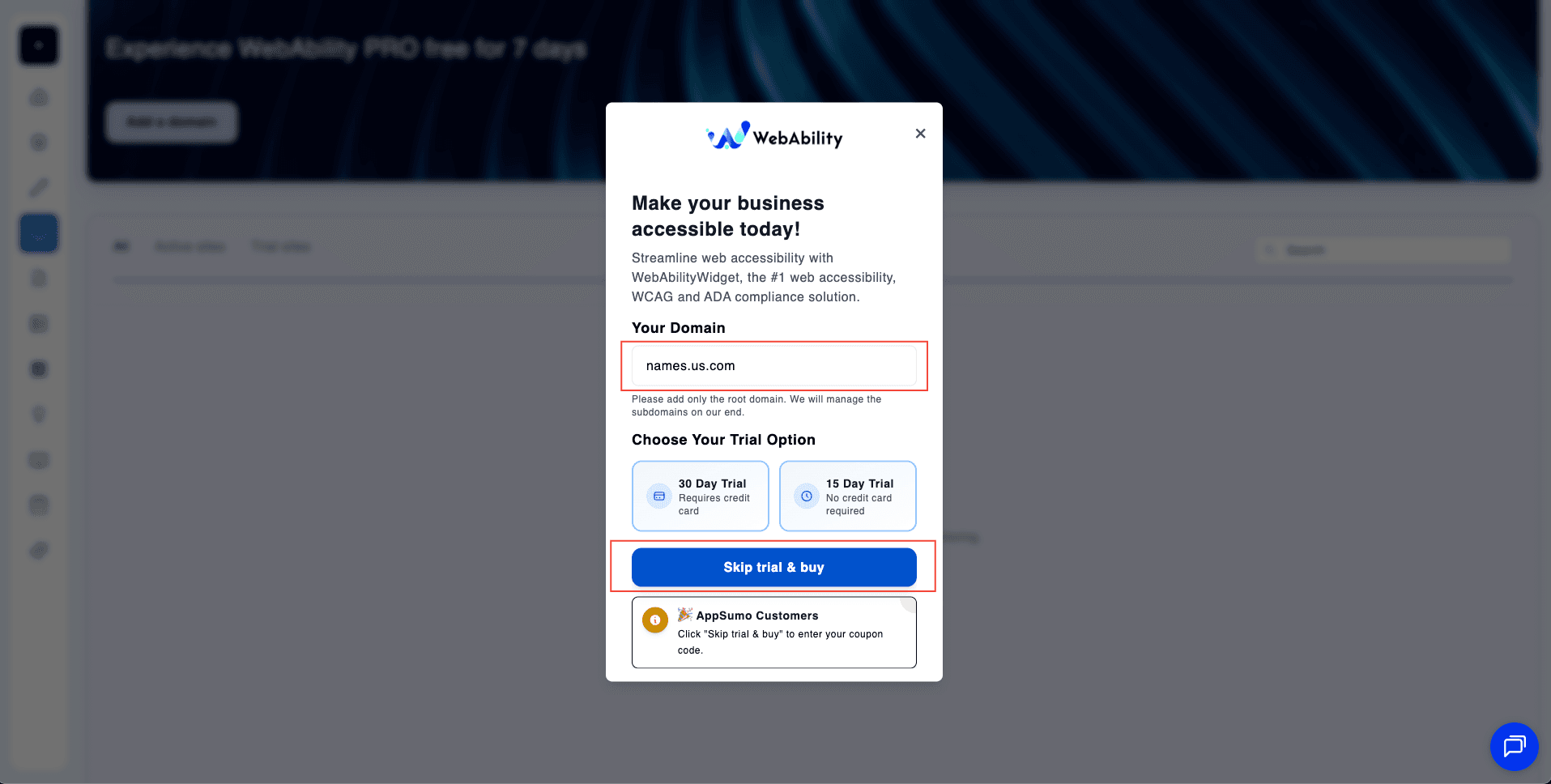
Click "Add a domain" to open the modal. Enter your root domain (e.g., names.us.com), then click "Skip trial & buy" to proceed with your AppSumo coupon. AppSumo customers should use this option to enter their coupon code.
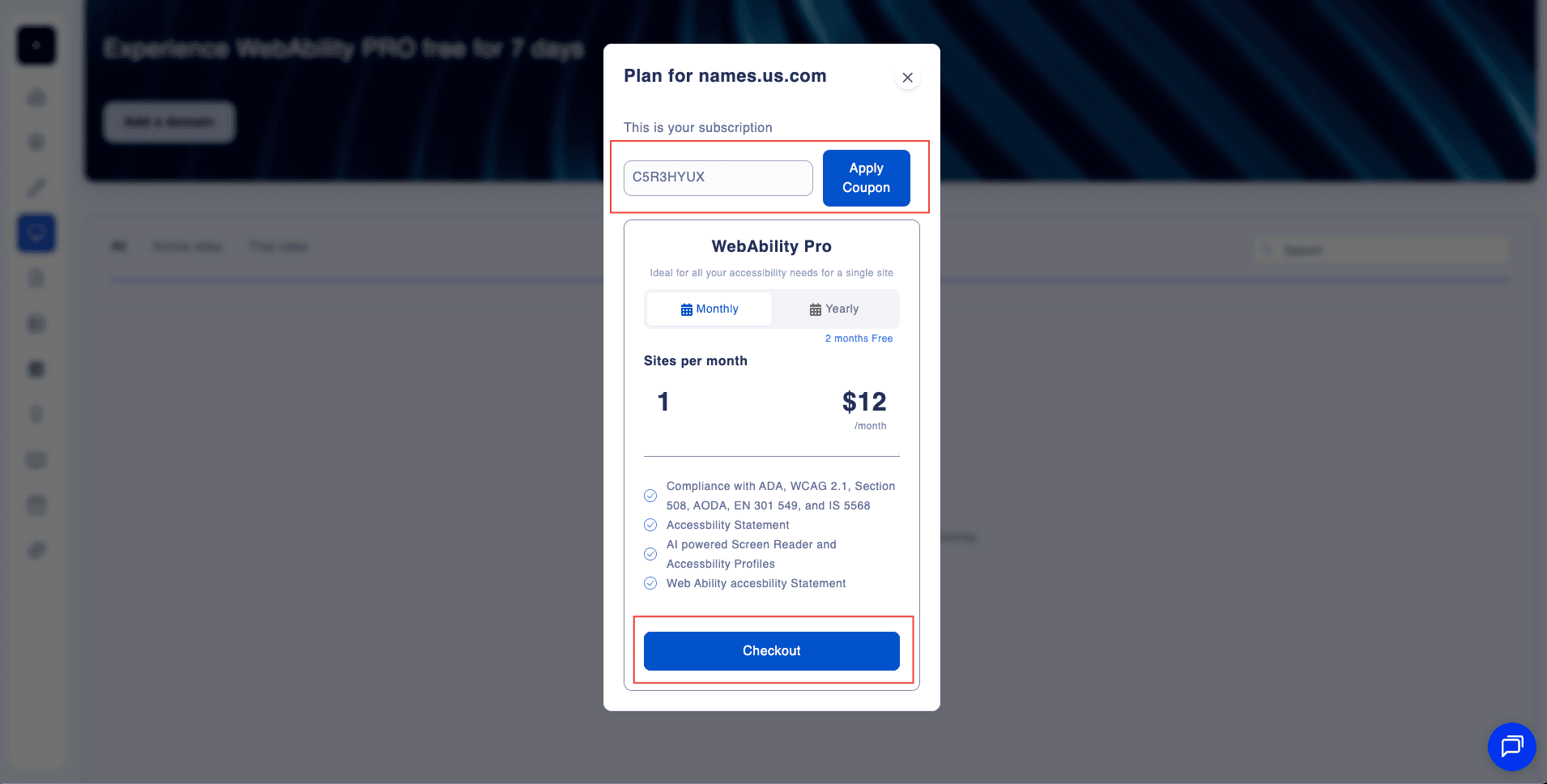
In the Plan modal, enter your AppSumo coupon code in the input field and click "Apply Coupon".
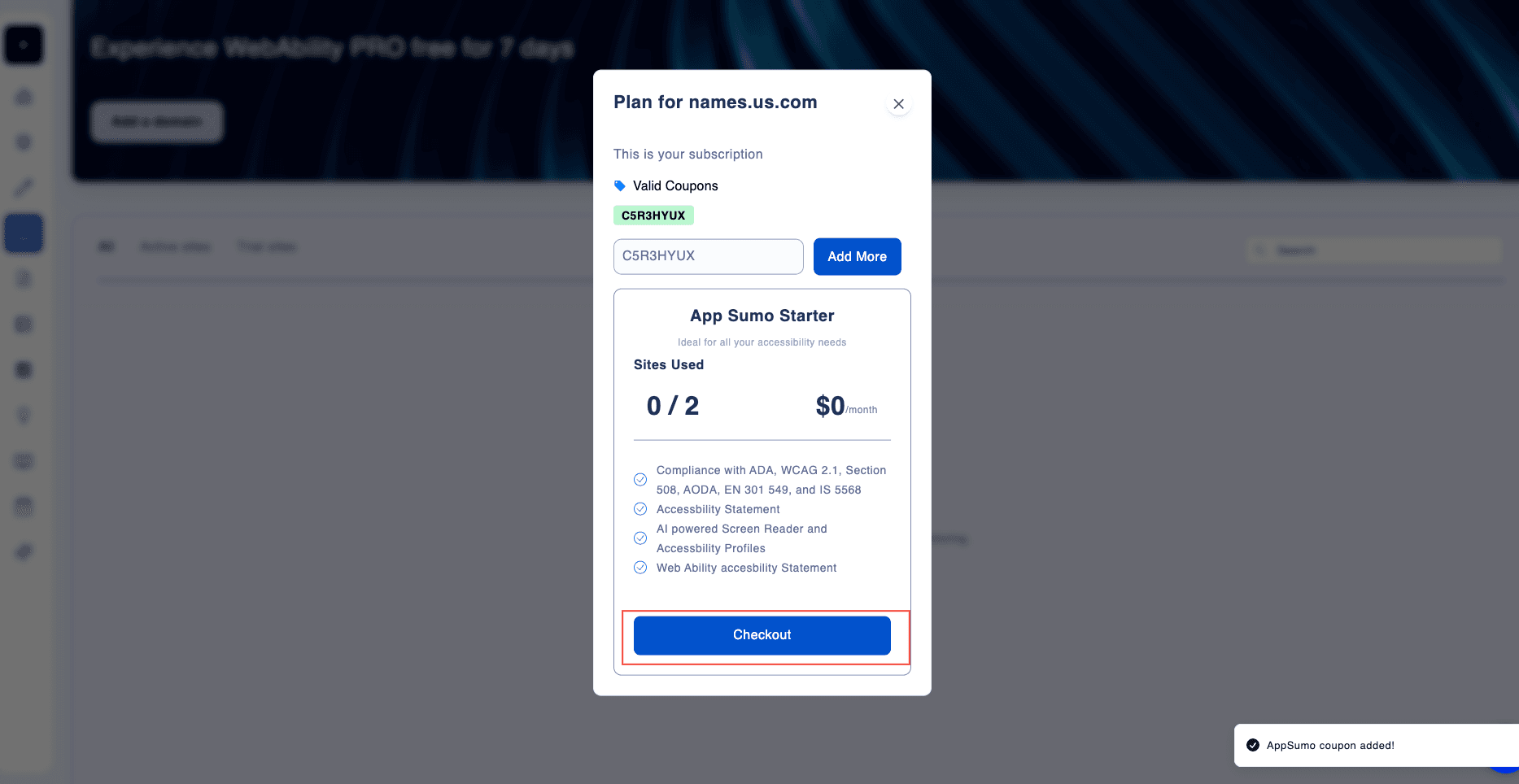
After applying your coupon, the App Sumo Starter plan will appear with your subscription details—$0/month, 2 sites included, and full accessibility features. Click "Checkout" to complete your purchase.
Once subscribed, your domain appears on the My Sites dashboard. View Subscription Details (Total Active Sites, App Sumo Sites usage), and manage your domain with the "Life Time" plan status.
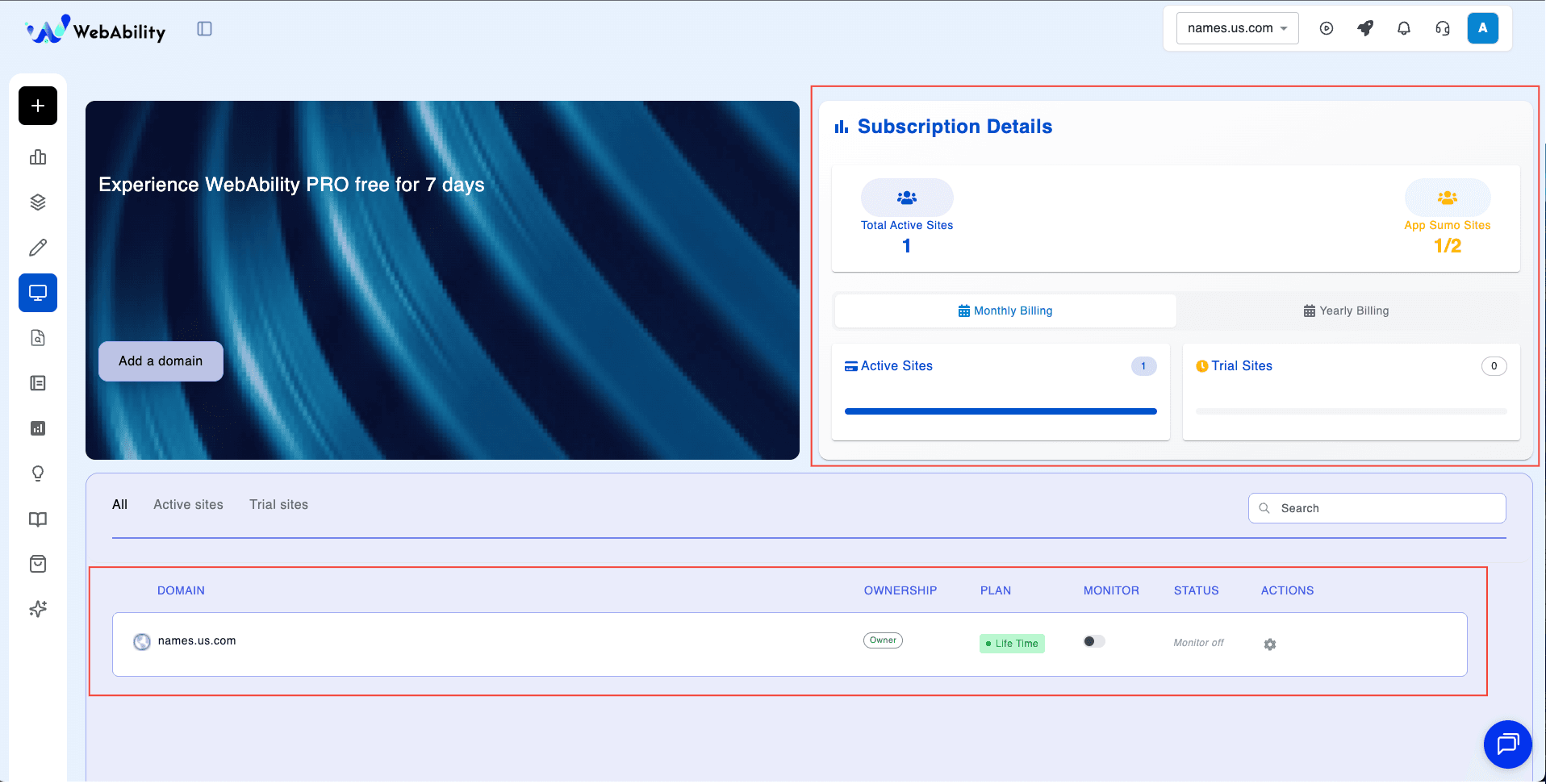
You can now use the App Sumo Bundle normally like any other plan.