What is Website Accessibility: A Practical Guide

Sidharth Nayyar
TLDR: What Is Website Accessibility?
It’s all about designing websites that everyone can use, including people with visual, auditory, physical, and cognitive disabilities.
Key standards like the Web Content Accessibility Guidelines (WCAG) and laws like the Americans with Disabilities Act (ADA) set the rules.
This isn’t just about legal compliance. It massively improves user experience for all, boosts your SEO, grows your audience, and builds a stronger brand.
Common roadblocks for users include missing image descriptions (alt text), poor color contrast, and navigation that’s impossible without a mouse.
Tools like WebAbility.io help businesses get and stay compliant by combining smart AI with real human expertise.
Website accessibility is simply the practice of making sure your website works for everyone, including people with disabilities. It’s about creating equal access to information and features online.
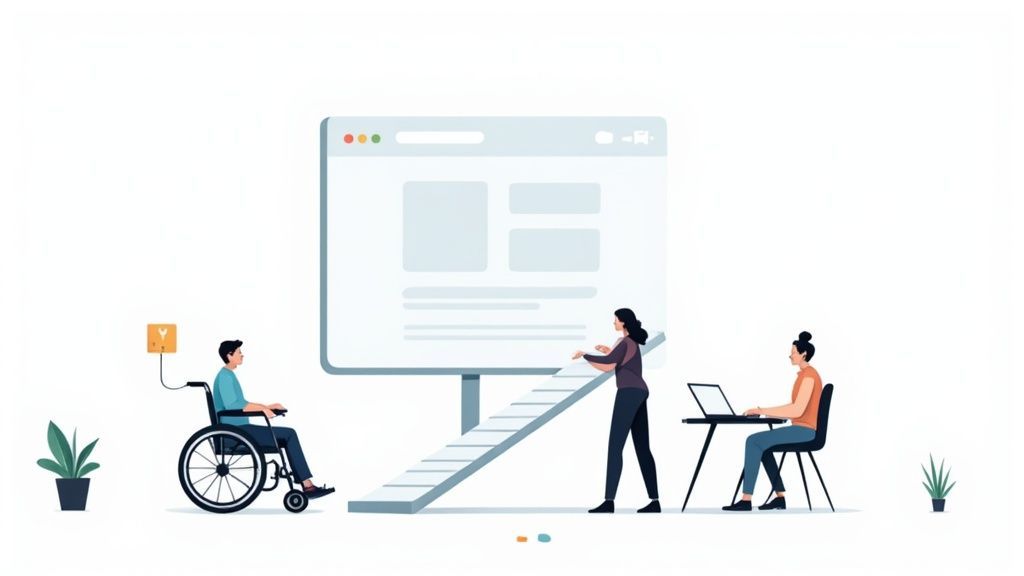
Think of it like this: you wouldn't build a public library with only a staircase at the entrance. You'd add a ramp. Website accessibility is the digital version of that ramp, opening the door for a much wider audience.
Unpacking Digital Inclusion
At its heart, understanding website accessibility means realizing that people don't all use the internet in the same way. An accessible website is built to accommodate these differences, creating a space that’s truly inclusive.
This means designing and building a site so that people with all kinds of disabilities can perceive, understand, navigate, and interact with everything on it. The real goal is to tear down the barriers that might stop someone from doing what they came to do—whether that's buying a product, applying for a job, or just reading a blog post.
Who Actually Benefits from This?
While we often start the conversation by focusing on users with disabilities, the improvements end up helping everyone. It’s a classic case of a rising tide lifting all boats.
The groups that see the most immediate benefit include:
People with visual impairments who rely on screen readers to navigate.
Users with auditory impairments who need captions to understand video content.
Individuals with motor disabilities who can't use a mouse and depend on keyboard-only navigation.
Those with cognitive disabilities who thrive with clear, straightforward layouts and instructions.
The W3C Web Accessibility Initiative has a great way of showing how accessibility is essential for some but useful for all.
This image perfectly captures the idea. Features like captions, designed for users who are deaf, also come in handy for anyone trying to watch a video in a loud coffee shop.
By designing for the margins, you create a better experience for the mainstream. An accessible website is simply a more usable website, period.
In the end, accessibility isn't some niche add-on; it's a core part of good web design. It shows a real commitment to social responsibility and a belief that the internet should be open to everyone, no matter their ability or circumstances. This principle is the bedrock of a truly universal web.
The Human Impact of Digital Access
To really get what website accessibility is all about, we have to look past the technical jargon and see how it affects real people. Digital barriers aren't just minor annoyances; they are genuine obstacles that prevent millions of people from working, shopping, learning, and connecting with others every single day.
Think about someone with low vision who uses a screen reader to order their groceries. If the website's buttons aren't labeled correctly or the images have no descriptions, their screen reader can't make sense of the page. A simple, everyday task becomes impossible. This isn't just an inconvenience—it's a locked door to a basic service.
Everyday Scenarios Where Accessibility Matters
Here’s another common situation: a person with a motor disability who can't use a mouse. They rely completely on their keyboard to navigate websites and fill out job applications. If a site’s forms and menus don't work with keyboard commands, they are shut out from crucial career opportunities.
These stories show that inclusive design is not for a small group of people; it benefits a huge range of users. This includes:
Older adults who might be dealing with declining vision or less precise motor control.
Someone with a temporary injury, like a broken arm, who suddenly has to use their computer one-handed.
A user in a noisy coffee shop who needs captions to understand a video.
Circumstances like these can affect any of us at any time, which makes accessibility a universal need. Truly understanding the human side of what is digital access is the first step toward creating a genuinely fair online world.
At its core, website accessibility is about dignity and independence. It ensures everyone has the same opportunity to participate in the modern world without having to ask for help or find a workaround for a poorly designed website.
A Global Perspective on Inclusion
This is a massive global issue, not a niche concern. The World Health Organization estimates that 1.3 billion people—around 16% of the world’s population—live with a disability. A huge number of them run into significant digital barriers, and surprisingly, 70-80% of these disabilities are "hidden," like dyslexia or hearing loss. You can dive deeper into the numbers with these global website accessibility statistics on elsight.com.
When it comes down to it, committing to accessibility shows you understand that technology should empower everyone, not leave people behind. It’s about building a web that truly embraces human diversity and offers a welcoming experience for every visitor, no matter their ability.
Navigating Core Accessibility Standards
To make web accessibility a reality, we can’t just rely on good intentions. We need a shared rulebook. That's where a set of globally recognized guidelines and legal standards comes in, creating a clear roadmap for anyone building a digital experience.
Without these frameworks, accessibility would be a guessing game. These rules ensure that digital spaces are consistent and predictable for everyone, especially for those who rely on specific features to get around online.
The most influential of these is the Web Content Accessibility Guidelines (WCAG). You can think of WCAG as the technical blueprint for an accessible website. While it's not a law in itself, its principles are the foundation for accessibility legislation all over the world, making it the gold standard.
When we ask what is website accessibility in practical terms, these standards are the answer. They exist because a huge part of our global community—around 16%—lives with some form of disability.
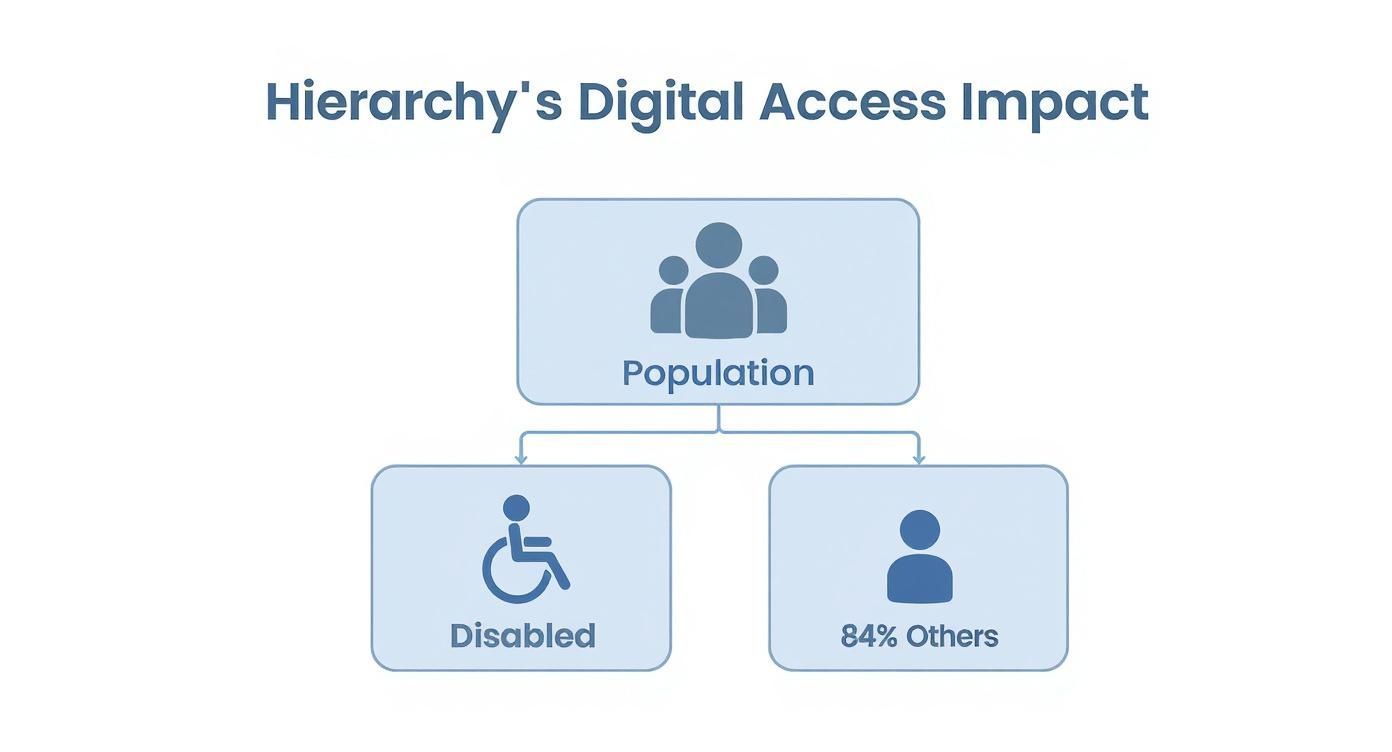
This isn't about catering to a tiny niche; it's about designing for a significant and diverse portion of the population.
The Four Pillars of WCAG
At its core, WCAG is built on four simple but powerful principles. You can remember them with the acronym POUR. Every single guideline and success criterion fits neatly under one of these pillars.
Perceivable: Can users see or hear the content? This means providing alternatives for anything that can't be perceived in its original form. A great example is adding alt text to images so a screen reader can describe the visual to someone who is blind.
Operable: Can users actually interact with the site? The interface has to be usable for everyone. This ensures someone who can't use a mouse, for instance, can still get to every single feature using only their keyboard.
Understandable: Is the content and navigation clear and predictable? This is all about making things easy to comprehend. A clean, consistent navigation menu is a perfect example of putting this principle into practice.
Robust: Does it work with different technologies? Your content needs to be built with clean, standard code so it can be reliably interpreted by all sorts of browsers and assistive devices, both now and in the future.
If you want to go deeper, you can explore our complete guide to navigating WCAG and its accessibility standards.
Major Legal Frameworks
Beyond the technical side of WCAG, several major laws turn these principles of inclusion into firm legal requirements for businesses and other organizations.
While WCAG gives you the "how," laws like the ADA and the European Accessibility Act provide the legal "why." They make accessibility a non-negotiable part of doing business online.
To help clarify the landscape, here's a quick look at the key laws and guidelines you'll encounter.
Key Web Accessibility Standards Explained
| Standard/Law | Primary Focus | Governing Body | Primary Audience |
|---|---|---|---|
| WCAG | Technical guidelines for creating accessible web content. | World Wide Web Consortium (W3C) | Web developers, designers, content creators. |
| ADA | Prohibits discrimination against individuals with disabilities in all areas of public life. | U.S. Department of Justice (DOJ) | U.S. public accommodations, businesses, government. |
| Section 508 | Requires federal agencies to make their technology accessible to people with disabilities. | U.S. Access Board | U.S. federal government agencies and their contractors. |
| EAA | Standardizes accessibility rules for key products and services across the EU. | European Union | EU businesses providing specific digital products/services. |
These frameworks, from the technical to the legal, all work toward the same goal: an open, inclusive web for everyone.
Spotting Common Website Accessibility Barriers
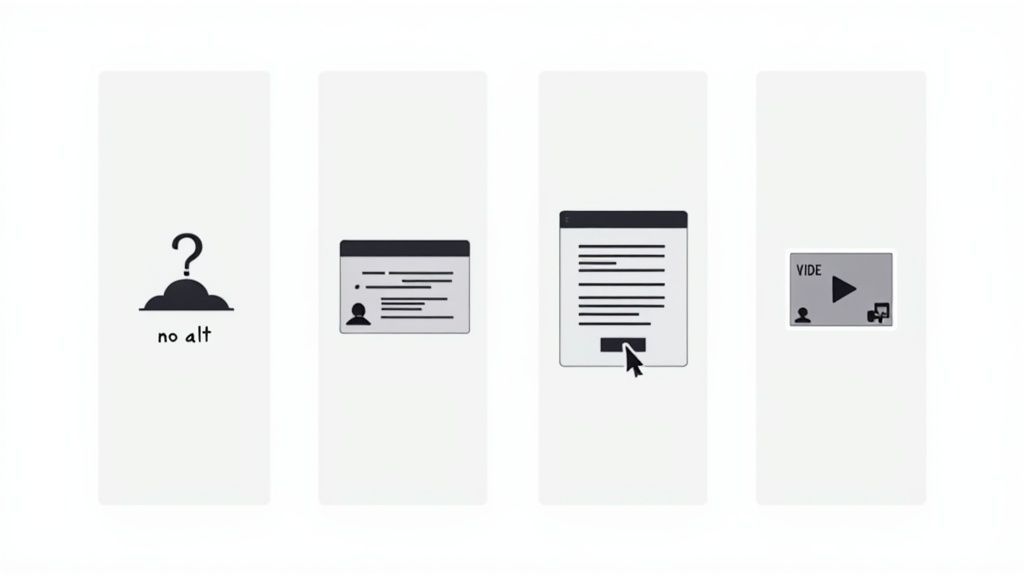
It’s one thing to talk about accessibility in theory, but it becomes real when you start seeing the barriers firsthand. These aren't obscure technical glitches; they're everyday roadblocks that lock people out of information, services, and online communities.
And they are shockingly common. The WebAIM Million report, which audited the homepages of the top million websites, discovered that an incredible 96.3% had detectable accessibility failures. Think about that for a second. The most frequent culprits? Missing image descriptions, low color contrast, and broken keyboard navigation. You can dig into all the details in the full WebAIM report.
The study also found that the average homepage has around 51 distinct accessibility errors. That’s 51 potential points of failure creating a frustrating, and often impossible, experience for users with disabilities. Learning to recognize these common issues is the first step toward fixing them.
Missing Alternative Text for Images
What it is: Alternative text, or "alt text," is a brief, written description of an image that lives in the website’s code. While most visitors won't see it, it's what screen readers announce aloud.
Why it matters: Without alt text, someone using a screen reader has no idea what an image is supposed to convey. The software might just say "image" or read out a random file name like "IMG_5043.jpg," leaving a huge information gap. Can you imagine trying to shop on an e-commerce site where you couldn't get a description of any of the products?
An image without alt text is like a book with blank pages for someone using a screen reader. It removes context, meaning, and essential information, turning a useful visual into a digital dead end.
Low-Contrast Text
What it is: This happens when the text color is too similar to its background color—think light gray text on a white background. The result is content that’s difficult or even impossible for many people to read.
Why it matters: Low contrast doesn't just affect a small group. It creates problems for a huge audience, including people with low vision, color blindness, and age-related visual changes. It forces users to squint and strain, and more often than not, they’ll just give up and go somewhere else. Good, strong contrast is a fundamental part of readable design for absolutely everyone.
Poor Keyboard Navigation
What it is: A surprising number of people navigate the web without a mouse. This includes individuals with motor disabilities, some screen reader users, and even power users. This barrier shows up when interactive elements—like links, buttons, and form fields—can't be reached or used with the Tab key and other keyboard commands.
Why it matters: If a website isn't keyboard-accessible, it’s like putting up a velvet rope for anyone who can't use a mouse. A user might see a "Submit" button perfectly clearly but have no way to actually click it. This makes it impossible to complete a purchase, fill out a contact form, or do much of anything. Running a thorough web accessibility audit is the best way to find and fix these hidden navigational traps.
The Strategic Business Value of Accessibility
Thinking about website accessibility as just a technical chore or a box to tick for legal reasons is a huge mistake. It’s actually one of the smartest business decisions you can make, with real, measurable returns. When you build an inclusive website, you're not just doing the right thing—you're opening your doors to more customers, earning their loyalty, and even getting a leg up on your competition in search results.
First and foremost, an accessible website massively expands your potential market. Think about it: people with disabilities and their families represent a significant global consumer group with substantial spending power. By ensuring your site is usable for them, you’re tapping into a loyal, often underserved audience that's actively looking for businesses that meet their needs. It’s a direct path to growth.
Building Brand Trust and Reputation
Making a genuine, public effort to be accessible says a lot about your company. It tells the world that you care about inclusion, that you take social responsibility seriously, and that you value every single person who visits your site. That's a message that resonates powerfully today, especially with consumers who want to spend their money with brands that share their values.
This isn't just about optics; it's about building real trust. A commitment to accessibility enhances your brand's reputation with everyone, not just users with disabilities. It fosters a positive image that strengthens loyalty and can become a key differentiator in a crowded market.
The Overlooked SEO Advantage
Here’s a benefit that many people miss: the core principles of web accessibility are almost identical to SEO best practices. It makes sense when you think about it. Search engines like Google want to serve up the most useful, easy-to-understand content, and accessible sites are inherently well-structured and clear.
Think of it this way: when you make your site clear for assistive technologies like screen readers, you're also making it crystal clear for search engine bots. Both reward well-structured, semantic, and easy-to-navigate content.
Many of the changes you'd make for accessibility directly improve your search rankings.
Alt Text on Images: This doesn't just describe images for screen readers; it gives search engines crucial context to index your visuals correctly.
Semantic HTML: Using proper tags like
<header>,<nav>, and<main>gives your site a logical structure that search engines absolutely love.Clear Heading Structure: A logical hierarchy of headings helps both users and crawlers quickly grasp the layout and importance of your content.
Descriptive Link Text: Clear link text (e.g., "Read our 2023 Annual Report" instead of "Click Here") improves usability and gives search engines valuable context.
Beyond just accessibility, understanding foundational web practices like the importance of website security is also key to building a trustworthy and robust online presence. At the end of the day, creating an accessible website isn't an expense—it's a direct investment in a better, more visible, and more profitable business.
How WebAbility.io Makes Accessibility Compliance Happen
Trying to get your website fully accessible can feel like a maze. But you don't have to navigate it alone. WebAbility.io offers a clear, structured path that blends smart technology with real human insight, turning what seems like a daunting task into a series of manageable steps.
Instead of waiting around for a manual audit, the platform keeps a constant watch on your website, flagging accessibility issues the moment they appear. This means you get immediate feedback and straightforward reports that tell you exactly what’s wrong and where. It’s a proactive approach that ensures your site stays accessible even as you update and change it.
Here’s a quick look at the WebAbility.io dashboard. It’s designed to give you a single, clear view of where your site stands.
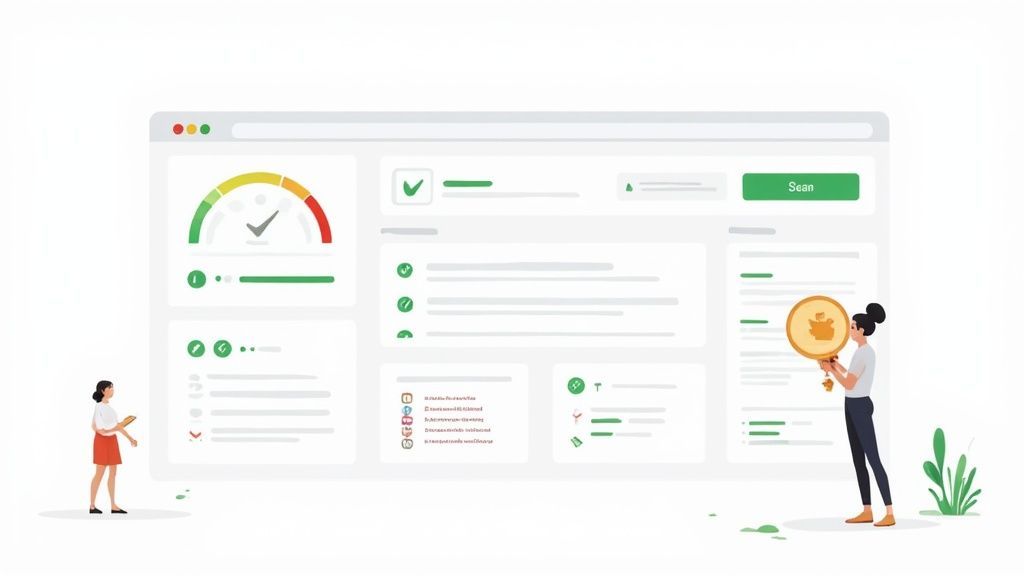
This isn't just raw data; the interface turns complex accessibility information into concrete actions, so you know precisely where to direct your team's energy.
A Partnership in Digital Inclusion
Think of WebAbility.io less as a tool and more as a partner. It’s built on a hybrid model designed to give your team the support and technology they need to succeed, offering the best of both automated and human-led approaches.
Advanced AI Technology: The system’s AI works around the clock, running 24/7 scans to catch a huge range of WCAG violations with incredible speed and accuracy. This handles all the repetitive, heavy lifting of constant monitoring.
Essential Human Expertise: But technology can't do it all. That’s why you also get access to genuine accessibility experts who can help interpret tricky issues, offer practical guidance, and make sure your compliance strategy is truly solid.
WebAbility.io is designed to demystify what is website accessibility by providing a clear, automated, and supported path to compliance. It makes creating an inclusive digital experience an efficient and reliable part of your operations.
This combination is key. You get the scale and efficiency of automation without losing the nuanced, critical thinking that only a human expert can provide. By taking the headache out of monitoring and reporting, WebAbility.io lets you get back to what you do best: creating a great experience for all your users. Lasting compliance stops being a distant goal and becomes a part of how you work.
Frequently Asked Questions About Web Accessibility
As you start digging into website accessibility, a few key questions almost always pop up. Let's tackle some of the most common ones head-on to clear up any confusion and get you on the right path.
Does Accessibility Only Help People Who Are Blind?
Absolutely not. While making a site work with screen readers is a critical piece of the puzzle, accessibility is about a much bigger picture. It’s designed to support people with all sorts of disabilities—auditory, motor, and cognitive impairments included.
But it doesn't stop there. Good accessibility practices often improve the experience for everyone. Ever tried to read your phone screen in the bright sun? High-contrast text helps. Or maybe you've tried navigating a site with one hand while holding a coffee? That’s where keyboard-friendly navigation comes in handy.
Will Making My Site Accessible Ruin Its Design?
This is one of the biggest myths out there. The truth is, accessible design principles often lead to a cleaner, more intuitive, and more professional-looking website.
Think of it this way: good design and accessibility aren't enemies. They're partners. Things like strong color contrast, logical layouts, and easy-to-read fonts are cornerstones of both great design and a truly accessible user experience.
Is It Possible to Be 100% Accessible?
Striving for a perfect 100% score can feel daunting, especially since websites are dynamic and always changing. The real goal isn't a one-time "perfect" score, but rather a commitment to continuous improvement. It's about making your site as usable as possible for as many people as possible, day in and day out.
The WCAG guidelines give us clear, achievable targets to aim for. This shifts the focus from an impossible ideal of perfection to a practical journey of progress. You can systematically find and fix barriers, ensuring your site maintains a high standard of accessibility over the long haul.
Ready to build a website that welcomes everyone? WebAbility.io offers the tools and expertise you need to confidently achieve and maintain compliance. See how our platform can guide your efforts by visiting WebAbility.io.
Quick Questions
Tap to ask AI about this article