Loading
Model Context Protocol
The MCP server for web accessibility testing
Run web accessibility testing, fix and verify from inside Cursor, Claude Code, GitHub Copilot and any MCP-compatible IDE. Three scanning engines, and fixes your developers actually commit.
https://mcp.webability.io/mcp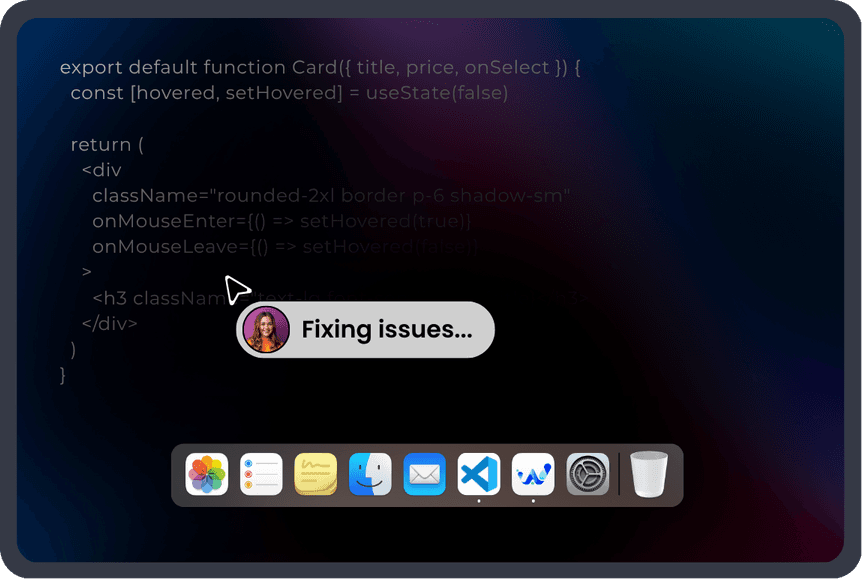


- No demo call
- No Docker
- No API key to start
- Works with any MCP-compatible client
- Tools in the npm package
- 16
- Scanning engines
- 03
- Every tool
- Free
- Client licence
- MIT
What an MCP server for web accessibility testing does
An accessibility MCP server puts web accessibility testing inside your editor: an AI coding assistant runs the scan and writes the fix. It exposes tools (scanning, fix generation, verification) over the Model Context Protocol, so Cursor, Claude Code and GitHub Copilot can run a WCAG check against a page or component and write the correction into your source. Unlike a browser extension or a runtime script, the output is code you commit: fixes made at build time in your own source, not applied to a page as it loads.
Why now
Why accessibility is moving into the editor
Two things changed at once: the deadlines got real, and the assistants got good enough to act on a scan result.
The deadlines arrived
Under the DOJ’s Title II rule, US state and local government entities had to meet WCAG 2.1 Level AA by 24 April 2026 for populations of 50,000 or more, with 26 April 2027 for smaller entities. The European Accessibility Act applies across the EU, and Ontario’s AODA has been in force for years.
Agencies running dozens of university, council and public-sector sites feel this first, and they need a way to fix issues at scale, not a dashboard that lists them.
Fixing beats reporting
Accessibility tooling has historically stopped at detection: a score, a list, a PDF. Someone still had to translate each finding into a code change, in the right framework, without breaking the layout.
An assistant with direct access to a scanner closes that gap. It reads the finding, writes the change in your idiom, and checks the result, in the place the code already lives.
Install
Add it to your editor
Point your MCP client at https://mcp.webability.io/mcp. No API key and no account to start. It is free for everyone, with fair-use limits of 30 browser scans per hour and 10 AI fixes per hour per IP address.
Add the hosted URL
Point your MCP client at the hosted server. No API key, no install. In Claude Code it is one command; in Cursor, VS Code and Windsurf paste the config block.
{
  "mcpServers": {
    "webability": {
      "url": "https://mcp.webability.io/mcp"
    }
  }
}Sign in free for more
Scan and check tools work anonymously under fair-use limits. Sign in with a free WebAbility account to lift the limits and unlock visual_audit and the full audits. Use https://mcp.webability.io/mcp/auth for sign-in: it asks until you are signed in.
# Claude Code: one command
claude mcp add --transport http webability https://mcp.webability.io/mcp

# to sign in: claude mcp login webability, or /mcp in Claude CodeThen just ask
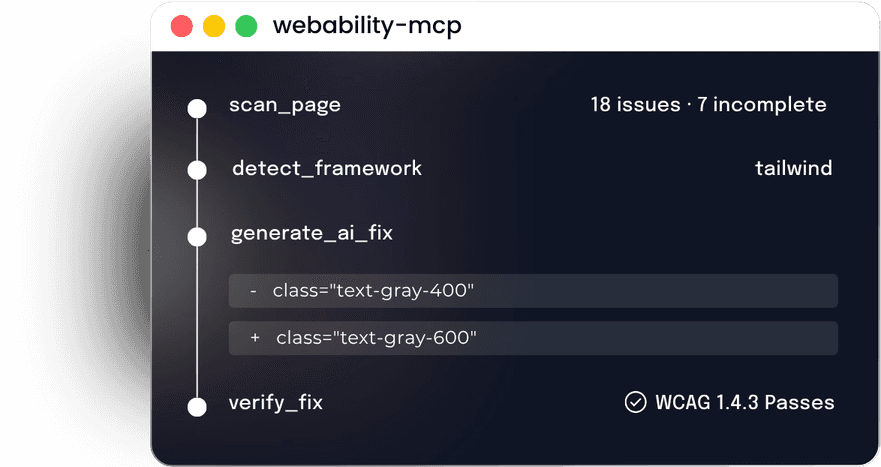
Once connected, talk to your assistant in plain language. The assistant chains the tools itself: scan, detect the framework, generate the fix, re-scan to confirm.
# in Cursor or Claude Code
Scan localhost:3000 for accessibility issues

# calls scan_page, then:
Fix the contrast failures and verify themPrefer to run it locally?
Use the stdio server: npx -y @webability/mcp. For the account tools, run npm install -g @webability/cli then webability login.
Vision and full audits need a free account
Sign in with a free WebAbility account to lift the fair-use limits and unlock visual_audit, start_audit and get_audit. Use https://mcp.webability.io/mcp/auth: it asks for sign-in until you are signed in. In claude.ai and Claude Desktop, add it as a custom connector (Settings, Connectors). Use https://mcp.webability.io/mcp for the free scan tools only. No credits, no trial, no paid tier. An AI agent with its own AgentMail inbox can sign up on its own: it chooses Sign in with AgentID on the WebAbility sign-in page (https://app.webability.io/auth/signin) and gets its own free account, with no human account or API key.
Scan your localhost dev server
The hosted tools cannot reach your machine directly. The tunnel ships in @webability/mcp and needs a free account token. Run npx -y -p @webability/mcp webability-tunnel --port 3000 --token <your-token> and the hosted tools can scan the dev server running on that port.
Your first three commands
Nothing to learn beyond plain language. The assistant picks the tools.
Command 1
“Scan localhost:3000 and group the issues by WCAG principle.”
Calls scan_page. Returns confirmed issues, items needing human review, and what passed.
Command 2
“Fix the contrast failures using our design tokens.”
Calls detect_framework, then generate_ai_fix. Corrections arrive in your framework’s conventions, drawn from your own palette.
Command 3
“Now verify they actually pass.”
Calls verify_fix on each changed element and reports pass or fail per criterion, before you open the pull request.
What you get
The accessibility testing tools
The npm package lists sixteen tools; the hosted server lists thirteen. Eleven are scan and check tools that work anonymously, hosted or on your own machine. Two send content to our API for processing, still with no account. Three run server-side and need a free WebAbility account.
Free · local
scan_page
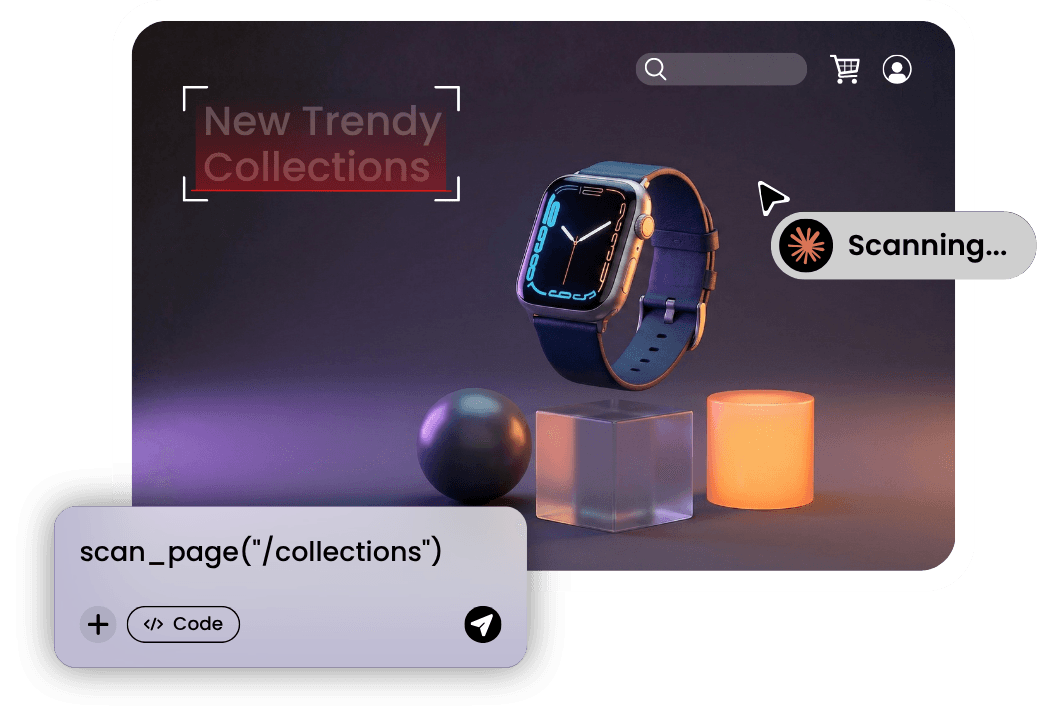
Scans any URL for WCAG issues. Runs three engines in parallel (WebAbility detectors, axe-core, HTML_CodeSniffer), then deduplicates the findings into one list.
Free · local
flow_scan
Multi-page journey scan. Walks login, dashboard, checkout and reports the unique issues found across the flow.
Free · local
diff_scan
Diffs two scans of a page (a stored baseline or a live URL against the current page) and reports fixed, new and remaining issues, so a change is checked for regressions, not just for the one element you edited.
Free · local
scan_html
Scans a raw HTML snippet or component fragment in-process in milliseconds, with no browser and no URL, so it fits inside an edit loop. Every finding carries a structured fix op and a fixability tier.
Free · local
detect_framework
Detects the page’s stack (Tailwind, MUI, Bootstrap, Next.js, WordPress or plain CSS) so generated fixes match it.
Free · local
verify_fix
Re-scans a fixed element and confirms the violation is gone. Returns verified true or false. This is what closes the loop.
Free · local
check_color_contrast
Checks WCAG contrast for a colour pair, with brand-aware suggestions when you pass a URL.
Free · local
check_aria
Validates ARIA attributes in an HTML snippet.
Free · local
get_rules
Lists the axe-core and WebAbility rules with WCAG tags and a fixability tier (mechanical, contextual, visual), so an agent can pick the auto-fixable set up front.
Free · local
find_source
Local install only
Maps a CSS selector back to the files in your local source. On a React or Vue dev build, scan results already carry the file, line and component for each finding; find_source is the fallback for production builds.
Free · local
scan_history
Local install only
Lists the scans this server has run and returns the full stored result of any one of them. Logged under ~/.webability/scans on local installs only.
Sends to API
generate_ai_fix
Framework-aware fix suggestions you apply in your own code. The finding is sent to our API so an AI model can produce the correction. No account needed.
Sends to API
generate_report_pdf
Local install only
Turns the findings from a scan into a WebAbility accessibility-report PDF saved next to the project, grouped by functionality with a WCAG score. The findings, including each element’s HTML, are sent to our API to render the PDF. Free, no account.
Free account
visual_audit
A pixel-level pass for focus visibility, icon contrast and looks-like-a-button-but-isn’t. The rendered screenshot is sent to our API for the vision model, and it needs a WebAbility account.
Free account
start_audit
Kicks off the full server-side audit deliverable.
Free account
get_audit
Checks an audit’s progress and returns the report plus an Excel workbook with download links, ready for an auditor.
Being straight about what leaves your machine: eleven tools run entirely locally with the npx server. generate_ai_fix and generate_report_pdf send content to api.webability.io for processing, no account needed. visual_audit, start_audit and get_audit run on our servers and need a free account. That is how they work at all, and we mark them so security-minded teams can decide. Turn telemetry off with WEBABILITY_SCAN_TELEMETRY=off.
Every tool is free to use. The MCP client is MIT on GitHub. The scanning engines, fix generation and audit pipeline are WebAbility’s own: they run on our servers or ship as compiled npm packages, and their source is not published.
Find, fix, verify, the loop that closes
Most tools stop at “here are your problems.” The verify step is the part that tells you the problem is actually gone.
scan_page runs three engines and returns deduplicated findings mapped to WCAG criteria.
Honest limits
What it will not do
Being precise about the boundary is more useful to you than a bigger claim would be.
Every scan splits in two
Issues are findings we can confirm automatically. Incomplete are findings that need a person to judge: contrast over a gradient or photograph, marketing imagery where “decorative or meaningful?” is a content decision, and elements whose pre-animation state cannot be inspected reliably.
Nothing in the incomplete list is ever auto-fixed. Guessing there is how tooling breaks working pages. It is the same split axe-core uses, and it stops an eager agent from “correcting” a false positive.
Automation has a ceiling
Automated testing reliably detects roughly 30 to 40% of WCAG issues. No tool can determine whether your alt text is meaningful, whether a heading order matches the page’s logic, or whether a screen reader announces a component usefully.
For the rest, our accessibility experts test by hand and produce a report you can hand to an auditor. The MCP is the automated layer, not the whole answer.
Comparison
How it compares on install friction
Every major vendor now ships an accessibility MCP. The difference that matters to a developer evaluating one on a Tuesday afternoon is whether you can actually run it.
| Ships an MCP | Install without sales |
|---|---|
| WebAbility | |
| Yes | Yes, one npm command |
| Jeikin | |
| Yes | Yes, one npx command |
| Deque | |
| Yes | No, npm or Docker plus a paid subscription |
| Evinced | |
| Yes | No, sales-issued API key |
| Siteimprove | |
| Yes | No, enterprise sales |
| AudioEye | |
| Yes | No, public npm install plus account token |
| accessiBe | |
| Yes | No, dashboard account and token |
| UserWay / Level Access | |
| Yes | No, enterprise platform API token |
Snapshot from public information, July 2026. Vendor offerings change, so verify current details with each vendor before relying on this table.
Where to find it
Published to the registries where developers actually browse.
- npmLive listing (external link)
- Official MCP RegistryLive listing (external link)
- cursor.directoryLive listing (external link)
- SmitheryLive listing (external link)
- GlamaLive listing (external link)
- mcpservers.orgLive listing (external link)
- PulseMCPLive listing (external link)
- LobeHubLive listing (external link)
- Docker MCP CatalogQueued
- GooseQueued
Try it in your editor in about 30 seconds
Free for everyone. No API key, no demo call, no Docker image.
Accountability
For engineering and compliance leads
The MCP is where developers work. These are the parts that matter when someone has to sign off on the result.
An auditor-ready deliverable
start_audit and get_audit produce a timestamped report and an Excel workbook covering the full scan, not just what one developer looked at. It is the artefact you hand to a procurement team, an auditor or counsel.
Standards covered: WCAG 2.1 and 2.2 AA, ADA, Section 508, the European Accessibility Act, EN 301 549 and AODA.
Fixes at the source, not the surface
Because corrections are written into your repository, they survive redeploys, get reviewed in pull requests, and are visible in version control. Accessibility becomes part of the codebase rather than a layer on top of it.
For everything automation should not touch, our expert accessibility team handles manual remediation and testing with assistive technology.
Global Compliance Coverage
We Audit Your Domains Against Every Accessibility Standard Worldwide





Frequently asked questions
Everything developers ask before installing it
Related reading and tools
Free tools, compliance guides and reference material.