Your Guide to What Is Alt Text for SEO & Accessibility

Sidharth Nayyar
TL;DR: Alt text is a written description of an image on a webpage. It's crucial for two reasons: 1) Accessibility, it allows screen readers to describe images to visually impaired users, making your site inclusive. 2) SEO, it helps search engines like Google understand your images, improving their ranking in image search and reinforcing your page's topic. Good alt text is descriptive, concise (under 125 characters), and avoids phrases like "image of." Implementing alt text correctly improves user experience, drives organic traffic, and opens your website to a wider audience. Need a quick start? Our free AI Alt Text Generator can help.
If you’ve ever stumbled across the term "alt text" and been unsure what it means, you're not alone. It’s one of those small details in web design that carries a surprising amount of weight.
At its core, alt text is simply a short, written description of an image on a webpage. You can think of it as a stand-in for the image, providing context when the visual itself isn't available.
What Exactly Is Alt Text?
Alternative text, or alt text, might seem like a minor technical detail, but it plays two critical roles for any website. As accessibility and SEO experts, we've seen firsthand how this bridge connects your visual content to users and search engines that can't "see" it.
This simple piece of text accomplishes two vital goals:
- It creates an accessible web. For the millions of people who use screen readers due to visual impairments, alt text is essential. It reads the description aloud, turning a visual element into an audible one and ensuring no one misses out on important information.
- It boosts your SEO. Search engines like Google are smart, but they still rely on text to understand what an image contains. Good alt text gives them the context they need, helping them rank your images in search results and reinforcing your page’s overall topic relevance.
Getting this right isn't just about checking a box; it's about making your content more inclusive and discoverable, which can directly lead to higher conversion rates.
Alt Text Quick Comparison Do's and Don'ts
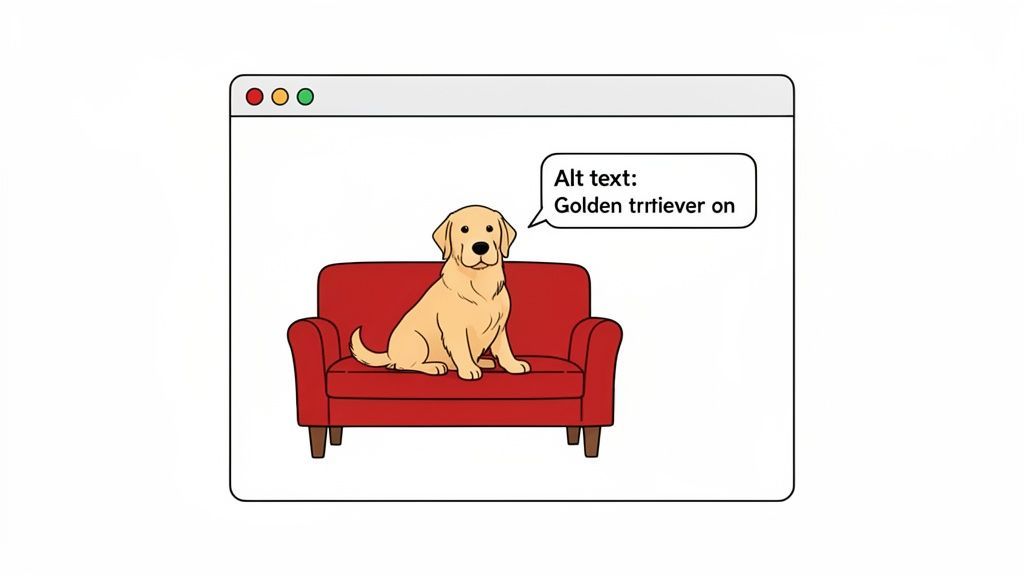
The difference between helpful and unhelpful alt text can be stark. To make it crystal clear, let's look at a few examples for an image of a golden retriever relaxing on a couch.
| Image Element | Ineffective Alt Text (Avoid) | Effective Alt Text (Use) |
|---|---|---|
| A golden retriever sitting on a red sofa. | alt="dog" | alt="A fluffy golden retriever sitting comfortably on a red sofa." |
| An e-commerce product photo of a blue shirt. | alt="shirt-SKU1234" | alt="Men's crewneck t-shirt in navy blue." |
| A company logo that links to the homepage. | alt="logo" or alt="image" | alt="WebAbility logo - Home" |
| A graph showing website traffic growth. | alt="Graph showing upward trend." | alt="Line graph showing website traffic grew from 10k to 50k monthly visitors in Q3." |
As you can see, effective alt text is descriptive, specific, and adds value. It's not just about what the image is, but what it communicates.
This seemingly small effort pays huge dividends in both user experience and search visibility. Tools like a free AI Alt Text Generator can help you create high-quality descriptions quickly, but understanding the fundamentals is key to getting it right.
How Alt Text Bridges Accessibility and SEO
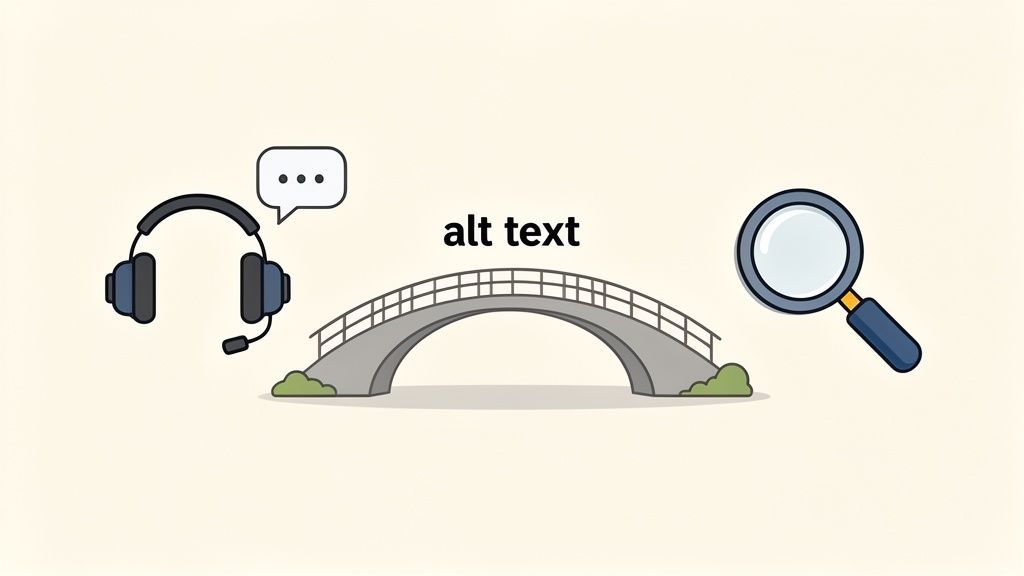
Alt text is one of those rare website elements that serves two critical functions at once. It’s a powerful tool for both human accessibility and search engine optimization, acting as a bridge between the two.
The best part? These goals aren't in conflict. In fact, they perfectly complement each other. When you write clear, descriptive alt text for people, you’re also giving search engines the exact information they need to understand your visual content. This makes alt text a remarkably efficient way to improve your site.
A Voice for Visuals
First and foremost, alt text makes your visual content accessible. For the over 7 million Americans with a visual disability, navigating the web often means relying on a screen reader.
When a screen reader encounters an image on a webpage, it reads the alt text aloud. If there’s no alt text, the user just gets silence—a frustrating gap where important information should be. This can make your content confusing or downright unusable.
For a user with a visual impairment, a missing alt tag can be the difference between understanding your message and abandoning your site altogether. It turns visual information into accessible, audible content.
Well-written alt text ensures that everyone, regardless of ability, can get the full picture. It’s essential for everything from product photos on an e-commerce store to the charts and graphs in a business report.
A Signal for Search Engines
From an SEO perspective, alt text gives search engines a way to "see" and understand your images. While crawlers are getting smarter, they still can't interpret the content of a picture with the nuance of the human eye. Your alt text fills in that blank.
By describing an image, you tell Google what it's about and, just as importantly, how it relates to the rest of the content on the page. This is crucial for a few reasons:
- Image Search Ranking: Good alt text is a major factor in getting your images to rank in Google Images, which can be a huge source of traffic.
- Topical Relevance: It reinforces the overall topic of your page, signaling to Google that your content is thorough and relevant to what people are searching for.
- Contextual Understanding: It provides vital context, ensuring search engines grasp the true meaning behind your visuals.
Ultimately, explaining your images makes your entire page more powerful from an SEO standpoint. To see just how deeply connected these two areas are, you can read more about accessibility and SEO in our detailed guide. And if you want to take your visual content to the next level, it's worth learning how to optimize images for SEO with a broader set of techniques.
The Real Impact of Missing Alt Text Today
So, why all the fuss about alt text? It's easy to dismiss as a minor detail, but the reality is that its absence creates a massive hole in the digital world for millions of people.
Imagine trying to understand a webpage where every image is just a blank space. That's precisely the experience for someone using a screen reader when alt text is missing. The software might read out a confusing filename like "IMG_8675.jpg" or simply say "image." It's a dead end, turning a rich piece of content into a frustrating puzzle, especially when that image is the only way to click a link.
The Scope of the Accessibility Gap
This isn't a small-scale issue. We're talking about a significant portion of the global population being shut out of online experiences most of us take for granted. This gap isn't just about being compliant; it's about connecting with a huge, often overlooked, audience.
The numbers are pretty staggering. While things are getting better, we're still a long way from a truly accessible web.
According to the WebAIM Million report from 2025, a shocking 55.5% of website images still lack alt text. That's a definite improvement from 68% back in 2019, but it means that over half the images on the web remain invisible to assistive technology.
This isn't just a statistic. It’s a persistent barrier that tells a huge group of people that the internet wasn't built for them. Fixing it is one of the most fundamental steps we can take to build a better web.
Moving from Problem to Opportunity
Leaving alt text out doesn't just create a poor user experience; it's bad for business. When a user can't navigate your site, they'll leave. That means higher bounce rates, lower engagement, and a missed opportunity to connect with a valuable customer segment.
Thinking about alt text isn't about checking a box. It's about opening your doors wider and showing every potential customer that you value their business. The first step is figuring out where you stand. Running a comprehensive website accessibility checker is the quickest way to find those missing descriptions and get a clear roadmap for what needs to be fixed.
Ultimately, taking care of your alt text is an investment. It ensures your message, your products, and your brand can be seen—and heard—by everyone.
How to Write Great Alt Text With Examples
Alright, enough with the theory. Let's get practical. Writing effective alt text is less of a rigid science and more of an art that balances precision with context. The real goal is to capture the essence of an image—its purpose and meaning—for anyone (or anything, like a search engine) that can't see it.
A great way to think about it is to imagine you're describing a picture to a friend over the phone. You wouldn't just say "a photo of a car." You'd give them the details that matter so they could form a mental picture. That’s exactly what we’re aiming for here.
The Core Rules for Effective Alt Text
To get you started, here are a few fundamental principles our team of experts always comes back to. Nail these, and your alt text will immediately become more helpful for users and more powerful for SEO.
- Be Specific and Accurate: Describe what's actually in the image. A vague description like "chart" is nearly useless. What does the chart show?
- Keep It Concise: While you need to be specific, you also need to be brief. Aim to stay under 125 characters. Most screen readers will cut off anything longer, so you're just wasting words.
- Skip "Image of" or "Picture of": This is a rookie mistake. A screen reader already announces that the element is an image, so adding these phrases is redundant and eats up valuable character space.
- Use Keywords Naturally: If your target keyword fits naturally into the image description, go for it. But never, ever stuff a keyword where it doesn't belong. It sounds spammy and offers a poor user experience.
These rules are your foundation. If you want to go a step further, our guide on writing quality alt text dives into more advanced techniques.
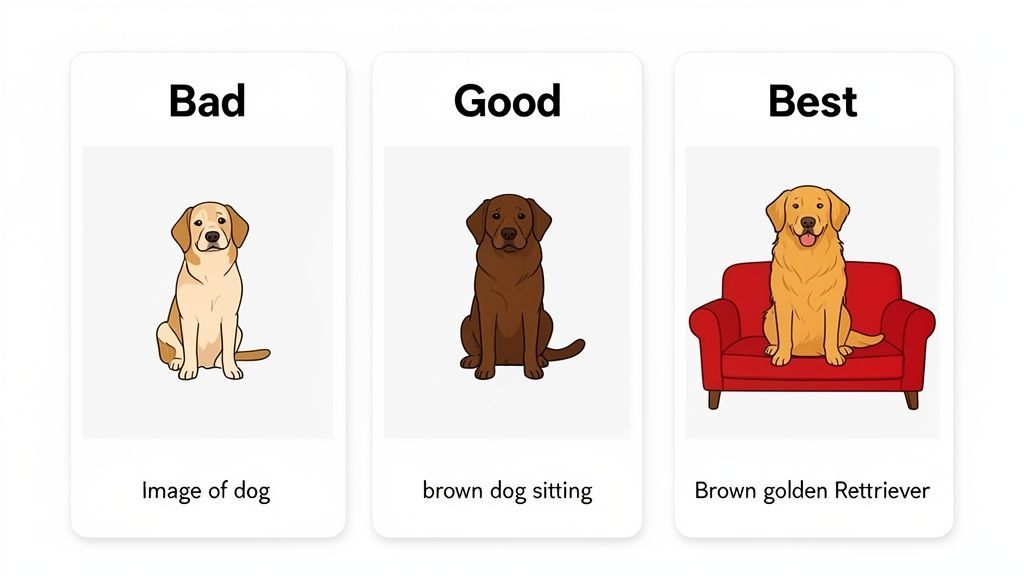
From Bad to Best Alt Text Examples
Seeing the difference between bad, good, and great alt text is often what makes the concept finally click. Let’s walk through a few common scenarios.
1. E-commerce Product Image
- Bad:
alt="shoe" - Good:
alt="Red running shoe" - Best:
alt="Men's crimson red running shoe with white sole and black laces"
The "bad" example is lazy. The "good" one is a start. But the "best" version gives a potential customer the specific details they need—style, color, features—to understand the product without seeing it. It also helps the image show up in searches for more specific, long-tail terms.
2. Infographic or Chart
- Bad:
alt="graph" - Good:
alt="Bar chart showing user growth" - Best:
alt="Bar chart showing user growth from 1,000 to 15,000 in Q4 2025 after a new marketing campaign"
With any data visualization, the alt text absolutely must convey the main takeaway. A sighted user gets the key data point at a glance, and your alt text should do the same. This is where so many sites drop the ball on accessibility. The "best" example communicates the specific numbers and the crucial context behind the growth.
Looking ahead, this practice isn't going away. Alt text will remain a critical signal for both SEO and the rise of AI-powered visual search through 2026 and beyond. The recommended best practice is still to keep your alt text within 100 to 125 characters—enough space to provide detail for search engines without overwhelming users.
Writing fantastic alt text for a handful of images is one thing. But what happens when you’re staring down a website with hundreds—or even thousands—of them? For most teams, the idea of managing alt text at that scale can seem overwhelming.
The good news is, it doesn't have to be. With the right workflow and tools, you can get every single image on your site working for accessibility and SEO, without getting bogged down in an endless manual task.
Your first port of call will likely be your content management system (CMS). Platforms like WordPress and Shopify have built-in fields for alt text, making it easy to add descriptions as you upload new images. This is perfect for day-to-day content and for chipping away at your most critical pages, like the homepage or top-selling products.
Moving from Manual to Automated Workflows
Let's be realistic, though. Manually updating images one by one isn't a scalable strategy. If an audit uncovers thousands of images with missing or useless alt text, tackling them individually is a non-starter. That’s where a smart approach to automation and managed solutions can completely change the game.
Don't think of alt text as a mountain of busywork. See it for what it is: an opportunity. A solid process doesn't just check a compliance box—it unlocks real SEO and user experience gains across your entire site.
Modern AI has become a surprisingly capable assistant for this. When you give it the right context from the surrounding page, these tools can generate descriptions that are often much better than what a rushed team member might come up with. Managed accessibility services leverage these technologies to provide efficient, reliable solutions at scale.
The Power of a Hybrid Approach
So, what’s the most effective strategy? It's almost always a hybrid model that blends automation with a human touch. This lets you get full coverage and consistency without sacrificing the quality on the images that matter most.
Here’s what that workflow looks like in practice:
- Automate the Heavy Lifting: Start by using a dedicated alt text generator or a managed service to create descriptions for the vast majority of images across your site. This does the grunt work, ensuring no image is left behind and giving you an immediate boost in baseline accessibility.
- Prioritize and Polish: With the bulk of the work done, your team can now focus their expertise where it counts. They can spend their valuable time reviewing and perfecting the alt text for high-priority images—the ones on your key conversion pages, complex data visualizations, or visuals central to your brand story.
- Integrate and Monitor: The best systems will weave this process directly into your existing workflow. This allows you to continuously monitor your site's alt text and make improvements as new images are added over time.
This approach transforms alt text from an impossible chore into a strategic, manageable activity. By letting technology act as a powerful assistant, you achieve comprehensive coverage while freeing up your team to handle the nuance and detail that only a human can provide. It's a balanced method that’s more efficient, better for SEO, and ultimately, more welcoming to every single user.
Building a More Inclusive and Discoverable Web
So, what's the big takeaway? At the end of the day, understanding what is alt text means recognizing its incredible two-for-one benefit. It’s not just a technical box to check; it’s one of the most effective tools you have for building a better business and a more open web.
When you consistently provide clear, thoughtful image descriptions, you're doing two things at once. You're making your site usable for everyone, and you're telling search engines exactly what your content is about. Think of it less as a cost and more as an investment that pays you back with loyal users, a stronger brand, and more organic traffic.
For a lot of teams, the real challenge is scale. How do you manage this across hundreds or thousands of images? Here’s a look at a modern workflow that makes it manageable.
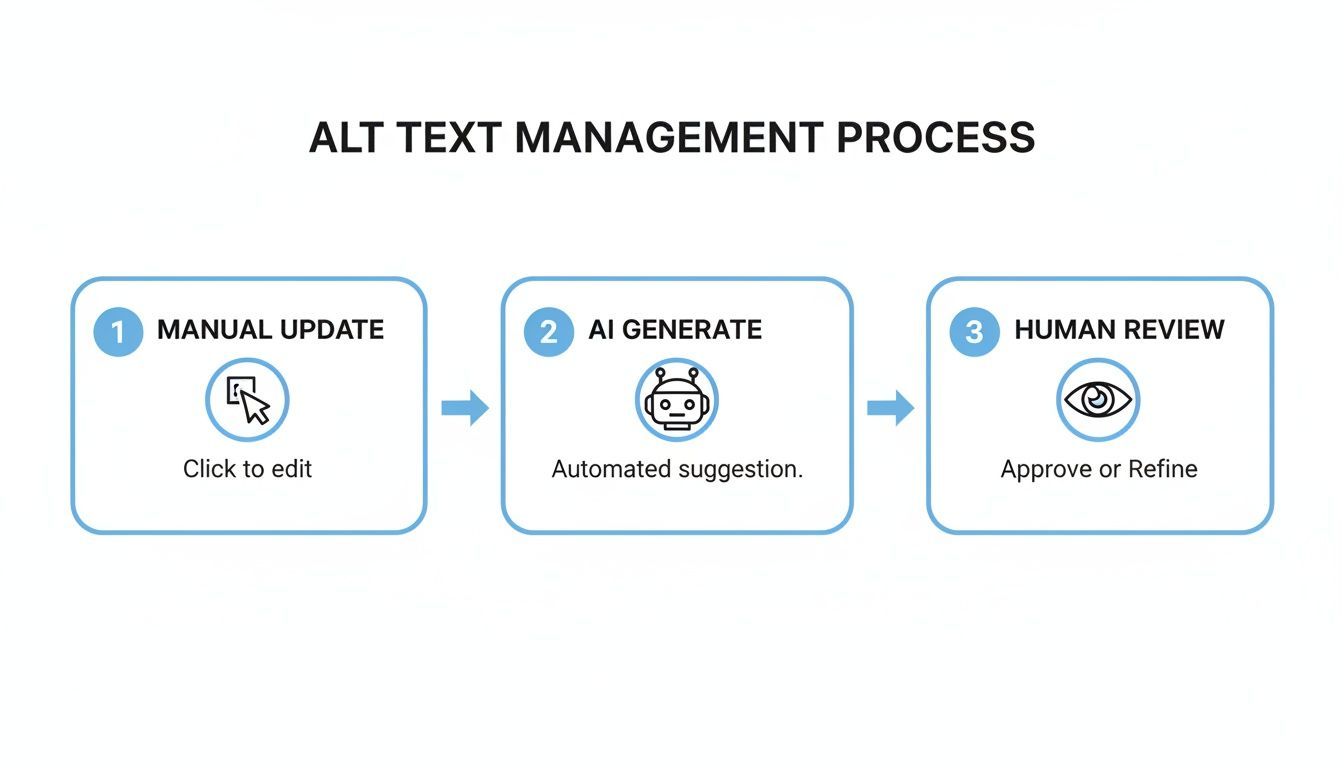
This kind of hybrid approach gives you the speed of AI automation with the essential judgment of a human editor. It’s how you make comprehensive accessibility a reality, not just an aspiration.
The journey to a fully accessible and discoverable website starts with a single step. Every image you describe helps create a more inclusive digital world.
Ready to Get Started?
The best way to understand the impact is to see it for yourself. You can start by playing around with our free accessibility tools to see just how straightforward this process can be.
And if you're ready to make accessibility a core part of your operations, we'd love to show you how. Request a demo with one of our experts, and we’ll walk you through how to achieve and maintain compliance at scale. Let’s build a better web together.
Frequently Asked Questions About Alt Text
Once you move from theory to practice with alt text, a few specific questions always seem to come up. Getting these details right is what separates a basic attempt at accessibility from a truly effective one.
Let's clear up some of the most common sticking points so you can handle every image with confidence.
How Long Should Alt Text Be?
People often wonder about the perfect length. Is it a sentence? A few words? The key is to be descriptive but brief.
Your target should be under 125 characters. This isn't an arbitrary number; many screen readers cut off descriptions around this point, so it’s a practical limit. This gives you enough space to clearly describe the image and its purpose—and even include a keyword if it feels natural—without overwhelming the user.
What Is the Difference Between Alt Text and an Image Title?
This one trips people up all the time. They both seem to describe the image, but they have very different jobs, and one is far more critical than the other.
- Alt Text: This is the essential description. It’s what screen readers announce to visually impaired users and what search engines use to understand the image's content. Alt text is a requirement.
- Image Title: This is extra, optional information. On a desktop, it often appears as a small pop-up tooltip when you hover your mouse over an image. Image titles are not essential and are completely ignored by screen readers and on mobile devices.
Here's a simple way to remember it: The alt text is the label that explains what the image is and does. The image title is just a little footnote that most people will never see. Focus all your effort on the alt text.
Do All Images Need Alt Text?
It might seem counterintuitive, but no, not every single image needs a description. If an image is purely for decoration and adds zero informational value, it should be intentionally ignored by screen readers.
Think of things like background textures, abstract divider lines, or purely ornamental stock photos. For these, you should use an empty alt attribute (alt=""). This simple piece of code tells assistive technology, "There's nothing to see here, move along." It prevents the screen reader from announcing a useless interruption like "image" or "graphic," creating a much smoother experience for the user.
Is AI-Generated Alt Text Reliable for Compliance?
AI has gotten surprisingly good at this. Modern tools can generate accurate, context-aware alt text that's a massive help for getting your site compliant, especially when you're dealing with thousands of images.
The best approach is often a hybrid one. Use a quality AI tool to get 90% of the way there, ensuring no image slips through the cracks. Then, have a human double-check and refine the descriptions for your most important images—like complex charts, detailed product shots, or anything central to your content. This gives you both speed and perfect accuracy where it counts most.
Ready to put all this into practice? WebAbility.io provides a full suite of tools to help you audit, generate, and manage your alt text without the headache. Explore our solutions and start your journey to a more accessible website today.
Quick Questions
Tap to ask AI about this article