Accessibility And SEO A Guide to Inclusive Design for Better Rankings

Sidharth Nayyar
tldr; Making your website accessible for users with disabilities directly benefits your SEO.# Accessibility And SEO A Guide to Inclusive Design for Better Rankings
tldr; Making your website accessible for users with disabilities directly benefits your SEO. Many of the practices that improve accessibility, like using proper headings, adding alt text to images, and creating a clear site structure, are the same things that help search engines like Google understand and rank your content. A more accessible site leads to a better user experience for everyone, which in turn sends positive signals to search engines, helping to improve your rankings.
The short version: When you make your website easy for people with disabilities to use, you're also using techniques that search engines really like. This creates a win-win situation. Focusing on accessibility and SEO at the same time just means you're building a better, more discoverable site for every single visitor.
Why Good Accessibility Is Good SEO
Making your website accessible isn't just a compliance task or a nice-to-have. It’s a core part of building a high-quality site. In the process of serving users with disabilities, you’re also sending clear, structured signals that search engine crawlers absolutely love to see.
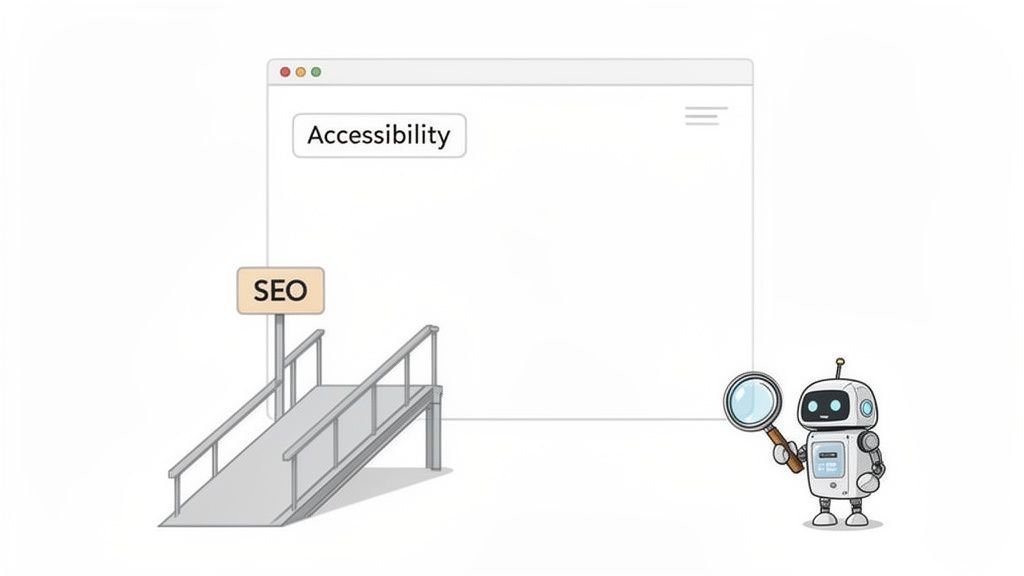
Think of it like building a physical storefront. When you add ramps, install clear signage, and organize your aisles logically, you’re not just helping people with mobility challenges. You’re making the entire store easier for everyone to navigate and shop in.
In the digital realm, search engines like Google are the inspectors trying to understand your site's layout and content. They reward websites that are well-organized, clear, and easy for their bots to interpret—the very same things that make a site accessible.
The Shared Foundation of Users and Bots
Here’s the key insight: many core principles of web accessibility overlap directly with best practices for search engine optimization. Both search crawlers and assistive technologies (like screen readers) depend on a predictable, logical website structure to make sense of your content. To get this right, you have to nail the foundational SEO strategies.
This shared foundation is built on a few critical pillars:
Semantic HTML: Proper HTML tags—like
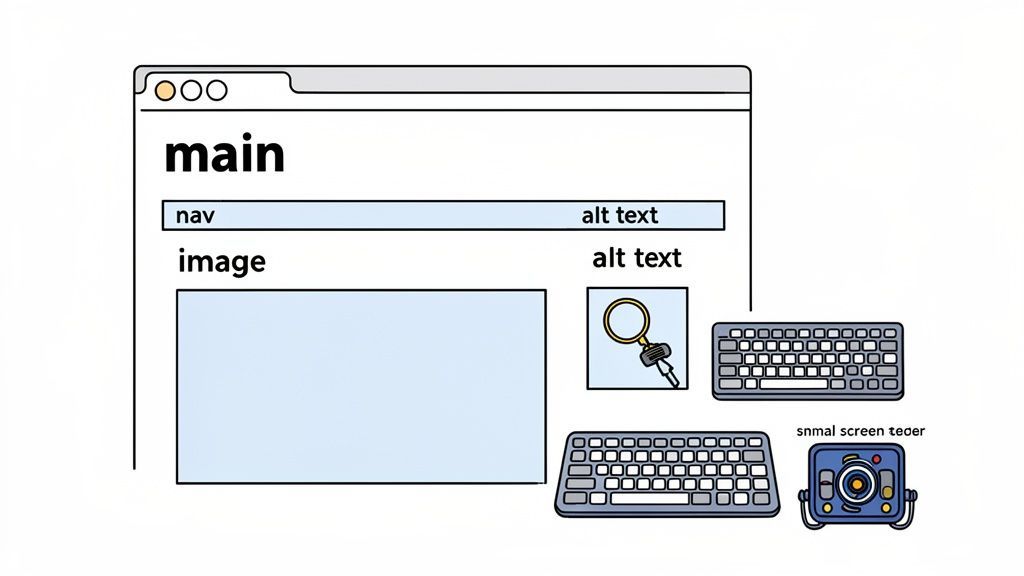
<nav>,<main>, and<h1>—create a clear roadmap. They tell screen readers and search bots exactly what each part of your page is for. It’s like labeling the rooms in a house.Descriptive Alt Text: Alt text for images serves two masters. It paints a picture for visually impaired users and tells search engines what an image is about, helping it show up in image searches.
Logical Site Structure: A clean hierarchy of headings (H1, H2, H3) and intuitive navigation menus make it simple for users to find what they need. This same structure allows search crawlers to index your entire site efficiently.
By focusing on the user experience for people of all abilities, you naturally create a website that search engines can better understand, crawl, and rank. This synergy is at the very heart of modern SEO success.
The Unbreakable Link Between Inclusive Design and Search Rankings
Here's the bottom line: designing your website for users with disabilities isn't some separate, siloed task. It's actually a core part of great SEO. Many of the technical elements that help screen readers or keyboard-only users also happen to create a clear, structured experience that search engine algorithms love. The result? Better user engagement, longer visits, lower bounce rates, and a direct boost to your rankings.
Search engines like Google have one main job: to understand and serve up content the way a person would. This means user experience is right at the heart of their ranking algorithms. So, every technical choice you make to help someone with a visual, motor, or cognitive disability also sends a powerful positive signal to search crawlers. This is where accessibility and SEO truly connect.
Imagine your website is a huge public library. You wouldn't just build a ramp at the entrance and call it "accessible." You’d go further. You'd create a clear catalog system, label every aisle with large signs, organize the books logically, and make sure the whole place is well-lit.
All that work helps everyone find what they need, not just people with disabilities. In this scenario, search engine crawlers are like first-time visitors trying to map out your entire library. The clear headings, descriptive link text, and detailed image descriptions that guide a screen reader user also act as a perfect "catalog" for the bots, helping them index your content accurately and efficiently.
Better Experience Metrics Lead to Higher Rankings
When you build a website inclusively, you naturally start nailing the key SEO metrics that Google's algorithms are designed to reward. It just makes sense. A user who can easily navigate your content is far more likely to stick around, explore a few pages, and actually do what they came to do.
This positive behavior directly impacts critical performance signals, including:
Longer Dwell Times: When your content is easy to read and your site is simple to get around, people spend more time on the page. This tells search engines your stuff is valuable.
Lower Bounce Rates: An accessible site is a less frustrating site. Users who can find what they need right away are much less likely to hit the "back" button and leave.
Increased Engagement: Things like clear calls-to-action and keyboard-friendly forms make it easier for all users to interact with your site, leading to more conversions and deeper engagement.
An accessible website is, by its very nature, a more user-friendly website. By making inclusive design a priority, you're actively creating the positive user signals that modern search algorithms favor, which ultimately leads to better rankings.
The Widespread Impact of Accessibility Gaps
Unfortunately, a huge number of websites are still dropping the ball, creating frustrating barriers for users and missing out on major SEO opportunities. The WebAIM Million report paints a pretty stark picture: out of the top one million homepages they analyzed, a shocking 94.8% had detectable WCAG failures.
On average, these pages had 51 distinct errors each, from missing image alt text to poor color contrast. Low-contrast text was a problem on 80% of pages, and 70% lacked a proper heading structure—a huge navigational roadblock for screen reader users who rely on that hierarchy to make sense of the content.
This isn't just a compliance issue; it's a massive opportunity. By fixing these common accessibility problems, you not only make your site available to a much wider audience but also give yourself a serious competitive edge in the search results. Every single fix helps build a stronger, more resilient digital presence.
Technical Tactics That Boost Accessibility and SEO
Alright, let's get our hands dirty and move from theory to practice. I'm going to walk you through the specific technical optimizations that deliver a powerful one-two punch for both accessibility and SEO.
Think of these tactics as the foundation of your house. A solid, well-labeled foundation makes the whole structure stable and ensures anyone—or any thing, like a search bot—can find their way around easily. Each element serves a critical role for assistive technologies while giving search crawlers the exact structural cues they need to index your content effectively.
When you get these right, you’re not just checking boxes; you’re creating a genuinely better experience that satisfies human visitors and search algorithms at the same time.
Build a Strong Foundation with Semantic HTML
Everything on your website is built with HTML, but not all HTML is created equal. Using semantic HTML is about choosing tags that describe the meaning and purpose of your content, not just how it looks. Honestly, this is the single most important thing you can do for a site that’s both accessible and SEO-friendly.
Imagine I handed you a 50-page report with no title, no chapter breaks, and no page numbers. You’d have no idea where to start. Generic HTML tags like <div> and <span> create that exact same problem for screen readers and search engine bots.
Semantic tags, on the other hand, act as a clear, logical map of your content. You can get a deeper dive into structuring your pages right in our guide on what is semantic HTML.
Here are the key players and their dual roles:
<header>: This tag defines the top-level introduction for a page or section. For assistive tech, it's a landmark for finding the site title and main navigation. For SEO, it tells Google where to find your branding and top-level links.<nav>: This one is super specific—it’s for a block of navigation links. A screen reader can announce "navigation," letting a user jump right to it. Search engines use it to map out your site's structure and link hierarchy.<main>: This tag wraps the primary, unique content of the page. It’s a huge help for screen reader users, who can skip straight past repetitive headers and get to the good stuff. For SEO, it highlights the most important content on the page for indexing.<footer>: This is for all the stuff at the bottom—copyright notices, contact info, and secondary links. It acts as another clear landmark for both users and crawlers.
Using semantic HTML is like labeling the doors in a large building. It tells everyone—whether they're using a screen reader or a search crawler—exactly what to expect on the other side, making navigation efficient and intuitive.
Clarify Your Content with a Logical Heading Hierarchy
Headings (<h1>, <h2>, <h3>, etc.) are so much more than a way to make text bigger. They create a scannable outline of your page, a true roadmap for your content that is absolutely essential for accessibility and search engine optimization.
For someone using a screen reader, headings are the primary tool for getting around a page. They can listen to a list of all headings to quickly understand the page's structure and jump straight to the section they care about.
In the same way, search engines analyze your headings to figure out the main topics and subtopics of your content. A well-structured heading hierarchy with relevant keywords sends incredibly strong signals about what your page is about.
Stick to these simple rules:
Use only one
<h1>per page: This is your main title, the title of the book. No exceptions.Follow a logical order: Never skip levels. Don’t jump from an
<h2>straight to an<h4>. It breaks the outline.Be descriptive: Headings should give a clear and accurate summary of the content that follows.
Bring Images to Life with Descriptive Alt Text
Alternative text, or alt text, is a short description of an image that you embed right in the HTML <img> tag. Its main job in accessibility is to describe what an image is and what it does for users with visual impairments who rely on screen readers.
Without alt text, that image is just a blank space for them. But its value doesn't end there.
For SEO, alt text gives search engines—which can't "see" images—the context they need to understand your visual content. This helps you rank in image search results and reinforces the topical relevance of the text surrounding the image.
Here's what I mean:
Bad:
alt="dog"Good:
alt="Golden retriever catching a red frisbee in a park"
That simple change transforms a useless tag into a rich, descriptive piece of information that helps both your users and search crawlers.
Dual-Benefit Accessibility and SEO Checklist
To make this all a bit more concrete, I've put together a quick checklist. Think of this table as your cheat sheet for identifying those high-impact elements that pull double duty for accessibility and SEO.
| Element | Accessibility Benefit | SEO Benefit |
|---|---|---|
| Semantic HTML | Provides a clear structure for screen readers and keyboard navigation. | Gives search engines a logical content hierarchy to crawl and index. |
| Heading Structure (H1-H6) | Allows users to scan and navigate page content quickly. | Helps crawlers understand the main topics and subtopics of the content. |
| Descriptive Alt Text | Describes images for visually impaired users. | Provides context for images, improving image search rankings. |
| Descriptive Link Text | Clarifies the destination of a link, avoiding generic phrases like "click here." | Anchor text provides strong signals about the linked page's content. |
| Page Titles | Announces the page's purpose when a user first lands on it. | Acts as a primary ranking factor and is displayed in search results. |
| Video Transcripts/Captions | Makes video content accessible to deaf and hard-of-hearing users. | Provides crawlable text that search engines can index. |
| Sitemaps | (Indirect) A clear site structure benefits all users. | Helps search engines discover and crawl all important pages on your site. |
| Readable URLs | Easy-to-understand URLs can be read aloud and are more intuitive. | Keyword-rich, clean URLs are a minor but helpful ranking signal. |
Keep this list handy when you're auditing a site or building a new page. By focusing on these elements, you're making a direct investment in a better user experience and stronger search performance simultaneously.
tldr; Building your website to be accessible for people with disabilities has a powerful side effect: it dramatically improves the user experience (UX) for every single visitor. This great UX sends strong, positive signals to search engines like Google—think longer visit times and fewer people immediately leaving—which can directly boost your search rankings. An accessible site is simply a user-friendly site, and that's precisely what search algorithms are built to reward.
Improving User Experience and Search Performance
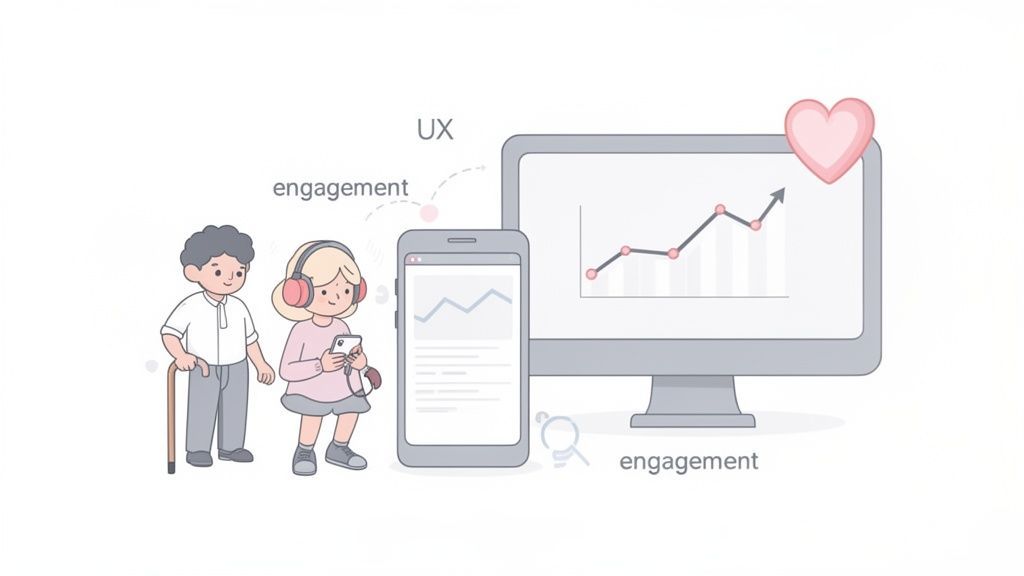
The link between accessibility and SEO becomes incredibly obvious when you look at it from a user experience (UX) perspective. A website that’s a breeze to use, navigate, and understand will always come out on top against one that’s confusing or frustrating. As it turns out, accessibility is the blueprint for creating that superior experience.
When you design for a wide spectrum of human abilities, you end up solving usability problems that affect everyone. Think about it: features like clear navigation, readable fonts with good color contrast, and a mobile-friendly design are all fundamental to accessibility. They also happen to be exactly what all users want.
This approach helps create a digital space where people feel comfortable and in control. Instead of fighting to find information, they can actually engage with your content. It’s this positive interaction that search engines are fine-tuned to measure and promote.
How Good UX Translates into Better Rankings
Search engines like Google are on a constant quest to serve up the most relevant, high-quality results. A huge part of what they define as "quality" comes down to how real people behave on your site. When you improve accessibility, you're directly influencing the key metrics that tell search engines your site is delivering a great experience.
These behavioral signals let the algorithms know your site is a valuable resource that deserves to be shown to more people. This is where you can see the impact of accessibility on your search performance in black and white.
Key UX signals influenced by accessibility include:
Increased Dwell Time: When your content is easy to consume and navigate, visitors stick around longer. High dwell time is a massive signal to search engines that your page is doing a good job answering the user's query.
Lower Bounce Rates: If someone can immediately find what they’re for, they're far less likely to hit the back button. Clear headings, intuitive links, and accessible forms cut down on frustration and keep people on your site.
Higher Engagement: Simple, accessible calls-to-action and keyboard-friendly navigation lead to more clicks, shares, and conversions. These actions scream "highly engaging page" to search algorithms.
An accessible website is a more user-friendly website. By prioritizing inclusive design, you are creating the exact positive user signals that modern search algorithms are built to recognize and reward with higher rankings.
The Financial and SEO Cost of Inaccessibility
Ignoring accessibility isn’t just a missed opportunity—it's a direct hit to your engagement and revenue. The economic power of users with disabilities is enormous, yet most businesses haven’t created experiences that welcome them. You can learn more about this in our detailed guide on how to improve user experience for every visitor.
Globally, people with disabilities and their families control an estimated $13 trillion in spending power. In spite of this, a shocking 73% of users with disabilities say they abandon websites because they are too difficult to use. E-commerce sites are especially guilty, with studies showing that even top online stores frequently fail basic compliance checks, effectively shutting the door on a massive customer base.
The connection here is clear: a frustrating user experience means lost traffic and lost sales.
To truly elevate your site’s usability and search performance, it’s worth understanding the role of a user experience designer. These experts specialize in crafting intuitive, accessible interfaces that satisfy both human users and search algorithms. This focus ensures accessibility becomes a core part of a winning, user-centric strategy that drives real SEO success. By investing in a better experience for all, you build a stronger, more visible, and ultimately more profitable digital presence.
TL;DR: Don't treat accessibility as another item on your to-do list. The real win comes from making it a core part of how you already work. When accessibility checks become a natural step in your keyword research, content creation, design, and development cycles, it stops being a chore. This "accessibility-first" approach means you build things right the first time, avoiding costly fixes down the road and ensuring both SEO and accessibility are baked in from the start, not bolted on as an afterthought.
Integrating Accessibility into Your SEO Workflow
Moving from one-off fixes to a strategy that actually sticks means weaving accessibility into the day-to-day grind. If you treat accessibility and SEO like something you'll "get to later," you're just creating expensive problems for your future self. The goal is to build a culture where "accessibility-first" is the default setting, making inclusive design a reflex, not just a box to check before launch.
This isn't about more one-time audits; it's about creating a repeatable process that plugs directly into your existing SEO, content, and development lifecycles. When accessibility is part of the conversation from day one, it doesn't feel like a last-minute roadblock. Instead, it becomes a powerful way to amplify your SEO efforts.
A truly integrated workflow gets everyone on the same page. From marketers to developers, each person knows how their work contributes to an experience that’s both inclusive and high-performing. This proactive mindset saves a ton of time, slashes remediation costs, and ultimately builds a much stronger, more resilient presence online.
Building a Proactive Accessibility Process
An effective workflow doesn't wait until the end; it tackles accessibility at every single stage. By bringing these considerations to the forefront, you spot potential issues early on—long before they become tangled, expensive messes to unravel in a live environment. This is how you make accessibility practical and scalable.
Think of it as a series of checkpoints:
Planning & Research: Accessibility starts right here. As you do keyword research, think about the different ways people might search for your content. When you're outlining an article, make sure the topics flow logically for any user.
Design & UX: Your design team should have color contrast checkers handy and be thinking about keyboard navigation from the very first wireframe. Prototypes should go to developers with clear accessibility notes already included.
Development: Developers need to live and breathe semantic HTML. It should be their default. They're the ones who translate an accessible design into a functional reality, using ARIA labels where native HTML can't do the job.
Content Creation: Writers and editors are on the front lines. They need to be crafting meaningful alt text, using clear and hierarchical headings, and writing link text that actually describes where the user is going.
Quality Assurance (QA): The QA team’s job isn't just to see if things work, but to see if they work for everyone. This means testing with screen readers and navigating with only a keyboard should be as standard as any other functional test.
When accessibility becomes a checkpoint at each step, it stops being one person's job and becomes a shared responsibility. It's just another part of building a quality product, right alongside performance and security.
Shifting from Reactive to Continuous Improvement
A one-time audit is a great snapshot, but your website isn't a static photograph. It’s a living thing that changes with every new blog post, product update, or design tweak. To keep up, you need a system for continuous monitoring. This is where automation becomes your best friend.
Plugging automated accessibility scanning tools into your Continuous Integration/Continuous Deployment (CI/CD) pipeline is a huge leap forward. These tools can automatically flag common accessibility errors in new code before it ever gets pushed to your live site.
This creates a powerful feedback loop for your developers, helping them learn on the fly and avoid repeating the same mistakes. It takes accessibility out of the "once-a-year audit" bucket and makes it a normal, automated part of every single day.
Making Accessibility a Team Sport
At the end of the day, successfully merging accessibility and SEO comes down to your people. Everyone who touches the website has a role to play, and they need to be empowered to play it well.
SEOs and Marketers: Need to fully grasp how clear headings, descriptive links, and well-structured content directly feed into better rankings and a more engaged audience.
Designers: Must look beyond pure aesthetics to champion inclusive principles like good color contrast, obvious focus states for keyboard users, and logical layouts.
Developers: Are tasked with the crucial job of writing clean, semantic code that turns an accessible design into a functional experience for all.
Content Creators: Own the responsibility of making sure the information itself is easy to understand and navigate through smart formatting and descriptive language.
When you provide the right training, clear guidelines, and good tools, you give each team ownership over their piece of the accessibility puzzle. It stops being a technical burden and becomes a shared value—one that drives a better experience for your users and, as a result, better performance in search.
tldr; You can't manage what you don't measure. When it comes to accessibility and SEO, that means you need the right tools to find problems and track your progress. Your setup should include a mix of automated scanners for a big-picture view, browser extensions for on-the-fly checks, and comprehensive platforms for ongoing monitoring. Things like accessibility widgets also add a powerful layer of user-facing controls, making your site instantly more usable for many visitors while you work on the deeper code fixes.
Choosing the Right Tools for Your Strategy
Getting accessibility and SEO right takes more than just good intentions—it demands a solid tech stack. The right set of tools can turn your strategy from a vague goal into a measurable, manageable process, helping you find issues, track fixes, and stay on top of compliance.
Think of it like being a car mechanic. You wouldn't try to diagnose an engine problem just by listening; you'd plug in a diagnostic tool to get hard data. In the same way, accessibility tools give you the specific data you need to see exactly where your website is falling short for both users and search crawlers.
Your best bet is to combine different types of solutions, each with its own role in your workflow. By layering these tools, you build a complete system for catching and fixing issues at every stage of development.
Types of Accessibility and SEO Tools
Building a solid toolkit means understanding what each category of tool is good at. No single solution does it all, but when used together, they create a powerful system for continuous improvement. The trick is matching the right tool to the task.
Here’s a breakdown of the essential categories:
Automated Scanners: Think of these as your first line of defense. Tools that crawl your entire site can quickly identify widespread problems like missing alt text or contrast errors at scale, giving you a high-level report card on your compliance status.
Browser Extensions: These are a developer's and designer's best friend. They allow you to run real-time checks right in your browser, making it easy to spot issues during the development process—long before the code ever goes live.
Comprehensive Platforms: For managing everything from start to finish, a centralized platform acts as your single source of truth. These solutions typically offer automated scanning, ongoing monitoring, detailed reports, and workflow tools to help your team collaborate on fixes and track progress toward your goals.
This diagram shows how these tools fit into a typical workflow, from research all the way through testing.
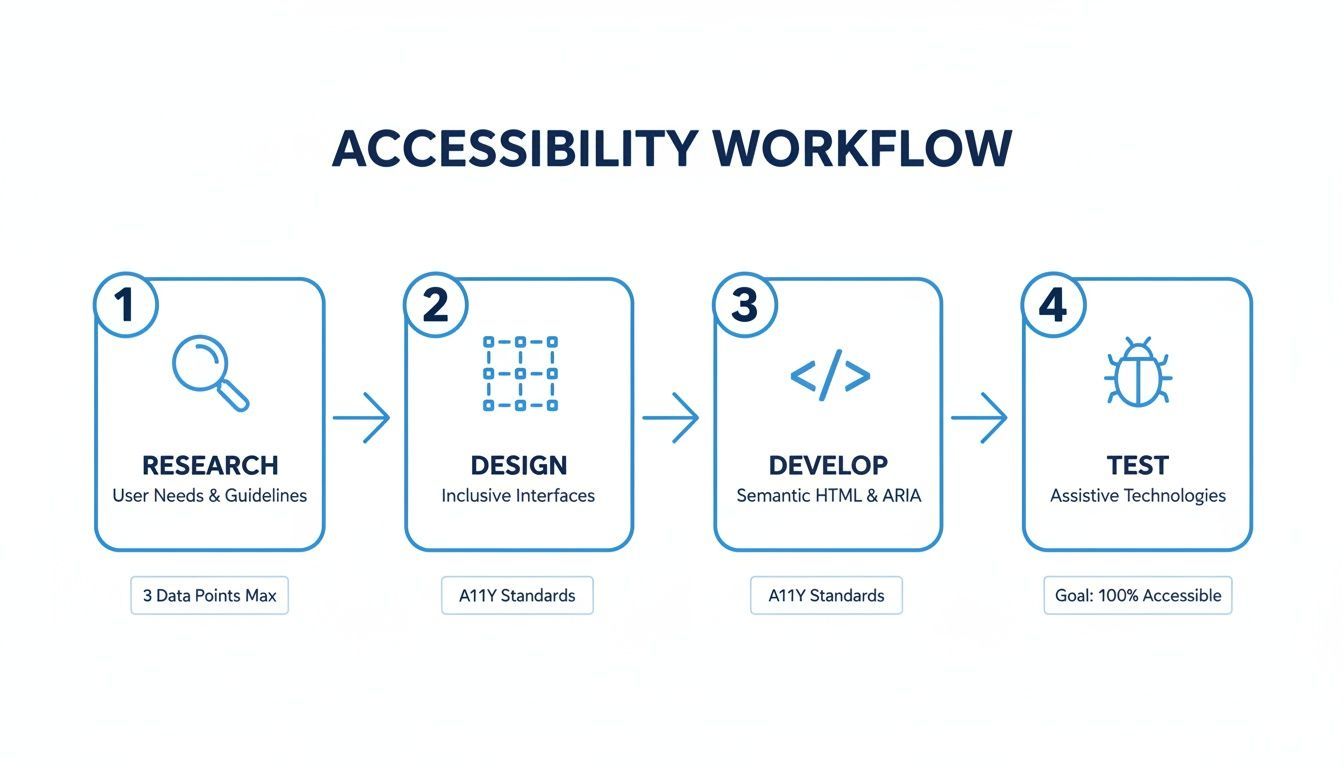
The flow from research to testing drives home a critical point: accessibility should be baked into every step, not just tacked on as a final check.
The Role of Accessibility Widgets
Alongside your auditing and monitoring tools, AI-powered accessibility widgets play a unique and important part. They offer an immediate layer of improvement by giving users direct control over how they experience your website.
These solutions complement foundational accessibility work by empowering visitors to customize the site to their specific needs. This can be a game-changer for user experience while you continue to address deeper code-level issues.
The menu in the image above provides instant access to adjustments for screen readers, contrast, text size, and keyboard navigation, directly improving usability.
By offering features like screen reader adjustments, keyboard navigation fixes, and different contrast modes, these widgets can solve many common problems on the spot. They're a practical way to move faster on your journey toward a more inclusive and higher-performing website.
For a closer look, you can explore some of the top accessibility tools for websites available today. In the end, the most effective and sustainable strategy is a mix of manual auditing, solid coding practices, and smart tooling.
Frequently Asked Questions
Let's cut right to the chase. Here are some quick answers to the most common questions people have when they start connecting the dots between accessibility and SEO.
tldr; You don't have to pick a side here. Accessibility and SEO are two sides of the same coin—they both aim to improve the user experience. An accessibility widget is a fantastic tool for adding a quick layer of user-controlled improvements, but it's not a silver bullet. It performs best on a site with a solid foundation of clean code. If you’re looking for the single biggest bang for your buck, fix your heading structure. It's a huge win for screen reader users and search bots alike. And remember, the SEO benefits from accessibility are a long-term play that builds as your site becomes genuinely better for everyone.
Can Accessibility Widgets Solve All My Compliance Problems?
Accessibility widgets are a powerful first step. They can instantly fix a lot of common WCAG issues and give users control over their experience, which is a massive win. Think of it as a crucial part of a bigger accessibility plan.
These tools work best when they're layered on top of a site built with accessible design and clean, semantic code from the get-go. The widget handles the on-the-fly adjustments for users, while your strong foundation gives both search engines and assistive tech a clear, easy-to-read roadmap.
What’s the Single Most Impactful Accessibility Fix for SEO?
While there's no single magic fix, one change consistently delivers an outsized impact: creating a logical heading structure. We're talking about using one—and only one—H1 per page, then following it with H2s, H3s, and so on, without skipping any levels (don't jump from an H2 to an H4).
This simple practice is a game-changer. For screen reader users, it's like having a clear table of contents, making it easy to navigate the page. For search engine crawlers, it provides an unambiguous outline of your content's hierarchy, helping them understand what your page is about. That clarity directly impacts how your content gets indexed and ranked.
How Long Does It Take to See SEO Improvements from This?
That's the million-dollar question, and the answer is: it varies. Some of the more technical fixes, like adding alt text or fixing your structured data, can get picked up by search engines pretty quickly—sometimes within a few weeks of your site being re-crawled.
But the real, lasting SEO benefits come from the improvements in user signals. As people find your site easier to use, you'll see bounce rates drop and time-on-page increase. These are powerful trust signals to Google, but they don't happen overnight. They build up gradually as more and more users have a better experience. Think of consistent accessibility work as a long-term investment in your site’s SEO health.
Ready to make your website accessible and boost your SEO? WebAbility.io provides an end-to-end platform to achieve compliance and improve user experience for everyone. Start your free trial and see the difference.
Quick Questions
Tap to ask AI about this article