TL;DR: What You Need to Know
Assistive technology (AT) refers to any device, software, or system—like screen readers, voice controls, or magnification tools—that helps people with disabilities use websites and digital content. Supporting AT isn't just about compliance; it's a strategic move to reach a global market of over a billion users. By building your site with clean code (semantic HTML), ensuring keyboard navigability, and providing clear labels (alt text and ARIA), you create an experience that works for everyone. This guide explains what AT is, why it matters, and how you can ensure your website is compatible, turning accessibility into a competitive advantage.
Ready to see how your site measures up? Start your free accessibility scan today.
What Is Assistive Technology? A Quick Guide
Understanding assistive technology is the first step toward creating a website that works for everyone. This isn’t just about futuristic, high-tech gadgets; it's a vast spectrum of tools, from simple to complex, all designed to give users more power and independence.
For millions of people, these tools are not optional; they’re essential. As accessibility experts, we've seen firsthand how AT bridges gaps caused by vision, hearing, mobility, or cognitive challenges, turning a frustrating online experience into a seamless one.
If you’re a business owner, product manager, or developer, supporting AT is about expanding your reach and making sure your digital front door is open to all. It's a foundational part of what digital accessibility is and why it matters.
Expert Insight: Assistive technology breaks down the barriers that prevent individuals from expressing themselves and demonstrating their knowledge. It fosters independence, confidence, and full participation in the digital world.
When you build with AT in mind, you’re not just ticking a box. You’re improving the experience for every user, reducing legal risks, and tapping into a loyal customer base. This guide, written by our team of accessibility specialists, will give you the practical understanding you need to get started.
What Is Assistive Technology, Really?
It’s easy to get lost in technical definitions, but to truly understand assistive technology, you have to think beyond the gadgets. At its heart, assistive technology (AT) is about independence, confidence, and unlocking opportunity for people with disabilities.
Think of it this way: AT is like a personal interpreter for the digital world.
Just as an interpreter bridges a language gap, assistive tech translates a website’s code into a format that a user can actually perceive and interact with. For someone who is blind, this might mean turning text into spoken audio. For a person with low vision, it could be magnifying the screen. For someone unable to use a mouse, it's about making a site navigable with just a keyboard or their voice.
A Whole Toolbox, Not a Single Tool
But AT isn't just one thing. It’s an entire spectrum of tools, ranging from brilliantly simple solutions to highly sophisticated software.
- Low-tech aids can be as straightforward as a special grip for a stylus to make using a tablet easier, or a keyboard with high-contrast keys.
- High-tech tools get much more advanced. We're talking about AI-powered screen readers that can describe the content of an image, or complex voice-control software that lets someone browse the web completely hands-free.
This huge range ensures that the support is tailored to an individual’s specific needs and context. For a deeper dive into the different types, our glossary entry for assistive technology breaks down the various categories and how they're used.
Expert Insight: Assistive technology is fundamentally about human potential. It removes barriers, enabling people to demonstrate their knowledge, contribute their creativity, and engage fully with their communities and workplaces.
The Scale of the Need Is Massive
When you zoom out and look at the global picture, the importance of these tools becomes crystal clear. According to the World Health Organization (WHO), over 2.5 billion people around the world need at least one form of assistive technology. This includes people with disabilities, but also a growing population of older adults and those with chronic health conditions.
The reality, however, is a bit shocking. The WHO reports a massive gap between need and access, with nearly one billion people currently going without the tools they require. In some lower-income countries, that access rate plummets to as low as 3%. You can read the full WHO report on global assistive technology access to see the full scope of the issue.
For any business or product team, understanding this is the first step toward creating digital products that work for everyone. It’s not just about compliance or checking a box. It's about recognizing a fundamental human need and a huge global audience. When you build with assistive technology in mind, you’re making sure your digital front door is open to all.
Key Categories of Digital Assistive Technologies
When we talk about assistive technology (AT), it's easy to picture a single, futuristic device. The reality is far more interesting. AT isn't a one-size-fits-all solution; it's a rich ecosystem of tools designed to address a wide spectrum of human needs.
To really get a handle on what assistive technology means in practice, it helps to break these tools down into a few key categories. Each one serves as a bridge, translating the digital world into a format that a specific group of users can understand and interact with.
This concept map helps visualize how AT connects user abilities to digital content, interprets information, and adapts to each person’s unique needs.
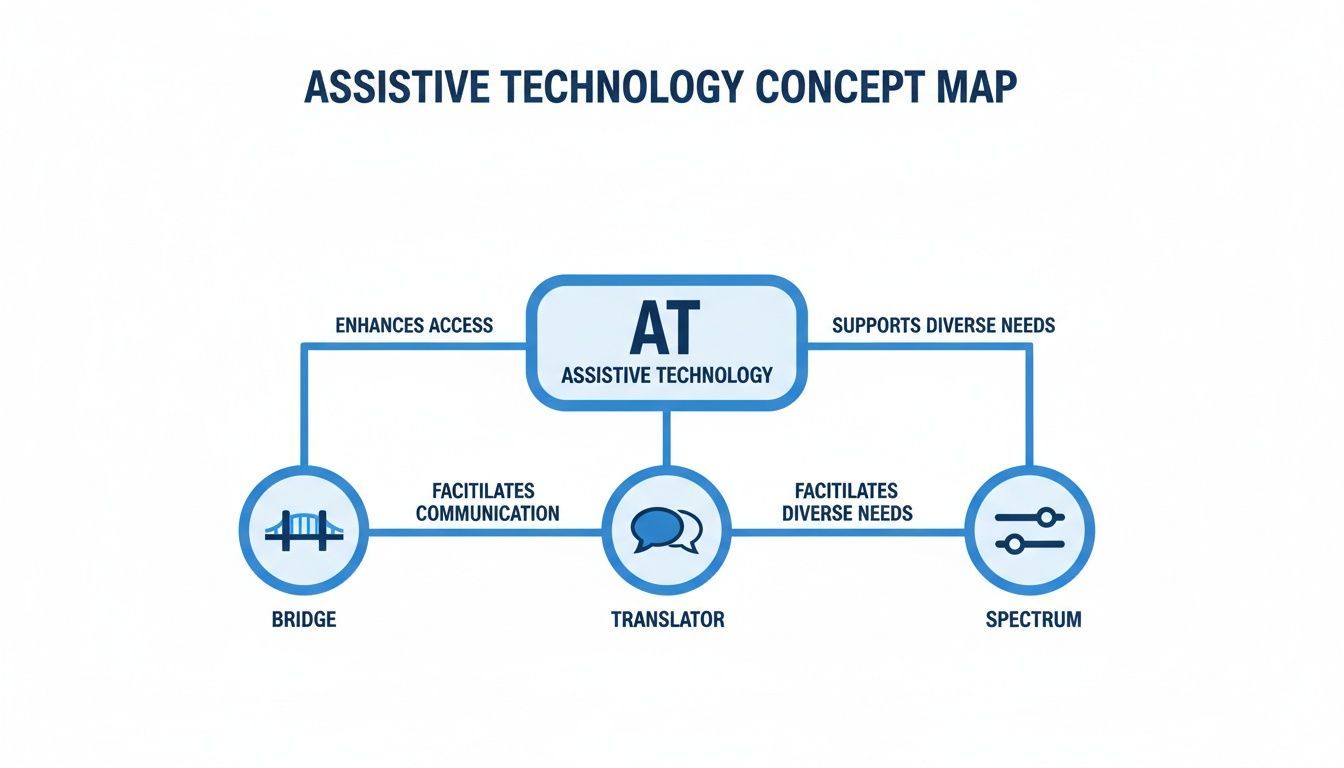
As you can see, AT is much more than just a piece of software. It’s a dynamic system that empowers people by creating pathways to information that might otherwise be out of reach.
Vision Aids
For anyone with a vision impairment, from low vision to complete blindness, navigating the web requires tools that convert visual information into something that can be heard or felt.
- Screen Readers: This is the absolute cornerstone of web accessibility for blind users. Software like JAWS, NVDA, and Apple's built-in VoiceOver reads the content of a webpage aloud—text, links, buttons, and even descriptions of images. For a screen reader to work correctly, a website has to be built with clean, semantic code.
- Screen Magnifiers: For people with low vision, built-in or third-party tools that magnify parts of the screen are a game-changer. These can zoom in by 1,000% or more, making text and interface elements legible.
- High-Contrast Modes: Standard color palettes can make text difficult or impossible to read for many users. High-contrast settings, whether in the operating system or offered as a site feature, flip the colors or boost the difference between text and its background, which can dramatically improve readability.
Hearing and Mobility Aids
Of course, the web isn't a purely visual medium. To make audio and interactive elements accessible, we need a different set of technologies for people with hearing or physical disabilities.
Expert Insight: Assistive technology breaks down the barriers that prevent individuals from expressing themselves and demonstrating their knowledge. It fosters independence, confidence, and full participation in the digital world.
Tools that support hearing and mobility unlock the web for a massive audience. Something as common as video captions, for instance, is a critical piece of the accessibility puzzle. You can get a better sense of the mechanics by reading What Is Closed Captioning and How Does It Really Work?.
- Captions and Transcripts: For users who are Deaf or hard of hearing, captions provide a synchronized text version of dialogue and other relevant sounds in a video. Transcripts offer a full text file of all the audio, which not only helps users but also gives search engines more content to crawl.
- Voice Control Software: People with limited mobility can use their voice to do almost anything on a computer. Programs like Dragon NaturallySpeaking allow them to browse websites, click on links, and type into forms without ever touching a mouse or keyboard.
- Alternative Input Devices: This is a broad and fascinating category. It includes everything from adaptive keyboards with extra-large keys to switch devices, which let someone control a computer with a single button, a sip-and-puff straw, or even by tracking their eye movements.
For a more exhaustive list, we've put together a deep dive into the different types of assistive technologies and their specific applications.
Why Supporting Assistive Technology Is a Smart Business Move
The bottom line: Supporting assistive technology isn't just about doing the right thing. It's about tapping into the $13 trillion global disability market, sidestepping legal headaches, and building a stronger, more inclusive brand that everyone loves.
Thinking about assistive technology as a mere compliance checkbox is a huge missed opportunity. When you design your website and apps to work with AT, you’re doing more than just helping a few users. You are actively opening your doors to a massive, loyal market segment that many of your competitors are completely ignoring.
The numbers here are staggering. People with disabilities represent a global economic force with $13 trillion in disposable income. If your site doesn't work with a screen reader or can't be navigated by a keyboard, you're effectively telling this massive group of consumers that their business isn't welcome.
On the other hand, creating an experience that just works for them builds incredible brand loyalty. That kind of positive word-of-mouth is something marketing campaigns can only dream of.
Turning Legal Risks into Market Opportunities
Of course, compliance with laws like the Americans with Disabilities Act (ADA) and Section 508 is a major factor. Nobody wants to deal with a demand letter or a lawsuit. But viewing accessibility through a purely defensive lens means you’re only seeing half the picture.
Smart businesses see compliance as the starting line, not the finish line. Every improvement you make for AT compatibility is a direct investment in a better experience for all your users. Search engines notice this, too. A well-structured, accessible site is often faster and easier for everyone to navigate, which can give you a real boost in SEO rankings and organic traffic.
The Financial Case for Inclusive Design
The assistive technology market itself is booming, projected to hit USD 36.6 billion by 2033. This isn't a niche trend; it's a fundamental shift in how people interact with the digital world. You can find more details in this report on the growth of the assistive technology market.
Managed accessibility solutions and overlay widgets offer powerful tools to help businesses meet these challenges. They provide a scalable way to implement features like high-contrast modes, text resizing, and keyboard navigation, enhancing the user experience for a wide range of visitors while helping you move towards compliance.
Ultimately, investing in accessibility is an investment in your company's future. It reduces your legal exposure, connects you with a large and growing market, and builds a brand reputation for inclusivity—a value that resonates more and more with today’s consumers. Ready to turn accessibility into your competitive advantage? See how we can help you get there.
How to Make Your Website Work with Assistive Technology
Quick Takeaway: Supporting assistive technology comes down to a few core development habits. You need to use clean, semantic HTML, apply ARIA attributes to clarify complex components, ensure everything works with a keyboard, and provide descriptive alt text for images. Getting these right isn't just about compliance; it's about creating a fundamentally better experience for a much wider audience.
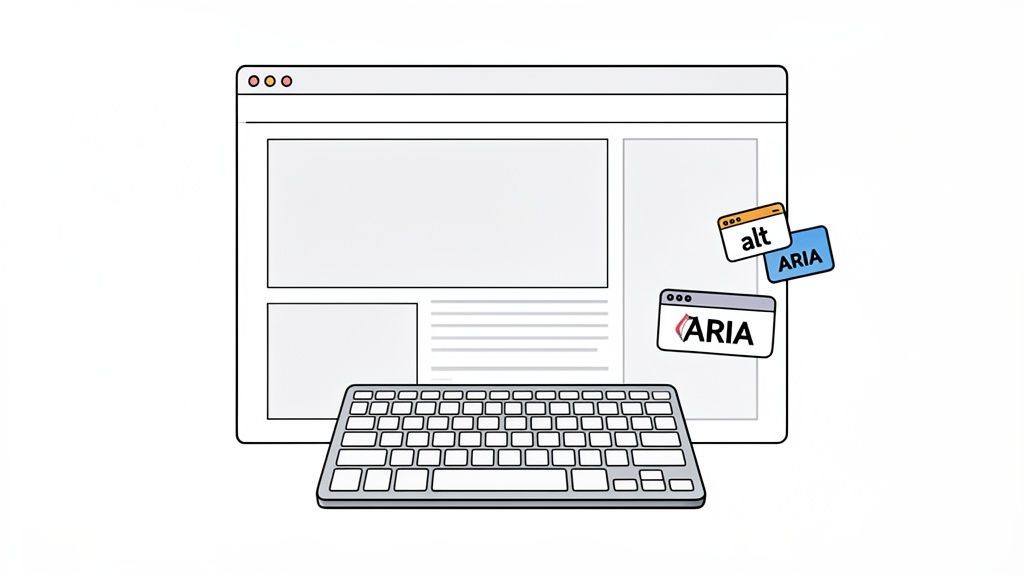
Knowing what assistive technology is doesn't automatically translate into building a website that works with it. The real challenge is putting that knowledge into practice. It’s about building a digital space that feels predictable, logical, and easy to navigate for people who use these tools every day.
By focusing on a handful of foundational web practices, your team can build experiences that play nicely with screen readers, keyboard navigation, and other essential tech. This isn’t just about ticking boxes; it’s about crafting a quality product that leaves no one behind.
Start with a Solid Foundation in Semantic HTML
Think of your website’s code as its architectural blueprint. Semantic HTML involves using tags that actually describe the content inside them—like <nav>, <header>, <footer>, or <button>. For someone using assistive technology, this blueprint is the key to understanding your site's layout.
A screen reader uses these tags to announce, “navigation,” “main content,” or “button,” which gives the user vital context about where they are and what they can do.
When developers fall back on using generic <div> tags for everything, they essentially create a flat, meaningless structure. It's like handing someone a book with no chapter titles, page numbers, or index. Using semantic HTML correctly is probably the single most impactful thing you can do for AT compatibility.
Make Dynamic Content Understandable with ARIA
Modern websites are full of moving parts—pop-up modals, collapsible menus, and live-updating content. These elements might seem obvious visually, but they're often invisible or completely baffling to a screen reader without a little help. That's where ARIA (Accessible Rich Internet Applications) comes into play.
ARIA attributes act like little sticky notes you add to your code. They don’t change how anything looks, but they provide critical information directly to assistive technologies. For example:
aria-label="Close dialog"tells a screen reader what a button with only an 'X' icon is for.role="alert"announces an important message, like an error, as soon as it appears.aria-expanded="true"lets a user know that a dropdown menu or accordion panel is open.
ARIA is the bridge that connects the complex, interactive features of your site with the people who need assistive tech to make sense of them.
Ensure Full Keyboard Accessibility
Here’s a simple fact: not everyone uses a mouse. Many people with motor disabilities, along with most screen reader users, rely entirely on their keyboard to get around the web. Every single interactive element on your site—links, buttons, form fields, and menus—must be reachable and usable with the Tab key, Enter key, and other standard keyboard commands.
The Essential Test: Can you navigate your entire website using only the Tab key? If you get stuck, or if you can't tell which element is currently selected (the "focus indicator"), your site is effectively broken for a huge number of users.
This is a non-negotiable part of AT support. It guarantees that no one is locked out of your site’s features just because they can’t point and click. Automated tools can help by scanning your site to find and flag these keyboard traps, making it easier to ensure your site is navigable for everyone.
Testing Your Site with Real Assistive Technologies
Writing accessible code is a fantastic start, but theory only gets you so far. To really know if your site is usable, you need to experience it the way people with disabilities do—through their own specialized tools. This is where you have to roll up your sleeves and do some manual testing with actual assistive technologies.
Automated tools are a huge help. Running a scan with a website accessibility checker is great for catching widespread, code-level problems like missing alt text or a messy heading structure. But these tools are most effective when paired with human expertise, as they can't tell you what it feels like to use your site.
Think of it this way: an automated scan can confirm a button is technically correct, but it can’t tell you if the button's label is confusing or even misleading when a screen reader announces it out of context. That's a gap only a human can find.
A Quick Guide to Manual Testing
Getting started with hands-on testing isn't as intimidating as it sounds. The main goal is to put yourself in your users' shoes. A simple, yet incredibly powerful first test? Unplug your mouse. Try to do everything on your site using only the tab, enter, and arrow keys.
You should also listen to your site. You can get a feel for the screen reader experience by using the tools already built into your operating system.
- For Windows users:NVDA is a fantastic, free, and powerful screen reader that’s popular worldwide.
- For Mac/iOS users:VoiceOver comes built-in. You can turn it on in your Accessibility settings and start testing immediately.
- For Android users:TalkBack is the native screen reader and is ready to go on most Android devices.
As you navigate, put on your detective hat. Does the tab order make any sense? Can you tell where you are and what every button does? When the screen reader talks, does the content flow logically, or does it jump all over the place?
Expert Insight: The most significant accessibility barriers are often discovered not by a machine, but by a human attempting to complete a task. Manual testing reveals the real-world friction that automated scans simply cannot detect.
Ultimately, the best approach is a partnership. Use automated scans to catch the low-hanging fruit and then use manual testing to find the subtle, experience-breaking issues. For teams that need to guarantee full compliance and a truly seamless user experience, nothing beats an expert-led audit using a full suite of assistive technologies.
Frequently Asked Questions About Assistive Technology
Let's tackle some of the most common questions people have about assistive technology and what its role is in building truly accessible websites.
What Is the Difference Between Accessibility and Assistive Technology?
This is a fantastic question, and the distinction is crucial. The classic analogy still holds up perfectly: accessibility is the ramp built into a building, while assistive technology (AT) is the wheelchair a person uses to go up that ramp.
Accessibility is all about how we build and design things—in our case, websites—to be usable by as many people as possible, right from the start. Assistive technology, on the other hand, is the specific software or hardware, like a screen reader or a special keyboard, that someone uses to navigate the digital world. One is about creating an inclusive environment; the other is the tool that helps a person thrive in it. For a comprehensive overview, see our guide on what digital accessibility is and why it matters.
Are Accessibility Platforms Enough for AT Compatibility?
Accessibility platforms are powerful allies in achieving AT compatibility. They offer scalable, automated solutions that can identify and address many common barriers, significantly improving the user experience for people using assistive technologies. By handling a wide range of issues, these platforms allow development teams to focus on more complex, structural improvements.
But true compatibility comes from a two-pronged approach. You need the efficiency of those platforms combined with a solid foundation of accessible design practices. Think of it this way: the platform is like a highly skilled repair crew, but you'll have a much easier time if the house was built to code in the first place.
Expert Insight: The most effective accessibility strategies combine the efficiency of automated platforms with the deep, human-centric insights gained from manual testing and expert review. This ensures both compliance and genuine usability.
How Do I Start Making My Website AT Compatible?
The best way to start is by simply getting a sense of where you are right now. You can't fix what you don't know is broken. Running an automated scan with a free tool is a great, no-risk first step. It will give you a baseline report and point you toward the most obvious fires to put out. Our free website accessibility checker is the perfect place to begin.
After that, focus on the fundamentals. Things like using proper semantic HTML structure and making sure every meaningful image has alt text are foundational. These aren't flashy fixes, but they have an enormous impact on how assistive technologies understand and interpret your website.
For a complete solution that ensures your site is truly usable for everyone, a comprehensive strategy is key. Start your free accessibility scan today to take the first step.