What Is Digital Accessibility An Essential Guide

Sidharth Nayyar
TL;DR: The Short Version
Digital accessibility is the practice of designing websites and apps so people with disabilities can use them. Just like a physical building needs a ramp for wheelchair access, a website needs features like image descriptions for screen readers. It's guided by the four POUR principles: content must be Perceivable, Operable, Understandable, and Robust. Making your site accessible expands your market to over a billion people, builds brand loyalty, and mitigates legal risks under laws like the ADA.
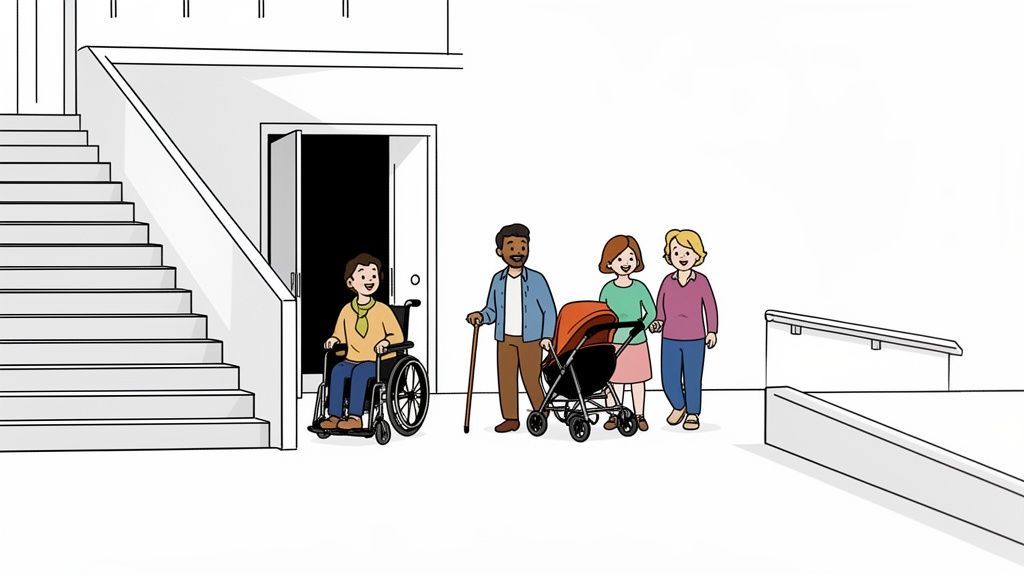
Think of the last time you went to a public building. You probably saw ramps, automatic doors, or elevators right alongside the stairs. These features make the space usable for everyone, whether they're in a wheelchair, pushing a stroller, or just carrying a heavy box.
Digital accessibility is the exact same idea, but for the online world. It’s about intentionally designing and building websites, apps, and digital content so that people with disabilities can use them without running into barriers.
What is Digital Accessibility?
It's the practice of ensuring that nothing stands in the way of someone accessing your digital front door. This means making sure a person who is blind can use a screen reader to understand your content, or someone with a motor impairment can navigate your site using only a keyboard.
This isn't just a technical checklist or a box to tick for compliance. It's a fundamental shift in mindset. It’s about recognizing that over 1.3 billion people worldwide live with some form of disability, and they deserve the same seamless digital experience as everyone else.
"When a digital experience works correctly, it is like a breath of fresh air. I feel included, cared about, and relieved." - Michael Taylor, Assistive Technology User
Ultimately, digital accessibility is about empathy and good design. When you build with inclusivity in mind from the start, you don't just avoid legal trouble—you create better, more intuitive products for all your users.
The Four Pillars of Digital Accessibility (POUR)
So, how do we make this a reality? The globally recognized Web Content Accessibility Guidelines (WCAG) provide a solid foundation built on four key principles. They're easy to remember with the acronym POUR.
These aren't just abstract rules; they're the pillars that support a truly inclusive online experience.
Let's break down what each of these principles really means in the real world.
The Four Pillars of Digital Accessibility (POUR)
| Principle | What It Means In Practice | A Real-World Example |
|---|---|---|
| Perceivable | Information must be presented in ways all users can process. This means providing text alternatives for images and captions for videos so the content isn't invisible to some senses. | A person who is blind can use a screen reader to hear a description of an image on your website because you've included descriptive alt text. |
| Operable | All site functionality must be available from a keyboard, and users need enough time to read and use content without being rushed by things like automatic carousels. | A user with a motor disability who cannot use a mouse can navigate your entire website, including dropdown menus and forms, using only keyboard commands. |
| Understandable | The language should be clear, instructions simple, and the website should function in predictable ways. This helps users avoid and correct mistakes easily. | A user with a cognitive disability can easily complete a purchase because the checkout process has clear steps, simple labels, and helpful error messages. |
| Robust | Your website needs to work reliably with a wide range of current and future technologies, including different browsers, devices, and especially assistive tools. | As screen reader technology evolves, your website's code remains compatible, ensuring continued access for users who rely on it. |
Getting these four principles right is the difference between a website that shuts people out and one that invites everyone in. They are the bedrock of creating digital spaces that are truly open to all.
Why Digital Accessibility Is A Business Imperative
It’s easy to see digital accessibility as a box to check or just “the right thing to do.” But that perspective misses the bigger picture. In reality, building accessible digital experiences isn't just about ethics—it's one of the smartest business decisions you can make.
Viewing accessibility as a simple compliance task is shortsighted. When you reframe it as a core business strategy, you uncover three powerful drivers for growth: tapping into a huge new market, building a stronger brand, and protecting your business from very real legal threats.
Tap Into A Massive Global Market
One of the most compelling reasons to focus on accessibility is the sheer size of the market you’re currently ignoring. People with disabilities are a massive, economically powerful group that many businesses inadvertently shut out.
Think about this: the global population of people with disabilities, along with their friends and family, controls over $13 trillion in annual disposable income. That's not a niche market; it's an economic powerhouse.
Every time a potential customer with a disability encounters a barrier on your website or app, you lose a sale. An inaccessible checkout flow on an e-commerce site is a closed door. An online banking portal that a screen reader can't navigate is a lost client.
By making your digital platforms accessible, you're not just making a small accommodation. You’re opening your brand to a massive new customer base that is loyal to businesses that meet their needs. Better yet, the principles of accessible design often create a better experience for everyone, including older adults, users with slow internet connections, or someone with a temporary injury like a broken arm.
Build Brand Loyalty and Enhance User Experience
A fantastic user experience (UX) is the bedrock of customer loyalty, and you can’t have great UX if it isn’t accessible to everyone. An inclusive design shows that you genuinely value every person who interacts with your brand, and that kind of commitment builds deep, lasting trust.
An accessibility-first mindset delivers tangible benefits across the board:
Better SEO Performance: It turns out that search engines love accessibility best practices. Things like image alt text, logical heading structures, and video transcripts are exactly what Google looks for to understand your content. An accessible site almost always ranks better.
A Better Experience for All: Features built for accessibility often improve usability for every single user. For example, high-contrast text is easier for someone to read on their phone in bright sunlight, and video captions are perfect for watching content in a loud coffee shop.
Stronger Brand Reputation: Companies that champion inclusivity are seen as modern, responsible, and forward-thinking. This reputation not only attracts customers who want to support ethical businesses but also helps you attract and retain top talent.
Mitigate Growing Legal and Financial Risks
From a legal perspective, ignoring digital accessibility is simply no longer an option. Regulations are getting tighter, and the consequences for failing to comply are becoming more severe for businesses of all sizes.
The risk isn't just theoretical. Digital accessibility lawsuits filed under the ADA are surging, with 4,605 cases filed in 2023 alone—a 14.1% increase from the previous year. This trend shows that legal enforcement is ramping up, putting non-compliant websites and apps directly in the crosshairs.
While only a small fraction of these cases go to trial, the average cost to settle a lawsuit is around $25,000-$50,000 in legal fees, not including the actual settlement. You can dig into more web accessibility statistics to see the full scope of the problem.
These lawsuits can lead to expensive settlements, court-ordered remediation, and serious damage to your brand’s reputation. The smartest move is to be proactive. By aligning your digital properties with established standards like the Web Content Accessibility Guidelines (WCAG), you build a solid legal defense while proving you’re committed to serving all your customers.
A Closer Look at Accessibility Standards Like WCAG
So, you know you need to make your website accessible. But what does that actually mean in practice? It's not enough to just have good intentions; you need a clear set of rules—a common language that designers, developers, and content teams can all follow. This is where accessibility standards come in.
Think of these standards as the official building codes for the internet. An architect wouldn't dream of constructing a building without adhering to codes that ensure it's safe and usable for everyone. In the same way, web professionals rely on standards to make sure their digital creations are built for all people. Without these shared benchmarks, accessibility would be a guessing game.
The single most important standard in this space is the Web Content Accessibility Guidelines (WCAG). Developed by the World Wide Web Consortium (W3C), WCAG is the undisputed gold standard for digital accessibility worldwide. It gives us a detailed framework and a checklist of success criteria for making websites and apps accessible to people with a wide range of disabilities.
WCAG and Its Conformance Levels Explained
WCAG isn’t just a dry technical manual. It's a practical guide built around those four core principles we talked about: Perceivable, Operable, Understandable, and Robust (POUR). Every guideline and success criterion within WCAG ladders up to one of these principles.
To make things measurable, WCAG uses three levels of conformance: A, AA, and AAA. Knowing the difference helps you set realistic and meaningful goals for your organization.
Level A: This is the baseline. Meeting these criteria removes the most critical and common barriers for users with disabilities. It's an essential first step, but honestly, it’s just the starting point.
Level AA: This is the sweet spot and the target for most organizations. Conformance here means your site is usable and understandable for the vast majority of people, addressing significant and common roadblocks. It represents a strong, achievable commitment to inclusion.
Level AAA: This is the highest level of accessibility. It’s about making your content accessible to the widest possible audience. While it's a noble goal, it's not always practical or even possible to meet every single Level AAA criterion for all types of content.
For most businesses, government agencies, and public organizations, Level AA is the accepted standard. It's the benchmark for both legal compliance and a genuinely inclusive user experience.
If you're looking for a deeper dive into the specifics, our complete guide on what is WCAG compliance breaks down the requirements for each level in much more detail.
How Global Standards Connect to Local Laws
While WCAG provides the technical "how-to," a whole ecosystem of national and international laws provides the legal "why." These laws are what give the guidelines teeth, often by directly referencing WCAG as the benchmark for compliance. This turns a set of best practices into an enforceable legal requirement.
Here’s a quick look at how WCAG plugs into major accessibility laws around the world:
Americans with Disabilities Act (ADA) in the US: The ADA itself doesn't mention WCAG. However, U.S. courts and the Department of Justice have consistently used WCAG 2.1 Level AA as the de facto standard for determining whether a website is considered accessible under the law.
Section 508 of the Rehabilitation Actin the US: This law, which applies to U.S. federal agencies, is much more direct. It officially incorporates WCAG 2.0 Level AA as its technical standard for all electronic and information technology.
Accessibility for Ontarians with Disabilities Act (AODA) in Canada: In Ontario, the AODA lays out clear accessibility standards for public and private organizations. It specifically requires conformance with WCAG 2.0 Level AA for all websites and web content.
EN 301 549 in Europe: This is the European standard for digital accessibility. It makes WCAG a legal requirement for public sector websites and mobile apps across the entire European Union.
As you can see, WCAG isn't just a friendly suggestion—it's the bedrock of accessibility law in most major markets. By building your digital products to WCAG standards, you’re not just doing the right thing for your users; you're also taking a critical step in managing your legal risk.
Breaking Down Common Digital Barriers
To really get what digital accessibility is all about, we have to look past the technical guidelines and see what happens in the real world. For millions of people, using the web feels like walking down a hallway lined with locked doors. These digital barriers can turn simple tasks—like shopping online, checking a bank balance, or reading the news—into a deeply frustrating experience.
At its heart, digital accessibility is about making sure websites, apps, and other digital tools work for everyone. That includes the 1.3 billion people around the world living with a disability, which is about 16% of the entire global population. Yet, the digital world is failing them. A recent analysis found that only a staggering 3% of the web is truly accessible. Scans of nearly 40,000 enterprise websites revealed an average of 37 accessibility errors per page, with 56% of images missing proper descriptions and 64% of pages using confusing link text. You can dive deeper into these findings in the full 2023 Digital Accessibility Index report.
Let’s unpack some of the most common obstacles people face every day and explore the simple fixes that can unlock the digital world for them.
The Visual Barrier: Images Without Context
Imagine trying to understand a webpage with your eyes closed. That's what it’s like for someone who is blind or has low vision. They rely on screen readers—software that reads page content out loud—to interpret everything, including images. When a picture doesn't have a descriptive text alternative (known as alt text), the screen reader might just say "image" or read a cryptic file name, leaving the user completely in the dark.
Inaccessible Example: An online store displays a new jacket, but the code is just
<img src="jacket-model-3a.jpg">. A person using a screen reader hears "image," and that's it. Is it a men's jacket? A kid's coat? What color is it? They have no idea.Accessible Solution: By adding good alt text, the code becomes
<img src="jacket-model-3a.jpg" alt="Woman wearing a navy blue waterproof jacket with the hood up.">. Now, the screen reader paints a clear picture, giving the user the same information someone sighted would get.
This one small change transforms a frustrating dead end into a helpful, inclusive part of the experience.
The Physical Barrier: When a Mouse Isn't an Option
Many people can't use a mouse due to motor disabilities. Instead, they navigate exclusively with a keyboard or other assistive devices, using keys like Tab to jump between links, Enter to activate buttons, and arrows to move through menus. When a website is built only for mouse clicks, these users get stuck.
Think about dropdown menus that only appear when you hover over them with a cursor. Or forms you can't submit by hitting the Enter key. These are digital walls. It means someone can't log in, complete a purchase, or contact customer support. Inaccessible forms are an especially common barrier; following key form design best practices is crucial for building experiences that work for all.
The Auditory Barrier: Videos Without Captions
For anyone who is deaf or hard of hearing, watching a video without captions or a transcript is like watching a movie on mute. This isn't just about missing out on a funny cat video—it affects access to critical information in online courses, news reports, and important company announcements.
Without captions, watching a video is like being in a soundproof room. The visual information is there, but the core message, dialogue, and context are entirely lost.
Providing accurate, synchronized captions doesn't just help users with hearing impairments. It’s a huge benefit for people in noisy environments, non-native speakers, and anyone who simply prefers to read along while they watch.
The Cognitive Barrier: Confusing and Inconsistent Design
Accessibility isn't just about physical or sensory disabilities; it also includes cognitive and neurological differences like dyslexia, ADHD, or memory impairments. The barriers these users face can be less obvious but are just as significant.
A poorly designed website can feel overwhelming. Imagine trying to navigate a page with clashing colors that make text hard to read, huge walls of unbroken text, or a navigation menu that keeps changing from one page to the next. These design choices create digital noise, making it incredibly difficult to focus, read, and process information.
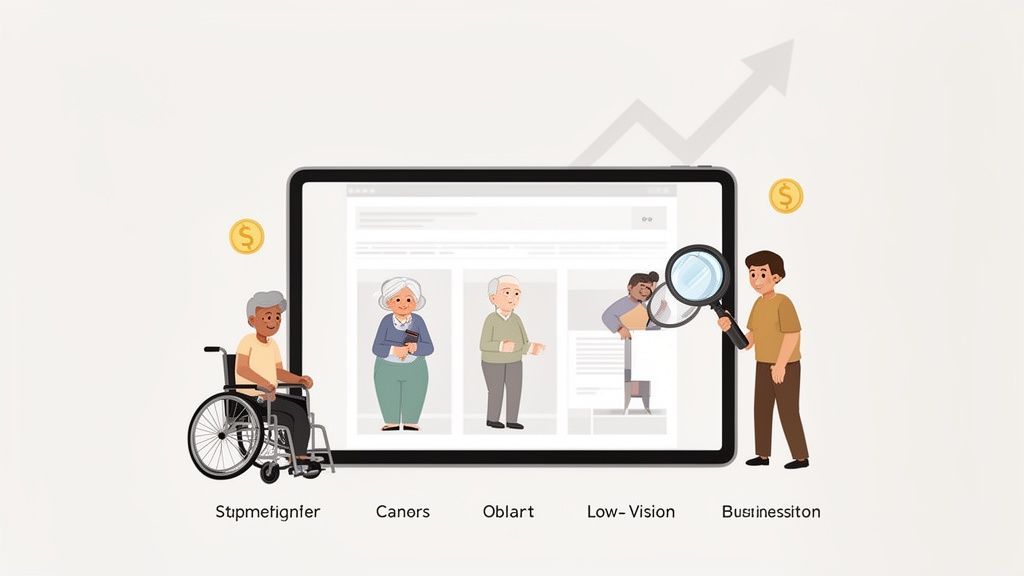
This image simulates how a website might appear to a user with significant vision loss, where text and elements blur together.
For someone with low vision, things like poor color contrast and tiny font sizes can make a page completely unreadable, which underscores why clean, simple design is so vital.
Simple fixes—like using clear headings, keeping paragraphs short, and choosing high-contrast color schemes—can create a more predictable and calming experience for everyone. It’s surprising how often these basic principles are overlooked. You can learn more about the top 10 common web accessibility mistakes and see just how easy they are to fix. Tackling these barriers is where digital accessibility becomes real, turning principles into practical improvements that open doors for all.
Building A Sustainable Accessibility Strategy
Getting accessibility right isn't a one-and-done project you can just check off a list. It’s an ongoing commitment, just like security or performance optimization. To make it stick, you have to weave it into your company’s DNA—its culture and daily workflows—turning it from a reactive chore into a proactive, sustainable strategy.
A successful approach goes far beyond a single audit. It demands a practical, long-term blueprint that combines smart technology, clear processes, and dedicated people. This creates a cycle of constant improvement that doesn't just tick a compliance box but makes inclusive design a core part of how you operate.
To really build a sustainable accessibility strategy, you have to integrate it with your broader software engineering best practices right from the start.
Creating A Hybrid Testing Model
A truly robust strategy depends on a blended approach to testing. No single method catches everything, but when you combine different techniques, you get comprehensive coverage that's both efficient and incredibly thorough. This hybrid model usually involves three key layers.
First up is automated testing. Think of this as your first line of defense. Automated tools can scan your entire site 24/7, quickly flagging a huge chunk of common WCAG violations like missing alt text or low-contrast colors. They give you immediate feedback, letting your team catch and fix problems early in the development cycle.
But automation can’t grasp context or the nuances of human experience. That’s where manual audits come in. This second layer brings in trained experts—including people who actually use assistive technology—to navigate your site and find the complex issues that scans always miss. They test real-world user journeys to make sure everything isn't just technically compliant, but genuinely usable.
The third and final layer is ongoing monitoring. Your website is a living thing, constantly changing with new content and features. A continuous monitoring system, often powered by a platform like WebAbility.io, ensures you stay compliant over time by alerting you to new issues as soon as they pop up, before they become big problems.
Establishing Clear Governance and Roles
For an accessibility strategy to have any staying power, it needs clear ownership and accountability. Without a defined governance structure, even the best intentions tend to fizzle out. This means assigning specific responsibilities across your teams and creating a clear chain of command for making decisions and handling fixes.
A common mistake is to view accessibility as solely the responsibility of the development team. In reality, it's a shared effort that requires buy-in from everyone.
A solid governance plan includes a few key things:
An Accessibility Policy: A public statement that outlines your commitment to inclusion and your target conformance level (e.g., WCAG 2.1 AA).
Defined Roles: Be specific about who is responsible for what. For instance, designers own color contrast, developers own keyboard navigation, and content creators own alt text.
Executive Sponsorship: You need a leader who champions the initiative. Their authority provides the backing and resources needed for real success.
This flow shows how an accessible design process leads to a much broader user reach compared to an inaccessible one.
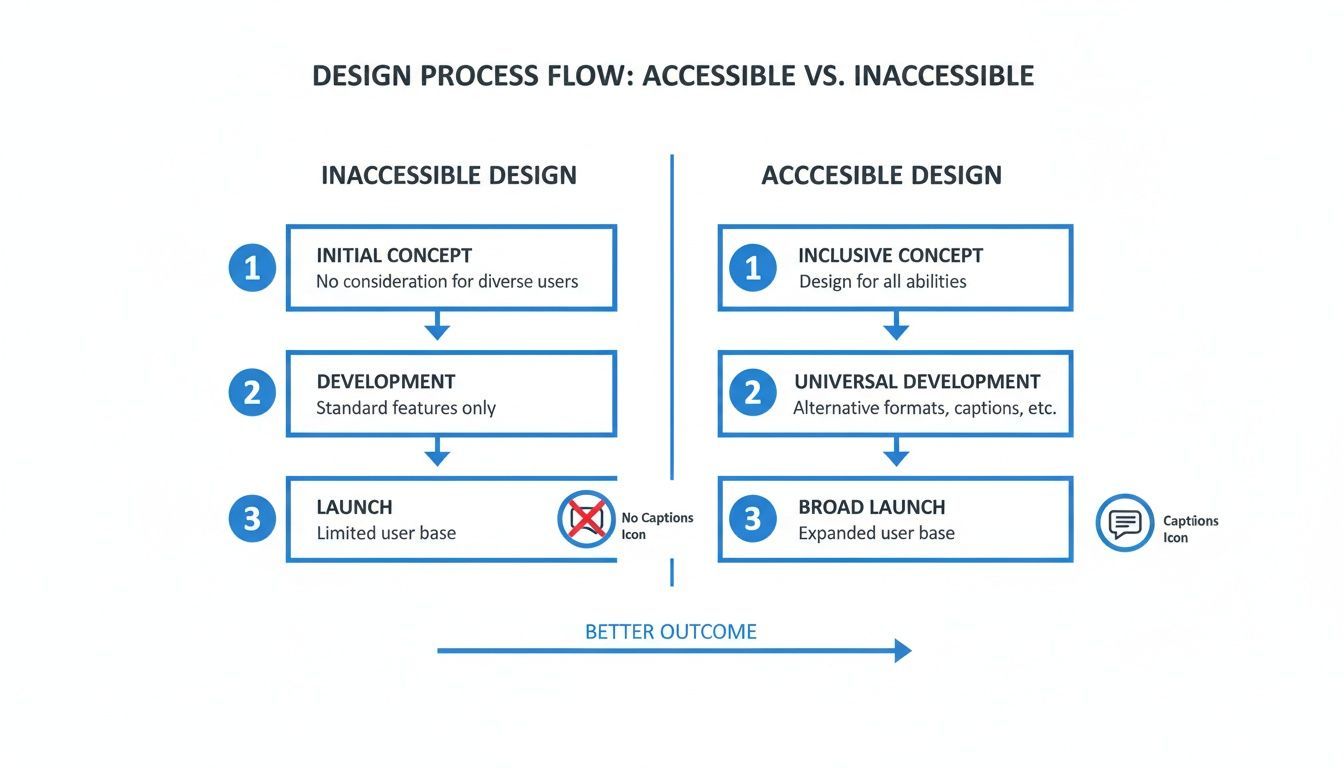
The visual makes it plain to see: embedding accessibility early in the design phase is the most effective way to build something that truly works for everyone.
Implementing An Efficient Remediation Workflow
Finding accessibility issues is only half the battle. You also need a streamlined process for actually fixing them. An efficient remediation workflow ensures that problems get assigned, tracked, and resolved quickly, preventing them from getting lost in the shuffle of daily tasks.
This workflow should plug right into the project management tools you already use. When an accessibility platform finds an issue, it should automatically create a ticket in a system like Jira or Asana. That ticket needs to contain all the details a developer needs—the specific WCAG rule violated, where the error is, and even code-level suggestions for the fix.
By centralizing everything on one platform, you create a single source of truth for your entire accessibility program. This lets you track progress over time, generate compliance reports for stakeholders, and demonstrate a consistent, good-faith effort to maintain an accessible experience for all your users.
Taking Your First Steps Toward an Accessible Website
Dipping your toes into the world of digital accessibility can feel a bit overwhelming, but getting started is far simpler than most people think. You don't need to become an overnight expert to make a real difference. The trick is to move from just thinking about it to actually doing something—even small, practical actions can build incredible momentum.
Think of this as a commitment to ongoing improvement rather than a frantic race to a non-existent finish line. Your website is always changing, and so are accessibility standards. By weaving a few good habits into your daily workflow, you start building a more welcoming digital space for everyone, one small update at a time.
Accessibility isn't a one-and-done project. It's a sustainable commitment to inclusion. Every single fix, no matter how small, helps create a more open web where everyone can participate.
Three Simple Things You Can Do Right Now
The easiest way to start is to put yourself in your users' shoes. These three quick checks don't require any fancy tools and will give you an instant glimpse into the barriers people might be facing on your site.
Run a Free Website Scan: Use an automated scanning tool to get a quick health check. It will instantly flag common problems like missing image descriptions (alt text) or low-contrast colors, giving you a clear, actionable to-do list to start with.
Try Keyboard-Only Navigation: Unplug your mouse. Seriously. Try to get around your entire website using only the Tab, Enter, and arrow keys. Can you get to every link? Can you fill out every form field and click every button? This is a daily reality for many people with motor disabilities.
Check Your Color Contrast: Grab a free online color contrast checker and test the colors you use for text and backgrounds. This is a five-minute task that ensures your content is actually readable for people with low vision or color blindness.
These first steps will give you a solid foundation to build on. For a more detailed walkthrough, feel free to check out this step-by-step guide to getting started with web accessibility.
Ultimately, the goal is to make these kinds of checks a natural, routine part of how you build and maintain your site. As you get comfortable, you can look into powerful platforms like WebAbility.io that help automate and manage these efforts, making it much easier to stay compliant and deliver a genuinely inclusive experience for every visitor.
Frequently Asked Questions
Let's clear up a few common questions that pop up when people first dive into web accessibility.
TLDR: Quick Answers
Accessibility vs. Usability? Accessibility is about can everyone get in the door? Usability is about how easy is it to get around once you're inside? You need accessibility first.
What about automated tools? They're fantastic for catching the low-hanging fruit—maybe up to 50% of common problems—but they can't grasp context. You'll always need a human touch.
How can a small business start? Don't try to boil the ocean. Start with the basics: use a free online scanner, check your color contrast, and try navigating your site using only your keyboard. You'll be surprised what you find.
What Is The Difference Between Accessibility And Usability?
Imagine a building with a beautiful, heavy, ornate door. Usability is about how easy that door is to open—is the handle at a comfortable height? Does it swing open smoothly?
Accessibility, on the other hand, asks a more fundamental question: is there a ramp leading up to that door, or only stairs? If someone uses a wheelchair, it doesn't matter how wonderfully usable the door is; they can't even get to it.
A website works the same way. You can't have good usability without accessibility first. If a user with a visual impairment can't access your navigation menu with their screen reader, its clever design is completely irrelevant to them.
How Much Can Automated Tools Really Do?
Automated accessibility scanners and platforms are a crucial part of any accessibility toolkit. They excel at quickly flagging straightforward, code-based issues like missing alt text, insufficient color contrast, or improperly labeled form fields. Think of them as your first line of defense, giving you a great baseline audit.
But they have a blind spot: context. An automated tool can verify that an image has alt text, but it can't tell you if that text is a helpful description ("A golden retriever catching a red frisbee at the park") or just useless gibberish ("image_123.jpg").
The gold standard is always a blend: use automated tools for speed and scale, then bring in human experts for manual testing to find the nuanced issues that software will inevitably miss.
How Can Small Businesses Get Started Without A Big Budget?
You absolutely don't need a massive budget to start making a real difference. The trick is to focus on high-impact, low-cost steps that build momentum over time.
Learn the fundamentals: Spend a little time understanding the core principles.
Leverage free tools: Run your site through a free accessibility checker to spot some easy wins.
Do some simple manual tests: Can you get through your entire checkout process using only the Tab key? This one test alone can reveal huge barriers.
Consistent, small improvements are far more valuable than waiting for the perfect moment to launch a massive, expensive overhaul.
Ready to make your website truly inclusive? WebAbility.io provides an end-to-end platform to automate scanning, simplify remediation, and ensure your digital properties are accessible to everyone. Start your journey toward compliance and a better user experience at https://www.webability.io.
Quick Questions
Tap to ask AI about this article







