What Is ADA Compliant A Plain-English Guide

Sidharth Nayyar
TL;DR: Being "ADA compliant" online means your website must be accessible to people with disabilities. The go-to standard for this is the Web Content Accessibility Guidelines (WCAG) 2.1 Level AA. This involves making sure your site is perceivable, operable, understandable, and robust for everyone, including users of assistive technologies like screen readers. Achieving compliance is an ongoing process of auditing, fixing issues, and monitoring your site, which not only avoids legal risks but also improves SEO and opens your business to a wider audience.
So, what does it actually mean for a website to be “ADA compliant?”
At its core, it’s simple: Your website needs to be designed and built so that people with disabilities can use it. The go-to technical standard for making this happen is the Web Content Accessibility Guidelines (WCAG) 2.1 Level AA. Think of it as a digital building code, ensuring everyone has equal access.
Just like a physical building needs ramps and accessible restrooms, a website needs specific features to welcome every visitor. It's all about providing an equivalent experience for everyone.
What ADA Compliance Really Means Online
The phrase "ADA compliant" can sound a bit intimidating, but the idea behind it is all about equal access. When the Americans with Disabilities Act (ADA) was signed into law back in 1990, the internet as we know it didn't exist. But that hasn't stopped its principles from being applied to the digital world. Read more on what the ADA means for websites.
Over the years, U.S. courts and the Department of Justice have consistently interpreted websites as "places of public accommodation," putting them in the same category as a retail store, a movie theater, or a hotel.
This means your site has to be usable by people with a wide range of disabilities, including those who are blind, deaf, or have motor impairments that prevent them from using a mouse. To make this happen, the digital industry has rallied around a specific set of technical standards to serve as the benchmark.
The Blueprint for Digital Access
The gold standard for website accessibility is the Web Content Accessibility Guidelines (WCAG). Specifically, most legal precedents and best practices point to version 2.1 at the AA conformance level. These guidelines offer a clear, actionable framework for designers and developers to create accessible digital products.
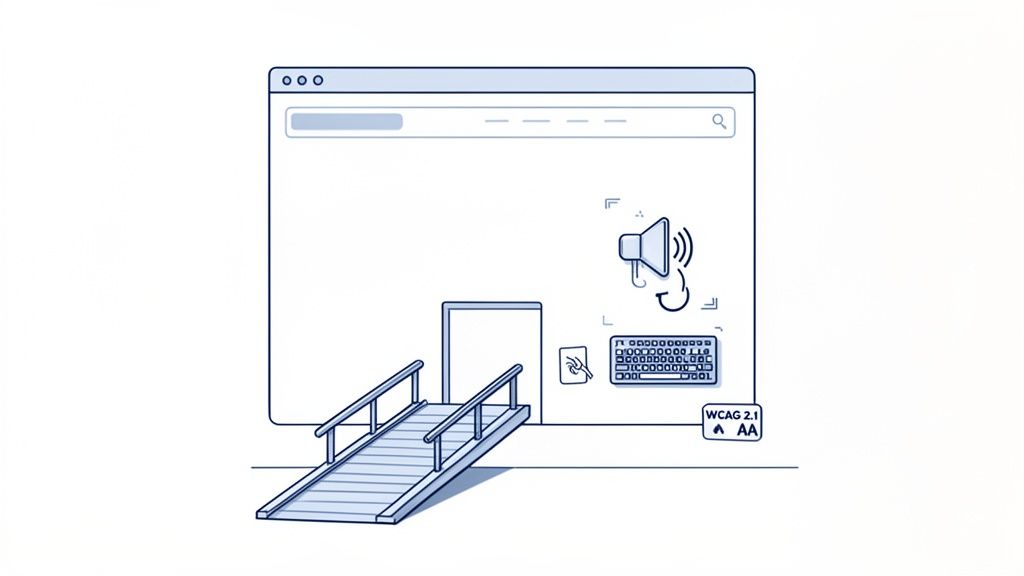
WCAG is built on four core principles, which are easy to remember with the acronym POUR. Everything in the guidelines ties back to one of these pillars. The W3C Web Accessibility Initiative provides foundational guidance on how these principles apply to real-world web components.
Here’s a quick breakdown of what they mean for your website.
The Four Pillars of Digital Accessibility (POUR)
| Principle | What It Means for Your Website |
|---|---|
| Perceivable | Users must be able to perceive the information being presented. This means providing text alternatives for images and captions for videos so that someone who is blind or deaf can access the same content. |
| Operable | Users must be able to navigate and interact with your site. This includes making sure everything works with a keyboard alone, not just a mouse, and giving users enough time to read and use content. |
| Understandable | The content and operation of your site must be clear and predictable. This means using plain language, providing clear instructions, and ensuring the navigation is consistent across your entire website. |
| Robust | Your content must be compatible with a wide variety of technologies, especially assistive technologies like screen readers. This comes down to writing clean, standard-compliant code. |
Ultimately, following the POUR principles does more than just tick a legal box. It pushes you to create a more thoughtfully designed, functional, and user-friendly experience for every single person who visits your site.
Understanding the Legal Side of Digital Access
So, how did digital accessibility become such a critical topic for businesses? It all goes back to a landmark civil rights law written decades before most of us had ever heard of the internet.
The Americans with Disabilities Act (ADA), passed in 1990, was designed to stop discrimination against people with disabilities. Over the years, U.S. courts and the Department of Justice (DOJ) have consistently ruled that websites qualify as “places of public accommodation.” This means your website has to be just as accessible as your physical storefront.
This legal interpretation established a crucial precedent: preventing someone from using your website is a form of discrimination. Suddenly, ensuring your digital presence is open to everyone became more than just a good idea—it became a recognized civil rights issue.
The Standard for Digital Compliance
You won't find specific HTML tag requirements in the ADA itself. The law was written for a physical world. So what’s the actual standard? Through years of legal cases and federal guidance, one clear benchmark has emerged.
For all practical purposes, being ADA compliant online means your website must meet the Web Content Accessibility Guidelines (WCAG) 2.1 Level AA.
This set of guidelines is the unofficial rulebook for digital accessibility, followed by both private companies and government agencies. Even the U.S. Department of Justice (DOJ) officially adopted WCAG 2.1 AA as the technical standard for public-sector websites and apps in its new ADA web rules. The DOJ’s final rule gives larger state and local government entities until April 24, 2026, to get their sites and apps compliant, with a later deadline for smaller entities. While this rule is for the public sector, the same standard is the one that comes up again and again in private-sector lawsuits, making it the one every business needs to follow. You can read more about these government deadlines on govtech.com.
Key Takeaway: Digital accessibility isn't just a technical checklist; it's a legal obligation rooted in civil rights. The courts have been very clear: online spaces must provide equal access to people with disabilities.
A Global Influence
The ripple effect of WCAG extends far beyond the United States. These guidelines have become the foundation for digital accessibility laws all over the world.
AODA in Canada: The Accessibility for Ontarians with Disabilities Act points directly to WCAG as its technical requirement.
EN 301 549 in Europe: This European standard for digital accessibility is built on the very same WCAG principles.
This global alignment shows a powerful consensus on what makes a website truly accessible. Getting a handle on the various website accessibility laws helps businesses operate confidently no matter where their customers are. It’s proof that the push for an inclusive web is a worldwide movement, making accessibility a core part of any modern business strategy.
Common Digital Barriers and How to Fix Them
To really get what "ADA compliant" means, it helps to see the digital world through the eyes of someone with a disability. Theory is one thing, but running into a barrier firsthand makes the need for accessibility real. Most of these digital roadblocks are unintentional—just simple oversights that can completely stop someone from buying a product, getting information, or finishing a task.
Think of your website as a building. A flight of stairs without a ramp physically blocks someone in a wheelchair. A digital barrier can be just as frustrating, creating a dead end online. These issues are everywhere, but the good news is that for every barrier, there’s a clear, practical solution based on WCAG principles. When you fix them, you aren't just checking a box; you're opening the door to a whole new group of users.
Missing Alt Text on Images
One of the most common accessibility slip-ups is an image missing its alternative text, or alt text. For a user who is blind and uses a screen reader, an image without a text description is just a blank space. The screen reader simply skips it, leaving them wondering what they just missed.
The Barrier: A product photo, a critical chart, or even a button that's just an image has zero context for someone who can't see it.
The Fix: Add descriptive alt text to every single meaningful image. The description should be short but clear about what the image shows and why it's there. For instance, instead of
alt="chart", a better description would bealt="Bar chart showing a 25% increase in Q3 sales compared to Q2."
That simple fix turns a confusing void into useful content, making sure everyone gets the full picture.
"Accessibility is not a feature, it's a mindset. Every design choice, from alt text to keyboard navigation, is an opportunity to either include or exclude users. The goal is to make inclusion the default."
Poor Keyboard Navigation
Many people can't use a mouse, especially those with motor disabilities. They depend entirely on a keyboard to get around websites, using the Tab key to jump between links, buttons, and form fields, and the Enter key to select something. When a site isn't built for keyboard-only use, it’s like taking all the doorknobs off the doors in a building.
The Barrier: Sometimes users get stuck in a "keyboard trap," where they can tab into a section but can't tab back out. Other times, the focus indicator—that little outline showing what’s selected—is missing, so they have no clue where they are on the page.
The Fix: Make sure every interactive element can be reached and used with the keyboard. The tab order needs to be logical, following the visual flow of the page. And you absolutely must have a highly visible focus indicator so people can track their position as they navigate.
Lack of Video Captions
Video is a fantastic communication tool, but without captions, it’s completely useless for users who are deaf or hard-of-hearing. Captions offer a text version of everything happening in the audio, from spoken words to important sound effects that add context.
The Barrier: A product demo, a tutorial, or a company announcement video automatically excludes a huge audience if it doesn't have captions.
The Fix: Provide accurate, synchronized captions for all your video content. If you want to provide an even better user experience, include a full transcript as well.
Steering clear of these common problems is a huge step toward genuine compliance. For a more detailed guide, check out some of the top web accessibility mistakes and how to avoid them.
A Practical Roadmap to Achieving Compliance
So, how do you actually get this done? Knowing the rules is one thing, but putting them into practice is another. The good news is there’s a proven, step-by-step process that turns the massive goal of "becoming compliant" into a manageable project. It boils down to a simple, repeatable cycle: Audit, Remediate, and Monitor.
Think of it less as a one-and-done task and more like ongoing maintenance, similar to how you’d handle SEO or site security. Let’s walk through what this looks like in the real world.
Phase 1: Audit Your Digital Assets
First, you need to figure out where you stand. An accessibility audit is like a full diagnostic scan of your website, designed to uncover every single barrier that could trip up a user with a disability. You can't fix problems you don't know exist.
A truly effective audit isn't just about running an automated tool. It requires a two-pronged attack:
Automated Scanning: Think of this as the first wave. Software can crawl every page of your site in minutes, flagging common, code-based errors like missing alt text, low-contrast text, or empty links. It’s fantastic for getting a quick, high-level view of your site's health and catching widespread issues.
Manual Expert Testing: This is where the real magic happens. An expert, often using the same screen readers or keyboard-only navigation that people with disabilities rely on, will manually go through your site. They'll test critical user journeys—like trying to buy a product, sign up for a newsletter, or fill out a contact form—to find the kind of frustrating, experience-breaking bugs that automated tools simply can't detect.
Combining both gives you the complete picture—the breadth of an automated scan and the depth of human insight.
Phase 2: Remediate and Prioritize
With your audit report in hand, you'll have a list of fixes to make. This is the remediation phase. Now, seeing a long list of issues can feel daunting, but the trick is not to tackle everything at once. You have to prioritize.
Start with the most critical, high-impact barriers. A broken checkout button that stops a screen reader user from completing a purchase is a much bigger deal than a minor color contrast issue on a rarely seen page. Focus on the showstoppers first—the things that completely block access to key functions.
Our ADA website compliance checklist is a great resource for organizing this work and making sure nothing falls through the cracks. It also helps to look at platform-specific advice; for example, guides on web accessibility on Shopify can offer tailored tips if you're running an e-commerce store.
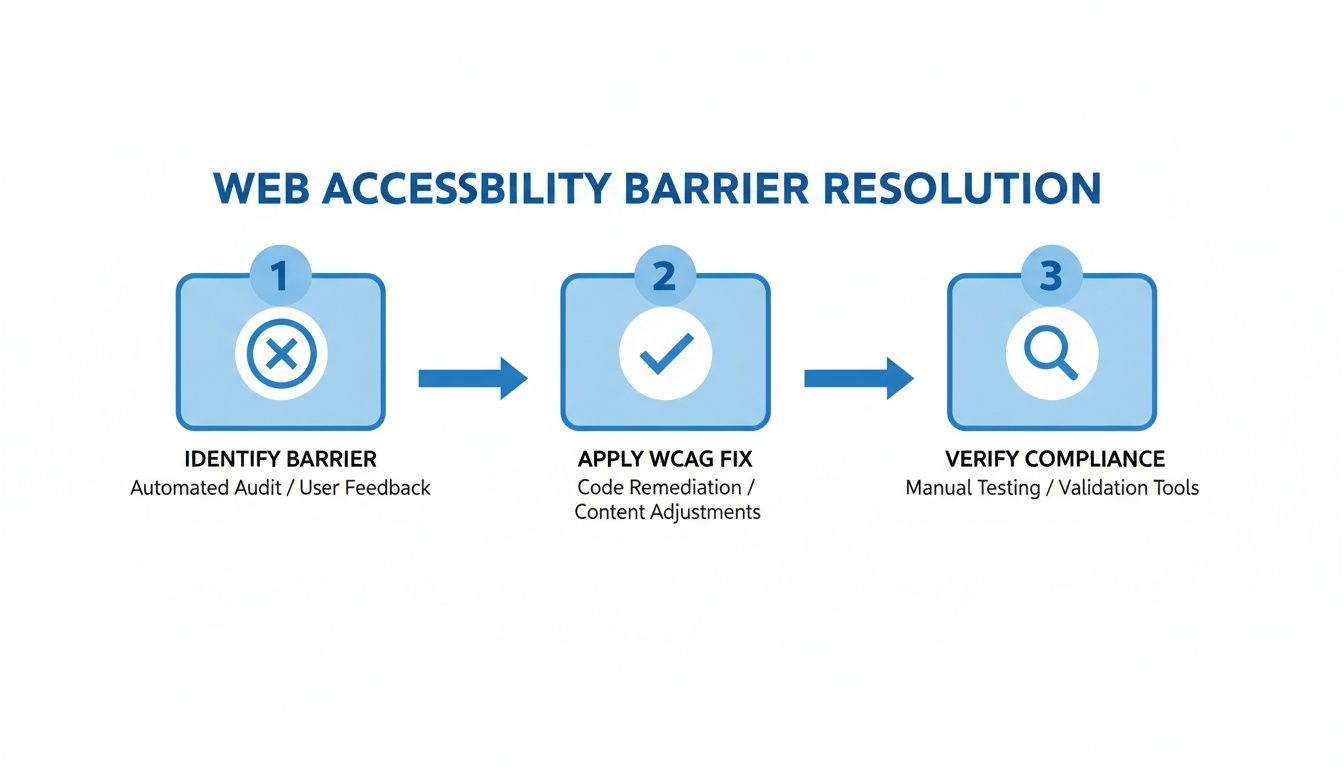
This simple loop—find the barrier, apply the WCAG-based fix, and confirm it's resolved—is the core of the entire remediation process.
Phase 3: Monitor and Maintain
This might be the most important step of all. Your website isn't a static brochure; it’s constantly changing. Every time your team publishes a new blog post, adds a new product, or tweaks the design, you risk introducing a new accessibility bug.
Key Takeaway: Accessibility is a continuous process, not a one-time project. Just like cybersecurity, it requires ongoing vigilance to protect your users and your organization.
This is where ongoing monitoring comes in. Setting up automated scans to run regularly (daily or weekly) acts as your digital watchdog, alerting you the moment a new issue pops up.
By integrating these checks into your development and content workflows, you shift from a reactive mode of fixing problems to a proactive one of preventing them in the first place. That’s how you ensure your site stays accessible for the long haul.
The Business Case for Accessibility
For a long time, the discussion around web accessibility was driven by fear of lawsuits. But that conversation is changing. Smart companies are realizing that being ADA compliant isn't just about avoiding legal trouble—it's a powerful way to grow the business.
Think of it less as a compliance checkbox and more as a strategic investment. When you build an inclusive digital experience, the benefits ripple out across your entire organization, from marketing and sales to customer loyalty. It’s about moving from a defensive, risk-averse mindset to an offensive one where inclusivity gives you a real competitive edge.
Unlocking a Major Market
One of the most straightforward arguments for accessibility is the sheer size of the market it opens up. Globally, the combined spending power of people with disabilities and their immediate families is staggering. If your website is a maze of inaccessible menus and unlabeled buttons, you’re essentially hanging a "Closed" sign for a huge group of potential customers.
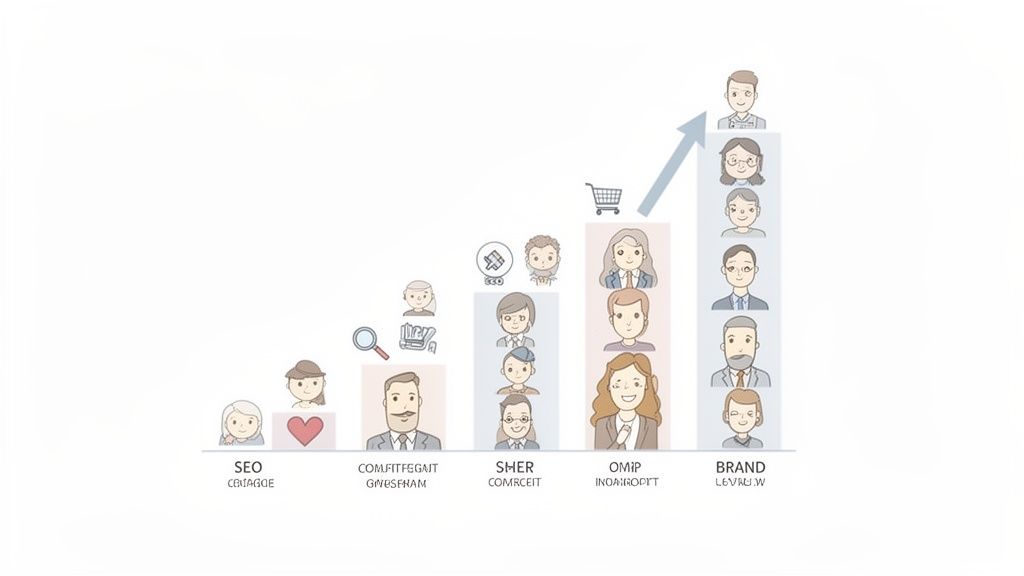
Financially, failing to be ADA compliant now carries clearly quantifiable penalties and opportunity costs, while accessible design opens a significant global market.
The numbers don't lie. Under Department of Justice rules, a first-time civil penalty for a Title III violation can hit around $115,231, and subsequent violations can double to $230,464. On the flip side, building an inclusive platform grants you access to a global disability market with an estimated $13 trillion in disposable income. You can learn more about the consequences of accessibility non-compliance and see just how compelling the financial incentives are.
Boosting SEO and User Experience for Everyone
Here’s something that gets every marketer’s attention: the core principles of accessibility and search engine optimization (SEO) are deeply intertwined. When you build a website to be ADA compliant, you're also implementing many of the best practices that search engines like Google reward.
It’s a win-win.
Logical Heading Structure: Proper use of H1, H2, and H3 tags does more than guide screen reader users through your content. It also gives search engines a clear, structured outline of your page, helping them understand what’s important.
Descriptive Alt Text: Writing good alt text for images is crucial for visitors with visual impairments. It also gives Google vital context about your images, which can significantly improve your ranking in image search results.
Video Transcripts: Providing transcripts for your video content is essential for users who are deaf or hard of hearing. It also creates a full, text-based version of your video that search engine crawlers can easily index, making your content more discoverable.
These aren't just technical tweaks; they create a fundamentally better experience for every user. A well-organized site that’s easy to navigate keeps people around longer, lowers bounce rates, and improves conversions. These are all strong signals that tell search engines your site is high-quality, which can give your rankings a serious boost. At the end of the day, accessibility is just good design—and good design is always good for business.
Why Compliance Is an Ongoing Commitment
One of the most expensive mistakes you can make is treating accessibility like a one-time project. Getting your website ADA compliant isn't a destination you reach; it's a standard you have to constantly maintain. Your website is a living thing, changing with every new piece of content, feature, or plugin.
Think of it like cybersecurity. You wouldn't install a firewall and just assume your network is safe forever. New threats emerge all the time. In the same way, every blog post you publish or software update you run can accidentally create new accessibility barriers, putting you right back at square one and opening you up to legal risk.
From Project to Process
This means you have to shift your thinking. Instead of seeing accessibility as a one-off project, you need to treat it as a continuous process baked into everything you do. A quick fix might solve today's problems, but it does nothing to stop new ones from cropping up tomorrow. This is exactly why so many businesses get sued more than once.
The numbers don't lie. Legal action is ramping up fast. One report found 2,019 digital accessibility lawsuits filed in just the first half of 2025 alone. That puts the U.S. on track for nearly a 20% jump in lawsuits compared to 2024. Even more telling, another analysis revealed that almost 48% of companies sued over website accessibility were repeat offenders. It’s clear proof that one-and-done fixes just don't work.
Key Takeaway: Real, sustainable compliance happens when accessibility becomes part of your daily routine—not a periodic fire drill. It needs to be woven directly into how you create content, build features, and test your work.
This is where integrating continuous monitoring and automated scanning becomes a game-changer. These tools act as your digital lookout, flagging new issues the moment they appear so you can fix them right away. It's the only way to keep your site genuinely accessible over the long haul, protecting both your users and your bottom line.
Your ADA Compliance Questions Answered
When you first dive into making your website ADA compliant, a lot of practical questions pop up. Getting clear, no-nonsense answers is the best way to build momentum and move forward with confidence. Let's tackle some of the most common questions we hear from organizations just starting out.
Is There an Official ADA Compliance Certification for Websites?
This is a big one, and the short answer is no. The Department of Justice doesn't hand out an official "ADA Certified" badge for websites. Think of compliance less like a one-time certificate and more like an ongoing commitment.
You demonstrate that commitment by consistently following established standards, like WCAG 2.1 AA. You show your work by publishing an Accessibility Statement, conducting regular audits, and keeping good records of what you've fixed. These actions are your proof of compliance, and platforms like WebAbility.io are built to help you manage and document all of it.
Are Small Businesses Exempt from ADA Website Compliance?
Generally, the answer is no. The ADA applies to businesses that are considered "public accommodations." Courts have consistently interpreted that term to include most websites, regardless of how big or small the company is.
It's true that lawsuits often make headlines when they target big corporations, but businesses of all sizes have faced legal action. The smartest move for any business is to work on accessibility from the get-go. It’s about serving every potential customer and protecting yourself from legal headaches. Good tools make this totally achievable, even for a small team.
Key Insight: Proactive accessibility is just good business. Legal precedent has shown that company size isn't a defense in website accessibility lawsuits, which makes compliance a smart strategy for everyone.
How Do Accessibility Widgets Fit into a Compliance Strategy?
Accessibility widgets and overlays can be a useful part of your overall strategy. They give users immediate control over things like text size and color contrast, which can be a real help. They offer instant improvements while you’re busy fixing the deeper issues in your website's code.
Think of it as a two-pronged approach. The widget provides a quick enhancement to the user experience right now. Meanwhile, you’re doing the essential work of auditing and fixing the code for true, long-term accessibility. The two efforts complement each other perfectly.
What Is the Best First Step My Organization Should Take?
The most effective way to start is by figuring out where you stand today. Kick things off with an automated website scan. It’s a fast way to get a baseline and pinpoint the most obvious WCAG violations.
This initial report gives you a concrete starting point. It takes the huge goal of "becoming compliant" and turns it into a manageable process, helping you build a prioritized roadmap for a full manual audit and a smart remediation plan.
Ready to take that first step toward lasting ADA compliance? The tools and expertise from WebAbility.io can help you audit, remediate, and monitor your website to create an inclusive experience for every user. Start your journey at https://www.webability.io.
Quick Questions
Tap to ask AI about this article