What Is 508 Compliance A Guide to Digital Accessibility Law

Sidharth Nayyar
TLDR:Section 508 is a U.S. federal law requiring government agencies to make their websites, software, and documents accessible to people with disabilities. This rule also applies to any company that sells technology or services to the federal government. To comply, this technology must meet the Web Content Accessibility Guidelines (WCAG) 2.0 Level AA standards, ensuring everyone has equal access.
Think of Section 508 as a digital curb cut for the internet. It's a U.S. federal law that requires government agencies to make their electronic and information technology accessible to people with disabilities. The goal is simple: ensure everyone has equal access to the same information and services, regardless of ability.
This isn't just a suggestion—it's the law. It applies to all federal agencies and, importantly, any company that does business with them.
A Clear Look at Section 508
At its core, Section 508 of the Rehabilitation Act is about breaking down digital barriers. When it was passed back in 1998, the idea was to make sure that the federal government's move into the digital age didn't leave anyone behind.
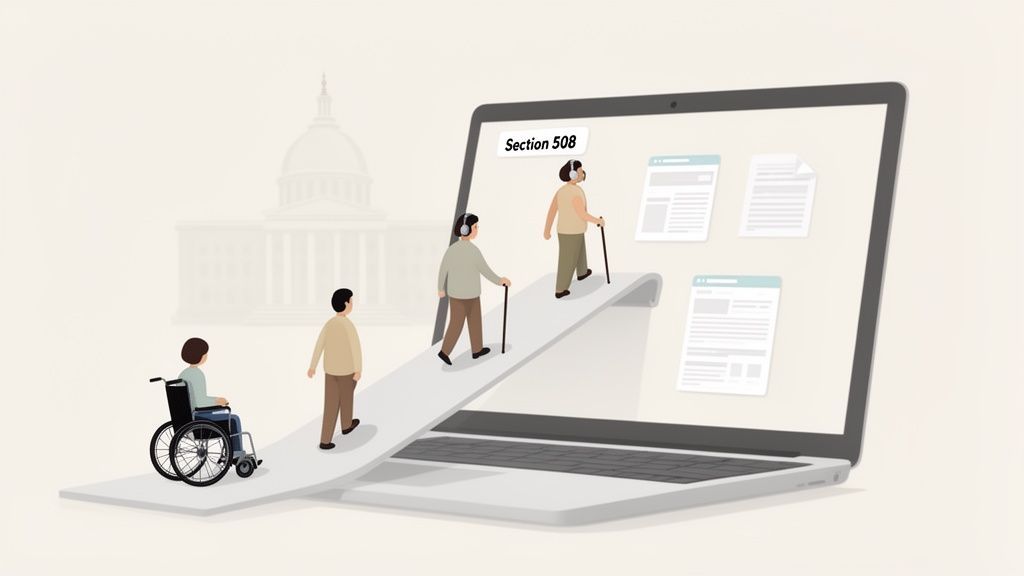
It’s the same logic we apply to the physical world. Just as a public building needs a ramp for wheelchair users, a government website needs to be built so that someone using a screen reader can navigate it. Section 508 applies that principle to all federal Information and Communication Technology (ICT).
For a quick overview, here's a breakdown of the essentials:
Section 508 at a Glance
| Aspect | Key Detail |
|---|---|
| Legislation Type | U.S. Federal Law (amendment to the Rehabilitation Act of 1973) |
| Primary Goal | To require Federal agencies to make their ICT accessible to people with disabilities. |
| Who Must Comply | All U.S. Federal agencies and departments. Also applies to vendors/contractors providing ICT to them. |
| What It Covers | Websites, software, electronic documents (PDFs, Word docs), hardware (computers, phones), videos, and more. |
| Technical Standard | Aligns with the Web Content Accessibility Guidelines (WCAG) 2.0 Level AA. |
| Enforcement | Complaints can be filed, potentially leading to legal action and loss of federal contracts. |
This table gives you the high-level view, but the real impact is in how these rules apply to everyday technology used by and for the government.
What Does Section 508 Cover?
The scope of Section 508 is surprisingly broad. It’s not just about public-facing websites. It covers the entire ecosystem of technology used to create, use, or share information within the federal sphere.
That includes things like:
Websites: From the Social Security Administration's portal to the National Park Service's site.
Software Applications: Any software a federal employee uses for their job or that the public uses to interact with an agency.
Electronic Documents: This is a big one. It includes PDFs, PowerPoint presentations, and spreadsheets.
Hardware: Think computers, office phones, and even kiosks.
So, a federal employee with a visual impairment must be able to use a screen reader to access an internal HR portal. And a citizen who is deaf needs captions on a tutorial video posted by a federal agency. For a deeper dive, our complete guide to the meaning of Section 508 breaks it down even further.
The Connection to WCAG
To avoid reinventing the wheel and to create a clear, consistent standard, the government updated Section 508 to align with the Web Content Accessibility Guidelines (WCAG) 2.0 Level AA.
WCAG is the gold standard for web accessibility worldwide. By tying Section 508 compliance to this established framework, the law gives developers and agencies a clear, actionable checklist for making their technology usable for everyone.
Even with this clear mandate, compliance has been a persistent struggle. A revealing 2012 Department of Justice survey found that nearly 60% of federal agencies admitted to not providing any Section 508 training to their staff. What's more, 58% pointed to a "lack of resources" as the primary roadblock, showing just how challenging implementation can be.
TLDR
Section 508 directly applies to every single U.S. Federal agency. But its reach doesn't stop there. It creates a domino effect, pulling in any contractor, vendor, or organization that gets federal funding or sells Information and Communication Technology (ICT) to the government. So, if you're building software, designing a website, or creating digital training for a federal client, you're on the hook for 508 compliance.
Who Is Required to Follow Section 508 Rules
While federal agencies are the direct target of Section 508, its real-world impact is much, much broader. It’s less like a spotlight on one group and more like a shockwave that spreads outward, touching a huge number of public and private organizations.
The law basically establishes a chain of accountability. If your company has any kind of contract or financial tie to the federal government, their accessibility problem becomes your accessibility problem. This is how the government ensures accessibility is baked into the entire federal supply chain, from top to bottom.
Federal Agencies: The Core Mandate
At its core, Section 508 is a clear-cut order for the executive branch of the U.S. government. Every cabinet-level department—from the Department of Defense to the Department of Education—has to make sure its technology is accessible to people with disabilities.
This rule applies to all their sub-agencies, too. Think of the Social Security Administration, the National Park Service, or the Centers for Disease Control and Prevention; they're all legally bound by these standards. The mandate covers everything from their public-facing websites to the internal software their employees use every day.
Contractors and Vendors: The Ripple Effect
This is where the true scope of what is 508 really starts to show. The law is written to cover any Information and Communication Technology (ICT) that the government develops, buys, uses, or maintains.
That single requirement shifts a massive amount of responsibility onto the shoulders of any company selling tech or services to a federal agency. For instance:
A software firm building a new case management system for the Department of Veterans Affairs has to deliver a 508 compliant product.
A web design agency hired to overhaul the Environmental Protection Agency's website is contractually obligated to meet every accessibility standard.
A hardware manufacturer supplying laptops or office phones to the General Services Administration must certify that their devices are accessible.
In short, if the federal government is cutting the check for your tech product or service, you have to follow Section 508. Ignoring this can get contracts terminated and expose your business to some serious legal and financial heat.
Federally Funded Organizations: A Broader Net
The compliance net stretches even further, catching many organizations that aren't direct government contractors but do receive federal funding. This often pulls in institutions that are central to our communities.
Higher education is a perfect example. A university that accepts federal money for research grants or participates in federal student aid programs is typically required to make its digital campus accessible. That means their main website, online course portals, and even the library's digital databases have to be usable by everyone.
It’s a similar story for healthcare providers. If a hospital or clinic accepts payments from programs like Medicare or Medicaid, their digital patient portals and health records systems may also need to comply. The big takeaway here is that federal money often comes with strings attached, and one of those strings is the responsibility to provide equal digital access.
Meeting the Technical Standards of Section 508
So, what does it actually take to make a website or application "508 compliant"? It's less about ticking boxes on a legal form and more about a practical commitment to building digital products that work for everyone.
The good news is that the U.S. government didn't invent a whole new set of rules from scratch. They did something much smarter: they officially aligned Section 508's technical requirements with the Web Content Accessibility Guidelines (WCAG) 2.0 Level AA. This was a game-changer, swapping out a confusing government checklist for a clear, internationally recognized standard that organizations around the world already use.
Think of it this way: instead of a winding backroad, the path to 508 compliance is now a well-paved highway.
The Four Pillars of WCAG
You don’t have to memorize a massive rulebook. At its core, WCAG is built on four common-sense principles. Every single accessibility guideline falls under one of these pillars, which you can remember with the acronym POUR.
Perceivable: Can people take in your content? It can't be hidden from all their senses.
Operable: Can people actually use your interface? They have to be able to navigate and interact with it.
Understandable: Does it make sense? The content and the interface itself should be clear and not confusing.
Robust: Will it work with different technologies? Your content needs to be reliable across various browsers and assistive devices, both today and tomorrow.
These four principles are your north star for accessibility. If you want to dig deeper, you can learn more about what is WCAG compliance in our detailed guide: https://www.webability.io/blog/what-is-wcag-compliance
Perceivable: Making Content Accessible to the Senses
The first principle, Perceivable, is all about making sure users can find and process your information. This usually means providing alternatives when content relies on just one sense, like sight or sound.
For instance, a user who is blind can't see an image on your website. To make it perceivable, you add descriptive alternative text (alt text). A screen reader then announces this text out loud, explaining what the image shows and why it's there.
It's the same idea for video. A user who is deaf or hard of hearing can't hear the audio track. By providing accurate, synchronized captions, you make that auditory information perceivable through sight. It's about ensuring no one is left out just because of the way you presented the content.
Operable: Ensuring Everyone Can Navigate
The Operable principle is straightforward: can people actually interact with your site? The classic test here is keyboard accessibility. Can someone use only their keyboard (think Tab, Shift-Tab, Enter, and arrow keys) to navigate every page, fill out every form, and click every button?
This is non-negotiable for screen reader users and people with motor disabilities who can't use a mouse. This principle also covers things like giving people enough time to complete tasks and avoiding content with rapidly flashing lights that could trigger seizures.
This diagram helps visualize how Section 508 requirements flow from the top down.
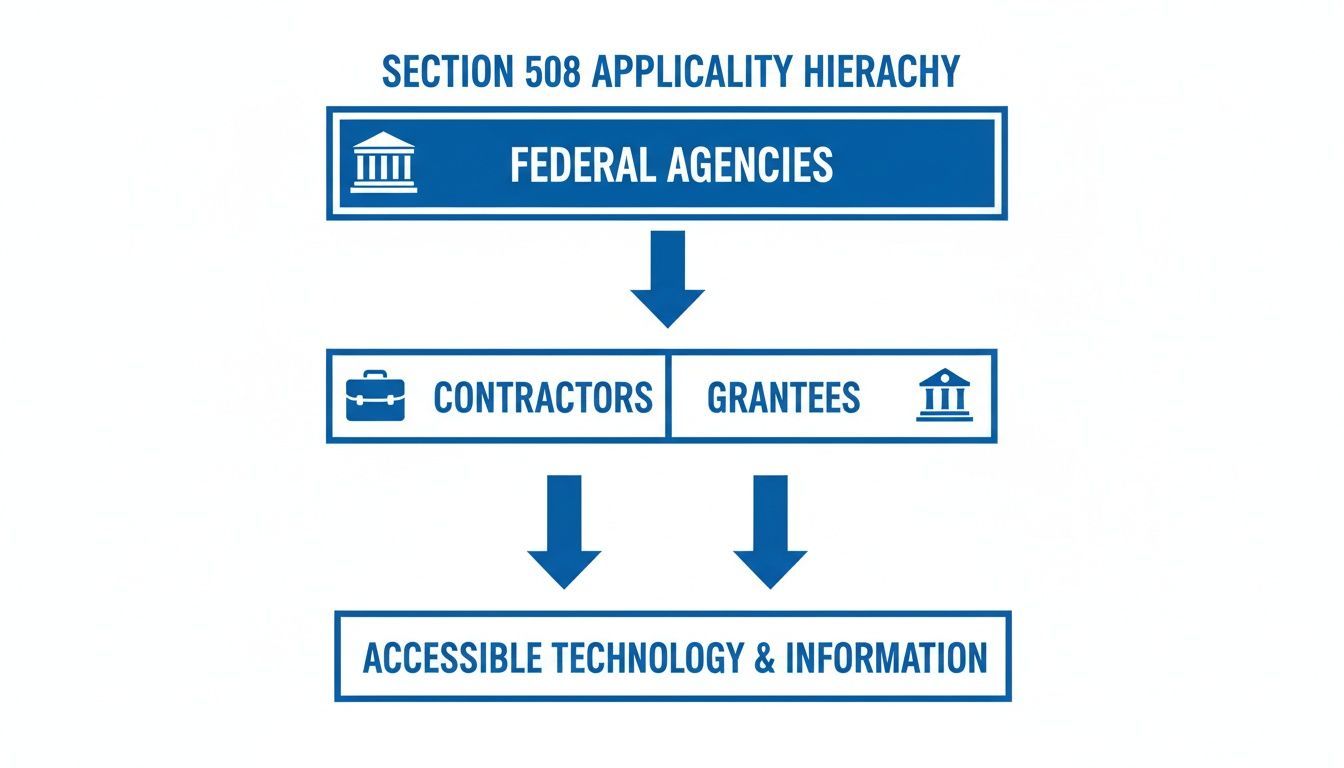
As you can see, the responsibility for accessible technology starts with Federal Agencies and extends directly to their contractors and any organization receiving federal grants.
Understandable and Robust: Creating Clarity and Compatibility
The last two principles, Understandable and Robust, work hand-in-hand to create a reliable and frustration-free experience.
Understandable is about clarity. It means using plain language, making navigation predictable, and designing interfaces that help users avoid and fix errors easily. If someone lands on a page, they should intuitively know what to do next.
Robust is all about the quality of your code. Clean, standards-compliant code ensures your site works well with a massive range of browsers, devices, and assistive technologies. When your code is robust, a screen reader won't stumble and give a garbled mess to the user. These standards don't just apply to websites; they cover all Information and Communication Technology (ICT), including specialized fields like mobile app development for healthcare.
Even with these clear standards, putting them into practice is the real challenge. True compliance isn’t a one-off project; it requires a genuine, organization-wide commitment to weaving these principles into every step of design and development.
Unfortunately, recent data shows there's a long way to go. A 2023 government-wide assessment found that only 24% of the most popular public electronic documents and a mere 29% of the top 5 videos were accessible. Even more telling, 57% of reporting agencies didn't even have the resources to test their documents, and 61% couldn't test their videos, pointing to a major breakdown in making crucial public content accessible.
How to Test and Achieve Section 508 Full Compliance
So, how do you go from knowing the Section 508 rules to actually making your technology compliant? It’s not about a single magic fix. The best way to tackle it is with a smart, repeatable system of testing, fixing what's broken, and then checking your work. The most effective approach here is a hybrid one, blending the efficiency of automated tools with the critical, nuanced eye of a human expert.
This combination is powerful because it helps you catch both the easy-to-spot technical errors and the more complex user experience problems that a machine would completely miss. It turns the big, scary goal of "compliance" into a series of manageable steps that ultimately lead to a product that everyone can actually use.
The Power of a Hybrid Testing Model
Think of it like inspecting a house. An inspector uses a thermal camera to quickly find heat leaks—that’s your automated testing. It’s incredibly fast and efficient at scanning your entire digital footprint for common, code-based problems. Think missing image alt text, poor color contrast, or form fields without proper labels. These tools can zip through hundreds of pages in minutes, giving you a high-level report card.
But the inspector also has to walk through the house, open the windows, and turn on the faucets to get a feel for what it’s really like to be inside. That’s your manual testing. This part is absolutely essential for understanding the real human experience.
Manual testing is where you answer the questions that automated tools can't touch:
Can someone using a screen reader actually understand the flow of the page and navigate it logically?
Is the keyboard navigation path predictable, or does it bounce a user around the screen in a confusing way?
Are complex features, like an interactive map or a data chart, genuinely usable for someone who can't use a mouse?
Only by blending both automated and manual methods can you get the full picture, covering both the technical rulebook and the real-world usability.
A hybrid approach is the gold standard because it marries the scale and efficiency of technology with the nuanced, contextual understanding that only a human tester can provide. One finds the errors; the other validates the experience.
Before we jump into a workflow, it’s helpful to see where each testing method shines and where it struggles.
Automated vs Manual Accessibility Testing
| Testing Method | What It Excels At | Where It Falls Short |
|---|---|---|
| Automated Testing | Speed and Scale: Scans hundreds of pages quickly. | Lacks Context: Can't judge if alt text is meaningful or if navigation makes sense. |
| Finds Code Errors: Excellent at detecting clear-cut violations like missing tags or low contrast. | False Positives/Negatives: Can flag issues that aren't real problems or miss complex ones. | |
| Early Detection: Great for catching issues early in the development cycle (CI/CD). | Can't Test User Flows: Doesn't understand multi-step processes like a checkout or login sequence. | |
| Manual Testing | Real User Experience: Simulates how people with disabilities actually interact with the site. | Slower and More Expensive: Requires time and skilled human testers. |
| Contextual Understanding: Can determine if content is logical and easy to comprehend. | Limited Scope: It's impractical to manually test every single page of a large website. | |
| Dynamic Content: Can effectively test interactive elements, pop-ups, and complex applications. | Subjectivity: Findings can sometimes vary slightly between different human testers. |
Ultimately, you can see they're two sides of the same coin. You need the speed of automation to cover the breadth of your site and the depth of manual testing to ensure it's truly usable.
A Practical Four-Step Compliance Workflow
Getting and staying Section 508 compliant doesn't have to be chaotic. Breaking it down into a clear, repeatable cycle helps your team focus its energy and see real progress.
Conduct a Comprehensive Audit: Start with a full-blown audit that combines automated scans and manual testing. This gives you a clear baseline of where you stand by identifying every accessibility barrier on your website or application. As you figure out how to test and achieve full compliance with Section 508, looking into specialized tools like Accessaudit can be a really helpful part of your discovery process.
Prioritize Fixes Based on Impact: Let’s be realistic: not all bugs are created equal. A "Log In" button that doesn't work for screen reader users is a massive roadblock. A minor color contrast problem on an old blog post? Not so much. Focus on fixing the most critical barriers first—anything that blocks core user journeys like navigation, key forms, and essential content.
Implement and Remediate: Once you have a prioritized to-do list, your development and content teams can get to work. This could mean anything from cleaning up the HTML and adding ARIA attributes to providing captions for videos or creating accessible PDFs.
Validate and Re-Test: After you’ve pushed the fixes live, the cycle starts over. You have to re-run your automated and manual tests to make sure the solutions actually worked and didn’t accidentally create new problems. This validation step is non-negotiable for confirming you're genuinely compliant.
For a deeper look into the specifics of testing, you can check out our guide on how to test for 508 compliance. Following this kind of system helps organizations move past a simple "check-the-box" mentality and start building a real culture of accessibility.
TLDR
Ignoring Section 508 compliance isn't just a legal misstep. It's a significant business risk that can lead to lawsuits, lost federal contracts, and a tarnished brand. More importantly, it carries a human cost, shutting out people with disabilities from essential services and full participation in society.
The True Costs of Ignoring Accessibility
It’s easy to think of Section 508 compliance as just another box to check, but skipping it has real, tangible consequences. The fallout isn't just about failing to meet a legal requirement. It creates a domino effect of problems that hit both your bottom line and your brand's integrity.
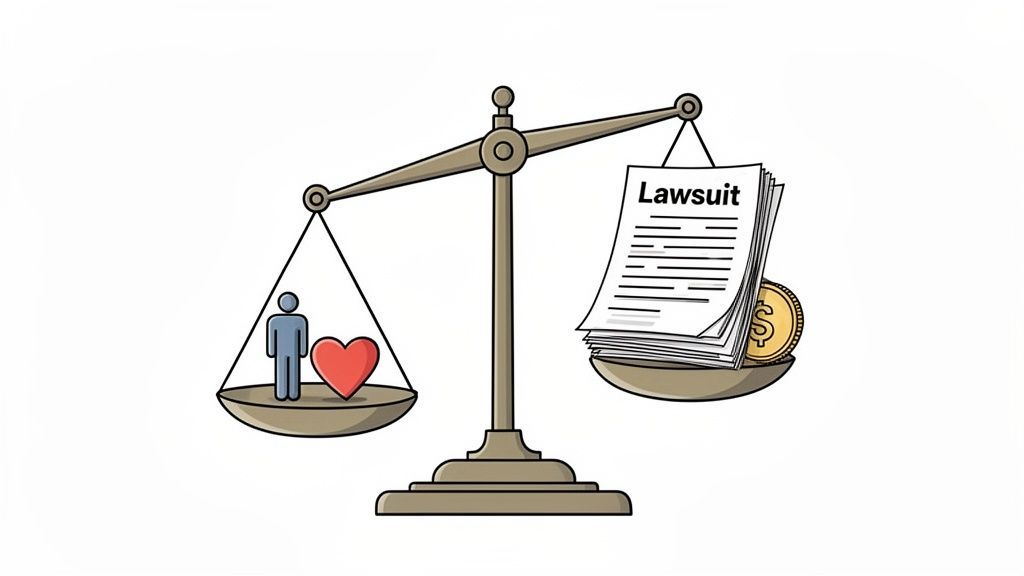
When you peel back the layers, you find two distinct but deeply connected risks: serious business threats and a profound human cost. Looking at it this way makes it clear that accessibility isn't some optional add-on; it's fundamental to running a responsible, successful organization.
The Business Risks of Non-Compliance
For any company that does business with the federal government, non-compliance is a direct threat to your revenue. The most obvious risk is getting hit with legal action and financial penalties. When a federal agency or one of its contractors provides technology that isn't accessible, they’re essentially inviting a lawsuit that can drain resources and drag their name through the mud.
But the financial pain doesn't stop with litigation. The business consequences can be severe:
Cancelled Federal Contracts: Make no mistake, the government can and will terminate contracts with vendors whose products don't meet 508 standards. This isn't just about losing one project; it can mean getting locked out of the entire federal marketplace.
Brand Damage: Today, people expect companies to be socially responsible. Being tagged as an organization that excludes people with disabilities can create a negative perception that’s incredibly difficult to shake.
Market Exclusion: You're also choosing to ignore a massive market. People with disabilities, along with their friends and family, represent a demographic with significant spending power.
Non-compliance is a choice that directly impacts an organization's financial health, competitive standing, and public image. It's a strategic risk that is simply not worth taking.
The Human Cost of Inaccessible Technology
The business risks are serious, but we can't lose sight of the human side of this. Every time an inaccessible form, website, or piece of software goes live, it puts up a real wall for someone trying to go about their day. These aren't just abstract issues; they have immediate, personal impacts.
Picture a veteran with a visual impairment trying to apply for healthcare benefits online. They depend on a screen reader to navigate websites. If that application form isn't coded correctly—if it's missing proper labels or a logical flow—their screen reader can't make sense of it. They're completely blocked from accessing a service they earned and desperately need.
Or think about a deaf university student who needs to watch a required online lecture. If that video has no captions, they miss out on critical information, putting their grade at risk. In both of these real-world scenarios, the failure to follow accessibility standards isn't a minor inconvenience. It's a denial of equal opportunity.
Getting to full compliance takes work and investment. A 2017 analysis from the U.S. Access Board acknowledged this, projecting that updated standards would increase compliance budgets by about 9%. This is a challenge, as recent government-wide data shows a conformance score of just 1.74 out of 5, with a lack of testing resources being a major roadblock. You can dig into the official Section 508's regulatory impact analysis for more details. The data is clear: while compliance has a cost, the price of exclusion is far, far greater.
Answering Your Top Questions About Section 508
The Short Answer
Section 508 is a federal law that applies to all U.S. federal agencies and anyone they hire. It mandates that all technology—both what the public sees and what employees use internally—must be accessible. While it's related to the Americans with Disabilities Act (ADA), they aren't the same. The best way to tackle compliance is with a two-pronged approach: build accessibility into your code from the ground up and use tools that let users customize their experience.
Now, let's dive into some of the most common questions we hear from organizations trying to get this right.
What's the Real Difference Between Section 508 and the ADA?
It’s easy to get Section 508 and the Americans with Disabilities Act (ADA) mixed up, but they have distinct jobs. The simplest way to think about it is that Section 508 is a specific rule for a specific group: the U.S. federal government and its contractors. Its power comes directly from federal procurement and funding rules.
The ADA, in contrast, is a much wider civil rights law. It covers public accommodations everywhere, from private businesses to state and local governments. While they operate in different legal lanes, their destination is the same—accessibility. That's why you'll often see both of them pointing to WCAG as the technical standard to follow.
Does Section 508 Really Apply to Our Internal Tools?
Yes, it absolutely does. This is probably one of the biggest misconceptions out there. Many people think Section 508 is just about public-facing websites, but the law covers all Information and Communication Technology (ICT). That includes the software, platforms, and documents that federal employees use every single day to do their jobs.
So, what does that actually mean for you? It means all of your internal systems need to be accessible. We’re talking about things like:
The company intranet and employee dashboards
HR software used for payroll and managing benefits
All internal training videos and e-learning modules
Everyday electronic documents like PDFs, Word files, and spreadsheets that get passed around
Making sure these internal tools are compliant isn't just about checking a box; it's about giving every employee an equal opportunity to succeed.
Can We Just Use a Widget and Call It a Day?
An accessibility widget can be a fantastic part of your overall compliance plan. It gives users immediate control to adjust things like text size, color contrast, or connect with screen readers, which is incredibly empowering.
However, a widget isn't a silver bullet for compliance. For true, long-lasting compliance, you need to pair user-facing tools with solid, accessible development practices. Think of it this way: the widget is like adding a ramp to a building, but you still need to make sure the doors are wide enough and the hallways are clear. When you combine fundamentally accessible code with user-controlled tools and regular testing, you build a complete, defensible solution that genuinely serves everyone.
Achieve and maintain Section 508 compliance with a complete accessibility solution. WebAbility.io combines AI-powered tools with expert guidance to make your digital assets inclusive for everyone. Start your free trial today and see the difference.
Quick Questions
Tap to ask AI about this article