What Is WCAG Compliance An Essential Guide for Your Website

Sidharth Nayyar
TLDR: What is WCAG Compliance?
WCAG (Web Content Accessibility Guidelines) compliance means making your website accessible to people with disabilities by following a set of internationally recognized standards. It's structured around three levels: Level A (basic), Level AA (the industry and legal standard), and Level AAA (the highest level). By following WCAG's four core principles—Perceivable, Operable, Understandable, and Robust (POUR)—you not only meet legal requirements but also improve user experience for everyone, enhance SEO, and expand your market reach.
At its core, WCAG compliance means building your website or digital content according to the Web Content Accessibility Guidelines. These guidelines are the globally recognized gold standard for making the web work for people with disabilities.
Think of it as the digital equivalent of an architectural building code. Just like a physical building needs ramps, elevators, and accessible restrooms to serve everyone, your website needs specific features so that users with visual, auditory, motor, or cognitive disabilities can use it effectively.
These aren't just a set of friendly suggestions, either. The WCAG guidelines provide the technical backbone for many accessibility laws around the world. So, when we talk about achieving compliance, we're really talking about a commitment to removing the digital barriers that prevent people from accessing your information, products, or services.
What Are The WCAG Conformance Levels?
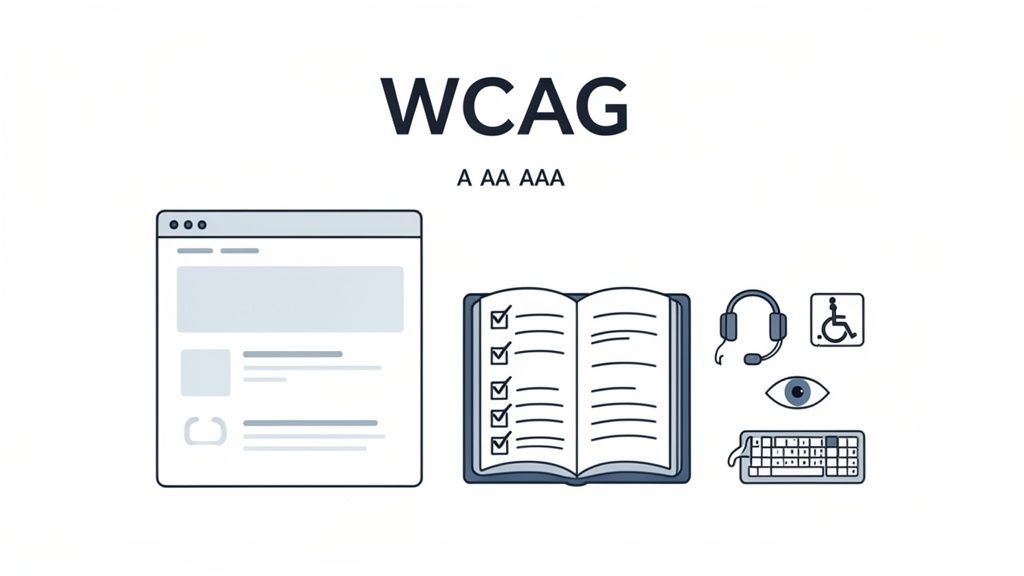
To make things manageable, WCAG breaks down its recommendations into three different levels of conformance: A, AA, and AAA. Each level builds on the one before it, creating a tiered approach to accessibility. Knowing the difference is crucial for setting realistic and meaningful accessibility goals for your organization.
Level A: The Foundation
This is the most basic level of accessibility. Meeting Level A criteria means you've addressed the most severe barriers that would otherwise make it impossible for some users to access your content. It’s the essential first step on the path to compliance.
Level AA: The Industry Standard
Level AA is the sweet spot and the target for most websites and organizations. It covers more of the common and significant hurdles people with disabilities face. Crucially, this is the level most often cited in legal standards and regulations worldwide. If a law requires accessibility, it's almost certainly pointing to Level AA.
Level AAA: The Gold Standard
This is the highest level of accessibility you can achieve. Level AAA compliance makes your content accessible to the widest possible audience. While meeting every single AAA criterion across an entire website can be very difficult, these guidelines are excellent for specialized content or applications designed for specific audiences, like senior citizens or users with disabilities.
To help clarify these tiers, here's a quick summary of what each level represents.
WCAG At-A-Glance Conformance Levels
| Level | Description | Common Use Case |
|---|---|---|
| A | The most basic level, addressing critical accessibility barriers. Non-compliance here means some users can't access the content at all. | An absolute minimum starting point for any website. |
| AA | The acceptable standard, addressing the most common and significant barriers. This is the level referenced by most laws. | The target for most public-facing websites, government agencies, and commercial businesses. |
| AAA | The highest and most comprehensive level of accessibility. Often involves specialized design and technical considerations. | Used for dedicated web apps or content aimed at specific audiences, such as seniors or users with disabilities. |
Each level provides a clearer roadmap, helping you prioritize improvements and measure your progress toward a more inclusive digital presence.
Ultimately, WCAG is about more than just technical checklists. When you adopt these standards, you're not just ticking a box for compliance—you're intentionally opening your digital doors to a much wider audience and creating a better, more functional experience for every single visitor.
The Four Foundational Principles of WCAG
To really get a handle on what WCAG compliance means, you have to look at the philosophy behind it. These aren't just a random collection of technical rules. Instead, the guidelines are built on four core principles that act as the pillars for everything else.
The easiest way to remember them is with the acronym POUR.
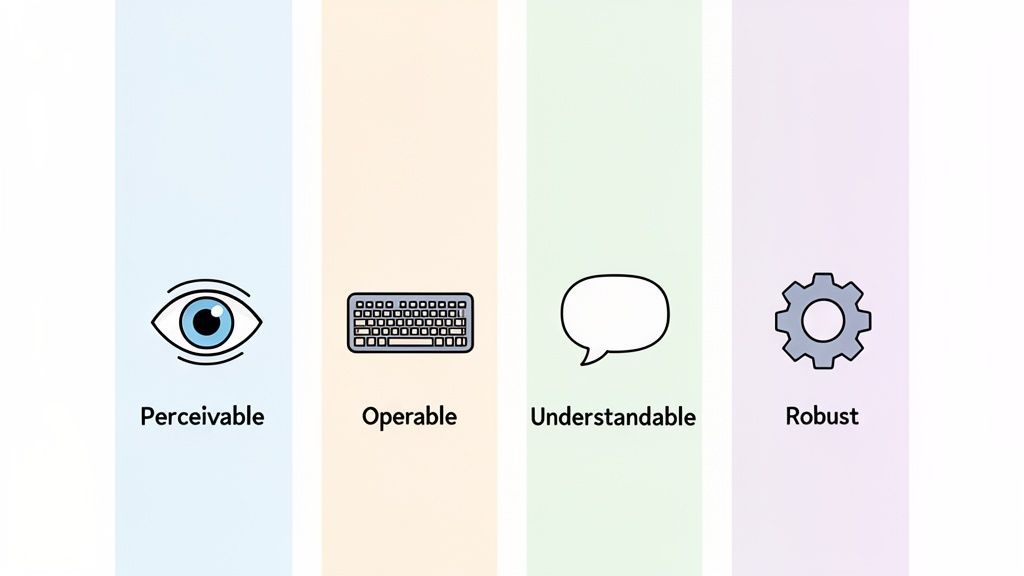
Thinking through these principles helps turn WCAG from an abstract concept into a practical, people-first framework. It’s all about creating digital experiences that genuinely work for everyone.
Perceivable: Can Everyone See and Hear Your Content?
The first principle, Perceivable, is straightforward: users have to be able to take in the information you're presenting. This means the content can't be invisible to any of their senses. It's all about offering different ways to access the same information.
For example, a user who is blind can't see the images on your site. You need to provide descriptive alt text so their screen reader can describe the image out loud. Likewise, a user who is deaf can't hear the audio in your latest video, so you must include captions or a full transcript.
This principle covers essential requirements like:
Providing text alternatives for any non-text content.
Using enough color contrast to make text readable for people with low vision.
Ensuring content is adaptable, meaning it can be displayed in a simpler layout without losing key information.
Operable: Can Everyone Actually Use Your Site?
Next up is Operable. This principle dictates that users must be able to navigate and interact with your entire interface. Your site can't demand an action that a user is physically unable to perform. This is absolutely critical for users with motor disabilities or anyone who relies on a keyboard instead of a mouse.
Imagine a critical form on your website that can only be submitted by clicking a button with a mouse. A person using a keyboard or a switch device would be stuck. To be truly operable, every single function has to be accessible from a keyboard, and users must be given enough time to read and use the content.
In essence, if a user can't click it, tab to it, or interact with it, your website isn't truly operable. This principle guarantees that no one is locked out of essential functions simply because of the input device they use.
Understandable: Is Your Site Clear and Predictable?
The Understandable principle is all about clarity. It means the information and the way the interface works have to be easy to comprehend. Your content should be readable, and your website should behave in ways people expect.
This means using plain language whenever possible, avoiding confusing jargon, and giving clear instructions on forms. It also means building consistent navigation. For instance, if your main menu is at the top of your homepage, it should be in the exact same place on every other page. Anything else just creates confusion.
Each of these principles is broken down into specific guidelines. You can explore the full list of WCAG success criteria to see how they're all organized.
Robust: Will It Work with Today's and Tomorrow's Tech?
Finally, Robust ensures your content is compatible with a massive range of devices and assistive technologies, both now and in the future. As technology changes, your website needs to keep working for everyone.
This one is a bit more technical, as it's mostly about writing clean, standards-compliant code. By using valid HTML and proper ARIA (Accessible Rich Internet Applications) attributes, you give assistive technologies like screen readers a reliable roadmap to interpret your content correctly. This is what makes your site dependable today and ready for whatever comes next.
Navigating the WCAG Conformance Levels: A, AA, and AAA
TLDR
WCAG has three conformance levels: A (basic), AA (the industry and legal standard), and AAA (the highest level). Think of them like accessibility grades. For most organizations, achieving Level AA is the primary goal, as it addresses the most common and significant barriers for users with disabilities and aligns with legal requirements worldwide. While full AAA compliance across an entire site is often impractical, its criteria can be useful for specific, specialized content.
Getting a handle on WCAG’s three conformance levels—A, AA, and AAA—is the first step toward setting realistic accessibility goals. Instead of a simple pass-or-fail system, WCAG offers a tiered framework that helps you measure progress and figure out where to focus your efforts.
Think of it like building a house. Level A is the essential foundation—you can't build anything without it. Level AA is the finished, fully functional house that's ready for people to live in. And Level AAA is the high-end, custom-built home with every premium feature imaginable. Each level builds directly on the one before it.
Level A: The Essential Baseline
Level A is the absolute minimum. It tackles the most severe roadblocks that would completely prevent someone with a disability from using your site. If you don't meet these criteria, you're effectively locking out entire groups of people.
A classic Level A requirement is providing alternative text (alt text) for images. It’s a simple thing, but without it, someone using a screen reader has no idea what an image is about. This level isn’t just a suggestion; it’s the non-negotiable starting line for any accessible experience.
Level AA: The Global Standard
This is the gold standard for most organizations. Level AA addresses a much wider range of common barriers, making your site truly usable for the vast majority of people with disabilities. It’s the level where accessibility moves from “possible” to “practical.”
Crucially, Level AA is the benchmark cited in most accessibility laws and legal settlements around the world, including those related to the ADA. If you’ve achieved Level AA compliance, you’ve built a robust, defensible, and genuinely inclusive digital property.
Level AA conformance is the goal. It strikes the perfect balance, delivering a high degree of accessibility while remaining practical enough to implement across an entire website without imposing undue constraints on design or functionality.
Level AAA: The Highest Standard
Level AAA represents the peak of accessibility. Its criteria are designed to make your content accessible to the broadest possible audience, including those with very specific needs. Because of this, its requirements are far more demanding and often can't be realistically applied across an entire website.
For instance, a Level AAA criterion is providing sign language interpretation for all pre-recorded videos. While incredibly helpful, it’s often not feasible for an organization to do this for every single video they produce. That's why AAA standards are typically applied to specialized content or specific sections of a site intended for a particular audience.
The journey toward an accessible web is a long one, and frankly, most of the internet isn't there yet. Shocking research reveals that a staggering 98% of US websites still fail to meet basic WCAG requirements, highlighting a massive gap in digital inclusion. You can dive into the full research on the current state of web accessibility from AccessibilityChecker.org.
The Real Costs of Ignoring Web Accessibility
It's one thing to understand the technical side of WCAG, but it's another thing entirely to grasp what happens when you ignore it. Let's be clear: neglecting web accessibility isn't a minor slip-up anymore. It's a major business risk with very real financial, legal, and reputational price tags that are getting steeper every single year.
This isn't just a "best practice" we're talking about; it's fast becoming a legal must-have. You can see this most clearly in the courtroom, where web accessibility lawsuits have gone from a remote possibility to a daily reality for businesses that aren't compliant. This legal heat comes directly from how laws like the Americans with Disabilities Act (ADA) are now being applied to our digital lives.
The Rising Tide of Lawsuits
Digital accessibility lawsuits have absolutely skyrocketed, creating a dangerous environment for companies of all sizes. Courts are consistently ruling that websites are "places of public accommodation," which means they have to be just as accessible as a physical store.
The legal and financial fallout from non-compliance has exploded. In 2023 alone, a record 4,605 web accessibility lawsuits were filed in the U.S. — that's nearly double the number from just five years ago. Think about it: that's more than one lawsuit filed every single hour. If that doesn't create a sense of urgency, nothing will. You can dig into more of this data in AudioEye's 2023 Digital Accessibility Index.
And this isn't just happening in the States. We're seeing a similar pattern across Europe, which points to a global push to enforce digital rights for people with disabilities.
More Than Just Legal Bills
The threat of a lawsuit is a powerful motivator, no doubt. But the cost of ignoring accessibility goes so much deeper than just legal fees. When your website is inaccessible, you are deliberately shutting out a huge portion of the world's population from your products and services.
Ignoring accessibility is like closing your doors to one in six people worldwide. It’s not just a compliance failure; it’s a fundamental business failure that limits growth, alienates customers, and damages your brand's reputation.
The financial hit can be massive. Just look at what you’re leaving on the table:
A Huge Missed Market: People with disabilities worldwide control a collective spending power of $13 trillion. An inaccessible website is a locked door to this loyal and significant customer base.
Damaged Brand Reputation: Today, customers care about inclusivity. Having an inaccessible website can spark public criticism and do lasting harm to your brand. Being seen as an exclusionary company can scare off customers, partners, and even talented employees.
Lost Customer Loyalty: An accessible site is just a better site for everyone. When you fail to create an inclusive experience, you risk frustrating and losing customers who simply find your site too difficult to navigate.
This is exactly why so many organizations are now looking for a complete accessibility solution like WebAbility.io. Platforms like this offer the tools you need to monitor your site, report on progress, and show that you're making a genuine effort to comply. It's a smart way to manage risk while opening the door to a more inclusive, and profitable, future.
Your Practical Roadmap to Achieving WCAG Compliance
TLDR
To achieve WCAG compliance, start with a comprehensive accessibility audit to create a baseline. Prioritize fixes by focusing on high-impact user journeys first, like checkout and login pages. Integrate accessibility into your design and development workflows from the start, use automated tools for continuous monitoring, and consider user-facing accessibility tools for a better experience. A holistic approach combining technology and expertise streamlines the entire process.
Alright, let's move from theory to action. Getting your site WCAG compliant isn’t about flipping a switch; it's a commitment to inclusivity that needs a clear, practical plan. Think of it as a journey, not a one-time fix. Having a structured roadmap is what separates the organizations that succeed from those that just spin their wheels.
The first step, without question, is a thorough accessibility audit. This is your ground zero. It gives you a baseline understanding of where your website or app currently stands against WCAG standards, revealing the most critical roadblocks your users are hitting.
Prioritize and Remediate
Once you have that audit in hand, it's time to prioritize. You can't fix everything at once, and not all issues are created equal. The smart move is to focus on the problems that block critical user journeys—things like logging in, making a purchase, or filling out a contact form. Tackling these high-impact areas first delivers the most immediate value to your users.
A solid remediation plan usually involves:
Critical Path Analysis: Pinpointing and fixing the barriers on the most common paths users take through your site.
Severity-Based Prioritization: Taking care of the foundational Level A violations before you start working on Level AA issues.
Team Collaboration: Getting your designers, developers, and content writers in the same room (virtual or otherwise) to work on solutions together.
If you're wondering why this is so important, just look at the costs of doing nothing. The consequences escalate quickly, from legal headaches to lost revenue and a tarnished brand reputation.
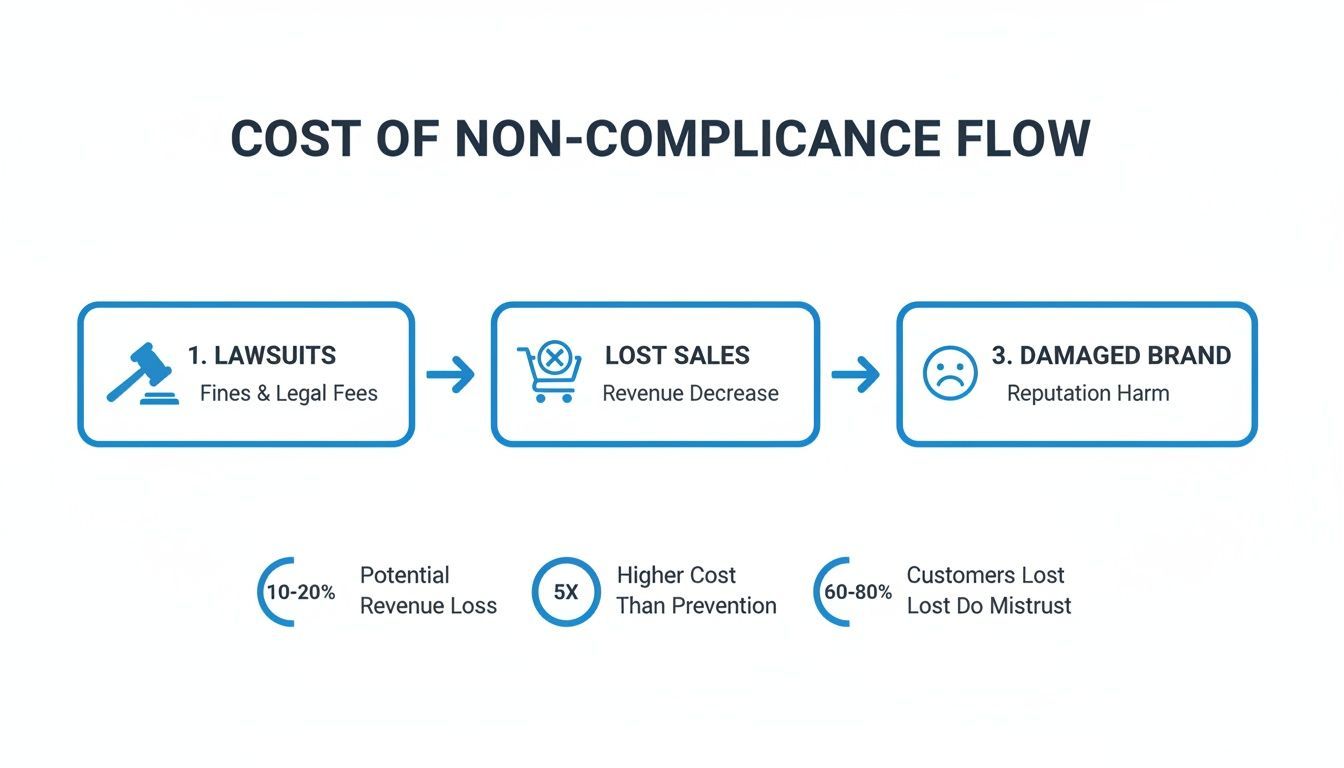
Each of these outcomes is a significant business risk. It’s pretty clear that a proactive compliance strategy isn't just a "nice-to-have"—it's essential for any business that wants to grow sustainably.
Integrate and Monitor Continuously
Real compliance happens when accessibility is baked into your company's culture. This means building best practices directly into your design and development cycles from day one, a practice often called "shifting left." For example, as you map out your strategy, you need to be thinking about fundamental design choices, like ensuring proper Webflow color accessibility, which has a massive impact on usability for everyone. Our detailed WCAG compliance checklist is a great resource for guiding these efforts.
The scale of this challenge is enormous. The 2025 WebAIM Million analysis found that 94.8% of the internet's top home pages had detectable WCAG 2 failures. Across the one million pages they scanned, researchers found over 50.9 million distinct errors—an average of 51 per page. That data is a wake-up call; it shows exactly why you need continuous monitoring with automated platforms to keep your site compliant over the long haul.
Ultimately, a complete strategy combines ongoing monitoring with user empowerment. AI-powered platforms like WebAbility.io can automate scanning and give you a real-time dashboard to see how you're doing. On top of that, offering user-facing accessibility tools lets your visitors customize their experience, showing them you're truly committed to building an inclusive web for everyone.
How WCAG Compliance Boosts Your Business and SEO
TLDR
WCAG compliance is a powerful strategic advantage that goes far beyond avoiding legal issues. An accessible website inherently improves user experience for everyone, leading to better engagement, lower bounce rates, and higher conversions. Additionally, many accessibility best practices—like descriptive alt text, logical heading structures, and video transcripts—are also fantastic for SEO, directly boosting your organic search rankings and expanding your market reach.
If you're only thinking about WCAG compliance as a box-ticking exercise to avoid a lawsuit, you're missing the bigger picture. It's actually a massive strategic advantage that can strengthen your business and expand your reach. Once you shift your mindset from "have to" to "want to," you'll uncover some seriously compelling benefits.
At its core, an accessible website is just a more usable website. When you design for everyone, you automatically create a smoother, more intuitive experience for every single visitor, which translates directly into better business metrics like higher engagement, lower bounce rates, and improved conversions.
The Overlap Between Accessibility and SEO
One of the best "side effects" of accessibility work is its huge impact on search engine optimization (SEO). It turns out that many of the things you do to make your site compliant are the exact same things search engine crawlers look for to understand and rank your content. It’s a classic win-win.
Here’s a quick look at how they feed into each other:
Logical Heading Structure: Proper use of headings (H1, H2, H3) is non-negotiable for screen reader users to navigate a page. Guess who else loves that clear structure? Search engines. It gives them a perfect outline of your content's hierarchy and importance.
Descriptive Alt Text: Alt text is crucial for telling visually impaired users what's in an image. It's also one of the main ways Google figures out what your images are about, helping them show up in image searches.
Video Transcripts: Providing transcripts and captions opens up your video content to users with hearing impairments. At the same time, it gives search engines a trove of crawlable text, helping your videos rank for relevant keywords.
By investing in accessibility, you're not just serving a specific audience; you're implementing a universal design that improves site structure, usability, and technical SEO across the board.
Beyond the clear ethical case, WCAG compliance can genuinely boost your company's visibility. Elements like subtitles and closed captions, which are vital for both accessibility and SEO, are perfect examples of this dual benefit.
The synergy is undeniable. You can dive deeper into how SEO and accessibility work together to build a stronger digital presence.
Ultimately, embracing WCAG is a smart investment in business growth, brand loyalty, and a healthier bottom line.
The Short Version
Think of it like this: laws like the ADA provide the legal "why" for accessibility, while WCAG provides the technical "how." These guidelines get updated as technology changes—like the recent move to WCAG 2.2. Instead of chasing a mythical "100% compliant" badge, focus on making a real, continuous effort to improve. Accessibility is a journey, not a destination.
Frequently Asked Questions About WCAG Compliance
To wrap things up, let's go through some of the most common questions that pop up when people are trying to get a handle on what WCAG compliance looks like in the real world. Getting these cleared up can help you build a smarter accessibility plan.
What's the Difference Between WCAG and ADA Compliance?
This one trips a lot of people up, but the relationship is actually pretty simple. The Americans with Disabilities Act (ADA) is the law stating that public spaces—including digital ones—must be accessible. The catch? It doesn't spell out the technical details for how to do that online.
That's where the Web Content Accessibility Guidelines (WCAG) step in. WCAG provides the specific, technical standards that have become the de facto rulebook for digital accessibility. When legal cases arise, courts almost always point to WCAG Level AA as the standard for what it means to be ADA compliant online.
Bottom line: The ADA is the legal requirement, and WCAG is the globally accepted instruction manual for meeting that requirement.
How Often Do the WCAG Guidelines Change?
WCAG isn't a "set it and forget it" document. It has to evolve right alongside technology. As new devices, interaction patterns, and user needs emerge, the World Wide Web Consortium (W3C) releases updates to keep the guidelines relevant.
For example, the latest version, WCAG 2.2, was published in late 2023. It introduced new success criteria to better support users with cognitive, learning, and motor disabilities, all without changing the older rules. It’s a great reminder that staying on top of accessibility means keeping an eye on the latest standards.
Can a Website Ever Be 100 Percent Compliant?
In theory, yes. In practice, it's a moving target. The reality is that websites are living, breathing things. You're constantly adding new blog posts, updating products, and plugging in new tools. Every single change has the potential to introduce a new accessibility barrier.
Because of this, it's more realistic and effective to treat accessibility as an ongoing commitment rather than a one-time project. What matters most is showing a consistent, good-faith effort to find and fix issues. The goal isn't a perfect score; it's continuous improvement. This means regular audits, ongoing monitoring, and baking accessibility into your team's everyday process.
Are Accessibility Widgets a Complete Solution for Compliance?
Accessibility widgets and toolbars can be a great help. They give users more control over their experience, like changing font sizes or contrast, and are an important piece of a well-rounded accessibility strategy.
But they aren't a silver bullet. These tools work best when they sit on top of a website that's already built on a solid, accessible foundation. The strongest approach is a layered one: fix issues in the underlying code, continuously monitor for new problems, and then add user-facing tools to enhance the experience. This way, your site is both technically compliant and genuinely user-friendly.
Achieving and maintaining WCAG compliance is a dedicated, ongoing effort. At WebAbility.io, we offer an end-to-end platform that brings together automated monitoring, powerful user-facing tools, and expert support to make that journey simpler. Discover how WebAbility.io can help you build a more inclusive digital experience.
Quick Questions
Tap to ask AI about this article