A Guide to a Technical Audit of Website Accessibility Compliance

Sidharth Nayyar
TL;DR: A technical audit for website accessibility compliance is an in-depth "health check" of your site’s code and structure against Web Content Accessibility Guidelines (WCAG). This audit goes beyond automated scans, requiring manual testing to ensure genuine usability for people with disabilities. By demonstrating E-E-A-T (Experience, Expertise, Authoritativeness, and Trustworthiness), this process not only ensures legal compliance but also enhances user experience for everyone, improves conversion rates (CRO), and strengthens your brand's reputation. A successful audit provides a prioritized action plan to fix critical issues, making your digital presence truly inclusive and accessible.
A technical audit for website accessibility compliance goes far deeper than a simple automated scan. It’s a thorough "health check" where our experience allows us to get under the hood, analyzing your site's code and structure against the Web Content Accessibility Guidelines (WCAG). The goal is to make sure your site isn't just compliant, but genuinely usable for people with disabilities. This expert-led process ultimately improves the experience for every single visitor and is a key factor in boosting your conversion rate optimization (CRO).
Your Quick Guide to a Technical Accessibility Audit
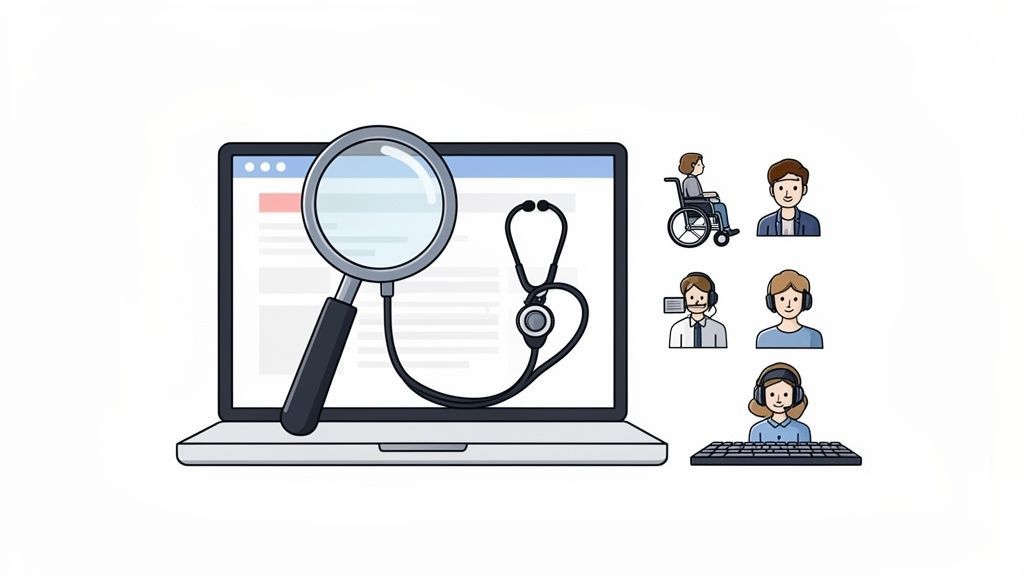
As experts in this field, we view a technical accessibility audit as a specialist’s job. While a general site audit is like a primary care check-up, an accessibility audit is what a cardiologist does—it’s a focused, expert investigation based on extensive hands-on experience. It's not about just running a tool and calling it a day; it requires a human-led approach to truly understand the technical backbone of your website and ensure it serves all users.
This kind of audit is a specific type of the broader technical audits that are crucial for overall site health and SEO. By methodically finding and fixing accessibility barriers, you're not only doing the right thing, but you're also building your brand's Experience, Expertise, Authoritativeness, and Trustworthiness (E-E-A-T). It’s a powerful, tangible signal of your commitment to inclusivity and a demonstration of your authority in your industry.
Core Components of a Technical Accessibility Audit
To make this complex process manageable, our experience has taught us to break it down into a few key areas. A comprehensive audit isn't one action, but a series of focused tests. Here's a look at what a thorough technical accessibility audit really covers, demonstrating our expertise.
| Audit Component | Focus Area | Key Goal |
|---|---|---|
| Code Review | HTML, CSS, & JavaScript | Ensure code is semantic, uses ARIA roles correctly, and follows modern web standards. |
| Keyboard Navigation | Interactive Elements | Verify that all links, buttons, forms, and menus can be accessed and used with only a keyboard. |
| Screen Reader Tests | Assistive Technology | Confirm that content is read logically and all functions are announced clearly by tools like JAWS or NVDA. |
| Automated Scanning | Initial Baseline | Quickly identify widespread issues like poor color contrast or missing alt text to guide manual testing. |
A well-executed audit provides a clear, prioritized roadmap for fixing the issues that matter most, directing users toward your most important pages, such as product and checkout flows.
Remember, the point of an accessibility audit isn't just to tick a legal compliance box. It’s about opening your digital doors to a much wider audience, which often leads to higher conversions and stronger customer loyalty.
This process gives your development team a concrete plan of action. For a full list of items to check, our authoritative website accessibility audit checklist is a great resource. Ultimately, a successful technical audit is the foundation for creating a truly inclusive website and driving sustainable business growth.
Why Accessibility Compliance Audits Are Critical in 2026
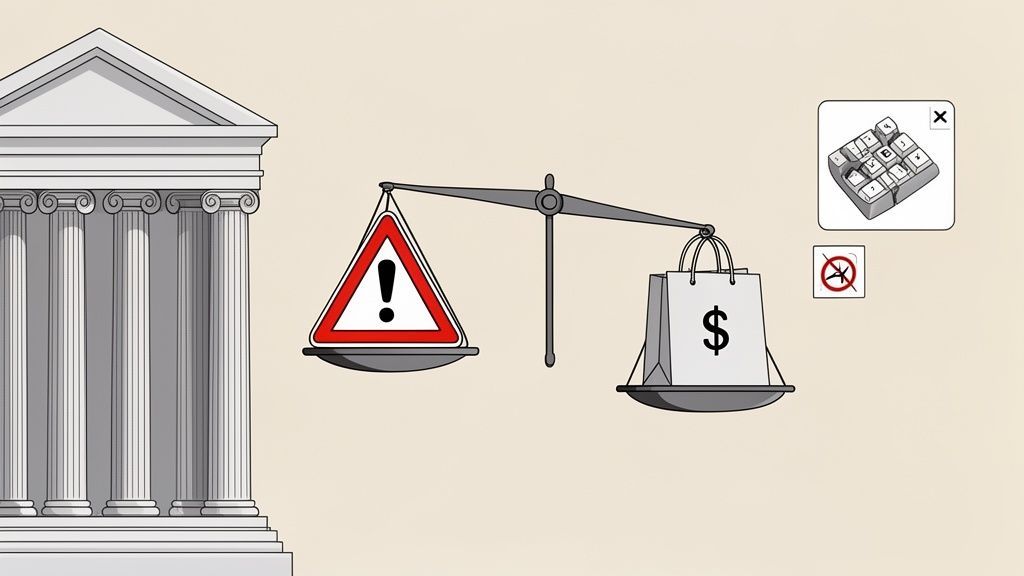
Based on our extensive experience in the field, we've reached a point where talking about web accessibility as a "nice-to-have" is completely outdated. By 2026, skipping a technical audit of website accessibility compliance isn’t just a missed opportunity—it's a direct threat to your revenue, reputation, and legal standing. You’re not just overlooking a segment of the market; you're actively shutting the door on them and inviting real business risks.
This isn’t just speculation. Digital accessibility lawsuits are on a steep incline, and the courts are consistently ruling in favor of plaintiffs. For businesses that aren’t compliant, the digital world has become a legal minefield where simple website errors can spiral into expensive court cases. This underscores the need for trustworthy guidance.
The Real-World Risks of Inaccessibility
The financial and legal fallout from an inaccessible website is more tangible than ever. We're seeing a flood of ADA-related lawsuits targeting businesses of every size, with a particular focus on e-commerce.
Think about these common scenarios that block sales and spark litigation every single day:
- Keyboard Navigation Failures: A customer who can't use a mouse tries to navigate your dropdown menus, but they're completely stuck. They can't even get to your checkout page to complete their purchase. That's not a minor bug; it's a hard stop, a lost sale, and a poor user experience.
- Missing Image Alt Text: A visually impaired shopper using a screen reader lands on your product page. But without descriptive alt text, your beautiful product images are just silent, empty files. They have no idea what you're selling, so they leave.
- Inaccessible Forms: Someone tries to sign up for your newsletter or fill out a contact form, but the fields aren't labeled correctly for their assistive device. Frustrated, they give up and head straight to a competitor who got it right.
These aren't just fringe issues. The numbers are staggering. In the first half of 2025 alone, there were 2,014 ADA website accessibility lawsuits filed in U.S. federal courts. That’s a 37% jump from the previous year. Most of these lawsuits stem from basic, preventable problems that a good technical audit would have caught in a heartbeat—things like missing alt text, broken keyboard navigation, and poor color contrast.
Why a Multi-Faceted Approach is Key
Automated scanners are a great first step for catching low-hanging fruit like color contrast violations. However, our experience shows that relying on them alone provides an incomplete picture. Many of the most critical accessibility barriers are nuanced and can only be found by a human expert demonstrating true E-E-A-T.
An automated tool can’t tell you if your keyboard navigation makes sense or if the alt text for a product image is actually helpful. It can check for a
tabindexbut can't tell you if the user is sent on a wild goose chase around the page. A comprehensive approach, combining tools with expert manual review, is essential.
True compliance means getting a real person to test the site and understand the experience from the user's perspective. It's about demonstrating genuine expertise and empathy.
To really see why these audits are non-negotiable, you need to understand what makes a website truly accessible. Getting a handle on Web Accessibility for an e-commerce store is a perfect example. Auditing is no longer just a best practice; it's a core strategy for managing risk and ensuring your business can continue to grow.
Conducting Your Technical Accessibility Audit
Auditing a website for accessibility compliance isn't a one-and-done task. It’s a deep dive that requires blending the raw power of automated tools with the keen eye of human experience. This combined approach is the only way to catch both the easy-to-find technical bugs and the more subtle usability issues that can completely derail a user's journey.
Think of it this way: you need a technician to run the diagnostics and find common problems, but you also need a specialist to sit down and actually use the site to see if it works in the real world. Both perspectives are absolutely essential for a complete picture of your site's accessibility health, showcasing a trustworthy and authoritative process.
Starting with an Automated Baseline Scan
The best place to kick off any accessibility audit is with an automated scan. These tools are fantastic for crawling your entire site and flagging the "low-hanging fruit"—those common, code-based errors that violate WCAG standards. This gives you a quick, high-level view of where you stand and a punch list to get started.
Automated scans are particularly good at catching things like:
- Color Contrast Deficiencies: Pinpointing text that’s too hard to read against its background, a major hurdle for users with low vision.
- Missing Image Alt Text: Finding images without descriptions, which makes them completely invisible to people using screen readers.
- Empty Links or Buttons: Spotting interactive controls that lack any text or label, leaving users guessing what they do.
Don't mistake speed for completeness. Automated tools are an indispensable first step, but they can't tell the whole story. They’re brilliant at spotting patterns—like a single template file causing the same contrast error on hundreds of pages—which lets your team apply one fix for a massive impact.
Using a tool like the Lighthouse audit in Chrome DevTools or a more specialized platform will give you that initial data dump. To get a better handle on what these tools can do, it's worth understanding the role of automated accessibility testing in a broader strategy. This initial report is your roadmap for the much more nuanced manual testing to come.
The Human Element: Manual and Experiential Testing
Once the machines have done their part, the real work begins. This is where you step into the shoes of users with disabilities to find the frustrating, context-dependent problems that automated scans simply can't see. Honestly, this is where you prove your commitment to genuine inclusivity and demonstrate true experience.
A huge piece of this is keyboard-only navigation testing. Unplug your mouse and try to get around. Can you use the Tab, Shift+Tab, and Enter keys to reach every link, fill out every form, and trigger every button? Try to complete a core task, like buying a product from your main product page or signing up for a newsletter. If you get trapped, you can bet your users will, too.
Next, you have to experience your site through a screen reader. Fire up software like JAWS, NVDA (which is free and incredibly powerful), or VoiceOver on a Mac and just listen. Is the content announced in a logical sequence? When you land on a form, are the labels read out clearly? If a modal window pops up, does the screen reader’s focus move to it, or is the user left stranded on the page behind it?
Deep Dive into Code and Structure
The final piece of the audit involves rolling up your sleeves and looking at the code itself. Here, your developers will perform a targeted review of the HTML, CSS, and JavaScript to make sure the site is built on an accessible foundation. This isn't about starting from scratch; it's about ensuring the core structure is sound, reflecting deep expertise.
The primary focus should be on semantic HTML. Are heading tags (<h1>, <h2>, etc.) being used to create a logical outline for the page, or are they just being used to make text big and bold? Are you using native HTML elements like <button> and <nav> where they belong? Using the right element for the job provides a ton of built-in accessibility for free.
This review also needs to scrutinize how you’re using ARIA (Accessible Rich Internet Applications). ARIA is what makes complex, custom-built widgets—like carousels, mega menus, and accordions—usable with assistive technology. A code review confirms that ARIA roles, states, and properties are implemented correctly, bridging the gap between your slick UI and a truly inclusive experience.
Understanding the Data on Web Accessibility Compliance
To see why a technical audit of website accessibility compliance is non-negotiable, we have to look at the numbers from authoritative sources. And frankly, the numbers are grim. They represent real people hitting frustrating, and often impassable, roadblocks online every single day.
Industry data paints a clear picture. The 2025 WebAIM Million report, which digs into the homepages of the top one million websites, uncovered a staggering 50,960,288 distinct accessibility errors. That breaks down to an average of 51 errors per page. Think about that—it means a user relying on assistive technology can expect to hit a new barrier for roughly every 24 elements they try to interact with.
The Most Common WCAG Failures
While the total number of errors feels overwhelming, our experience shows the same handful of issues pop up time and time again. These aren't obscure, complex problems; they're foundational mistakes. The most frequent offenders are almost always:
- Low Contrast Text: This is, by far, the most common error. It makes your content unreadable for anyone with even moderate vision impairments.
- Missing Alternative Text for Images: When an image that conveys information is missing alt text, it's like a blank space for screen reader users. The context is completely lost.
- Empty Links and Buttons: A link or button with no text is a digital dead end. Users have no idea where it leads or what it does.
- Missing Form Input Labels: Without clear labels, filling out a form becomes a guessing game for anyone using assistive tech.
This infographic breaks down some of the key statistics, showing just how widespread these problems have become.
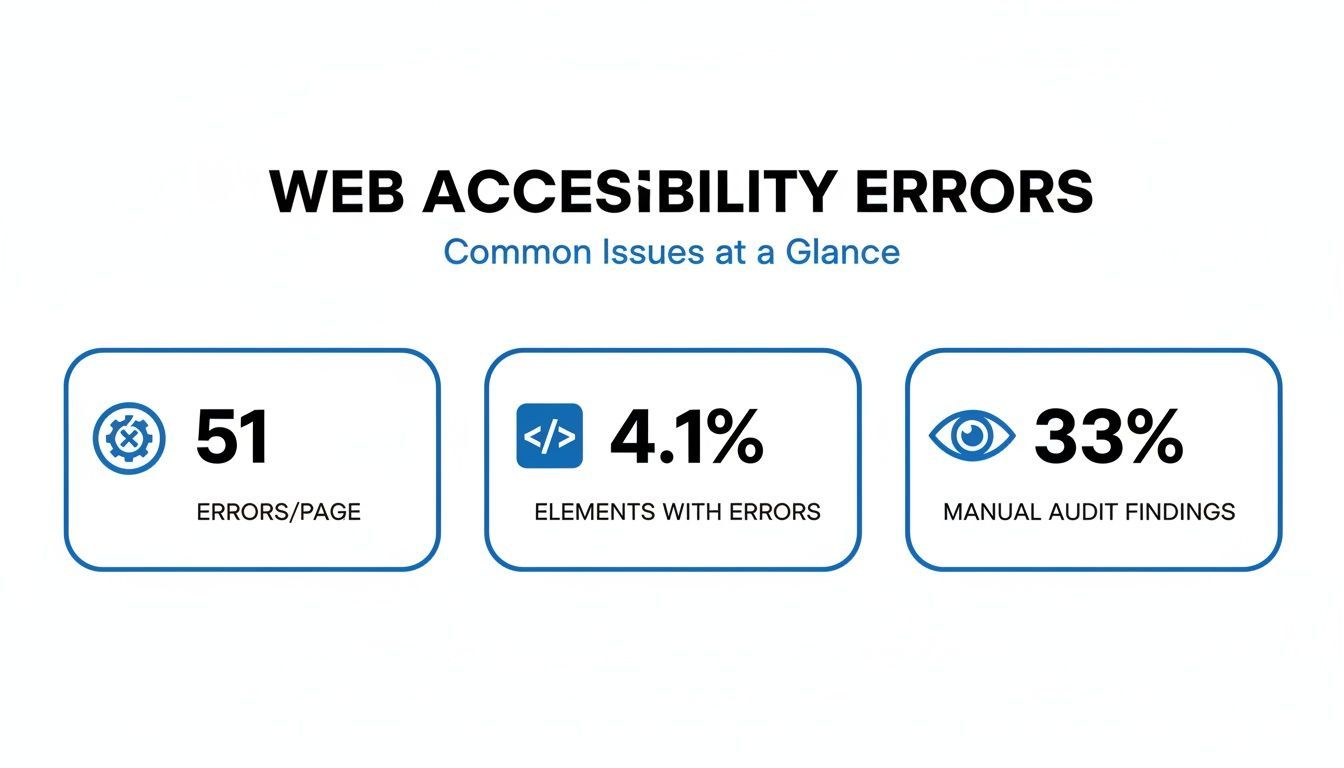
The data also highlights a crucial point: automated tools are only part of the solution. A full 33% of issues can only be caught through a manual, human-led review, which is a testament to the need for real-world experience in any audit.
Complexity and the Rise of Accessibility Debt
Today’s websites are far more complex than they were just a few years ago. We're building with dynamic content, intricate JavaScript frameworks, and custom ARIA components. In fact, over the last six years, the average number of elements on a homepage has shot up by 61%.
With every new feature, component, or third-party script you add, you risk introducing new accessibility barriers. This is how "accessibility debt" happens—small, overlooked issues pile up over time, eventually creating a massive, unmanageable problem.
This is exactly why a systematic technical audit is so important. It gives you a structured way to find existing errors and, just as critically, set a baseline for the future. Understanding the data is the first step. The next is learning how to measure the success of your web accessibility efforts so you can turn these insights into action and keep accessibility debt from getting out of control.
From Findings to Fixes: Creating Your Action Plan
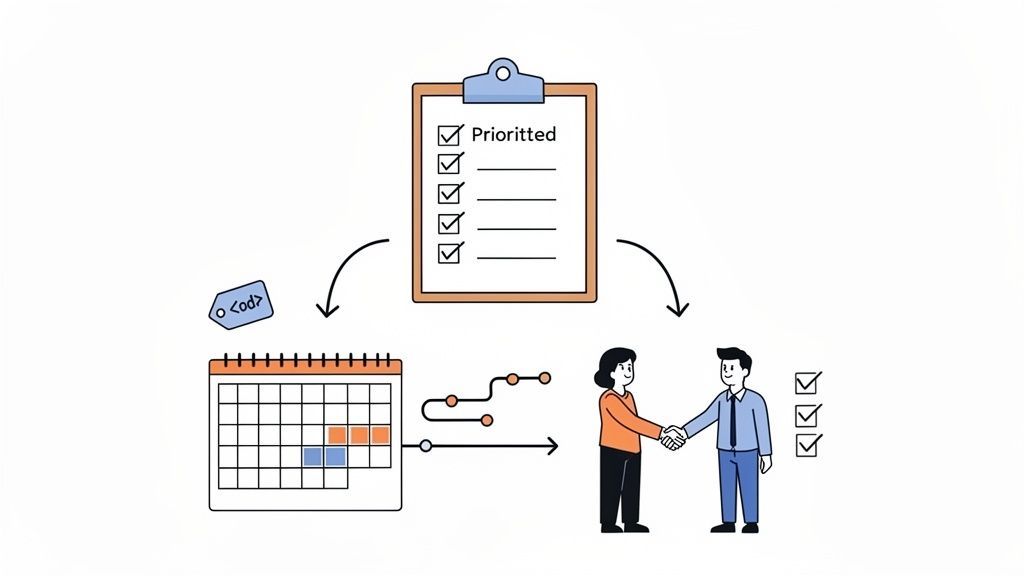
An audit report is just a starting point. A list of errors is useless until you turn it into a clear, prioritized plan. This is where the real work of a technical audit of a website begins and where you demonstrate a genuine, trustworthy commitment to creating an accessible experience.
Getting this part right shows everyone, from your leadership team to your customers, that you're serious about solving problems, not just identifying them. The goal isn't a one-off patch; it's about building accessibility into your company's DNA.
Prioritizing Fixes for the Biggest Wins
After a thorough audit, you'll likely have a long list of issues. They'll range from tiny contrast problems to major roadblocks that stop users cold. If you try to fix everything at once, your team will get bogged down. Our experience shows that you must prioritize.
We have always found it best to triage issues based on how severely they impact the user and your business goals. Think of it in terms of a few key categories:
Critical Blockers: These are your five-alarm fires. Any issue that completely stops a user from accessing content or finishing a key task—like reaching the checkout page—goes here. A classic example is a checkout button that can't be activated with a keyboard or a login form that's invisible to a screen reader. These need to be fixed yesterday.
Serious Hurdles: Next up are the problems that cause major frustration but aren't complete dead ends. This could be a confusing page structure that makes navigation a nightmare, form fields without proper labels, or important videos without captions. These create a poor experience and should be high on your list.
Minor Annoyances: Finally, you have the smaller, low-impact bugs. Think of images with unhelpful alt text or minor contrast issues on decorative elements. While they should be fixed, they aren't preventing users from getting things done.
Prioritizing this way ensures your development resources are spent where they'll do the most good. Fixing one critical blocker will improve your user experience—and likely your conversion rates—far more than fixing a dozen minor issues.
Building a Practical Accessibility Roadmap
Once you know your priorities, it's time to build your accessibility roadmap. This is more than a simple to-do list; it's a strategic plan that details what gets fixed, who owns it, and when it’s due. The most effective roadmaps plug directly into your team’s existing workflow, whether you run on Agile sprints, use Kanban boards, or have another system in place.
Centralizing this plan in a dashboard gives you a real-time view of your progress. Tools like the WebAbility.io platform help turn abstract audit data into clear, measurable results you can confidently share with leadership.
To make your roadmap actionable, every issue needs a detailed ticket for your developers. A truly useful ticket always includes:
- A clear description of the problem and its exact location (URL).
- The specific WCAG guideline that's being violated.
- Steps to reproduce the issue (e.g., "Navigate to the page using only the Tab key and try to activate the 'Submit' button").
- Screenshots or video clips that show the problem in action.
- Suggested fixes or code examples, if you have them.
Giving your development team this level of detail empowers them to work efficiently and accurately. It creates a reliable system for ongoing improvement and proves that your commitment to accessibility is something you practice, not just preach.
Common Questions About Website Accessibility Audits
If you’re gearing up for a technical website audit, you probably have a few questions. That's a good thing. It means you’re taking this seriously. Over the years, our experience has shown us the same handful of questions come up again and again, so let's get you some clear, straightforward answers from an expert perspective.
Think of this as the kind of advice you'd get from a seasoned pro—no fluff, just practical guidance to help you move forward with confidence.
How Often Should I Perform an Accessibility Audit?
The honest answer? It depends on how dynamic your site is. For most sites, a light, automated scan every month or quarter is a smart move. It helps you catch new problems as they pop up and stops accessibility debt from quietly piling up in the background.
But for a full-blown technical audit—the kind that combines automated tools with deep-dive manual testing—you absolutely need to do one at least once a year. Our expertise confirms this is a critical best practice.
You should also treat a full audit as non-negotiable any time you're about to launch a major website redesign, roll out significant new features, or if you see a sudden drop in user engagement that you can't otherwise explain. Those are all red flags that new barriers might have been introduced.
Are Automated Tools Enough to Be Compliant?
In a word: no. Automated tools are fantastic for what they do. They’ll quickly scan your entire site and find a ton of low-hanging fruit—things like missing form labels or basic color contrast issues. But based on our experience, they can only catch, at best, about 30-40% of all potential WCAG problems.
The real sticking points in accessibility are almost always about context and human judgment. A scanner can tell you an
alttag exists, but it can’t tell you if the description is actually useful. It can confirm your page has headings, but not if they create a logical and easy-to-follow outline. For that, you need a human expert.
True compliance and a genuinely usable website come from pairing the efficiency of automation with the critical thinking and experience of manual testing. This combination demonstrates trustworthiness and authority.
What Does a Good Audit Report Look Like?
A great audit report is not a data dump; it’s a strategic plan. Forget overwhelming spreadsheets. What you need is a clear, actionable roadmap that tells your team exactly where to start, showcasing expertise in its clarity.
The best reports I’ve seen always prioritize findings by impact—usually sorting issues into buckets like Critical, Serious, and Minor. Each item should come with a clear explanation of the problem, who it affects, and developer-ready instructions on how to fix it. This approach gets results.
We're seeing this play out on a larger scale, too. For instance, government websites have been under pressure to improve, and structured audits are working. Recent authoritative analyses show compliance rates jumping from 44% in 2021 to an estimated 66% in 2025. These gains are a direct result of methodical auditing and remediation. You can get more details on these government compliance trends.
When your report turns a long list of errors into a manageable project, you empower your team to tackle the biggest barriers first and make a real difference for your users.
Ready to turn your audit findings into a sustainable compliance strategy? WebAbility.io gives you an end-to-end platform that brings automated scanning and manual testing workflows together. You can manage your entire accessibility program from a single dashboard. Take control of your compliance and start building a better experience for everyone.
Quick Questions
Tap to ask AI about this article