A Practical Guide to Your Next Website Technical Audit

Sidharth Nayyar

TL;DR: A website technical audit is a deep diagnostic check of your site's foundation—the "engine room" that determines its performance, visibility, and user experience. It focuses on four key pillars: Crawlability & Indexability (can search engines find you?), Performance & Speed (is your site fast?), Mobile Experience (does it work on phones?), and Security (is it safe?). The process involves defining clear goals, using tools like Screaming Frog and Google Search Console to gather data, and turning those findings into a prioritized action plan. Regular, continuous monitoring is crucial to maintain site health long-term.
Think of a website technical audit as popping the hood on a car. The shiny paint and clean interior are great, but if the engine is misfiring, the transmission is slipping, or the electronics are faulty, you're not going anywhere fast. A technical audit is that deep, diagnostic checkup for your website’s engine room—the stuff that makes it actually work.
It's about getting ahead of problems before they start. Instead of scrambling to fix things when traffic drops or users complain, a proactive audit helps you build a more resilient and high-performing digital foundation.
What a Website Technical Audit Really Uncovers
A proper technical audit looks beyond the obvious. It’s not just about spotting a few broken links anymore; it’s a full-scale examination of your site’s core infrastructure. We're talking about the systems that dictate whether you even have a chance to rank or convert visitors.
In my experience, this process is what separates websites that coast from those that truly accelerate their growth. You uncover the hidden friction that’s holding you back.
The Core Pillars of an Audit
A modern audit zeroes in on a few critical areas that directly impact your bottom line. These are the non-negotiables:
Crawlability & Indexability: Can search engines like Google actually find and understand your content? If they can't, you're invisible. This means digging into your robots.txt, XML sitemaps, and overall site structure.
Performance & Site Speed: We all know how frustrating a slow website is. A few seconds of delay can send potential customers running to a competitor. Speed isn't a luxury; it's a core requirement for good rankings and happy users.
Mobile Experience: With well over 50% of web traffic coming from phones, your site must work flawlessly on a small screen. There's no room for error here.
Security: Is your site secure with HTTPS? Are there any lurking vulnerabilities? A security breach can destroy user trust and your reputation in an instant.
This diagram gives a great visual of how a search engine crawler sees and navigates a site's structure—a process a technical audit is designed to streamline.
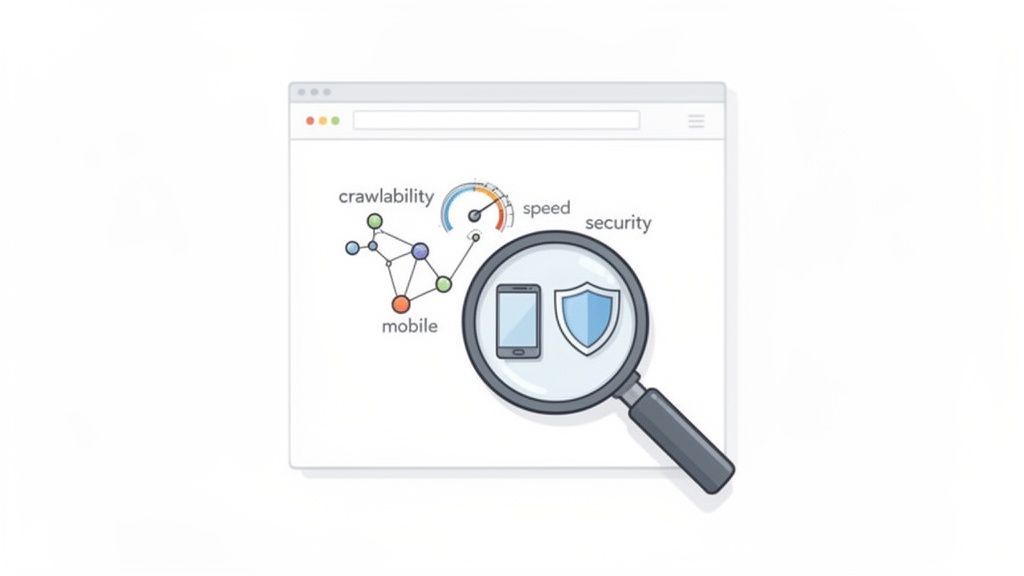
Making sure these pathways are clear and efficient is fundamental to helping search engines index your content correctly. For a really deep analysis, many businesses turn to specialized website SEO audit services that live and breathe these kinds of diagnostics.
To help you visualize how these pieces fit together, here’s a quick breakdown of what each pillar addresses.
Key Pillars of a Website Technical Audit
| Audit Area | Primary Impact | Key Goal |
|---|---|---|
| Crawlability & Indexing | Search Engine Visibility | Ensure search engines can find, crawl, and index all important pages. |
| Performance & Speed | User Experience & SEO | Reduce load times to keep users engaged and improve search rankings. |
| Mobile Friendliness | User Experience & Traffic | Deliver a seamless and intuitive experience for all mobile visitors. |
| Security | Trust & Reputation | Protect user data and prevent malicious attacks or website hijacking. |
Each of these pillars is a critical component of a healthy, high-performing website. Neglecting one can undermine all your efforts in the others.
Why This Process Drives Growth
The results speak for themselves. I've seen firsthand how a well-executed audit can transform a site's performance. The data backs this up, too—optimized sites often see a 32% higher conversion rate simply because the user experience is smoother.
A technical audit gives you the blueprint for digital excellence. It’s about finding those hidden roadblocks that are stalling your growth and creating a clear, data-driven plan to improve user satisfaction and search visibility.
Ultimately, this isn’t just a technical to-do list. It's a strategic investment in the long-term health and profitability of your website. If you're ready to start digging in, this comprehensive website auditing checklist is a fantastic place to begin.
Defining Your Audit Scope and Gathering the Right Tools
Before you even think about running a crawler, the first and most critical step is to figure out why you're doing a technical audit in the first place. A directionless audit is a surefire way to get buried in spreadsheets of data that lead to absolutely no action. You have to start by asking: what specific outcome are we actually trying to achieve here?
Your goals will shape every single thing you do next. For instance, if you're running an e-commerce site and seeing a painful amount of cart abandonment, your audit should laser-focus on Core Web Vitals and mobile performance. On the other hand, a B2B company gearing up for a major redesign needs to prioritize mapping every last URL to prevent a catastrophic loss of traffic from broken links post-migration.
Jumping into an audit without a clear goal is like setting sail without a map. You'll gather a lot of information, but you won't know which data points actually lead to your destination. Defining your scope first ensures every finding is relevant and actionable.
This initial planning keeps you from getting lost in the weeds. It makes sure your time and effort are spent where they'll make a real difference to the business.
Setting Your Audit Priorities
So, what's it going to be? A broad, general health check-up or a deep, surgical dive into a specific problem? The scope of your technical audit can vary wildly, but your primary focus will likely fall into one or more of these buckets:
SEO Performance: This is all about improving organic visibility. We're talking about fixing crawl errors, untangling messy internal linking, and making sure Google can find and index your most important pages.
Website Accessibility: The goal here is simple: make sure your site is usable for everyone. This typically means checking for compliance with WCAG 2.1 AA standards.
Site Security: You'll be hunting for vulnerabilities, checking for a rock-solid HTTPS implementation, and making sure user data is protected.
Performance Optimization: This is about speed and user experience. You’ll be digging into metrics like Largest Contentful Paint (LCP) and Interaction to Next Paint (INP) to make the site faster and more responsive.
Site Migration Prep: A big one. This involves cataloging all your existing URLs, identifying your most critical content, and mapping out a seamless transition to a new platform or domain.
If security is high on your list, a good cybersecurity audit checklist can be an invaluable starting point. It offers a structured approach that you can easily adapt to other parts of your audit, helping you think through potential blind spots.
Assembling Your Technical Toolkit
Once you have a clear scope, it’s time to get your tools in order. I've learned from experience that there's no single magic tool that does it all. The best approach is always a hybrid one, combining automated scanners for scale with manual review for nuance. This gives you both the 30,000-foot view and the on-the-ground detail you need for a truly thorough audit.
A well-rounded toolkit should give you a mix of crawling, performance analysis, and direct feedback from search engines. This combination ensures you start with accurate data and can keep a pulse on your site's health long after the initial deep dive is done.
Here’s a breakdown of the essentials you'll want in your arsenal:
Website Crawlers: These are the absolute workhorses of any technical audit. Tools like Screaming Frog or Sitebulb crawl your website just like a search engine bot would. They are fantastic for finding broken links, messy redirect chains, duplicate content, and missing meta tags, giving you a raw, comprehensive map of your site's architecture.
Performance Analyzers: To get a handle on speed and user experience, you'll lean on tools like Google PageSpeed Insights and GTmetrix. They break down your Core Web Vitals and provide concrete recommendations, like "compress these specific images" or "reduce the execution time of this JavaScript file."
Search Engine Consoles: Let's be clear: Google Search Console and Bing Webmaster Tools are non-negotiable. They provide direct, unfiltered feedback from the search engines themselves, flagging everything from indexing problems and mobile usability errors to security warnings.
Accessibility Scanners: If accessibility is a key part of your scope, you need tools built for the job. Continuous monitoring platforms and browser extensions can quickly spot WCAG violations like low-contrast text or missing ARIA labels. For a more comprehensive look at your options, we've put together a guide on the most essential website accessibility testing tools.
Having this toolkit ready to go allows you to move from a reactive, "fire-fighting" mindset to a proactive strategy where you catch small issues before they ever become big, expensive problems.
With your scope defined and your toolkit ready, it's time to get your hands dirty. The best way to tackle a full technical audit without getting lost in the weeds is to break it down into manageable phases. This keeps the process methodical and ensures nothing critical gets missed.
Think of it as a logical progression, where each step builds on the last, giving you a complete picture of your site's health.
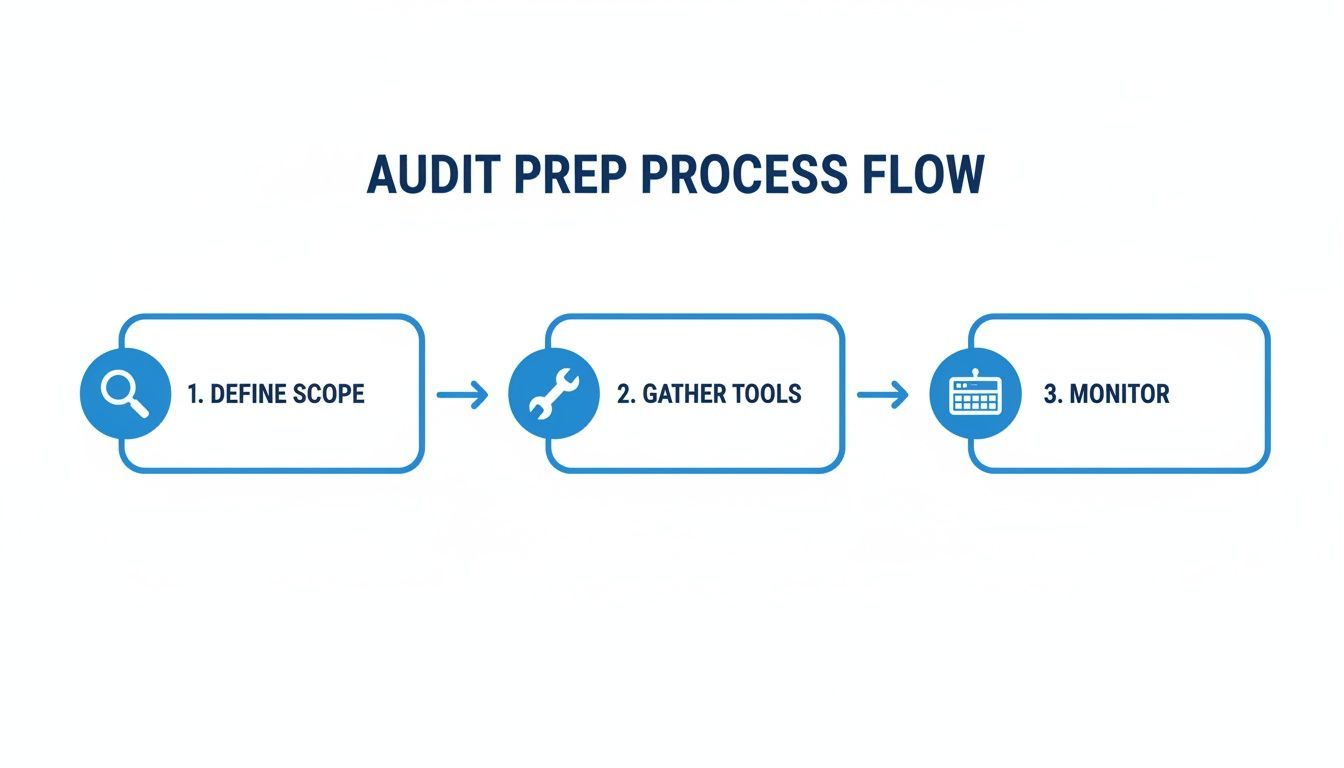
This structured workflow is your roadmap to an effective and actionable audit.
Phase 1: Crawlability and Indexability
First things first: can search engines even find your content? This is the absolute foundation of your audit. If Googlebot can't crawl your site properly, nothing else you do matters.
Your starting point is the robots.txt file. This little text file is the gatekeeper, telling search engine crawlers which parts of your site they can and can’t visit. A tiny mistake here—like a rogue Disallow: / command—can make your entire website invisible to search engines.
Next up is your XML sitemap. This file acts as a roadmap for search engines, showing them all the important URLs you want them to crawl. Make sure it's up-to-date, error-free, and only lists the canonical versions of your pages. No duplicates or redirected URLs allowed.
Finally, fire up a crawler like Screaming Frog and look for problematic HTTP status codes. A bunch of 404 (Not Found) errors means you have broken internal links creating dead ends for users and crawlers alike. Long chains of 301 (Permanent Redirect) can also dilute link equity and slow everything down.
Think of crawlability like a city's road system. If the main highways are blocked (
robots.txterrors), the maps are outdated (XML sitemap issues), and signs point to dead ends (404s), visitors—and search engines—will get lost and leave.
Phase 2: On-Page Technical Factors
Once you've confirmed that search engines can access your site, it’s time to look at the signals that help them understand what each page is about. These on-page technical elements are how you communicate your content's relevance.
Start with your title tags and meta descriptions. While meta descriptions don't directly impact rankings, they heavily influence whether someone clicks on your result. Title tags, on the other hand, are a major on-page ranking signal. Hunt down any that are missing, duplicated, or too long.
Proper header tag structure (H1, H2, H3) is also essential. Every page should have a single, clear H1 for its main topic, with subheadings creating a logical hierarchy. This isn't just for search engines; it makes your content much easier for people to read.
You also need to check for schema markup (structured data). This special code helps search engines understand specific information like product reviews, event dates, or FAQs, which can earn you eye-catching rich snippets in the search results.
Phase 3: Performance and User Experience
With the core SEO foundations covered, we shift to how people actually experience your site. Speed and usability aren't just nice extras anymore; they're critical factors that directly affect your rankings and conversions.
The big focus here is on Core Web Vitals:
Largest Contentful Paint (LCP): How fast does the main content load? You want this to be 2.5 seconds or less.
Interaction to Next Paint (INP): How quickly does the page respond to user interaction? A good score is under 200 milliseconds.
Cumulative Layout Shift (CLS): How visually stable is the page as it loads? Aim for a score below 0.1.
Tools like Google PageSpeed Insights will help you diagnose what's slowing you down. It's usually culprits like massive, uncompressed images or render-blocking JavaScript.
The other side of this coin is mobile-friendliness. Don't just rely on an automated check. Grab your phone and actually use your site. Can you easily tap the buttons? Can you read the text without pinching to zoom? A clunky mobile experience will send visitors running. For a deeper dive, our guide on how to audit a website covers these factors in more detail.
Phase 4: Security and Accessibility
The final phase tackles two non-negotiable elements: trust and inclusivity. A secure and accessible website protects your users and makes your content available to a wider audience.
First, verify that HTTPS is implemented correctly across your entire site. Every single page should load over a secure connection. Look out for "mixed content" warnings, which happen when a secure page tries to load insecure (HTTP) resources like images or scripts.
Next, run an initial accessibility scan. Use automated tools to check for compliance with standards like the Web Content Accessibility Guidelines (WCAG). These will flag common problems like missing alt text for images, poor color contrast, and form fields without labels.
Neglecting these final checks can be costly. A professional website audit can run from $1,500 to $15,000, and the issues they find are often serious. For instance, data shows that a startling 36% of websites have 4XX client-side errors. And with 98.9% of sites using JavaScript, it's crucial to ensure that content is accessible to all users and crawlers, not just those with the latest browsers.
Turning Audit Findings into an Actionable Roadmap
The raw data from a website technical audit—spreadsheets choked with URLs, status codes, and performance metrics—is powerful, but on its own, it’s just noise. The real magic happens when you translate that mountain of information into a clear, prioritized plan of attack. This is where you pivot from diagnosis to cure.
It's easy to get overwhelmed by a long list of issues. The key is to remember that not all problems are created equal. Your job is to filter out the minor distractions and zero in on the fixes that will actually move the needle on performance, rankings, and user experience.
Prioritizing Fixes with the Impact vs. Effort Framework
One of the most effective ways I've found to bring order to the chaos is the Impact vs. Effort framework. It’s a beautifully simple method for sorting every single issue into a logical priority list, making it immediately obvious where your team should spend their valuable time.
Here's the breakdown. You look at each finding through two lenses:
Impact: How much will fixing this actually help? Will it improve SEO, user experience, conversions, or security? A site-wide canonical tag issue that’s tanking your indexing is high-impact.
Effort: How much of a headache is this to fix? How much time, money, and technical skill does it demand? Updating a few dozen missing alt tags is almost always low-effort.
By plotting your findings into a simple matrix, you create a logical sequence for all the remediation work.
| Category | Description | Example Tasks |
|---|---|---|
| High Impact, Low Effort | These are your quick wins. Jump on these first to build momentum and deliver immediate, visible results. | Fixing broken internal links, optimizing key title tags, or compressing a few huge images on your most important pages. |
| High Impact, High Effort | These are the big, meaty projects. They need careful planning but offer huge rewards down the line. | A full site migration, a complete mobile UX overhaul, or implementing a comprehensive schema markup strategy. |
| Low Impact, Low Effort | Think of these as "nice-to-haves." Knock them out when there's downtime or bundle them with other tasks. | Correcting minor HTML validation errors that aren't breaking anything, or cleaning up old, unused CSS files. |
| Low Impact, High Effort | These tasks often provide a terrible return on investment. Push them to the back of the line unless they're part of a bigger strategic goal. | Rebuilding a minor, low-traffic section of the site from scratch just to shave off a few milliseconds of load time. |
This approach instantly turns a daunting list into a strategic roadmap. You can clearly see why fixing a sitewide redirect loop (high impact) is far more important than tweaking meta descriptions on low-traffic blog posts (low impact).
Crafting a Clear and Persuasive Audit Report
With your priorities straight, the next challenge is communication. Your audit report can't be a data dump; it needs to be a persuasive document that speaks to its specific audience. Developers need the technical nitty-gritty, while the marketing team needs to understand the business case.
A great audit report doesn't just list problems; it tells a story. It connects a technical issue like slow load times to a business outcome like lost revenue. It makes a compelling case for why this stuff matters.
A report that actually gets read and acted upon should include:
Executive Summary: A one-page, high-level overview. What are the key findings? What's the site's overall health score? What are the top three things we need to fix now? This is for the stakeholders who need the bottom line, fast.
Prioritized Action Plan: Present your recommendations using the Impact vs. Effort framework. For each task, clearly state the problem, the proposed fix, the estimated effort, and the expected payoff.
Detailed Findings: This is where you get technical. Organize the details by category (Crawlability, Performance, Security, etc.). Use screenshots, specific URLs, and hard data to illustrate every issue.
Ownership and Timelines: Make it real by assigning each task to a team or an individual and proposing a realistic timeline for getting it done. Accountability is everything.
This structure ensures everyone, from the C-suite to the dev team, understands what's at stake and knows exactly what part they play in fixing it.
Tracking Progress and Proving Your Worth
The job isn't done when you deliver the report. It's done when the fixes are live and you can prove they worked. Closing the loop by tracking progress and measuring results is how you demonstrate the true value of a technical audit.
This is more critical than ever, especially when you consider that only 54.6% of websites currently pass Google's Core Web Vitals standards. That means nearly half the web is failing on key performance metrics. At the same time, a shocking 23% of sites don't even have a proper XML sitemap link in their robots.txt file. To see just how much these gaps can hurt, it's worth reviewing the full SEO statistics.
To show the positive impact of your recommendations, set up a simple tracking dashboard. Monitor your key metrics before and after the fixes go live.
Organic Traffic & Rankings: Are you seeing a lift in non-branded organic traffic? Are target pages climbing the SERPs for their keywords?
Core Web Vitals: Are LCP, INP, and CLS scores improving in your Google Search Console reports?
Conversion Rate: Is the percentage of visitors completing a purchase or filling out a form going up?
Crawl Errors: Is the number of 404s and server errors reported in Search Console dropping?
By tracking these KPIs, you transform your audit from a line-item expense into a clear investment in growth. You can confidently walk into any meeting and show stakeholders exactly how fixing a technical problem led directly to better rankings, a happier user, and a healthier bottom line.
Building a Continuous Monitoring Strategy
Think of your big technical audit not as the finish line, but as the starting gun. It gives you an incredible snapshot of your website's health right now, but websites are living, breathing things. They change constantly—new content gets published, code gets updated, and user behavior evolves. To stay ahead, you need to shift from doing periodic deep-dives to embracing continuous, real-time health management.
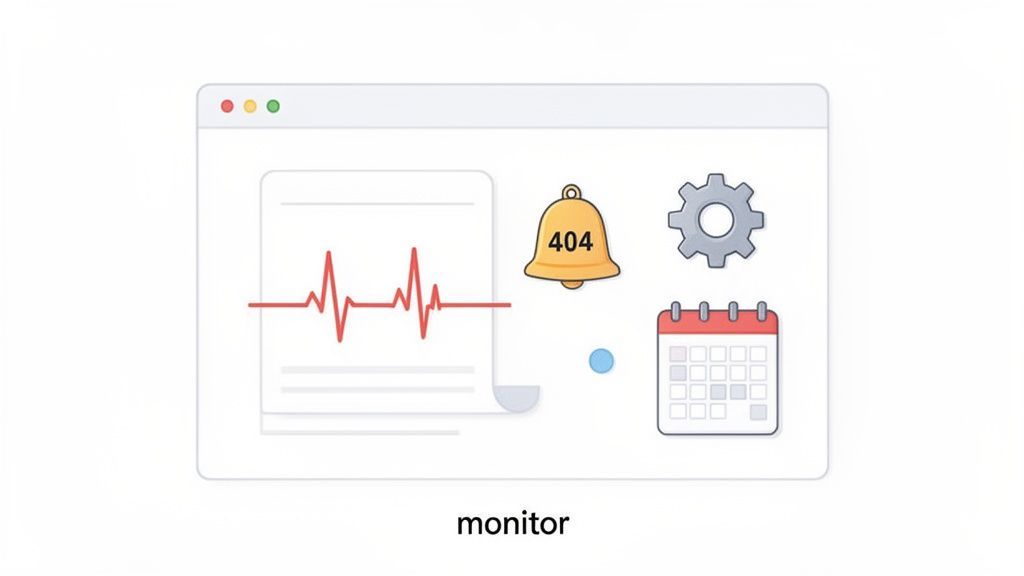
This change in mindset is what separates the pros from the amateurs. Instead of waiting for the next quarterly audit to find out a sloppy plugin update broke your entire XML sitemap, you get an alert the moment it happens. This proactive approach stops tiny issues from snowballing into massive, revenue-killing problems.
Setting Up Your Automated Watchdogs
Automation is the heart of any solid monitoring strategy. You can set up tools to keep a 24/7 watch on your site's most critical vitals, which frees up your team to work on high-impact projects instead of doing tedious manual checks. The whole point is to get an alert when things deviate from your baseline—long before your customers or Google ever notice.
Here are the absolute must-haves for your automated monitoring setup:
Uptime and Server Response: This is your first line of defense. If the site is down, nothing else matters. You need instant alerts for any server errors (5xx codes) or downtime.
New 404 Errors: A sudden flood of "Not Found" errors often points to a botched content migration or a broken internal linking structure. Daily crawls can flag new broken links as they appear.
Page Speed Degradation: Keep a close eye on your Core Web Vitals. An alert telling you the LCP on your key landing pages just tanked lets you investigate immediately. Was it a giant uncompressed image or a rogue third-party script?
Security Vulnerabilities: This is non-negotiable. Regular, automated scans for outdated software, mixed content warnings, and common vulnerabilities are essential for protecting your business and your users.
Accessibility Score Changes: A new design element or code update can easily introduce accessibility barriers without anyone realizing it. Monitoring your accessibility score provides a constant gut check on your compliance and commitment to an inclusive user experience.
The Rhythm of Audits and Monitoring
Let's be clear: continuous monitoring doesn't replace deep-dive audits. It makes them better. Your automated alerts are for the day-to-day emergencies, while your scheduled audits provide the strategic, big-picture perspective. One catches the smoke; the other inspects the foundation for fire hazards.
I always tell my clients to think of it like this: your daily monitoring is the smoke detector—it screams when there’s immediate danger. Your quarterly audit is the full home inspection—it checks the foundation, the wiring, and the plumbing to prevent future disasters. You absolutely need both.
This balanced approach creates a powerful rhythm for maintaining a technically sound website over the long haul.
Creating a Sustainable Audit Cadence
So, how often should you do the deep dives? It really depends on your site’s complexity and how often you're making changes. A simple B2B site that updates its blog twice a month has very different needs than a massive e-commerce platform with thousands of daily transactions.
Here’s a practical framework that works for most businesses:
Daily Automated Alerts: These are your always-on watchdogs for critical, show-stopping issues like downtime, major crawl errors, or security breaches.
Weekly Health Checks: Set aside 30 minutes once a week for a quick review. Pop into Google Search Console to check for new errors, glance at your site speed trends, and scan for any new accessibility red flags.
Quarterly Deep-Dive Audits: For most active websites, this is the sweet spot. A full technical audit every three months lets you benchmark against new algorithm updates, spot performance trends, and uncover deeper structural opportunities that daily monitoring will miss.
Annual Strategic Review: Once a year, take a big step back. Is the site’s architecture still serving your business goals? Is it time to start planning a platform migration? This high-level review aligns your technical roadmap with your business vision for the year ahead.
Sticking to a layered strategy like this ensures your website stays fast, secure, and competitive, turning that initial audit from a one-time project into the cornerstone of your long-term success.
Got Questions About Technical Audits? We've Got Answers
Stepping into a full technical audit can feel a little daunting, especially the first time you crack open your site's foundation. It’s natural to have questions. Let's walk through some of the most common ones I hear from clients to help you get started on the right foot.
How Often Should I Run a Technical Audit?
There's no single magic number here; the right cadence really hinges on your site's complexity and how frequently you're pushing updates.
A good rule of thumb:
For big, dynamic sites (think e-commerce platforms or bustling news hubs), you should be doing a deep-dive audit at least twice a year. Pair this with continuous, automated scanning to catch problems as they pop up.
For smaller, more static business websites, a thorough annual audit is usually enough to keep things in good shape.
But here's a non-negotiable tip for any site, regardless of size: always schedule a full audit right before or after a major change. This could be a site redesign, a platform migration, or a big pivot in your content strategy. It's the only way to ensure you're not carrying old problems into your new setup.
What Are the Most Common Problems You Find?
After doing this for years, you start to see the same patterns crop up again and again. Honestly, most audits turn up a few usual suspects.
When it comes to SEO and performance, I almost always find:
A trail of broken internal and external links (404 errors).
Painfully slow page load times, usually because of massive, uncompressed images.
Duplicate content problems, often created by messy URL parameters that confuse search engines.
Missing, duplicated, or just plain uninspired title tags.
A mobile experience that feels like an afterthought.
On the accessibility front, the repeat offenders are things like missing alt text on images, text that's hard to read because of low color contrast, and sites that are impossible to navigate without a mouse.
Can I Do This Myself, or Do I Need to Hire an Expert?
You can absolutely get your hands dirty and run a basic audit yourself. In fact, I encourage it.
Using free tools like Google Search Console and PageSpeed Insights is a fantastic way to find and fix the low-hanging fruit. This DIY approach can give you some quick wins and a much better understanding of your site's overall health.
That said, for a truly deep analysis or for more complex websites, bringing in a technical SEO specialist or an agency is a smart move. An expert won't just hand you a list of errors. They have the experience to see the why behind the data, prioritize fixes that will actually impact your bottom line, and build a strategic plan that prevents these issues from coming back.
At WebAbility.io, we integrate best-in-class accessibility and compliance checks directly into your technical health routine. Our platform provides the continuous monitoring and clear, actionable insights you need to build a site that's not just technically solid, but truly welcoming to every single user. See how WebAbility.io can help you create a better, more accessible website today.
Quick Questions
Tap to ask AI about this article