A Practical Guide to Your Next Technical Website Audit

Sidharth Nayyar

TL;DR: Your Quick Guide to a Technical Website Audit
A technical website audit is a deep dive into your site's foundation to boost performance, SEO, and conversions. Focus on these core pillars: Crawlability (ensure search engines can find and index your key pages), Performance (ace Google's Core Web Vitals for a fast user experience), and Trust (strengthen security and web accessibility). This process helps you demonstrate Experience, Expertise, Authoritativeness, and Trustworthiness (E-E-A-T), which is crucial for both users and search engines. Prioritize fixes by impact vs. effort, starting with quick wins like optimizing images and fixing broken links to drive immediate results for your conversion goals.
A technical website audit is about getting under the hood of your site to see what’s really going on. It’s a deep dive into your website's technical foundation—everything from performance and security to how easily search engines can find your content. We’re not just looking for problems; we're hunting for opportunities to improve the user experience, boost conversions, and strengthen your search rankings.
Think of a technical audit as your strategic roadmap. It moves way beyond just spotting a few broken links. It’s about understanding why certain pages are slow or why your bounce rate is high, then building a clear, prioritized plan to fix it. A proper audit showcases your brand's expertise by demonstrating a commitment to a high-quality user experience.
A successful audit always blends the raw power of automated tools with the irreplaceable nuance of manual human analysis. Tools are great for scanning thousands of pages quickly, but a human eye is what catches the subtle issues that crawlers miss. This two-pronged attack is non-negotiable for delivering a trustworthy and authoritative experience.
What Are We Actually Trying to Accomplish?
At the end of the day, a technical audit has a few core objectives. We need to make sure the site works flawlessly for both the people visiting it and the search engine bots crawling it.
- Improve the User Experience: A fast, intuitive, and accessible website keeps people on your pages and guides them toward taking action. This is a direct line to better conversion rates.
- Get Found on Google: If Google can’t crawl and index your site properly, even the best content is invisible. We fix those pathways so your most important pages, like our website audit checklist, can rank.
- Build Credibility and Trust: A secure, well-performing site sends strong signals about your brand's reliability. This directly contributes to Google's E-E-A-T (Experience, Expertise, Authoritativeness, and Trustworthiness) guidelines.
A thorough technical audit examines several interconnected pillars that together determine your site's overall health and growth potential. Here's a breakdown of the core areas you'll need to investigate.
Core Pillars of a Technical Website Audit
A summary of the essential components to check during a comprehensive technical audit and why they matter for growth.
| Audit Pillar | Primary Goal | Key Metrics & Tools |
|---|---|---|
| Performance | Ensure a fast and responsive user experience. | Core Web Vitals (LCP, FID, CLS), TTFB, Speed Index. Tools: PageSpeed Insights, GTmetrix. |
| SEO & Crawlability | Make it easy for search engines to find, crawl, and index your content. | Crawl errors, index coverage, sitemap health, robots.txt. Tools: Screaming Frog, Google Search Console. |
| Accessibility | Make the site usable for everyone, including people with disabilities. | WCAG 2.1/2.2 compliance, keyboard navigation, screen reader compatibility. Tools: WAVE, AXE, WebAbility.io. |
| Security | Protect the site and its users from threats and vulnerabilities. | HTTPS status, mixed content issues, software versions, security headers. Tools: Snyk, SSL Labs. |
Each pillar influences the others. For instance, poor performance can hurt your SEO, and security vulnerabilities can completely tank your user trust and rankings. A holistic approach is the only way to get a true picture.
For a detailed, step-by-step guide to follow during your audit, a comprehensive checklist is invaluable. An Ultimate Website Audit Checklist can help ensure you don't miss any critical elements while you work.
Before you even think about running a crawler, let's talk about what really makes a technical website audit work. It’s not about the tools or the checklists, at least not at first. A successful audit starts with a clear, strategic purpose tied directly to what your business is trying to achieve.
Too many audits end up as a massive data dump with no clear direction. To avoid that, you have to define the scope from day one. Are you trying to figure out why organic traffic suddenly tanked? Getting ready for a risky site migration? Or just doing a routine health check? Each of these scenarios demands a completely different lens.
Defining Your Audit Objectives
Without concrete targets, you’ll just be chasing a long list of technical "maybes." The real goal is to set measurable benchmarks that connect a technical fix to a tangible business outcome. This is how you turn an audit from a simple cost into a genuine growth driver.
So, what does that look like in practice? Think in terms of specific, time-bound goals:
- Improve Core Web Vitals: Aim to boost the site-wide LCP (Largest Contentful Paint) score by 20% over the next quarter.
- Enhance Accessibility: Set a goal to reach full WCAG 2.1 AA compliance. This is something you can track with continuous monitoring. Our team can help map out that journey; feel free to get in touch with our experts to see how.
- Reduce Crawl Errors: Make it a priority to cut down the 4xx errors in Google Search Console by 90% in the next 30 days.
My experience has consistently shown that setting SMART (Specific, Measurable, Achievable, Relevant, Time-bound) goals is what separates a good audit from a great one. It's the difference between just collecting data and creating real intelligence that moves the needle on conversions.
Assembling Your Audit Toolkit
Once you know what you're aiming for, it’s time to gather your tools. I’ve learned over the years that there's no magic bullet—no single tool does it all. You'll need a solid combination of platforms to get a complete picture of your site's health.
Here’s a look at what a well-rounded toolkit usually includes:
- Website Crawlers: Tools like Screaming Frog or Semrush are non-negotiable. They are the workhorses that spider your site to uncover broken links, redirect chains, duplicate content, and other deep-seated architectural problems.
- Performance Analyzers: For measuring Core Web Vitals and diagnosing what’s making your pages sluggish, Google PageSpeed Insights and GTmetrix are my go-to's.
- Accessibility Scanners: Automated scanners give you the initial lay of the land for usability issues, which is a crucial starting point for a deeper manual review. A platform like WebAbility.io takes it a step further with continuous scanning, helping you track compliance over the long haul.
- Core Analytics Platforms: You can’t do this without Google Search Console and Google Analytics. They provide the essential baseline data on organic performance, user behavior, and current visibility—everything you need to measure the impact of your fixes.
Taking the time to handle this prep work upfront ensures your audit is a focused, strategic project, not just a technical fishing expedition. It gets everyone on the same page and guarantees your findings will lead to actions that genuinely improve your site's E-E-A-T and bottom line.
Diagnosing Crawlability and Indexation Issues
Let’s get one thing straight: if Google can't find and understand your content, it might as well not exist. This is the absolute bedrock of a technical website audit—making sure search engine bots can efficiently crawl your site and index your most important pages.
We’re essentially playing detective, figuring out exactly how Googlebot sees your site. This means digging into your crawl budget, fixing broken pathways, and ensuring your sitemap and robots.txt file are actually helping, not hurting you.
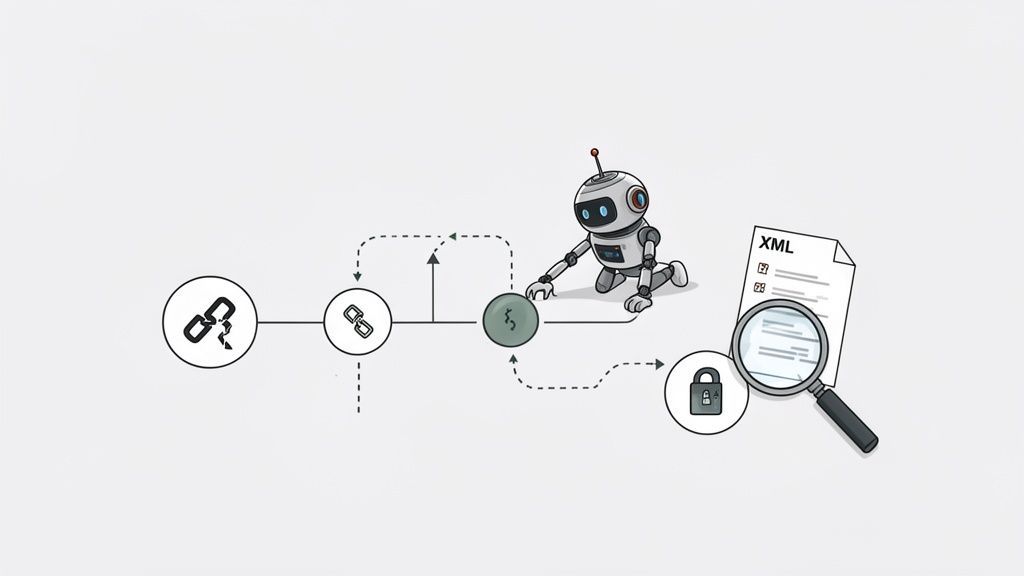
Think of your website as a massive library and Googlebot as the librarian. If the cataloging system is a disaster, entire sections are blocked off, or books are in the wrong place, your best work will just sit on a shelf collecting dust. This isn't just theory; it's a forensic investigation into how bots spend their limited time—their crawl budget—on your site.
Are You Wasting Your Crawl Budget?
Every site gets a finite amount of attention from Google. You have to ensure that attention is laser-focused on pages that can actually rank and convert, not wasted on broken links, endless redirect chains, or low-value pages with tracking parameters.
This problem is more common than you'd think. I've audited countless sites where the majority of bot traffic was hitting dead ends or duplicate pages. Recent 2026 industry analyses found a staggering 68% of sites are wasting crawl budget on irrelevant URLs. That’s not a minor glitch; it’s a silent killer of organic traffic. More data from enterprise audits shows that over 60% of large sites have canonical errors or broken hreflang setups, which splinters their authority and torpedoes keyword rankings. You can dig into a full 50-point checklist and more of these findings in these technical SEO audit industry reports.
Your first move should be to analyze your server log files. This is the only way to see the raw, unfiltered truth of what Googlebot is doing on your site—which URLs it hits, how often, and what it finds there.
Keep an eye out for red flags like:
- Crawling tons of non-canonical URLs: Are bots wasting time on
?color=blueand?sort=priceversions of your product pages? - Hitting 404 pages over and over: A high volume of crawls to non-existent pages points to a major internal linking issue.
- Following long redirect chains: Bots shouldn't have to jump through hoops. Every redirect burns a piece of your crawl budget.
Giving Search Engines the Right Signals
Once you know bots can find your pages, you have to give them clear instructions on which ones to actually index and show in search results. This is where your indexation directives come in, and a small mistake here can have massive consequences.
During your audit, you absolutely must check these three things:
Your
robots.txtFile: This is the first stop for any crawler. My own experience has shown that a single misplacedDisallow: /can completely de-index a client's site overnight. Make sure you aren't accidentally blocking crucial CSS or JavaScript files, which stops Google from rendering your pages correctly.Meta Robots Tags: Hunt for
noindextags on pages you want to rank. This is a classic mistake, often happening when a developer migrates a site from a staging environment and forgets to remove the "discourage search engines" setting.Canonical Tags: The
rel="canonical"tag is your way of telling search engines which version of a page is the "master copy." This is non-negotiable for e-commerce sites with filtered navigation. If your product page at/widgets/widget-xhas a canonical tag pointing to your homepage, you can kiss its rankings goodbye.
A correctly implemented canonical tag is one of the most powerful tools for consolidating link equity and preventing duplicate content issues. It's your way of telling Google, "Of all these similar pages, this is the one that matters."
The Payoff of a Clean Site Architecture
A clean, logical site structure makes life easier for everyone—users and search bots included. As you move through the audit, don’t neglect the underlying architecture.
Your XML sitemap, for instance, is your opportunity to hand-deliver a clean list of your most important URLs directly to Google. Make sure it’s error-free, submitted in Google Search Console, and only contains URLs that return a 200 status code. No 404s, no redirects, and no non-canonical pages allowed.
Finally, you need to hunt down and eliminate broken internal links and messy redirect chains. A tool like Screaming Frog is perfect for finding these problems at scale. Every broken link is a dead end that traps link equity and frustrates users. For our clients, we often set up automated monitoring to catch new 404 errors as they happen, turning a reactive chore into a proactive process. This is a key feature in advanced platforms like WebAbility.io.
By clearing these technical roadblocks, you’re paving the way for search engines to properly evaluate and reward your content. This foundational work is what makes everything else—from content marketing to CRO—actually work.
Let's be blunt: a slow website is a broken website. In a world where user patience is measured in milliseconds, performance isn't a feature—it's the foundation of the entire user experience. This part of your technical website audit cuts straight to the metrics that dictate bounce rates, conversions, and your standing with Google.
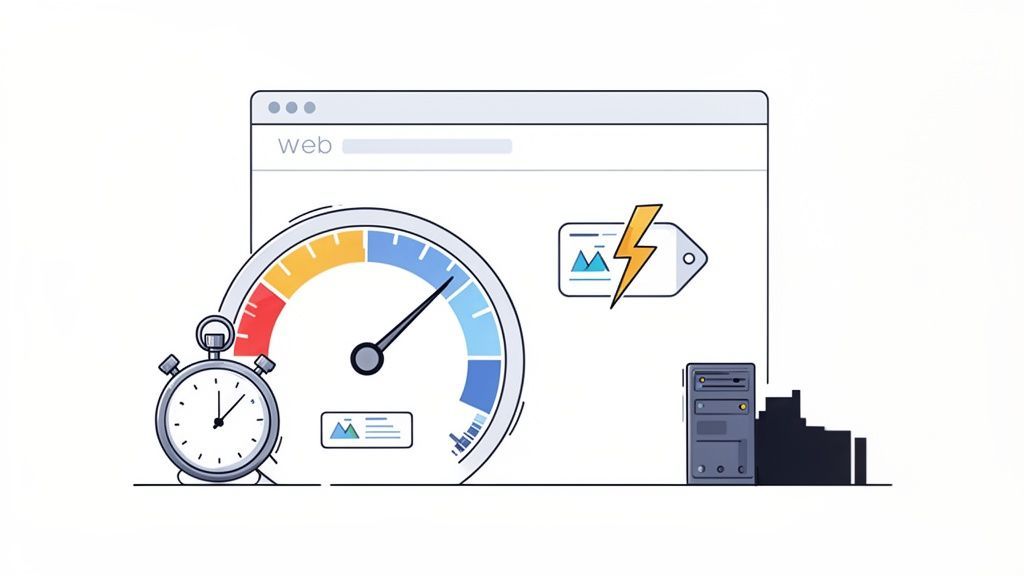
Think of speed as a direct signal of your brand's credibility. A snappy, responsive site feels professional and reliable, which is a massive boost for your E-E-A-T (Experience, Expertise, Authoritativeness, and Trust). A sluggish site does the exact opposite, eroding trust before a visitor ever reads a single word.
The data doesn't lie. Many websites are failing this basic test. As of November 2025, the Chrome UX Report reveals that only 54.6% of websites pass Google's Core Web Vitals assessment. That’s a staggering number of sites leaving money on the table.
We've seen it time and again: e-commerce sites that get serious about performance audits cut 42% of 4xx/5xx errors and slash 0.9 seconds off their LCP. The result? A 13% jump in organic sessions. The impact is real, and you can explore more SEO statistics to see just how closely these numbers are tied to success.
Mastering Google’s Core Web Vitals
Your performance audit has to start with Google's Core Web Vitals. These aren't just arbitrary numbers; they are Google’s attempt to quantify real-world user experience, and they are a confirmed ranking factor.
Here’s what you need to focus on:
- Largest Contentful Paint (LCP): This is all about loading speed. It measures how long it takes for the largest visual element to appear on the screen. Your target is 2.5 seconds or less.
- Interaction to Next Paint (INP): This metric gauges responsiveness. It tracks the delay between a user's action (like a click) and the visual response from the page. A good INP score is under 200 milliseconds.
- Cumulative Layout Shift (CLS): This measures visual stability. It catches those annoying moments when content jumps around as the page loads. Aim for a CLS score of 0.1 or less.
Your go-to tools for this are Google PageSpeed Insights and GTmetrix. They're indispensable, giving you both "lab" data from a controlled environment and "field" data from actual users to paint a complete performance picture.
Diagnosing the Root Causes of Slowness
Once you have your benchmark scores, the real detective work begins: figuring out why the site is slow. Poor performance is rarely due to a single issue; it's usually a combination of factors. A thorough technical audit is all about uncovering these culprits.
My professional experience shows these same performance bottlenecks pop up constantly:
- Large, Unoptimized Images: This is the low-hanging fruit and often the biggest offender. High-res images uploaded directly from a camera or a designer’s desktop can absolutely kill your LCP.
- Render-Blocking JavaScript and CSS: If the browser has to download and process a bunch of scripts and stylesheets before it can show anything on the page, users are left staring at a blank screen. It’s a guaranteed way to increase your bounce rate.
- Slow Server Response Time (TTFB): Time to First Byte measures how quickly your server responds to a request. A high TTFB points to problems like cheap hosting, a bloated database, or clunky server-side code.
A one-second delay in page load time can tank conversions by 7% and reduce page views by 11%. For a site that makes $100,000 a day, that single second could translate into $2.5 million in lost revenue over a year. It's a direct hit to the bottom line.
High-Impact Fixes for a Faster Website
After you’ve diagnosed the problems, it’s time to focus on high-impact fixes that produce the most significant gains. Don't get lost in the weeds with micro-optimizations; start with the big wins. Our full guide on how to audit a website also provides a detailed walkthrough of this entire process.
Here are the optimizations that consistently deliver the best results:
1. Aggressive Asset Compression Every single asset—images, scripts, CSS files—needs to be squeezed down to its smallest possible size. Start using modern image formats like WebP, which provides much better compression than older formats. You can use a tool like Squoosh for manual optimization or set up an automated pipeline with command-line tools.
2. Implement Lazy Loading Why load an image or video at the bottom of the page if the user never scrolls down? Lazy loading defers loading these off-screen assets until they're actually needed. This is a game-changer for improving initial page load times and saving bandwidth, especially on mobile.
3. Leverage Browser Caching You can tell a user's browser to save a local copy of your site's static files (logo, CSS, JavaScript). By setting the right cache-control headers, return visitors won't have to re-download everything. The page will feel like it loads instantly, creating a much better experience.
Ultimately, performance optimization isn't about chasing perfect scores for Google. It's about respecting your user's time. You're building an experience so seamless they can focus on what you have to say, not on a loading spinner.
An audit that stops at SEO and performance is only half-finished. These days, a truly comprehensive technical audit must also tackle accessibility and security. These aren't just bonus features; they are foundational pillars for user trust, legal compliance, and demonstrating the "Trustworthiness" that Google now looks for in its E-E-A-T framework.
Think of it this way: getting these two areas right makes your website safer and more welcoming for every visitor. It’s about building a solid, reputable online presence that protects your brand and your users.
A Practical Look at Web Accessibility
Website accessibility is all about making sure people with disabilities can actually use your site. It’s a legal minefield in many places, but more importantly, it's the right thing to do. Ignoring it means you're intentionally shutting out about 16% of the world's population—and their spending power. An accessible site directly increases your potential customer base and improves CRO.
A proper accessibility audit is a two-pronged attack: you need both automated tools and real, human testing.
- Automated Scanning: Fire up a scanner, and it will crawl your site in minutes, flagging common, code-based issues. Think missing alt text on images, color combinations with poor contrast, or form fields without labels. This gives you a quick, high-level view of where you stand against standards like the WCAG 2.1 AA.
- Manual Testing: This is where the real work happens. Can you actually navigate the entire site using just your keyboard? What happens when you run it through a screen reader? Automated tools can't tell you if the user journey is frustrating or confusing; only manual testing can uncover those crucial experience gaps.
Based on years of hands-on experience, a perfect score on an automated report means nothing if a real person can't accomplish their goal on your site. The whole point is to blend data-driven insights from scans with the human-centric feedback from manual testing.
Of course, accessibility isn't a "one and done" project. Your site changes, content gets updated, and new issues can crop up. This is where continuous monitoring becomes essential. Managed solutions and platforms like WebAbility.io can automate the scanning part, giving you dashboards and trend data to track your progress. It turns accessibility from a frantic, once-a-year audit into a manageable, ongoing part of your operations. If you want to dive deeper into this process, we've laid out the entire framework in our guide to conducting a web accessibility audit.
Don't Forget These Essential Security Checks
A single security flaw can demolish user trust overnight. We’re talking data breaches, search engine blacklisting, and serious financial damage. Your technical audit has to include a baseline security review to spot and fix the low-hanging fruit before attackers do.
At a minimum, your security checklist needs to cover the fundamentals that protect your users and your infrastructure. These are absolutely non-negotiable.
Verify Sitewide HTTPS
It’s 2024. Every single URL on your website must load over HTTPS, period. This encrypts the connection between the browser and your server, shielding sensitive data like passwords and credit card numbers from prying eyes.
When auditing, look specifically for:
- Mixed Content Warnings: This is a classic mistake. It happens when a secure (HTTPS) page tries to load an insecure (HTTP) resource, like an image or a script. Most browsers will block this content, breaking your layout and throwing up a scary warning message to your visitor.
- Weak Redirects: Make sure that any request for an HTTP version of a page is immediately and permanently redirected to its HTTPS counterpart using a 301 redirect.
Implement Secure Headers
HTTP security headers are one of the most effective, low-effort security measures you can implement. They are basically simple instructions your server sends to the user’s browser, telling it how to operate safely.
These headers can prevent common attacks like cross-site scripting (XSS) and clickjacking. Key headers you should always check for are Content Security Policy (CSP), X-Content-Type-Options, and Strict-Transport-Security (HSTS).
By baking accessibility and security into your technical audit process, you're sending a clear message: you're committed to a safe, inclusive experience. This doesn't just build incredible trust with your audience—it also directly bolsters your site’s authority and credibility.
Turning Your Audit into an Action Plan
An audit report gathering dust on a server is completely useless. The real value comes from the improvements it drives. You’ve done the hard work of collecting the data; now it’s time to translate those raw findings into a clear, prioritized roadmap your team can actually execute.
This is where the rubber meets the road. The goal isn't just to point out flaws, but to build a plan that gets quick results, creates momentum, and shifts the team's mindset from one-off fixes to continuous improvement.
Creating Your Remediation Matrix
First things first, you need to get all your findings organized. I've found that a remediation matrix is the best way to do this. It’s a simple but powerful tool for sorting every issue by its business impact versus the effort needed to fix it.
I usually think of it as a four-quadrant grid:
- High Impact, Low Effort (Quick Wins): These are your immediate priorities. Things like fixing a broken
noindextag on a key landing page or compressing a few oversized hero images can give you a massive return with just a little developer time. - High Impact, High Effort (Major Projects): These are the bigger-ticket items—think a full accessibility overhaul or a major refactor of render-blocking code. They need proper planning and resources, but the payoff is huge.
- Low Impact, Low Effort (Fill-In Tasks): These are the small cleanup jobs you can hand off to developers when they have a spare hour. Fixing a handful of broken internal links or adding missing alt text to a few images fits perfectly here.
- Low Impact, High Effort (Re-evaluate Later): Be honest, these are the issues that usually get put on the back burner, and often for good reason. A complete CMS migration just to address a few minor admin annoyances is a classic example.
Using this framework helps you lock in some early victories and prove the audit’s value right away. That success makes it much easier to get buy-in for the more resource-heavy projects down the line.
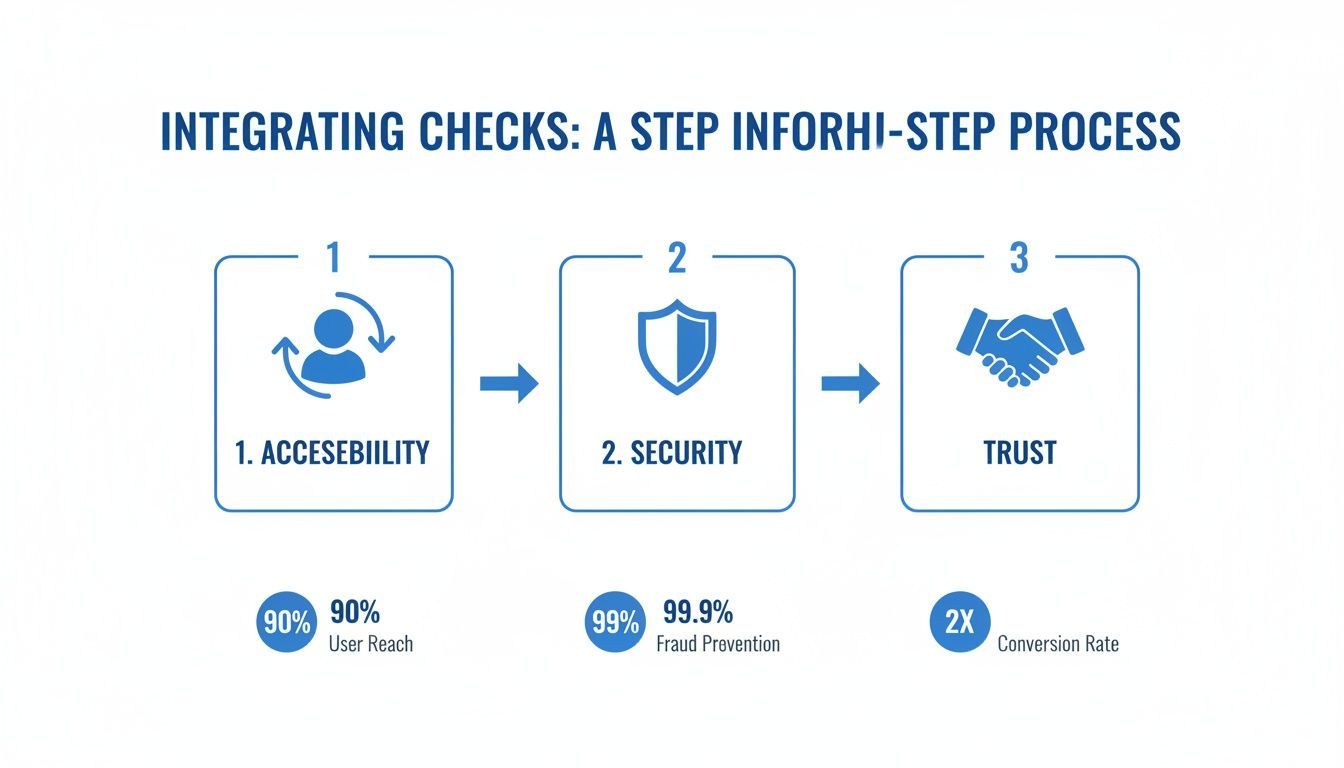
As you can see, these core checks are all connected. A site that’s secure and accessible naturally builds the kind of user trust that ultimately fuels conversions.
Tailoring Reports for Your Audience
Nobody wants to read a 100-page spreadsheet detailing every single 404 error you found. You have to craft your reports for the person reading them.
My expert opinion is that an effective audit report tells the right story to the right person. Executives need the 'why,' managers need the 'what,' and developers need the 'how.'
- For the C-Suite: Give them a one-page executive summary. Focus entirely on business impact—talk about potential revenue gains, risk mitigation, and where you stand against competitors. Use clear charts and graphs to make your point.
- For the Dev Team: This is where you get granular. Create detailed, actionable tickets. Each ticket needs to spell out what the issue is, the specific URLs where it occurs, why it's a problem, and clear guidance on how to fix it.
Shifting to Continuous Monitoring
A one-time audit is a great start, but the real goal is to move beyond that. You want to build a sustainable process where you're always monitoring your site's health, not just checking in once a year. This means getting automated alerts in place for critical issues.
Our comprehensive website audit checklist is a great resource for getting these initial processes set up.
Modern platforms like WebAbility.io can automate accessibility scans and alert you the moment a new issue pops up. This stops small code changes from becoming major user experience problems or, worse, legal liabilities.
This proactive approach gets your team out of the constant fire-fighting loop and into a rhythm of maintaining a healthy, high-performing website. That's the sustainable path to growing your authority, building trust, and boosting your bottom line.
Frequently Asked Questions
Look, I get it. Technical audits can feel overwhelming. Let’s cut through the noise and answer some of the most common questions I hear from clients.
The short version? Aim for a full technical website audit every 6-12 months. If your site is constantly changing, you’ll need to do it more often. Always prioritize the big stuff first—crawlability, Core Web Vitals, and any major accessibility blockers.
How Often Should I Perform a Technical Website Audit?
This really depends on your website. If you're running a big, dynamic site like an e-commerce store or a news hub with content changing daily, a mini-audit every month and a deep dive every quarter is a smart move.
For smaller, more static business sites, a thorough audit every 6 to 12 months usually does the trick. The non-negotiable rule? Always run an audit before and after any major change, like a site migration, a platform switch, or a complete redesign.
This keeps you ahead of the game. Waiting for your traffic to tank before you look for problems is a reactive move that’s already costing you money and search engine authority.
What Are the Most Common Critical Issues Found in an Audit?
From my experience, the most damaging issues are almost always the simplest. I'm talking about crawlability roadblocks, like a misconfigured robots.txt file, or widespread indexation errors, where someone accidentally added noindex tags to half your product pages.
Poor Core Web Vitals scores and significant accessibility barriers that stop users from actually buying something or filling out a form are also at the top of the list.
You have to fix these first. There's no way around it. A single misplaced line in your
robots.txtcan literally make your entire site invisible to Google. Slow load times will kill your conversion rates. Tackling these foundational problems is where you'll see the biggest and fastest wins.
Can I Perform a Technical Audit Myself?
Absolutely. You can get a surprisingly long way with free tools like Google Search Console and PageSpeed Insights, and this guide gives you a solid framework to follow. For a basic check-up, it’s a great place to start.
However, once you get into complex issues or you're dealing with a massive website, calling in a technical SEO specialist often delivers a much better return on your investment. An expert has seen these problems hundreds of times, so they can quickly pinpoint the root cause, prioritize fixes based on what will actually impact your bottom line, and lay out a clear remediation plan.
For more general questions about this process, you might find what you're looking for in these Frequently Asked Questions (FAQs).
Ready to turn your audit findings into a compliant, user-friendly experience? WebAbility.io provides continuous accessibility monitoring and automated remediation tools to help you achieve and maintain compliance effortlessly. Start your free trial at https://www.webability.io and make your website work for everyone.
Quick Questions
Tap to ask AI about this article