TL;DR: Assistive technology (AT) is any tool, from a simple pencil grip to advanced software, that helps people with disabilities perform tasks more easily and live more independently. It bridges the gap between a person's abilities and their goals in education, work, and daily life. For websites, AT works best when the site is built to be accessible, creating a seamless experience for everyone.
Think of assistive technology as a bridge. On one side, you have a task someone wants to do—read a book, send an email, or get around town. On the other side, you have a disability that makes that task difficult or impossible. Assistive technology is the bridge that connects the two, making the task achievable.
It can be a simple magnifying glass for someone with low vision or sophisticated software that gives a voice to someone who cannot speak. The goal is always the same: empowerment. It's about fostering independence at home, in the classroom, and on the job.
Your Quick Guide to Assistive Technology
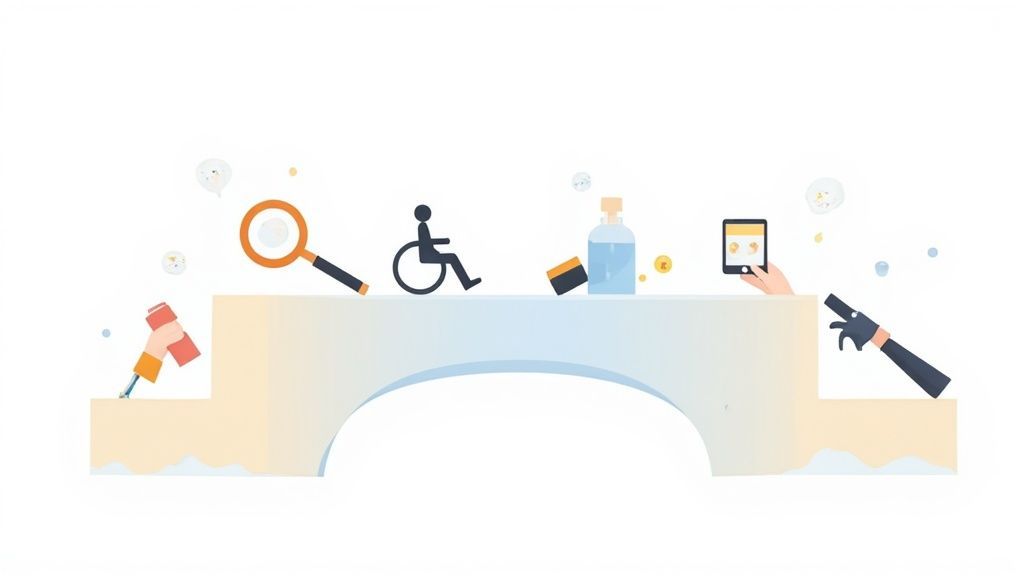
Assistive technology, often just called AT, is a massive category of tools, software, and equipment built to help people with disabilities learn, work, and live more fully. It’s not about giving anyone an unfair advantage; it’s about creating equal access and opportunity. AT is all about leveling the playing field.
The best way to understand it is to think of AT as a personalized solution to a very specific problem. A student with dyslexia might rely on text-to-speech software to get through their reading assignments. Someone with limited mobility could use a voice-activated smart home system to control their lights and thermostat. These aren't futuristic concepts—they are practical tools making a real difference right now.
The Impact on Daily Life
The real magic of assistive technology is how it unlocks a person's potential. By systematically removing barriers, these tools open the door to fuller participation in just about every part of life.
Education: AT helps students actually engage with their class materials and show what they know, rather than getting stuck on the format.
Employment: It creates pathways to careers by providing the support needed to handle professional responsibilities.
Community: These tools are vital for fostering connections, whether it's through social media or participating in local events.
For parents looking into different learning models, understanding how AT fits in is key. Resources on finding suitable online courses for SEN children often highlight how technology can be integrated for a more inclusive educational experience.
Ultimately, the core purpose of assistive technology is to promote independence. It empowers people to take control, express themselves, and share their unique talents with the world.
This guide will walk you through the major types of AT and how they're used in the real world, giving you a solid foundation for understanding how these remarkable tools are changing lives.
What Exactly Is Assistive Technology?
Let's break down what we mean by "assistive technology for people with disabilities." Instead of getting tangled in technical jargon, think of it as a bridge. Just like you'd use a ladder to reach a high shelf, a person with a disability might use a piece of AT to bridge a gap between their own abilities and the task they want to accomplish.
At its core, this is about human ingenuity focused on a single, powerful idea: empowerment. Every piece of assistive tech is designed to provide the right support, right when it's needed, helping someone live with greater freedom and independence.
A Spectrum of Solutions
Assistive technology isn't a one-size-fits-all category. It exists on a vast spectrum, ranging from simple, everyday items to incredibly advanced digital systems. This diversity is key, as it allows for solutions to be tailored to very specific and personal needs.
Low-Tech Solutions: These are often straightforward, inexpensive items that don't require much, if any, training to use. Think of a student with fine motor challenges using a specialized pencil grip to write, or someone with low vision using a simple magnifying glass.
High-Tech Solutions: On the other end of the spectrum, you find complex electronic devices. This is where things like eye-tracking systems—which allow a person with paralysis to control a computer—or advanced speech-generating devices that give a voice to non-verbal individuals come into play.
Whether it’s low-tech or high-tech, the purpose is identical: to minimize or completely remove a barrier. This focus on function is what truly defines assistive technology. For a deeper dive, you can explore our full glossary entry on assistive technology.
More Than Just a Convenience
It’s so important to remember that for millions of people, AT isn't a "nice-to-have" gadget. It's an absolute necessity for full participation in society. It’s the key that unlocks a classroom door, opens up job opportunities, and makes it possible to connect with friends and family.
Assistive technology is about ensuring equal access to opportunity. It empowers individuals to live, work, and participate in society on their own terms, transforming potential into achievement.
The growing understanding of its impact is clear when you look at the market. The global assistive technology market has grown significantly, with recent valuations estimated between $23.03 billion and $33.25 billion. It's projected to climb even higher, to around $25.34 billion to $30.4 billion by 2025, according to reports like this one from Coherent Market Insights. This isn't just about numbers; it reflects a massive global effort to support independence.
When we see assistive technology as a collection of problem-solving tools, we can appreciate it for what it is: a cornerstone of an inclusive world. These tools adapt to the person, not the other way around, making them a deeply personal and powerful catalyst for change.
When you hear the term assistive technology (AT), it's easy to picture complex, high-tech gadgets straight out of a sci-fi movie. But the reality is much simpler and more practical. At its core, AT is any tool, piece of equipment, or system that helps a person with a disability work around a challenge.
It could be a specially designed grip that makes it easier to hold a pencil. Or it could be a sophisticated computer system controlled entirely by eye movements. The technology itself isn't the point—the goal is always to enhance independence and create opportunities in every part of life.
A Look at the Main Types of Assistive Tools
To really get a feel for the impact of assistive technology, you have to see it in action. These aren’t just abstract concepts; they're tangible, real-world solutions that millions of people depend on every single day for everything from communicating with loved ones to navigating the digital world.
From simple, low-tech aids to advanced digital platforms, these tools cover a surprisingly wide range. Let’s break down some of the key categories to see how each one becomes a genuine game-changer for the person using it.
This spectrum is what makes AT so powerful. It’s not a one-size-fits-all solution but a continuum of support that can be tailored to an individual's specific needs, as this graphic shows.
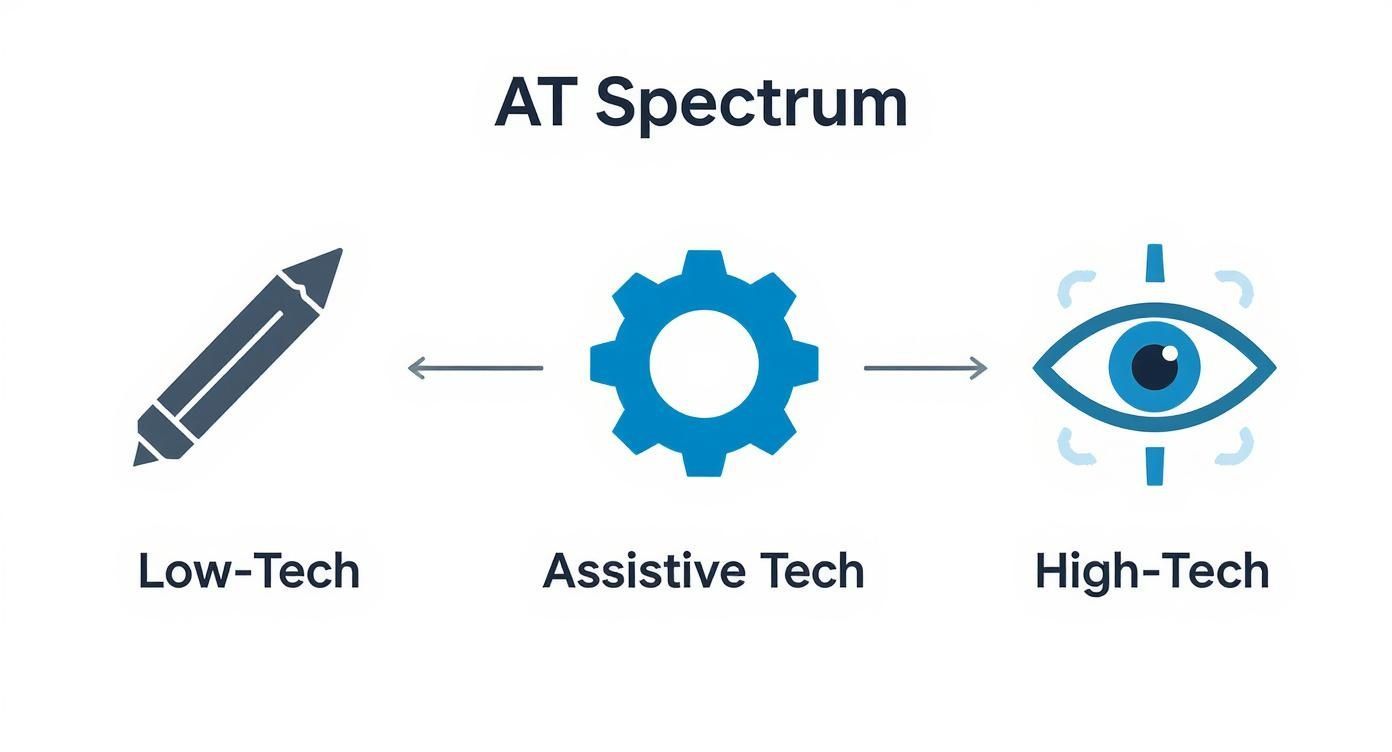
As you can see, it’s not all about electronics. Sometimes the simplest tool makes the biggest difference.
Aids for Vision Impairments
For someone who is blind or has low vision, navigating both the physical and digital worlds can be full of barriers. Assistive technology in this space is all about translating visual information into a format they can understand, usually through hearing or touch.
One of the most foundational tools here is the screen reader. This is a piece of software that interprets everything on a computer or phone screen—text, buttons, images with descriptive alt text—and reads it all out loud in a synthesized voice. For many, programs like JAWS (Job Access With Speech) or the open-source NVDA (NonVisual Desktop Access) are absolutely essential for using a computer.
Another key piece of hardware is a refreshable Braille display. This device hooks up to a computer and translates the text on the screen into raised Braille dots, allowing a user to read websites, documents, and emails with their fingertips.
Assistive technology for vision impairments is all about building alternate pathways to information. It ensures that a person's ability to learn, work, and connect isn't held back by their sight.
Tools for Mobility and Physical Access
When most people think of AT, mobility aids are often what come to mind first. And while things like wheelchairs and walkers are classic examples, this category has expanded to include some incredibly advanced technologies.
For instance, adaptive switches are a powerful way for people with significant physical limitations to control their environment. These switches can be activated with a simple touch, a puff of air, or a slight head movement. Hook one up to a computer or a smart home device, and suddenly someone with limited motor control can send an email, turn on the lights, or browse the web.
Prosthetic limbs have also come an incredibly long way. Modern prosthetics often contain microprocessors that analyze and adapt to a person’s gait in real time, making walking feel more natural and stable than ever before.
Aids for Hearing and Communication
Communication is the bedrock of human connection. For those with hearing, speech, or language impairments, assistive technology provides a critical bridge.
Hearing Aids and Cochlear Implants: These small electronic devices either amplify sound or bypass damaged parts of the ear to directly stimulate the auditory nerve, helping people with hearing loss better perceive speech and sounds around them.
Speech-Generating Devices (SGDs): You might also hear these called augmentative and alternative communication (AAC) devices. They give a voice to those who can't speak by allowing them to select words, phrases, or symbols on a screen, which the device then speaks aloud for them.
Real-Time Captioning Software: This technology is a lifesaver in professional and educational settings. It automatically transcribes spoken language into written text, making meetings, lectures, and even phone calls accessible to people who are deaf or hard of hearing.
You can dive deeper into these solutions in our detailed guide on the main assistive technology types.
Ultimately, these tools are about so much more than just function. They’re about inclusion, ensuring everyone has the chance to participate in the conversation. Each piece of assistive technology for people with disabilities is a vital link that empowers users to express themselves and engage with their communities with confidence.
How Technology Supports Learning and Cognition
For people navigating learning and cognitive disabilities like dyslexia or ADHD, the right technology isn't just helpful—it's often the key to unlocking their full potential. Tools like text-to-speech software, digital organizers, and specialized focus aids work by reducing the mental heavy lifting, which makes it much easier to process information, stay on top of tasks, and get things done. This technology is all about building confidence and paving a smoother path to success, both in the classroom and in the workplace.
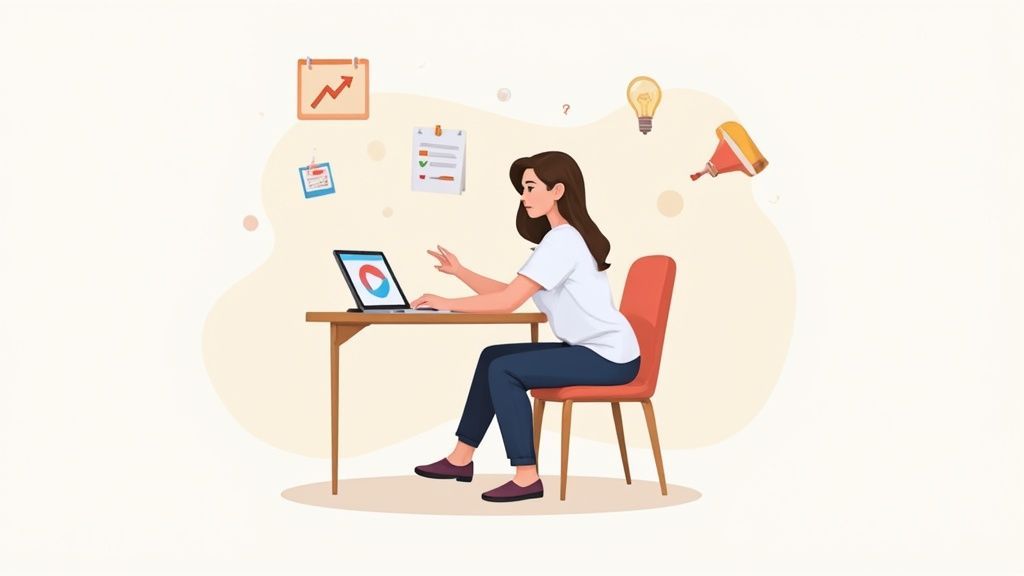
Beyond tools for physical and sensory needs, assistive technology for people with disabilities is making huge strides in supporting how we learn and think. For anyone with dyslexia, ADHD, or challenges with executive function, the right tech can truly be the difference between constantly struggling and finally thriving.
These tools aren't about creating a crutch or replacing a person's skills. Think of them more like a digital co-pilot, helping manage tasks, make sense of information, and keep focus in a world that’s full of distractions. The main idea is to lower the cognitive load, which frees up precious mental energy for what really matters: learning, creating, and solving problems.
Tools for Reading and Writing Support
For a lot of people, just looking at a dense block of text or trying to organize thoughts into a clear paragraph can feel like hitting a wall. Cognitive assistive technologies are designed to break down that wall, creating a much more accessible way to engage with the written word.
One of the most powerful examples is text-to-speech (TTS) software. Picture a textbook or a long report being read aloud in a natural, clear voice. For someone with dyslexia, this instantly removes the struggle of decoding words, letting them jump straight to understanding the meaning behind them.
In the same way, speech-to-text (or dictation) software is a lifesaver for users who find typing, spelling, or grammar to be a major obstacle. They can just speak their thoughts, and the software gets it all down on the screen quickly and accurately.
The real magic of these tools is how they separate the mechanics of reading and writing from the thinking part of understanding and creating. This gives users the freedom to engage with information and share their ideas without getting bogged down.
Enhancing Organization and Focus
Executive functions—those critical mental skills that help us manage time, stay organized, and maintain focus—are another area where technology can offer incredible support. For someone with ADHD or other cognitive differences, just keeping a schedule or staying on one task can feel like a constant uphill battle.
Digital tools bring much-needed structure to these challenges:
Smart Calendars and Reminders: Apps that use visual schedules, timed pop-up alerts, and step-by-step checklists help people manage their day and never miss a deadline.
Note-Taking and Mind-Mapping Software: Instead of forcing ideas into a rigid outline, these tools let you organize them visually and non-linearly, which is far more intuitive for many learners.
Focus Aids and Distraction Blockers: Sometimes, the simplest tools are the most effective. Apps that block distracting websites for a while or play ambient sounds can help create a quiet, controlled digital workspace.
It's no surprise the assistive technology market is growing so quickly. Innovations in artificial intelligence and machine learning are making these tools smarter and more personalized than ever before. In fact, the market is projected to grow by an incredible $6.3 billion between 2025 and 2029.
On top of these specialized apps, even general AI homework helper tools can lighten the academic load and help students with disabilities learn more independently. By helping with research and structuring information, these tools are a fantastic supplement to traditional assistive tech. At the end of the day, it's not just about managing tasks—it's about building lasting habits and empowering people with a real sense of control and accomplishment.
Connecting Personal Tools with Web Accessibility
Think of it this way: assistive technology, like a screen reader, is a key. But that key is useless if a website isn't built with the right lock. Web accessibility platforms help businesses build websites that are compatible with the tools people already use. This teamwork ensures a user’s personal device and the website work together seamlessly, creating a digital experience that actually functions for everyone.
Personal assistive technology empowers users to navigate the world on their own terms. When it comes to the web, though, these powerful tools are only half the story. For a user’s assistive technology for people with disabilities to do its job, the website it’s interacting with must be built in a way it can understand.
It's like a conversation between two people who speak different languages. A screen reader speaks the language of well-structured code, and the website is supposed to provide that code. If a site’s code is a jumbled mess or is missing critical information, the conversation falls apart. The user is left with a frustrating, broken experience.
The Lock and Key Analogy
One of the simplest ways to grasp this relationship is with a lock and a key.
The Key: This is the user’s personal assistive device—a screen reader, an adaptive switch, or a Braille display. They bring this key with them everywhere they go online.
The Lock: This is the website’s underlying code and structure. We're talking about proper heading tags, alternative text for images, and menus you can navigate with a keyboard.
For the door to open and grant the user access, the key has to fit the lock. If a website is built without accessibility in mind, it's like putting up a solid wall instead of a door. No matter how sophisticated their key is, they can’t get in.
This essential partnership highlights a core principle of digital inclusion. The responsibility for access lies not just with the user and their tools, but equally with the creators and owners of digital properties.
This is exactly why dedicated web accessibility solutions are so critical. These platforms act like expert locksmiths for website owners. They provide the tools and guidance needed to build and maintain a "universal lock"—a website ready to work with any user's key. They make sure the digital front door is always open.
How Web Accessibility Platforms Bridge the Gap
Platforms like WebAbility.io don't replace a person's assistive technology. Not at all. Instead, they complement it by making sure the website is ready for its arrival. Their focus is on the on-site experience, ensuring the digital environment is predictable and easy for assistive devices to interpret.
This synergy creates a truly inclusive ecosystem. The user brings their trusted device, and the website provides a welcoming, well-structured space for it to operate. This is what makes genuine digital freedom possible.
Here’s how this partnership plays out in the real world:
A user with low vision visits a site using a screen magnifier. The site, made accessible by a platform, offers a high-contrast mode and resizable text, which work in tandem with the magnifier to create a readable page.
A user with a motor disability navigates with only their keyboard. The accessible website ensures every single button, link, and form field can be reached and activated using the Tab key, making the entire site usable.
A user who is blind uses the JAWS screen reader. The website’s code includes ARIA labels and descriptive alt text, giving the screen reader the context it needs to accurately narrate the page's content and layout.
By focusing on this crucial connection, businesses can move beyond just checking a compliance box and start creating experiences that are genuinely empowering. As you look into different solutions, you can learn more about how assistive technology widgets transform UX and see how they strengthen this vital link. The ultimate goal is to build a web where every key fits every lock, opening doors for everyone.
What's Next for Assistive Technology?
The world of assistive technology is anything but static. It’s constantly evolving, driven by brilliant minds and a shared goal of creating a truly inclusive future. The focus isn't just on making new gadgets; it's about crafting support that feels intuitive, integrated, and deeply personal. We're on the cusp of a new wave of tools designed to tear down barriers and open up new possibilities for independence.
This isn't just happening in one corner of the world, either. It’s a global movement. Right now, North America is leading the market, with Europe close behind. But the real story is the explosive growth in the Asia-Pacific region. Thanks to major investments in health tech and new government programs, innovation is absolutely booming there. You can get a closer look at the numbers and trends in this market research report on assistive technology.
This worldwide push is paving the way for some incredible breakthroughs.
Emerging Technologies on the Horizon
The next big thing in assistive tech is all about making it feel less like a tool and more like a natural extension of yourself. We're moving away from clunky, standalone devices and toward smart, interconnected systems that can anticipate what you need before you even ask. It’s a shift that’s setting the stage for some game-changing solutions.
Here are a few areas where we’re seeing the most exciting progress:
Smarter Wearables: Forget your standard smartwatch. We’re talking about smart glasses that can narrate the world for a user who is blind or discreet sensors woven into clothing that can monitor vitals and predict a fall.
IoT-Powered Smart Homes: The Internet of Things (IoT) is making our homes more responsive. For someone with a disability, this could mean a house that automatically adjusts the lights, sets the thermostat, and unlocks doors based on their presence and habits—all controlled with a simple voice command or switch.
Brain-Computer Interfaces (BCIs): This one still feels like science fiction, but it’s getting closer to reality. BCIs are being developed to translate brain signals directly into commands for a computer or a prosthetic limb. For someone with severe paralysis, this technology could offer a level of autonomy that was once unimaginable.
The goal of future innovation isn't just to solve a problem—it's to create a world where barriers become irrelevant. Technology is evolving to offer seamless, proactive support that empowers individuals to live with greater freedom and connection.
At the end of the day, the future of assistive technology for people with disabilities is all about personalization and seamless integration. As these new ideas become more polished and available, they will continue to dismantle obstacles, unlocking a future filled with possibility, independence, and genuine human connection.
A Few Common Questions
Diving into the world of assistive technology can feel a bit overwhelming, and it's natural to have questions. Let's walk through some of the most common ones to clear things up.
How Do I Choose the Right Assistive Technology?
Finding the right assistive technology for people with disabilities isn't about grabbing the fanciest gadget off the shelf. It’s a very personal process that starts with one simple question: "What do I want to accomplish?"
The best place to begin is often with a professional, like an occupational therapist or an assistive technology specialist. They're trained to evaluate your specific needs and goals, and they can recommend tools that are a genuine fit for you.
The most effective assistive technology is a seamless extension of the user. The selection process should always prioritize individual goals, comfort, and the specific environments where the tool will be used—whether at home, school, or work.
Think about the tasks you need help with, whether the new tech will play nice with the devices you already own, and how easy it is to learn. Many specialists can even set you up with a trial run, so you can test-drive a few options before committing.
Is Assistive Technology Covered by Insurance?
This is a big one. The cost of these tools can range from minimal to significant, so funding is a real concern for many. The short answer is: it depends. Coverage varies a lot based on where you live, your insurance plan, and government programs.
In the U.S., for instance, programs like Medicare or Medicaid might cover certain devices if a doctor deems them medically necessary. Vocational rehabilitation services are another great resource, as they often help fund tools needed for work.
The key is to do your homework. Talk to your healthcare provider, comb through your insurance policy, and look into local and national programs. It takes some digging, but there's often financial support available.
What Is the Difference Between Assistive and Adaptive Technology?
You’ll often hear these two terms used interchangeably, and for the most part, that’s perfectly fine. But there is a subtle difference that's helpful to know.
Think of it this way:
Assistive Technology (AT): This is the big-picture term. It’s the entire universe of tools, software, and systems designed to help people with disabilities do something they might otherwise struggle with.
Adaptive Technology: This is a type of assistive technology. It specifically refers to tech that has been adapted from a mainstream product.
So, a dedicated speech-generating device is a classic piece of assistive technology. A keyboard with large-print keys, on the other hand, is adaptive technology—it's a standard keyboard modified for someone with low vision. At the end of the day, though, assistive technology is the term everyone knows and uses.
At WebAbility.io, we believe that digital accessibility is the foundation that allows personal assistive tools to work their magic online. Our platform makes sure your website is built to welcome every user, creating smooth, empowering experiences for all. Learn how WebAbility.io can help you build a more accessible web for everyone.