Accessibility: accessibility website design Essentials for Inclusive UX

Sidharth Nayyar
tldr: Accessible website design means building your site so that everyone, including people with disabilities, can use it easily. Think of it like adding a ramp to a building—it's essential for some and makes things better for everyone. By focusing on clear navigation, readable text, and keyboard-friendly controls, you not only comply with legal standards like the ADA but also expand your audience, improve SEO, and create a better experience for all visitors.
What Is Accessibility Website Design in Practice?
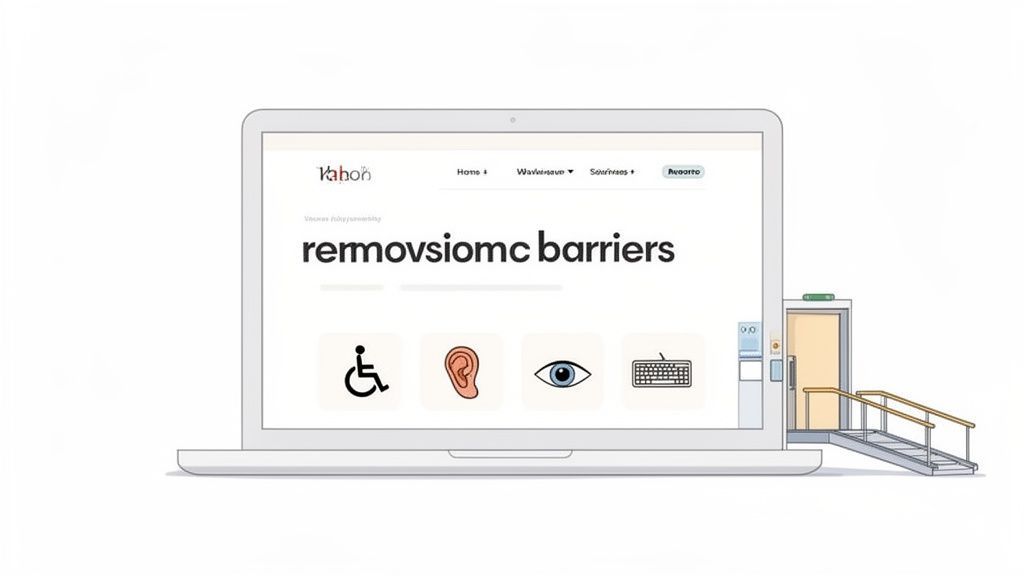
In practice, accessibility website design is the thoughtful, intentional process of building digital products that people with disabilities can actually use. It’s about creating an online experience that’s open to all, just like a public building must have ramps and automatic doors to ensure physical access.
This goes way beyond just checking off boxes on a compliance list. The real goal is to make certain that every single user—no matter their physical or cognitive abilities—can perceive, understand, navigate, and interact with your site. It means baking inclusion into your process from the very start. To do this well, you have to nail the fundamental website design essentials.
When you prioritize clarity, build flexible interfaces, and design straightforward navigation, you create an online space that doesn't just meet standards like the Web Content Accessibility Guidelines (WCAG). You deliver a fundamentally better experience for all of your visitors.
When accessibility is handled correctly, it becomes a genuine strategic advantage. You can dive deeper into what is web accessibility and its core ideas in our other guides. Ultimately, this approach shifts accessibility from a technical chore to a core expression of your brand's commitment to everyone.
The Strategic Business Case for Accessible Design
While the ethical case for an inclusive web is self-evident, there's also a powerful strategic argument that positions accessible design as a major driver of business growth. Too many companies see accessibility as a compliance checkbox or an unavoidable cost. That's a huge missed opportunity.
The reality is that prioritizing an inclusive experience isn't just about doing the right thing—it's about making a smart financial decision. When websites have frustrating barriers, they don't just inconvenience people; they actively turn away paying customers. This isn't some minor issue; it's a significant and measurable loss of income.
Expanding Your Market Reach
The most direct business argument for accessible design comes down to simple numbers. People with disabilities, along with their friends and family, represent a global market with staggering spending power. This "disability market" is frequently overlooked, holding immense potential for businesses willing to welcome them.
By designing for accessibility, you are intentionally opening your digital front door to a massive and loyal customer base that your competitors are likely ignoring. This is about being the go-to choice for a community that champions brands that value them. Think of it as expanding into a new international market, but without all the logistical headaches.
Accessibility isn't a niche feature for a few. It's a core design principle that broadens your audience and directly impacts your bottom line. Ignoring it is like closing your business to one out of every six potential customers.
The investment pays for itself through increased traffic, better engagement, and fierce customer loyalty. When someone with a disability has a great experience on your site, they're not only more likely to return but also to become a powerful advocate for your brand.
The High Cost of Inaccessibility
On the flip side, the financial penalty for having an inaccessible website is real and immediate. The line between a poor user experience and a lost sale is brutally short. When a potential customer hits a wall they can't get past—an unnavigable checkout, unreadable product info—they don't file a support ticket. They leave.
This digital abandonment has a quantifiable impact. Companies lose billions in revenue every year simply because customers with disabilities take their business to more accessible competitors. Every abandoned cart is a direct hit to your revenue. The numbers tell the story:
Massive Spending Power: The global disability market, including friends and family, controls up to $13 trillion in annual disposable income.
Direct Revenue Loss: Businesses lose an estimated $6.9 billion each year when customers with disabilities jump to competitors' more usable sites.
Growing Solutions Market: This demand is fueling a new industry, with the market for smart website accessibility tools projected to hit nearly $1 billion by 2031.
This data paints a very clear picture. Investing in accessibility isn't an expense; it's a strategic move to stop bleeding revenue and start capturing a bigger piece of the market. You can explore more web accessibility statistics to understand the full scope of the opportunity.
Building a Stronger Brand and SEO Foundation
Beyond direct sales, accessible design fortifies your brand's reputation and supercharges your search engine performance. Committing to inclusivity shows that your company genuinely cares about all its customers, which builds incredible trust and loyalty.
Interestingly, many accessibility best practices are also SEO best practices. Things like proper heading structures, descriptive alt text for images, and clean navigation don't just help users with assistive technologies—they also make it easier for search engine crawlers to understand and rank your content. This beautiful synergy means that every step you take toward accessibility also gives your organic visibility a healthy boost.
tldr: Think of web accessibility laws like digital building codes. Regulations such as the ADA in the U.S., along with similar rules across the EU and Canada, mandate that websites must be accessible, much like a physical building needs a ramp. Sidestepping these isn't just a legal gamble—it's a missed chance to connect with every potential customer, especially as lawsuits and global enforcement actions are climbing.
Navigating the Legal and Regulatory Landscape
Trying to make sense of the legal side of accessibility website design can feel like you're wading into a swamp of acronyms and regulations. But it doesn't have to be that complicated.
The easiest way to frame it is to think of these rules as digital building codes. Just like a new office building has to follow specific codes for safety and accessibility—think fire exits, wheelchair ramps, and proper wiring—your website has to meet certain standards to be open for business to everyone, including users with disabilities.
These "digital codes" aren't just polite suggestions. They are legally enforceable standards that set the minimum requirements for an inclusive online experience. Getting ahead of this isn't just about dodging a lawsuit; it's smart risk management in a world that’s finally, and rightly, paying close attention to digital inclusion.
Key Accessibility Laws and Standards
A few major laws form the backbone of web accessibility requirements around the globe. While the fine print differs from one region to another, they all point toward the same goal: tear down the barriers that prevent people with disabilities from having equal access. It’s crucial to know which ones apply to you.
The Americans with Disabilities Act (ADA): This is the big one in the U.S. It’s a civil rights law that bans discrimination based on disability, and courts have repeatedly ruled that it applies to websites as "places of public accommodation."
Section 508 of the Rehabilitation Act: This U.S. law is more specific. It requires federal agencies to make their technology and websites accessible. It also extends to any organization that gets federal funding, so contractors and grant recipients need to pay close attention.
Accessibility for Ontarians with Disabilities Act (AODA): A key piece of Canadian legislation, the AODA lays out clear standards for accessibility in Ontario, directly impacting businesses that operate there.
EN 301 549: This is the European standard for digital accessibility and a cornerstone of the European Accessibility Act. It mandates accessibility for a whole host of products and services across the EU.
These frameworks aren't just bureaucratic red tape. They’re what hold organizations accountable for building digital spaces that truly serve everyone.
Here's a look at the official ADA website, a central hub for information and resources on U.S. civil rights law for people with disabilities.
This screenshot highlights the U.S. government's official portal for the Americans with Disabilities Act, reinforcing its central role in accessibility enforcement.
The Rising Tide of Litigation
Ignoring these digital building codes is a bigger risk than ever. Over the last few years, the number of lawsuits tied to website accessibility has absolutely exploded, dragging what was once a niche legal topic into the corporate mainstream. And it's not just the Fortune 500s getting hit; businesses of all sizes are finding themselves in legal hot water.
The numbers don't lie. ADA-based lawsuits over websites and apps jumped from just a few hundred a year in the mid-2010s to thousands annually. That trend isn’t slowing down. And it's a global issue—frameworks like the EU’s EN 301 549 and Canada’s AODA are making accessibility a non-negotiable legal requirement, with the WCAG standards as their North Star. Even so, a shocking 94% of the world's biggest e-commerce sites are not fully compliant. You can dive deeper into the rise of ADA website litigation on darroweverett.com.
The sharp increase in legal action sends a clear message: digital accessibility is no longer optional. It is a legal and commercial imperative.
This surge in lawsuits is a wake-up call. Waiting for a demand letter to land on your desk is a reactive, expensive, and stressful way to handle this. The smart move is to treat accessibility as an ongoing commitment to quality and inclusion. It’s a strategy that not only shields you from legal risk but also strengthens your brand and opens your doors to a wider audience. By making accessibility website design a core part of your DNA, you build a more resilient and successful digital presence.
tldr: The whole point of accessible design boils down to four simple ideas: Perceivable (everyone can see or hear the content, like a movie with subtitles), Operable (everyone can actually use the site, like a door with both a handle and a push-button), Understandable (it’s easy to figure out, like clear road signs), and Robust (it works on any device, now and in the future). If you nail these, your site will work for everyone.
Understanding the Four Core Principles of WCAG
You don't need to memorize hundreds of technical rules to build an accessible website. Instead, everything flows from four fundamental concepts that are the bedrock of the Web Content Accessibility Guidelines (WCAG). Think of these less as rigid regulations and more as guiding lights to ensure your corner of the internet is open to all.
These principles are easy to remember with the acronym POUR: Perceivable, Operable, Understandable, and Robust. Each one answers a simple, human-focused question about how people experience your website. Getting them right is the single most important step in effective accessibility website design.
"The power of the Web is in its universality. Access by everyone regardless of disability is an essential aspect." - Tim Berners-Lee, inventor of the World Wide Web
Let's break down what each of these principles actually means in the real world, using some simple analogies to make them stick.
Perceivable: Making Information Available to the Senses
The first principle, Perceivable, asks a basic question: can everyone take in the information you're presenting? This goes way beyond just seeing. It's about making sure your content can be consumed through sight, sound, or even touch.
Imagine you’re watching a foreign film. Subtitles let you understand the dialogue even if you don't speak the language. If it also has audio descriptions that explain the on-screen action, someone with a visual impairment can follow the story just as well. That’s the heart of perceivable design.
In practice, this means:
Alt Text for Images: Providing a quick text description for every meaningful image is a must. This allows screen readers to describe the visual to users who are blind. For example,
alt="A golden retriever catching a red frisbee in a sunny park."Captions and Transcripts: Every video and audio clip needs synchronized captions and a full text transcript. This is essential for users who are deaf or hard of hearing, but it also helps anyone in a noisy office or on a quiet train.
Color Contrast: Text needs to stand out clearly from its background. This is crucial for people with low vision or color blindness. That stylish light gray text on a white background? It’s completely unreadable for a lot of people.
Operable: Ensuring Everyone Can Navigate and Interact
Next up is Operable. This one is all about function. Can people actually use your website? This means every interactive element—buttons, links, forms, menus—has to work for people with a huge range of physical abilities.
Think of an automatic door at the grocery store. It works for someone carrying bags, a person in a wheelchair, or a parent pushing a stroller because it offers multiple ways to open it. Your website’s navigation should be just as flexible.
To make your site operable, you need to:
Implement Keyboard Navigation: Everything you can do with a mouse, you must also be able to do with just a keyboard. Users with motor disabilities often rely entirely on a keyboard to get around the web.
Provide Enough Time: Avoid quick timeouts on forms or sessions. Rushing people can be a major barrier for someone with a cognitive or physical disability. Always give users the option to extend their time if they need it.
Avoid Flashing Content: Content that flashes more than three times per second can trigger photosensitive seizures. This is a critical safety issue and has to be avoided at all costs.
Understandable: Making Content and Navigation Clear
The third principle, Understandable, is all about clarity and predictability. Is your website easy to comprehend? This principle is about removing cognitive roadblocks so your site doesn't confuse or frustrate people.
Picture driving in a new city. If the road signs are clear, use simple language, and are placed where you expect them, you can navigate with confidence. But if they're full of jargon or are inconsistent, you’ll get lost fast. Your website should feel like a well-marked highway, not a confusing backroad.
Key parts of an understandable site include:
Clear and Simple Language: Ditch the complicated jargon. Writing content that’s easy to read helps users with cognitive disabilities, non-native speakers, and even experts who are just short on time.
Predictable Navigation: Your menus and links should behave the same way across your entire site. People shouldn't have to re-learn your layout just because they clicked on a new page.
Helpful Error Messages: When someone makes a mistake—like typing their email wrong—the error message should clearly explain the problem and how to fix it, instead of just a generic "Invalid input."
Robust: Ensuring Compatibility Now and in the Future
Finally, we have Robust. This one gets a bit more technical, but the idea is simple: does your site work reliably across different browsers, devices, and assistive technologies? It’s about building something that lasts.
Think of it like a universal power adapter. It’s designed to work with outlets in different countries, whether they were built yesterday or decades ago. A robust website is built with clean, standards-compliant code so it works just as well on a brand-new smartphone as it does on an old desktop using a screen reader. This really comes down to writing valid HTML and using elements for their intended purpose.
Each of these four principles is backed by more specific guidelines. You can dive deeper into how these ideas become testable rules in our guide to WCAG success criteria. By keeping POUR at the heart of your design process, you’re not just building a compliant site—you’re creating a digital experience that truly welcomes everyone.
Making your website truly accessible isn't a one-and-done project. It's an ongoing commitment. The best way to tackle it is with a clear roadmap broken down into four key stages: Audit your site with a mix of smart tools and human expertise, Prioritize fixes by focusing on the most critical user paths first, Integrate accessibility into your everyday design and development, and finally, Govern the process with continuous monitoring to keep it that way.
How To Implement A Practical Accessibility Roadmap
The thought of overhauling your entire digital presence for accessibility can feel daunting. But it doesn't have to be. The secret is to stop thinking of accessibility website design as a single, massive project and start seeing it as a continuous journey of improvement.
A good roadmap breaks this journey into manageable phases. This way, you can make real, meaningful progress without blowing up your existing workflows. It’s all about building a sustainable culture where accessibility shifts from a reactive fix to a proactive, inclusive part of your design DNA.
Start With A Comprehensive Audit
You can't fix what you don't know is broken. An in-depth accessibility audit is your starting point—it’s the map you'll use for the entire journey ahead. This initial review has to be more than just a quick automated scan.
While automated tools are fantastic for catching common code-based issues like missing alt text or glaring contrast errors, they only spot about 30-40% of potential WCAG problems. They just can't grasp the context or user experience the way a human can.
For a true diagnosis, you need to attack it from two angles:
Automated Scanning: Use tools to get a quick lay of the land. They’ll help you identify widespread, low-hanging fruit and give you a baseline for the scale of the issues.
Manual Expert Review: Bring in accessibility specialists. Even better, involve users with disabilities to test the most important parts of your site. They’ll find the nuanced problems that tools always miss, like confusing navigation, a nonsensical tab order, or screen reader glitches.
This combined approach gives you a complete, actionable list of every barrier standing between all of your users and a seamless experience.
Prioritize Fixes Based On Impact
With your audit complete, you're probably looking at a pretty long list of to-dos. It’s tempting to start with the quick and easy fixes, but a more strategic approach is to prioritize based on impact. Focus your energy where it matters most to your users.
Think about the core reasons people visit your website. Can they complete a purchase? Fill out a contact form? Find critical information? These core user journeys are where you need to focus first.
The goal isn't to fix everything overnight. It's to remove the biggest barriers first, ensuring that the most essential parts of your website are usable for everyone as quickly as possible. This approach delivers immediate value and builds momentum for the long-term effort.
Create a remediation plan that sorts issues by severity. A broken checkout flow, for instance, is a far bigger deal than a minor contrast issue on an old blog post. This practical mindset ensures your resources go where they’ll make the biggest difference.
The four foundational WCAG principles below are the bedrock of these efforts.
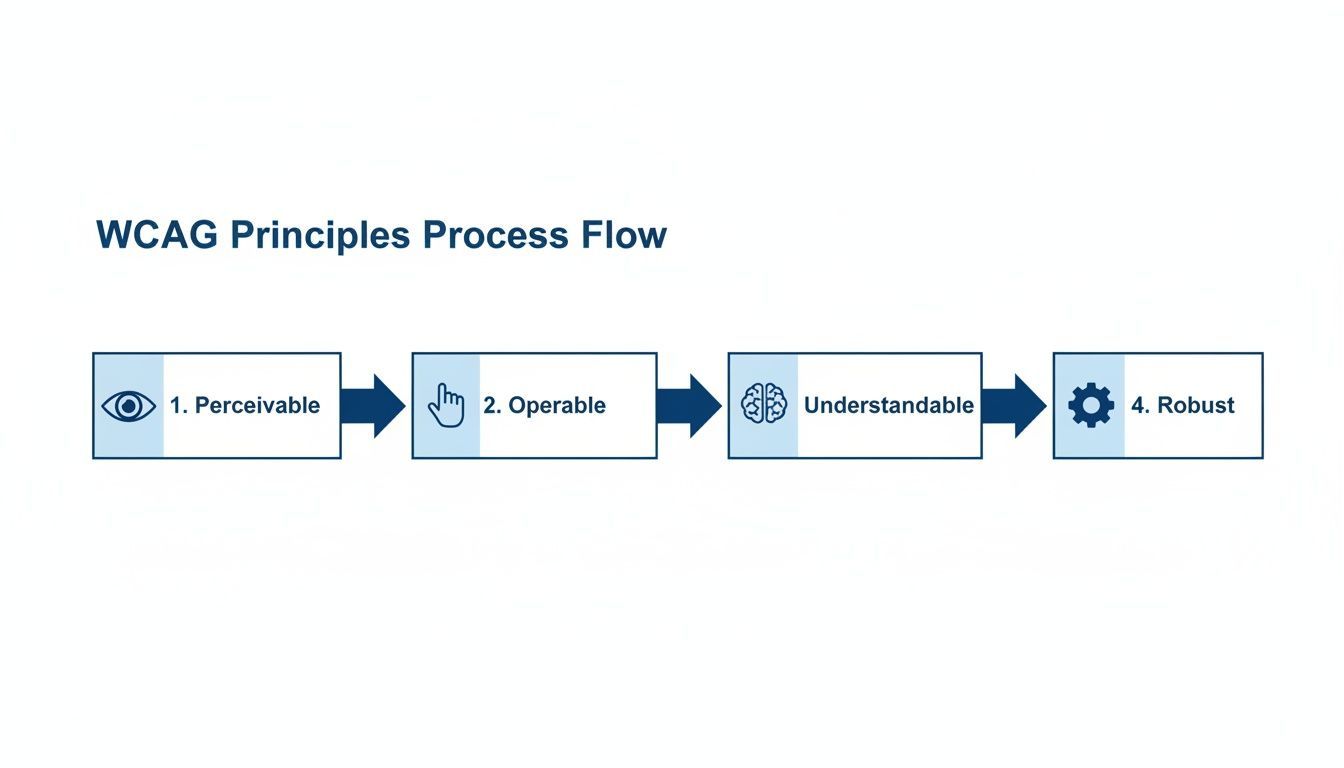
This flowchart shows how each principle—Perceivable, Operable, Understandable, and Robust—works together to create a foundation for a fully accessible experience.
Integrate Accessibility Into Your Workflows
Fixing existing problems is only half the battle. For accessibility to stick, you have to shift it "left," baking it directly into your daily design and development process. It stops being a final compliance check and becomes a core consideration from the very beginning.
This means getting your entire team on board—designers, developers, content writers, and QA testers. Everyone needs to understand how their role contributes to an accessible product. You can learn more by checking out our guide on getting started with web accessibility a step by step guide.
Key places to integrate accessibility include:
Design Phase: Wireframes and mockups should account for color contrast, keyboard focus states, and logical layouts right from the start.
Development Phase: Developers should be writing clean, semantic HTML and using ARIA attributes correctly as a standard practice.
QA Testing: Quality assurance checklists must include both automated and manual accessibility tests as part of every release.
Here’s an actionable way to structure this journey.
A Phased Accessibility Implementation Roadmap
An actionable approach to integrating accessibility into your digital strategy.
| Phase | Key Activities | Primary Goal |
|---|---|---|
| Phase 1: Discovery & Audit | Conduct automated scans and expert manual reviews. Identify critical user journeys and document all accessibility barriers. | Establish a clear, data-driven baseline of your current accessibility posture. |
| Phase 2: Prioritization & Remediation | Triage issues based on severity (WCAG level) and user impact. Fix high-priority barriers in core user flows first. | Achieve quick wins and make the most critical parts of your site usable for everyone. |
| Phase 3: Integration & Training | Integrate accessibility checks into design, dev, and QA workflows. Train teams on their specific responsibilities. | Shift from a reactive "fix-it" model to a proactive "build-it-right" culture. |
| Phase 4: Governance & Monitoring | Set up regular automated monitoring. Establish an accessibility policy and assign ownership for long-term maintenance. | Ensure lasting compliance and make accessibility a permanent part of business as usual. |
This phased approach turns a massive undertaking into a series of achievable milestones, ensuring steady and sustainable progress.
Establish Ongoing Governance And Monitoring
Finally, remember that accessibility is never truly "done." You're always adding new content, updating features, and adapting to evolving standards. To maintain compliance and protect your hard work, you need a long-term governance plan.
This means setting up regular, automated scans to catch new issues before they become major problems. It also means establishing clear ownership within your organization. Designate an accessibility champion or a small team to oversee the program, train new hires, and keep up with best practices.
It's also worth noting that as you implement this roadmap, many of the technical requirements—like proper heading structures and image alt text—also directly support strong WordPress SEO optimisation practices. By creating a continuous feedback loop and making accessibility a shared responsibility, you'll successfully weave it into the very fabric of your company's culture.
tldr: The internet is still largely inaccessible.
The Current State of Digital Accessibility
Even with all the talk about accessible website design, the digital world is still a tough place for many to navigate. There’s a huge gap between the accessibility standards we have and what people actually experience online every day. This isn't just an inconvenience; it creates real barriers for a massive portion of the population.
This isn’t a small problem tucked away on a few obscure websites. It’s a systemic issue woven into the fabric of the internet. When you look at the data, it paints a pretty bleak picture, showing that most websites have yet to even scratch the surface of inclusive design.
Just how big is this challenge? Globally, about 1.3 billion people live with a disability—that’s roughly 16% of the world's population. These are people who rely on accessible design to shop, work, learn, and connect online. And yet, a deep dive into the homepages of the top one million websites found that nearly 95% had detectable WCAG conformance failures. You can see the full breakdown in the WebAIM Million report findings.
This is where traditional, manual-only approaches to accessibility start to show their limits. They're valuable, of course, but they just can't keep up with how fast modern websites change and evolve.
The Most Common Accessibility Failures
The roadblocks that make the web inaccessible aren't usually some complex, esoteric coding bugs. More often than not, they’re the same basic mistakes we've been seeing for years. These common slip-ups can create major headaches for anyone using assistive technology.
The most common errors that pop up time and time again include:
Low Contrast Text: This is the number one offender. When text color is too similar to its background, it becomes a real struggle to read for people with low vision or color blindness.
Missing Alternative Text for Images: If an image doesn't have descriptive alt text, a screen reader has nothing to announce. The user misses out on crucial context, leaving a hole in their experience.
Empty Links and Buttons: A link or button without any text is confusing for everyone. For a screen reader user, it's just announced as "link" or "button," turning navigation into a frustrating guessing game.
Missing Form Input Labels: Without a properly connected label, someone using assistive tech won't know what to enter into a form field. This makes simple tasks like signing up for a newsletter or buying a product impossible.
These persistent issues prove that accessibility isn't a "one-and-done" checklist. It demands a real, ongoing strategy that combines smart technology with human insight to create and maintain an inclusive digital space.
Bridging the Gap with Modern Solutions
Seeing the current state of digital accessibility shouldn't be discouraging. Instead, it’s a clear call to action. It shows us exactly where we need to focus: on modern, scalable solutions that can actually tackle these widespread challenges.
Manual audits are fantastic for finding nuanced usability problems, but they're often slow and expensive. To really make a dent in the accessibility gap, businesses need a strategy that blends the precision of human experts with the power and speed of technology. This is how we start building a web that truly works for everyone.
TL;DR: Yes, accessibility is a legal thing, and it's not just for the giants. The smartest way to start is with a quick audit to see where you're at. And don't forget, making your site accessible is actually great for your SEO—a true win-win.
Common Questions About Web Accessibility
Even with the best intentions, diving into accessibility can bring up a lot of questions. Let's tackle some of the most common ones I hear from clients to help clear things up.
Is Web Accessibility A Legal Requirement?
In short, yes. In the United States, the Americans with Disabilities Act (ADA) has been consistently applied to websites, treating them as "places of public accommodation." If your digital door isn't open to everyone, you're exposing your business to serious legal risks, including costly lawsuits and penalties.
It’s not just a US issue, either. Different parts of the world have their own rules:
Section 508: This is a big one for any company that works with or receives funding from the U.S. federal government.
AODA: The Accessibility for Ontarians with Disabilities Act sets the standard for businesses operating in Ontario, Canada.
EN 301 549: This is the harmonized European standard that guides accessibility requirements across the EU.
Ignoring these regulations isn't just an ethical misstep; it's a direct legal and financial liability.
Does This Only Apply To Large Corporations?
That’s a common misconception, but no, it applies to everyone. While the big players often make headlines, we're seeing more and more small and medium-sized businesses face legal challenges. The law doesn't care how big your company is—if your website is available to the public, it needs to be accessible to the entire public.
Accessibility isn't some luxury reserved for companies with massive budgets. It's a fundamental part of doing business online today, no matter your size.
Where Is The Best Place To Start?
Feeling overwhelmed? Don't be. The best first step is always a simple audit. You don’t have to be a seasoned expert to get the ball rolling.
Start by using free browser extensions or online scanning tools to get a quick snapshot of your site's health. Focus on your most important pages, like the homepage, product pages, and the checkout flow. This initial check will almost always uncover some "low-hanging fruit"—things like missing image alt text or poor color contrast—that you can fix right away for an immediate impact. It’s a great way to gauge the scope of the work without a huge upfront commitment.
Will Accessibility Hurt My SEO?
Absolutely not. In fact, it's quite the opposite. Good accessibility and good SEO go hand-in-hand.
Think about it: clear heading structures, descriptive alt text on images, video transcripts, and clean, semantic code. These are all things that screen readers rely on, and they're also exactly what search engine crawlers love to see. By making your site easier for assistive technologies to navigate, you're also making it easier for Google to understand and rank your content. It’s a rare instance where improving the user experience for one group directly boosts your visibility to all.
Ready to build a web that works for everyone? WebAbility.io provides an end-to-end platform to achieve and maintain compliance, reduce legal risk, and create a truly inclusive user experience. Explore our powerful AI-enhanced tools and expert services at https://www.webability.io.
Quick Questions
Tap to ask AI about this article