What Is Web Accessibility A Guide to Inclusive Design

Sidharth Nayyar
TLDR
Web accessibility is the practice of making sure websites, tools, and digital content are usable by everyone, including people with disabilities. Think of it like a digital wheelchair ramp—it removes barriers and creates equal access. This isn't just about compliance; it's a smart business move that improves the user experience for all visitors, expands your audience, and strengthens your brand. The whole practice is guided by standards like the WCAG.
Web accessibility is the practice of designing websites and digital tools so that people with disabilities can use them without barriers. It’s a way of ensuring that everyone, regardless of their physical or cognitive abilities, gets the same access to information and functionality online.
Understanding Web Accessibility Without the Jargon
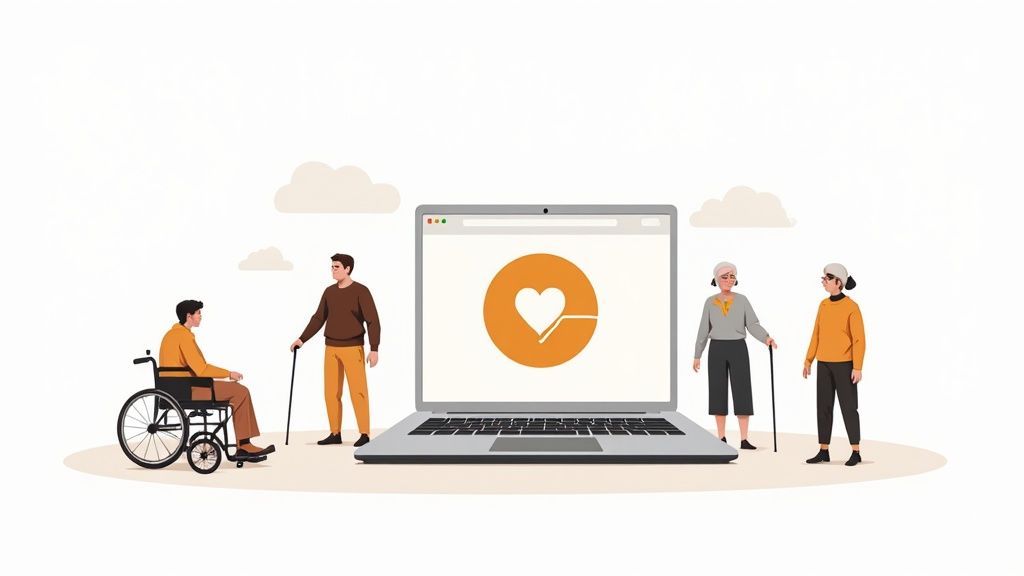
The easiest way to think about web accessibility is to compare it to the real world. We see accessibility features everywhere in our physical environment—ramps alongside stairs, automatic doors, and braille on signs. These aren't just for a small group of people; they make life easier for parents with strollers, delivery workers, and anyone with their hands full.
Digital accessibility brings that same inclusive mindset to the internet. It means building an online experience that works for someone who might:
- Use a screen reader to hear the content on a page because of a visual impairment.
- Navigate with only a keyboard due to a motor disability that makes using a mouse difficult.
- Depend on captions to understand video content because they are deaf or hard of hearing.
- Need clean, simple layouts and straightforward language to avoid cognitive overload.
At its heart, web accessibility is about human connection. It's the conscious decision to build a digital world that doesn't leave anyone behind, fostering inclusivity and equal opportunity.
More Than Just a Technical Task
It's easy to fall into the trap of viewing accessibility as just another technical checklist to get through. But that completely misses the point. It's a core part of user-centered design that makes your website better for all visitors, not just those with documented disabilities. After all, a site with clear navigation and highly readable text is simply a better site.
The need for this is bigger than you might think. As of 2026, an estimated 1.3 billion people worldwide live with some form of disability. This massive community, along with their friends and family, controls around $13 trillion in annual disposable income. That makes a powerful business case for inclusive design, on top of the obvious ethical one. You can discover more insights about web accessibility's global impact on allaccessible.org.
Ultimately, a truly accessible website delivers a better user experience for every single person who visits. If you're looking to genuinely connect with your entire audience, check out this practical guide to improving user experience. And to get comfortable with the terminology, our own https://www.webability.io/glossary is a great place to start.
The Four Pillars of an Accessible Website
So, what does making a website accessible actually look like in practice? The best place to start is with the Web Content Accessibility Guidelines (WCAG), which is the gold standard for digital inclusion.
But don't think of it as some dense, technical manual. At its heart, WCAG is built on four fundamental principles that hold up the entire structure of an accessible website. They’re easy to remember with the acronym POUR.
Perceivable: Can Users See and Hear Your Content?
The first pillar, Perceivable, is all about making sure information can be taken in through the senses. If a user can't perceive your content, then nothing else matters. It's about ensuring nothing is invisible or inaudible to someone.
Think about a blind user who can't see an image. To make that photo perceivable, we provide descriptive alternative text (alt text) that a screen reader can voice out loud, painting a picture with words. In the same way, someone who is deaf or hard of hearing can't perceive the audio in a video, so we add captions to make that information visual.
Operable: Can Everyone Use Your Website?
Next up is Operable. This principle is simple: users must be able to navigate and interact with your site, no matter how they do it. It’s not enough for a button to just be there; everyone has to be able to click it.
A classic example is keyboard accessibility. Someone with a motor disability might rely entirely on a keyboard to get around the web, tabbing from one link to the next. An operable website ensures every interactive element—links, buttons, forms—is reachable and usable without a mouse. This pillar also covers things like avoiding flashing content that could trigger seizures.
Understandable: Is Your Content Clear and Predictable?
The third pillar is Understandable. This one focuses on clarity and making sure your site’s content and functionality are easy to follow. It’s the cognitive side of accessibility.
This means writing in plain language, explaining complex topics simply, and organizing your content logically. It's also about creating a predictable experience. For example, your navigation menu should work the same way on every single page, and if a user makes a mistake filling out a form, the error message should clearly explain what’s wrong and how to fix it.
Each of these principles is supported by specific rules. To dive deeper, you can check out our guide to WCAG success criteria.
Robust: Will It Work with Today's and Tomorrow's Technology?
Finally, we have Robust. This principle is about building your site with clean, standards-compliant code so that it can be reliably interpreted by all kinds of browsers and assistive technologies.
This is how you future-proof your website. By following web standards, you ensure that as screen readers get updated, new devices come out, or browsers evolve, your site will continue to work flawlessly. It's the key to providing a stable, dependable experience for everyone, for years to come.
POUR isn't just a compliance framework; it's a model for creating universally better user experiences. When a site is perceivable, operable, understandable, and robust, it works better for every visitor.
To bring it all together, here’s a quick breakdown of the four principles.
The Four Principles of WCAG Explained
This table summarizes the POUR model, showing what each principle means for your users and how it applies in the real world.
| Principle | What It Means for Users | A Real-World Example |
|---|---|---|
| Perceivable | Users can process information through sight, sound, or touch. | Adding captions to a video so a deaf user can read the dialogue. |
| Operable | Users can navigate and interact with all components of the site. | Ensuring the entire website can be used with only a keyboard. |
| Understandable | The content and user interface are clear, simple, and predictable. | Writing error messages that clearly state what's wrong (e.g., "Please enter a valid email address"). |
| Robust | The site works reliably with current and future technologies. | Using clean HTML so a screen reader can interpret the content correctly. |
Thinking through these four pillars doesn't just help you check off boxes on a compliance list. It fundamentally shifts your perspective to focus on the real people who use your website every day.
Why Accessibility Is a Business Superpower
While building an inclusive web is absolutely the right thing to do, web accessibility is also a huge strategic advantage for any business. It’s not just about ticking a compliance box; it's a real driver of growth, innovation, and brand loyalty. When you stop thinking of accessibility as an expense and start seeing it as an investment, you unlock some serious opportunities.
This mindset shift connects your business with a massive, often overlooked market. An accessible website opens your digital doors to millions of potential customers who couldn't otherwise use your products or services. It’s a direct line to expanding your audience and growing your revenue.
The Business Case for Inclusive Design
Here’s a secret many people miss: an accessible website is a better website for everyone.
Take a simple example. Clear color contrast and logical navigation are essential for some users, but they also make the site easier for anyone to use, especially on a phone screen in bright sunlight. This improved user experience leads directly to better engagement, lower bounce rates, and higher conversions.
On top of that, many accessibility best practices are a natural fit with search engine optimization (SEO). Things like descriptive alt text for images, proper heading structures, and video transcripts give search engines rich, crawlable content that helps boost your site's visibility. It’s a win-win.
The infographic below breaks down the foundational pillars of accessibility, which double as a framework for a stronger business.
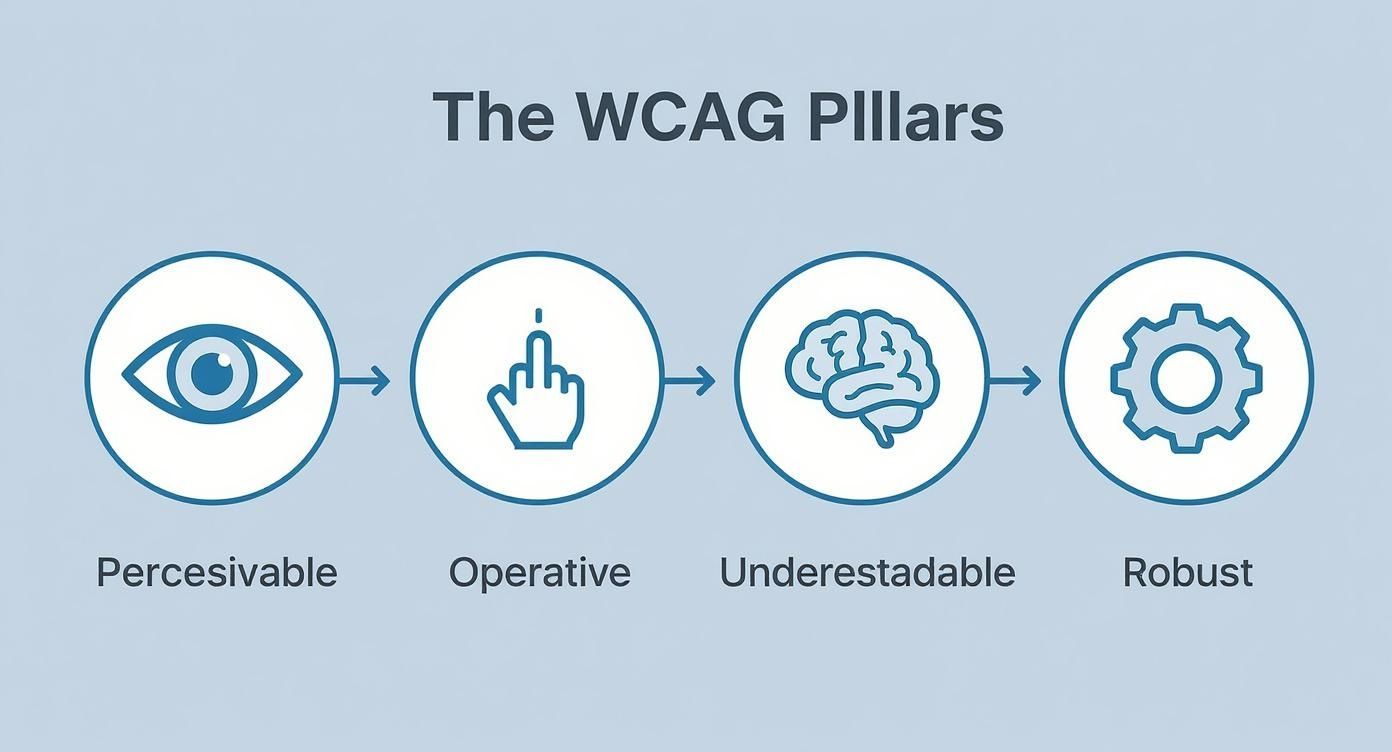
These four principles aren't just for compliance—they're your guide to building a website that works better for every single visitor.
Mitigating Risk and Building Trust
Beyond the growth opportunities, there's a clear legal reason to act. Laws like the Americans with Disabilities Act (ADA) and Section 508 mandate that digital properties be accessible. Getting ahead of this minimizes the risk of expensive legal battles and protects your brand’s reputation.
Viewing accessibility standards not as a threat but as a blueprint for equal access helps frame them as a positive business practice. It’s about building a resilient, future-proof digital presence.
A recent analysis of 63,000 websites found that an incredible 88% failed to meet current accessibility standards. The cost of ignoring this is huge. In the UK alone, businesses lose an estimated £17.1 billion annually from the 'Click-Away Pound.'
Globally, the disability market controls over $13 trillion in spending power. That's a massive opportunity for businesses ready to embrace inclusion. You can read the full research about these accessibility trends to see the full picture.
The Human Connection and Brand Loyalty
Numbers aside, accessibility builds a real human connection. When people feel seen and valued, they don't just become customers; they become loyal advocates for your brand.
A genuine commitment to inclusion shows strong corporate social responsibility and helps build a positive public image that truly connects with today's consumers. That kind of reputation isn't just good ethics—it's great business.
Common Hurdles and How to Clear Them
Knowing what web accessibility is is the easy part. The real challenge comes when you start trying to implement it, and that’s where most teams run into a few predictable roadblocks.
But here’s the good news: many of the most common accessibility barriers are surprisingly easy to fix. You don't need a massive, site-wide overhaul to get started. Often, a few small, intentional tweaks can make a world of difference for your users. The trick is to stop thinking about a perfect, one-and-done solution and instead focus on chipping away at the biggest problems first.
The Missing Picture Description
One of the most frequent issues I see is an image without any meaningful alternative text—what we call alt text. Imagine you’re using a screen reader to navigate a webpage. When you get to an image, the device reads the alt text aloud. If it’s missing, all you get is silence, leaving a gaping hole in your understanding of the content.
Solution: Simply write a short, clear sentence that describes what the image is and why it's there. For a picture of your team, something like, "The WebAbility.io team smiling in their office" is perfect. It’s a tiny step that ensures everyone gets the full picture, literally.
The Silent Video
Another classic mistake is posting videos without captions. This instantly excludes anyone who is deaf or hard of hearing. It also alienates people watching in a loud place, in a quiet office, or just with their sound off (which, let's be honest, is most of us scrolling on our phones).
Solution: Add accurate, synchronized captions to every video. You don’t have to do it by hand—most major video platforms have built-in tools to help, and there are plenty of third-party services that can generate them for you. It’s a win-win: you make your content accessible and also boost engagement for all your viewers.
"True accessibility is not about achieving a perfect score on a checklist. It's about a continuous commitment to identifying and removing barriers so that everyone can participate fully."
Unreadable Text and Confusing Colors
I can’t tell you how many times I’ve seen beautiful websites rendered useless by poor color contrast. When the text color is too close to the background color, it becomes a blurry, unreadable mess for people with low vision or certain types of color blindness.
Solution: Use a contrast checker before you commit to a color palette. Tools like the one from WebAIM can tell you in seconds if your colors meet WCAG standards. This simple check takes almost no time and prevents a ton of user frustration.
Here’s an example from that very tool, showing a color combination that gets a passing grade for both WCAG AA and AAA standards.
Getting this feedback early in the design process helps you choose colors that are both stylish and usable for everyone.
The Unfriendly Form
Have you ever tried to fill out a form where you couldn’t tell which box was for your name and which was for your email? That’s exactly what it’s like for a screen reader user when a form isn’t labeled correctly. It’s an immediate dead end, preventing them from signing up, logging in, or buying your product.
- Problem: Form fields like "Name" or "Email" aren't programmatically linked to their visible labels. The screen reader sees a bunch of empty boxes with no instructions.
- Solution: Just make sure every input field has a properly associated
<label>tag in the HTML. This simple bit of code acts as a signpost, allowing the screen reader to clearly announce what information belongs in each field. It turns a frustrating guessing game into a smooth, guided process.
How to Begin Your Accessibility Journey Today
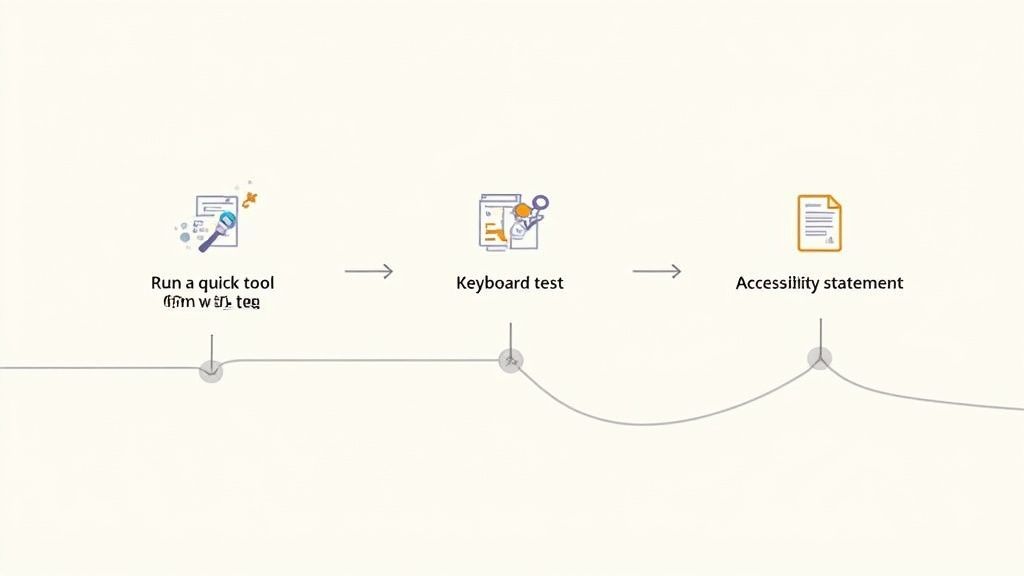
So, where do you start? The good news is you don't need to rebuild your entire website overnight. The goal is steady, meaningful progress—not instant perfection. A few practical first steps can turn good intentions into real action and create a genuinely more inclusive experience for everyone who visits your site.
Think of it as a simple health check. Automated tools are a great place to begin, as they can quickly scan your website for common, code-based problems like missing image descriptions or poor color contrast. While they won't catch everything, they give you a solid baseline and point you toward the low-hanging fruit.
But make no mistake, there's a long road ahead for the web as a whole. The latest WebAIM Million report found that a staggering 94.8% of the world's top websites have detectable WCAG failures. That number, found with automated tools alone, shows just how big the gap in digital inclusion really is. You can read the full WebAIM report about these findings to see the data for yourself.
Going Beyond the Automated Scan
Automated tools are helpful, but they only tell part of the story. To really get a feel for your site's usability, you need to roll up your sleeves and do some simple manual tests. These hands-on checks uncover the kind of user experience hurdles that software just can't see.
One of the most eye-opening tests is keyboard navigation. Put your mouse aside and try to get around your website using only the Tab, Enter, and arrow keys. Can you get to every link, button, and form field? Is it always clear where you are on the page? This simple five-minute exercise offers a powerful glimpse into the world of users with motor disabilities who rely on keyboards.
Accessibility is not a single destination but a continuous journey of improvement. Every small step you take removes a barrier for someone and moves the entire web toward a more equitable future.
Having a structured plan makes these first steps much easier. For a detailed guide, this website accessibility checklist is an incredibly useful resource to keep you on track.
Make Your Commitment Public
Another vital step is creating an accessibility statement. This is a dedicated page on your site that signals your commitment to inclusion. It’s your chance to be transparent about the accessibility standards you’re aiming for, the features you’ve already put in place, and any known issues you're actively working to fix.
Just as importantly, your accessibility statement should offer a clear, easy-to-find way for users to contact you if they hit a wall. This feedback is pure gold, turning your visitors into valuable partners in your accessibility work.
If you're looking for more guidance, our article on https://www.webability.io/blog/getting-started-with-web-accessibility-a-step-by-step-guide can walk you through the process. By combining automated scans, manual testing, and open communication, you’ll build a strong foundation for a truly accessible website.
Frequently Asked Questions About Web Accessibility
As you start digging into web accessibility, it’s natural for a few questions to pop up. Let’s tackle some of the most common ones head-on, so you can move forward confidently and build a better web for everyone.
Does Making A Website Accessible Compromise Its Design?
This is probably the biggest myth out there, but the truth is actually the opposite. Accessibility principles almost always lead to cleaner, more innovative, and more user-friendly designs for all your visitors, not just those with disabilities.
Think of it as a creative challenge, not a restriction. Good accessibility practices—like clean layouts, strong color contrast, and logical navigation—don't stifle creativity; they channel it. You end up solving problems more thoughtfully, resulting in a site that’s both beautiful and works brilliantly.
Is Web Accessibility Only For People Who Are Blind?
Not at all. While accessibility is absolutely critical for screen reader users, its benefits ripple out to a huge range of people in all sorts of situations. It’s really about universal design.
Just think about a few examples:
- Auditory Needs: Captions and transcripts are essential for users who are deaf or hard of hearing.
- Motor Impairments: Anyone who can't use a mouse relies on full keyboard support to navigate your site.
- Cognitive Differences: Simple language, predictable layouts, and clear navigation are a huge help for users with learning disabilities or attention disorders.
- Situational Limitations: It also helps the person trying to watch a video in a loud cafe, use their phone in bright sunlight, or browse with a temporary injury like a broken arm.
Web accessibility isn’t about designing for one type of disability. It's about designing for human diversity. The goal is a flexible experience that works for as many people as possible, in as many situations as possible.
How Much Does It Cost To Implement Accessibility?
The cost can vary widely, but here’s the key: building accessibility in from the start is always the cheapest way to do it. Weaving these practices into your design and development process is far more efficient than going back to fix an inaccessible site later. Retrofitting is always more expensive, but it’s an investment that pays off.
The return on that investment comes from a few different places. You open your doors to a wider audience, lower your legal risks, boost your brand’s reputation, and often get a nice little bump in your SEO. Plus, many of the basics, like writing good alt text or using proper headings, add little to no extra cost to your workflow.
Can I Just Use An Accessibility Widget or Overlay?
Widgets and overlays can be a helpful part of a broader accessibility strategy. They provide users with valuable real-time controls, such as adjusting font sizes, modifying color contrast, or enabling text-to-speech features. These tools empower visitors to customize their browsing experience to better suit their individual needs.
For a comprehensive approach, integrating these user-facing tools with a foundation of accessible code built directly into your website is ideal. A managed accessibility service often combines these elements, ensuring your site is both technically sound and user-friendly. This layered strategy helps create a more inclusive and adaptable digital environment for everyone.
Ready to build a truly inclusive digital experience? WebAbility.io provides an end-to-end platform with AI-enhanced tools, automated monitoring, and expert guidance to help you achieve and maintain compliance while improving usability for all. Start your journey toward a more accessible web today at https://www.webability.io.
Quick Questions
Tap to ask AI about this article