Master the section tag in html for SEO & UX

Sidharth Nayyar

You’re probably staring at a layout right now and asking the same question every junior developer asks at some point.
“Should this be a <div> or a <section>?”
That question matters more than it looks. In modern HTML, the right choice affects readability, accessibility, maintainability, and how clearly your page communicates structure to browsers and assistive technology.
The section tag in html is not just a nicer wrapper. Used well, it helps define the meaning of a page. Used poorly, it turns into semantic noise.
TLDR Quick Guide to the HTML Section Tag
- What
<section>is: A thematic grouping of content, usually introduced by a heading. - When to use it: Use it when a chunk of content belongs together under one topic, like “Features,” “Pricing,” or “Customer Reviews.”
- When not to use it: Don’t use
<section>just to create spacing, columns, or styling hooks. That is what<div>is for. - The number one rule:Give every section a heading. If you skip the heading, the element usually loses most of its value.
- How it differs from
<article>: A<section>groups related content inside a page. An<article>is self-contained content that could stand on its own, like a blog post or news story. - Accessibility note: If a section needs to function as a landmark for movement, pair it with a clear heading and, when appropriate, ARIA naming.
- Practical mindset: Use
<section>when you’d naturally give that block a title in a document outline.
The Evolution from Divs to Semantic Sections
A lot of old codebases look like this:
<div class="hero">...</div> <div class="services">...</div> <div class="testimonials">...</div> <div class="contact">...</div> That code works. The browser renders it fine. CSS can target it. JavaScript can manipulate it.
But none of those containers says what the content is.
That was one of the problems HTML5 tried to solve. The HTML <section> element was introduced as part of HTML5, with its concept dating back to a 1991 vision by Sir Tim Berners-Lee for a more intelligent content hierarchy. This shift from generic <div> containers to semantic sections became a cornerstone of modern accessibility standards like WCAG 2.2 AA and Section 508, as discussed in Smashing Magazine’s look at the importance of sections.
Meaning is part of the code
Semantic HTML tells machines what a piece of content means, not just how it should look.
A <div> says, “This is a box.” A <section> says, “This is a meaningful part of the document.”
That difference matters to:
- Developers who maintain the code later
- Search engines trying to understand page structure
- Screen readers assisting users to move between headings and regions
- Compliance teams reviewing semantic quality
If you want a deeper foundation on this idea, WebAbility has a helpful guide on semantic HTML.
Why junior developers get stuck here
Design tools don’t label things semantically. Figma might show cards, bands, grids, and containers. It won’t tell you whether a block is a <section>, <article>, or <aside>.
That part is your job.
The simplest rule I teach is this: write HTML based on content meaning first, then style it. If a block groups related information under one shared topic, it may be a good candidate for <section>.
Mentor tip: If you removed the CSS and read the page like a document, would that chunk deserve its own heading? If yes, start thinking about
<section>.
Defining the Core Purpose of the Section Tag
The official definition is the one worth remembering.
According to the HTML specification, a <section> represents “a thematic grouping of content, typically with a heading.” MDN reinforces the practical rule by stating that “sections should always have a heading, with very few exceptions,” which is important for assistive technology and SEO, as documented in the HTML specification sectioning model.
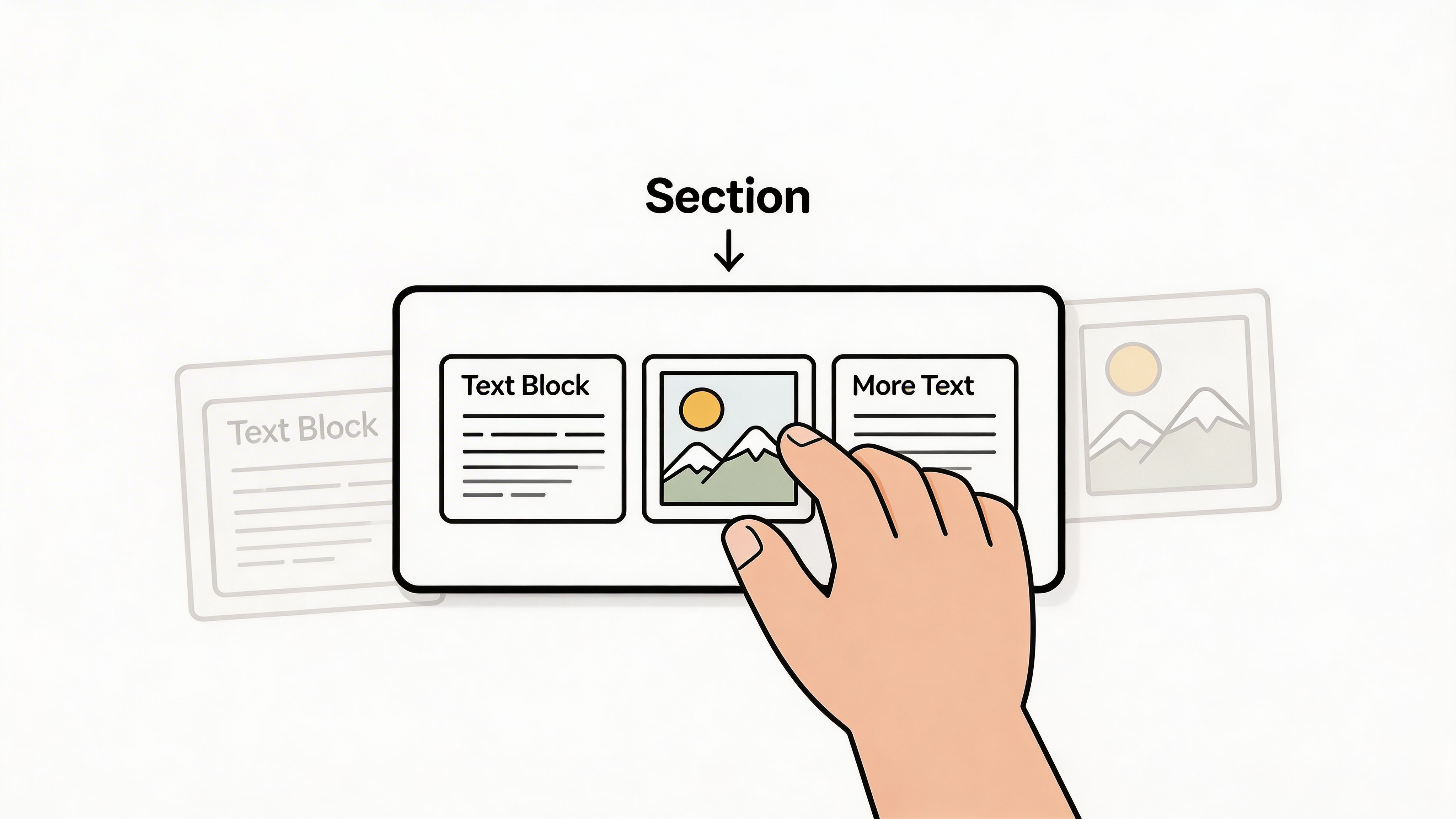
Think of a page like a book
This analogy usually makes it click.
<main>is the main body of the book<article>is a complete story or essay inside it<section>is a chapter or major titled part within that story- Headings are the chapter titles
So if your page has an “About the Product” area, then a “Features” area, then a “Support” area, those are likely sections.
The heading is not optional in practice
A section without a heading is like a chapter with no title. The content may still exist, but readers and tools have a harder time understanding what the block is for.
Good example:
<section> <h2>Customer Reviews</h2> <p>Read what buyers say about fit, durability, and delivery.</p> </section> Weak example:
<section> <p>Read what buyers say about fit, durability, and delivery.</p> </section> The second snippet creates a container, but it does not clearly announce the theme.
What counts as a thematic grouping
Use <section> when the content shares a common subject and belongs together logically.
Good candidates include:
- Homepage bands such as services, testimonials, and contact
- Long-form article parts such as introduction, methods, or FAQs
- Product page areas like specifications, shipping, and reviews
- App screens where one block has a clear title and related controls
Not every visual block needs to be a section. If you only need a wrapper for layout, grid alignment, or JavaScript targeting, a <div> is usually the better tool.
Key takeaway: The primary purpose of the section tag in html is to define a named topic inside a larger document.
Section vs Div Article and Other Elements
Most mistakes happen because developers know <section> exists, but not where it sits among the other semantic elements.
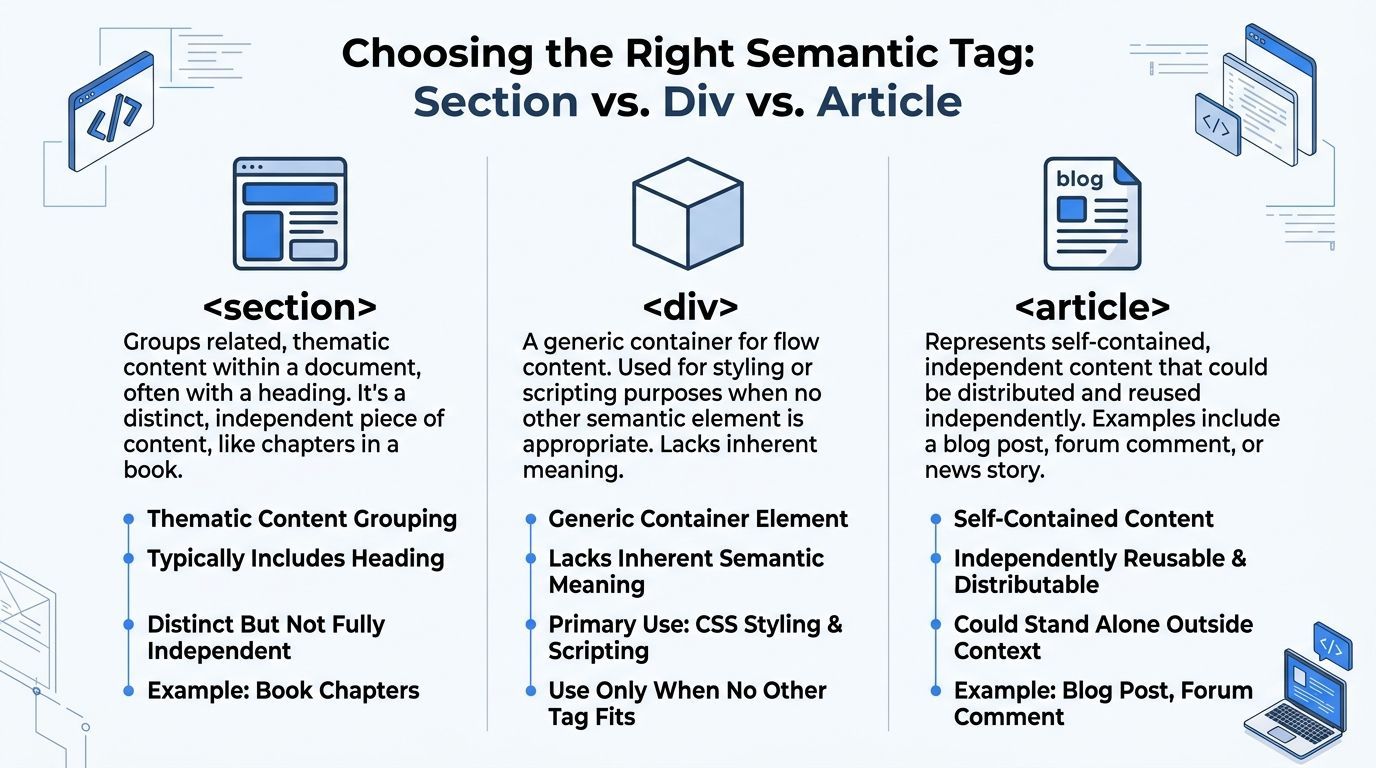
Quick decision table
| Element | Semantic Meaning | When to Use | Common Mistake |
|---|---|---|---|
<section> | A thematic grouping of related content | A block with a shared topic and its own heading | Using it as a generic wrapper |
<div> | No semantic meaning | Layout, styling, scripting hooks | Replacing all semantic elements with divs |
<article> | Self-contained content | Blog post, comment, news story, product card | Using it for content that only makes sense inside a larger page |
<nav> | Major navigation links | Primary menus, section navigation | Wrapping random links that are not navigation |
<aside> | Related but secondary content | Sidebar, related links, callout content | Using it for core page content |
<header> | Introductory content for a page or section | Titles, logos, intros, metadata | Treating it as only the top site header |
<footer> | Closing or meta information | Author info, copyright, related links, section footers | Using it only once per entire site |
Section vs div
This is the most common comparison.
Use <div> when the box exists for presentation. Use <section> when the content exists for meaning.
<div class="card-grid"> <div class="card">...</div> <div class="card">...</div> </div> That is fine if the wrapper is only controlling layout.
Now compare this:
<section> <h2>Our Services</h2> <div class="card-grid"> <div class="card">Design</div> <div class="card">Development</div> <div class="card">Accessibility</div> </div> </section> This is stronger. The outer block has a theme. The inner <div> still handles layout.
Section vs article
Developers often hesitate with this distinction.
Use <article> when the content could be copied, syndicated, or understood on its own. A blog post is an article. A product card can be an article. A forum reply can be an article.
Use <section> for the parts inside that content.
Example:
<article> <h1>How to Audit Form Accessibility</h1> <section> <h2>Common Labeling Mistakes</h2> <p>...</p> </section> <section> <h2>Keyboard Testing Workflow</h2> <p>...</p> </section> </article> The article is the whole piece. Each section is one topic inside it.
Section and landmark elements
<section> is not a replacement for everything else.
Use:
<nav>for navigation blocks<aside>for complementary content<header>for introductory content<footer>for closing or metadata content
If you are still sorting out how semantic regions map to assistive technology, this glossary of landmark regions is worth keeping handy.
Rule of thumb: Choose the most specific semantic element available. Reach for
<section>when the content is thematic, but no more specialized element fits better.
Practical Code Examples for Common Layouts
Theory is useful. Patterns you can reuse tomorrow are better.
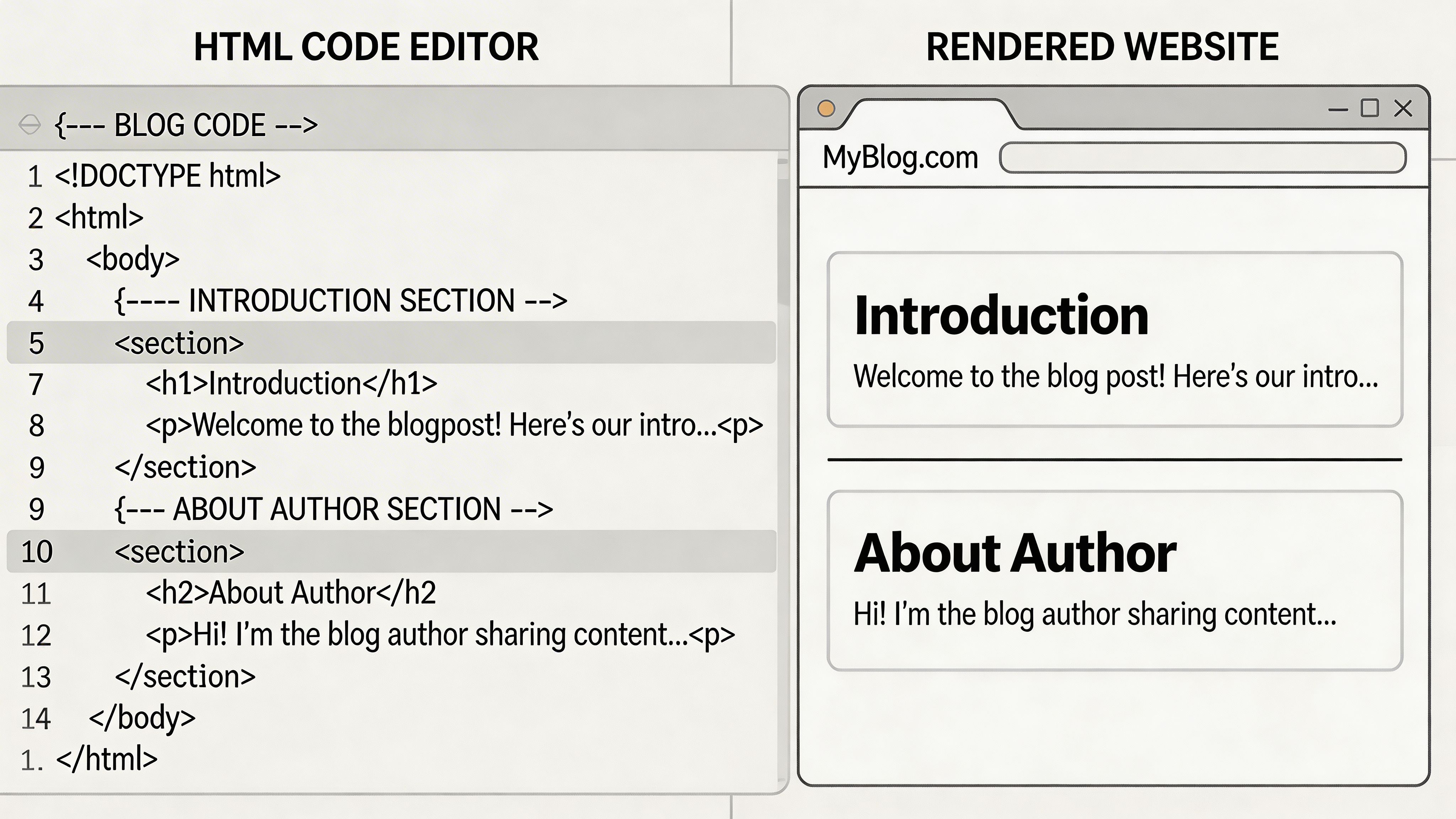
A blog post with sections inside an article
<main> <article> <header> <h1>How to Write Better Form Labels</h1> <p>Published for frontend developers and content teams.</p> </header> <section> <h2>Why labels matter</h2> <p>Labels help users understand what information a field expects.</p> </section> <section> <h2>Common mistakes</h2> <p>Placeholder-only fields often create confusion.</p> </section> <section> <h2>Testing your form</h2> <p>Check keyboard flow, focus order, and screen reader output.</p> </section> </article> </main> This structure works because the article is the standalone piece, and each section is one topic within it.
A homepage with clear thematic areas
<main> <section> <h1>Accessible websites for modern teams</h1> <p>Build better user experiences with cleaner semantics.</p> </section> <section> <h2>Services</h2> <p>We help teams improve accessibility, UX, and governance.</p> </section> <section> <h2>Testimonials</h2> <p>See how clients describe the collaboration process.</p> </section> <section> <h2>Contact</h2> <p>Talk to our team about your next audit or redesign.</p> </section> </main> A practical code review habit
When you review markup, scan headings first. If the heading outline looks messy, your sectioning probably needs work too. WebAbility’s guide to web page headings is a solid companion for that review process.
If you paste messy markup into a formatter, it becomes much easier to inspect nesting and heading relationships. A simple tool like pretty print HTML can help when inherited templates are hard to read.
One small but important note
Do not wrap every visual component in <section>. A testimonial slider may live inside a section called “Testimonials,” while each slide itself might just be a <div> unless it stands alone semantically.
That distinction keeps your HTML clean.
Boosting Accessibility with Sections and ARIA
Most tutorials stop at “use <section> for related content.” That is only half the story.
The accessibility impact is where the section tag in html becomes much more interesting, and much more important.

When a <section> lacks a heading, it fails to provide an accessible name for its implicit region role, violating WCAG 4.1.2. The ARIA Authoring Practices Guide recommends pairing it with aria-labelledby. Data also shows that sites overusing <section> without headings have 25% more empty landmark errors, which can reduce task completion rates for screen reader users by 15-20%, according to the MDN reference for the section element.
Why headings and ARIA work together
A screen reader user often moves by landmarks and headings, not by visually scanning the page.
That means your section should answer two questions clearly:
- What is this part of the page called?
- Can I jump to it quickly?
A visible heading helps answer the first question. ARIA can help expose that meaning more reliably to assistive technology.
Good pattern:
<section role="region" aria-labelledby="pricing-heading"> <h2 id="pricing-heading">Pricing</h2> <p>Choose a plan that fits your team.</p> </section> This does three useful things:
- It creates a thematic block.
- It gives the block a visible heading.
- It gives the region an accessible name through
aria-labelledby.
When to add ARIA
Not every section needs extra ARIA.
Add role="region" with aria-labelledby or aria-label when the section is important enough that users may want to move to it directly as a landmark. Think pricing, filters, search results, account summary, or support panel.
If the section is minor and already clear through headings, adding more ARIA can create unnecessary noise.
Practical advice: Use native HTML first. Add ARIA to improve navigation, not to compensate for weak structure.
A lot of heading confusion starts before ARIA ever enters the conversation. If you want a clean refresher, this guide on proper use of heading tags is a useful reference.
Screen readers do not magically fix bad structure
Developers sometimes assume nested sections automatically create a perfect outline. In practice, assistive technology behavior has been uneven, and users still depend heavily on explicit heading levels.
That is why a correct heading hierarchy still matters even when your sections are semantically sound.
For teams documenting ARIA patterns, testing landmarks, and monitoring page semantics over time, tools such as browser accessibility inspectors, Axe DevTools, and platforms like WebAbility’s ARIA guide can support review workflows.
A quick walkthrough helps if you want to see sectioning and accessibility discussed visually:
Common Misuse Pitfalls and How to Avoid Them
Bad <section> markup usually comes from good intentions.
Developers hear “semantic HTML matters,” then start replacing wrappers everywhere. That often creates more confusion, not less.
Many tutorials fail to mention that screen readers like JAWS have historically misrepresented heading hierarchies nested inside <section> elements. Without an ARIA label, <section> is semantically distinct from <div> but can still be invisible to screen reader landmark movement. Audits in 2025 found 25% of enterprise sites misuse <section> without headings, as noted in this discussion of section tag accessibility gaps.
Using section for styling only
Bad:
<section class="blue-bg padded shadow"> <p>Newsletter signup</p> </section> Good:
<div class="blue-bg padded shadow"> <p>Newsletter signup</p> </div> If the wrapper only exists for presentation, use <div>.
Creating headless sections
Bad:
<section> <p>Fast shipping on all orders.</p> </section> Good:
<section> <h2>Shipping Information</h2> <p>Fast shipping on all orders.</p> </section> A section should announce its topic clearly.
Confusing article and section
Bad:
<section> <h2>Blog Post</h2> <p>This whole standalone post is here.</p> </section> Better:
<article> <h1>Blog Post</h1> <section> <h2>Introduction</h2> <p>...</p> </section> </article> Use <article> for standalone content. Use <section> for its internal parts.
Trusting nesting to fix heading levels
Bad:
<section> <h1>Features</h1> <section> <h1>Performance</h1> </section> </section> Better:
<section> <h2>Features</h2> <section> <h3>Performance</h3> </section> </section> The browser does not rescue a sloppy heading hierarchy just because you nested sections.
Mentor rule: Write heading levels intentionally. Treat sectioning as semantic support, not as a substitute for heading discipline.
Your Checklist for Perfect Section Tag Usage
Before you ship a page, run this quick review:
- Check the theme: Does this block group content around one clear topic?
- Check the heading: Does the section have a visible heading that names that topic?
- Check the element choice: If this is only for styling or layout, should it be a
<div>instead? - Check independence: If the content could stand alone outside the page, should it be an
<article>? - Check landmarks: If users need to jump to this block, should it have
role="region"and an accessible name? - Check heading levels: Do your
h1throughh6tags form a sensible hierarchy? - Check maintainability: Will another developer understand the structure quickly by reading the markup?
Clean semantic HTML is part of professional craftsmanship. It supports accessibility, strengthens document structure, and makes future changes easier.
Frequently Asked Questions about the Section Tag
Can a section contain article tags
Yes. That makes sense when multiple self-contained items belong to one shared theme.
Example:
<section> <h2>Latest News</h2> <article>...</article> <article>...</article> </section> The section defines the topic. Each article is one standalone item inside it.
Can a section have more than one heading
A section should usually have one heading that names the section itself. If you find yourself adding multiple equal headings, you may need nested sections or a different structure.
When should I use a div inside a section
Use a <div> inside a section when you need a wrapper for layout, styling, or scripting.
Example:
<section> <h2>Services</h2> <div class="grid"> <div class="card">Audit</div> <div class="card">Remediation</div> </div> </section> That is a very normal pattern.
Do I need a section if my page only has one piece of content
Not always. If the page is one cohesive unit, <main> may be enough. If that single unit is independently reusable, <article> may be the better fit.
If your team needs help turning semantic HTML habits into repeatable accessibility practice, WebAbility.io provides an end-to-end platform for WCAG 2.2 AA, Section 508, AODA, and EN 301 549 workflows, including monitoring, reporting, and implementation support.
Quick Questions
Tap to ask AI about this article