Guide to ADA & WCAG: continuous compliance monitoring for ongoing accessibility

Sidharth Nayyar
Sidharth Nayyar
TL;DR: Continuous compliance monitoring is an automated, 24/7 system that constantly checks your website for accessibility issues, helping you stay aligned with standards like WCAG and the ADA in real-time. Instead of one-time manual audits, it provides constant vigilance, reduces legal risks, and improves user experience for everyone. A powerful platform like WebAbility.io can manage this entire process for you.
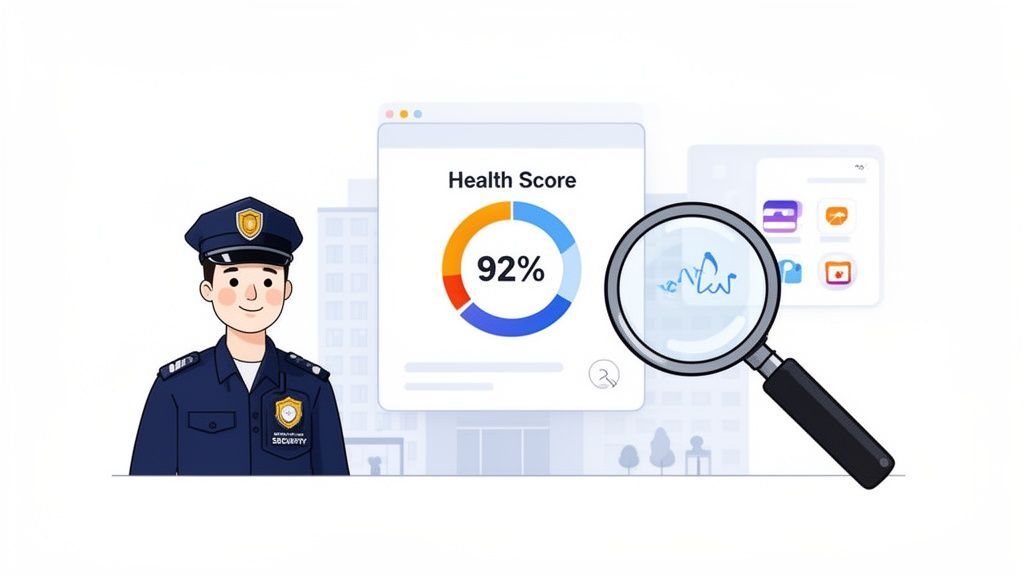
At its core, continuous compliance monitoring turns accessibility from a one-off project into a core part of your daily operations. This model of constant vigilance is a fundamental shift away from periodic audits, which only provide a snapshot of your site’s health at a single moment in time. My experience in helping countless organizations achieve digital accessibility has shown that this proactive approach is the most effective strategy.
This constant oversight is non-negotiable for modern websites. They are dynamic entities—always changing with new code, fresh content, or updated features. A site that’s perfectly compliant today can easily develop new barriers tomorrow after a seemingly minor update. A continuous monitoring system is your early warning signal, flagging problems the instant they pop up, ensuring a consistently positive experience for all users.
To better understand the difference, let’s compare the old way with the new.
The table below breaks down the key differences between relying on occasional accessibility checks and adopting an always-on monitoring strategy. I've seen firsthand how businesses benefit from making this switch.
| Aspect | Periodic Audits | Continuous Compliance Monitoring |
|---|---|---|
| Frequency | Once or twice a year | 24/7, in real time |
| Scope | A static snapshot in time | Dynamic, ongoing analysis |
| Approach | Reactive (fixing past issues) | Proactive (preventing future issues) |
| Coverage | Misses issues between audits | Catches issues as they happen |
| Integration | Separate, one-off project | Integrated into the development lifecycle |
| Risk Level | High risk of non-compliance drift | Low risk, consistent adherence |
As you can see, continuous monitoring provides a much more robust and reliable framework for managing digital accessibility and the associated business risks.
The true power of this approach lies in its ability to shift the organizational mindset from reactive to proactive. You stop scrambling to fix problems after a user complaint or during a high-stakes legal audit. Instead, you get ahead of them, preventing issues from ever becoming serious risks.
By finding and fixing compliance gaps before they can grow into major liabilities, organizations dramatically lower their legal exposure and protect the brand reputation they’ve worked so hard to build.
This strategy is about building a sustainable continuous compliance culture, similar to the principles used in modern security and DevOps. When accessibility is woven into your team's everyday workflow, the benefits for the business become clear and measurable:
Ultimately, continuous compliance monitoring provides the data and framework to make accessibility a lasting part of your business strategy. To see how a centralized dashboard brings all this information together, take a look at how to monitor your website's accessibility in real-time.
In the past, many companies treated accessibility compliance like a fire drill—something to react to only when the alarm went off. That approach is no longer just outdated; it's a serious business risk.
Moving from occasional spot-checks to continuous compliance monitoring isn’t merely about avoiding fines. It’s a strategic pivot that safeguards your revenue, strengthens your brand, and frankly, is just good business. The smartest companies I see are already doing this. They've turned accessibility from a legal chore into a competitive advantage that delivers a truly exceptional experience for every user.
Let’s be blunt: ignoring accessibility will eventually cost you, and the price is much steeper than you might think. From my professional experience, I can confirm that the fallout from a reactive approach creates a damaging ripple effect across the entire organization.
Think about the real-world costs piling up:
When you shift to a proactive model, you're not just dodging legal trouble. You're building a more stable and efficient company where the focus is on creating value, not managing crises.
This proactive mindset is about opening doors, not just closing down risks. A huge part of that is taking the time to ensure your website accessibility for every person who might want to use it.
You don't have to look far to see the writing on the wall. The demand for strong compliance tools is surging, driven by tougher regulations and a public that’s more aware of digital rights than ever before.
The numbers tell a dramatic story. Authoritative market research predicts the data compliance monitoring market will explode from USD 215.6 million in 2025 to an incredible USD 2,667.2 million by 2035. That’s a compound annual growth rate of 28.6%. With North America already making up over 39.15% of the market, it's clear where business priorities are heading.
This isn't just a trend; it's a direct reaction to laws like the ADA and standards like WCAG. Both regulators and customers now expect businesses to deliver accessible digital platforms. Continuous monitoring is the essential control system that helps you meet those expectations and drastically reduce the risk of non-compliance.
Beyond just protecting your business, proactive compliance gives you the key to a massive, often-ignored market. Globally, over one billion people identify as having a disability. This community, along with their friends and family, controls an estimated $13 trillion in annual disposable income.
Think about that for a second. If your website isn't accessible, you're essentially telling a market segment larger than China that you don't want their business. This isn't just about ethics; it's about market growth.
Making your digital world accessible is one of the smartest investments you can make in your bottom line. By adopting continuous compliance monitoring, you’re sending a clear signal that your brand is open for business to everyone. If you’re ready to start that journey, see how WebAbility.io's end-to-end accessibility platform can help you get there with confidence.
A truly effective continuous compliance monitoring system isn't just one piece of software; it's a collection of tools working together. I like to think of it like the cockpit of an airplane. You don't just have one dial for speed—you have instruments for altitude, engine status, and weather, all giving you a complete, real-time picture. Each component is critical, and together, they allow you to navigate with confidence.
In the same way, a strong accessibility monitoring platform brings several key features together to give you a complete view of your website's health. Understanding what these are is the first step to choosing a solution that actually protects your organization and serves all your users. Without this integrated view, you're flying blind, completely unaware of small issues that can quickly escalate into major problems.
At the heart of any continuous monitoring system is its automated 24/7 scanning capability. This is the workhorse, the part of your system that never sleeps. It’s constantly patrolling your website, looking for new or recurring accessibility issues. While a one-time manual audit gives you a deep snapshot, automated scans provide the constant vigilance you need.
These scans crawl every page of your site, much like a search engine bot, but their mission is specific: to check your code against WCAG and other accessibility standards. They are brilliant at catching a wide range of common, high-frequency errors, such as:
The real magic happens when your site changes. The moment a developer pushes new code or a content manager publishes an article, the system immediately scans those changes. If a new issue pops up, you'll know about it in minutes, not months later during your next audit. This allows your team to jump on problems before they affect a single user or create legal exposure.
All that data from automated scans would be useless noise without a way to make sense of it. That's the job of a centralized dashboard. It acts as your command center, pulling all your compliance information into one clear, easy-to-digest interface.
Instead of your team getting lost in complex spreadsheets or dense technical reports, they get a simple, at-a-glance view of your site's overall accessibility health. A good dashboard visualizes the data, turning raw error logs into insights you can actually act on. It’s where you can manage multiple websites, spot trends, and decide what to fix first.
A well-designed dashboard transforms abstract compliance data into a clear operational picture, empowering teams to make informed decisions quickly and confidently.
So, you're fixing bugs. But are you actually getting better? A raw list of errors doesn't really answer that question. This is why compliance scoring and historical trend analysis are so important. A compliance score acts like a grade, giving you a single number that summarizes your website’s current accessibility status.
This score gives you a clear benchmark to work against. Even better, tracking that score over time reveals your story. You can see if your accessibility posture is genuinely improving, staying flat, or—worse—declining after a big site update. This historical context is gold for showing progress to leadership and for pinpointing weak spots in your development process that keep causing the same old problems.
Ultimately, if you ever face a legal challenge, you'll need to prove you've been doing the work. Granular reporting and audit trails provide the hard evidence you need. This component is all about creating a detailed, time-stamped record of every compliance-related action.
A solid system needs to generate reports that clearly show:
This audit trail becomes your proof of good-faith effort to maintain an accessible website. If you need to spot-check a specific page, a powerful accessibility checker built into the system can give you an instant read. These records aren't just for your internal team; they are your first line of legal defense.
Alright, you understand the what and the why. Now for the how. Getting started with continuous compliance monitoring can feel overwhelming, but it's not about flipping a single, giant switch. Based on my experience guiding organizations through this process, the best way to tackle it is by breaking the journey down into a series of logical, manageable steps.
This roadmap lays out four distinct phases. By following them, you can build momentum, show real progress early on, and weave accessibility into the very fabric of how your team works. Think of it less as a sprint and more as building a solid foundation, one brick at a time.
You can't map out a journey without knowing where you're starting from. The first and most critical step is to conduct a comprehensive baseline audit. This initial assessment acts as a health check-up for your website, giving you a data-driven snapshot of your current accessibility standing. It shows you what you're doing right and, more importantly, where the most urgent problems are.
A proper audit combines the speed of automated scanning with the nuance of expert manual testing. This process creates a full inventory of every issue, allowing you to prioritize fixes based on their severity and impact on real users. Without this baseline, you’re flying blind. You won't be able to measure progress or direct your team's efforts where they'll make the biggest difference.
Once you know where the problems are, the next goal is to stop creating new ones. This is where you bring accessibility into your CI/CD (Continuous Integration/Continuous Deployment) pipeline. By embedding automated accessibility checks directly into your development workflow, you empower developers to catch and fix issues before their code ever gets deployed.
This "shift-left" approach makes accessibility a routine part of coding, not a cleanup job at the end. For example, when a developer commits new code, an automated scan can run as part of the build process. If a WCAG violation is found, the build can be set to fail, preventing flawed code from being merged.
This is a huge opportunity, as many organizations are still playing catch-up. The authoritative 2026 State of Continuous Controls Monitoring Report found that only 28% of organizations have implemented continuous controls monitoring. Yet, a large majority believe it will dramatically improve their compliance and security, signaling that a major industry shift is coming. For web teams, this is a chance to get ahead.
With automated checks running, you'll start gathering a lot of data. The next step is making that data easy to see and act on. A generic, one-size-fits-all dashboard isn't enough. You need to configure custom dashboards and alerts that give each person on your team the specific information they need.
Different roles need different views:
Custom alerts are equally vital. You can set up notifications that go directly to the right person the moment a high-priority issue pops up. This means critical problems get fixed right away, instead of getting lost in a backlog for weeks.
This simple flow—scan, dashboard, report—is the engine that powers continuous monitoring.
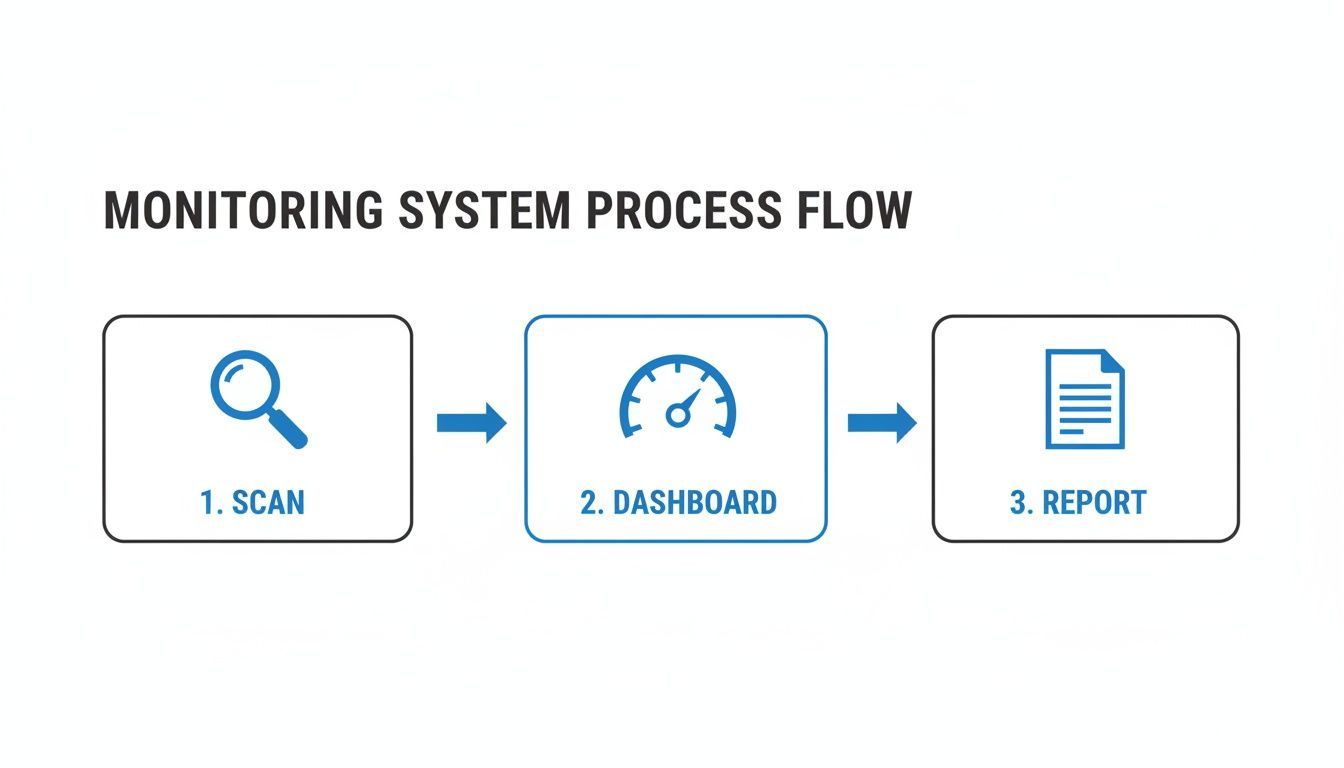
It’s all about turning raw data into clear, actionable insights that your team can use immediately.
Great technology is only half the battle. The final, and arguably most important, phase is to establish clear governance and workflows. This is about creating the human processes that support the technology, ensuring everyone knows their role.
Governance is what answers the key questions: Who owns this? When an issue is flagged, who triages it? What's the process for assigning, fixing, and verifying it? Who gives the final sign-off?
Defining these workflows ensures that nothing falls through the cracks. It creates a culture of ownership where everyone, from content editors to QA analysts, understands their part in maintaining an accessible experience. For a deeper dive, check out our guide on automated accessibility testing, which is a perfect partner to a strong governance model. A platform like WebAbility.io makes this much simpler by providing built-in tools for managing team roles, tracking issues, and generating audit trails, making good governance a natural part of your daily operations.
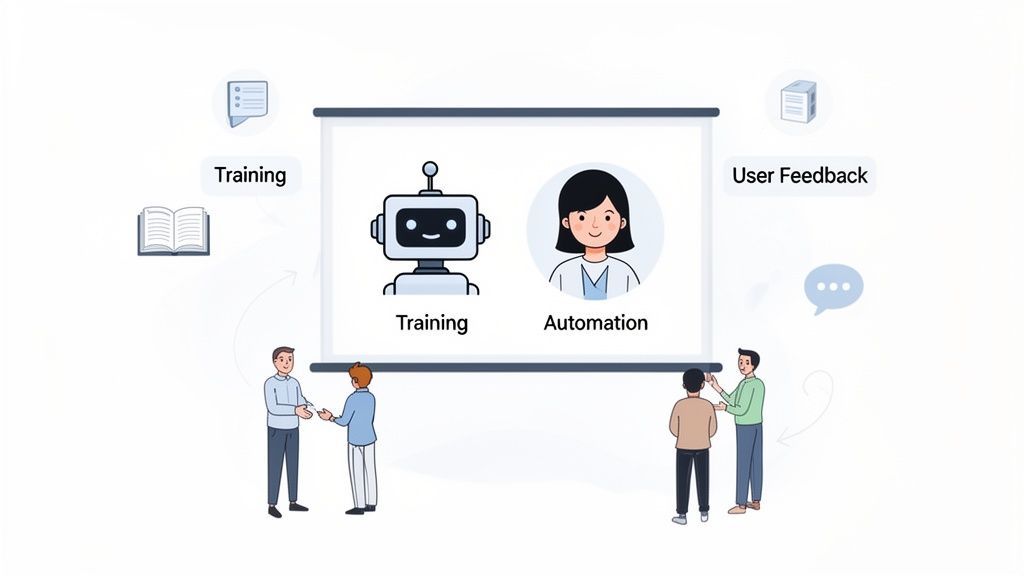
Powerful software is definitely the engine of continuous compliance monitoring, but a truly sustainable accessibility program needs more than just a great engine. You also need skilled drivers behind the wheel and clear rules of the road. My experience shows that success isn't just about buying a tool; it's about building a culture where your people, your processes, and your technology all work together seamlessly.
This means shifting your focus from just the tool itself to the entire system around it. When you get this blend right—combining smart technology with well-defined human workflows—you create a program that doesn't just find problems. It starts preventing them.
The most practical path to accessibility combines the raw speed of automation with the nuanced expertise of human testers. Automated scans are phenomenal at catching a huge number of common issues 24/7, giving you that constant, foundational monitoring. But let's be clear: they can’t see everything.
That's where manual testing comes in. An expert human tester can pick up on the subtleties of the user experience that software simply misses. They can evaluate things like the logical flow of navigation, the real-world usability of complex widgets, and context-specific issues that only a person would notice.
Think of it this way: Automation handles the constant watch, freeing up your human experts to tackle the complex challenges and offer insights that a machine never could.
This two-pronged approach gives you both wide coverage and deep analysis, which is the hallmark of any mature accessibility program. A comprehensive website accessibility audit performed by experts sets the initial benchmark, and then your automated tools work to maintain that standard over time.
An accessibility tool is only as good as the people who use it. If you want to build a real culture of compliance, everyone involved in creating your digital products needs to understand their part. That means making team training and education an ongoing priority.
When everyone on the team is speaking the same language, accessibility stops being a niche, siloed job and becomes a shared responsibility woven into your daily work.
So, your monitoring tool flags an issue. What happens next? Without a clear plan, those alerts just become background noise in a cluttered inbox. This is why having a defined incident response workflow is absolutely essential.
This workflow lays out the entire journey of an accessibility defect, from start to finish:
A structured process like this creates accountability and ensures that the alerts you get actually lead to timely fixes. It's how you turn data into action.
Finally, never forget that some of your best compliance monitors are your own users. People with disabilities who use assistive technology every day can offer real-world insights that no automated tool can ever hope to match. A truly robust accessibility program must have a simple, obvious way for users to report any barriers they encounter.
A platform like WebAbility.io helps close this loop by channeling user feedback directly into your compliance workflow. When a user points out a problem, it can automatically generate a ticket for your team to investigate. This not only helps you fix real-world issues but also sends a powerful message that you are listening and are committed to getting it right.
So you've set up a continuous compliance monitoring program. That's a huge win, but now comes the hard part: proving its value to the people signing the checks. How do you do that? You have to stop talking about issue counts and start talking about business impact.
It’s all about translating your accessibility work into the language of ROI. When you can draw a straight line from your program to lower risk, better efficiency, and new revenue opportunities, it’s no longer seen as a cost center. It becomes a smart, strategic investment.
Let’s get practical and break down exactly how you can measure and present this value.
Let’s be honest: the most direct and persuasive return on your investment is dodging a legal bullet. Digital accessibility lawsuits aren't just a remote threat; they're on the rise, and a single complaint can cost your company dearly in legal fees, settlements, and brand damage. Your monitoring program is your best defense—a living record of your good-faith efforts.
By tracking the decrease in critical and high-severity issues over time, you can quantify your reduced exposure. This isn't just a defensive move; it's a proactive strategy to protect your bottom line and brand reputation.
A well-documented accessibility program shows that you’re not just reacting to problems but actively working to prevent them. This approach is catching on. Authoritative research shows the Business Compliance Solutions market is expected to hit USD 934 million by 2025, signaling a massive industry shift from slow, periodic audits to real-time, automated monitoring.
Why the change? Because it works. Organizations using this method see up to a 50% reduction in violation incidents. That's a critical number, especially when the average data breach costs USD 4.45 million. Seeing this trend firsthand across many businesses confirms that proactive compliance is the future of risk management.
Here’s a simple truth: an accessible website is a more usable website for everyone. When you tear down digital barriers, you create a far smoother and more intuitive experience, and that shows up in your core business metrics.
Start tracking these KPIs before and after you roll out your accessibility fixes:
By connecting specific accessibility improvements to these positive trends, you build an undeniable case that compliance work is directly fueling business growth.
Continuous monitoring doesn’t just make your website better; it makes your team better. By flagging accessibility issues early in the CI/CD pipeline, you prevent them from ever making it to your live site in the first place.
This "shift-left" philosophy pays off in several ways:
When you track metrics like the average time to resolve accessibility tickets or the number of bugs caught before deployment, you're demonstrating a clear operational ROI. You’re not just building a more compliant product; you’re building it faster and smarter.
As teams start exploring continuous compliance, a few key questions always come up. Based on my experience in the field, let's walk through the most common ones to give you a clearer picture of how it all works in practice.
Think of it this way: a one-time audit is like a snapshot. It gives you a great, detailed picture of your website’s accessibility at a single point in time. But what happens the next day when your team pushes new code or marketing adds a new landing page? That picture is already out of date.
Continuous compliance monitoring, on the other hand, is a live video feed. It’s always running, providing constant oversight of your entire digital presence. This lets you spot accessibility issues the moment they appear, whether they come from a minor code update or a major new feature release. Audits are reactive; continuous monitoring is proactive.
Absolutely, and that’s actually one of its biggest strengths. Modern monitoring platforms are built to plug directly into your team's existing workflow and tools. By connecting with systems like Jira, GitHub, or Azure DevOps, accessibility checks become just another routine part of your development cycle.
This means developers can see and fix accessibility bugs right in the tools they already use, long before the code is ever deployed. Accessibility stops being a separate, after-the-fact cleanup project and becomes a natural part of building high-quality software.
This shift empowers developers to build inclusively from the start, improving efficiency and reducing the costs associated with post-launch remediation. It turns compliance from a gatekeeper into a collaborator.
Getting started is surprisingly straightforward. Most teams are up and running much faster than they anticipate. Platforms like WebAbility.io are designed for easy implementation, with simple plugins for common systems like WordPress and Shopify. For most other sites, it’s often just a matter of adding a small snippet of code to get the first scan going.
As for maintenance, there’s very little to do. The system is designed to be automated. Once you have it configured, the platform handles the 24/7 scanning, dashboard updates, and reporting on its own. This frees up your team to focus their energy on what matters: fixing issues, not managing another tool.
While minimizing legal risk is a huge driver, the business case for proactive accessibility is even bigger. When you consistently improve accessibility, you're directly improving the user experience for everyone—not just users with disabilities. This often leads to better engagement, longer time on site, and higher conversion rates.
Beyond that, it unlocks your brand’s access to the global disability market, a community with a combined disposable income of $13 trillion. A genuine, ongoing commitment to accessibility shows that you value every single customer. That builds incredible brand loyalty and a positive reputation that money can't buy.
Ready to move from periodic checks to proactive protection? WebAbility.io provides the tools and expert guidance to build a sustainable continuous compliance program. Start your free trial today and see how easy it is to make accessibility a core part of your business.
Tap to ask AI about this article
Ready to make your website accessible? Engage with our team or start a free trial today.
Find the best accessibility monitoring software for your team in 2026. Compare top platforms, evaluation criteria, & build your business case.
Discover what compliance monitoring software is, its key features, and how to choose the right solution for ADA, WCAG, and Section 508. Your 2026 guide.
Learn how automated compliance monitoring helps your business reduce risk, track regulations, and ensure continuous compliance with our expert guide.

Explore assistive technology for blind and visually impaired users, from screen readers to AI tools, with practical developer tips for accessible web design.

Learn how to check a PDF for accessibility using automated tools, manual reviews, and screen reader testing. Ensure WCAG 2.2 and PDF/UA compliance today.

Learn how to write, test, and remediate accessible links that meet WCAG 2.2, ADA, and Section 508. Includes code examples and a quick audit checklist.

Make form validation accessibility work in real code. Covers ARIA, error patterns, focus management, WCAG, and testing workflows that actually help users.

ADA, Section 508, AODA, or the EAA, which web accessibility laws apply to you? A plain-English guide by region and business type. Scan your site free.