Accessibility Overlay Lawsuit: 2026 Compliance Guide

Sidharth Nayyar
In 2024, 4,061 ADA website accessibility lawsuits were filed, and 1,023 of them, 25%, explicitly named accessibility widgets or overlays as barriers rather than solutions. That's the core reason the accessibility overlay lawsuit conversation changed, overlays stopped being a quiet shortcut and became part of the complaint itself. The practical lesson is simple, if your site still relies on a widget instead of real remediation, you're not reducing risk, you're advertising that you know there's a problem.
The Accessibility Overlay Lawsuit Surge at a Glance

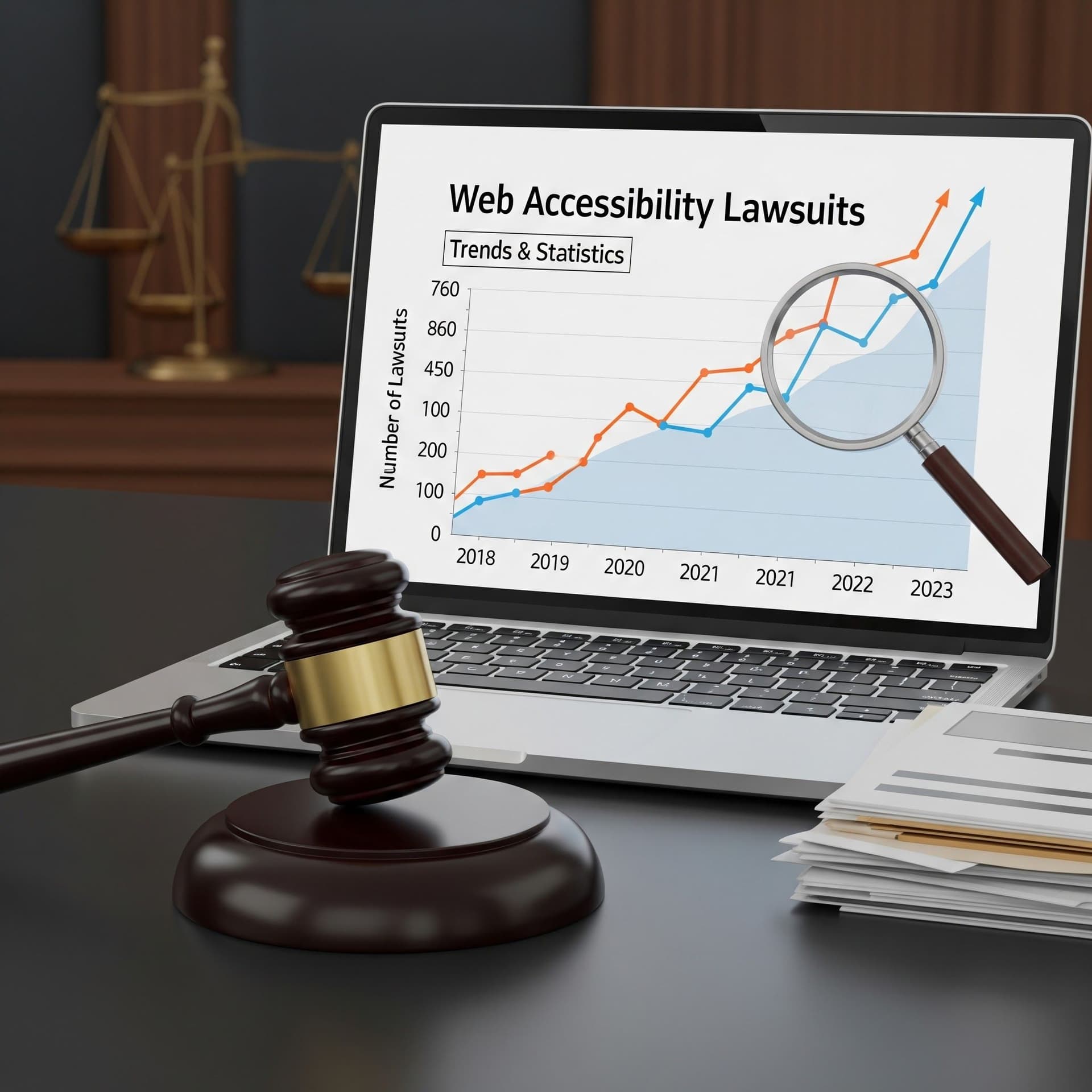
The litigation record is clear. In 2024, more than 4,000 ADA web accessibility lawsuits were filed in U.S. state and federal courts, and one widely cited industry analysis counted 4,061 cases, with 25%, or 1,023 cases, explicitly citing widgets or overlays as barriers rather than fixes, according to the 2024 ADA lawsuit trends summary. That matters because it shows overlays were no longer just ineffective, they were increasingly named in the pleadings.
The pressure kept building in 2025. One industry tracker reported 3,117 website accessibility lawsuits in U.S. federal court alone, up 27% from 2,452 federal filings in 2024, and said total digital accessibility lawsuits, including state-court cases, reportedly exceeded 5,000 in that period, as noted in the 2025 accessibility lawsuits tracker. The same dataset said about 22.6% of first-half 2025 lawsuits, roughly 456 cases, targeted sites with an overlay installed.
That's why this is a risk-management issue, not a product preference debate. E-commerce teams, SaaS companies, schools, and public-sector organizations are especially exposed when they install a widget, declare victory, and never finish source-code remediation. A quick visual layer can calm internal stakeholders, but it doesn't change the complaint pattern plaintiffs care about.
If you need a practical benchmark for design and remediation expectations, Kogifi on accessibility design is a useful companion read because it keeps the focus on structure, not cosmetics. For broader trend context, the web compliance lawsuit report is a helpful internal reference point.
The bottom line is blunt. The sites that survive this wave are the ones that treat overlays as optional personalization, not as legal armor.
What an Accessibility Overlay Does

An accessibility overlay is usually a third-party JavaScript widget that sits on top of a site and changes how the page looks or behaves at runtime. It can adjust contrast, scale text, alter spacing, improve focus visibility, and add convenience controls for some users. It does this without fixing the underlying source code, as described in the widget-and-overlay technical overview. That makes it a runtime layer, not a code fix.
The distinction matters because the visible controls are only part of the experience. A widget can help users change presentation, but it cannot create missing labels, repair broken heading order, fix keyboard traps, or add accessible names to icon buttons. It also cannot rewrite semantic HTML so assistive technology gets a cleaner document structure.
What overlays can improve
They can help users change their own view of the page. Common examples include high contrast modes, text sizing, dyslexia-friendly fonts, and keyboard-helper panels. Those features can matter to real visitors, especially when a team needs a short-term layer of usability while larger remediation work is still in flight.
What overlays can't touch
They do not fix the defects that usually drive lawsuits. If a form field has no label, the overlay does not create one in the source. If the page order is wrong, the overlay does not re-architect the DOM. If a video player or checkout flow has broken keyboard behavior, the widget cannot turn that into a compliant experience.
Practical rule: if a defect exists in the source, a widget usually cannot erase it from legal review.
That is also why scanners and plaintiff-side tools still find the underlying issues. They inspect the DOM and source-level patterns, so the detectable barriers remain visible even when a toolbar is present. If your team is evaluating the WebAbility.io compliance solution, keep that framing in mind, the widget is a runtime layer, not a substitute for remediation.
The Disability Community's Case Against Overlays
The criticism isn't academic, it comes from the people the law is meant to protect. In the 2020 Overlay Fact Sheet and open letter, disability advocates and accessibility professionals argued that no overlay product on the market can make a website fully compliant with an accessibility standard, and the same material reported that 67% of WebAIM survey respondents rated overlays “not at all” or “not very effective,” while 72% of respondents with disabilities gave the same low rating, according to the Overlay Fact Sheet. That's not a fringe objection, it's a warning from the user community itself.
The concern has two layers. First, overlays can cover up the visible symptoms of a broken site while leaving the actual barriers intact. Second, they can shift attention away from the lived experience of screen-reader users, keyboard-only users, and voice-control users who still hit dead ends in forms, menus, and content flows.
A legal touchstone here is Murphy v. accessiBe. The case became a reference point because it pushed overlay marketing claims into judicial scrutiny instead of letting them live in vendor copy. Once litigation starts, the question isn't whether the widget looks helpful, it's whether the site is usable and compliant.
The disability community's position is also practical. If a site loads a tool that talks about accessibility but still breaks navigation, the user doesn't feel “supported.” They feel blocked. That's why many advocates see overlays as a distraction unless the underlying code has already been remediated.
A widget that changes the surface and leaves the structure broken doesn't create trust.
For teams building a genuine accessibility program, the WebAbility.io accessibility guide is useful because it keeps the focus on usability for disabled users, not just on visual adjustments. Respecting the criticism starts with accepting that the community's skepticism is grounded in daily friction, not theory.
What the Case Record Actually Shows
The case record doesn't support the fantasy that an overlay is a legal shield. In 2020, more than 250 lawsuits were filed against companies using widgets or overlays as their accessibility solution, according to the overlay legal update. By 2024 and 2025, the complaints had gotten even more direct, with large shares of filings naming the overlay itself as part of the barrier.
| Year | Total Filings | Overlay Share |
|---|---|---|
| 2020 | Not specified in the verified data | More than 250 lawsuits targeted overlay users |
| 2024 | 4,061 cases | 25%, or 1,023 cases, named widgets or overlays |
| 2025 | 3,117 federal filings | 22.6%, roughly 456 cases, targeted sites with overlays |
That pattern tells you how plaintiffs and their counsel think. A one-line script doesn't change the underlying defects a court evaluates. If anything, a visible toolbar can create a cleaner fact pattern, because it shows the company knew accessibility mattered and still didn't fix the source.
The BigCommerce migration process at how to migrate a BigCommerce store is a decent analogy for this, because moving platforms doesn't remove the need to rebuild structure, test flows, and check what broke in transit. Accessibility is similar, if the HTML, labels, and keyboard behavior stay broken, the overlay on top doesn't matter much to a judge or to a user.
What the record does not say is just as important. Overlays have not been ruled categorically unlawful. The problem is narrower and more actionable, courts have not treated them as a compliance defense when the site underneath remains inaccessible.
For teams looking for a practical risk baseline, the WebAbility.io lawsuit prevention tips are worth reviewing because they align with what the case record rewards, not what marketing claims promise. The safe takeaway is not “never use a widget,” it's “never confuse a widget with a defense.”
Where Overlays Legitimately Add Value
Overlay debate gets sloppy when people frame it as all good or all bad. The better question is what the widget sits on top of. On a properly remediated site, a widget can add a personalization layer that lets users tune contrast, text size, spacing, translation, or text-to-speech preferences without forcing the base design to serve every need in one fixed state.
That distinction matters during remediation too. If a team has a multi-quarter backlog, a widget can provide immediate usability gains while source-code fixes, testing, and governance are still underway. It doesn't end the remediation effort, but it can improve the experience for visitors who arrive before the deeper work is done.
Where a widget helps
- Personalization: users can choose high contrast, larger text, or dyslexia-friendly fonts without asking the site owner for a custom build.
- Temporary lift: it can improve day-one usability while a real remediation roadmap moves through design, development, QA, and retesting.
- Preference support: some visitors want a faster way to set their own visual defaults.
That's the honest value proposition. The widget is useful as a layer of user control, not as proof of compliance.
The same logic applies to the WebAbility.io Accessibility Widget, which is positioned as one component in a stack that includes automated scanning, compliance scoring, audit trails, and expert remediation services. That's the right framing because a widget can support access, but it can't stand in for source-code fixes, manual testing, and governance.
The question isn't whether personalization belongs on the page. The question is whether you've already fixed the page first.
Used well, a widget can reduce friction. Used as a shortcut, it creates a false sense of completion and makes litigation risk easier to explain, not harder.
The Practical Stack That Actually Reduces Legal Risk
If you want lower exposure, build the stack in the right order. Start with a manual WCAG 2.2 AA audit by qualified testers, then move into prioritized source-code remediation, then publish your accessibility statement and procurement documentation, and keep the work visible through continuous monitoring. That sequence matters because each layer does a different job in a legal review.
The four layers that hold up
- Audit first. A professional review surfaces the actual defects and shows good-faith effort.
- Remediate the source. Fix labels, headings, keyboard paths, color contrast, and component behavior in the code, because that's where plaintiffs look.
- Document the program. A published accessibility statement and VPAT or ACR give legal, procurement, and partner teams something concrete to review.
- Monitor continuously. Ongoing scanning and governance prove the work didn't stop after one release.
That's also where an overlay, if you use one, belongs, as a personalization complement after the foundation is solid. It should sit beside remediation, not replace it. If the source code stays broken, the widget is just a prettier front end to the same liability.
For teams comparing service models, affordable ADA compliance services can be a useful benchmark for what a broader remediation engagement looks like when budget is part of the conversation. Cost control matters, but it doesn't change the order of operations.
A good governance program should also surface internal reporting for legal and procurement teams, so they can see trends, regressions, and unresolved issues without digging through tickets. That's what makes accessibility defensible, not the presence of a toolbar.
What an Overlay Cannot Reach
The biggest blind spot in overlay discussions is scope. A widget operates on browser-rendered HTML, so it doesn't fix PDFs, Office documents, downloaded forms, native mobile apps, kiosk flows, or third-party embedded widgets. If those assets are part of your customer journey, the risk doesn't stop at the homepage.
That matters in environments where documents are the workflow, not the exception. Public-sector sites, schools, healthcare organizations, and enterprise procurement portals often distribute forms, policies, manuals, and statements as files, and overlays don't repair those files. The same gap appears in accessibility regimes such as Section 508, AODA, and EN 301 549, because compliance doesn't end where the browser chrome begins.
The practical scope problem
- PDFs and downloads remain broken if the source file isn't remediated.
- Mobile apps need native accessibility work, not a website toolbar.
- Embedded widgets from third parties can still create barriers you don't control.
- Semantic HTML defects stay in place even when the page looks more accessible at a glance.
That's why an overlay can dress up the front door and still leave the back rooms inaccessible. A demand letter can focus on the document a customer downloaded, the form they couldn't submit, or the app they couldn't use. If your program only audits the site shell, you're missing half the exposure.
The fix is broader than a widget and narrower than a slogan. Inventory every user-facing format, then remediate the ones that a browser overlay will never touch.
A Monitoring and Governance Plan That Holds Up
A compliance program needs a heartbeat, and it needs owners. Continuous monitoring, role-based access for internal teams, white-label management across multiple sites, API integrations into CI/CD, and executive summaries that legal and procurement can read without translation all belong in the same operating layer. Without that structure, accessibility turns into a one-time project and then regresses over time.
A real dashboard should show compliance scoring, historical trends, regressions, and community-reported issues in one place. It should also give users a simple bug-reporting flow so barriers can be flagged directly instead of disappearing into email threads. That is the difference between a program that produces evidence and one that only produces screenshots.
If you want a practical implementation reference, affordable ADA compliance services can show one way to combine monitoring, remediation support, and governance, but the workflow matters more than the brand. The same logic applies whether you buy software, use an internal team, or partner with consultants.
Before you close the quarter, do this:
- Publish the statement. Make your accessibility commitments public and current.
- Complete the audit. Use a qualified manual WCAG 2.2 AA review, not just automated scans.
- Prioritize remediation by risk. Fix the highest-impact barriers first.
- Install the widget last. Use it as a personalization layer after the structure is sound.
- Schedule quarterly reviews. Accessibility drifts if nobody owns it.
If you need a place to start, the most useful internal paths are the Accessibility Enhancer, Audit, Compliance, and Monitor pages. Those are the pieces that turn an accessibility posture into something legal teams can defend and users can feel.
Quick Questions
Tap to ask AI about this article