Website Accessibility Compliance Guide (2026)

Sidharth Nayyar
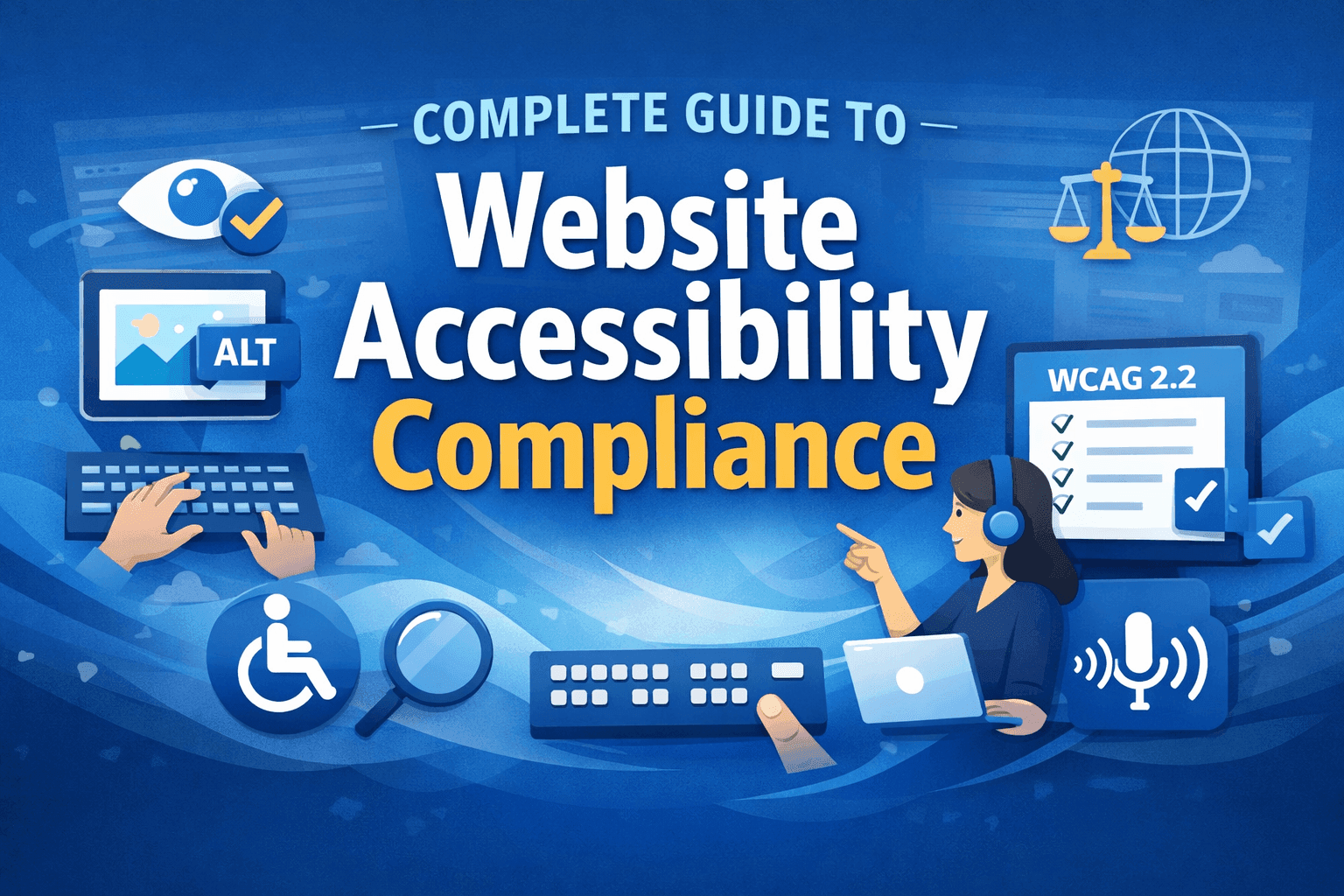
Complete Guide to Website Accessibility Compliance (2026)
Website accessibility compliance means meeting the standards and laws that ensure your site works for everyone, including people with disabilities. In 2026 it's both a legal requirement and a competitive advantage. This guide gives you the full picture: what website accessibility is, why it matters (including its growing link to SEO and AI search), the laws that apply around the world, how to test your site, and how to become - and stay - compliant.
TL;DR: Accessibility means building to WCAG (Level AA is the target). It's mandated by laws worldwide and increasingly rewarded by search engines and AI platforms. Test with automated and manual methods, fix the common barriers, and monitor continuously. For the standard itself, see our WCAG 2.2 guide; for an actionable list, use the WCAG compliance checklist.
According to the World Health Organization, over 1.3 billion people globally live with some form of disability. If your website is not accessible, you are effectively blocking a significant portion of potential users from accessing your services.
This complete guide to website accessibility compliance will help you understand:
What WCAG 2.2 accessibility guidelines are
- How to test your website for accessibility issues
- The most common accessibility violations
- The best accessibility testing tools
- Accessibility laws across different countries
- How accessibility audits work
- The difference between manual and automated accessibility testing
This guide is written using WCAG 2.2 best practices and real accessibility audit experience to ensure it reflects practical implementation strategies, not just theory.
What Is Website Accessibility?
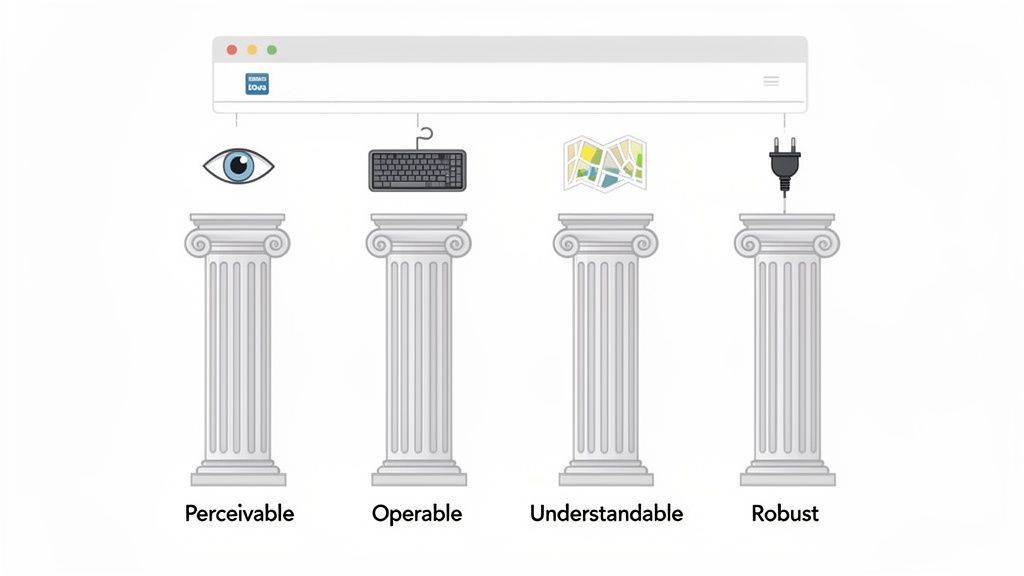
Website accessibility is the practice of designing and building websites so that people with disabilities can perceive, understand, navigate, and interact with them. It's measured against the Web Content Accessibility Guidelines (WCAG), built on four principles - Perceivable, Operable, Understandable, and Robust (POUR).
Why Website Accessibility Matters in 2026
Accessibility is the right thing to do, a legal requirement, and a business advantage. It widens your audience, improves usability for everyone, and reduces legal risk. It also delivers measurable benefits: higher engagement and conversion rates, stronger brand trust, and - increasingly - better search visibility.
Accessibility and SEO / AI Search
Accessibility and SEO are now deeply interconnected. Search engines and AI platforms rely on structured, well-organized content to understand and rank websites - and accessibility improvements naturally enhance that structure:
- Proper heading hierarchy helps engines interpret content hierarchy.
- Alt text improves image indexing.
- Clear navigation improves crawlability.
AI search platforms in particular prioritize content that's easy to parse and summarize, and accessible websites are inherently more machine-readable - making them more likely to appear in AI-generated answers. In other words, accessibility is no longer separate from SEO; it's a foundational part of it.
A Quick Word on WCAG 2.2
WCAG 2.2 is the current version of the guidelines. It builds on WCAG 2.1, adds nine new success criteria (focus visibility, target size, dragging alternatives, accessible authentication), and targets Level AA for most sites. For the full breakdown of every new criterion, read our dedicated WCAG 2.2 guide, and to work through the requirements step by step use the WCAG compliance checklist.
What is WCAG 2.2?
The Web Content Accessibility Guidelines (WCAG) 2.2 are the globally recognized standards for making websites accessible to people with disabilities.
WCAG is developed by the W3C Web Accessibility Initiative (WAI) and provides a framework that helps ensure digital content is accessible to users with:
- Visual impairments
- Hearing impairments
- Motor disabilities
- Cognitive disabilities
WCAG guidelines are based on four core principles known as POUR:
1. Perceivable
Users must be able to perceive the information on the page.
Examples:
- Images must have alt text
- Videos should include captions
- Content should have sufficient color contrast
2. Operable
Users must be able to operate the interface.
Examples:
- Website must be fully navigable using a keyboard
- No content should cause seizures or flashing triggers
- Navigation should be consistent.
3. Understandable
Information and UI behavior should be easy to understand.
Examples:
- Forms must have clear labels
- Error messages should provide helpful guidance
- Navigation should be predictable.
4. Robust
Content must be compatible with assistive technologies such as:
- Screen readers
- Voice navigation tools
- Alternative input devices.
Businesses aiming for compliance typically target WCAG 2.2 Level AA, which is also the standard referenced by most accessibility laws worldwide.
WCAG 2.2 Checklist for Websites
A WCAG 2.2 accessibility checklist helps website owners verify whether their digital experience meets accessibility standards.
Below are some of the most important checks used in accessibility audits.
Visual Accessibility
- Images include descriptive alt text
- Text contrast ratio meets WCAG minimum requirements
- Content does not rely only on color to convey information
Navigation Accessibility
- All elements are keyboard accessible
- Logical focus order
- Visible focus indicators
Forms Accessibility
- Form fields have labels
- Error messages are clearly described
- Instructions are provided where necessary.
Media Accessibility
- Videos include captions
- Audio content includes transcripts
- Auto-playing media can be paused.
Structure & Semantics
- Proper heading hierarchy
- Use of ARIA attributes where necessary
- Semantic HTML structure.
Accessibility checklists are commonly used during:
- Accessibility audits
- Website development QA
- Compliance monitoring
How to Test Website Accessibility
Effective testing combines two approaches:
- Automated testing quickly detects code-level issues like contrast and missing alt text at scale. Baseline with the WCAG checker and compare options in our accessibility testing tools guide.
- Manual testing with a keyboard and screen reader confirms judgment-based criteria automation can't, such as logical focus order and meaningful alt text.
For a thorough evaluation, run a full accessibility audit, which provides detailed issue reports, WCAG mapping, and expert recommendations.
1. Automated Accessibility Testing
Automated tools scan websites to detect common issues such as:
- Missing alt text
- Color contrast failures
- ARIA misuse
- Missing form labels.
These tools help identify 20-40% of accessibility issues.
2. Manual Accessibility Testing
Manual testing is required to detect more complex accessibility issues including:
- Keyboard navigation problems
- Screen reader compatibility
Focus order issuesImproper ARIA implementation.
Assistive Technology Testing
Accessibility experts test websites using real assistive technologies such as:
- Screen readers
- Voice navigation software
- Screen magnifiers.
This ensures the website works for actual users with disabilities.
Common Accessibility Violations
Many websites fail accessibility compliance due to repeated and preventable issues.
Below are the most common accessibility violations found in audits.
- Insufficient color contrast.
- Missing alt text on images.
- Forms without labels or error messages.
- Content that isn't keyboard accessible.
- Videos without captions or transcripts.
- Poor heading structure and unclear link text.
Missing Alternative Text
- Images without alt text prevent screen readers from describing the content to visually impaired users.
Poor Color Contrast
- Low contrast between text and background makes content difficult to read.
- WCAG requires a minimum contrast ratio of 4.5:1 for normal text.
Improper Heading Structure
- Skipping heading levels or using headings purely for styling can confuse screen readers.
Keyboard Navigation Failures
- Users who rely on keyboard navigation must be able to access all interactive elements.
Missing Form Labels
- Form fields without labels make forms impossible to understand for screen reader users.
- These violations account for the majority of accessibility lawsuits and compliance failures.
Accessibility Testing Tools Comparison
Accessibility testing tools help developers identify issues quickly.
However, no single tool can detect all accessibility problems, which is why combining tools is recommended.
Below is a comparison of commonly used accessibility testing tools.
| Tool | Type | Best For |
|---|---|---|
| WAVE | Automated | Quick accessibility checks |
| Axe | Developer | Browser testing |
| Lighthouse | Automated | Performance + accessibility |
| Webability Enhancer | Hybrid | Detection + issue resolution |
While automated tools are useful, they only detect a fraction of accessibility problems.
Professional accessibility audits often combine:
- Automated scanning
- Manual testing
- Real user assistive technology testing.
Accessibility Laws Around the World
Website accessibility is increasingly enforced through national laws and regulations.
Many countries require websites to meet WCAG 2.1 or WCAG 2.2 Level AA standards.
United States
Canada
Europe
- European Accessibility Act
- EN 301 549 standard
Australia
India
- Rights of Persons with Disabilities Act (RPWD)
These laws make accessibility compliance mandatory for many:
- Government websites
- Public services
- Businesses providing digital services
Accessibility Audit Explained
An accessibility audit is a comprehensive evaluation of a website to determine whether it complies with accessibility standards like WCAG 2.2.
Accessibility audits typically include:
Automated Testing
Automated scans detect technical issues quickly.
Manual Accessibility Review
Accessibility specialists evaluate:
- Keyboard navigation
- Screen reader compatibility
- UI behavior.
Accessibility Report
The audit produces a detailed report including:
- Identified accessibility issues
- WCAG success criteria references
- Recommended fixes.
Remediation Guidance
Developers receive guidance on how to resolve accessibility issues.
Accessibility audits are commonly performed by:
- Accessibility consultants
- Compliance agencies
- Digital accessibility platforms.
Manual vs Automated Accessibility Testing
Accessibility testing is most effective when automated and manual methods are combined.
Automated Testing
Advantages:
- Fast scanning
- Detects code-level issues
- Useful during development.
Limitations:
- Detects only 20-40% of accessibility issues
- Cannot evaluate usability or context.
Manual Testing
Advantages:
- Detects real user experience problems
- Tests assistive technology compatibility
- Identifies complex UI issues.
Limitations:
- Requires expertise
- Takes more time.
Best Practice
The most reliable accessibility testing approach combines: - Automated scanning
- Manual accessibility audits
- Assistive technology testing.
Why Accessibility Compliance Matters
Website accessibility provides benefits beyond legal compliance.
Legal Protection
Accessibility laws are increasingly enforced through lawsuits and regulatory actions.
Better User Experience
Accessible websites are easier to navigate for all users, not just those with disabilities.
SEO Benefits
Many accessibility best practices also improve SEO, including:
- Proper heading structures
- Descriptive alt text
- Clear navigation.
Larger Audience Reach
Accessible websites can reach millions of users with disabilities who may otherwise be excluded.
How Webability Helps Achieve Accessibility Compliance
Achieving accessibility compliance can be complex, especially for large websites.
Webability’s Accessibility Enhancer helps organizations:
- Detect accessibility issues automatically
- Fix many accessibility problems in real time
- Provide clear explanations of accessibility violations
Improve WCAG 2.2 compliance.
Unlike traditional accessibility overlays, Webability combines:
- Accessibility detection
- automated remediation
- detailed compliance guidance
This helps organizations improve accessibility faster while maintaining long-term compliance strategies.
Frequently Asked Questions
What is website accessibility?
The practice of building websites so people with disabilities can perceive, understand, navigate, and interact with them - measured against WCAG.
Why does website accessibility matter for SEO?
Proper headings, alt text, and clear navigation help search engines and AI platforms interpret and index your content, so accessible sites tend to rank and surface better.
What laws require website accessibility?
Many, typically requiring WCAG 2.1/2.2 AA - including the ADA and Section 508 (US), the Accessible Canada Act and AODA (Canada), the EAA and EN 301 549 (EU), the DDA (Australia), and the RPWD Act (India).
How do I test my website for accessibility?
Combine automated testing (for code-level issues) with manual keyboard and screen reader testing; a professional audit gives the most thorough result.
What is WCAG 2.2?
The current version of the Web Content Accessibility Guidelines; it builds on 2.1 and adds nine new criteria. See our full WCAG 2.2 guide for details.
Final Thoughts
Website accessibility compliance is no longer optional - it's a legal expectation and a driver of better UX, SEO, and conversions. Understand the laws that apply to you, build to WCAG Level AA, test with both automated and manual methods, and monitor continuously. Use the linked WCAG 2.2 guide and checklist to go deeper on the standard itself.
Quick Questions
Tap to ask AI about this article







