How to Audit a Website for Peak Performance

Sidharth Nayyar

Sidharth Nayyar
Ready to make your website accessible? Engage with our team or start a free trial today.
Think of a website audit as a comprehensive health check for your online presence. It’s about digging deep to uncover those hidden opportunities that can boost your traffic, improve conversions, and ultimately make your users happier. It’s a methodical process, starting with the nuts and bolts—the technical foundation—and working all the way up through your content, your site's authority, and the overall user experience.
The whole point is to spot what’s holding you back and build a clear, actionable plan to fix it.
A proper website audit isn't just about ticking boxes on a technical checklist. It's about creating a strategic blueprint for your entire digital footprint. When I approach an audit, I break it down into five core pillars. This framework ensures that every part of the site is scrutinized and, more importantly, that we understand how each piece works together to support your business goals. It's the difference between patching holes and building a stronger ship.
Here's a breakdown of the five key areas that form the foundation of any thorough website audit. Each pillar represents a critical aspect of your site's performance, and they all influence one another.
| Audit Pillar | Primary Goal | Key Metrics & Tools |
|---|---|---|
| Technical & Security | Ensure the site is fast, secure, and easily crawlable by search engines. This is the bedrock. | Page Speed (Google PageSpeed Insights), Mobile-Friendliness, Indexability (Google Search Console), SSL Certificate (HTTPS) |
| On-Page SEO | Optimize individual page elements to align with user search intent and SEO best practices. | Title Tags, Meta Descriptions, Header Tags, Keyword Usage, Internal Linking (Screaming Frog, Ahrefs) |
| Off-Page Authority | Evaluate and improve the site's reputation and authority through its backlink profile. | Domain Rating (Ahrefs, Moz), Referring Domains, Link Quality, Anchor Text Distribution |
| Content Performance | Analyze content effectiveness to identify top performers, under-performers, and content gaps. | Organic Traffic, Engagement (Time on Page, Bounce Rate), Conversions, Keyword Rankings (Google Analytics, Semrush) |
| User Experience (UX) | Make it incredibly easy for visitors to navigate the site, find what they need, and complete their goals. | User Flow, Click-Through Rates, Heatmaps (Hotjar), Conversion Funnels, Site Architecture |
Looking at the site through these five lenses gives you a complete, 360-degree view. You stop reacting to isolated problems and start proactively building a website that consistently performs.
A well-executed audit transforms your website strategy from guesswork into a data-backed roadmap. It reveals not just what's broken, but where your greatest opportunities for growth lie, giving you a clear path to prioritize actions that deliver the most impact.
This structure really helps visualize how everything is connected. You can't have a great user experience if your content is confusing, and your content won't even get seen if the technical foundation is shaky. It’s a logical progression.
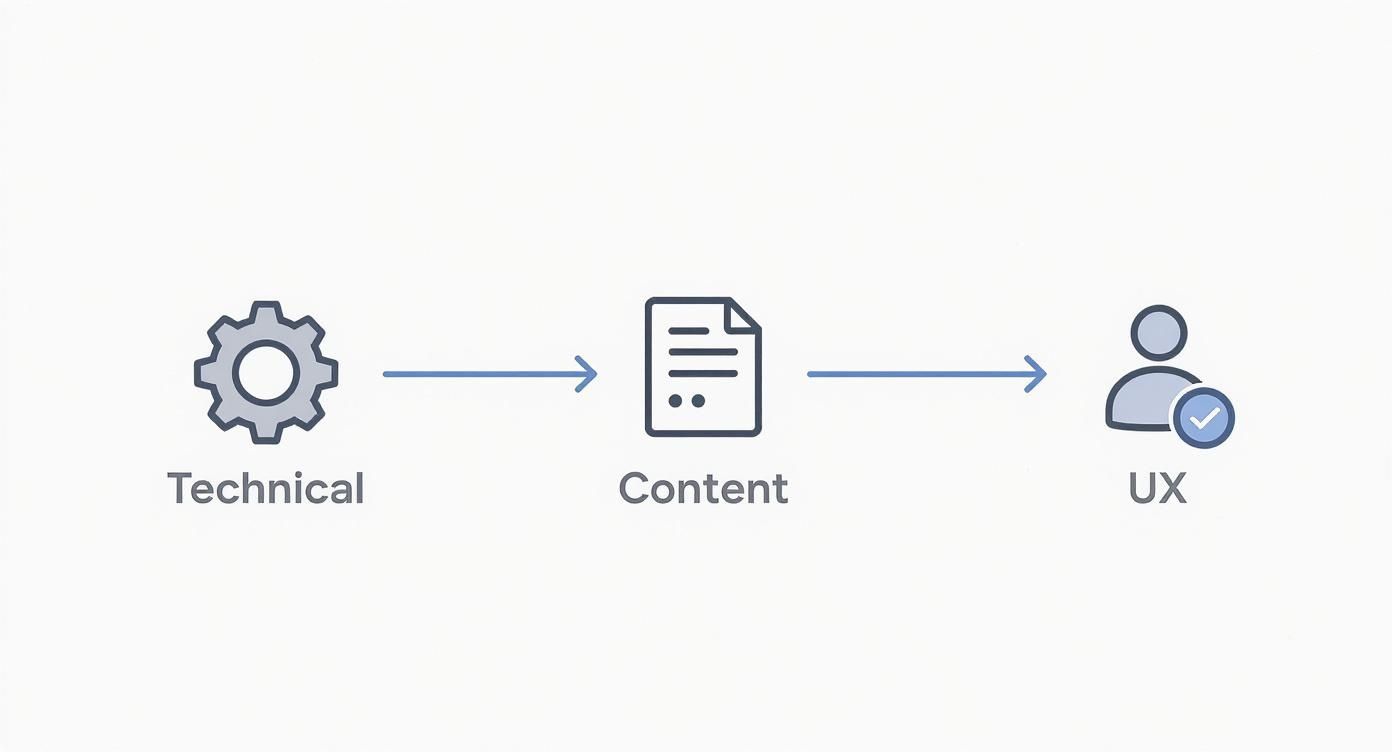
As the visual shows, a strong user experience is built on a foundation of great content, which in turn needs a solid technical structure to stand on. If you're looking for a more granular breakdown, our complete guide at https://www.webability.io/blog/website-auditing-checklist can walk you through the nitty-gritty. And for those on a specific platform, something like this Webflow audit checklist can be a huge help in structuring your work.
Any seasoned pro will tell you that a truly effective website audit starts way before you even think about running a crawl. The real secret sauce is in the prep work—figuring out exactly what you want to achieve. If you don't have a clear goal, you're just going to end up with a mountain of data and no idea what to do with it.
So, let's start with the most important question: what problem are you actually trying to solve?
Maybe your organic traffic just fell off a cliff. Perhaps the C-suite wants to see a 15% bump in lead generation this quarter. Or maybe you're gearing up for a massive site migration and need to make sure you don't tank your rankings. Nailing this down from the get-go turns a generic health check into a precision-guided mission.
An audit without a goal is just data. An audit with a goal is a roadmap for growth. When you define success upfront, every single check you run and recommendation you make has a clear purpose tied directly to a business outcome.
Think about it. If your goal is to "boost lead generation," you'll be zeroing in on conversion funnels, weak calls-to-action, and clunky user experiences on key landing pages. But if you're trying to diagnose a traffic drop, your focus shifts entirely to technical SEO issues, your backlink profile, and whether you've been hit by a recent Google update.
Once you know your mission, it's time to gather your tools. You don't need to break the bank here, but you do need to cover your bases. The best approach is usually a smart mix of the free essentials and a couple of powerful paid platforms.
Here’s a look at what should be in your arsenal:
This is the step everyone skips, and it's a huge mistake. Before you touch a single thing, you have to document where you stand right now. This baseline is your benchmark. It’s how you’ll prove the value of all your hard work later on.
You need to gather and record the key metrics that tie back to your main goal. For instance, if improving organic traffic is the objective, your baseline report absolutely must include:
Writing these numbers down creates a crystal-clear "before" picture. A few months from now, when you’re showing off the results of your fixes, you’ll have concrete data to demonstrate real, tangible improvement. It's how you go from "I think it worked" to "we increased organic leads by 25%."
Now that you have your goals and toolkit ready, it’s time to roll up our sleeves. We're about to dive into the technical and security foundation of your website—the engine room that determines whether search engines can even find, understand, and trust your content. A shaky foundation will sabotage even the most brilliant content strategy, so this is where our real work begins.
This part of the audit is all about crawlability, indexing, site speed, the mobile experience, and security. Think of it like a home inspection before you start decorating. If the plumbing is leaky and the wiring is shot, fancy furniture won't matter.
First things first: let's check how you're communicating with search engine crawlers. This boils down to two critical files: robots.txt and your XML sitemap. It’s amazing how often I find misconfigurations here, and they can have devastating effects on a site's visibility.
The robots.txt file is just a simple text file living at the root of your domain. Its entire job is to give search engine bots instructions on which parts of your site to crawl and which to ignore. A single incorrect Disallow directive can accidentally block search engines from accessing essential CSS files, JavaScript, or even entire sections of your site. It happens more than you'd think.
Your audit needs to confirm that robots.txt isn't blocking anything important and that it correctly points to the location of your XML sitemap.
Next, we look at the XML sitemap. This file is basically a roadmap for search engines, listing all the important URLs you want them to crawl and index. When you're auditing it, keep an eye out for these common slip-ups:
For a really deep dive into all the nuts and bolts, a good technical SEO audit checklist can be a lifesaver to make sure you don't miss anything.
Even with a perfect sitemap and robots.txt in place, crawlers can still hit snags. Your job during a technical audit is to play detective, finding and fixing these problems before they hurt your rankings. This is where a site crawler like Screaming Frog becomes your best friend.
Start by looking for broken links (404 errors). These create a dead end for both users and search engines, wasting your precious crawl budget and creating a terrible user experience. At the same time, hunt down redirect chains—where one URL redirects to another, which then redirects to a third. These chains slow your site down and dilute link equity. Ideally, every redirect should be a single 301 hop from the old URL directly to the new one.
You can also control indexing on a page-by-page basis using meta tags in the <head> of your HTML.
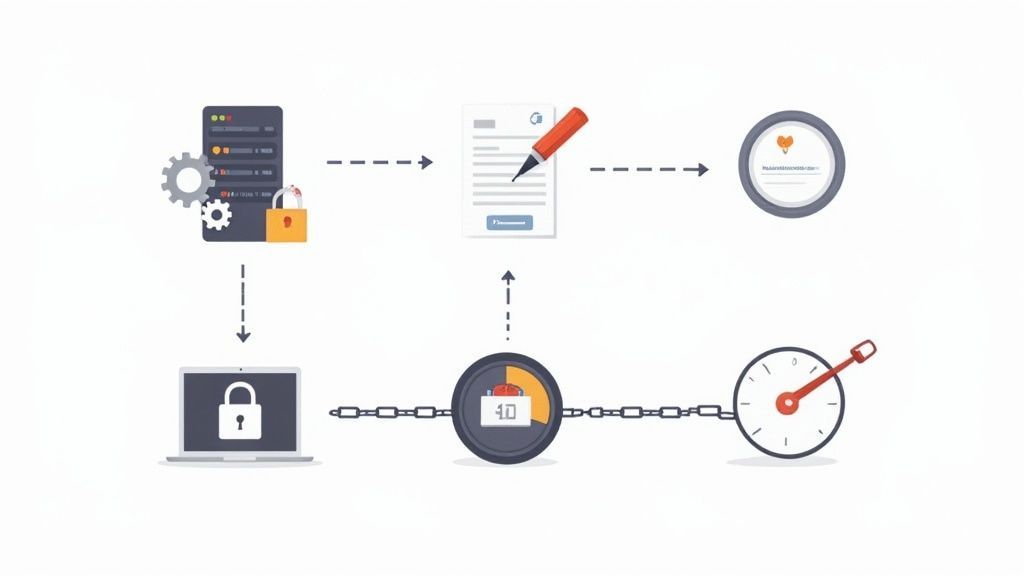
This shows how specific noindex or nofollow tags can give search engines direct orders on handling a particular page. This is incredibly useful for managing thin or duplicate content that you don't want indexed.
Don't underestimate the impact of crawlability. If search engines can't efficiently access and understand your content, it doesn't matter how brilliant it is. From my experience, fixing these technical errors is often one of the quickest ways to see a real jump in SEO performance.
If you're eager to get a quick look at your site's health right now, you can use a free website audit tool to get an instant snapshot.
Site speed and mobile-friendliness aren't just "nice-to-haves" anymore. They're absolute table stakes for SEO. Google directly uses Core Web Vitals as a ranking signal, and since most searches happen on mobile, a clumsy mobile site is a massive liability.
Your audit has to include a thorough performance review with a tool like Google PageSpeed Insights. You'll likely find some common culprits slowing things down:
A fast, mobile-first experience is simply non-negotiable today. With over 60% of web traffic coming from mobile devices, you can't afford to ignore it.
Finally, a secure site is a trustworthy site. Your technical audit must confirm your security is up to snuff. The most basic check is for a proper HTTPS implementation. Every single page on your site should load securely over HTTPS, and any old HTTP requests should be permanently redirected (301) to their HTTPS counterpart.
This is critical. A secure connection protects your users' data and is a confirmed (though lightweight) ranking signal for Google. Besides, browsers now slap a big "Not Secure" warning on non-HTTPS sites, which absolutely kills user trust and sends bounce rates through the roof.
Security is an ongoing battle. The average website endures 94 attacks daily, with bots constantly probing for weaknesses. You need to regularly check for mixed content warnings, make sure your server software is up to date, and confirm your SSL certificate is valid and correctly configured. A secure foundation is the ultimate sign of a professionally managed website.
Once your site's technical health is in a good place, it's time to roll up your sleeves and get into what your visitors actually see and read. This is where we shift our focus to on-page elements and the bigger content picture. It's about moving past the old days of just stuffing keywords everywhere and making sure every single page genuinely answers the questions your audience is asking.
A proper on-page and content audit is a brutally honest process, but it's absolutely necessary. You'll be scrutinizing everything from your title tags to the actual substance of your articles, all to ensure that every piece of content has a clear purpose and offers real value.

First things first, you need to see how well your most important pages align with user search intent. This isn't just about keywords; it's about the why behind the search. Take a hard look at your homepage, key service pages, and top blog posts. Do they truly give the user what they were looking for?
Think about it. If someone searches for "best running shoes for beginners," they’re looking for a guide or a comparison article, not a product page for a single shoe. If your content misses this informational intent, it’s simply not going to rank, no matter how well-optimized it might seem.
As you audit, compare your key pages against the top-ranking results for your target keywords. Pay close attention to these elements:
It’s amazing how often these fundamental pieces are missed. I've seen reports showing that 25% of top-ranking pages don't even have a meta description, leaving Google to invent one. And with Google rewriting 60-70% of them anyway, you absolutely need to give it a strong, intent-focused starting point.
Alright, now for the part that requires some tough love: a deep dive into the quality of what you've published. The goal here is to find and fix the content that's actually dragging your site down. Remember, not every page is an asset—some are liabilities.
You're hunting for three main problems:
The most impactful content audits I've ever been part of involved aggressively pruning and improving what was already there, not just creating new stuff. Sometimes, deleting a low-quality, zero-traffic post does more for your SEO than publishing a brand-new one.
The best way to tackle this is with a content inventory. Get all your URLs into a spreadsheet and start categorizing. Mark each page to be Kept, Updated, Consolidated, or Deleted. This methodical approach takes the emotion out of it and helps you make smart, strategic decisions.
After cleaning house, it’s time to figure out what’s missing. A content gap analysis is all about finding valuable topics your competitors rank for that you don't even touch. Honestly, this is one of the best ways to unearth new opportunities to pull in traffic and connect with your audience.
Here’s a simple way to do it:
Let's say you run a pet supply store and your main competitor ranks for "how to choose a dog harness," but all you have are product pages. That's a huge content gap. You're missing out on a whole group of potential customers who are still in the research phase.
This process ensures your future content strategy is built on solid data, not just hunches. You’ll be creating content that you know people are already searching for.
Last but not least, a critical part of any on-page audit is analyzing your internal linking. A smart internal linking strategy helps search engines understand how your pages relate to one another and spreads authority (or "link juice") throughout your site.
A classic mistake I see all the time is having "orphan pages"—pages with zero internal links pointing to them. If you don't link to a page, it's incredibly difficult for both users and search engine crawlers to find it.
Fire up your site crawler again and look for pages with very few or no internal links. Then, start strategically adding links from your high-authority pages (like your homepage or most popular blog posts) to important pages that could use a boost. Make sure your anchor text is descriptive, like "our guide to website accessibility" instead of a generic "click here."
Fixing your internal linking is a powerful but often-ignored tactic that can lead to quick wins in how your site is crawled and ranked. And don't forget mobile—with over 63% of global web traffic now on mobile devices, and with very few pages ranking the same on mobile vs. desktop, your mobile experience is paramount. You can dig deeper into these SEO findings and their impact to stay ahead.
A website’s health isn’t just about what’s on the page; it’s also about its reputation across the internet (off-page SEO) and how people actually feel when they use it (user experience). A great audit looks beyond your own code and content.
We need to analyze your backlink profile to spot good links, clean up the bad ones, and find new opportunities. Then, we’ll dive into user behavior data to see what’s working, what’s frustrating visitors, and how we can make your site more intuitive.
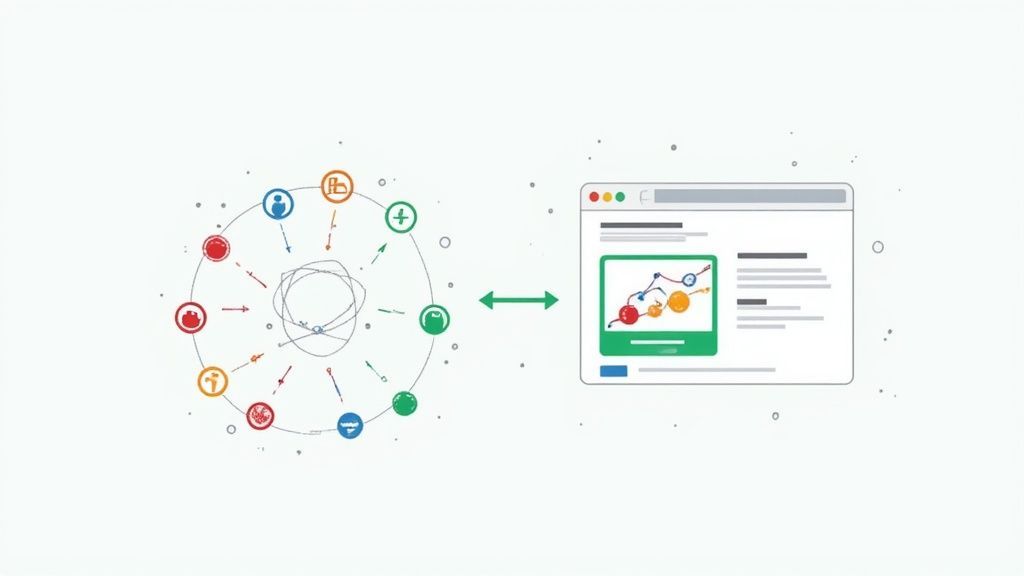
Think of it this way: a strong off-page presence acts like a magnet, pulling in traffic. A great on-site experience is what convinces that traffic to stick around and convert. One without the other just doesn't work.
Your backlink profile is basically your website's word-of-mouth reputation. Every link from another site is a vote of confidence, and search engines pay close attention to these votes when deciding how to rank you.
To get started, pull a complete list of your backlinks using a tool like Ahrefs or Semrush. What you’re looking for is a healthy, diverse portfolio of links from different sources—industry blogs, news outlets, relevant directories, and even forum discussions. This looks natural to search engines.
The next step is hunting for toxic backlinks. These are the spammy, low-quality links from sketchy or completely irrelevant websites that can actively drag your rankings down. If you notice a pattern of these, you might need to use Google's Disavow Tool to tell them, "Hey, ignore these links; they aren't from me."
An off-page audit isn't just damage control. It's one of the best ways to uncover new link-building opportunities. Analyze your competitors' backlink profiles to see who is linking to them but not to you. This is a goldmine for finding relevant sites to connect with.
Once people land on your site, their experience is everything. A UX audit is all about finding and fixing the friction points that make visitors want to leave. This is where we stop thinking about what search engines want and start focusing on what your human audience needs.
Google Analytics is your ground zero. Keep a close eye on these metrics to spot trouble:
Analytics tells you what is happening, but it doesn't always tell you why. For that, you need tools like Hotjar or Crazy Egg. These tools generate heatmaps, which give you a visual look at where people click, how they move their mouse, and how far they scroll.
Let’s say you see a high exit rate on one of your main service pages. A heatmap might show you that dozens of users are clicking on an image that isn't actually a link. That’s an easy fix, but one you’d never find in your analytics data alone.
Scroll maps are just as powerful. They show you what percentage of visitors actually see the bottom of your page. If that "Request a Demo" button you care so much about is below the point where 75% of users drop off, you know exactly what to do: move it up.
Ultimately, a complete website audit brings all these pieces together. A deep dive into your backlinks protects your site’s authority, while a thorough UX audit makes sure the traffic you earn actually turns into customers. A crucial part of this is ensuring everyone can use your site, including people with disabilities. To learn more, you can read our comprehensive guide on conducting a web accessibility audit at https://www.webability.io/blog/web-accessibility-audit.
https://www.youtube.com/embed/noivN2hIXLY
An audit report collecting digital dust on a server is completely useless. All that hard work only pays off when you turn that mountain of data into a clear, prioritized roadmap for what to do next.
Without a solid plan, you just have a long, intimidating list of problems. But with one, you have a strategic blueprint for real growth.
The first move is to organize everything you've found into a report that people can actually understand. Don't just dump raw data and expect your team or client to make sense of it. Group the issues logically—think Technical SEO, Content Gaps, or User Experience—and, most importantly, explain why each problem matters.
For example, instead of just noting "Broken internal links found," frame it with context: "We identified 37 broken internal links, which creates dead ends for users and wastes valuable search engine crawl budget." See the difference? One is a fact; the other is a business problem.
Once everything is documented, it's time to decide what to tackle first. You can't fix everything at once—that’s a surefire way to get overwhelmed and achieve nothing.
A simple and incredibly effective way to prioritize is by using an impact versus effort matrix. This framework helps you sort every task into one of four buckets:
The goal is to build momentum. By knocking out a few quick wins first, you demonstrate immediate value and build stakeholder buy-in for the larger, more resource-intensive projects that will drive long-term success.
Finally, turn the plan into reality by assigning clear ownership and deadlines. Who is responsible for generating the new XML sitemap? When will it be done? Get it on the calendar.
Schedule regular follow-up meetings to track progress and adjust as needed. This simple act of accountability is what transforms your audit from a static report into a living document that guides your optimization efforts month after month.
When you're first learning how to audit a website, a few common questions always seem to pop up. Let's tackle them head-on with some straight-forward advice.
For most sites, a big, comprehensive audit once a year is a solid baseline. This gives you a high-level view and lets you track progress over the long haul.
But if you’re running a more dynamic site—think a busy ecommerce store or a blog that’s constantly pushing out new content—you’ll want to do quicker check-ins more often. A quarterly review is a great rhythm. These smaller audits can focus on technical health, the performance of your latest content, and any user experience hiccups.
At the very least, keep a monthly eye on your core vitals in Google Search Console. It’s the easiest way to spot trouble before it snowballs.
You really don't need a huge, expensive software stack to get the job done right. A pro-level audit can be done with just a handful of essentials.
You can absolutely do this yourself. Working through a guide like this is one of the best ways to really get to know the nuts and bolts of your website. Honestly, it’s a skill that will pay dividends for years.
That said, there are times when calling in an expert is the smart move. If you're dealing with a really thorny technical issue, planning a complicated site migration, or trying to manage a massive ecommerce platform, a seasoned SEO specialist can be a game-changer. Their experience can save you time, prevent costly mistakes, and deliver results much faster. Think of it as an investment for those high-stakes moments.
At WebAbility.io, we believe a great user experience should be accessible to everyone. Our AI-enhanced tools and comprehensive platform make it simple to achieve and maintain ADA and WCAG compliance, ensuring your website is open, inclusive, and performs at its best for all visitors. Discover how WebAbility.io can help you build a better website.
Tap to ask AI about this article