Web Consortium W3C: Mission, Standards & Accessibility Guide

Sidharth Nayyar
The World Wide Web Consortium (W3C) is the main international standards organization for the web, and it has created more than 460 web standards that underpin how modern websites work. For web teams, following W3C standards means building sites that are accessible, work across browsers and devices, and align with recognized compliance requirements.
If you're a project manager, this usually becomes urgent at the worst possible moment. A redesign is nearly finished. Marketing wants launch dates. Legal asks about accessibility. Development says the site uses valid code. Then someone drops a cluster of acronyms into the meeting: W3C, WCAG, ARIA, ADA.
That confusion is common because teams often meet these terms only when risk appears. But the web consortium w3c isn't a side topic for specialists. It's the reference point that helps teams decide how a site should be structured, styled, tested, and maintained.
The practical takeaway is simple. If your team wants a website that performs reliably, supports more users, and holds up under accessibility review, W3C standards are the foundation. They aren't extra polish. They're the operating rules that keep web projects from drifting into inconsistency, rework, and compliance uncertainty.
Your Guide to Navigating Web Standards
A web project can look on track right up to the moment it enters real-world testing. Design has approval. Development has shipped the templates. Content is loaded. Then QA starts logging problems that cut across teams: a form field has no usable label, keyboard users cannot reach a key action, text passes brand review but fails readability, and a layout that worked on one screen starts breaking on another.
Those issues often get treated as separate defects. One gets assigned to UX, another to front-end engineering, another to compliance. For a project manager, that creates noise and delay because the root cause is usually the same. The team never agreed on a shared set of rules for how the site should behave.
The web consortium w3c provides that shared baseline. Its standards give designers, developers, QA leads, and legal reviewers a common reference point, so decisions made in one sprint do not create avoidable problems in the next. In practice, that means fewer arguments about what "done" means and fewer surprises late in the launch process.
Why overwhelmed teams keep coming back to W3C
W3C defines the technical standards behind core web technologies such as HTML, CSS, and XML. It also publishes the guidance framework that accessibility work builds on through WCAG. For web teams, that matters less as history and more as operations. Standards turn abstract quality goals into concrete checks: use semantic markup, preserve keyboard access, label controls clearly, structure content so browsers and assistive technology can interpret it correctly.
That is the bridge many teams miss. Compliance language can sound theoretical until it is translated into day-to-day decisions. A designer chooses color tokens and focus states. A developer selects native elements or custom components. A QA analyst writes test cases for zoom, tab order, and error handling. A project manager decides whether those checks are part of the acceptance criteria or left for a last-minute audit.
Once you view W3C standards through that workflow lens, they stop looking like back-end trivia.
They become planning tools that reduce ambiguity across the whole team:
Structure: Is the page built so browsers, search engines, and assistive technologies can interpret the content correctly?
Presentation: Does the styling hold up across screen sizes, input methods, and common browser conditions?
Accessibility: Can people read, move through, and complete tasks without unnecessary barriers?
Governance: Is the team using a recognized baseline that supports internal policy, procurement requirements, and compliance review?
Practical rule: If a website problem appears across browsers, devices, or assistive tools, start by checking standards, component patterns, and test coverage before adjusting visual polish.
This also changes how teams choose tooling. A design system should include accessible component guidance, not just visual specs. CI checks should catch markup and contrast issues early. QA should test with keyboards and screen readers, not only with screenshots and responsive breakpoints. The point is not to chase perfect compliance language after launch. The point is to build a workflow where standards shape decisions before expensive rework begins.
Projects get more expensive when standards are treated as technical cleanup. Projects run more predictably when standards are built into briefs, design reviews, development tickets, and release criteria.
What Is the W3C and Why Does It Matter
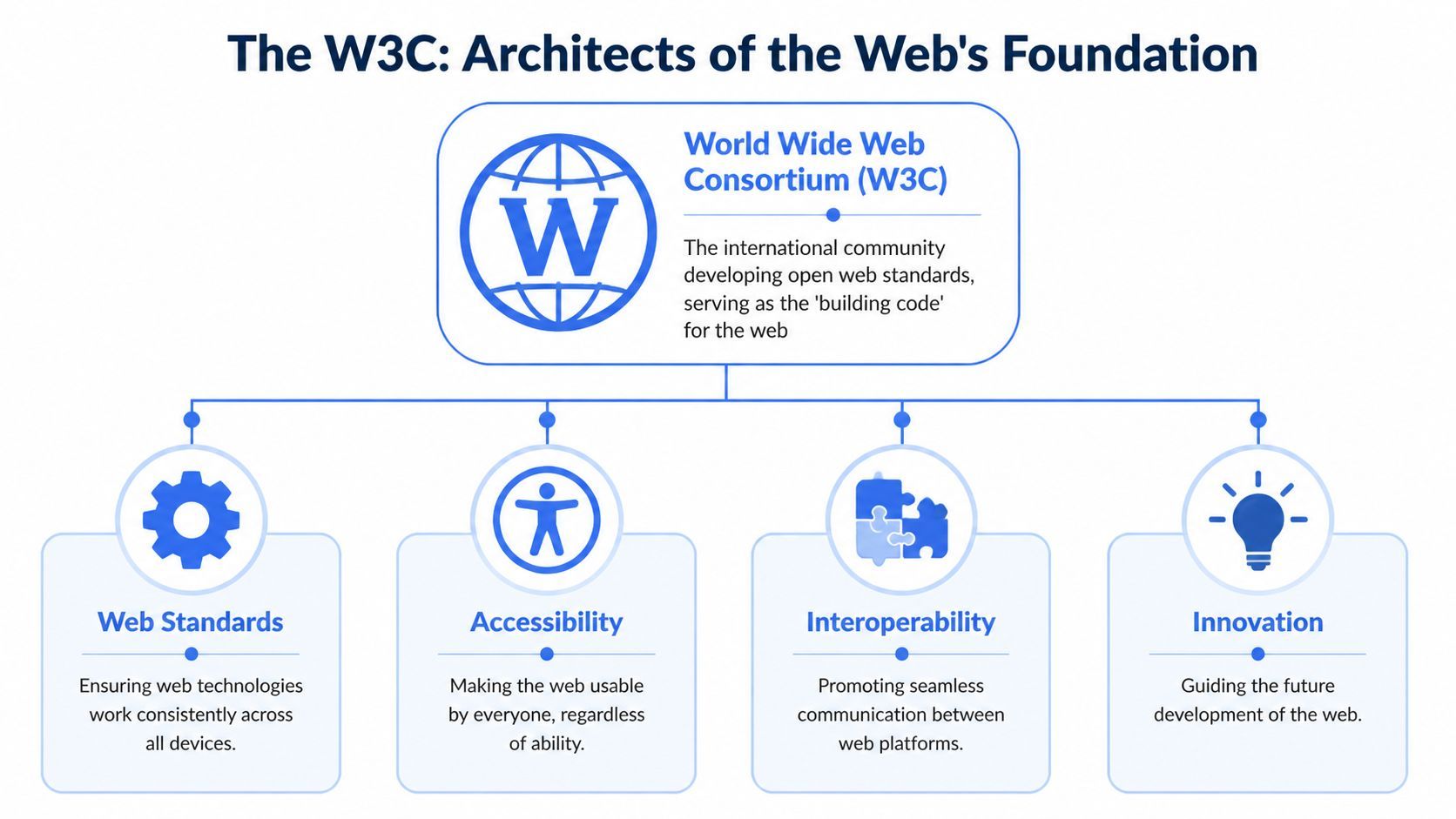
The easiest way to understand the W3C is to think of it as a building code authority for the web. A building code doesn't tell an architect what style to use. It sets the rules that make the structure dependable, safe, and usable. W3C does the same for websites and web applications.
Its role isn't limited to markup syntax. W3C standards are designed around "Web for All" and "Web on Everything," with explicit focus on interoperability, security, privacy, accessibility, and internationalization, as described in the W3C standards overview.
The two ideas that make W3C practical
Web for All means the web should be available to people with different abilities, languages, devices, and contexts. That changes how teams think about features. A homepage isn't complete because it looks right on one laptop. It's complete when people can effectively use it.
Web on Everything means web technologies should work independently of specific hardware or software, including across mobile devices. That gives project managers a concrete planning lens: if a feature only works under narrow conditions, it isn't aligned with the broader purpose of the web.
The accessibility model many teams need explained clearly
For accessibility work, W3C's guidance is often expressed through four principles in WCAG, commonly called POUR:
Perceivable: Users need to be able to detect content. If text blends into the background or video lacks captions, content may exist but still be inaccessible.
Operable: Users need to be able to interact with the interface. If navigation requires a mouse, some users get blocked.
Understandable: Users need to be able to make sense of content and controls. Confusing labels and unpredictable behavior create friction.
Dependable: Content should function reliably across various browsers and assistive technologies, even beyond ideal circumstances.
Accessibility isn't a separate layer you sprinkle on after launch. It's a quality standard for how people experience the site.
For non-technical stakeholders, this reframes accessibility. It's not only about disability law or specialist tooling. It's about whether your website functions as intended for real people in real conditions. That makes W3C relevant to marketing, UX, engineering, procurement, legal, and support teams alike.
The Architecture of the Modern Web W3C Major Standards
Project managers often hear standard names without getting the relationship between them. The cleanest way to understand them is to think of a website as a building with several layers. Each W3C standard handles a different part of that structure.
The four standards most teams encounter first
HTML is the structure. It tells browsers what something is: a heading, paragraph, button, image, form field, or navigation area. If HTML is weak, every other layer becomes harder to trust.
CSS is the presentation layer. It controls layout, spacing, color, typography, and responsive behavior. CSS decides how the structure appears, but it shouldn't replace structure. If a page uses styled generic containers where proper HTML elements belong, the site may look finished while remaining fragile underneath.
ARIA helps describe dynamic interfaces to assistive technologies. It can add meaning where native HTML alone doesn't fully express what's happening, such as in complex menus, tabs, alerts, or modal dialogs. Used carefully, ARIA can improve accessibility. Used incorrectly, it can create confusion.
WCAG is the accessibility rulebook that helps teams evaluate the whole experience. It doesn't replace HTML, CSS, or ARIA. It guides how those layers should work together so users can perceive, operate, understand, and reliably access digital content.
Core W3C Standards at a Glance
| Standard | Full Name | Primary Function |
|---|---|---|
| HTML | HyperText Markup Language | Defines the structure and meaning of web content |
| CSS | Cascading Style Sheets | Controls visual presentation and layout |
| ARIA | Accessible Rich Internet Applications | Improves communication between interactive interfaces and assistive technologies |
| WCAG | Web Content Accessibility Guidelines | Provides accessibility guidance for usable digital experiences |
A simple example helps. If your checkout page uses proper HTML labels, the fields are easier for browsers and assistive tools to interpret. If CSS preserves readable spacing and clear focus states, users can follow the process more confidently. If a custom dropdown needs additional semantic help, ARIA can support that interaction. WCAG then gives the team a framework to test whether the whole checkout flow is accessible.
Working habit: Ask of every page, "What is the structure, what is the presentation, what needs semantic support, and how do we verify accessibility?"
If your team is validating front-end output, a practical companion resource is this W3C CSS validator guide. It helps connect standards language to day-to-day review work.
The value here isn't memorizing acronyms. It's knowing which layer is responsible for which outcome, so issues get assigned correctly and fixed faster.
How W3C Standards Are Created and Governed
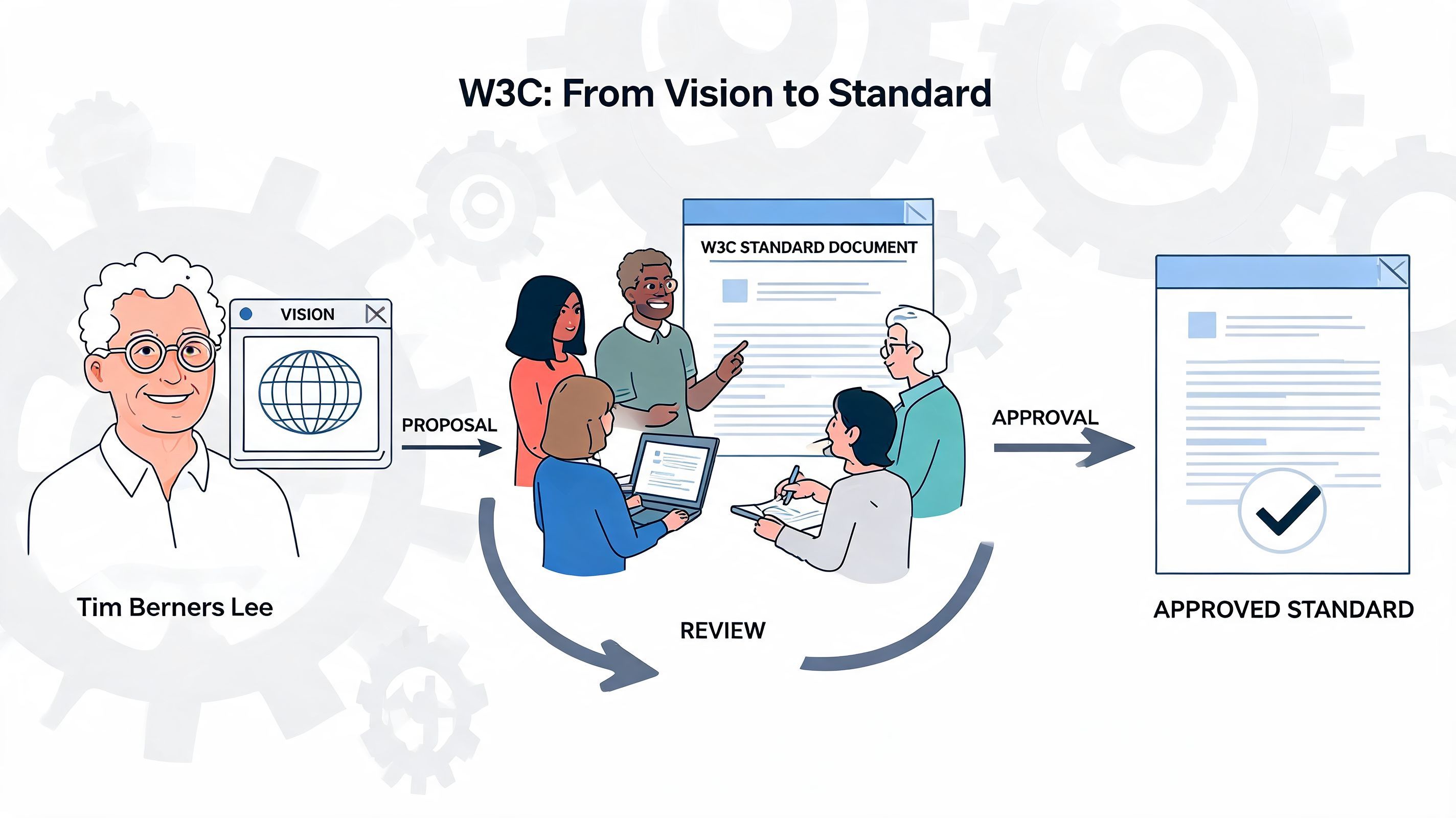
W3C standards carry weight because they aren't improvised. They come from a formal process designed to turn broad technical and accessibility needs into stable guidance that organizations can trust.
The organization itself has a long institutional history. According to the W3C technical reports index, W3C incorporated as a public-interest not-for-profit organization in January 2023 after 28 years of joint administration by MIT and other universities. The same source notes that W3C maintains 1,227 technical reports and that each recommendation moves through a rigorous working-group process.
What that process means for your team
For a project manager, the most useful insight is that a W3C standard becomes authoritative through review, iteration, and consensus. It doesn't appear because one vendor decided to publish a preference.
A typical path includes stages such as:
Working Draft where the standard is still being shaped.
Review cycles where stakeholders examine the proposal and raise issues.
Refinement through working groups made up of domain experts and participating organizations.
Recommendation status when the guidance reaches a mature, recognized form.
That process matters for compliance planning. If your legal, procurement, accessibility, or engineering teams need a defensible baseline, W3C Recommendations give them a stronger reference point than ad hoc internal rules.
Why governance affects implementation decisions
The process also explains why standards work can feel slower than product releases. W3C is trying to create stability across browsers, devices, organizations, and use cases. That takes coordination.
For teams building accessibility programs, governance becomes operational. Standards may be published centrally, but implementation happens locally through design systems, QA routines, remediation cycles, component libraries, and vendor choices. That's why resources such as WebAbility.io's WCAG insights are useful for teams translating standards language into actionable web work.
A standard is only the starting point. The real business question is whether your team can turn that standard into repeatable decisions before deadlines hit.
When stakeholders understand how W3C governs standards, they usually stop treating WCAG as arbitrary red tape. They start seeing it for what it is: a globally developed technical baseline.
The Business Impact of W3C Accessibility Standards
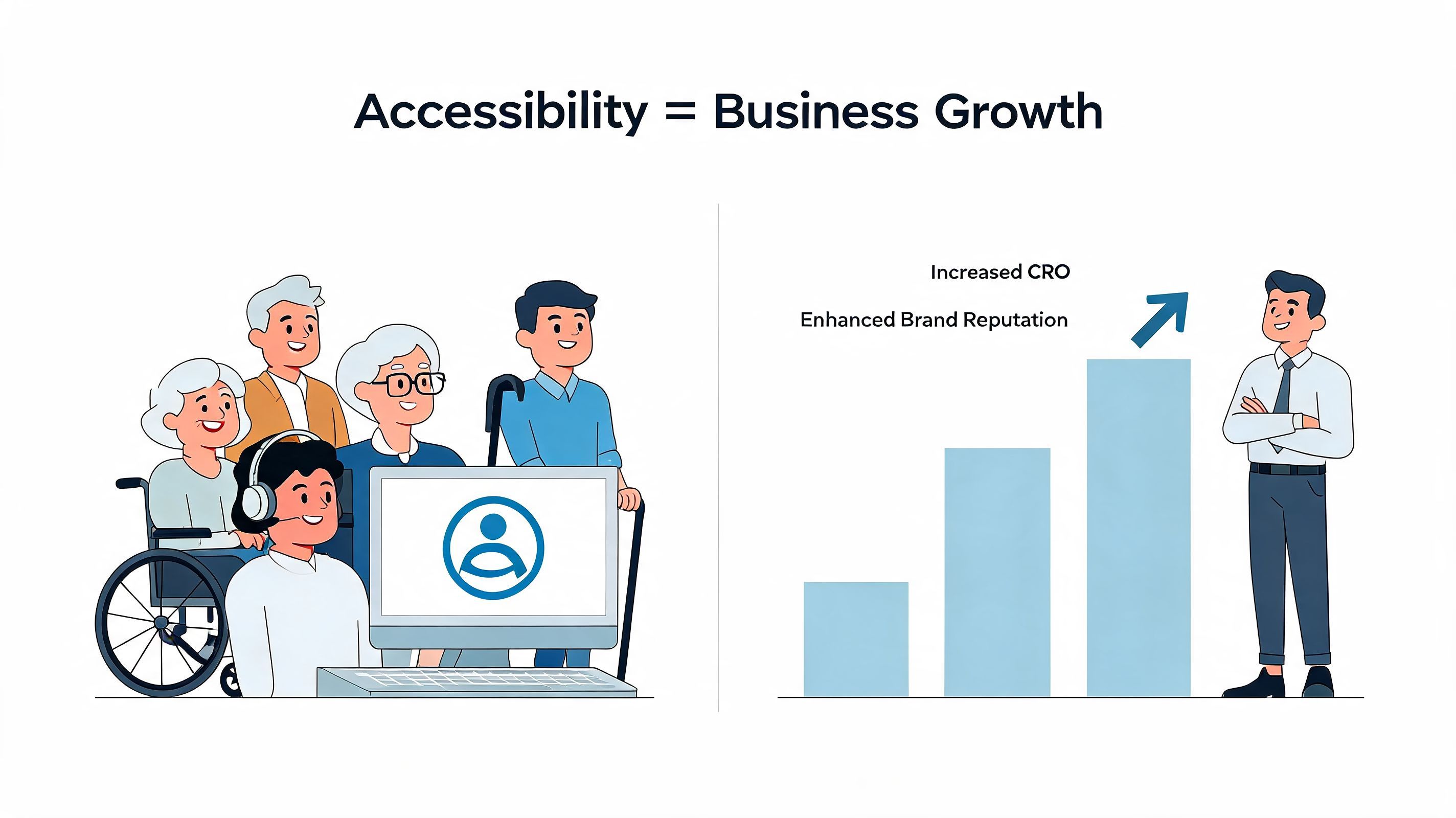
A common project scenario goes like this. Marketing wants higher conversion rates, legal wants fewer compliance gaps, support wants fewer customer complaints, and engineering wants fewer late-stage fixes. W3C accessibility standards sit underneath all four goals because they shape how real people complete tasks on your site.
Accessibility affects revenue the same way signage affects a physical store. If directions are unclear, entrances are hard to use, or payment steps break for part of your audience, fewer people make it through. On the web, those barriers show up as weak contrast, missing labels, broken keyboard flows, confusing form errors, and media that some users cannot perceive or control.
Why accessibility improves day-to-day performance
Teams often treat accessibility as a review step at the end of a project. In practice, it works better as an operating standard for design, content, QA, and development. Clear labels help users finish forms with less hesitation. Predictable navigation reduces drop-off. Keyboard support helps people who cannot use a mouse and also helps power users move faster. Readable contrast improves usability on phones, in glare, and during long sessions.
That overlap matters because accessibility work often fixes the same friction points that conversion teams care about.
If your team is reviewing color palettes, button states, or text readability, WCAG contrast ratios explained is a useful reference for turning design choices into pass-or-fail implementation decisions.
How standards become operational decisions
The business value appears when teams translate standards into workflows. A product manager can require accessible acceptance criteria before a ticket is marked done. A designer can map component states for focus, error, hover, and disabled behavior. A developer can use semantic HTML and test keyboard paths during build work. QA can add screen reader checks and contrast checks to release reviews.
That is the bridge between W3C guidance and daily execution. Standards define the target. Teams still need repeatable ways to build toward it.
For a practical reference on how that work fits into ongoing site management, WebAbility.io's accessibility platform guide shows how accessibility can be handled as part of normal operations rather than as a one-time cleanup project.
Where business risk and user experience meet
Accessibility standards also support trust, procurement readiness, and compliance conversations. If a checkout flow cannot be completed with a keyboard, or if a required field is announced poorly by assistive technology, the problem is not only technical. It affects sales, customer service load, and legal exposure at the same time.
W3C's standards shape the web's shared rules for compatibility and accessibility across mainstream browsers and experiences, as noted earlier in Identity.org's W3C overview. For business teams, the practical takeaway is simple. Sites built against recognized standards are easier to evaluate, easier to improve, and easier to defend when customers, auditors, or partners ask hard questions.
Business takeaway: Accessible websites help more users complete core tasks, give teams a clearer quality baseline, and reduce the cost of fixing avoidable barriers late in the process.
Common Misconceptions About W3C and WCAG
Most accessibility delays aren't caused by hostility. They're caused by bad assumptions that sound reasonable in fast-moving projects. A few come up repeatedly.
W3C standards are just suggestions
Teams sometimes assume standards are optional because nobody stops a site from launching with poor markup or inaccessible interactions. But "can launch" isn't the same as "meets a recognized baseline." W3C standards matter because they provide the shared technical reference that browsers, tools, developers, and compliance teams use to evaluate quality.
If your organization operates in regulated environments or public-facing commerce, that distinction matters. Standards guide the work that later gets measured.
Accessibility is only for blind users
This is one of the most limiting myths. Accessibility covers a much broader set of user needs, including vision, hearing, mobility, cognitive processing, and interaction patterns. It also overlaps with temporary limitations and situational constraints, like glare, fatigue, injury, or device limitations.
For retailers and commerce teams, this becomes concrete very quickly. A useful example is Grumspot's guide to store accessibility, which shows how accessibility thinking applies to practical shopping flows, not abstract theory.
If the site looks modern, it's accessible
A polished interface can still fail users badly. Clean branding doesn't guarantee keyboard access. Spacious layouts don't guarantee screen reader clarity. Strong animation doesn't guarantee understandable interaction.
A better review question is this:
Can users identify content and controls clearly?
Can they complete tasks without relying on one input method?
Do forms, menus, and messages behave predictably?
Will assistive technologies interpret the experience reliably?
Good design and accessible design often reinforce each other, but they aren't the same thing.
Once teams stop equating accessibility with aesthetics alone, reviews become more productive. They move from subjective opinions to observable behaviors.
How to Operationalize W3C Compliance for Your Team
Knowing the standards isn't the hard part. The hard part is turning them into repeatable habits across planning, design, development, content, QA, and maintenance.
That challenge is more visible right now because the standards field is still evolving. The W3C WCAG 3.0 draft notes that WCAG 2.1 remains the current standard, while WCAG 3.0 introduces a new model based on functional user needs. The same source also reflects a practical problem for teams: there is still limited guidance on transition timelines and preparation.
A workable operating model for busy teams
Most organizations do better when they treat compliance as an ongoing workflow rather than a one-time project. In practice, that usually means:
Build standards into intake: Add accessibility acceptance criteria before design and development begin.
Review components early: Test navigation, forms, modals, tables, and media patterns before they spread across the site.
Use automated checks wisely: Automation helps catch recurring issues, but it shouldn't be your only review method.
Document decisions: Keep records of what was tested, fixed, deferred, and approved.
Plan for change: Content updates, campaigns, product releases, and third-party tools can all introduce new barriers.
Choosing tooling that supports continuous compliance
Platforms can help teams close the gap between standards and daily execution. One option is WebAbility.io, which provides an AI-enhanced accessibility widget with 40+ features such as screen reader compatibility, keyboard navigation, high-contrast modes, dyslexia-friendly fonts, text-to-speech, and translation, alongside centralized scanning, monitoring, reporting, and workflow support for multi-site compliance management.
That kind of setup is useful when your team needs both user-facing adjustments and internal governance. It helps translate standards into recurring operational tasks instead of isolated audits.
A practical next step for many teams is to formalize review criteria and assign owners. If you need a starting point, this wcag compliance checklist is a useful way to turn abstract requirements into task-level accountability.
Compliance becomes manageable when every team knows what it owns, what it tests, and what happens after launch.
The web consortium w3c gives you the blueprint. Your internal process decides whether that blueprint becomes a dependable website or just a document nobody uses.
If your team needs a practical way to turn W3C and WCAG requirements into daily workflows, WebAbility.io offers a structured path with scanning, monitoring, reporting, implementation support, and user-facing accessibility features that fit ongoing compliance operations.
Quick Questions
Tap to ask AI about this article