A Practical Guide for the Modern Section 508 Compliance Tester

Sidharth Nayyar
TLDR: Start with automated tools to catch easy wins like color contrast errors. Then, you absolutely must switch to manual, hands-on testing with keyboard-only navigation and screen readers (like NVDA or VoiceOver). This is the only way to find the critical, show-stopping usability barriers that scanners are blind to. This two-pronged attack is the key to comprehensive Section 508 compliance.
As a Section 508 compliance tester, your job is to be the expert who digs into websites, software, and digital documents to make sure they're usable by people with disabilities, just as U.S. federal law demands. This isn't just about running a quick scan; it's a blend of smart automation and hands-on, manual testing to find the real barriers that lock people out.
The Four-Phase Workflow for Section 508 Testing
To be truly effective, you need a solid, repeatable workflow. Ticking boxes on a checklist won’t cut it. You need a structured process that takes you from high-level planning all the way through to final reporting, turning a daunting legal requirement into a set of clear, manageable actions.
The goal isn't just to find errors. It's to understand how those errors impact a real person trying to use the product. That's the mindset shift that elevates this from a technical chore to a critical part of quality assurance.
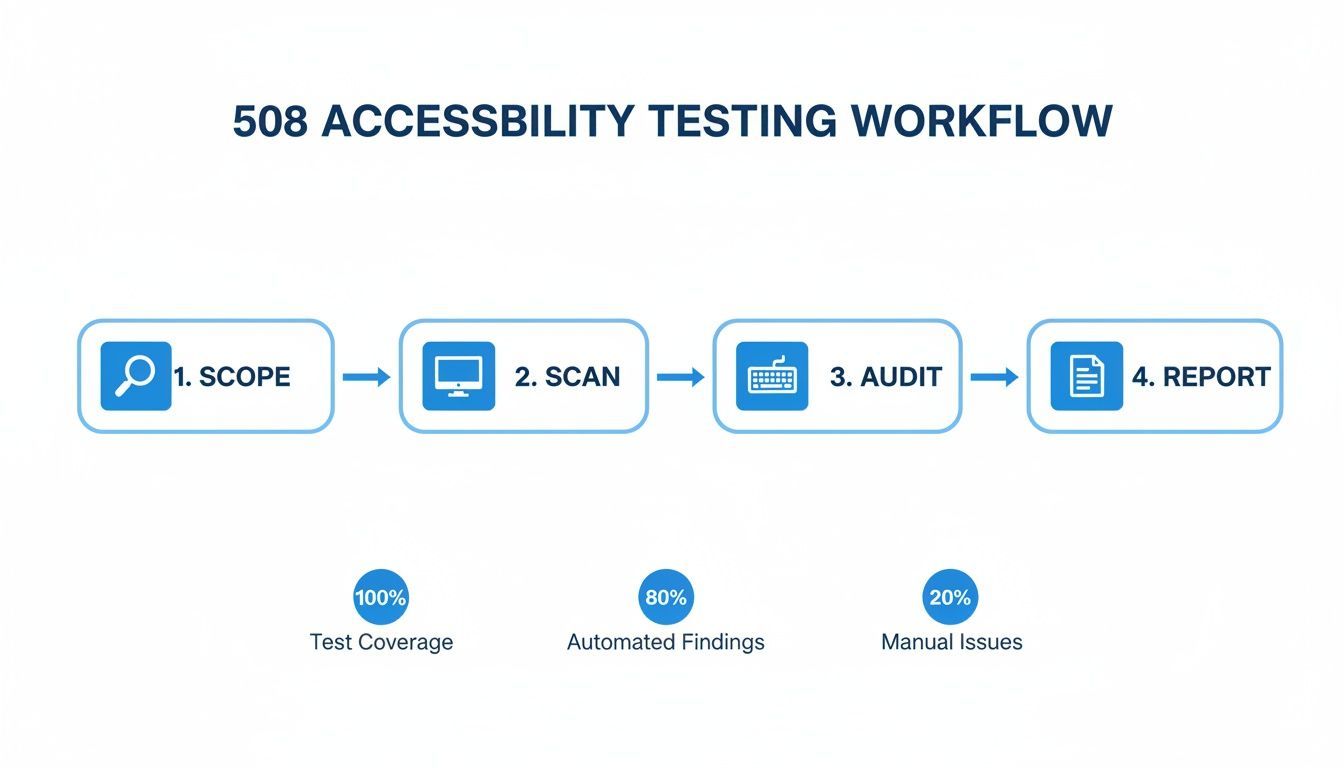
A reliable testing process breaks down neatly into four key phases. Each one builds on the last, giving you a complete picture of your product's accessibility health.
Phase 1: Scoping and Planning
This is where you draw the map. Before you test a single line of code, you need to define the boundaries.
- What's in, what's out? Pinpoint the exact pages, user flows (like the checkout process or a sign-up form), and technologies you'll be testing.
- Set the standard. Get everyone to agree on the target: WCAG 2.0 Level AA. This alignment is crucial for setting clear expectations and defining what "success" looks like.
Phase 2: Execution with Hybrid Testing
Now the real work begins. The most effective approach is a hybrid one, combining the speed of machines with the nuance of human experience.
First, you run automated scanners to catch the low-hanging fruit—things like missing alt text, obvious color contrast failures, and basic ARIA errors. But that's just the start.
Next comes the deep-dive manual audit. This is where you unplug your mouse and navigate using only a keyboard. You fire up a screen reader like NVDA or VoiceOver to experience the site as a blind user would. This is where you find the critical usability issues that automated tools always miss.
Phase 3: Reporting and Documentation
Finding the problems is only half the battle. You have to translate your technical findings into clear, actionable advice that a development team can actually use.
Your report should be packed with evidence—screenshots, code snippets, and even video recordings. Assign a severity rating to each issue to help with prioritization, and provide specific, practical guidance on how to fix it. This is what separates a helpful audit from a useless one.
Phase 4: Remediation and Verification
Once the report is delivered, the ball is in the developers' court. They work on fixing the issues you found.
But you're not done yet. The final, critical step is to go back and re-test everything that was fixed. You need to verify that the accessibility barriers are gone and, just as importantly, that the fixes haven't accidentally created new problems.
This flow shows how a systematic approach moves from broad strategy to detailed execution, ensuring nothing falls through the cracks. If you'd like to dig deeper into this process, check out this complete guide on how to perform an accessibility audit.
Here’s a look at the complete workflow for a solid 508 audit:
- Define the Scope: Pinpoint key user journeys, content types, and technologies to set clear testing boundaries and know what success looks like.
- Run Automated Scans: Use accessibility scanners to get a quick first pass and catch low-hanging fruit like color contrast errors, missing alt text, and ARIA issues.
- Conduct Manual Audits: This is where the real work happens. Dive deep with keyboard-only navigation and screen readers (like NVDA or VoiceOver) to understand the actual user experience.
- Create Actionable Reports: Document every finding with clear evidence (screenshots, code snippets) and provide practical, prioritized advice for fixing things.
- Implement Continuous Monitoring: Integrate ongoing automated checks to maintain compliance, catch regressions, and track accessibility improvements over time.
Laying the Groundwork for a Successful Audit
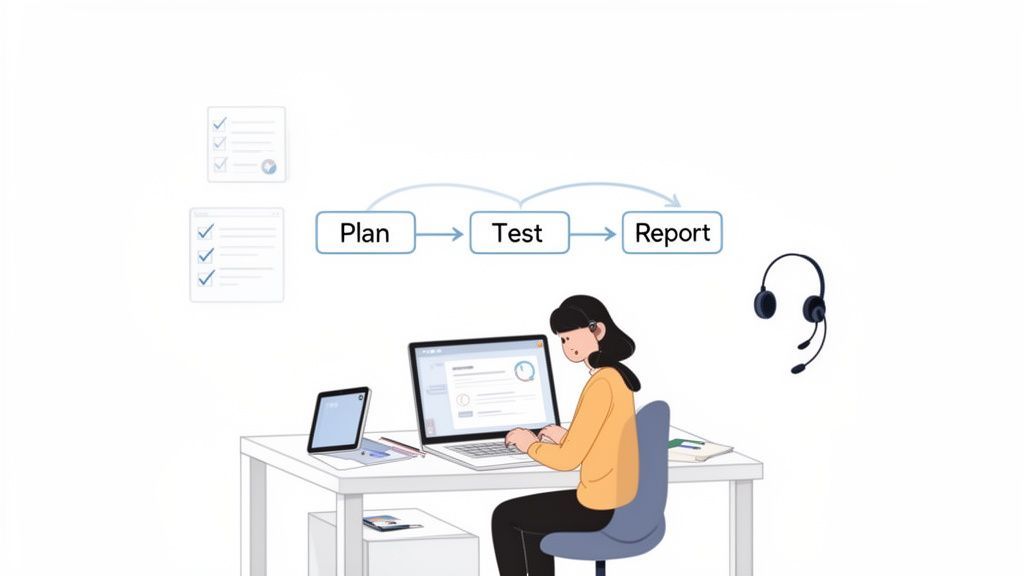
A thorough Section 508 audit doesn’t kick off with running a tool; it starts with a conversation. Before a single line of automated code is executed, a skilled Section 508 compliance tester has to establish a clear, agreed-upon foundation. This is all about defining the "what, why, and how" of the audit to prevent scope creep and make sure the final report is actually useful.
Without this upfront planning, audits can quickly go off the rails, leading to wasted effort and findings that completely miss the mark. A truly successful audit is built on a framework of shared understanding and precise goals.
Defining Your Audit Scope
First thing's first: you need to define the boundaries of your audit. You can't test everything, so you have to prioritize what matters most. The best way to tackle this is by identifying the most critical user journeys and a handful of representative page templates.
For instance, instead of testing every single blog post, you’d pick one or two template pages that represent all of them. This lets you test the underlying structure efficiently. In the same vein, you want to focus on the core user paths that are absolutely essential to the product's function.
- User Journeys: Map out high-traffic or critical paths. Think user registration, the checkout process, or submitting a contact form. These are non-negotiable for accessibility.
- Representative Pages: Select a sample of pages that cover all your unique layouts, components, and content types—like the homepage, a standard content page, and maybe a product details page.
- Technology Stack: Get a list of the frameworks and technologies being used (e.g., React, Angular, any third-party widgets). This helps you anticipate potential accessibility challenges before you even start.
As a Section 508 compliance tester, having a grasp of the development lifecycle, especially for things like custom web application development, is incredibly helpful. This context gives you a much better understanding of the components you’re about to test.
Crafting a Comprehensive Test Plan
Once you’ve nailed down the scope, the next step is to get it all down in a formal test plan. Think of this document as the contract for the audit. It ensures everyone, from developers to project managers, is on the same page and serves as the single source of truth for the entire project.
Your test plan should clearly outline the methods you'll use, always combining automated scans with manual assistive technology checks. It also needs to explicitly state that the success criteria are based on WCAG 2.0 Level AA, since this is the standard legally referenced by Section 508.
A well-defined test plan is your best defense against scope creep. It sets clear expectations with stakeholders upfront, ensuring that everyone agrees on what "done" looks like before the audit even begins.
Assembling Your Essential Toolkit
Finally, you need to pull together the right tools for the job. There's no single magic bullet here; you'll need a combination of tools to get comprehensive coverage. A good toolkit should balance the speed of automation with the critical, human-centered nuance of manual testing.
Your Core Testing Toolkit
| Tool Category | Examples | Primary Function |
|---|---|---|
| Browser Extensions | WAVE, Axe DevTools, ARC Toolkit | Quick, on-page checks for common issues during development and initial review. |
| Automated Scanners | WebAbility.io, Pope Tech | Comprehensive site-wide scans to identify widespread issues and monitor compliance over time. |
| Screen Readers | NVDA (Windows), VoiceOver (macOS) | Essential for manual testing to evaluate the real-world experience for blind or low-vision users. |
| Color Contrast Analyzers | Colour Contrast Analyser (CCA) | Precise tools for verifying that text and UI components meet WCAG contrast requirements. |
This preparation phase is what turns a simple check into a strategic process. By defining your scope, creating a solid plan, and choosing your tools wisely, you're setting the stage for an audit that delivers meaningful, impactful results.
Blending Automated Scans with Manual Expertise
This is where all your careful planning turns into action. The smartest way to run a Section 508 audit isn't about picking a side between automated tools and manual testing; it's about combining their strengths into a single, powerful workflow. This hybrid approach lets a Section 508 compliance tester work quickly and dig deep, catching everything from simple code violations to the complex roadblocks that frustrate real users.
Think of automation as your first wave of attack. Automated scanners are incredibly fast, flagging a good chunk of potential WCAG violations in minutes. They’re great at pattern recognition, catching issues that are black and white—either the code conforms or it doesn't. This initial scan gives you a solid, high-level map of the site's accessibility health and a ready-made list of "low-hanging fruit" to tackle first.
Kicking Off with Automated Scanning
The whole point of the automated phase is to quickly knock out the clear-cut violations without getting bogged down in manual work. You're hunting for problems that a machine can spot just by analyzing the code and the DOM structure. If your team is just getting started, it's worth exploring the different automated accessibility testing tools out there to see which one fits your process best.
These tools are especially effective at finding things like:
- Color Contrast Failures: They can instantly run the numbers on the contrast ratio between text and its background.
- Missing Alt Text: Scanners will immediately call out any
<img>tag that’s missing itsaltattribute. - Broken Heading Structures: They can spot when heading levels are skipped (like jumping from an
H1to anH4). - Missing Form Labels: A tool can easily tell if an input field isn’t programmatically tied to a visible label.
This automated pass gives you immediate, actionable data right from the start. It clears the deck so you can focus your human expertise on the nuanced, tricky issues that truly require a human brain.
Transitioning to Hands-On Manual Testing
Automation is a fantastic starting point, but it hits a wall. Hard. Most research shows that even the best automated tools only catch around 30-40% of all accessibility issues. Why? Because they can't understand context, logic, or what makes a user experience good or bad. This is where the real skill of a Section 508 compliance tester comes into play. Manual testing is all about stepping into the shoes of someone with a disability and experiencing the website as they would.
This hybrid approach is becoming the industry standard for a reason. Its effectiveness has helped drive the market for these blended testing services to a value of USD 127.49 million. This level of thoroughness is non-negotiable for public sector bodies governed by Section 508, especially in a climate where over 4,000 accessibility lawsuits are filed in the U.S. each year.
A good Section 508 audit needs both approaches to be truly effective. The table below breaks down what each method is best at finding.
Automated vs Manual Testing Focus Areas
| Test Area | Best for Automated Scanning | Requires Manual Testing |
|---|---|---|
| Keyboard Navigation | Limited to finding some focus issues. | Essential. Can you reach and operate everything without a mouse? |
| Screen Reader Experience | Cannot be tested. | Essential. Is the reading order logical? Are dynamic updates announced? |
| Color Contrast | Excellent. Quickly identifies pass/fail ratios. | Can spot issues where text is over complex images. |
| Alternative Text | Flags missing alt attributes. | Assesses if existing alt text is actually meaningful and not just "image." |
| Form Labels | Good at finding missing programmatic links. | Verifies if labels are clear and instructions make sense. |
| Logical Flow & Usability | Cannot be tested. | Essential. Is the user journey intuitive and free of cognitive barriers? |
Ultimately, automation finds the code errors, while manual testing uncovers the human experience blockers.
Mastering Keyboard-Only Navigation
The very first, most crucial manual test you should perform is simple: unplug your mouse. A huge number of users with motor disabilities, along with almost all screen reader users, rely 100% on a keyboard for navigation.
Your mission is to get to and operate every single interactive element on the page using only your keyboard.
- Tab Through Everything: Use the
Tabkey to move forward andShift + Tabto go back. Can you land on every link, button, form field, and widget? - Look for a Visible Focus Indicator: As you tab around, is it blindingly obvious which element has focus? A faint or non-existent focus ring is a deal-breaker.
- Operate All Controls: Can you use the
EnterandSpacebarkeys to activate buttons, open menus, and select checkboxes? For complex widgets like sliders or tab panels, do the arrow keys work as expected? - Watch for Keyboard Traps: Be on high alert for any component—often a pop-up modal or a third-party widget—that lets you
Tabin but provides no way toTabback out.
A website that isn't fully keyboard-operable is fundamentally broken for many users with disabilities. This test is non-negotiable and often reveals some of the most critical accessibility blockers that automated tools completely miss.
Evaluating with Screen Readers
The final layer of a truly robust audit is testing with actual assistive technology. This primarily means using screen readers like NVDA (the go-to for Windows) and VoiceOver (built into macOS). This isn’t just about listening to the page being read aloud; it's about critically evaluating the quality and coherence of that entire auditory experience. A great primer on combining different testing methodologies can be found in this strategic guide on automated versus manual testing strategies.
Here, your mindset shifts to how information is conveyed through sound alone. You need to verify that the reading order is logical and that when something on the page changes, the user is told about it. For instance, if a user adds an item to a shopping cart, does the screen reader clearly announce, "Item added to cart," or is there just dead silence? This hands-on, empathetic testing is what elevates a basic compliance check into a truly meaningful accessibility audit.
Turning Test Results into an Actionable Game Plan
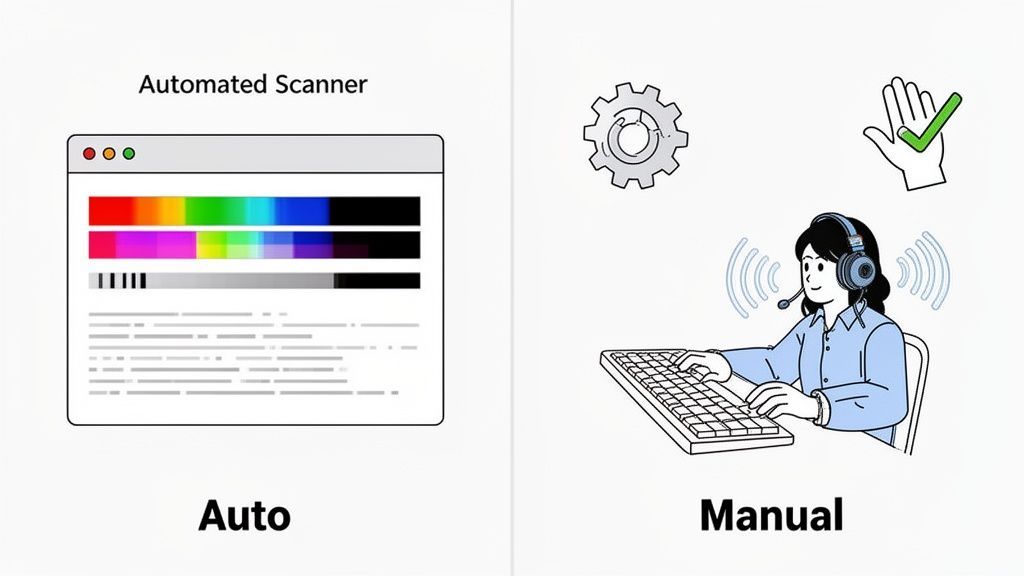
Finding accessibility barriers is only half the battle. As a Section 508 compliance tester, your real value shines through when you can translate those findings into a report that gets people to take action. A confusing, overly technical report just creates noise—it’s nearly as useless as no report at all because it doesn't give the team a clear way forward.
Your goal is to transform that mountain of raw test data into a compelling story. You need to craft a roadmap that developers and product managers can look at and immediately understand what needs to be done. It’s a mindset shift from just pointing out what’s broken to showing exactly how to fix it.
Structure Each Finding Like a Ready-to-Work Ticket
A great report is one that someone can scan in 30 seconds to get the big picture but also dive deep into when they need the details. I’ve found the best way to do this is to structure every single finding as a self-contained, actionable ticket. This makes it incredibly easy for a project manager to copy and paste the issues directly into tools like Jira or Asana.
Each issue you document should be a complete package deal. The goal is to give a developer everything they need to understand, reproduce, and resolve the problem without having to come back with questions. This single change can dramatically speed up the entire remediation process.
Here’s a solid structure for each finding that I always use:
- Punchy Title: Clearly state the problem (e.g., "Login Button Is Invisible to Keyboard Navigators").
- Severity Rating: Assign a level like Critical, High, Medium, or Low based on real-world user impact.
- WCAG Reference: Note the specific WCAG Success Criterion and link to its official documentation.
- Clear Description: Explain the problem in plain English and describe who it affects.
- Remediation Guidance: Offer a clear, direct suggestion for how to fix it.
Following a consistent framework like this turns your report from an academic paper into a practical, hands-on tool. If you want to dig deeper into this stage, our guide on how to check, measure, and document website accessibility has some great insights.
Show, Don’t Just Tell: The Power of Visuals
Sometimes, words just don't cut it. To make your findings hit home and remove any doubt, you need to provide clear, undeniable proof. This is where you stop telling people there's a problem and start showing them.
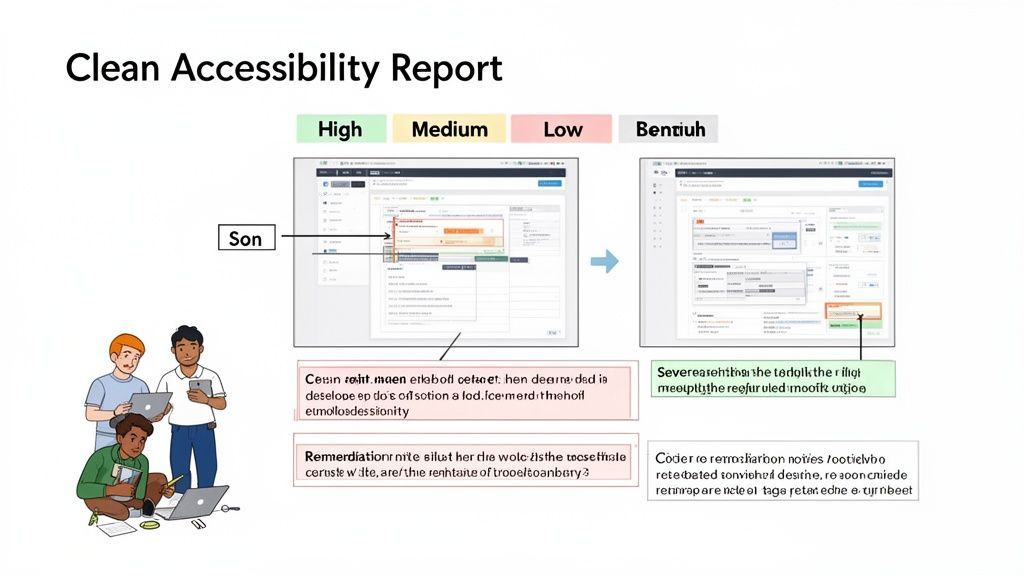
Annotated screenshots are your absolute best friend. Use simple arrows, boxes, and text overlays to pinpoint the exact issue on the page. For instance, you could draw a red box around text with poor contrast and add a note showing the failing ratio. It’s simple but incredibly effective.
For anything involving interaction, a short video clip is priceless. Nothing communicates the frustration of a keyboard trap or a screen reader getting stuck quite like a recording of it happening in real-time. These visuals eliminate any back-and-forth and help developers instantly empathize with the user's struggle.
Prioritize Ruthlessly for Maximum Impact
Let's be realistic: not all accessibility bugs are created equal. When a developer gets a list of 50 issues, their first question is, "Where do I start?" Your job as a Section 508 compliance tester is to answer that for them. By prioritizing effectively, you help the team focus their limited time and resources where it counts the most.
I always rank severity based on the direct impact to the user:
- Critical: A total showstopper. This bug prevents a user from completing a core function, like submitting a form or checking out.
- High: A major roadblock. The user might eventually find a workaround, but it makes a task incredibly difficult or confusing (e.g., a modal that traps keyboard focus).
- Medium: An annoying hurdle. These issues cause friction and frustration but don't completely block the user (e.g., ambiguous link text like "Click Here").
- Low: A minor stumble. Often a violation of best practices, but with a low impact on the overall experience (e.g., a skipped heading level).
By prioritizing based on user pain, you guide the development team to tackle the most critical and legally risky problems first. This ensures their effort delivers the biggest possible improvement to real people using the product.
This focus is more important than ever. Between 2018 and 2023, over 8,000 web accessibility lawsuits were filed in the U.S. alone, with some settlements climbing above $25,000. As more companies look to digital accessibility software to manage this risk, your ability to deliver a clear, prioritized report becomes a huge asset.
In the end, your report is far more than a list of what's wrong. It’s an educational tool and a catalyst for change, turning complex standards into a clear path toward a truly inclusive product.
Moving Beyond the Audit: How to Build Lasting Accessibility Governance
Passing a Section 508 audit feels like a huge victory, but let’s be honest—it’s not a finish line. True compliance is a marathon, not a sprint. The most mature organizations get this. They know that a one-and-done audit is just a single snapshot in time.
The real goal is to pivot from a reactive, audit-and-fix scramble to a proactive accessibility governance model. This is how you weave accessibility into the very fabric of your development process, making it a sustainable practice instead of a stressful, periodic event.
Weave Accessibility into Your Development Lifecycle
The single most effective strategy for maintaining compliance is to "shift left," which simply means tackling accessibility earlier in the process. When a Section 508 compliance tester collaborates directly with designers and developers, issues are caught and squashed long before they ever see a live server.
Think about it. Fixing a missing form label in a design mockup takes a few seconds. Finding that same error after the feature is live means filing a bug report, getting it prioritized, assigning a developer, running it through QA, and pushing a new release. The difference in effort and cost is night and day.
- During Design: Your team should be reviewing wireframes for basic accessibility from the start. Check color contrast, make sure touch targets are large enough, and plan a logical heading structure.
- During Development: Developers can use automated tools right in their coding environment to catch simple errors as they write the code.
- During Testing: Accessibility checks must become a standard part of your QA process, treated with the same importance as functional or security testing.
Create a Central Hub for Accessibility Knowledge
To really drive this cultural shift, many companies create an Accessibility Center of Excellence (ACoE). Think of an ACoE as the central command for all things accessibility. It’s the go-to resource for guidance, training, and tools across the entire organization.
The point isn't to police every team. It's to empower them. An ACoE champions the cause, sets clear standards, and makes sure everyone—from project managers to junior developers—understands their part in building inclusive products.
An ACoE transforms accessibility from a niche skill into a shared responsibility. It provides the framework needed to embed inclusive design into your company’s DNA, making compliance a natural outcome of how you work.
The Power of 24/7 Monitoring
The final piece of the puzzle is continuous monitoring. While manual audits are critical for deep, nuanced testing, they can’t watch your site around the clock. Automated platforms can. This is where the role of a Section 508 compliance tester evolves from a hands-on auditor into a high-level strategist.
These tools give you a real-time dashboard showing your organization's accessibility health. They can scan your sites 24/7, flag new issues the moment code is deployed, and track your compliance scores over time. Imagine getting an alert when a developer accidentally pushes a change that breaks keyboard navigation. That's what continuous monitoring delivers.
Why Automated Monitoring is a Game-Changer:
- Real-Time Scores: Get a clear, up-to-the-minute measure of your accessibility posture.
- Instant Regression Alerts: Immediately find out when a new release introduces an accessibility barrier.
- Historical Reporting: Track your progress over time and show leadership how your efforts are paying off.
- Governance at Scale: Manage accessibility across dozens or even hundreds of web properties from one place.
This proactive stance is more than just good practice; it's a strategic necessity. The North American accessibility market accounts for 41.0% of global revenue, and as you can explore in the full industry report on accessibility testing, the stakes are high. For government agencies and the contractors who serve them, continuous scanning is essential for managing risk and maintaining compliance across a vast digital footprint.
By combining these three elements—integrated development checks, a dedicated ACoE, and powerful monitoring tools—you fundamentally change your organization's relationship with accessibility. It stops being a periodic burden and becomes a core practice that protects your organization while building better experiences for everyone.
Your Top 508 Testing Questions, Answered
Got questions? You're not alone. Here are the quick answers to the things testers ask most often.
- 508 vs. WCAG: Think of it this way: Section 508 is the U.S. federal law. WCAG is the technical rulebook you use to follow that law. To be 508 compliant, you must meet WCAG 2.0 Level AA.
- Automation Isn't Enough: Automated scanners are a great first pass, but they only catch about 30-40% of accessibility bugs. They can't tell you if something is truly usable. You absolutely must do manual testing with a keyboard and screen reader.
- Most Common Failures: Time and again, the same issues pop up: broken keyboard navigation, useless image alt text, low color contrast, and vague links like "Click Here."
- What's a VPAT: A Voluntary Product Accessibility Template (VPAT) is a formal document that spells out how a product meets 508 standards. It’s a must-have if you want to sell tech to the U.S. government.
Common Questions I Hear from Section 508 Testers
Whether you’re just getting your feet wet or you've been doing audits for years, the world of accessibility keeps you on your toes. As a Section 508 compliance tester, your value comes from knowing the rules, sure, but also from understanding the real-world situations that pop up day-to-day.
Let's dive into the questions that I get asked all the time. My goal here is to give you direct, no-fluff answers that clear up confusion and help you sharpen your testing process.
What Is the Difference Between Section 508 and WCAG?
This is, without a doubt, the number one question. Getting this right is fundamental.
The simplest way to think about it is that Section 508 is the law, while the Web Content Accessibility Guidelines (WCAG) are the technical standards you test against to comply with that law.
Section 508 is a piece of U.S. federal legislation requiring that government agencies make their technology accessible. After its last major refresh in 2017, the law officially pointed to WCAG 2.0 Level AA as its technical benchmark.
So, when you're auditing a site for the government, Section 508 is why you're doing the work. WCAG 2.0 AA provides the checklist—the specific, testable criteria that tell you what "accessible" actually looks like in practice.
Can I Rely Only on Automated Tools for 508 Testing?
Absolutely not. Let me be clear: automated tools are an essential part of any modern testing workflow, but leaning on them exclusively will lead to a dangerously incomplete audit.
Automation is brilliant for catching low-hanging fruit and code-level mistakes at scale. Think missing alt attributes, bad heading structures, or obvious color contrast failures. An automated scanner can check hundreds of pages in minutes and hand you a report that covers around 30-40% of potential issues. It's a fantastic starting point.
But those tools are completely blind to human context. An automated checker sees an image has an alt tag and gives it a pass. It has no idea if the text is meaningful ("A chemist holding a beaker of blue liquid") or just garbage ("image-final-v2.jpg"). That's where you come in.
Automated tools find code errors; manual testing uncovers human barriers. You must perform hands-on testing with screen readers and keyboard-only navigation to understand if a product is genuinely usable for people with disabilities.
What Are the Most Common Failures You Find?
After you've done enough audits, you start seeing the same problems everywhere. These aren't obscure bugs; they are fundamental roadblocks that make digital products unusable for many people.
If you’re a Section 508 compliance tester, I guarantee you’ll find these four issues on almost every project:
- Broken Keyboard Navigation: This is a big one. Interactive elements—menus, buttons, forms—that you simply cannot get to or operate without a mouse. It's often a showstopper.
- Missing or Useless Alt Text: Images that convey important information have no text alternative, leaving screen reader users completely clueless about what's on the screen.
- Bad Color Contrast: Light gray text on a slightly-less-light gray background. It’s a classic design mistake that makes content unreadable for anyone with low vision.
- Vague Link Text: A page full of links that just say "Click Here" or "Read More." For a screen reader user navigating via a links list, this is the equivalent of a map with no labels.
What Is a VPAT and When Do I Need One?
A Voluntary Product Accessibility Template (VPAT) is a standardized form used to document how a piece of technology conforms to Section 508 standards. Once you fill out the template, the finished document is called an Accessibility Conformance Report, or ACR.
Think of it as an "accessibility report card" for a product.
Companies selling software, hardware, or other digital products to the U.S. federal government are required to provide one. It gives the government's procurement officers a clear, consistent way to evaluate and compare the accessibility of different products before they buy. As a Section 508 compliance tester, producing an accurate VPAT is often one of the key deliverables you'll be responsible for.
Ready to move from periodic audits to a proactive, continuous compliance model? WebAbility.io provides an end-to-end platform with 24/7 automated scanning, real-time compliance scoring, and powerful governance tools to help your organization maintain Section 508 conformance effortlessly. Discover a smarter way to manage accessibility at https://www.webability.io.
Quick Questions
Tap to ask AI about this article