Your Guide to ADA Website Accessibility in 2026

Sidharth Nayyar
TL;DR: ADA website accessibility is essential for legal compliance and unlocks a market of 1.3 billion people. Focusing on WCAG 2.1 AA standards improves user experience for everyone, enhances SEO, and boosts conversions. A modern approach combines automated tools for continuous monitoring with user-facing accessibility interfaces, creating a scalable, efficient path to compliance that also drives business growth.
At its core, ADA website accessibility is about making sure your website works for everyone. It’s about designing and building digital experiences that people with disabilities can navigate, understand, and use without barriers.
This isn't just about checking off a legal box. It’s about opening your doors to a wider audience, building trust with your customers, and creating a better, more effective experience for every single visitor. When you prioritize accessibility, you're not just complying—you're converting.
Why ADA Accessibility Is Good for Business

If you're only focused on ADA compliance to avoid a lawsuit, you're missing the bigger picture. As an experienced team in digital strategy, we've seen firsthand that true accessibility isn't a cost center; it's a powerful driver for growth, brand loyalty, and a real competitive edge. When your website is built for everyone, you unlock new revenue streams and create a more positive experience for every user who lands on your page, directly improving conversion rates.
An inaccessible website actively turns paying customers away. In fact, a staggering 73% of users with disabilities will simply abandon a site if it's too difficult to use. That’s a direct hit to your bottom line. Just look at the UK, where inaccessible online stores cost retailers an estimated £120 billion annually as frustrated shoppers leave their carts behind.
To really get a handle on what makes a site accessible, it helps to understand the foundational standards. These aren't just technical rules; they are the principles that guide inclusive design, based on years of expert consensus.
For done-for-you remediation, see WebAbility's ADA compliance services.
The Core Standards for Website Accessibility
| Pillar | Description | Primary Goal |
|---|---|---|
| Perceivable | Information must be presented in ways users can perceive, regardless of their sensory abilities. This means providing text alternatives for non-text content. | Ensure all users can access the information on the page. |
| Operable | The interface and navigation must be operable. Users must be able to interact with all components, for example, by using a keyboard alone. | Prevent users from being "stuck" or unable to perform an action. |
| Understandable | The information and the operation of the user interface must be understandable. This means clear language and predictable functionality. | Reduce confusion and help users complete their tasks confidently. |
| Robust | Content must be robust enough that it can be interpreted reliably by a wide variety of user agents, including assistive technologies. | Ensure the website works with current and future technologies. |
These four pillars—Perceivable, Operable, Understandable, and Robust (POUR)—are the bedrock of the Web Content Accessibility Guidelines (WCAG), which we'll cover in more detail later. They ensure your site is built to last and serve everyone.
Expand Your Market Reach
There are 1.3 billion people globally living with some form of disability. That’s about 16% of the world's population, a group that holds a collective disposable income of over $13 trillion. By ignoring accessibility, businesses are essentially shutting out a market larger than the entire population of China.
Making your site accessible is a direct invitation to this massive, yet often underserved, group of consumers. This includes individuals with:
Visual impairments who depend on screen readers to interpret content.
Motor impairments who might navigate exclusively with a keyboard or other assistive devices.
Hearing impairments who need captions and transcripts for any audio or video.
Cognitive disabilities who thrive with clear, consistent layouts and straightforward language.
Enhance Overall User Experience and SEO
Here’s something our team has seen time and again: the principles of good accessibility are simply principles of good design. Features you add for accessibility almost always improve the experience for all your users, leading to higher engagement and conversions.
Think about it. Clear navigation, readable fonts, and high-contrast colors don't just help a user with low vision; they make the site easier for someone to use on their phone in bright sunlight. Everybody wins.
By focusing on creating an inclusive digital presence, you naturally build a more intuitive, user-friendly, and effective website. This commitment doesn't just fulfill a legal need; it signals that your brand values every customer, fostering trust and loyalty.
Better yet, many accessibility best practices directly boost your search engine optimization. We cover the strong connection between SEO and accessibility in our detailed guide, but the short version is that search engines love well-structured, accessible sites.
Things like descriptive alt text on images, logical heading structures (H1, H2, H3), and video transcripts all give search engine crawlers more context to understand your content. This helps your site rank higher. It's a fantastic win-win where you create a better user experience and improve your organic traffic at the same time.
Navigating the legal side of digital accessibility can feel complex. But instead of getting bogged down in dense legal text, it’s far more productive to focus on what actually works: building a strong, proactive strategy against potential lawsuits.
Let’s be direct: the legal environment is heating up. Based on authoritative data, the number of website accessibility lawsuits is exploding, with a staggering 5,114 cases filed in federal court in 2025 alone. We’re on track to see that number climb past 5,500 in 2026, and e-commerce businesses are squarely in the crosshairs. These ADA lawsuit trends paint a very clear picture of the growing risk.
For years, the courts have been figuring out how Title III of the ADA—the part that covers "places of public accommodation"—applies to the digital world. The debate is largely over. Websites and mobile apps are now consistently treated as public spaces.
The core issue isn't just about avoiding a lawsuit; it's about acknowledging that for many people, your website is your business. Denying access to your digital property is increasingly seen as equivalent to locking the front door of a physical store.
The Standard Is No Longer Vague
Thankfully, a lot of the ambiguity is finally gone. The Department of Justice (DOJ) recently issued a final rule for Title II of the ADA, which applies to state and local governments. This new rule officially names the Web Content Accessibility Guidelines (WCAG) 2.1 Level AA as the legally required technical standard.
This sets some hard deadlines for public entities:
April 24, 2026: For governments serving 50,000 or more people.
April 26, 2027: For smaller governments and special districts.
So, why does a rule for government sites matter to a private business? Because it sends a powerful signal. Regulators have now put a stake in the ground, making WCAG 2.1 AA the de facto benchmark for everyone. For businesses operating under Title III, this is the clearest indicator yet of what the courts will consider "reasonable accessibility." You can learn more in our guide to achieving ADA compliance and get ahead of the curve.
It's Time to Get Proactive
Given this climate, waiting for a demand letter is a risky and costly gamble. A reactive approach just doesn't cut it anymore. The only effective form of risk management is to build a proactive compliance posture.
This means you need an ongoing accessibility strategy, not just a one-time fix. Solutions that provide continuous monitoring and automated scanning are essential. A platform like Webability gives you a live dashboard to track your compliance score, catch new issues the moment they appear, and maintain a clear record of your remediation efforts.
When you adopt solutions like this, you shift accessibility from a temporary project to a core business practice. This doesn't just build a stronger legal defense; it shows a genuine commitment to inclusion and ultimately creates a better, more welcoming experience for every single person who visits your site.
Understanding the Four Pillars of WCAG
When people talk about ADA website accessibility, they're really talking about the Web Content Accessibility Guidelines (WCAG). It's easy to get overwhelmed by the technical details, but at its heart, WCAG is built on just four common-sense principles: Perceivable, Operable, Understandable, and Robust.
Remembering the acronym POUR is your key to navigating it all. Think of POUR not as a rigid checklist, but as a framework for building a better, more inclusive website for everyone. For legal and practical purposes, the gold standard is WCAG 2.1 AA, which is now the official benchmark for government sites and the one you should be aiming for.
Perceivable: Making Information Accessible to the Senses
The first pillar, Perceivable, asks a simple question: Can everyone access your content through at least one of their senses? If a piece of information relies solely on sight or sound, you’re leaving people out.
This is where things like alt text for images come into play. For a user who is blind, an image is just a blank space. But with good descriptive alt text, their screen reader can paint a picture, making that visual content perceivable. The same goes for video—without accurate captions, anyone who is deaf or hard of hearing misses the entire audio experience.
Operable: Ensuring All Users Can Navigate and Interact
Next up is Operable. This means people must be able to actually use your website's navigation and interactive elements. It's about ensuring every link, button, form, and menu works for people who can't use a mouse.
We've seen this trip up countless sites. A user with a motor impairment might navigate exclusively with a keyboard. If your site triggers a promotional pop-up that doesn't have a keyboard-accessible close button (or doesn't respond to the Esc key), you've literally trapped them. They can't close the pop-up, and they can't interact with the page behind it. Game over.
Understandable: Creating Clear and Predictable Experiences
The Understandable principle is all about clarity. Your content and user interface should be straightforward and predictable, which reduces cognitive load for everyone, not just users with cognitive or learning disabilities.
Think of a checkout process. If the steps are clearly labeled, form fields provide helpful hints, and an error message says something specific like, "Please enter a valid 5-digit zip code" instead of just "Invalid input," the entire experience is understandable. The user feels confident and can get things done without getting frustrated.
Robust: Building for the Future
Finally, we have Robust. This principle is your insurance policy for the future. It means your content needs to be built with clean, standards-compliant code so it can be reliably interpreted by a huge range of browsers and assistive technologies—both today's and tomorrow's.
When you use standard HTML for buttons, links, and headings, you’re creating a solid foundation that screen readers and other tools can depend on. It’s about playing by the established rules of the web so your site doesn't break when a new browser version or screen reader update comes along.
The Conformance Levels: A, AA, and AAA
WCAG success criteria are organized into three tiers, which represent different levels of accessibility.
Level A: This is the absolute minimum. Meeting this level is essential, but it only covers the most basic accessibility features.
Level AA: This is the sweet spot. It addresses the most common and significant barriers for users with disabilities and is the standard most laws and legal precedents point to. This should be your target.
Level AAA: This is the highest level of accessibility. It’s often difficult to achieve for all content and is typically reserved for specialized websites or specific sections serving a disabled audience.
By focusing your efforts on the four POUR principles, you'll naturally start aligning your website with the critical Level AA standards. It's the most effective path to both legal compliance and a genuinely better user experience.
A Practical Plan for Compliance and Ongoing Success
Alright, let's move from theory to action. Getting your website compliant—and keeping it that way—isn't a one-and-done task. As experienced professionals in this field, we recommend viewing it as an ongoing commitment, a cycle of continuous improvement. Breaking the process down into manageable stages makes it much less daunting and turns compliance into a smart, sustainable part of how you do business.
First, Figure Out Where You Stand
You can't chart a course without knowing your starting point. The first thing you need is a clear, data-driven picture of your site's current accessibility health. You have to know what's broken before you can fix it.
The most efficient way to get this baseline is with a comprehensive website accessibility audit. Automated scanning tools are great for this initial pass. They crawl your entire site and flag common WCAG violations like missing alt text or glaring color contrast problems, giving you an instant snapshot of the work ahead.
Prioritize Fixes for the Biggest Wins
Once you have that initial audit report, the list of issues can look intimidating. Don't panic. The trick is to prioritize, focusing on the fixes that will make the biggest difference for your users right away. Not all barriers are equal—some are complete show-stoppers, while others are minor annoyances.
We always recommend starting with the high-impact, low-effort fixes:
Keyboard Navigation Traps: Can a user get through every form, pop-up, and menu using only their keyboard? If someone gets stuck and can't even close a modal, they're gone. This is a critical fix.
Missing Alt Text: This is often a straightforward content task. Adding descriptive alt text to your important images is a massive win for anyone using a screen reader.
Poor Color Contrast: Bumping up the contrast between your text and backgrounds to meet WCAG AA standards is usually a simple CSS change. It helps everyone, especially users with low vision.
By tackling the most critical barriers first, you deliver immediate, tangible improvements to your users. It's about spending your resources where they matter most, which reduces your legal risk and makes your site more usable from day one.
This entire process is guided by the four core principles of WCAG. They’re the "why" behind every technical standard.
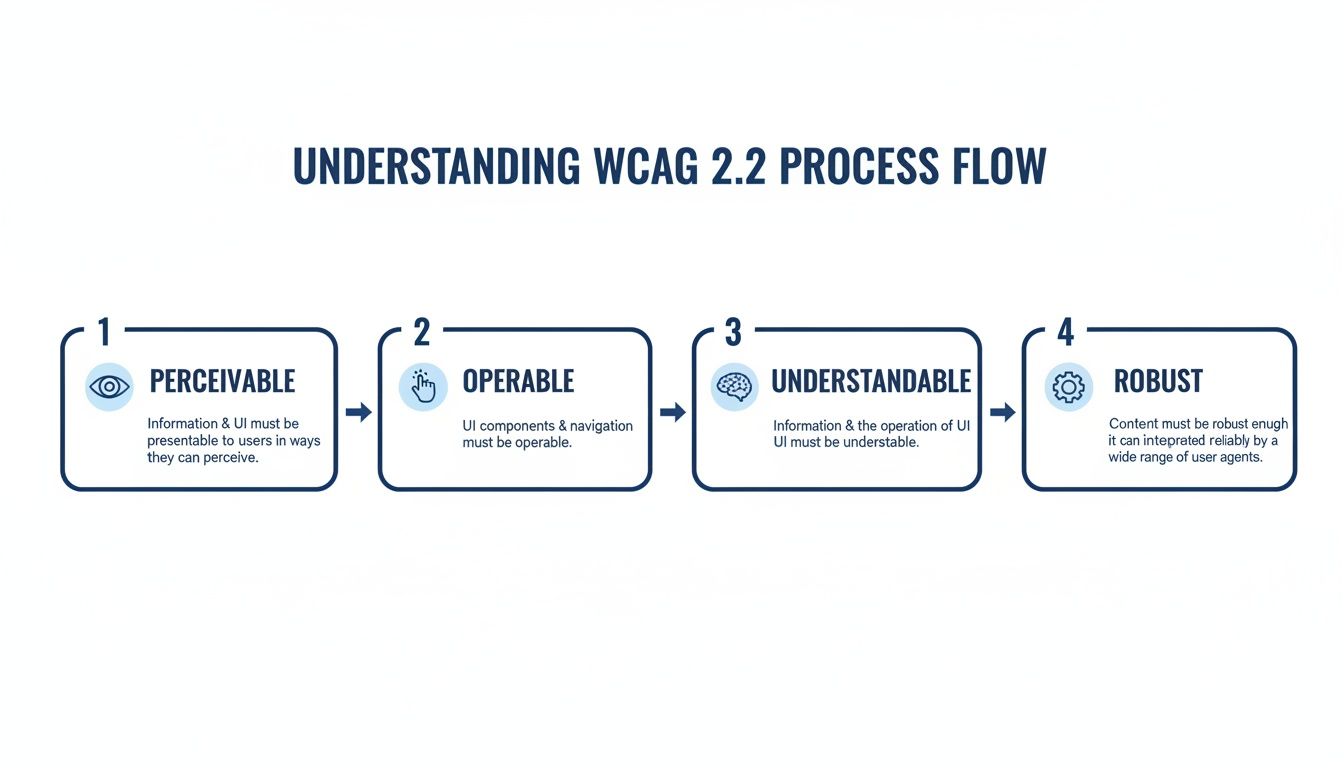
Keeping these principles—Perceivable, Operable, Understandable, and Robust—in mind helps your team make smarter decisions as they work through the fixes.
Implement a Layered Solution
With your priorities straight, it's time to get to work. A modern, layered approach works best. Your development team can start digging into the deeper, code-level issues your audit uncovered. This foundational work is crucial for building robust, long-term compliance.
At the same time, you can deploy a solution that offers immediate, site-wide improvements. A high-quality accessibility interface, for example, can give users powerful, on-demand tools for screen reader adjustments, keyboard navigation, and content display. This creates an instant boost in usability while the more complex source-code remediation is happening in the background. If you need expert help with this, you can get a free website audit from our team at Webability.
Monitor, Maintain, and Evolve
Here’s the most important part: accessibility isn't static. Your website is a living thing, constantly changing with new content, features, and updates. Without ongoing vigilance, you’ll slowly slide backward as new barriers creep in, undoing all your hard work.
The final stage is to build a process for continuous monitoring. Think of a compliance dashboard with 24/7 automated scanning as your command center. It tracks your progress, flags new issues the moment they appear, and stops accessibility debt from piling up. This shifts your approach from a reactive fire drill to a proactive, manageable part of your daily workflow.
Using Technology for Smart and Scalable Accessibility
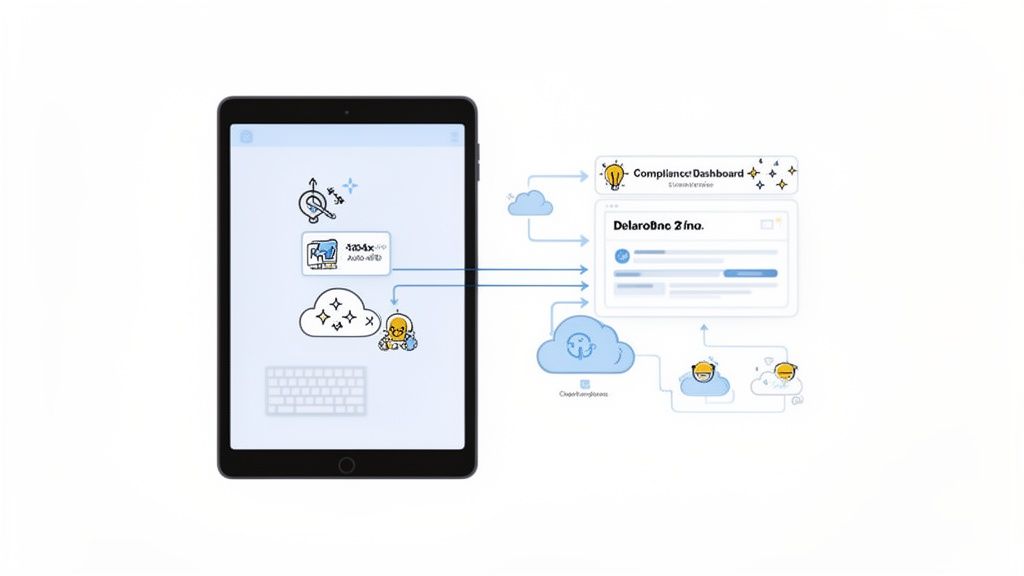
Let's be honest: trying to manually maintain a perfectly accessible website is a huge task. Thankfully, technology now offers a much smarter and more scalable way to achieve and maintain ADA website accessibility. By bringing the right tools into your process, you can finally shift from putting out fires to running a proactive system that helps your team and creates a better experience for everyone.
AI-enhanced accessibility interfaces, for example, deliver immediate value right out of the box. They act as a helpful layer on your site, giving users tools to adjust the experience to fit their needs. This could mean anything from activating a screen reader mode to enabling full keyboard navigation or tweaking text for better readability.
This is about more than just checking a compliance box. It’s about genuine utility. When someone can instantly modify your site to work for them, you’ve not only improved their experience but also demonstrated a real commitment to inclusion.
For development teams and digital agencies, this tech-forward approach is a total game-changer. It takes what was once a frustrating, complex chore and turns it into a streamlined, data-driven workflow that you can actually scale across large enterprise sites or multiple client projects.
Centralizing and Automating Compliance
Think of a centralized compliance dashboard as the command center for your entire accessibility strategy. These platforms use automated scanning to give you a continuous, real-time look at your website's health, turning an abstract goal into a concrete KPI you can actually track.
This kind of automated oversight empowers teams to:
Track Progress Over Time: Watch your compliance score improve as you implement fixes, which gives you clear, defensible proof of your efforts.
Prevent Regression: Automatically flag new accessibility errors that sneak in during site updates, stopping small issues before they become big headaches.
Streamline Remediation: Pinpoint the exact code-level problems, so your developers can stop guessing and start fixing efficiently.
The level of automation here drastically cuts down on the manual labor needed to stay compliant. When you’re using technology for digital accessibility, understanding specific elements like SDH Subtitles and their importance for accessibility is also key to providing a truly inclusive experience. The tools work hand-in-hand—while a dashboard might flag missing alt text, AI can often generate solid suggestions to speed up your content team’s work.
A Smart Investment for Long-Term Value
Investing in this kind of technology is far more than just a line item for compliance; it's a strategic business decision. By automating the routine checks and empowering users with their own tools, you free up your team to focus on bigger, more creative challenges. A great first step is using a WCAG compliance checker to get a quick baseline of where your site stands today.
Ultimately, these platforms help you build a digital presence that is more robust, more user-friendly, and on much stronger legal ground. It's a smart investment that pays dividends by reducing manual work, boosting user satisfaction, and driving sustainable growth for your business.
Diving into ADA website accessibility can feel like untangling a complex web of rules and requirements. Let's clear up some of the most common questions we hear from business owners every day based on our extensive experience.
Does My Small Business Website Really Need to Be ADA Compliant?
This is probably the number one question we get, and the short answer is yes. Courts have repeatedly determined that commercial websites are "places of public accommodation," meaning the ADA applies to you, no matter your size.
But honestly, looking at it purely from a legal risk perspective is missing the bigger picture. Accessibility is just good business. It opens your website to the 1.3 billion people around the world living with a disability. That’s a massive market you can’t afford to ignore and a direct path to increasing your conversion rate.
Is an Accessibility Widget Enough to Make My Site Compliant?
An accessibility interface, often called a widget, is a powerful and valuable component of a comprehensive accessibility strategy. It provides immediate, user-facing tools that empower visitors to customize their experience, significantly improving usability on the spot. This is a fantastic first step and a key part of showing proactive effort.
For robust, long-term compliance, a layered approach is best. This means pairing a powerful user interface with ongoing efforts like automated scans and expert audits to fix issues directly in your code. The interface provides user-facing solutions while you strengthen your digital foundation.
Remember, the goal is a multi-layered approach. A powerful interface provides immediate user-facing benefits and risk reduction, while ongoing monitoring and remediation ensure your digital foundation remains solid and compliant over time.
What Does It Cost to Make a Website ADA Compliant?
The cost really depends on how big and complex your site is, and how many issues it currently has. It's a bit like asking "How much does it cost to fix a car?" without knowing what's wrong with it.
What’s more important, though, is considering the cost of not doing anything. That can involve crippling legal fees, damage to your brand’s reputation, and the very real loss of revenue from customers who simply can't use your site.
Modern platforms make this much more manageable and affordable than you might think.
A Smart Starting Point: The best first step is to run a free accessibility scan. This gives you a clear, data-driven report card on your site's health.
Affordable Solutions: An automated solution can offer comprehensive coverage and continuous monitoring for a fraction of what purely manual code fixes would cost.
What’s the Difference Between ADA, Section 508, and WCAG?
It's easy to get these acronyms confused, but they each have a specific job:
ADA (Americans with Disabilities Act): This is the foundational U.S. civil rights law that prohibits discrimination based on disability. Court decisions have consistently applied this law to digital spaces like websites.
Section 508: This is a U.S. federal law that specifically requires government agencies and their contractors to make their technology and information accessible.
WCAG (Web Content Accessibility Guidelines): This is the "how-to" manual. Developed by international experts, WCAG provides the technical standards and guidelines for making web content accessible. Both the ADA (through legal precedent) and Section 508 now point to WCAG as the benchmark for compliance.
At WebAbility.io, we’ve built a complete platform to help you not only achieve and maintain compliance but also create a genuinely better experience for every single visitor. Our AI-enhanced tools and expert services make accessibility a manageable and valuable part of your business strategy. Discover how WebAbility.io can transform your accessibility strategy today.
Quick Questions
Tap to ask AI about this article