Your Guide to Choosing a Web Accessibility Checker

Sidharth Nayyar
TL;DR: A web accessibility checker is an essential tool for any business. It automatically scans your website to find issues like poor color contrast and missing image descriptions, giving you a clear roadmap to improve user experience, expand your market reach, and ensure compliance. By integrating these checks into your workflow and combining automated scanning with user-facing tools and expert oversight, you can build a more inclusive website that works better for everyone and boosts your bottom line.
A web accessibility checker is an automated tool that scans your website for common roadblocks that stop people with disabilities from using it. Think of it as the first, essential step in finding problems like missing image descriptions, poor color contrast, and confusing navigation, laying the groundwork for a truly inclusive experience. Our expertise, built on years of helping businesses achieve digital compliance, shows that a solid checker is the foundation of any successful accessibility strategy.
What Is a Web Accessibility Checker?
Imagine an experienced building inspector who can instantly scan your entire property for code violations. That's essentially what a web accessibility checker does for your website. It programmatically crawls your code and content, flagging technical errors that go against the Web Content Accessibility Guidelines (WCAG). This automated scan is your first line of defense in building a better, more compliant website.
To really get why these tools are so important, it helps to be familiar with the general principles of accessibility. Checkers are built to turn those broad principles into concrete, actionable data. They're brilliant at finding issues that are easy to miss with the naked eye, such as:
- Missing Alternative Text: Images without a proper text description are completely invisible to anyone using a screen reader.
- Low Color Contrast: If text blends into the background, it can be impossible to read for people with low vision or color blindness.
- Improper Heading Structure: A chaotic jumble of headings makes it incredibly difficult for assistive technologies to understand and navigate the page's structure.
A web accessibility checker gives you immediate, data-backed insights into your site's health. It acts as an expert diagnostician, handing your team a clear roadmap for making improvements and reducing risk, which is the first step toward higher conversion rates.
This initial diagnosis is a game-changer for any organization. Our experience shows that an automated scan can quickly uncover low-hanging fruit and help you prioritize the most critical fixes first, delivering immediate value.
Core Accessibility Checks at a Glance
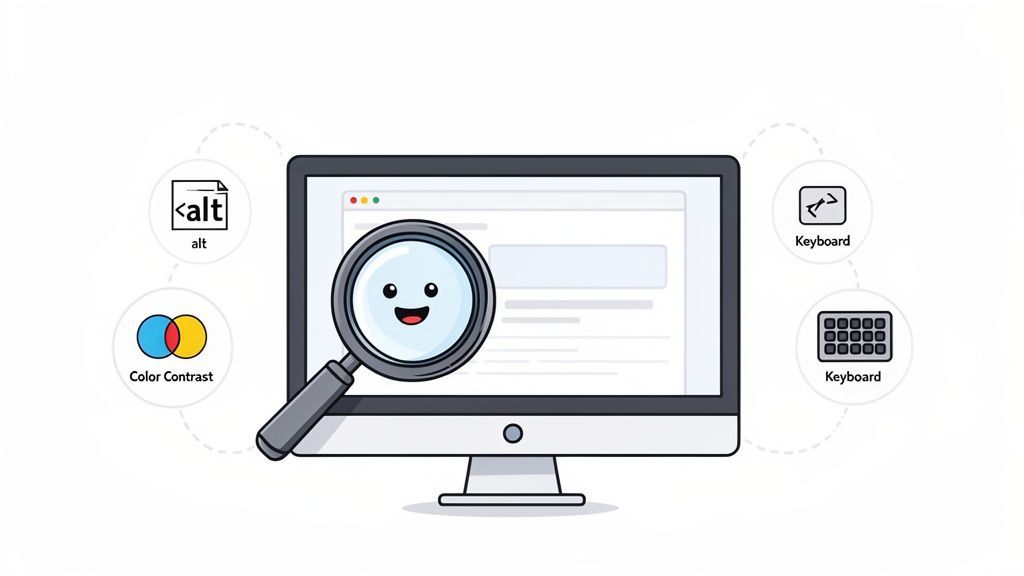
Accessibility checkers are great at spotting common technical issues. The table below gives a quick overview of what these tools typically find and who benefits when the problems are fixed. This is based on our extensive experience in digital compliance.
| Issue Type | What It Means | Who It Helps | WCAG Guideline |
|---|---|---|---|
| Missing Alt Text | Images lack descriptive text for screen readers. | Users with visual impairments | 1.1.1 (Non-text Content) |
| Low Contrast | Text is hard to read against its background. | Users with low vision, color blindness | 1.4.3 (Contrast Minimum) |
| Empty Links/Buttons | Interactive elements have no text or label. | Screen reader users, voice control users | 2.4.4 (Link Purpose) |
| No Keyboard Focus | It's unclear which element is selected when using a keyboard. | Keyboard-only users, users with motor disabilities | 2.4.7 (Focus Visible) |
While this isn't an exhaustive list, it covers the foundational issues that a good automated checker will catch right away, pointing you toward a more universally usable website.
Want to see how your own site measures up? You can get a free, instant evaluation to start your journey. Run a scan with our website accessibility checker and begin building a more welcoming online presence today.
Why an Accessibility Checker Is a Business Essential
It’s easy to think of a web accessibility checker as just another technical tool—a scanner that flags code errors. But that view misses the bigger picture. In reality, our years of first-hand experience prove it’s one of the most important assets for growing your business, managing risk, and building a brand that people genuinely connect with.
When you start proactively hunting down and fixing accessibility issues, you’re doing more than just aiming for compliance. You’re making your website better for every single person who visits, which is the foundation of strong user experience design principles. An inclusive website is simply a more usable one, which naturally leads to happier visitors and better business results.
Unfortunately, most of the web is falling short. A shocking 94.8% of websites don't meet basic accessibility standards. This isn't just a theoretical problem; it has serious financial consequences. In 2025 alone, 5,114 ADA lawsuits were filed against companies with inaccessible sites. You can find more details on these web accessibility statistics on BeAccessible.com.
From Risk Management to Market Expansion
The smartest companies are realizing that accessibility isn’t just about dodging lawsuits—it’s about discovering a huge, untapped market. Globally, people with disabilities control an estimated $13 trillion in annual disposable income. If your site isn’t built for them, you’re essentially leaving that money on the table.
Using a web accessibility checker is the first step toward welcoming this loyal customer base. We saw this firsthand when one e-commerce client fixed their site's barriers. They didn't just become compliant; they also saw a 15% increase in conversions from users who previously couldn't even finish a purchase.
This is a perfect example of how fixing accessibility issues directly protects your business while actively growing it.
Enhance Your Brand and User Experience
Beyond the numbers, a real commitment to accessibility sends a powerful message. It shows the world that your company is thoughtful, inclusive, and truly cares about all of its customers. In a crowded market, that kind of reputation builds incredible loyalty and sets you apart from the competition.
And here’s the best part: the improvements you make for accessibility help everyone. Things like clear navigation, high-contrast text, and a logical page layout are hallmarks of accessible design, but they also create a smoother, less frustrating experience for your entire audience. A good accessibility checker is your roadmap to getting it right.
Exploring Different Types of Accessibility Checkers
When you're looking for a web accessibility checker, you'll quickly realize they aren't all built the same. Finding the right tool really boils down to your team's specific goals, your daily workflow, and just how deep you need to go with your site analysis.
It helps to think about it like managing your personal health. Accessibility isn't just one thing; it's a foundational part of your website's overall well-being, supporting everything from growth and user experience to managing risk.
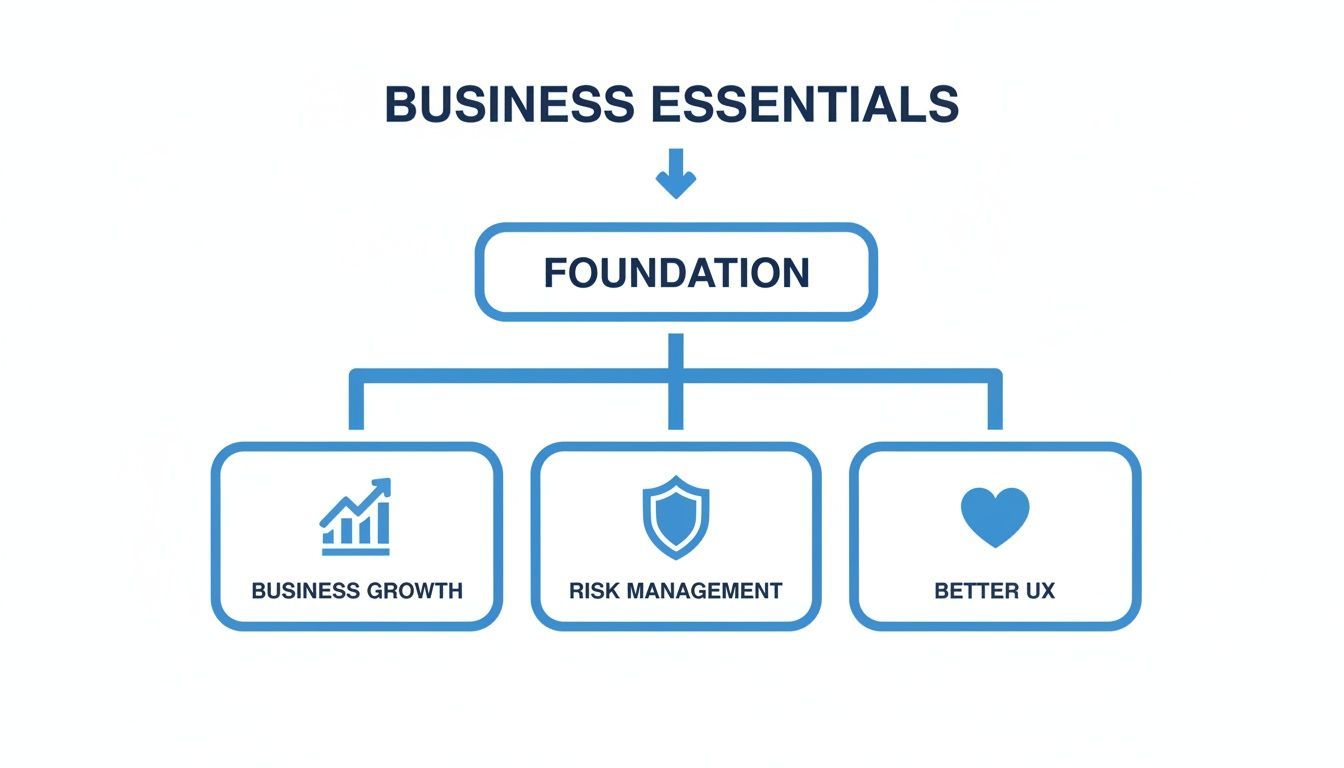
As you can see, making a real commitment to accessibility isn't just another technical task on a checklist. It's a strategic move that reinforces your entire business.
Tools for Every Stage
Just like you might use a fitness tracker for daily habits and see a specialist for specific issues, your accessibility strategy will involve different tools for different jobs. The trick is picking the right one for the task at hand.
There are three main categories of checkers you’ll encounter:
- Browser Extensions: I like to think of these as a daily fitness tracker. They’re perfect for developers and designers who need immediate feedback right in their browser as they're building a page. They help you spot and fix problems on the fly.
- Single-Page Online Scanners: This is your "urgent care" visit. Got a new landing page or want to quickly check the homepage? These tools give you a fast, focused report on a single URL, making them great for spot-checks.
- Comprehensive Platforms: This is the full health management system. These platforms are designed for ongoing, site-wide monitoring, tracking your accessibility health over time. They're built for organizations that need to manage compliance across thousands of pages and report on progress.
To make this even clearer, here's a table comparing the different types of accessibility checkers you’ll find.
Comparison of Web Accessibility Checker Types
| Checker Type | Best For | Scope | Typical Cost | Ideal User |
|---|---|---|---|---|
| Browser Extension | Quick, real-time checks during development. | Single page, in-browser. | Free to low-cost. | Developers, Designers, QA Testers. |
| Online Scanner | Fast audits of specific URLs (e.g., homepage, landing page). | Single page, on-demand. | Often free for single scans. | Marketers, Project Managers. |
| Comprehensive Platform | Site-wide, continuous monitoring and reporting. | Entire website, ongoing. | Subscription-based (monthly/annual). | Compliance Officers, Accessibility Teams. |
Ultimately, the best web accessibility checker is the one that fits your immediate needs. A developer gets huge value from an instant extension, while a compliance officer needs a full platform for governance and reporting.
Each tool plays a distinct, valuable role in building a robust accessibility practice. For a closer look at specific tools, check out our in-depth accessibility checker comparison guide to see how they stack up. By starting with simple checks and scaling up, you create a sustainable path toward a more inclusive website for everyone.
How to Use a Web Accessibility Checker Effectively
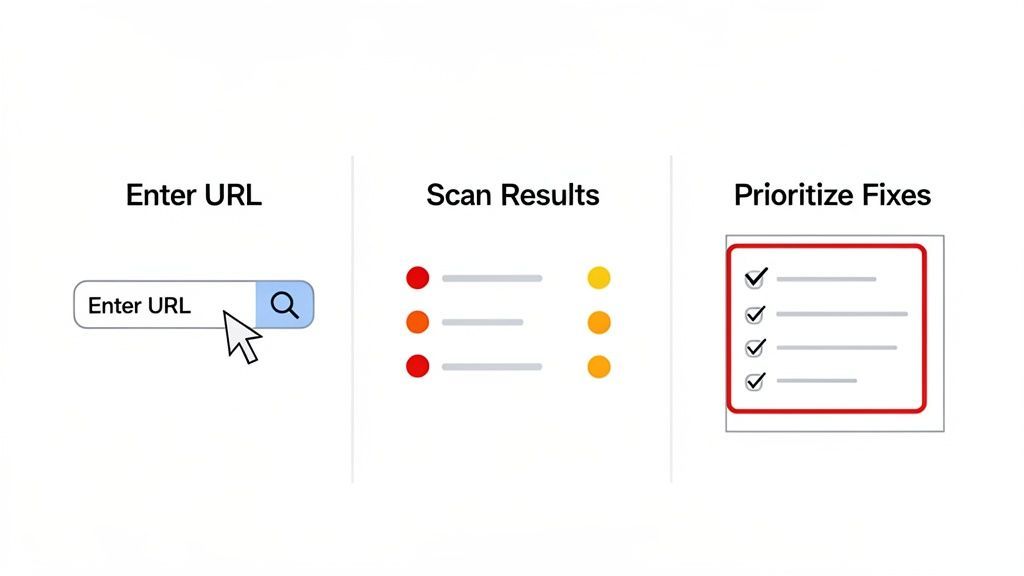
Using a web accessibility checker really comes down to a simple three-step rhythm. First, you scan your site by plugging its URL into a tool. Then, you dig into the report to see what it found and understand how those issues affect real people. Finally, you use that report to build a smart, prioritized plan to start fixing the biggest problems first.
The idea of making a website accessible can feel huge and abstract. But a good web accessibility checker is designed to turn that big goal into a concrete to-do list. Let's walk through how you can go from that initial scan to a solid plan for making things right.
This isn't about becoming an accessibility guru overnight. It's about having a straightforward process that lets you take meaningful action right away.
Step 1: Initiate Your First Scan
Everything starts with one simple action: giving the checker your website's URL. Think of it like giving a building inspector the right address. Once you kick off the scan, the tool automatically crawls your page, checking its code and content against established WCAG standards.
This automated first pass is incredibly quick and gives you an instant snapshot of your site's accessibility health. If you want to see how it works, you can get a free, on-the-spot report by running your site through our free website accessibility checker.
Step 2: Make Sense of the Results
Once the scan is done, you’ll get a detailed report. This is where the real work begins. Any decent report will organize the findings by severity—usually flagging them as critical, serious, or minor—so you immediately know what needs your attention most urgently.
You'll see specific, technical-sounding errors, but they all point to real-world problems for users. For example:
- Missing ARIA label: This means an element, like a button with only an icon, is a mystery to someone using a screen reader. They won't know what it does.
- Improper heading structure: This happens when headings are out of order (e.g., an H4 appears before an H2). It breaks the page's outline, making it a nightmare for users to navigate.
- Low contrast: The text is simply too hard to read against its background. This is a huge barrier for anyone with less-than-perfect vision.
Understanding the report is about connecting technical errors to human impact. A "critical" error isn't just a line of bad code; it's a roadblock that may completely prevent someone from using your site.
Step 3: Create a Plan for Fixes
With the report in hand, it's time to strategize. Always start by prioritizing the critical issues. These are the showstoppers that cause the most user frustration and often carry the biggest legal risk.
Essentially, your report becomes a ready-made task list for your development team. This systematic approach takes the guesswork out of accessibility, turning it from a massive, intimidating concept into a series of clear, manageable fixes. By following these steps, you build momentum and create a real path toward a website that works better for everyone.
Building a Comprehensive Accessibility Strategy
So, you've run an automated web accessibility checker and found some issues. That's a great start, but what's the next move? To build a genuinely accessible website, you need a plan that goes beyond just diagnostics. A comprehensive strategy often combines automated technology with user-facing tools and expert guidance for a powerful, multi-layered approach.
An automated platform is your first line of defense—think of it as a constant watchdog for your site's technical health. It's on the job 24/7, flagging new problems as they pop up and tracking your compliance over time. This kind of continuous scanning is the essential foundation for any serious accessibility effort.
Going Beyond Code with User-Facing Tools
While a scanner keeps your backend code compliant, you also have to think about the real people using your site. This is where accessibility widgets and other user-facing tools come in. They work hand-in-hand with your automated checks to put control directly into your visitors' hands.
These tools allow users to tailor their experience on the fly with features like:
- Text resizing for anyone with low vision.
- Contrast adjustments to help people with color blindness.
- Dyslexia-friendly fonts that make reading much easier for some.
When you combine automated scanning with user-facing solutions, something powerful happens. The automated platform ensures your site is technically sound, while the user-facing tools make it practically usable for a wider range of people.
It’s the difference between meeting a technical standard and creating a truly welcoming experience. You close the gap between compliance on paper and real-world usability for everyone.
This comprehensive approach is becoming more crucial every day. The global digital accessibility market was already valued at USD 1,417.47 million back in 2025, and software platforms accounted for 58.64% of that. If you're curious about the numbers, you can explore the full digital accessibility market report on Straits Research.
By pairing these solutions, you're not just ticking a compliance box; you're actively empowering your users. To see what this looks like in practice, you can learn more about our managed accessibility services and discover how we build complete, sustainable accessibility solutions.
Integrating Accessibility into Your Development Pipeline
When it comes to web accessibility, the most common mistake is treating it as an afterthought—a final checklist item to tackle before launch. A much better approach is to be proactive. For developers and digital agencies, this means weaving accessibility into the very fabric of your workflow from day one.
The industry calls this "shifting left." Instead of finding and fixing problems on a live site, you catch them at the earliest possible stage. This isn't just about compliance; it's about building better, more robust products efficiently and saving a lot of headaches down the road.
It all begins long before you write a single line of production code. Think about the design phase. Using a web accessibility checker (often as a simple browser extension), a designer can spot color contrast problems in a mockup. A developer can then test a single component for keyboard navigation issues before it ever gets merged. Fixing an issue at this stage is trivial compared to untangling it from a complex, live application.
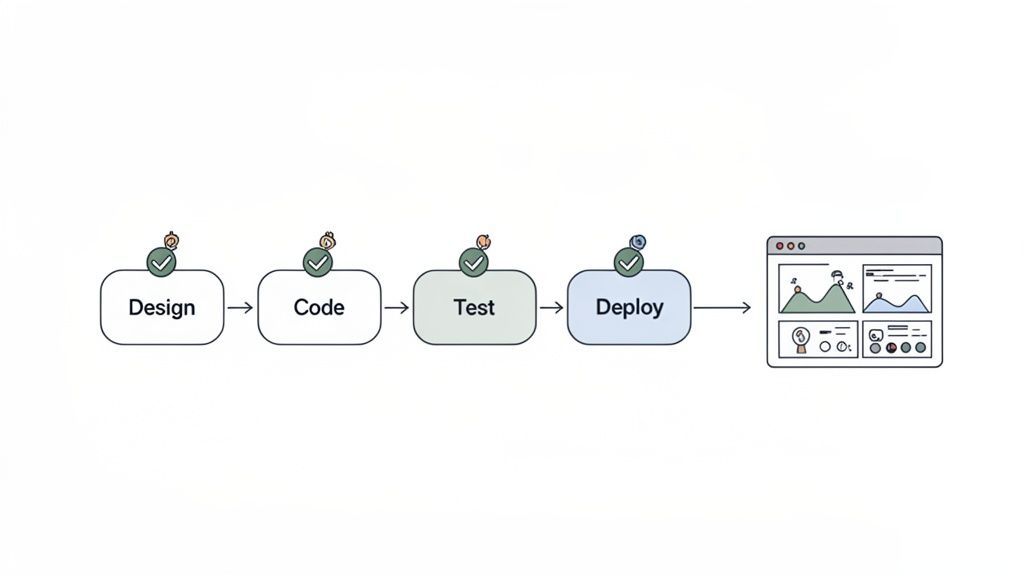
Taking It From Manual Steps to an Automated Pipeline
While manual checks are a great start, the real game-changer is automation. You can integrate an accessibility platform’s API directly into your Continuous Integration/Continuous Deployment (CI/CD) pipeline. This is powerful stuff. It means you can automatically scan your code in a staging environment with every new commit.
This creates a crucial quality gate, stopping accessibility barriers from ever making it to your users.
When automated accessibility scans become a standard part of your deployment process, you’re sending a clear message: inclusivity is just as important as performance or security. It becomes a fundamental requirement for shipping quality software.
This professional workflow doesn't just build more inclusive products; it prevents expensive, time-consuming fixes later on. The growing importance of this is reflected in the market itself, which is projected to hit USD 642.29 million by 2026, largely driven by web applications. You can explore more data on the accessibility testing market on MordorIntelligence.com.
By adopting this integrated method, you move beyond simply chasing compliance and start building a stronger, more inclusive development culture. You can learn more about continuously monitoring your website's accessibility to see how a platform can support this entire process.
Your Top Accessibility Checker Questions, Answered
Diving into web accessibility can feel complex, and it’s natural to have a few questions. Let's clear up some of the most common ones about using accessibility checkers, based on our experience as industry experts.
How Accurate Are Accessibility Checkers?
Think of an automated checker as your first line of defense. They’re fantastic at catching between 30-50% of common accessibility issues almost instantly—things like missing image descriptions or improper heading structures.
But they can't catch everything. They don't understand context the way a human does. That’s why a holistic strategy always includes manual testing and expert reviews to find the more subtle problems and truly get your site across the compliance finish line.
Will a Checker Automatically Make My Website Compliant?
Not on its own. An accessibility checker is like a diagnostic scan from your doctor—it tells you exactly what’s wrong, but it can’t perform the treatment for you.
Your team still needs to take the report and fix the issues it flags. Real compliance isn’t a one-and-done task; it’s a cycle of scanning, fixing, and re-scanning to keep your site accessible as it evolves.
An accessibility checker’s real power is turning the vague idea of “compliance” into a straightforward to-do list. It gives your team a clear, actionable roadmap to follow.
How Often Should I Run an Accessibility Check?
It really depends on your website. If you’re constantly adding new blog posts, products, or features, you should be running continuous, automated scans. This is the best way to catch new problems as they pop up.
For a more static site that doesn't change much, a full scan after any big update or redesign is a must. This ensures your new work doesn't accidentally put up new barriers for users.
Ready to move beyond diagnostics and build a truly inclusive website? WebAbility.io provides an end-to-end platform that combines automated scanning with powerful user-facing tools to achieve and maintain compliance. Start your free trial today and see the difference a complete solution can make.
Quick Questions
Tap to ask AI about this article