Section 508 Compliance Requirements for Web Accessibility

Sidharth Nayyar
Sidharth Nayyar
Think of Section 508 compliance as building a ramp at every digital doorway—so no one gets left behind. It covers everything from keyboard navigation and contrast ratios to properly tagged documents, mobile-friendly layouts, and clear reporting practices.
Here’s a quick reference table that breaks down each compliance area into clear checks and examples.
| Requirement | Description | Examples |
|---|---|---|
| Keyboard Navigation | Operable via keyboard only | Tab order, visible focus indicators |
| Contrast Ratios | Text/background contrast meets WCAG AA | Light text on dark background |
| Document Formats | Accessible PDFs and forms | Tagged PDFs, descriptive form labels |
| Mobile Support | Responsive, touch-friendly interfaces | Enlarged buttons, scalable text |
| Reporting Duties | Public statements and ongoing issue tracking | Accessibility policy, feedback form |
Keep this table handy whenever you’re planning an audit, prioritizing fixes, or onboarding new team members.
Think of a sidewalk’s curb cut: a simple ramp that turns a barrier into a welcome path. In the same way, digital accessibility removes stumbling blocks online.
All federal agencies and their contractors must follow Section 508 compliance requirements to make electronic content—websites, software, multimedia, documents—usable by everyone. The refreshed 2026 standards push for better contrast, smoother keyboard navigation, and robust document tagging, while also recognizing mobile apps and voice-driven tools.
As you move forward, you’ll find grocery-aisle analogies for screen readers and tactile guides for keyboard users, setting the stage for the detailed checkpoints that follow.
Concrete examples turn abstract rules into living stories. For instance, a federal site revamped for screen readers saw user satisfaction climb by 30%. Small tweaks can translate into a big win for people with disabilities—and for overall usability.
Additionally, think of alt text and headings as clear mall signage—each guiding users seamlessly from one point to the next. When developers apply these familiar design ideas, digital interfaces become intuitive.
“Accessibility isn’t an add-on; it’s the foundation of good design,” notes a leading accessibility expert. Auditors now expect strict compliance checks, and federal audits underline the importance of meeting these standards.
To round out your perspective, consider the broader landscape of general legal compliance requirements that govern many industries. This context helps frame digital accessibility as part of a universal commitment to inclusion.
As you dive deeper, we’ll unpack the core principles—Perceivable, Operable, Understandable, Robust (POUR)—and explain ARIA attributes that bring interfaces to life. You’ll see:
With that roadmap in hand, you’re ready to explore each Section 508 checkpoint in detail. Next, we’ll shine a light on common hurdles—missing alt text, unlabeled form fields, and absent captions—and show you exactly how to resolve them.
Imagine wandering into a kitchen where none of the cabinets are labeled—that’s the confusion a user faces on a website without clear accessibility cues.
Section 508 compliance is built on four guiding principles, remembered by the acronym POUR: Perceivable, Operable, Understandable, Robust.
When one group gains access, everyone benefits.
Alt text for images works like annotated photos in a cookbook—blind readers still get the full picture. This principle makes sure that visuals, audio, and text convey the same message.
Learn more about Section 508 definitions in our glossary of key terms to see how each facet applies in real-world scenarios.
Think of keyboard navigation as a wheeled cart gliding down an aisle. Every key press moves you forward or back, and focus indicators act like footprints on the floor.
Clear headings and consistent layouts are like numbered recipe steps—no one second-guesses what comes next.
A sturdy HTML structure combined with ARIA roles is similar to using tools that work for both gas and electric ranges. You build once, and it runs everywhere.
| Feature | Benefit for Assistive Tech |
|---|---|
| Semantic HTML Tags | Screen readers identify landmarks easily |
| ARIA Roles | Complex components gain meaningful context |
Embracing these foundations paves the way for deeper Section 508 efforts, from specific checkpoints to testing routines.
Consider a user with low vision: tiny font and no zoom option force them to squint or leave the site. Another person relying on a screen reader hits unlabeled form fields and gets stuck without context.
Inclusive design reduces errors and support calls across all user groups.
Tools can flag issues, but nothing beats observing someone with a disability tackle your interface.
These insights feed directly into design sprints and compliance roadmaps, so fixes happen early instead of piling up at the end.
Grounding your work in perceivable, operable, understandable, and robust criteria gives the team a shared language and clear goals. Next up: hands-on walkthroughs of Section 508 checkpoints like captioning videos and checking color contrast.
By leaning on familiar analogies, you’ll navigate technical details with confidence and clarity.
Meeting Section 508 requirements isn’t just about following rules—it builds trust and enhances user loyalty. Studies show 73% of visitors stay longer on accessible sites, and positive experiences lead to repeat visits.
Key Takeaways:
These ideas bridge everyday experiences with legal standards, setting you up for a successful deep dive into the nuts and bolts of Section 508.
This section peels back the layers of Section 508’s 2026 revision, showing you how each requirement translates into real-world design choices. You’ll see patterns that guide keyboard users, rules that boost legibility, and the fresh criteria for mobile, voice, and AR experiences.
Think of keyboard navigation as laying down a tactile trail through your interface. In essence, you’re building a Braille path that leads users from one interactive element to the next without confusion.
With the 2026 update aligned to WCAG 2.2, these guidelines now demand advanced focus management for dynamic widgets. For a deeper dive, check out the Tranistics Research on the latest Section 508 enhancements.
When accordions open or dialogs pop up, screen readers need ARIA cues to describe what’s happening. Without live region updates, users can feel stranded—like arriving at a station with no train schedule.
Implement these attributes to keep everyone on board:
aria-expanded to signal open/closed states aria-live for announcing real-time updates aria-controls to link triggers with their contentEnsuring text pops off the background is not optional. Poor contrast can turn a simple paragraph into an indecipherable blur.
Automated color-contrast tools catch most issues, but hand-checking PDF renderings will reveal edge cases and quirks.
Clarity can be a superpower for users with cognitive challenges. Section 508’s latest update encourages simple language, consistent layouts, and inline error cues—so nobody gets stuck or frustrated.
Below is a quick snapshot comparing the original WCAG 2.0 baseline against the tougher WCAG 2.2 criteria introduced in 2026.
| Standard Aspect | Baseline WCAG 2.0 | Enhanced WCAG 2.2 |
|---|---|---|
| Keyboard Operability | Basic tab order | Advanced focus management |
| Color Contrast | 4.5:1 regular text | 7:1 text for low vision |
| Document Accessibility | Optional PDF tagging | Mandatory tagging and forms |
| Mobile And AI Interfaces | Limited mobile requirements | Full mobile and AR support |
This side-by-side table highlights how each dimension gets a serious upgrade, from interaction models to document structure.
Section 508 now reaches into smartphones, voice assistants, and immersive AR. Swipe, pinch, talk, or gesture—every action must have an accessible fallback.
Always provide keyboard or voice alternatives to gestures, and test on multiple devices to catch inconsistency.
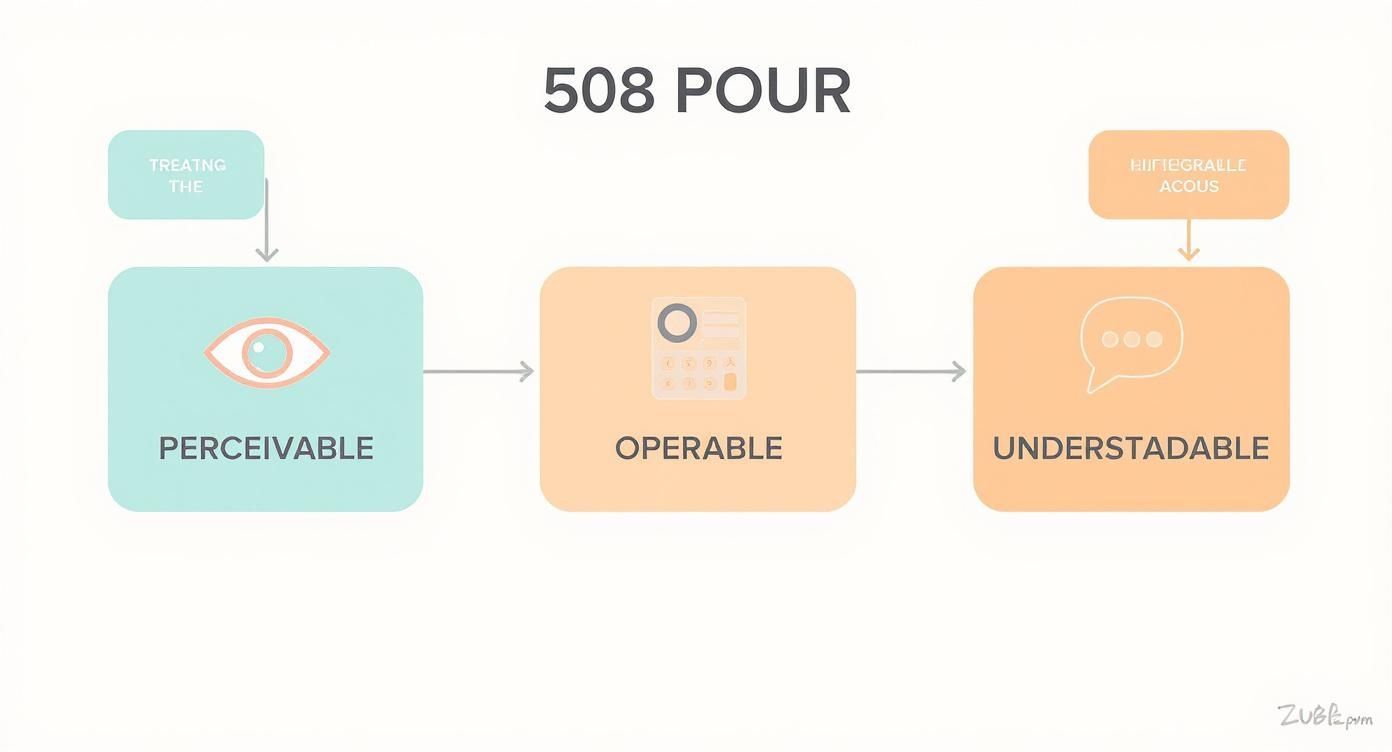
This diagram walks through POUR—Perceivable, Operable, Understandable, Robust—and shows how these pillars tie together in an inclusive ecosystem.
“By making interfaces perceivable and operable, we unlock digital doors for everyone,” notes an accessibility consultant.
Bridging these ideas with hands-on tactics is our next stop.
With these principles in mind, you can align your design sprints and audit checklists around the most critical compliance points. The following section will share tool recommendations, testing workflows, and team-training strategies.
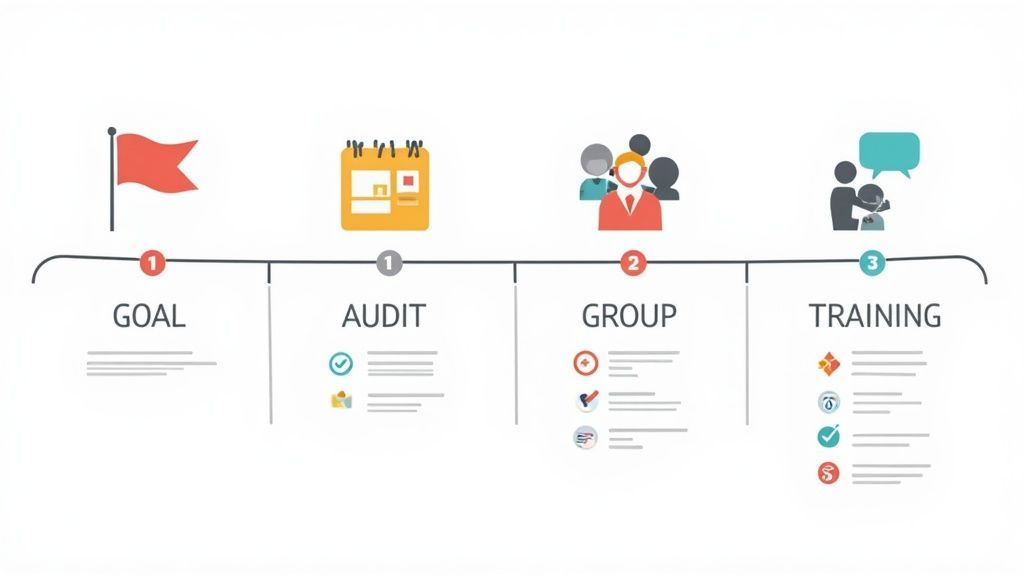
Turning checklist items into meaningful actions starts with a well-defined plan. Map out who does what, and when, to keep every stakeholder on the same page.
Start by assigning roles—say, one person for keyboard navigation checks and another for color contrast audits. Sharing this roadmap up front avoids confusion down the line.
When goals are crystal clear, compliance shifts from abstract to actionable. Aim for 100% operable interfaces and 90% tagged PDF coverage. Document these targets in your project plan and sprint backlogs to track progress.
Routine audits surface issues before they snowball in production. Combine automated scans with hands-on testing using assistive technology.
Government sites often hit only 31% compliance with WCAG AA and average 22 violations per page. To understand the broader impact, check the data on All Accessible.
Automated solutions catch common pitfalls like low contrast, missing landmarks and ARIA misconfigurations early. Integrate tools such as axe-core or WAVE into your QA pipeline to flag issues before they reach production.
Complement these scans with document-specific checkers for Word and PDF files:
Accessibility shouldn’t be a final step—it belongs in your CI/CD pipeline. Use linting rules and pre-commit hooks to catch regressions early.
Pair these checks with solid design practices like responsive web design to ensure your site adapts gracefully across devices.
Document guidelines in your style guide and update them as standards evolve.
Hands-on training cements good habits. Organize workshops and share bite-sized tutorials on writing alt text, labeling forms and other common fixes. Invite users with disabilities to offer live feedback—nothing beats real-world insights.
Learn more in our guide on Section 508 compliance testing software.
Set aside budget early to cover audits, tool licenses and training sessions. Transparency in reporting keeps everyone aligned and shows ongoing commitment.
“Embedding accessibility in budgets and timelines is essential for long-term success,” says a senior accessibility strategist.
Regular updates help stakeholders recognize progress and stay invested.
By weaving Section 508 compliance into each phase—from goal setting to certification—you build a culture of inclusion instead of scrambling at the last minute. Review your roadmap often and adapt based on audit findings and user feedback. A proactive stance not only fosters trust but also shields your organization from legal and reputational risks.
TLDR
When a federal agency decided to overhaul its public portal, they approached it like repairing a leaky roof—step by step. Mapping each user’s journey revealed hidden hurdles. They patched those gaps, and in just three months saw a 40% drop in support calls.
Introducing enhanced keyboard navigation felt like rolling out a Braille-friendly red carpet across every page.
“Addressing keyboard gaps was the turning point for our team,” says the CIO of the agency.
They also brought in a small group of testers with diverse abilities. Participants pointed out vague labels, and designers refined them on the spot. These tweaks saved time and boosted satisfaction scores.
A medical software vendor tackled Section 508 by treating each PDF document like a detailed X-ray—every layer needed tagging.
They combined an automated PDF tagging tool with hands-on reviews to hit 100% document accessibility.
Key steps included:
With errors down by 25%, patients enjoyed clearer documents and staff sped through approvals.
An online learning platform likened its site to a dimly lit classroom before accessibility fixes. By improving contrast ratios and adding captions to video lectures, they created a brighter experience.
In one semester, metrics jumped:
| Metric | Before Compliance | After Compliance |
|---|---|---|
| User Engagement Rate | 55% | 85% |
| Quiz Completion Rate | 62% | 78% |
| Average Session Duration | 4 minutes | 6.5 minutes |
They also launched a feedback widget that acted like a virtual suggestion box. Over 200 entries in the first month highlighted small layout issues that might have gone unnoticed.
Numbered List Of Lessons Learned
These practices shifted compliance from a requirement to a clear advantage.
Each of these stories highlights three core strategies:
Learn more about improving government digital services in our article on accessibility in government websites and meeting Section 508 compliance requirements for deeper guidance.
Concrete examples prove that Section 508 compliance can deliver measurable benefits. Use these case studies to shape your own accessibility roadmap.
Begin by auditing a high-traffic page to discover existing barriers. Then match your metrics against these benchmarks and watch your impact grow.
Ongoing iteration turns compliance into true inclusion. Start today and measure progress every month.
Need fast answers on Section 508? We’ve gathered the essentials—guideline differences, audit timelines, testing tools, and possible penalties. Think of this as your roadmap to planning next steps.
Below, you’ll find concise responses to the most common questions about Section 508, each paired with practical advice and resources for a deeper dive.
What Is The Difference Between Section 508 And WCAG Guidelines?
Section 508 is a U.S. federal law that requires government agencies to make their digital content accessible to everyone. WCAG, on the other hand, is an international technical standard—a detailed recipe for web accessibility. Since Section 508 points directly to WCAG 2.2 AA, hitting those success criteria means you’re covered on both fronts.
How Long Does It Take To Complete A Section 508 Compliance Audit?
It really depends on your site’s size and complexity. A basic scan of a smaller site—when you’ve laid out a clear plan and rely on automated tools—often wraps up in about 2–4 weeks. But if your system uses custom software or spans tons of pages, expect a more thorough review and fixes to stretch the process into several months.
Combining automated scans with manual testing gives you the most complete picture.
What Are The Consequences Of Non-Compliance With Section 508?
Skipping these requirements can lead to legal actions under the Americans with Disabilities Act or direct Section 508 enforcement. Agencies risk federal fines, lost contracts, and serious reputational damage when they lock out millions of users. Beyond financial penalties, inaccessible designs erode trust and weaken service quality.
“Non-compliance excludes millions of users and undermines trust.”
That one line says it all: accessibility is far more than a compliance checkbox.
With these FAQs answered, you’re ready to plan your next steps—whether that’s scheduling an audit, evaluating tools, or mitigating risks.
By following these steps, you’ll turn accessibility from a one-off task into a lasting advantage for your team. For deeper support, explore platforms built to align with Section 508 requirements and keep your site welcoming to all.
Ready to streamline your Section 508 compliance requirements and boost accessibility?
Explore WebAbility.io and launch your free trial on your site.
No card needed.
Tap to ask AI about this article
Ready to make your website accessible? Engage with our team or start a free trial today.

Discover insights about web accessibility and inclusive design practices.
Compare Section 508 vs WCAG to understand legal scope, technical standards, and build a unified compliance workflow. Get your 2026 guide now!
Navigate federal accessibility laws with our 2026 Section 508 compliance checklist. Get 10 actionable steps for auditing, testing, and remediation today.
Navigate complex government website accessibility requirements in 2026. Our guide covers WCAG 2.1, Section 508, EN 301 549, and Title II compliance.

Explore assistive technology for blind and visually impaired users, from screen readers to AI tools, with practical developer tips for accessible web design.

Learn how to check a PDF for accessibility using automated tools, manual reviews, and screen reader testing. Ensure WCAG 2.2 and PDF/UA compliance today.

Learn how to write, test, and remediate accessible links that meet WCAG 2.2, ADA, and Section 508. Includes code examples and a quick audit checklist.

Make form validation accessibility work in real code. Covers ARIA, error patterns, focus management, WCAG, and testing workflows that actually help users.