Government Website Accessibility Requirements: A 2026 Guide

Sidharth Nayyar
Approximately 96.3% of homepages had detectable WCAG 2.x failures in 2024, according to the WebAIM statistics summarized here. That figure changes the conversation. Government website accessibility requirements aren't a niche compliance task for a few pages or PDFs. They demand an operating model for content, design, development, procurement, and reporting.
Public-sector sites do perform better than the broader web. The same source notes they show roughly 51% fewer automatically detectable errors than the overall average. That's encouraging, but it also reveals a practical truth. Legal pressure helps, yet compliance still doesn't happen by accident.
The agencies making durable progress usually avoid two mistakes. First, they don't rely on a one-time audit and call the job done. Second, they don't force a false choice between automation, AI-supported tools, and manual review. In practice, the most efficient path is blended. Automated scanners catch repeatable code issues quickly. AI-powered interfaces and managed accessibility layers improve user support and speed implementation. Manual audits, keyboard testing, and screen reader checks address the defects that tools alone won't fully resolve.
If you're responsible for a city, county, school district, authority, court, transit site, or public university, the right question isn't whether accessibility matters. It does. The question is how to build a compliance program that your team can maintain after the launch, redesign, or remediation sprint ends.
Your Accessibility Compliance Summary
Government agencies rarely struggle because they do not know accessibility matters. They struggle because the work spans content teams, developers, procurement staff, document owners, and outside vendors, all under legal deadlines. A usable compliance program has to work across that full chain.
The current standard for many U.S. public entities is clear. State and local governments need a plan to meet WCAG 2.1 Level AA under the ADA Title II rule, and that means fixing the systems that produce recurring barriers, not just cleaning up a few visible issues on high-traffic pages.
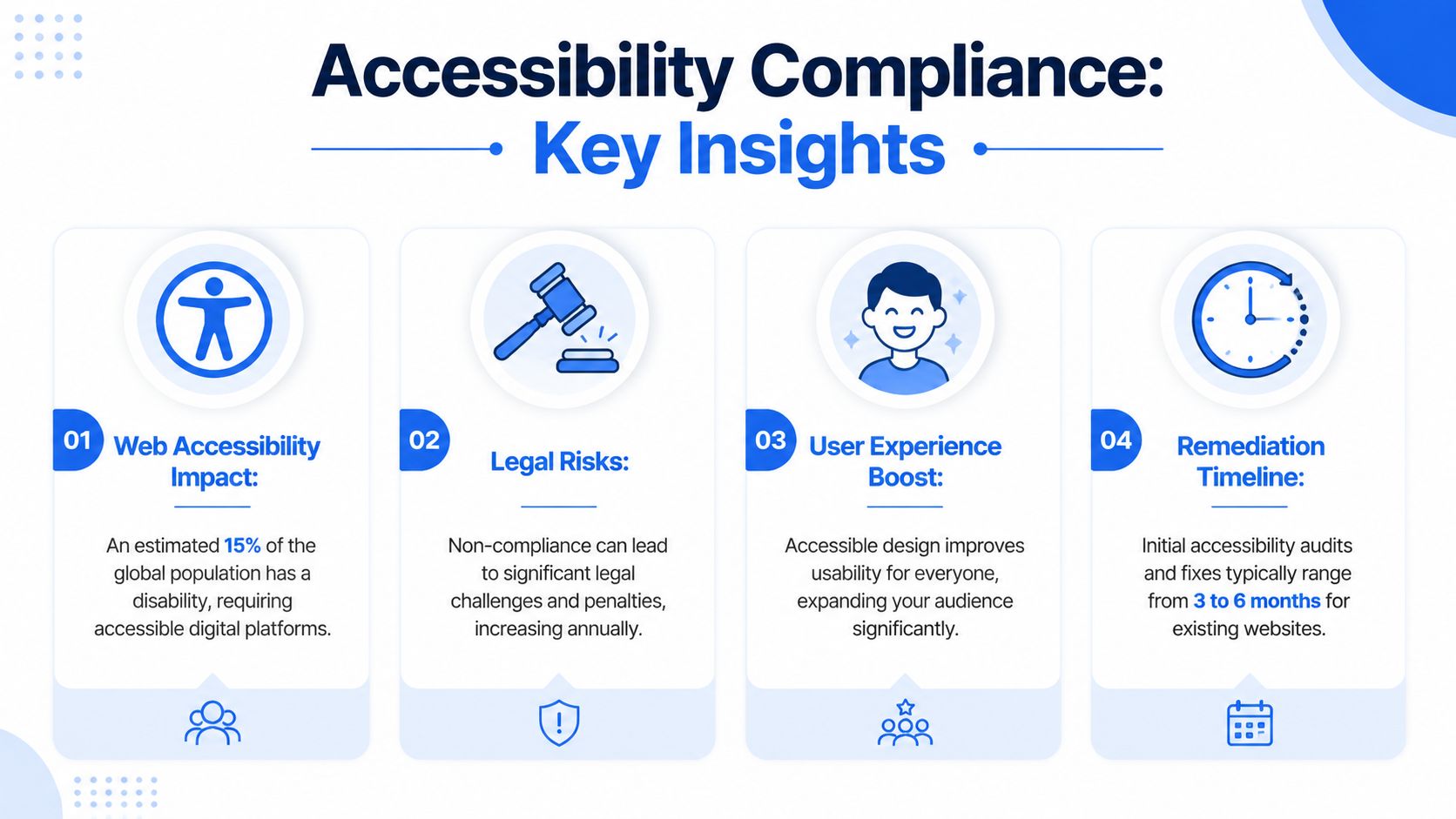
What matters most right now
For a public-sector team with limited time and staffing, four priorities usually matter most:
- Set the right scope: As noted earlier, automated testing across the broader web continues to find widespread WCAG failures. Government sites often perform better than the general average, but better than average is not the same as compliant. Include templates, forms, PDFs, videos, maps, and third-party services in the inventory from the start.
- Tie the work to the legal requirement: For U.S. state and local governments, accessibility is no longer a general best practice discussion. It is a defined compliance obligation tied to WCAG 2.1 Level AA.
- Use a blended testing model: Automated scanners find repeated code defects quickly. AI-assisted tools can speed triage, support content remediation, and improve ongoing monitoring. Manual audits are still required for keyboard use, screen reader behavior, form flows, error handling, and task completion.
- Give teams a working standard: A practical reference such as a wcag aaa checklist helps editors, designers, and developers review work before problems reach production.
Practical rule: If your process depends on one annual audit or one internal specialist catching everything manually, the backlog will return.
What a defensible strategy looks like
The agencies that hold their gains usually build accessibility into operations, not just remediation. They start with a baseline review across websites, apps, documents, and media. They rank issues by user impact and template reach, because fixing a shared header, form pattern, or document workflow often removes hundreds of barriers at once.
They also use tools with different strengths. Continuous scanning helps catch regressions after content updates and releases. AI-supported workflows can reduce time spent sorting issues and identifying likely fixes. Manual expert testing verifies whether real people using keyboards, screen readers, zoom, or speech input can complete core tasks without failure.
Policy closes the gap between a one-time project and an ongoing program. Procurement terms, publishing standards, training, and reporting routines are what keep the next redesign, vendor rollout, or emergency content update from recreating the same barriers.
Understanding Core Accessibility Standards
WCAG is the standard many teams hear about first, but many people still treat it like a checklist with no internal logic. That's where projects stall. Once your team understands how WCAG is structured, remediation decisions get much easier.
For state and local governments in the United States, the Department of Justice's Title II final rule makes WCAG 2.1 Level AA the legally referenced technical standard for web content and mobile applications, and conformance requires satisfying all Level A and Level AA success criteria, as explained in the DOJ web rule resource.
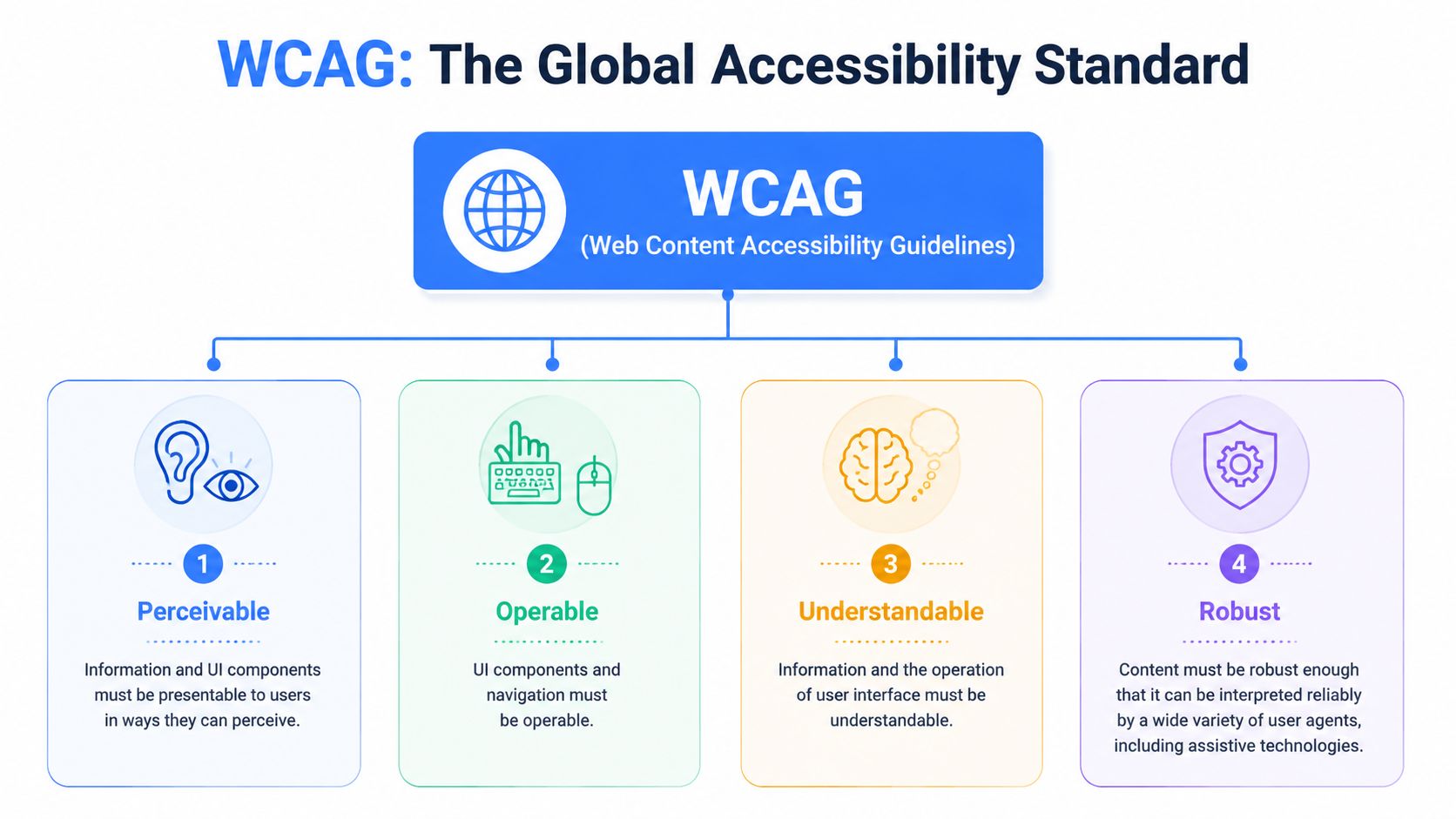
The four principles that drive WCAG
WCAG is built on four principles, often shortened to POUR.
- Perceivable means people must be able to detect the content. If a chart uses color alone, a blind or low-vision user may miss the meaning. If a video has no captions, a deaf user loses the audio information.
- Operable means people must be able to use the interface. A menu that only works on hover or a modal that traps keyboard focus creates immediate barriers.
- Understandable means content and interactions must make sense. Form labels, error messages, button text, and navigation patterns all matter here.
- Compatible means the content should work reliably with assistive technologies and modern browsers. Clean semantics, correct labels, and predictable component behavior are central to this principle.
Why Level AA is the benchmark
Level A covers foundational blockers. Level AA adds requirements that address common real-world barriers, including contrast, reflow, focus visibility, and clearer structure. Level AAA exists, but it isn't the usual legal baseline for public websites because not every page type or service flow can reasonably meet every AAA criterion.
A practical way to think about the levels:
| Level | What it does in practice | Typical use |
|---|---|---|
| A | Removes core blockers | Minimum foundation |
| AA | Covers the standard public experience | Common legal target |
| AAA | Pushes accessibility further in selected contexts | Best for chosen features, not whole-site guarantees |
What teams often miss
Many agencies focus on obvious front-end fixes and miss the architecture underneath. Accessibility failures can come from the design system, the CMS, a headless API response, a document workflow, or a third-party embed.
Clean design isn't enough. If the markup, labels, focus order, or component states break, users still hit a wall.
That's why technical review has to go beyond visual QA. Automated tools such as axe-core and WAVE can surface recurring issues quickly, but teams should still inspect templates manually and test critical journeys with keyboard navigation and screen readers. If your team is working through maturity levels or comparing stricter conformance goals, this wcag aaa checklist is a useful reference point for what sits beyond the legal baseline.
Key Legal Mandates by Jurisdiction
Public agencies are seeing accessibility shift from general expectation to enforceable deadline. The exact rule set varies by jurisdiction, but the legal direction is consistent. If residents can complete a task online, they must be able to do it with a keyboard, screen reader, captions, readable documents, and predictable form behavior, without being pushed to slower offline channels.
For U.S. state and local governments, the current focal point is the Department of Justice update to ADA Title II. The DOJ's final rule first established 2026 and 2027 deadlines. An Interim Final Rule published on April 20, 2026, now sets compliance dates for April 26, 2027, for entities with populations of 50,000 or more and April 26, 2028, for smaller entities, as summarized in this government accessibility deadline update.
Government accessibility requirements at a glance 2026
| Jurisdiction | Governing Law | Applies To | Required Standard |
|---|---|---|---|
| United States state and local | ADA Title II | State and local governments, including many public bodies and special districts | WCAG 2.1 Level AA |
| United States federal | Section 508 | Federal agencies and federally governed digital systems | Section 508 technical requirements |
| European Union | EN 301 549 | Public-sector digital products and services in many procurement and compliance contexts | EN 301 549, generally aligned with WCAG-based requirements |
| Ontario Canada | AODA | Ontario public-sector organizations and covered entities | AODA accessibility obligations, often operationalized through WCAG-based web standards |
United States requirements in practice
The main legal split in the U.S. is straightforward. State and local agencies usually work under ADA Title II. Federal agencies work under Section 508. Some public entities must account for both because they share platforms, receive federal funding, buy federally governed systems, or deliver services through contractors.
The practical work is broader than many teams expect. The legal obligation does not stop at page templates. It usually reaches PDFs, online forms, maps, meeting videos, authentication flows, mobile apps, and third-party systems that residents have to use to complete a public task.
Three issues tend to drive risk:
- Deadline category: Population size affects whether the updated DOJ timeline points your agency to 2027 or 2028.
- System scope: Accessibility defects often sit in document workflows, form builders, payment tools, and embedded services, not just in the CMS.
- Vendor accountability: If a contracted platform blocks access, the agency still carries the public-facing compliance risk.
That last point matters in procurement. I regularly see agencies assume a vendor VPAT closes the issue. It does not. A VPAT can help with screening, but it does not replace testing against the actual user journeys your residents depend on. Teams that need a practical federal baseline can review section 508 compliance requirements before they scope remediation or write vendor language.
EU and Canada considerations
European and Canadian rules often affect U.S. agencies through procurement terms, grants, shared platforms, and multi-region service delivery. If your agency licenses software from global vendors or serves residents across borders, these frameworks stop being theoretical very quickly.
Media is a common example. Recorded meetings, emergency updates, public hearings, and staff training all raise captioning and transcription requirements. That is not only a content problem. It is a workflow and budget decision. Agencies that want a workable process usually combine automated checks for missing media elements, AI-assisted caption generation to reduce turnaround time, and manual review for names, public safety terms, and language accuracy. For teams comparing vendors, these professional video transcription services show how transcription can fit into a broader accessibility publishing process.
The most efficient compliance programs do not treat automation, AI, and manual review as competing choices. Automated scanning helps catch recurring issues across large page sets. AI tools can speed up captioning, issue triage, and pattern detection. Manual audits remain necessary for keyboard flows, screen reader behavior, document usability, and legal sign-off on high-risk services. That blended model is usually the fastest way to meet legal obligations without wasting staff time or missing defects that matter to users.
Building Your Practical Compliance Pathway
A workable compliance pathway starts with triage. Government sites usually carry years of templates, PDFs, embedded tools, and departmental content. Trying to fix everything at once spreads teams thin and delays the changes that reduce legal and service risk first.
Start with a real baseline
The first review should tell you where failure is concentrated and which services need attention first.
Check scope across the full public service estate: the main site, sub-sites, resident portals, mobile apps, PDFs, online forms, maps, and embedded third-party services. Then identify which templates and journeys matter most. Permit applications, bill payment, benefits intake, meeting access, job applications, and emergency information usually belong at the top of the list because residents depend on them.
Automated scanning is the fastest way to find repeat code and content errors across large page sets. AI tools help sort findings, group similar defects, and support interim user controls while teams work through underlying fixes. Manual auditing is still needed to verify keyboard access, screen reader behavior, focus order, form completion, and document usability. Agencies that treat those methods as one program usually get better coverage with less wasted effort.
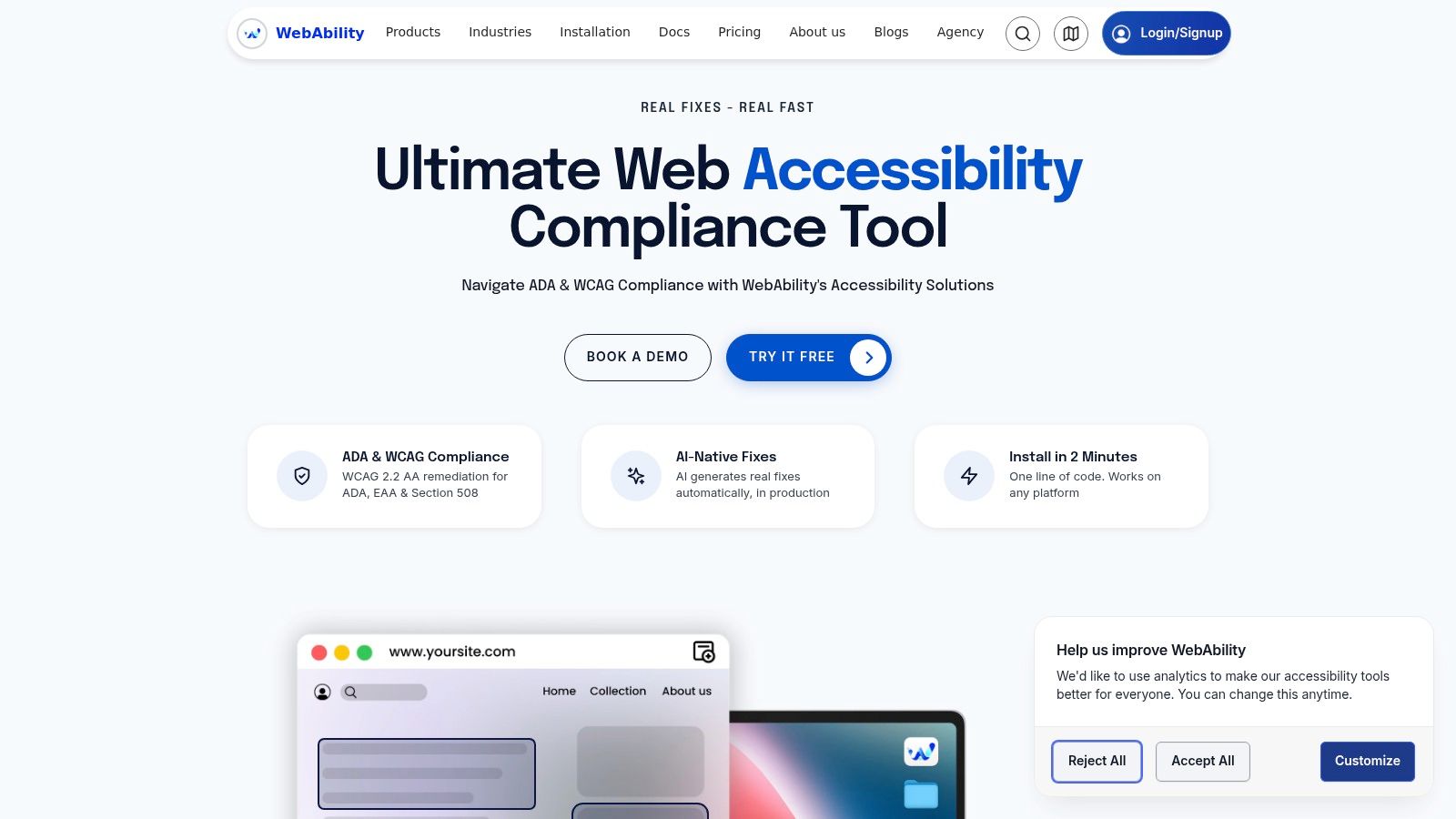
WebAbility.io is one example of a platform agencies use for scanning, reporting, monitoring, and user-facing accessibility controls. That kind of product can reduce detection time and help teams stay organized, but it does not replace code remediation, document repair, or manual verification.
If your agency serves residents in Europe or buys platforms that must meet EU rules, map those obligations early against the european accessibility act. Cross-border obligations are easier to handle before remediation starts than after teams have already fixed the wrong assets.
Remediate by system, not by page
Page-by-page cleanup looks productive, but it rarely holds. If the defect lives in a shared template, design component, or document workflow, it will reappear the next time staff publish content.
A better order looks like this:
- Fix shared templates and components first. Start with navigation, skip links, menus, dialogs, form fields, error handling, button states, and focus management.
- Correct recurring content patterns next. Clean up heading structure, link text, tables, alt text, lists, and page titles so editors are not recreating common failures.
- Address document workflows. Agendas, minutes, notices, policy PDFs, and board packets often carry concentrated risk because they are published frequently and are hard for residents to use when they are inaccessible.
- Escalate third-party barriers quickly. If a payment gateway, scheduling tool, or records portal blocks access, residents still experience that failure as your agency's failure.
That order gives teams measurable progress. One template fix can repair hundreds of pages. One corrected document process can prevent months of rework.
Training has to follow remediation. Editors need publishing rules they can apply in a few minutes. Developers need component standards and acceptance criteria. Contract owners need a way to push defects back to vendors with deadlines and evidence. These insights for government contract management teams are useful if your remediation plan depends on outside platforms or shared service providers.
A short product walkthrough can help teams understand how continuous monitoring fits into that cycle:
Keep the pathway live
Accessibility work does not stay fixed on its own. New content, vendor updates, CMS changes, and urgent postings can reintroduce the same defects within days.
The agencies that maintain compliance treat monitoring as an operating process. Run scheduled scans. Re-test critical user journeys manually. Use AI to prioritize high-volume findings and identify recurring patterns. Assign each issue to the team that controls the cause, whether that is content, design, engineering, procurement, or a vendor.
That gives you a record you can use. It supports remediation planning, helps answer complaints, and shows that accessibility is being managed with intent rather than handled as a one-time cleanup project.
Accessibility in Procurement and Policy
Accessibility gets expensive when agencies discover it after contract signing. It gets manageable when they write it into procurement from the start.
What to require from vendors
When your team buys a CMS, meeting management platform, HR portal, payment system, or constituent service tool, ask for evidence, not promises. A vendor should be able to explain how accessibility is tested, how defects are logged, and how updates are delivered when issues appear.
Use procurement language addressing these points:
- Technical conformance: Require the vendor to identify the accessibility standard their product is built to meet.
- Testing practice: Ask whether they use automated scans, keyboard testing, assistive technology testing, and regression checks.
- Documentation: Request a current VPAT or equivalent accessibility conformance document.
- Remediation commitment: State timelines and support expectations for accessibility defects discovered after launch.
- Content responsibility split: Clarify what the vendor controls and what your editors or administrators control.
For contract teams refining these obligations across renewals and service levels, these insights for government contract management teams help frame accessibility as a governance issue rather than a one-time legal checkbox.
A workable internal policy statement
A short accessibility policy should be public, practical, and specific enough to guide staff behavior. It doesn't need legal theater. It needs ownership.
A simple model looks like this:
Our agency is committed to providing digital services that are accessible to people with disabilities. We aim to build, procure, and maintain websites, documents, and digital applications in line with applicable accessibility requirements. We will review accessibility regularly, address identified barriers, and provide an accessible alternative when a user reports a problem.
That statement should sit behind internal controls:
| Policy area | What to document |
|---|---|
| Ownership | Which team manages accessibility governance |
| Publishing | Rules for pages, media, and documents |
| Procurement | Required vendor evidence and review steps |
| Issue intake | How users report barriers and how staff respond |
For agencies that also coordinate with European programs, cross-border vendors, or international standards teams, it helps to understand the european accessibility act because procurement language often travels across jurisdictions faster than policy does.
Testing Reporting and Demonstrating Compliance
Accessibility work isn't finished when fixes are deployed. It's finished when your team can show what was tested, what remains, who owns the next action, and how the public can report a problem.
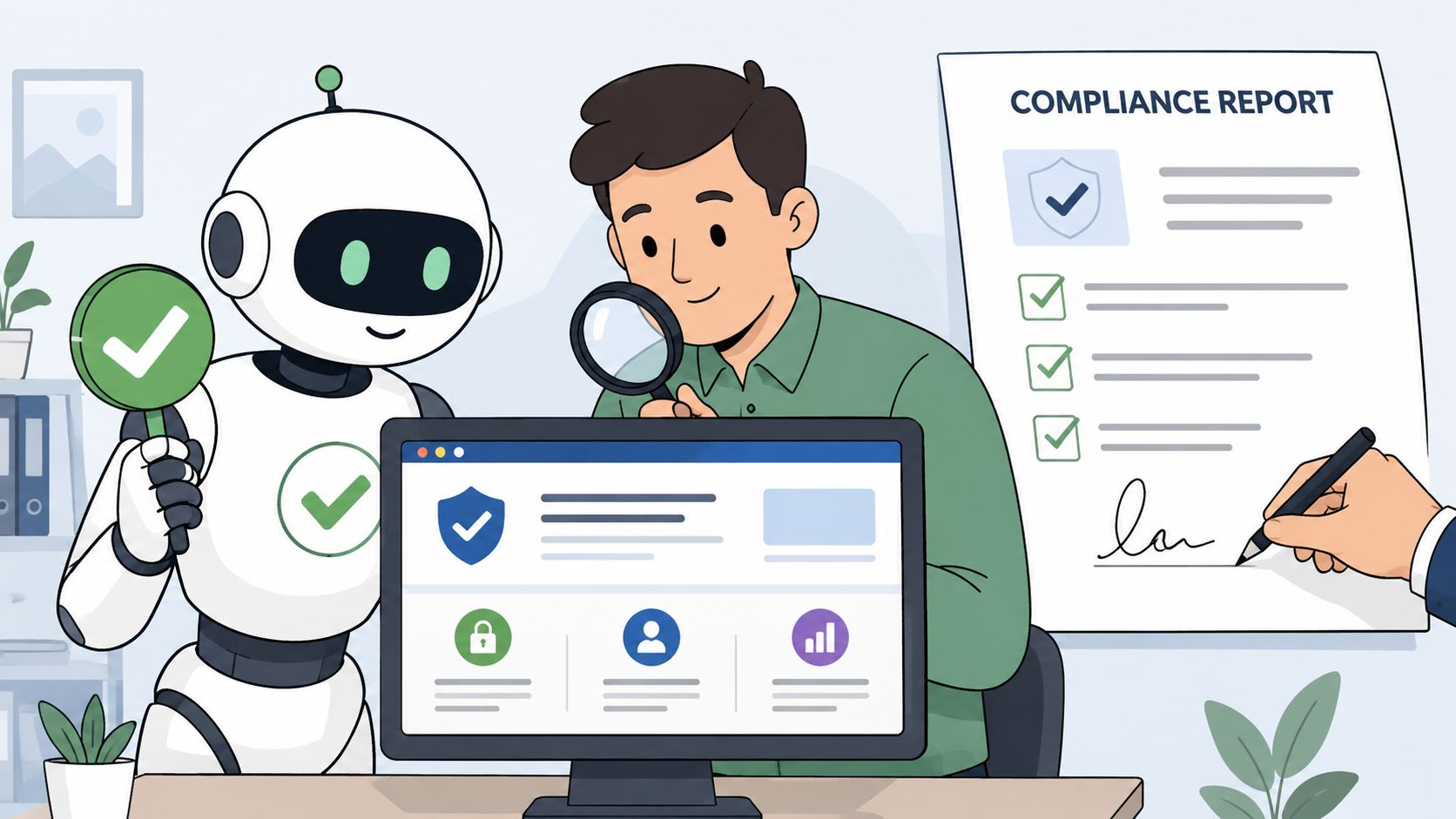
What each testing method does well
Automated testing is broad and fast. It helps teams catch repeated code and content failures across many pages. Manual testing is slower, but it reveals whether a real user can complete a task with a keyboard or screen reader.
A defensible review usually includes:
- Automated scanning for recurring template and content defects.
- Manual expert testing on priority user journeys such as forms, payments, search, and document access.
- Assistive technology checks for screen reader output, focus order, labels, and dynamic content behavior.
- Editorial review for plain language, link purpose, heading logic, and document quality.
What a useful compliance report includes
A report for leadership or counsel should be concise enough to read and detailed enough to act on. It should identify the scope reviewed, the methods used, the issue categories found, the systems affected, and the remediation status. It should also separate critical user blockers from lower-priority cleanup work.
Report the barriers by user impact and ownership. A defect list with no routing plan doesn't help legal, engineering, or content teams.
For teams building that structure, this accessibility reporting template guide is a practical starting point.
Why the public statement matters
An accessibility statement isn't a shield. It's a trust document. It tells residents what standard you target, what parts of the service are covered, how to request assistance, and where to report barriers.
The best statements are plain, current, and connected to an internal response workflow. If a resident reports an inaccessible meeting packet or permit form, staff should know exactly who handles the request and how quickly the alternative will be provided.
Frequently Asked Accessibility Questions
How do the rules apply to PDFs and other documents
If your agency publishes documents that residents need to use services, understand decisions, or participate in civic life, those documents belong in your accessibility program. That includes forms, agendas, notices, policies, and reports. A common failure is fixing the website template while leaving core documents unreadable to screen readers or impossible to use by keyboard.
Who is responsible for embedded third-party content
If your website presents the tool as part of the public service, your agency still owns the user experience. That includes payment systems, maps, calendars, social feeds, chatbot tools, and meeting platforms. Contract terms matter, but they don't remove the public entity's responsibility to provide accessible access to the service.
Do mobile apps need to meet the same standards as the website
Yes, mobile apps should be treated as part of the same compliance program, with the same level of seriousness as the website. In practice, the testing approach changes because teams need to inspect touch targets, screen reader behavior on mobile platforms, orientation, focus movement, and native component behavior. But governance, procurement, reporting, and remediation discipline should stay aligned across web and app teams.
If your agency needs a practical way to organize audits, ongoing monitoring, reporting, and user-facing accessibility support, WebAbility.io is worth evaluating as part of a blended compliance program. It fits best when paired with policy, manual review, and clear ownership across content, design, development, and procurement.
Quick Questions
Tap to ask AI about this article