How to Conduct Usability Testing for Better Products

Sidharth Nayyar
TLDR: Usability testing is a four-step process to find and fix issues by observing real users. Plan with clear goals, Recruit the right people, Execute the test by guiding users through tasks, and Analyze feedback to make data-driven improvements. This structured approach helps build more intuitive and user-friendly products.
Conducting usability testing is all about watching real people try to use your product. You get to see firsthand where they get stuck, what confuses them, and where things just click. It pulls you out of the world of assumptions and gives you concrete evidence of what works and what doesn't. Ultimately, this direct observation is what helps you build more intuitive, user-friendly products.
Understanding The Usability Testing Journey
At its heart, usability testing is simply a way to evaluate a product by testing it on the people it's designed for. It’s a non-negotiable part of good user experience design because it answers the million-dollar question: can people actually use what we’ve built? The whole point is to find those friction points and opportunities for improvement by watching how your target users actually behave.
This process ensures your design decisions are guided by real-world interaction, not just what the internal team thinks is best. If you want to dig deeper into the core concepts, you can learn more about the specifics of usability testing and its fundamentals.
The Four Essential Phases
To get reliable, meaningful results, you need a structured approach. It’s not about just throwing a prototype in front of someone and asking, "So, what do you think?" The journey from a question to an answer follows four distinct phases.
The flowchart below gives you a high-level look at this process.
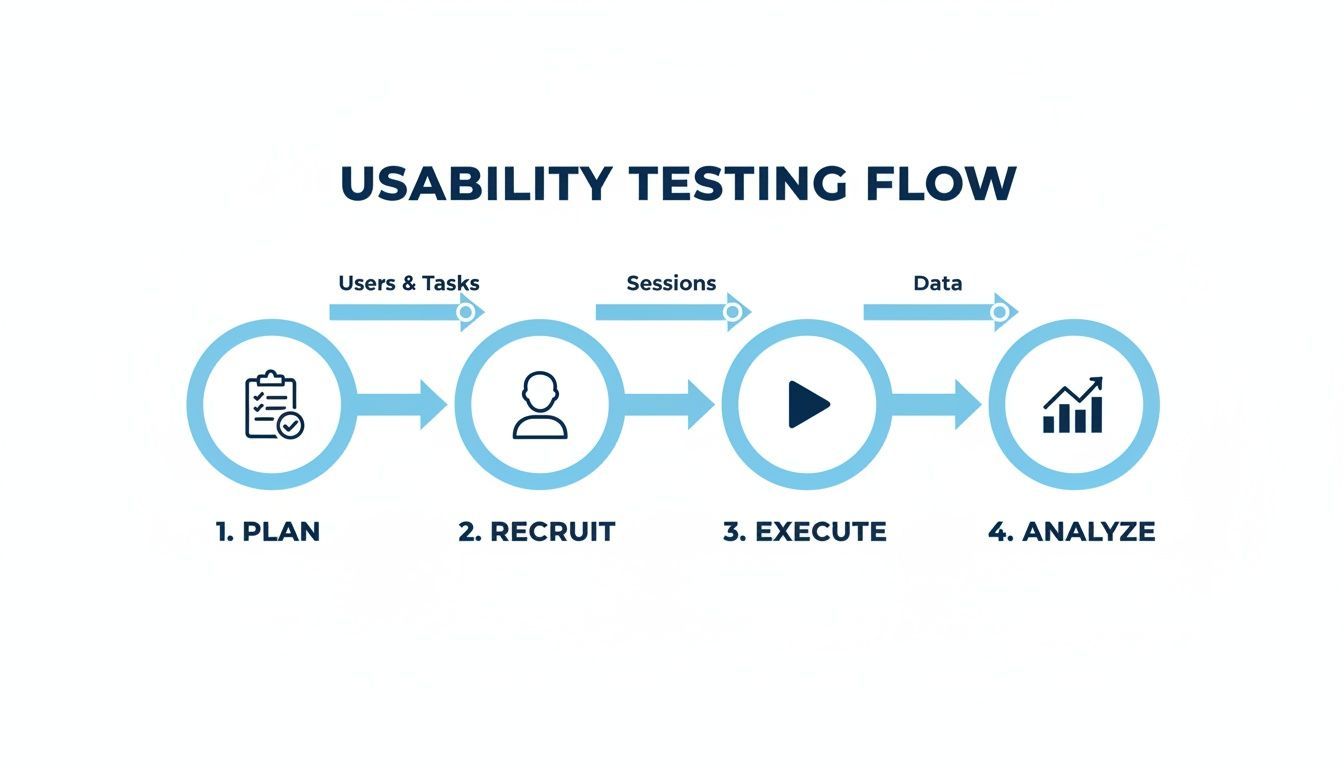
This workflow provides a clear path from strategy to insights, making sure you don't miss anything critical along the way. Each phase logically builds on the one before it, helping you turn a vague goal into a concrete, data-driven plan for improvement.
To help you keep these stages straight, here’s a quick breakdown of what happens in each one.
The Four Core Phases of Usability Testing
| Phase | Key Objective | Primary Activities |
|---|---|---|
| Plan | Define the scope, goals, and logistics of the test. | Creating a test plan, defining user tasks, writing a script, setting success metrics. |
| Recruit | Find and screen participants who match the target user profile. | Developing a screener survey, sourcing participants, scheduling test sessions. |
| Execute | Conduct the testing sessions and collect raw data. | Moderating sessions, observing user behavior, recording video and audio, taking notes. |
| Analyze | Synthesize data to identify patterns and generate insights. | Reviewing recordings, identifying common issues, prioritizing findings, creating a report. |
Think of these four phases—Plan, Recruit, Execute, and Analyze—as your roadmap. From my experience, the biggest mistake teams make is rushing the planning phase. Doing that is like starting a road trip without a map; you’ll definitely go somewhere, but it probably won’t be where you intended.
In the next sections, we'll walk through exactly what you need to do in each of these stages to run a successful study.
Planning Your Test for Meaningful Insights
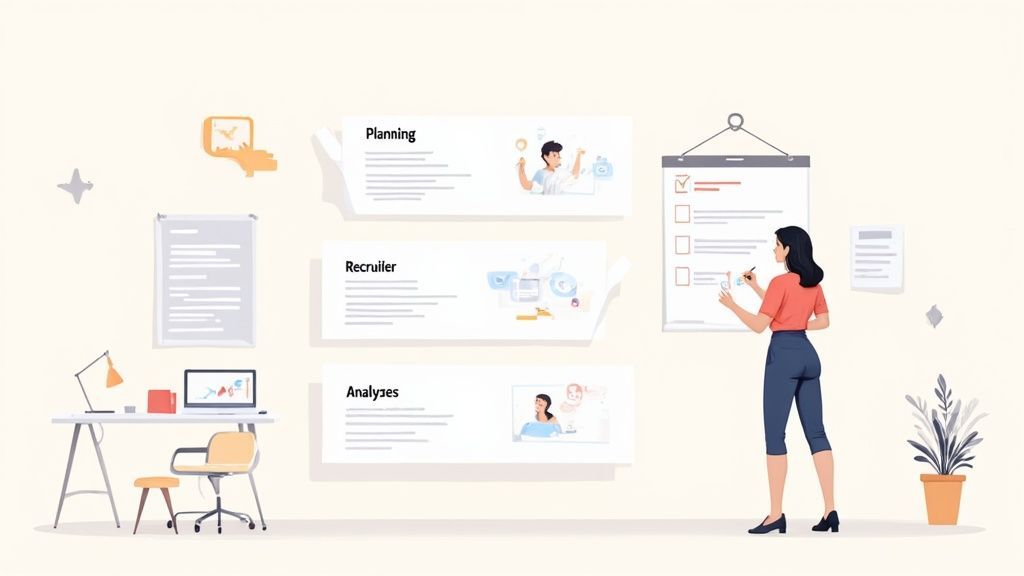
You can't get great insights by accident. Solid, upfront planning is the blueprint for any usability test that delivers real value. If you skip this part, you'll end up with a pile of observations that don't actually tell you what to do next.
The first move is to get past vague goals and nail down some sharp, focused research questions. A weak objective like "see how users interact with our website" is just too fuzzy. A much stronger starting point targets a specific problem: "I want to figure out why users are abandoning the checkout process on mobile and find ways to cut that drop-off rate by 15%."
Defining Realistic User Tasks
Once you know what you’re asking, it’s time to translate those questions into realistic user tasks. These aren't just a list of instructions to follow. They're scenarios that reflect how someone would actually use your product to solve a real-world problem.
For instance, instead of flatly telling a participant to "click on the new feature," frame it as a scenario with a clear goal. This lets you see their natural behavior unfold, not just their ability to follow directions.
Here’s what a good task looks like:
"Imagine you just got an email with a 20% discount on summer clothes. Your task is to find a blue t-shirt in your size, add it to your cart, and apply the discount code 'SUMMER20' before you check out."
See the difference? This task has context, a clear objective, and feels like something a person would actually do.
Choosing the Right Testing Method
Your research questions should also point you toward the right testing method. There are two main ways to go, and each has its own strengths.
- Moderated Testing: In this setup, a facilitator guides the participant through the tasks in real-time, either in person or remotely. This is my go-to for deep, qualitative feedback because you can ask follow-up questions on the spot and really dig into the "why" behind their actions.
- Unmoderated Testing: Here, participants complete tasks on their own time. They typically use a platform that records their screen and voice as they think aloud. This approach is much faster and more scalable, making it perfect for gathering quantitative data or validating a specific workflow with a larger group.
Choosing between moderated and unmoderated testing really shapes the entire project and the kind of data you'll end up with. The industry is clearly doubling down on this phase. In fact, the global usability testing tools market was valued at USD 1.19 billion in 2023 and is projected to hit USD 7.36 billion by 2032. That massive growth shows a clear commitment to getting user-centric design right from the start. You can dig deeper into these numbers in this usability testing tools report.
Finding the Right People to Test Your Product
The insights you get from usability testing are only as good as the people you test with. It’s a simple truth, but one that gets overlooked all the time. Finding the right participants goes way beyond just checking demographic boxes—it's about connecting with people who genuinely reflect your target users' behaviors, needs, and motivations.
Think of it this way: if you're testing an advanced data analytics tool, getting feedback from casual social media users is a waste of everyone's time. You’ll end up "solving" problems that don't actually exist for your real audience while completely missing the critical issues. The goal is to recruit a panel whose feedback is directly relevant to what your product is trying to achieve.
Crafting Screener Questions That Work
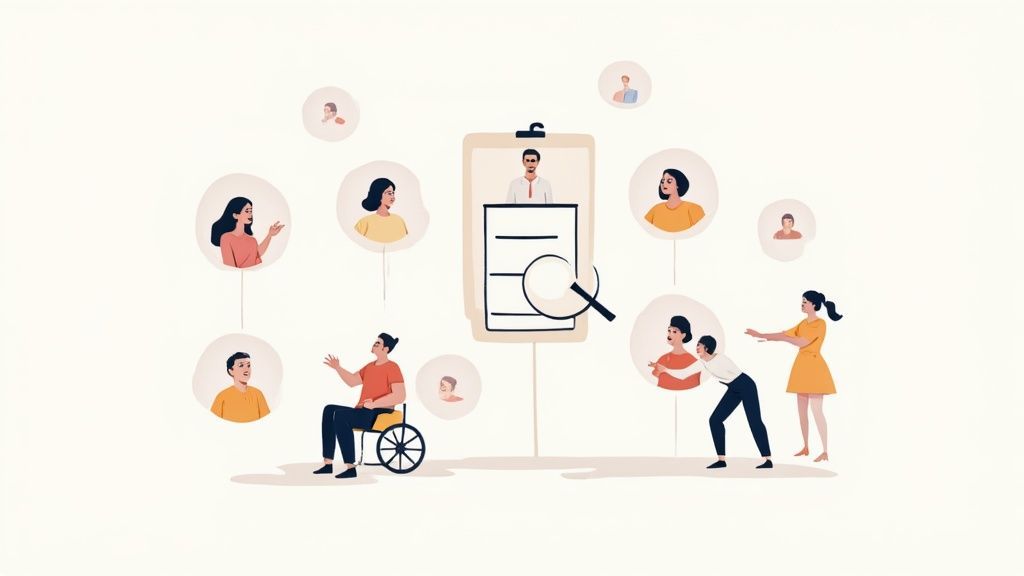
So, how do you find these perfect-fit users? It all starts with a well-designed screener survey. This short questionnaire is your filter, weeding out anyone who doesn’t fit your ideal profile. A good screener moves past basic demographics like age and location to dig into specific behaviors and technical know-how.
For example, don't just ask, "Do you use project management software?" That’s a simple yes/no that tells you nothing. Instead, ask behavioral questions that reveal real-world experience:
- Which of the following project management tools have you used in the past six months?
- On a scale of 1 to 5, how confident are you in creating and assigning tasks to a team using a digital tool?
- Describe a recent situation where you had to track a project's progress. What tools, if any, did you use?
Questions like these give you a much clearer picture of someone's actual experience, ensuring your participant pool is truly qualified.
How To Actually Find Participants
Once your screener is ready, it's time to get it in front of people. Luckily, there are a few reliable channels you can tap into.
- Your Existing Customer Base: Who better to ask than the people already using your product? Your current users are often your best source of feedback. You can reach them through email newsletters, in-app messages, or social media posts. Just be sure to offer a small incentive for their time.
- Specialized Recruiting Services: If you need participants fast or have a very specific niche, platforms like UserTesting or Maze are fantastic. They have pre-vetted panels of testers that you can filter based on your exact criteria.
- Community and Social Groups: Find the online watering holes where your target audience hangs out. This could be LinkedIn groups, specific subreddits, or niche Slack channels. Just make sure you read and respect the community rules before posting a recruitment call.
A common misconception is that you need a huge number of testers to get value. Research from the Nielsen Norman Group famously showed that testing with just five users is often enough to uncover around 80% of the usability issues. You're looking for rich qualitative feedback, not statistical significance.
Building Inclusive and Accessible Panels
In today's world, it's absolutely critical to ensure your participants represent a diversity of backgrounds and abilities. An inclusive panel helps you build a product that works for everyone, not just a narrow slice of the population. This means actively recruiting people with different levels of tech-savviness, cultural backgrounds, and physical abilities.
To make sure your product is truly accessible, you have to include users who rely on assistive technologies. For instance, you can learn how to run a dedicated screen reader test to get direct feedback from visually impaired users. Making a conscious effort here will expose blind spots you never knew you had and ultimately lead to a more universally usable product.
Running a Smooth and Insightful Test Session
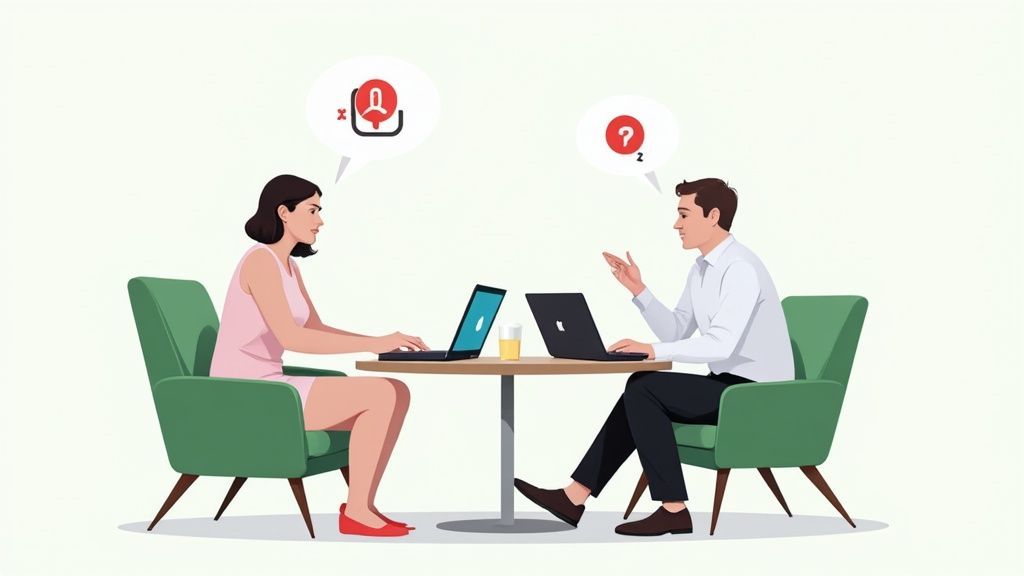
Alright, this is where your careful planning pays off. The test session itself is game time. It’s a delicate dance between following your script and building a real human connection. The single most important thing you can do is make your participant feel comfortable and safe enough to give you their unfiltered, honest-to-goodness feedback.
From the moment they walk into the room or hop on the video call, your job is to put them at ease. Kick things off with a warm welcome and a quick script to set the stage. The key here is to reassure them that they aren't the ones being tested—the product is. Telling them "there are no right or wrong answers" is more than just a line; it gives them permission to be critical and flips their mindset from "Am I doing this right?" to "Is this working for me?"
Guiding the Session Without Leading the User
Think of yourself as a neutral guide, not an instructor. When it's time to give them a task, frame it as a scenario.
For example, instead of saying, "Click the red button to add the item to your cart," try this: "Let's imagine you've decided you really want this item. Show me what you would do." See the difference? The second approach doesn't give them any clues. It lets you see their natural instincts and thought process in action, which is exactly what you're after.
The most powerful technique for getting inside a user's head is the think-aloud protocol. You simply ask them to speak their thoughts out loud as they work through the tasks. This is your golden ticket to understanding their expectations, where they get confused, and why they make the choices they do.
The think-aloud protocol is the core of a great usability test. You're not just observing clicks; you're hearing the why behind them. A user muttering, "Hmm, I expected a confirmation message here," is infinitely more valuable than just noting they paused for three seconds.
Of course, people often fall silent when they're concentrating. Your job is to gently nudge them to keep talking. Simple prompts like, "What's going through your mind right now?" or "Tell me what you're looking for," work wonders without planting ideas in their head.
Asking Effective Follow-Up Questions
You’ll inevitably see moments where a user hesitates, frowns, or does something unexpected. These are gold mines for insight. This is your cue to dig a little deeper with open-ended, probing questions. Your goal is to avoid simple yes/no answers and get them to tell you a story.
Here are a few of my go-to questions:
- "What did you expect would happen when you clicked that?"
- "Was that what you were looking for? How come?"
- "Can you tell me more about why that felt frustrating?"
Notice how none of these questions suggest a "correct" answer. They are genuine invitations for the user to elaborate on their experience, which gives you the rich, qualitative data you need. The user research field is always looking for better ways to get these kinds of insights. In fact, a 2026 report showed that around 90% of user researchers were experimenting with new methods to improve their workflows. This constant push for better techniques shows just how crucial it is to refine how we listen to users. You can explore more about these trends in user research to see how the industry is adapting.
Analyzing Feedback and Turning It into Action
Once the last participant leaves, your job isn't over—in many ways, it's just beginning. You're now sitting on a goldmine of raw data: session recordings, your scribbled notes, survey answers, and countless observations. The real challenge is to sift through all of it and weave a clear story that shows what's working, what's broken, and why.
This isn't just about making a laundry list of problems. It’s about uncovering the patterns that connect individual struggles. You want to move from a single observation, like "Participant 3 couldn't find the search bar," to a high-level insight like, "Three out of five participants struggled to locate the search function because its icon was unconventional and easily missed." That's the kind of finding that leads to real change.
From Chaos to Clarity with Affinity Mapping
One of my favorite ways to make sense of all this qualitative data is a technique called affinity mapping. Honestly, it feels a bit like organizing a messy closet. You start by getting every single observation, user quote, and pain point down on its own sticky note.
Next, you and your team get together and start grouping them on a whiteboard or wall. You'll quickly see themes start to bubble up as related notes find each other. Maybe a bunch of notes about confusing button labels forms one cluster, while another group gathers around frustrations in the checkout flow. It’s a beautifully collaborative way to turn a mountain of chaotic feedback into tidy, thematic insights.
Prioritizing What to Fix First
After you’ve identified the core usability issues, you'll hit a very common wall: you can't fix everything at once. Resources are always limited, so you have to be smart about what you tackle first. This is where prioritization becomes absolutely crucial. A minor typo on the "About Us" page is a nuisance; a broken "Add to Cart" button is a five-alarm fire.
A simple and incredibly effective way to prioritize is to map each issue on a matrix using two key factors:
- Frequency: How many people actually ran into this problem?
- Severity: How badly did it derail them from completing their goal?
Your top priorities should always be the issues that are both high-frequency and high-severity. These are the problems causing the most pain for the most people. Fixing them will give you the biggest and most immediate boost in user experience. Once you've analyzed your specific test feedback, it's also a great time to zoom out and apply broader user experience design best practices to your proposed solutions.
Crafting a Compelling Report
Your last step is to package your findings in a way that makes stakeholders sit up, listen, and—most importantly—take action. A dense spreadsheet filled with numbers is the fastest way to get your report ignored. The most persuasive reports blend the "what" (quantitative data) with the "why" (compelling qualitative evidence).
Hard numbers paired with real human stories create a narrative that's tough to dismiss. For example, usability testing helps teams rally around key metrics. We know from industry benchmarks that the average task success rate in usability tests is 78%, with only about 10% of tasks ever being completed without a single error. These are powerful numbers to track and improve upon.
Instead of just stating, "The task completion rate for checkout was 60%," bring it to life with a user quote. Something like, "I felt so stuck. I just kept looking for the ‘next’ button, but it wasn't anywhere I expected it to be."
That combination of data and emotion makes the user's struggle tangible and the problem impossible to ignore. This approach ensures your insights connect on both a logical and an emotional level, which is what truly drives meaningful change. As you present your findings, it's also a great opportunity to connect them to the bigger picture of creating a better experience for everyone, which is at the heart of accessible web design and UX.
A Few Common Usability Testing Questions
When teams are just getting started with usability testing, a few questions always seem to come up. Let's tackle them head-on with some practical, real-world answers.
How Many Users Do I Actually Need to Test?
This is the big one, and the answer almost always surprises people. For the kind of qualitative testing we've been talking about—where you're hunting for insights, not statistical proof—the magic number is often just five users.
I know, it sounds impossibly small. But landmark research has shown that a group of five participants will typically uncover around 80% of the most critical usability issues on a website or app. The key is that after the fifth user, you start hitting a point of diminishing returns. You'll hear the same feedback over and over, which, while validating, doesn't really teach you anything new. You’re looking for patterns, not a statistical consensus.
When Is the Right Time to Conduct a Usability Test?
Honestly? As early and as often as you can. Think of usability testing not as a final exam you cram for, but as a continuous conversation with your users throughout the entire project.
The real pros don't wait until the end. They integrate testing into the whole design and development process. Test with rough wireframes to check your core ideas, test again with clickable prototypes to smooth out the user flows, and then test the final product to catch anything that slipped through.
Catching a fundamental design flaw when it's just a sketch on a whiteboard is a cheap fix. Catching it after months of development work? That's an expensive, time-consuming nightmare.
What’s the Real Difference Between Qualitative and Quantitative Testing?
Getting this straight is crucial because it determines what kind of questions you can answer.
Qualitative Testing: This is all about the why. You're sitting down with a handful of people (like our group of 5) and observing them directly. You want to hear them think out loud, see where they get stuck, and ask follow-up questions to understand their frustrations and motivations. It's about gathering deep, descriptive insights.
Quantitative Testing: This is about the what and how many. Here, you're measuring user behavior with hard numbers—things like task completion rates, time on task, or the number of errors. To get data that’s statistically reliable, you need a much bigger crowd, often 40 or more participants.
Both methods have their place. Qualitative testing is fantastic for finding and understanding problems. Quantitative testing is what you use to measure the scope and impact of those problems across your user base. Knowing which one to use, and when, is a game-changer for any team learning how to conduct usability testing effectively.
Ready to make your website accessible to everyone? WebAbility.io provides an end-to-end platform to achieve and maintain compliance while improving the user experience for all. Discover how our AI-enhanced tools and expert services can help you build a more inclusive digital presence. Start your free trial today.
Quick Questions
Tap to ask AI about this article