Master How to Count Pages on a Website Accurately

Sidharth Nayyar

Sidharth Nayyar
Ready to make your website accessible? Engage with our team or start a free trial today.
Tap to ask AI about this article
The quickest ways to count pages on a website are its XML sitemap and a Google site:domain.com search. For the most accurate count, especially for SEO audits, migrations, and accessibility scoping, use a web crawler such as Screaming Frog or a dedicated scanner.
If you're managing a redesign, migration, content audit, or compliance program, this question usually arrives early and with more urgency than people expect: how many pages are we dealing with? The answer affects scope, workflow, what gets tested first, and how much effort goes into remediation versus validation.
In practice, page counting isn't just an inventory exercise. It's how you avoid under-scoping an accessibility audit, missing orphaned content in a migration, or wasting time optimizing pages that search engines or users rarely touch. When teams count pages on a website correctly, they make better decisions about internal linking, conversion paths, QA coverage, and long-term monitoring.
A redesign gets approved. The migration plan looks tidy. The accessibility audit is budgeted against 300 pages. Two weeks into discovery, the team finds thousands of live URLs across legacy folders, parameter variants, PDFs, and thin utility pages that no one included in scope. At that point, the problem is no longer technical. It is budget, timeline, and legal exposure.
An accurate page count is the control point for all three. It defines how much of the site needs to be crawled, tested, reviewed, remediated, and monitored. For SEO, it sets the denominator for index coverage and reveals whether important content is missing from search. For accessibility, it sets the size of the public experience your organization is responsible for, including low-traffic pages that still create barriers for users.
For a digital project manager, page count is scope discipline. Every additional page can add QA time, content decisions, template exceptions, redirect mapping, and accessibility review. A low count creates under-budgeted work. An inflated count creates waste, because the team spends time on URLs that should have been excluded, consolidated, or retired before the project started.
The primary trade-off is precision versus speed. Early in planning, a directional count may be enough to size the effort. Before contracts, remediation plans, or migration cutover, the count needs to be defensible. If an audit vendor, legal team, or stakeholder asks what was included, the method should be clear enough to repeat.
That is also why page count belongs in the same conversation as audit planning. WebAbility.io's site performance insights are useful here because audit quality depends on defining the page set before anyone starts scoring issues or assigning fixes.
Accessibility scope often breaks down when teams count templates but ignore page volume. Template testing is efficient and usually the right starting point, but compliance risk lives on individual URLs too. Old campaign landing pages, filtered category states, policy pages, downloadable documents, and account flows can all remain publicly accessible long after the main site has changed. If they are live, they belong in the inventory.
That count has direct cost implications. More page types usually mean more components to test. More live URLs mean more evidence to review, more exceptions to classify, and more work to monitor after remediation. For organizations budgeting ongoing accessibility compliance, page count is one of the clearest predictors of scanning coverage, manual testing effort, and retest volume over time.
There is a CRO angle as well. A reliable inventory shows where the site is spreading authority and attention too thin. Teams can then decide which sections deserve stronger internal linking, which pages should be merged, and which legacy URLs should be removed from the user journey. If you need a framework for those decisions, this strategic content analysis blueprint is a useful reference.
A usable baseline page count has four traits:
If the team cannot explain where the number came from, it is not a foundation. It is a guess.
A project manager asks for a page count before approving an accessibility audit. The answer sets expectations on sampling, manual testing hours, and how much ongoing monitoring the site will need after remediation. At that stage, a fast estimate is often enough to price the work and spot obvious risk.
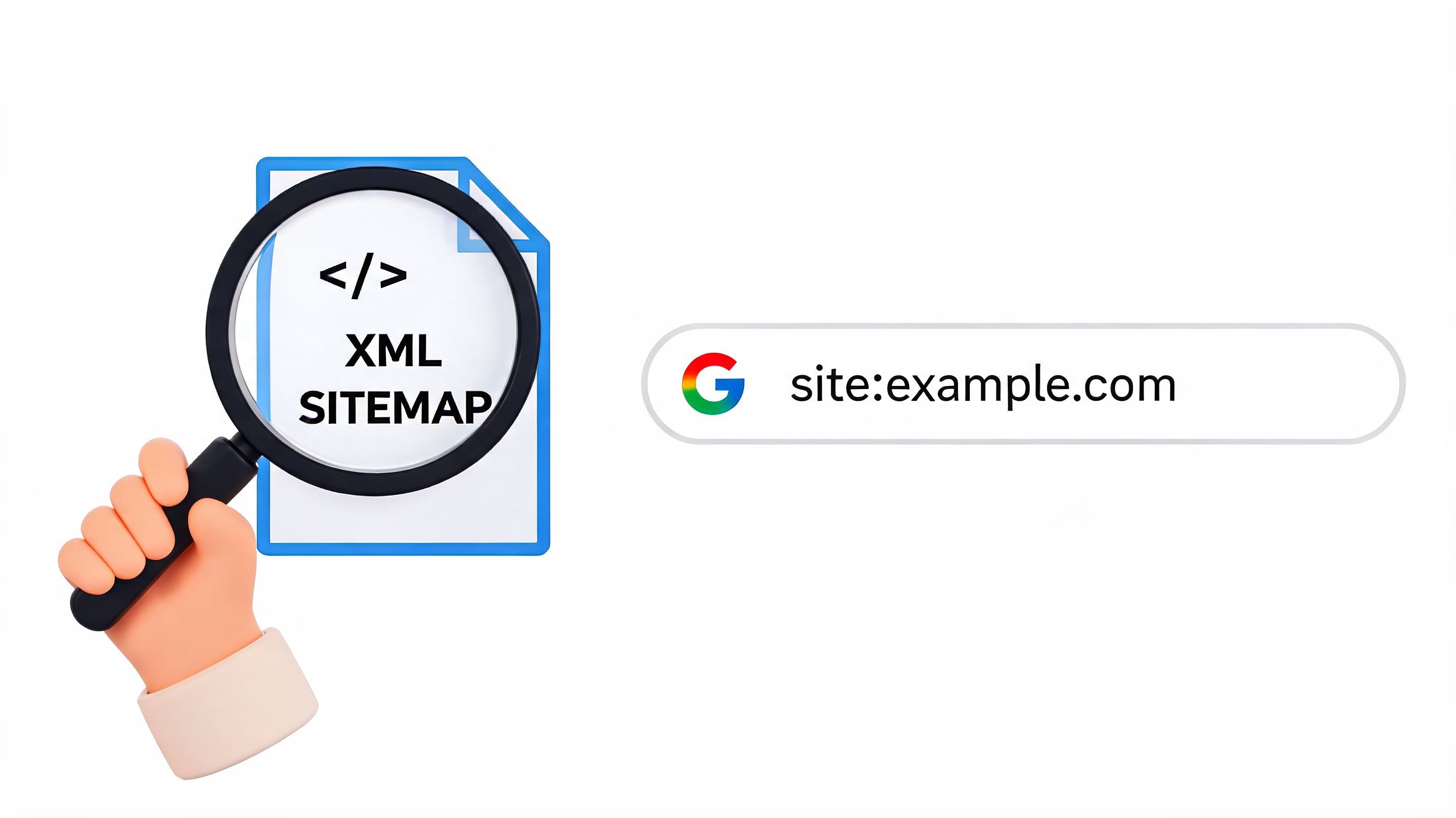
The quickest way to get that estimate is to compare two imperfect views of the site: the XML sitemap and Google’s site: operator. The sitemap shows what the team intends search engines to see. Google search gives a rough view of what has been picked up. The gap between those numbers often tells you more than either number on its own.
The sitemap is the fastest structured source for a first-pass count, especially on large sites where a full crawl would take longer than the immediate scoping decision allows.
Use this sequence:
/sitemap.xml or /sitemap_index.xml.This method is useful for early budgeting. If the sitemap lists 8,000 URLs, the accessibility audit will not be scoped like a 400-page brochure site. It also gives migration teams a fast sense of redirect mapping volume and QA load.
The trade-off is simple. Sitemaps are declarations, not proof. They can be stale, omit orphaned sections, exclude faceted URLs that still resolve publicly, or include pages that should have been retired months ago.
Next, run a site: search:
site:domain.comGoogle’s count is approximate. It fluctuates, and it is not suitable as a final inventory. It is still useful as a quick pressure test.
If the sitemap total is much higher than what appears in Google, I treat that as an early warning. For SEO, it can point to crawl or indexation problems. For accessibility scoping, it can expose a different issue: the organization may be maintaining far more public URLs than its search footprint suggests, which often means wasted monitoring effort and unclear ownership.
A sitemap shows declared URLs. A
site:search shows an approximate indexed footprint. Comparing both helps teams price audits, spot hidden scope, and ask better questions before committing budget.
Sitemap plus Google search works well for:
It is also a sensible moment to review broader crawlability and technical quality signals that affect how many pages are discoverable in the first place. For that, WebAbility.io's site performance insights give a practical overview.
Fast estimates come with blind spots:
| Method | Good for | Common miss |
|---|---|---|
| Sitemap | Declared priority URLs | Orphaned, outdated, or excluded live pages |
Google site: | Approximate indexed footprint | Delayed counts, omitted URLs, inconsistent estimates |
| Combined view | Early scope and budget guidance | Final audit inventory |
Use this approach when speed is the priority and the number only needs to support early decisions. If the count will affect accessibility compliance scope, remediation pricing, or recurring monitoring coverage, treat it as a starting point only.
If the page count will influence budget, testing scope, redirect mapping, or accessibility reporting, a crawler is the right tool. Sitemaps and search operators are fast. Crawlers are how you get close to the truth.
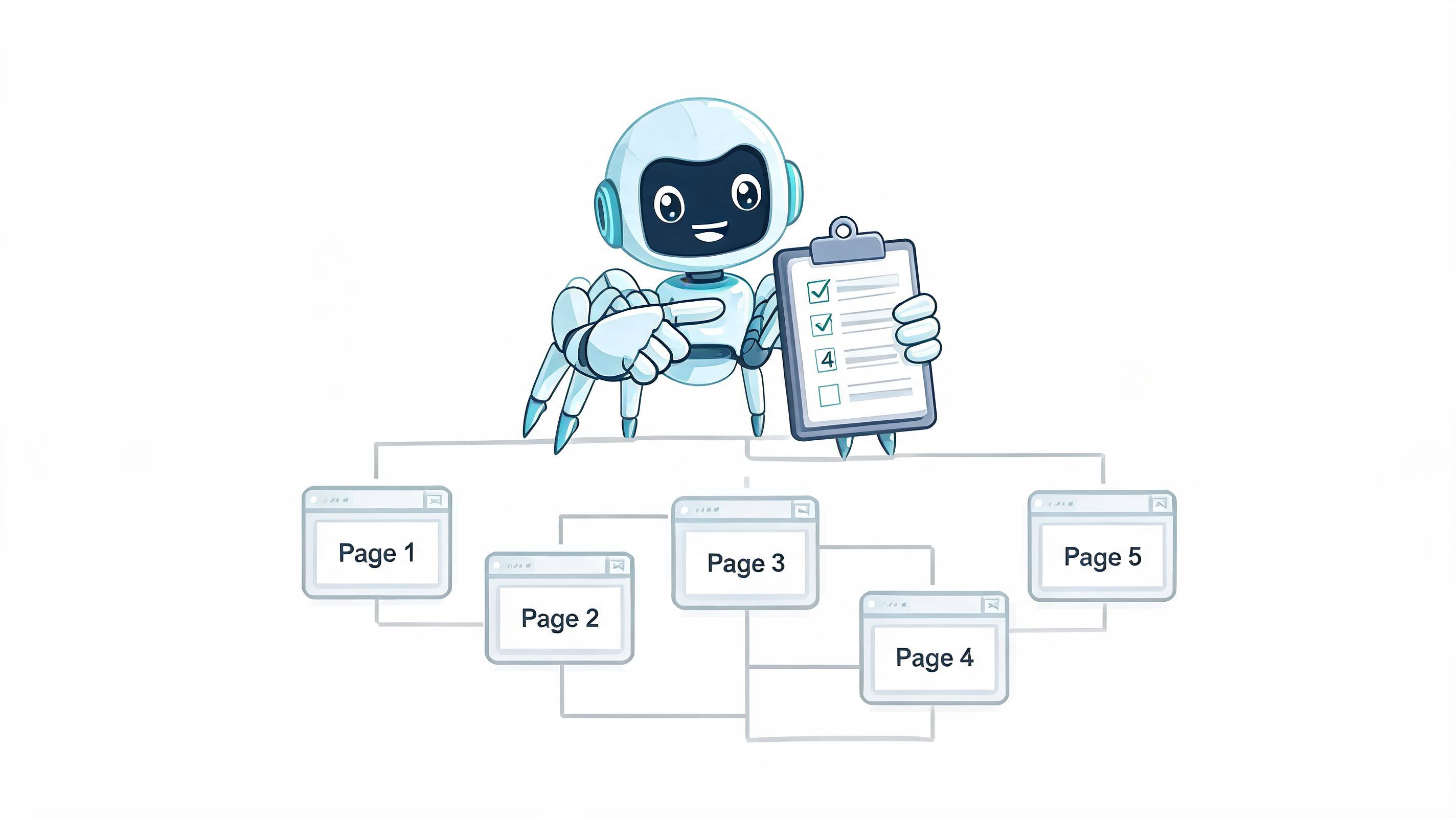
On well-linked sites, crawlers can achieve 95-100% discovery rates, and enabling JavaScript rendering can increase page detection by 20-30% on dynamic sites, according to Bruce and Eddy’s guide to counting pages with crawlers. That same guidance recommends filtering for text/html and 200 OK responses to isolate actual pages.
The biggest mistake I see is treating the raw crawl total as the page count. Raw crawler output includes assets, duplicates, redirects, and technical noise. The number only becomes useful after configuration and filtering.
A practical setup in Screaming Frog or a similar crawler looks like this:
text/html.200 OK URLs.What works:
What doesn't:
Field note: If a crawl count looks suspiciously high, it usually is. Check file types, parameters, canonicals, and duplicate pathways before you escalate the scope.
A crawler also helps expose architecture problems that matter for both SEO and accessibility. If important pages are several clicks deep, loosely linked, or accessible only through fragile JS interactions, they tend to be under-crawled, under-tested, and under-optimized.
A good crawl report isn't just an inventory. It's a map of where authority and user attention flow. Once you've identified the true HTML page set, sort for your important commercial pages and look at how easily they can be reached from core navigation, hub pages, and contextual links.
For CRO, this matters because weak internal linking often hides high-intent pages in plain sight. Teams sometimes keep publishing content while key product or service pages remain under-supported. A crawler makes that visible quickly.
If you want the broader technical context for this work, improving SEO with technical audits is a useful companion read.
After you’ve set up a crawler once, the workflow gets much faster. This walkthrough is helpful for teams that want to see the process in action.
Your working page count for projects should usually be the number of:
200 OKThat number is defendable. The raw crawl count usually isn't.
A structural count tells you what exists. Analytics and logs tell you what gets used. That's a different question, and it often matters more when you're prioritizing accessibility fixes, UX work, and internal linking updates.
Analytics won't give you the full site inventory. It gives you the subset of pages people visited in the period you choose. That makes it useful for prioritization, not for total scope.
The most useful metric here is pages per session, also called page depth. It's calculated by dividing total page views by total visitors, and it helps show how people move through the site. Industry benchmarks cited by EPC Digital’s explanation of website traffic metrics show B2B sites average 2.5–3.5 pages per session, while e-commerce sites average 4–6. The same source notes that high exit rates on specific pages can indicate design or accessibility barriers.
That gives you two practical signals:
Use analytics after you've established the structural count. Then segment the data into three buckets:
Analytics becomes commercially useful. You stop treating every page as equally important and start assigning attention based on how the site is used.
The pages with the most visits aren't always the most valuable. But they're often the first pages where accessibility barriers become revenue barriers.
A practical companion for this kind of review is WebAbility.io's free website audit, especially when you need a quick benchmark before a deeper audit.
Server logs answer a more technical question: what requests hit the server? They show how bots and users interact with the site in a way analytics often abstracts away.
Use log analysis when you need to verify:
| Signal | Analytics | Server logs |
|---|---|---|
| Human page engagement | Strong | Limited |
| Bot crawl behavior | Weak | Strong |
| Orphaned URL discovery | Weak | Useful |
| Real request history | Partial | Best source |
Logs are harder to work with, but they can reveal hidden sections, repeated bot attention on low-value URLs, and crawl patterns that explain why important pages aren't being discovered efficiently. For larger sites, that can change both SEO priorities and accessibility scanning strategy.
Getting a number from a crawler is the beginning, not the end. The most useful page counts come from refinement. Without that cleanup step, teams often overstate audit scope, underestimate duplication, or include URLs that shouldn't be part of the working total.
The goal is a count you can defend in a planning meeting. That means deciding what is a real page, what is a duplicate variant, and what is outside the scope of the project.
A raw export often includes URL variants that look separate but don't represent meaningful pages. Common examples are filtered navigation states, tracking parameters, duplicate category pathways, and session-based URL variations.
Refine the count with a checklist like this:
SEO and accessibility teams sometimes need different views of the same site. SEO may focus on indexable pages. Accessibility may still need visibility into public pages that aren't intended for indexing.
The count changes depending on project scope. That isn't a problem as long as everyone agrees on the scope definition.
Questions to settle early:
If the answer changes mid-project, the page count changes with it. That's why the scope definition should sit next to the count in every working document.
A page count without scope notes causes confusion later. Record what was included, what was excluded, and why.
A refined page count should support action in three areas.
First, it should tell developers and SEOs how large the technical surface area is. Second, it should show accessibility leads what needs testing or ongoing monitoring. Third, it should help marketers and product teams identify which pages deserve stronger internal linking to important money pages.
A simple working model looks like this:
| Count type | Best use |
|---|---|
| Raw URLs discovered | Technical troubleshooting |
Clean HTML 200 OK pages | Project scoping |
| Indexable page set | SEO planning |
| High-traffic public pages | Accessibility and CRO prioritization |
That distinction saves time. It also keeps teams from arguing over one universal number when they need several operational views of the same site.
Manual counting works for a one-off audit. It doesn't work well for ongoing governance. Websites change constantly. New pages get published, legacy sections stay live longer than expected, and template changes introduce new patterns that affect many URLs at once.
For accessibility compliance, that creates a moving target. A clean baseline from last quarter is useful, but it doesn't guarantee that today's live site matches that inventory. If the site keeps changing, the count has to keep changing with it.
Accessibility programs become more reliable when page discovery is continuous instead of occasional. That matters because compliance work depends on knowing the active public footprint of the site, not just the set of pages someone documented during kickoff.
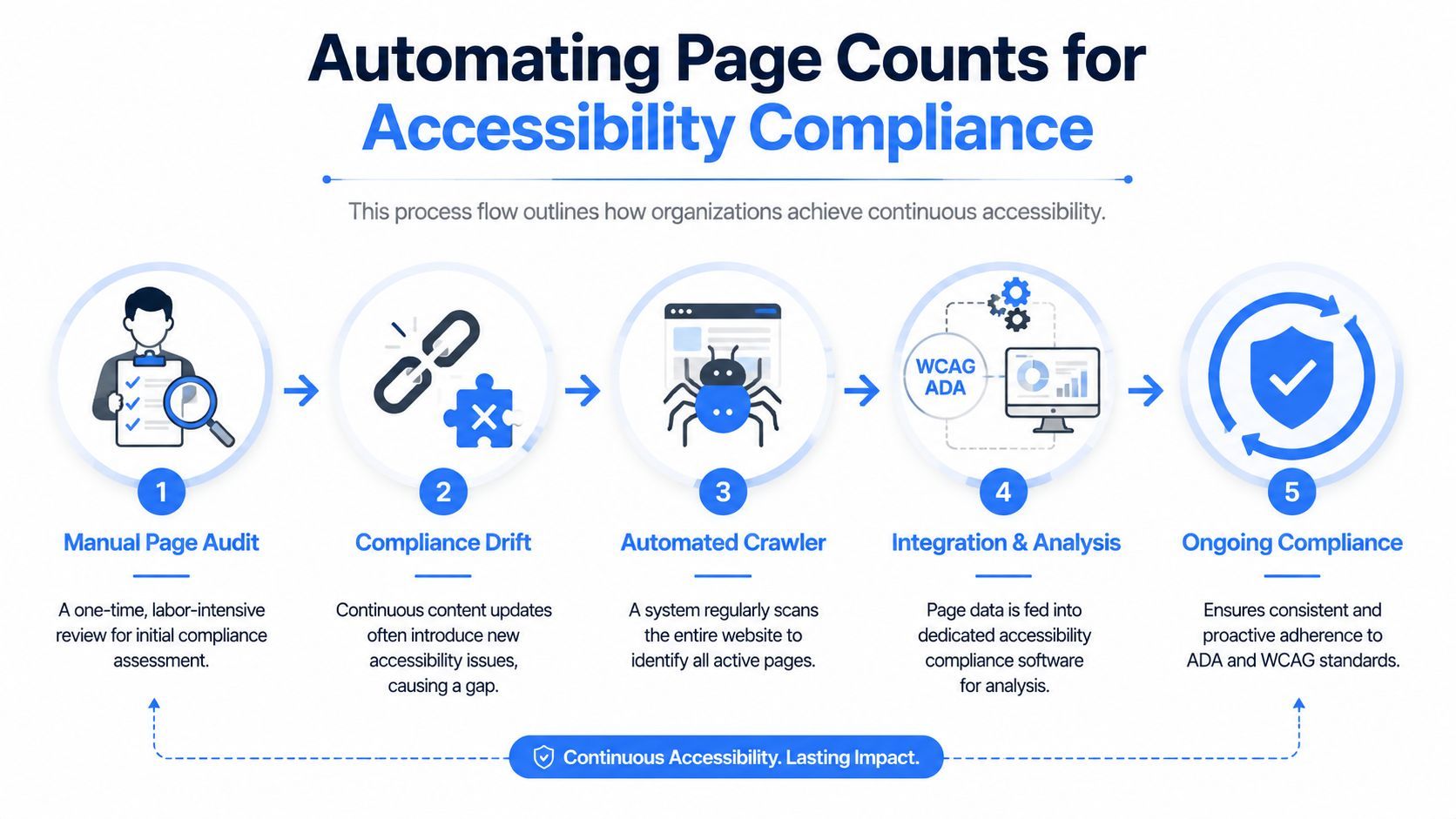
Automation helps teams:
One current complexity is that some sites use accessibility overlays or widgets that can affect how standard crawlers interpret page structures. According to SEO Gets’ page counter guide, a 2025 WebAIM study found 72% of top websites use accessibility overlays, and these can inflate crawler page counts by 15-30% by surfacing overlay-related crawlable endpoints. The result can be phantom pages that distort the apparent audit scope.
The practical takeaway isn't to reject overlays or widgets. It's to recognize that standard crawlers may need additional filtering so the page count reflects structural pages rather than artifacts introduced by tooling.
The most effective automation setup usually includes:
That structure supports both legal defensibility and operational efficiency. It also helps marketing and product teams because a stable inventory makes it easier to identify which pages should receive stronger internal linking, UX improvements, or conversion-focused revisions.
Continuous page discovery is governance. Without it, compliance programs depend too heavily on snapshots.
A helpful starting point for teams building this process is this executive's guide to compliance automation, which frames automation as an operational control rather than just a convenience.
Manual counts are still useful for spot checks and project kickoffs. But if the site is active, the durable answer is automation paired with review rules that distinguish real pages from crawl noise.
If you need a faster way to inventory public pages, monitor changes, and connect page discovery to ongoing accessibility work, WebAbility.io is built for that job. It helps teams move from one-time counts to continuous visibility, so audit scope, monitoring, and compliance reporting stay aligned with the site that’s live.