A Guide to Check 508 Compliance

Sidharth Nayyar
Sidharth Nayyar
Ready to make your website accessible? Engage with our team or start a free trial today.
TL;DR: To check 508 compliance, use a multi-layered approach. Start with automated scanning tools to catch about 30-40% of issues like missing alt text. Then, conduct manual testing by navigating with only a keyboard to check for logical tab order and interactive elements. Finally, test with assistive technologies like screen readers (JAWS, NVDA) to ensure real-world usability. This combination is essential for a thorough audit.
When you're ready to check for 508 compliance, you need to think beyond a simple one-and-done software scan. A real audit is a multi-layered process, combining automated tools with careful, human-led testing. It's not just about ticking boxes; it's about methodically finding and fixing the real-world barriers that prevent people with disabilities from using your digital content.
One of the biggest mistakes I see people make is relying solely on an automated scanner and calling it a day. While those tools are great for catching obvious problems and getting a quick baseline, they typically only flag about 30-40% of all potential accessibility issues.
The reality is, a tool can't understand context or replicate the complex ways people actually interact with a website. That's where human expertise comes in. A comprehensive audit needs to cover a few different bases to paint a full picture of your compliance standing.
A truly thorough audit to check for 508 compliance isn't a single action—it’s a strategic combination of technology and hands-on human evaluation. Each phase of testing uncovers different kinds of accessibility roadblocks, moving you from a surface-level scan to a deep understanding of genuine usability.
Here's a breakdown of the three essential phases:
| Testing Method | What It Checks | Primary Goal |
|---|---|---|
| Automated Scan | Programmatic issues like missing alt text, poor color contrast, empty links, and basic code structure errors. | To quickly identify and fix widespread, "low-hanging fruit" violations across an entire site. |
| Manual Testing | Keyboard-only navigation, logical tab order, focus management, and accessibility of complex interactive elements (menus, forms). | To simulate how a person without a mouse would interact with the site and ensure all functions are accessible via keyboard. |
| Assistive Technology | Real-world usability with screen readers (JAWS, NVDA), screen magnifiers, and other common assistive tools. | To confirm that the content is not just technically compliant but also truly usable and understandable for people who rely on these technologies. |
This table gives you a high-level view, but the key is understanding how these phases work together. The automated scan gives you a to-do list, the manual testing tells you if your site actually works, and the assistive technology validation confirms it works for the people who need it most.
A truly effective compliance check doesn't just ask, "Does this feature exist?" It asks, "Can a person using a screen reader successfully complete a task with this feature?" This shift from features to function is the core of a successful accessibility audit.
This workflow diagram really brings the whole process together, showing how each step builds on the last.
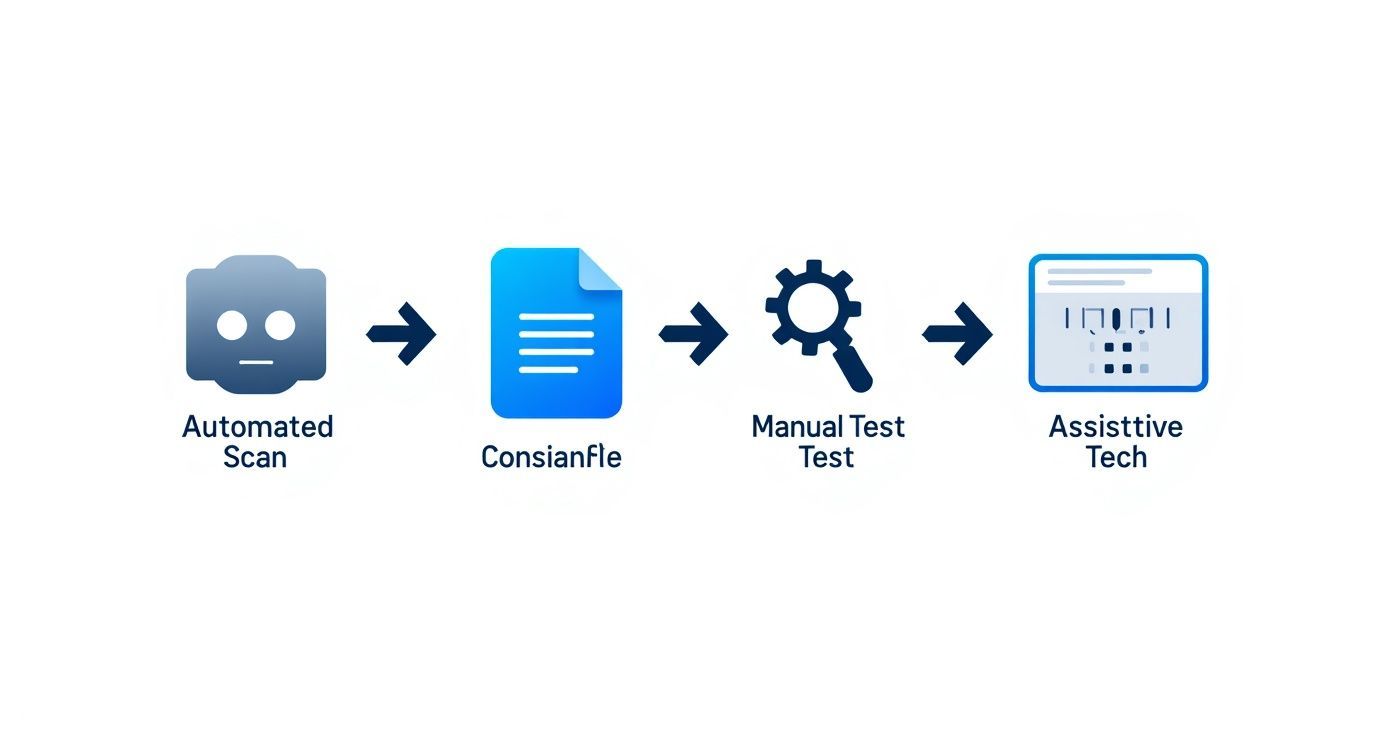
As you can see, you start with the broad, automated checks and progressively narrow your focus to the detailed, human-centered validation that makes all the difference.
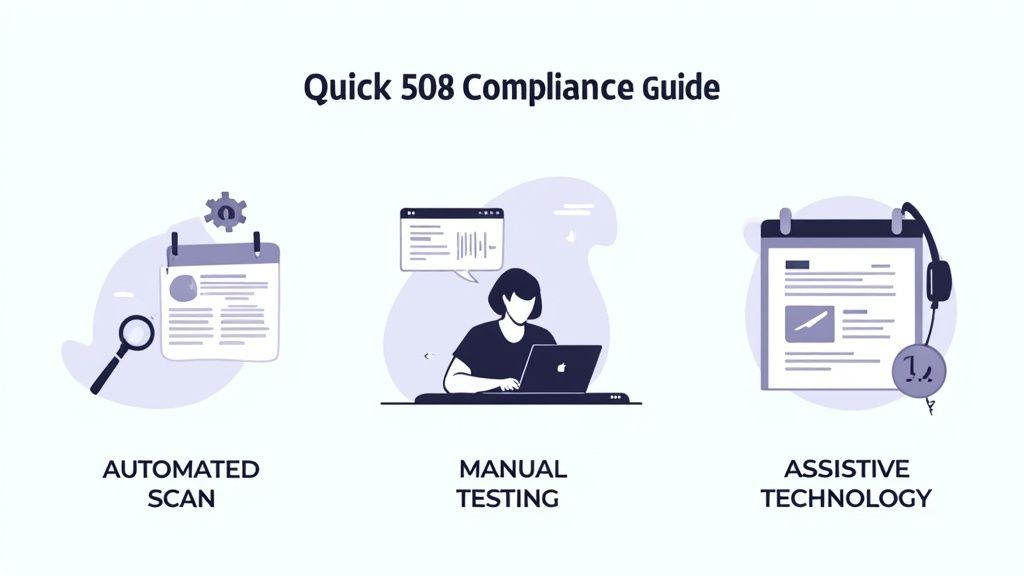
Let's cut to the chase. Regularly checking for 508 compliance is far more than a box-ticking exercise to sidestep legal headaches. Think of it as a strategic imperative that opens your doors to a wider audience, solidifies your brand’s reputation, and proves your organization is serious about inclusivity.
When you shift to an "accessibility by design" mindset, you stop making expensive, reactive fixes and start building a sustainable, forward-thinking digital presence that truly serves everyone.
Moving past the technical how-to, it’s crucial to grasp why you need to consistently check 508 compliance. This isn't just another task on your development checklist; it's a core business practice with serious legal, ethical, and financial weight. Ignoring accessibility is like putting a "Closed" sign on your digital front door for a huge segment of the population.
This proactive approach is your best defense against the significant legal risks tied to the Rehabilitation Act. Waiting for a user complaint to force your hand is a reactive, stressful, and incredibly expensive way to operate. Embedding accessibility checks into your everyday workflow, on the other hand, shows a genuine commitment to doing the right thing.
While steering clear of lawsuits is a major incentive, the real rewards of proactive compliance go much deeper. A genuine commitment to accessibility says a lot about your brand's values. It builds lasting trust and loyalty, telling customers you’re dedicated to providing an equitable experience for every single user.
The flip side? Inaccessible websites and applications can demolish that trust in a heartbeat and spark public backlash. Inclusivity isn't just a buzzword; it’s a powerful market differentiator that attracts and keeps a broader, more loyal audience. From my experience, building accessibility in from the ground up is always more efficient than trying to tack it on as an afterthought.
The real shift happens when you move from a "fix-it-when-it-breaks" mentality to an "accessibility by design" culture. That’s when inclusivity becomes a core part of your strategy, not a late-stage scramble.
For a comprehensive breakdown of the specific rules you need to follow, check out our detailed guide on https://www.webability.io/blog/section-508-compliance-requirements.
This ongoing vigilance is more important than ever. Recent federal government data shows a worrying trend: the governmentwide conformance score actually dropped from 1.79 in fiscal year 2023 to 1.74 in fiscal year 2024. That’s a clear signal that compliance is slipping, not improving.
Creating an accessibility-first culture isn't just about buying the right software. It's about investing in your people through education and resources. It’s about empowering your teams—from designers to developers—to think inclusively at every single stage of a project.
This approach naturally leads to less rework, saving time and money while resulting in better, more resilient products for all users. To help fund these essential improvements, you can even look into securing accessibility grants.
Ultimately, this commitment isn't just about meeting legal standards. It’s a conscious choice to build a more open and welcoming digital world for every person, regardless of their abilities.
TLDR: Building a 508 testing toolkit is like assembling a workshop. Start with quick-win browser extensions (like WAVE), add a powerful automated scanning platform for site-wide checks, and round it out with essential manual tools like color contrast analyzers and screen readers. A balanced mix ensures you catch everything from obvious code errors to subtle user experience flaws.
The first real step in a Section 508 audit is getting your tools in order. A common mistake I see is people just grabbing the first free tool they find and hoping for the best. A better approach is to think of it like curating a specialized toolkit, where each instrument has a specific job—from quick spot-checks to deep, comprehensive audits.
Honestly, no single tool can catch everything. The secret is to layer different types of software to cover all your bases, blending the raw speed of automation with the critical thinking of a manual inspection. Your goal is to build a versatile toolkit that helps your team find and fix accessibility barriers efficiently.
Browser extensions are your first line of defense. They’re perfect for developers, designers, and content creators who need instant feedback without ever leaving their workflow. I use them for quick, on-the-spot analysis of individual pages, which helps me catch things like missing alt text or glaring contrast errors before they ever become a real problem.
A few of my go-to extensions are:
WAVE: This is an old standby for a reason. It overlays icons directly on your webpage, visually flagging accessibility issues right in context. It's fantastic for a quick gut check.
axe DevTools: Developers tend to love this one. It integrates right into the browser's developer tools and gives you detailed, code-level feedback that makes fixes much faster.
ARC Toolkit: Another solid option that presents its findings in a clean, categorized list, which makes it easy to work through problems one by one.
These tools are lightweight, most are free, and they make it much easier for anyone on the team to start performing basic checks. They’re indispensable for daily use and for building that "accessibility-first" mindset.
Think of browser extensions as your digital magnifying glass. They won't show you the entire accessibility blueprint of your website, but they are perfect for inspecting the fine details of a single room, one page at a time.
While extensions are great for looking at one tree at a time, automated scanning platforms give you a view of the entire forest. These systems are built to crawl your whole website or application, delivering a comprehensive report on issues across hundreds or even thousands of pages. This is the only practical way to get a handle on the overall accessibility health of a large digital property.
These platforms are the heavy lifters of your toolkit. They can schedule regular scans, track your compliance progress over time, and generate the high-level reports you need for documentation and prioritizing work. You simply can't get that site-wide perspective with page-by-page manual checks alone. If you're weighing your options, our guide to the best Section 508 compliance software can help you find the right fit.
Finally, no toolkit is complete without the tools needed for manual testing. Automation is powerful, but it's blind to many issues tied to user experience, context, and logical flow.
Here are a few absolute must-haves:
Color Contrast Analyzers: Tools like the WCAG Color Contrast Checker are non-negotiable. They help you instantly verify that your text and background colors meet the required contrast ratios for readability.
Keyboard-Only Navigation: You don't need any software for this one—just your keyboard. Unplug your mouse and try to tab through your entire site. Can you reach every button, link, and form field? This simple test reveals a ton about your site's usability.
Screen Readers: To truly understand the experience for visually impaired users, you have to test with a screen reader. There’s no way around it. Use tools like NVDA (free), JAWS (paid), or the built-in options like VoiceOver (macOS) and Narrator (Windows). This is the only way to know if your content actually makes sense when read aloud.
TLDR: A manual audit is non-negotiable for 508 compliance. Unplug your mouse and test with your keyboard—can you complete key tasks? Check the focus order, ensure all form fields have clear labels, and verify that content flows logically. These hands-on checks uncover the critical user experience barriers that automated tools will always miss.
Automated scanners are a great first pass for catching code-level errors, but they have a huge blind spot: they can't tell you if your website is actually usable. A scanner can confirm an image has an alt tag, but it can't tell you if that description is helpful or just gibberish. This is exactly why manual testing is essential to meaningfully check 508 compliance.
A manual audit is all about stepping into the shoes of users with different abilities. You're simulating their experiences to find the real-world barriers that automated tools, by their very nature, are designed to miss. It’s a shift from just checking for technical correctness to evaluating genuine usability.
You aren't just hunting for errors; you're looking at the entire user journey. This human-centered approach is the only way to know if someone can successfully navigate, understand, and interact with your digital property from start to finish.
The single most revealing manual test you can run is to unplug your mouse. Seriously. Rely only on your keyboard for a while. Many users with motor disabilities, along with many screen reader users, depend entirely on keyboard navigation. This simple act will quickly shine a light on fundamental usability flaws.
Start by using the Tab key to move forward through interactive elements and Shift+Tab to go backward. As you navigate, keep these critical questions in mind:
Can you see where you are? There absolutely must be a visible focus indicator—usually a clear outline or border—around the active element. Without it, keyboard users are just navigating blind.
Is the tab order logical? The focus should move through the page in a predictable sequence that makes sense, typically following the visual layout from top to bottom and left to right.
Can you get to everything? Every single link, button, form field, and interactive widget needs to be reachable and operable using only the keyboard.
This isn't just a simple pass/fail check. It's an honest evaluation of the user experience. If someone has to press Tab 50 times to get to your main content, your site might be technically accessible but it’s practically unusable. A comprehensive web accessibility audit can give you a much deeper framework for these kinds of tests.
Next, you need to identify the most important tasks someone can perform on your site and test them from end to end. An automated tool can’t simulate a user trying to achieve a goal. It's up to you to walk through these core paths.
For an e-commerce site, the most critical journey is the checkout process. Can a user find a product, add it to their cart, enter all their shipping and payment information, and complete the purchase using only a keyboard and a screen reader?
Other common user journeys you should definitely test include:
Filling out and submitting a contact form.
Navigating a multi-level dropdown menu.
Opening, interacting with, and closing a modal window or pop-up.
Playing, pausing, and adjusting the volume on a video player.
The goal of a manual audit is to answer one simple question for every core function on your site: "Can a person with a disability complete this task without frustration or assistance?" If the answer is no, you've found a critical barrier.
Finally, pay close attention to the content itself and the forms people use to interact with it. A scanner might confirm that a form field has a <label> tag, but it can't tell you if that label is clear, concise, and correctly positioned.
Manually check that every form field has a clearly associated and visible label. Make sure that any instructions or error messages are genuinely helpful and easy to understand. For your content, verify that the heading structure creates a logical outline of the page and that your link text is descriptive. Vague links like "Click Here" or "Learn More" are accessibility failures because they provide zero context for screen reader users trying to navigate by links.
Alright, you've run the scans and done the manual checks. Now you're staring at an audit report that looks more like a phone book of technical jargon than a helpful guide. What's next?
This is where the real work begins. An audit report is just a data dump until you give it purpose. The true value of any effort to check 508 compliance lies in how you translate those findings into a concrete, strategic remediation plan.
A raw list of WCAG violations can feel completely overwhelming. But with the right framework, you can turn that intimidating document into an organized and actionable roadmap for your team.
First thing's first: you need to demystify the errors. Your report will be littered with terms like "insufficient color contrast" or "missing ARIA attribute." Before anyone can fix them, your team needs to understand what these issues actually mean for people. "Insufficient contrast" means someone with low vision can't read your text. A "missing ARIA attribute" could make a button or menu completely invisible to a screen reader user.
Let’s be honest: not all accessibility issues are created equal. A missing alt tag on a purely decorative image is a minor problem. A non-functional "Submit" button for keyboard-only users? That's a critical barrier that stops people in their tracks.
Prioritizing fixes based on severity and user impact is the key to making meaningful progress without getting bogged down. I’ve found the best way to organize this is by grouping issues into clear priority levels.
Here’s a simple system that works wonders:
Critical (P1): These are the absolute showstoppers. Think keyboard traps, inaccessible forms, or navigation failures that prevent users from completing core tasks. Fix these now.
High (P2): These issues cause significant frustration but might have a clunky workaround. This could be poor color contrast on important text or confusing form labels that make a process difficult, but not impossible.
Medium (P3): These problems definitely degrade the user experience but don't completely block functionality. Things like missing alt text on informative images or an illogical heading structure fit here.
Low (P4): These are minor technical violations with little to no real-world impact on most users.
This tiered approach helps you focus your team's energy where it matters most, ensuring you tackle the biggest barriers first.
The goal isn't just to fix bugs; it's to remove human barriers. By prioritizing fixes that restore access to critical functions, you deliver the most significant improvements to your users' experience with the least delay.
This strategic approach is more important than ever. The WebAIM Million 2025 report found that a staggering 94.8% of the world's top homepages had detectable WCAG failures. Even government sites, which should know better, only showed 31%WCAG AA compliance. You can discover more about these web accessibility statistics and see just how widespread these problems are.
Once you have your issues sorted and prioritized, it's time to build a clear backlog for your development team. This turns abstract problems into concrete tasks.
For each issue, create a ticket or backlog item that includes:
A plain-language description of the problem.
The specific URL(s) where it occurs.
The user groups it affects (e.g., screen reader users, keyboard-only users).
The assigned priority level (P1, P2, etc.).
A clear suggestion for how to fix it.
This structured process transforms that overwhelming report into a series of manageable tasks. By assigning these tasks and tracking their progress, you create a sustainable workflow that moves your organization toward genuine, lasting compliance instead of just one-off fixes.
TLDR: Section 508 is the U.S. law, while WCAG provides the technical benchmarks. You can't just check once; compliance requires annual audits, pre-launch reviews, and continuous checks during development. And no, automated tools aren't enough—they miss the critical usability issues that only manual testing can find.
https://www.youtube.com/embed/2qD2T4oIVM0
When teams first dive into accessibility, a lot of the same questions pop up. It's completely normal. Getting a handle on the terminology and best practices is the first real step toward building a compliance strategy that actually works and doesn't just check a box.
Let’s clear up some of the most common points of confusion. Think of this as turning the legal and technical jargon into practical advice you can start using right away.
This is easily the question I hear most often. The simplest way to think about it is that Section 508 is the law, and the Web Content Accessibility Guidelines (WCAG) are the technical standards you follow to comply with that law.
Section 508 is a U.S. federal law mandating that government agencies—and the contractors who work with them—make their technology accessible to people with disabilities. To set a clear, measurable target, the law was refreshed to point directly to WCAG 2.0 Level AA as the official standard for web content.
So, when someone says you need to be "508 compliant," they really mean your website or application needs to meet the criteria laid out in WCAG 2.0 AA.
Accessibility isn't a one-and-done task you can cross off a list. It’s an ongoing process. Your digital products are living things, constantly evolving with new content, features, and code updates. Any one of those changes can accidentally introduce a new barrier.
I always recommend this rhythm for testing:
Annually: At a minimum, you need a deep-dive audit every year. This should be comprehensive, covering everything from automated and manual checks to assistive technology testing.
Before Major Launches: Never push a big redesign or a major new feature live without a full accessibility audit first. It's much easier to fix things before they're in the wild.
Continuously: The best approach is to weave accessibility testing right into your development cycle. Automated scans in your CI/CD pipeline can flag simple errors before they ever become a problem.
The goal is to make accessibility a routine part of how you build things, not a special, once-a-year event. Consistent checks prevent minor issues from snowballing into a massive and expensive remediation project later on.
In a word: no. Automated tools are fantastic, but they have serious limitations. While they are great at catching certain types of programmatic errors quickly, they can only detect about 30-40% of all potential accessibility violations. They’ll reliably find things like missing alt text, low color contrast, or an empty button.
What they can’t do is understand context or judge actual usability. An automated scanner has no idea if your page's tab order is confusing, if your link text is ambiguous ("click here"), or if your navigation is just plain illogical.
Those are the kinds of issues that frustrate real users, and only a human performing manual tests can spot them. A hybrid approach that combines the speed of automation with the insight of manual testing is the only path to genuine compliance.
Ready to stop wondering and start fixing? WebAbility.io gives you an end-to-end platform to automate your scans, guide your manual testing, and manage your entire compliance journey from one place. It’s time to stop guessing and start building an experience that works for everyone.
Tap to ask AI about this article