Your Guide to an ADA Compliance Website Audit

Sidharth Nayyar
Sidharth Nayyar
Ready to make your website accessible? Engage with our team or start a free trial today.
Tap to ask AI about this article
TLDR: An ADA compliance website audit is a full check-up for your website to ensure it's usable by people with disabilities, following WCAG standards. This process combines automated scans to find technical issues and manual testing to assess real-world usability with assistive technologies. A proper audit is crucial for avoiding lawsuits, expanding your audience, improving SEO, and enhancing the overall user experience for everyone.
So, what exactly is an ADA compliance website audit? Think of it as a comprehensive health check for your website, specifically designed to ensure people with disabilities can use it effectively. It's a systematic review that measures your site against the well-established Web Content Accessibility Guidelines (WCAG).
This process isn't just about running a quick scan. It's a deep dive that combines powerful automated scanning tools to catch technical issues like poor color contrast with meticulous manual testing to see how the site actually behaves for a real person using assistive technology.
An ADA audit is far more than a simple automated scan. It’s a thorough analysis of your digital presence, aimed at identifying and tearing down the barriers that prevent users with disabilities from engaging with your content. Considering that a staggering 96% of websites have accessibility issues, a proper audit is the essential first move toward inclusivity.
The core goal is to benchmark your site against the WCAG standards, which are widely recognized as the legal standard for digital accessibility. A good audit doesn't just give you a pass/fail grade; it pinpoints exactly where you're falling short. This could be anything from missing alt text on images to a navigation structure that’s impossible for a screen reader to follow.
To truly understand what goes into a comprehensive audit, it helps to break the process down into its fundamental stages. Each phase has a specific goal, from initial planning to the final, actionable report.
| Audit Stage | Primary Goal | Key Activities |
|---|---|---|
| Scoping & Planning | Define the audit's scope and objectives. | Identify key user flows, select a representative sample of pages, and define the target WCAG conformance level (A, AA, AAA). |
| Automated Testing | Quickly identify widespread, code-based issues. | Run automated scanning tools across the entire site to flag problems like color contrast errors, missing form labels, and empty links. |
| Manual & Assistive Technology Testing | Evaluate real-world usability and complex interactions. | Perform keyboard-only navigation checks, test with screen readers (like JAWS or NVDA), and assess dynamic content and ARIA implementations. |
| Reporting & Analysis | Consolidate findings into a clear, actionable report. | Document each issue with screenshots, code snippets, and specific WCAG criteria. Prioritize fixes based on impact and severity. |
| Remediation & Verification | Guide the development team in fixing the identified issues. | Provide clear remediation guidance, re-test fixes to ensure they resolve the original problem, and conduct regression testing. |
By following a structured process like this, you move from simply identifying problems to creating a clear path forward for fixing them.
At the heart of any effective audit is a two-pronged strategy that balances technology with human insight. You absolutely need both.
Automated Testing: Think of this as the first wave. Scanners are incredibly fast and can crawl your entire site to flag common, code-level errors that are easy to miss. They’re great for scale.
Manual Testing: This is where the real expertise comes in. A human tester evaluates the actual user experience—something an automated tool just can't do. Can a user navigate with only a keyboard? Does the site make sense when read by a screen reader?
Combining these two methods gives you the full picture, allowing you to build a detailed and prioritized plan to fix the issues. For a great starting point on what to check for, this ultimate website accessibility checklist is a fantastic resource.
Once you've identified the potential problem areas, the logical next step is to dive into a professional, in-depth audit to map out a clear, actionable path to compliance.
You can get that with our website accessibility audit.
Let's be clear: a proper ada compliance website audit isn't just about ticking boxes on a checklist. It's a fundamental business decision. In a world where your website is often the first impression you make, treating accessibility as an afterthought is a mistake you can't afford.
For many businesses, the wake-up call comes from the very real threat of legal action. The digital accessibility lawsuit isn't a myth; it's a rapidly growing reality.
In 2023 alone, businesses faced 4,605 combined federal and state ADA lawsuits because their websites weren't accessible. The pressure is mounting, with 8,800 ADA Title III complaints filed recently—a startling 7% increase from the year before. Considering that some studies estimate only 4% of websites are fully compliant, the risk is massive and touches almost every industry.
While dodging a lawsuit is a pretty compelling reason to act, the story doesn't end there. The smartest companies see an accessibility audit as an opportunity, not just an obligation. A proactive approach unlocks some serious competitive advantages that can directly boost your bottom line and strengthen your brand.
Think about it this way: an accessible website immediately expands your potential customer base. The global population of people with disabilities represents an enormous market with significant spending power. By not accommodating them, you're essentially turning away paying customers.
An accessible website isn't just a legal requirement; it's a statement about your brand's values. It signals that you are inclusive, thoughtful, and committed to serving every member of your community, which builds trust and loyalty among all customers.
The great thing about an ADA compliance audit is that its positive effects ripple out across your entire digital presence, often in ways you might not expect. The work you do to make your site accessible for users with disabilities almost always creates a better experience for everyone.
Beyond the legal aspect, a thorough audit perfectly aligns with the core principles of Mastering Website User Experience Design. For example:
You'll Get an SEO Boost: Many of the things that make a site accessible are exactly what search engines love. Proper heading structures, descriptive alt text on your images, and video transcripts all give Google powerful clues about what your content is about. This often translates to better search rankings.
Usability Improves for All: Features like a clear navigation menu, easy-to-read fonts, and high-contrast color schemes don't just help people with visual impairments. They're a blessing for older adults, anyone trying to browse on a phone in bright sunlight, or users in less-than-ideal viewing conditions.
When you invest in a proper audit, you're transforming your website from a potential liability into a powerful asset. You end up with a site that's more inclusive, more effective, and ultimately, more profitable.
A successful audit starts with a solid plan. You need to pin down the audit's scope by picking key pages and user journeys, choose the right WCAG conformance level (usually AA), get a team together with clear roles, and gather the right mix of automated and manual testing tools. This prep work makes sure your audit is focused, effective, and gives you results you can actually act on.
A great ada compliance website audit really gets going long before you run the first scan. Think of it like building a house—you wouldn't start without a blueprint. That initial planning is your pre-flight check, making sure the whole process runs smoothly and gives you meaningful insights.
The very first thing to nail down is the audit's scope. Let's be realistic: it's rarely practical or even necessary to manually test every single page on a large website. The smart move is to create a representative sample that covers the core user experience from start to finish.
To build a sample that works, you have to think like your users. What are the most important paths they take to get things done on your site? A strategic approach means selecting a variety of page types and essential workflows.
Core Pages: Your homepage, contact page, and any major landing pages are non-negotiable. Always start there.
Key User Journeys: Walk through the most critical processes yourself. If you run an e-commerce site, that means the entire path from finding a product to checking out. For a service-based business, it might be the flow of finding information and filling out a contact form.
High-Traffic Content: Dive into your analytics. Your most visited pages and popular blog posts are where many users land, so they need to be in the mix.
Unique Templates: Make sure to include at least one of every unique page layout or template you use. This ensures your testing covers all the different designs across the site.
Once you know what you're testing, you need to decide what you're aiming for. The Web Content Accessibility Guidelines (WCAG) have three levels of conformance: A, AA, and AAA.
For the vast majority of businesses, WCAG 2.1 Level AA is the established legal and practical standard. Level A only covers the absolute basics, while Level AAA is incredibly strict and usually reserved for specialized government or disability services. Targeting AA hits the sweet spot—it meets legal expectations and creates a genuinely good experience for users with disabilities.
Finally, you need the right people and the right tools for the job. An audit isn't a one-person show. To get it right, you need collaboration across different roles. Developers will be the ones implementing code fixes, designers will tackle visual issues like color contrast, and your content team will handle things like alt text and clear copy.
Your toolkit should also be a mix of automated and manual methods. For a solid framework of what to check, our ADA compliance website checklist is an excellent place to start. From there, build out your arsenal:
Automated Scanners: Browser extensions and dedicated software are fantastic for quickly catching widespread, code-based problems like missing ARIA labels.
Manual Testing Aids: This is where the real work happens. You'll need screen readers (like NVDA or JAWS), keyboard-only navigation checks, and color contrast analyzers to see how the site actually performs for a real person.
By carefully planning your scope, setting a clear goal, and getting your team equipped, you’re paving the way for an audit that delivers a clear roadmap to a more inclusive website.
Alright, this is where all that prep work starts to pay off. A truly effective ada compliance website audit isn't about just one method; it's a smart blend of automated efficiency and the critical, nuanced perspective of a human being. We kick things off with automation to quickly sweep for the obvious, widespread issues—the low-hanging fruit. Then, we follow up with manual checks to ensure the site is genuinely usable for everyone, not just technically compliant.
Think of it like building a house. The automated scan is the inspector checking the foundation and frame for code violations, while the manual check is you walking through to see if the doors open smoothly and the light switches are in logical places.
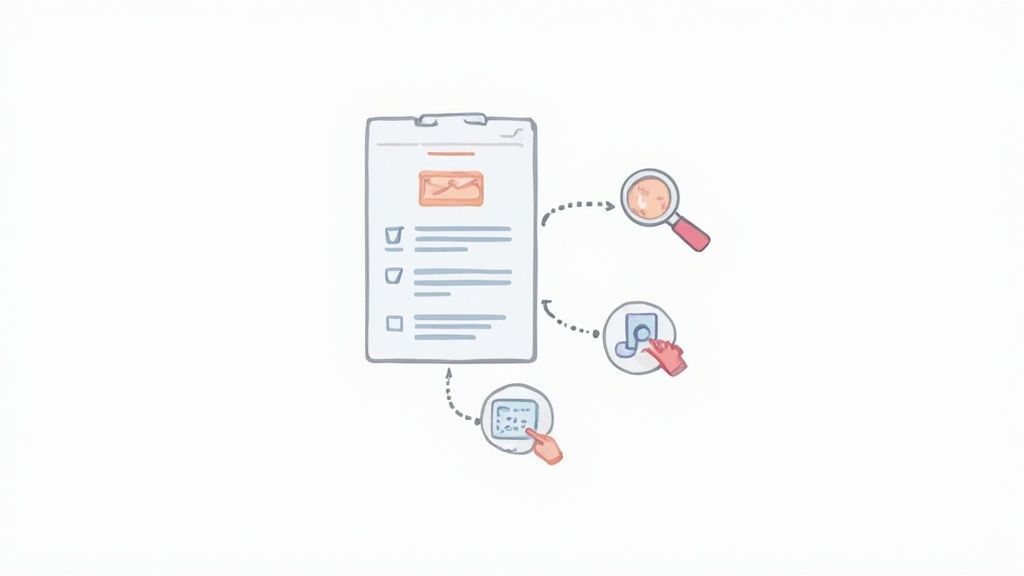
This visual flow shows the key preparation steps before you begin the hybrid audit process.
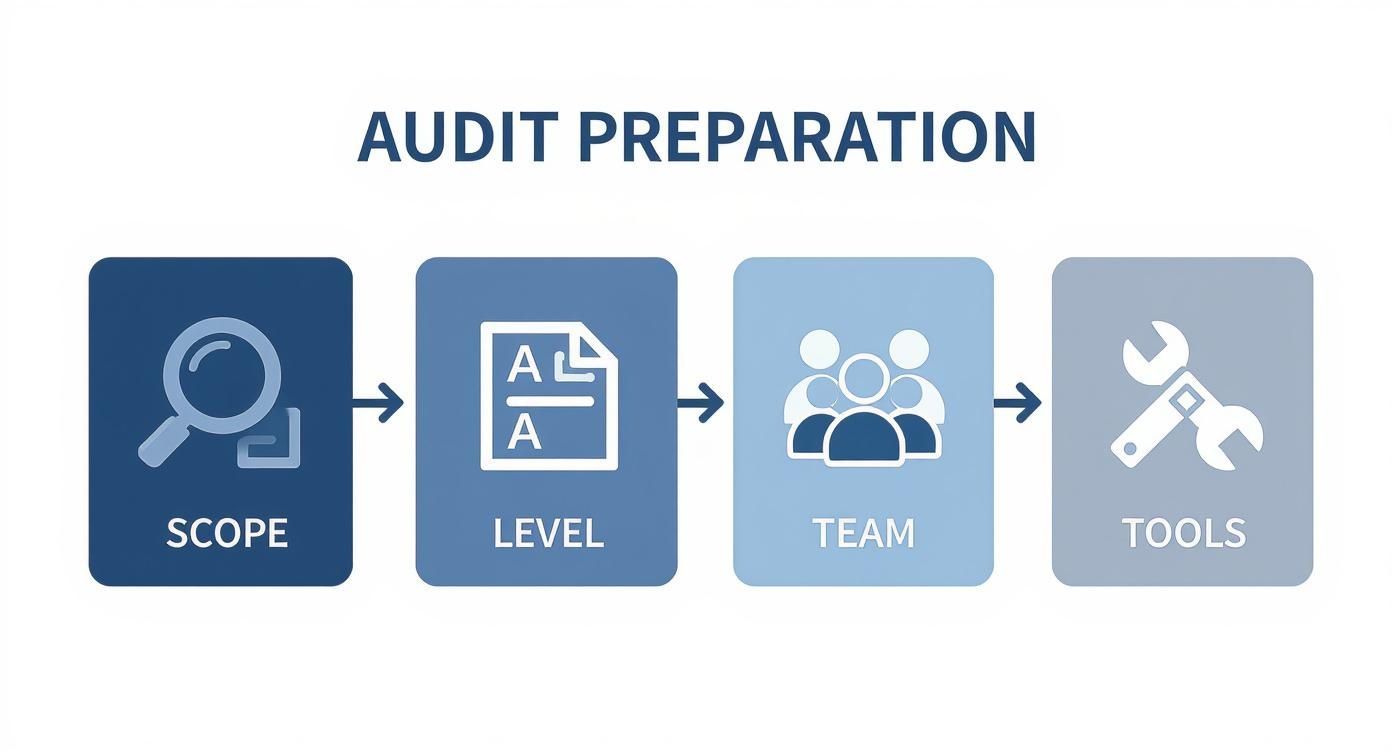
Getting this groundwork right means your audit will be focused, efficient, and produce results you can actually act on.
Automated accessibility scanners are your first pass, your digital reconnaissance team. These tools are incredibly fast, capable of crawling hundreds of pages in minutes to flag clear-cut technical problems based on WCAG criteria. You’re essentially casting a wide net to catch the most common and easily identifiable offenders.
During this initial scan, you're primarily hunting for things like:
Color Contrast Ratios: The software will instantly spot text that's too faint against its background, a huge roadblock for users with low vision.
Missing Alternative Text: It'll quickly find any <img> tags missing that crucial alt attribute, leaving screen reader users with no context.
Broken Heading Structures: Scanners are great at identifying when heading levels are skipped (like jumping from an H1 to an H3), which completely disrupts navigation for someone using assistive tech.
Unlabeled Form Fields: These tools excel at finding form inputs that aren't properly tied to a label, leaving users guessing what information to provide.
But here's the catch: automated tools only tell part of the story. They can confirm an alt tag exists, but they have no idea if the description is helpful ("image of a golden retriever catching a frisbee") or useless ("image123.jpg"). That's precisely where human insight becomes non-negotiable.
Once the automated scan gives you a baseline report, it’s time to roll up your sleeves. Manual testing is where you uncover the subtle, experience-breaking issues that software simply can't grasp. The goal isn't just to check boxes; it's to interact with your website exactly as a person relying on assistive technology would.
It’s a sobering reality, but around 95.9% of websites don't meet even basic ADA accessibility standards. This is largely because so many critical issues require a human eye and ear to validate. Things like low-contrast text and missing form labels are found all the time, highlighting just how essential a thorough, hands-on audit is. You can dig deeper into these ADA compliance trends on Netlynx Inc.
Don't just click around randomly. Your manual testing should be focused on key user journeys and interactions. Here are a few practical scenarios to run through:
1. Keyboard-Only Navigation
Seriously, unplug your mouse. Try to navigate your entire site using only the Tab, Enter, and arrow keys. Can you reach every link, button, and form field? Most importantly, is the focus indicator—that little box that shows where you are—always visible? A huge number of users with motor disabilities depend on this functionality. If they can't see where they are, they can't use your site.
2. The Screen Reader Experience
Fire up a screen reader like NVDA (it's free!) or JAWS. Close your eyes and let it guide you through a few core pages. Does the content flow logically? Are images described in a meaningful way? Can you actually understand and operate the navigation menu or fill out a contact form? This is the single best way to understand the experience of a visually impaired user.
A website might look picture-perfect, but if a screen reader just says "button, button, button" for a row of unlabeled icons, the site is effectively broken for a blind user. Manual testing is the only way to catch these critical experience-killers.
3. Interactive Element Functionality
Manually put all your complex components through their paces. We're talking about pop-up modals, custom dropdown menus, image sliders, and accordions. Can you open and close them using only the keyboard? Does the screen reader announce their state and purpose (e.g., "modal dialog open, press escape to close")? These custom-coded, dynamic elements are notorious failure points.
By combining the wide-angle view of automation with the deep, contextual insights of manual testing, your ada compliance website audit will give you a comprehensive and genuinely actionable roadmap for making your site better for everyone.
An audit that just finds problems is a wasted effort. The real magic happens when you turn those findings into a clear, decisive action plan. After running your automated tools and finishing your manual checks, you’ll be sitting on a mountain of data. The next step in your ada compliance website audit is to shape that raw information into a roadmap your team can actually follow.
First things first: get everything into a single, cohesive document. You need to merge the high-volume data from your automated scans with the nuanced, human-centric issues you found through manual testing. This gives you a complete, 360-degree view of your site's accessibility health and stops critical issues from getting lost in the shuffle.
Let's be realistic: not all accessibility issues carry the same weight. A missing alt tag on a purely decorative image is an issue, sure. But a checkout button that a keyboard user can't click? That's a five-alarm fire. You have to prioritize to avoid getting bogged down in minor fixes while major barriers remain.
I find it helpful to group issues by severity:
Critical Blockers: These are the deal-breakers. They completely stop a user from completing a core task, like buying a product or filling out a contact form. Think of a login form that's invisible to a screen reader or an "Add to Cart" button that only works with a mouse.
High-Impact Barriers: These don't bring the user journey to a screeching halt, but they make it incredibly frustrating. Low-contrast text that’s nearly impossible to read or important videos playing without any captions fall into this category.
Minor Obstacles: These are the smaller bumps in the road. They create friction but don't derail the user. Things like an inconsistent heading structure or links that are only identified by color fit here.
By tackling the critical blockers first, you guarantee your team’s effort delivers the most immediate and meaningful improvements for your users. It’s all about restoring essential functions before you start polishing the details.
The final report is your bridge to the developers, designers, and content writers who will implement the fixes. A report that just says "Fix color contrast" is going to get you nowhere. To drive real change, your recommendations need to be specific, clear, and actionable.
For every issue you document, be sure to include:
A Clear Description: Explain the problem in plain language and describe why it's a barrier for users.
The WCAG Guideline: Reference the specific WCAG success criterion it violates. This gives developers a technical standard to work toward.
Visual Evidence: A picture is worth a thousand words. Use screenshots or even short screen recordings to show the exact problem in context.
Suggested Solutions: Don't just point out problems; offer solutions. Provide code snippets, CSS adjustments, or clear instructions to make the fix as straightforward as possible.
This level of detail turns a simple list of problems into a working project plan. For more formal needs, especially if you're in a B2B or government space, these findings are typically compiled into an Accessibility Conformance Report (ACR), a standardized document for reporting compliance.
While ADA is a U.S. law, its core principles are mirrored in the WCAG, which is fast becoming the global benchmark. With the sharp rise in ADA-related lawsuits, as detailed in reports like the one on Ecomback.com, the pressure for digital compliance has never been higher. This has also spurred the development of AI tools designed to suggest accessibility fixes, a trend that's rapidly gaining traction.
Even the most well-laid plans run into questions, and ADA compliance is no exception. Let's dig into some of the most common ones I hear from clients. Getting these details right can be the difference between a smooth audit process and a frustrating one.
Think of a full-scale, deep-dive audit as an annual physical for your website. Once a year, you should plan to go through everything with a fine-toothed comb to catch problems before they grow.
But what if you're constantly adding new blog posts, features, or landing pages? In that case, you can't just wait a full year. You'll need to weave smaller, more frequent accessibility checks into your regular workflow. This kind of ongoing maintenance stops new barriers from popping up and keeps you in good shape between those big annual audits.
I wish it were that simple, but no. Definitely not.
Automated scanners are fantastic for what they do. They're incredibly fast and can catch a good chunk of technical errors—some people say up to 50% of WCAG issues. But they have a huge blind spot: they can't grasp context or what an actual human experience is like.
For instance, a tool can tell you if an image has alt text. What it can't tell you is if that text is actually helpful ("A golden retriever catching a red frisbee in a sunny park") or just garbage ("image-file-123.jpg"). Only a person can make that call.
That's where manual testing comes in. You need a real person, ideally using assistive technologies, to check the things that truly impact usability:
Keyboard Navigation: Can someone actually use your entire site without a mouse? Every link, button, and form field?
Screen Reader Logic: When a screen reader reads the page, does the content flow in a way that makes sense, or is it a jumbled mess?
Interactive Elements: Do your pop-ups, complex menus, and video players work properly with screen readers and keyboards?
Automated tools give you a great head start, but manual testing is what gets you to the finish line.
This one trips a lot of people up, but it's pretty straightforward.
Think of it this way: The ADA is the law, while WCAG is the technical rulebook that courts use to decide if you're following the law online.
The Americans with Disabilities Act (ADA) is a major U.S. civil rights law that says places of public accommodation must be accessible. For years, courts have consistently ruled that websites count as public accommodations. The catch is that the ADA itself doesn't give you a technical checklist for your website.
That’s where the Web Content Accessibility Guidelines (WCAG) come in. They are the globally accepted technical standards for digital accessibility. In the U.S., courts and the Department of Justice almost always point to WCAG 2.1 Level AA as the standard a website must meet to be considered compliant with the ADA.
So, when you conduct a WCAG audit, you're performing the technical evaluation needed to meet your legal obligations under the ADA.
An audit report isn't the finish line—it's the starting gun. Your first job is remediation.
Go through the report and prioritize the issues, tackling the most critical blockers first. These are the problems that completely stop someone from using a key part of your site. Hand these off to your developers and content team with the clear, actionable guidance from the audit.
Your long-term goal is even bigger: integration. Use the audit findings as a learning experience for your entire team. The real win is when accessibility isn't an afterthought or a "fix-it" project. It becomes part of your company's DNA, baked into how you design, build, and write from day one.
Ready to move from questions to action? WebAbility.io provides an end-to-end platform to streamline your accessibility efforts. From AI-powered automated scanning to expert manual audits and a versatile accessibility widget, we give you the tools and insights to achieve and maintain compliance with confidence. Explore how we can help.