A Practical Guide to the ADA Compliance Audit Process

Sidharth Nayyar
TL;DR: Your Quick Guide to ADA Compliance Audits
An ADA compliance audit is a complete health check for your website, ensuring it's accessible to people with disabilities and protecting you from legal risks. A thorough audit follows the WCAG 2.1 AA standard, which is the legal benchmark for accessibility. The best approach combines automated scans to find quick code fixes with manual testing by experts to ensure a seamless real-world user experience. The audit provides a clear roadmap for your team to fix issues, which not only prevents lawsuits but also expands your customer base, boosts SEO, and improves conversions for all visitors. Explore our ADA website compliance services to start building a more inclusive and higher-converting website.
Think of an ADA compliance audit as a deep-dive health check for your website. It’s a thorough review designed to spot and fix any roadblocks that prevent people with disabilities from fully using your site. This isn't just about ticking boxes; it's about making sure your digital front door is open to absolutely everyone and protecting your business from legal trouble.
Your Quick Guide To ADA Compliance Audits
So, what does a real audit actually involve? It’s a structured process that can be broken down into four distinct stages, each with a clear goal.
The Four Core Phases of an ADA Compliance Audit
Here’s a snapshot of what to expect as you move from initial planning to a fully accessible website.
| Phase | Objective | Key Activities |
|---|---|---|
| 1. Discovery & Scope | Define the audit's boundaries, goals, and target standards. | • Pinpoint key pages and user paths for testing. • Settle on the accessibility standard (like WCAG 2.1 AA). • Review any existing accessibility features. |
| 2. Testing & Analysis | Systematically find accessibility barriers across the website. | • Run automated scans for obvious code-level issues. • Conduct hands-on manual testing with assistive tech. • Perform an expert analysis of the user experience. |
| 3. Reporting & Prioritization | Document all findings and create a clear, actionable game plan. | • Generate a detailed report with issue descriptions and code examples. • Prioritize fixes based on how severe and impactful they are. • Offer clear guidance on how to fix each problem. |
| 4. Remediation & Validation | Fix the identified issues and confirm the website is now compliant. | • Implement the required code and content fixes. • Re-test every single corrected issue to validate the solution. • Produce a final conformance statement or report. |
Each phase builds on the last, turning a big, intimidating project into a manageable set of tasks for your team.
Building An Inclusive Digital Foundation
An ADA audit is far more than just a technical exercise—it’s a business strategy. With nearly one in four adults in the U.S. living with some form of disability, a website that isn't accessible is like locking the door on a massive part of your potential market.
And let's be clear, this goes way beyond just avoiding lawsuits. An accessible website often ranks better in search engines, delivers a smoother experience for all users, and builds a powerful brand reputation centered on inclusivity.
By proactively finding and removing barriers, you're not just meeting a legal standard. You're showing a real commitment to your customers, and that builds the kind of trust and loyalty that lasts.
From Audit To Actionable Strategy
The real value of an audit is the roadmap it gives you. A good audit report doesn't just list problems; it gives your developers and content creators precise, actionable steps to fix them. It translates the dense, technical accessibility guidelines into a clear project plan.
To keep everything on track, many organizations turn to dedicated Compliance Management Software. These platforms help you manage the fixing process, document your progress, and maintain compliance long after the initial audit is done. Ultimately, a great audit shifts your mindset from reacting to problems to proactively building accessibility into everything you do.
Why an ADA Audit is More Than Just a Legal Checkbox
Let's get straight to the point. An ADA compliance audit isn't just about navigating technical jargon; it's about protecting your business and finding new avenues for growth. For any company today, understanding the real-world impact of digital accessibility is non-negotiable. It’s a core part of building a resilient brand.
The legal and financial risks of ignoring accessibility are not just theoretical—they are very real and getting worse. In 2023 alone, a stunning 3,862 ADA website accessibility lawsuits hit the courts in the U.S. That number climbed to over 4,000 cases in 2024. What’s truly eye-opening is that 41% of federal suits were filed against companies that had already been sued before, proving that quick, one-off fixes just don't cut it.
The data paints a clear picture: e-commerce is the main battleground, making up 77% of all lawsuits. And it’s not just the big players feeling the heat; small businesses with under $25M in revenue were the target in 67% of these legal fights. With the cost of a single lawsuit ranging from $15,000 to $100,000, a proactive audit is your best defense. You can dig deeper into these numbers in the full 2023 annual accessibility lawsuit report.
Looking Past the Legal Shield
Dodging a lawsuit is a pretty good reason to care about accessibility, but that's only half the story. The real magic happens when you see accessibility as a powerful engine for business growth and conversion rate optimization (CRO).
Think about this for a moment: over one billion people around the world live with some form of disability. That’s a massive, loyal, and often untapped market with serious spending power. If your website isn't accessible, you're essentially putting up a "Closed" sign for this entire group of potential customers.
An ADA compliance audit gives you the blueprint to open your digital doors to everyone.
How a Better Experience for Some Means a Better Experience for All
Fixing accessibility issues isn't just about meeting a requirement. It’s about fundamentally improving how people interact with your website, and that always leads to better business results. The benefits are tangible and easy to see.
- Widen Your Customer Base: An accessible site naturally reaches more people, from individuals with disabilities to an aging population that increasingly uses assistive tech to browse the web.
- Boost Your SEO: It turns out that Google loves accessible websites. Things like proper heading structures, descriptive alt text on images, and logical navigation are exactly what search engines look for to rank content higher.
- Improve the Experience for Everyone: Have you ever appreciated a website with high-contrast text or one that’s easy to navigate with just your keyboard? Those are accessibility features. They make the experience better for every single visitor, keeping them engaged longer.
- Drive More Conversions: When a website is simple to use and free of frustrating barriers, people are far more likely to complete a purchase or fill out a form. A smooth experience is a high-converting experience.
An accessible website is simply a better website. When you build with inclusivity in mind, you aren't just catering to a niche audience. You're upgrading your entire digital platform for everyone, which is the heart and soul of smart CRO.
A thorough ADA compliance audit gives you the insights to move from simply being compliant to creating a genuinely welcoming digital space. This shifts accessibility from a legal burden to a real competitive advantage, building a brand that people trust. Modern platforms now offer a whole suite of powerful features that help you monitor your site and turn audit findings into lasting improvements.
At the end of the day, an investment in accessibility is an investment in a better business.
Making Sense of Web Accessibility Standards Like WCAG
Starting an ADA compliance audit means you'll quickly run into a few key standards that define what "accessible" really means online. Laws like the Americans with Disabilities Act (ADA) and Section 508 are clear that digital content must be accessible, but they don't give you the technical manual on how to do it.
That's where the Web Content Accessibility Guidelines (WCAG) come into play.
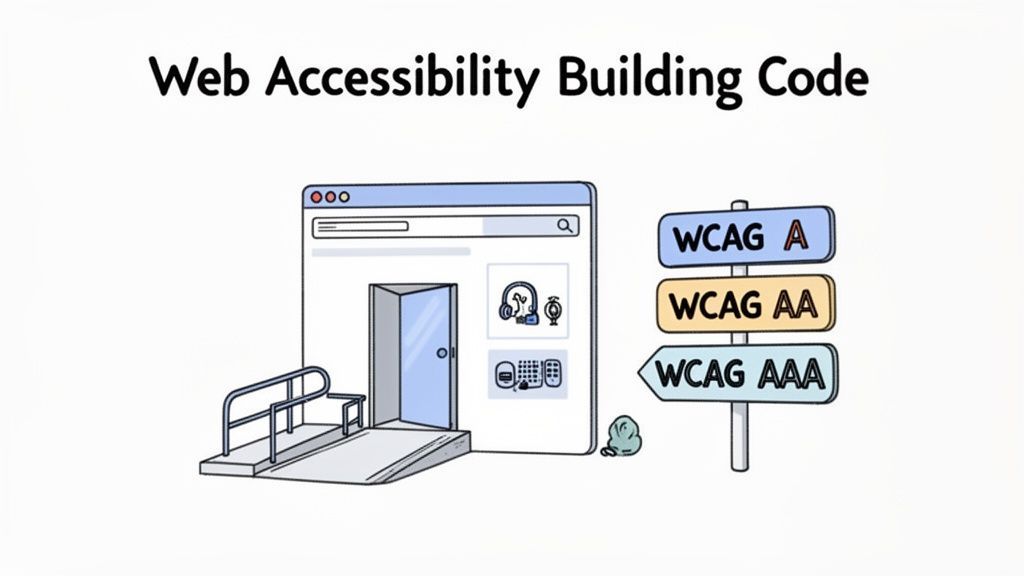
Think of WCAG as the official building code for the internet. A physical building needs ramps and accessible restrooms to meet ADA requirements; a website needs to follow WCAG. These guidelines give your developers and designers a clear, globally accepted set of technical rules to build by. It’s not just a friendly suggestion—it’s the benchmark used in courtrooms and corporate policies to decide if a website is truly compliant.
The Gold Standard: WCAG 2.1 AA
When people in the know talk about accessibility compliance, they’re almost always talking about WCAG 2.1 Level AA. WCAG is broken down into three different levels, with each one creating a more inclusive and usable experience.
Level A (The Foundation): This is the bare minimum. It tackles the most severe and common roadblocks for users with disabilities. If you don't meet Level A, your site is probably impossible for many people to use.
Level AA (The Industry Standard): This is the sweet spot and the goal for most websites. It resolves more complex barriers and opens up your site to a much wider audience. Critically, Level AA is the standard cited in most accessibility lawsuits and government regulations.
Level AAA (The Highest Standard): This is the platinum level of accessibility. While it creates the best possible experience, meeting every single AAA requirement isn't always practical for all types of content. It’s usually a target for government bodies or organizations with a specific mission to serve disabled communities.
Any good ADA compliance audit will measure your site against the WCAG 2.1 AA criteria. This ensures you're meeting the established legal and functional standard.
From Legal Rule to Technical Blueprint
It helps to think about the relationship between the ADA and WCAG like this: The ADA is the law that says, "All public places must be accessible." It doesn't hand you the architectural drawings, though. WCAG provides those exact drawings for the digital world, spelling out how to build a website that works for everyone.
WCAG turns broad legal mandates into specific, actionable instructions. It covers everything from making sure a site works with just a keyboard to adding text descriptions for images and using colors that are easy to read.
This connection is everything. Time and again, courts have pointed to WCAG as the definitive measure of a website's accessibility under the ADA. So, when you're doing an audit, your real goal is to find every place your site fails to meet these specific guidelines. For a deeper dive into the specifics, check out our complete guide to navigating WCAG standards.
By getting this relationship straight, you can lead more effective conversations with your team. Instead of a vague goal like "our site needs to be ADA compliant," you can give them a concrete target: "We need to achieve and maintain WCAG 2.1 Level AA conformance." Everyone knows exactly what they’re working toward.
Choosing the Right Type of ADA Compliance Audit
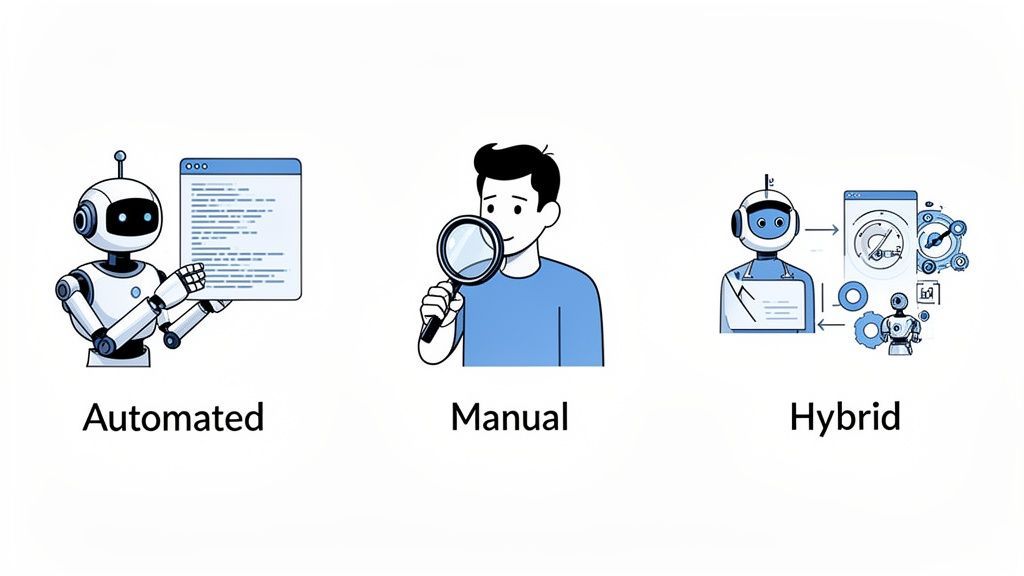
When it comes to an ADA compliance audit, there’s no one-size-fits-all solution. The best path forward really hinges on your budget, timeline, and just how thorough you need to be. Getting this choice right is the first step toward building an accessibility strategy that actually works.
And the need for a solid strategy has never been more urgent. A harsh reality check: only about 3% of the web is genuinely accessible to the 1.3 billion people worldwide living with disabilities. In fact, a shocking 98% of the top 1 million websites have basic, detectable WCAG violations. Simple but critical issues like missing image alt text and poor color contrast are still everywhere, highlighting why we need audits that go beyond a quick scan.
So, where do you start? Let's break down the three main approaches.
H3: The Automated Scan: Your First Line of Defense
Automated testing tools are essentially software programs designed to crawl your website’s code and flag common accessibility mistakes. They are incredibly fast, capable of scanning thousands of pages in minutes to check for clear-cut WCAG violations.
Think of an automated scan like a spell-checker for your code. It's brilliant at catching the obvious, black-and-white errors—an image missing an alt tag, a form field without a label, or a button with no text. This speed makes it an excellent way to get a quick baseline of your site's health.
But here’s the catch. Just as a spell-checker can't tell you if your writing is compelling, an automated tool can't grasp the actual user experience. It can confirm an alt tag is present, but it has no idea if the description is helpful or just nonsensical keyword stuffing.
H3: The Manual Audit: A Deep Dive into Real-World Use
This is where the humans come in. A manual audit is conducted by accessibility experts, often including people with disabilities who rely on assistive technologies like screen readers or keyboard navigation. This is where your website's usability gets a true real-world test.
To stick with our analogy, a manual audit is like hiring a professional editor. The editor doesn't just look for typos; they analyze the flow, clarity, and logic to ensure your message connects with the reader. In the same way, a manual auditor evaluates complex user journeys, checks for logical navigation, and uncovers barriers that software simply can't see.
A manual audit is the only way to answer the most important question: "Can a real person with a disability successfully use this website to accomplish their goal?" This human-centered approach provides the nuanced, qualitative insights that automation will always miss.
H3: The Hybrid Approach: Comprehensive and Reliable
The hybrid audit is exactly what it sounds like: a combination of automated speed and manual depth. This blended method is widely considered the gold standard for a truly thorough ADA compliance audit.
The process usually kicks off with an automated scan to quickly identify and clear out all the low-hanging fruit—those widespread, code-level errors. This initial sweep allows the human auditors to focus their valuable time on the more complex and critical user experience challenges.
By marrying both methods, you get a complete and actionable view of your website’s accessibility. You get the efficiency of technology without sacrificing the irreplaceable insights of human evaluation. To see what this expert-led process involves, you can learn more about the role of professional ADA compliance auditors in our detailed guide. It’s a balanced strategy that ensures nothing falls through the cracks.
To help you decide, here’s a straightforward comparison of the three audit types.
Comparison of Website Accessibility Audit Types
Understanding the strengths and weaknesses of each audit method can help you choose the best approach for your organization.
| Audit Type | Pros | Cons | Best For |
|---|---|---|---|
| Automated | Fast, scalable, and great for catching common code-level errors. Cost-effective for initial scans. | Prone to false positives and negatives. Cannot evaluate user experience or context. Covers only about 30% of potential issues. | Quick health checks, continuous monitoring in development (CI/CD), and identifying low-hanging fruit. |
| Manual | In-depth and accurate. Assesses real-world user experience with assistive technologies. Identifies nuanced and complex issues. | Slower and more resource-intensive. Requires specialized expertise, making it more expensive. | Achieving the highest level of compliance, deep-diving into critical user journeys, and validating automated findings. |
| Hybrid | Combines the speed of automation with the depth of manual testing for the most comprehensive results. | Can be the most expensive option, as it requires both tools and expert time. | Organizations committed to robust, long-term accessibility, preparing for legal compliance, or launching a major new website or feature. |
Ultimately, the right choice balances your immediate needs with your long-term accessibility goals. A quick automated scan might be a good starting point, but a hybrid audit provides the confidence and clarity needed to create a truly inclusive digital experience.
Your Step-by-Step ADA Audit Workflow
Turning the idea of accessibility into a real, working plan takes a structured approach. An ADA compliance audit isn’t a one-and-done task; it’s a methodical process that moves from big-picture discovery to fixing specific, nitty-gritty issues. Following a clear workflow ensures your team’s efforts are focused, efficient, and truly aimed at meeting WCAG 2.1 AA standards.
Think of it like building a custom home. You don't just show up with a hammer and some wood. You start with a blueprint (scoping), pour a solid foundation (testing), frame the house (remediation), and do a final walkthrough (validation) to make sure everything is perfect before you move in.
Phase 1: Define the Scope and Key User Journeys
Before a single line of code gets tested, you have to draw a map of the territory. A successful audit kicks off with a clear, agreed-upon scope. This simply means deciding exactly which parts of your website or app you're going to test and what standards you're aiming for.
The goal here is to focus on what actually matters to your users. Instead of trying to test every single page—which is a nightmare for large sites—you want to pinpoint the critical user journeys. These are the essential paths someone takes to get something done on your site.
For an e-commerce store, these journeys might be:
- Finding a product using the search bar.
- Checking out product details and images.
- Adding an item to the shopping cart.
- Going through the entire checkout process.
If you're a B2B service provider, it could look like:
- Finding the main services page from the homepage.
- Locating the company’s contact information.
- Filling out and submitting a "Request a Demo" form.
By mapping out these key paths first, you make sure your audit resources are aimed at the most important parts of your website. This gives you the biggest bang for your buck, improving both compliance and the real-world user experience.
Phase 2: Execute Comprehensive Testing
Once you know what you’re testing, it's time to roll up your sleeves and start the audit. This is where you’ll systematically hunt for accessibility barriers using a smart mix of automated tools and human expertise. As we’ve discussed, this hybrid approach is by far the most effective.
First, you run an automated scan to get a quick, site-wide baseline. This instantly flags common code-level mistakes like missing alt text on images or poor color contrast, giving your team a punch list of low-hanging fruit to fix right away.
Next comes the crucial part: manual testing. Here, accessibility experts step into your users' shoes. They navigate those critical journeys you identified earlier using the same assistive technologies your audience relies on, such as:
- Screen Readers: Tools like JAWS or NVDA that read web content out loud for visually impaired users.
- Keyboard-Only Navigation: Tabbing through the site to make sure every button, link, and form field works without a mouse.
- Magnification Tools: Zooming in significantly to see if the layout breaks or text becomes unreadable.
This hands-on testing is what uncovers the subtle, real-world usability problems that automated tools always miss, giving you a complete and accurate picture of your site's accessibility health.
Phase 3: Analyze Findings and Prioritize Remediation
A raw list of errors isn't very helpful. The real value of an audit comes from a report that’s clear, insightful, and actionable. A top-notch audit report doesn’t just point out problems—it explains their impact on users, provides code-level examples, and gives crystal-clear recommendations on how to fix them.
The point of the reporting phase is to turn a mountain of technical data into a strategic game plan. It should empower your developers, not bury them in a confusing list of violations.
With a report in hand, prioritization is everything. Not all accessibility issues carry the same weight. A smart way to organize the work is to categorize each issue by user impact (how badly it blocks someone) and level of effort (how hard it is for a developer to fix).
For example, an "Add to Cart" button that’s completely invisible to a screen reader is a critical-impact showstopper that needs to be fixed yesterday. On the other hand, a minor color contrast issue on a link in the footer is still important, but it can probably wait. This practical approach ensures your team tackles the biggest roadblocks first, making an immediate difference for users with disabilities.
Phase 4: Implement Fixes and Validate Results
Now it's time for your development team to jump in and start implementing the fixes outlined in the audit report. During this remediation phase, open communication between the accessibility experts and your developers is vital to make sure the solutions are built correctly the first time.
But once the fixes are deployed, you’re not done yet. Validation is the final, non-negotiable step. An accessibility expert needs to go back and re-test every single issue that was marked as "fixed." This is to confirm that the solution actually works as intended and didn't accidentally create a new bug somewhere else. Only after an issue passes this final check can it be considered truly resolved.
This entire workflow is far easier to manage with a dedicated compliance platform. Tools like the WebAbility.io Platform offer a central dashboard to oversee every stage—from automated scans and issue tracking to reporting and ongoing monitoring—transforming a complex project into a sustainable governance strategy.
Transforming Audit Findings Into Action
An ADA compliance audit report is a roadmap, not a destination. Its real value comes from what you do with it. The next step—and it’s a big one—is to turn that list of technical problems into clear, actionable tasks for your developers and content creators. This isn’t about a one-time fix; it’s about building accessibility into the way you work.
Creating a Clear Remediation Plan
With the audit report in hand, the first job is to create a prioritized action plan. Let’s be realistic: not all accessibility issues carry the same weight. You need to organize the findings in a way that your team can actually execute, focusing on the changes that will make the biggest difference first.
A practical way to do this is to categorize each issue by two simple factors:
- User Impact: How badly does this problem block someone with a disability? A "Purchase" button that a screen reader can't find is a showstopper. A minor color contrast issue in the footer, while still important, is less critical.
- Implementation Effort: How much time and what kind of resources will it take to fix? Some things, like adding missing alt text to an image, are quick wins. Others might demand a serious overhaul of your code.
By sorting your to-do list this way, your team can jump on the high-impact, low-effort tasks right away. You get immediate improvements for users while you budget time and resources for the more complicated fixes down the road.
Building an Accessibility-First Culture
Fixing the problems you have today is great, but preventing them from happening again is even better. Truly turning your audit findings into lasting change means weaving accessibility into the fabric of your organization. It has to become a non-negotiable part of how you build and maintain your digital properties.
True accessibility isn't a project with an end date; it's a continuous commitment. It requires a mindset shift where every designer, developer, and content creator considers inclusivity from the very beginning.
This means putting automated accessibility checks into your development pipeline, training your teams regularly, and making accessibility a mandatory sign-off before any new feature goes live.
This flowchart breaks down the simple, repeatable process for putting your audit into practice.
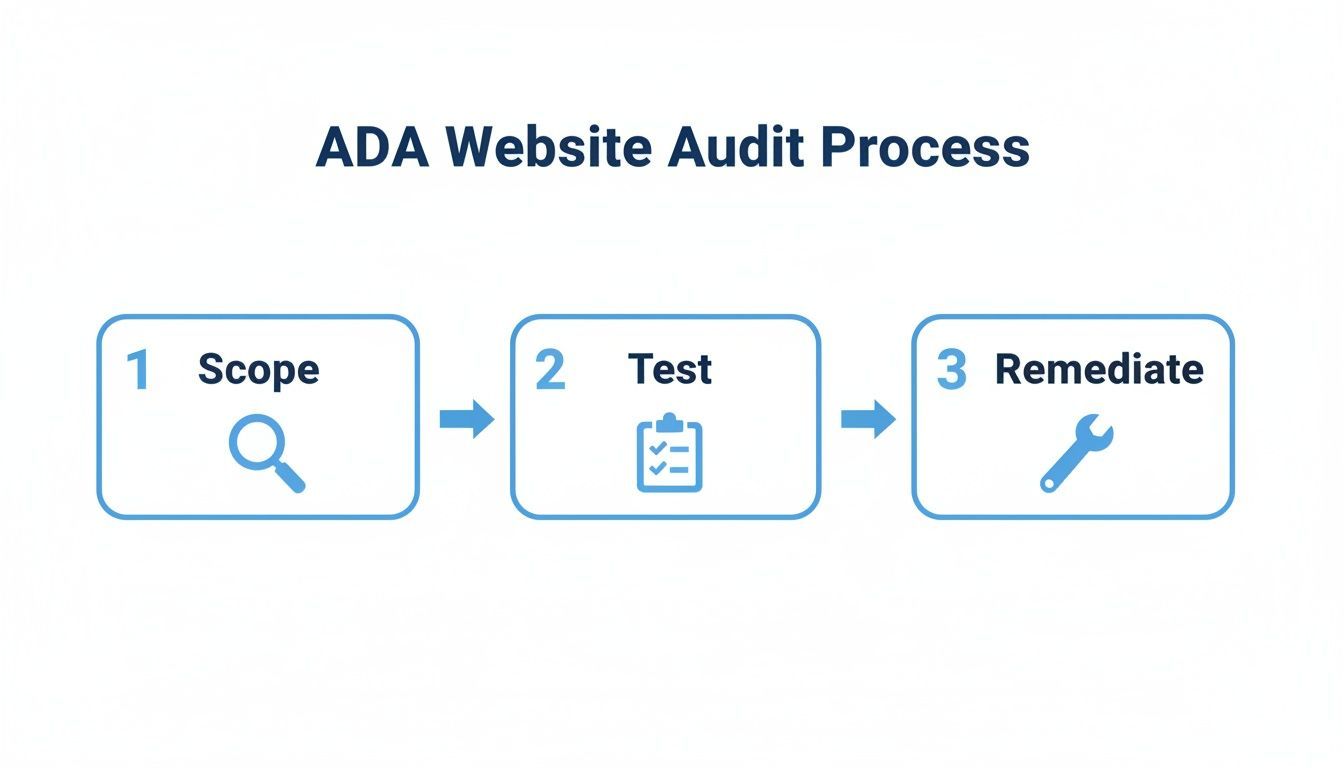
As you can see, remediation isn't just a suggestion—it's the core, hands-on phase that logically follows any thorough testing.
Using Platforms for Sustainable Compliance
Trying to manage all of this with spreadsheets and email chains can get messy, fast. That's why so many organizations are turning to specialized tools for help. The digital accessibility software market ballooned to $670.37 million in 2023 and is projected to hit $1,373.92 million by 2032. This isn’t a coincidence. This growth is a direct response to a staggering 42% jump in web accessibility lawsuits, which is pushing companies to get serious about managing compliance. You can read more about the trends driving the digital accessibility market.
A centralized platform helps your team track progress, keep stakeholders in the loop, and maintain a clear record of your compliance efforts. It brings much-needed structure to the entire workflow. For any organization looking to build a robust, long-term strategy, exploring ADA website compliance services can provide the expert support and framework needed to not only fix today's issues but also build a more inclusive digital future.
Common Questions About the ADA Audit Process
Your Quick Answers on ADA Audits
Got questions about diving into an ADA compliance audit? You're not alone. Let's get you some quick, straightforward answers on what to expect for costs and timing, how different accessibility tools fit in, and how often you should be checking your site to stay compliant.
How Much Does an ADA Compliance Audit Cost and How Long Does It Take?
There's no single price tag for an ADA audit, as the cost and timeline really hinge on your website's size and complexity. For a small informational site with just a handful of page templates, you might be looking at a few thousand dollars and a couple of weeks of work.
But for a large e-commerce site with complex features like custom checkout flows and interactive tools, the investment could easily surpass $15,000 and take a month or more to complete.
Several key factors will shape the final quote and schedule:
- The number of unique page templates that require a human touch.
- The complexity of on-page functions, from forms to media players.
- The type of audit you choose—a hybrid manual and automated audit is the gold standard but naturally requires more resources.
The most important step is getting a clear scope of work from your audit provider. This ensures there are no surprises and helps you budget properly, aligning the project with your business goals from the very beginning.
What Is the Role of an Accessibility Solution?
It's helpful to think of an audit and an accessibility solution as two different players on the same team. The audit is your diagnostic expert. It goes deep into your site's code to find the root cause of every WCAG violation, essentially creating a detailed repair manual for your developers.
An accessibility solution, like a managed service or an on-site widget, acts more like a user-facing concierge. It can offer immediate improvements like text-to-speech readers, high-contrast modes, or keyboard navigation overlays, allowing users to tailor the experience to their needs on the fly. When you pair a deep code audit with a user-facing solution, you get a powerful, two-pronged strategy for real-world accessibility.
How Often Should I Conduct an Audit?
Think of your website as a garden, not a statue. It’s constantly changing with new content, features, and code updates. Because of this, an ADA audit isn't a one-time task. A full, comprehensive audit is best performed annually or whenever you roll out a major redesign or launch a significant new feature.
In between those deep dives, you need to keep an eye on things. Running automated scans monthly or even weekly can help you catch new issues before they snowball. This steady rhythm shifts accessibility from a one-off project into a core part of how you operate, making sure your digital front door is always open to everyone.
Take the guesswork out of your accessibility strategy. WebAbility.io provides an end-to-end platform that combines automated scanning, detailed reporting, and expert audit services to help you achieve and maintain compliance. Start your journey toward a more accessible website today.
Quick Questions
Tap to ask AI about this article