ADA Compliance Website Testing Made Simple

Sidharth Nayyar
Sidharth Nayyar
Ready to make your website accessible? Engage with our team or start a free trial today.
Tap to ask AI about this article
TLDR: Effective ADA compliance website testing combines automated scans to catch widespread code errors with manual checks to ensure real-world usability. The goal is to meet WCAG 2.1 Level AA standards, which is the benchmark for legal compliance and creating an accessible experience. This involves regular testing, not just a one-time audit, and integrating accessibility practices into your team's daily workflow.
When you dive into ADA compliance website testing, you're essentially looking at two sides of the same coin: using smart automated tools to catch widespread coding errors and then rolling up your sleeves for manual checks to see how a real person actually experiences your site. The goal here is to meet the WCAG 2.1 Level AA conformance standard. This isn't just a technical benchmark; it's the widely accepted measure for legal compliance and, more importantly, for creating a website that welcomes everyone.
Getting started with accessibility testing can feel daunting, but it doesn't have to be. Let's cut through the jargon and get straight to a practical starting point. The best way to think about it is like editing a document: you'd run a spellchecker first to catch the obvious typos, then have a human editor read it for flow and clarity. Both are essential. Compare the options in our guide to the best web accessibility testing tools.
The same logic applies to your website. A solid testing strategy relies on a combination of automated scans and human-led manual checks.
The entire world of digital accessibility is built on the Web Content Accessibility Guidelines (WCAG). These guidelines are the rulebook for making your site accessible to people with various disabilities. They're broken down into three levels of conformance: A, AA, and AAA.
For nearly every business, the sweet spot is WCAG 2.1 Level AA. This level tackles the most common and significant barriers that users with disabilities face. It’s also the standard most frequently cited in legal cases, making it a clear and defensible target for your compliance efforts.
Here's a sobering reality check: digital accessibility is still a massive issue. Despite all the talk, a staggering 96% of websites are not compliant with the Americans with Disabilities Act. That means only 4% of sites currently meet the standard, which is a huge gap that needs closing. You can dig deeper into these website compliance statistics on Accessibility.works.
To get a complete picture of your website's accessibility, you can't rely on just one method. Automated tools are fantastic for speed and scale, but they can't tell you if the site is genuinely usable. Manual testing fills that gap by simulating the experience of a real person using assistive technologies.
| Testing Method | What It Checks | Key Strengths | Limitations |
|---|---|---|---|
| Automated Scans | Scans code for clear-cut WCAG violations like missing alt text, low color contrast, and incorrect heading structures. | Fast, efficient, and great for finding widespread issues across many pages at once. | Can only detect 20-30% of all accessibility issues. Prone to false positives and misses usability problems. |
| Manual Checks | Simulates user experiences, including keyboard-only navigation, screen reader testing, and checking logical flow. | Uncovers critical usability and context-based issues that automated tools miss. | More time-consuming and requires a deeper understanding of assistive technologies and user needs. |
Ultimately, you need both. The automated scan gives you a high-level roadmap of what to fix, while the manual check ensures the journey through your site is smooth and logical for everyone.
This simple workflow is the key to getting it right. Start with the broad automated scan, then bring in the human element with manual checks. This combination is what leads to a truly accessible website.
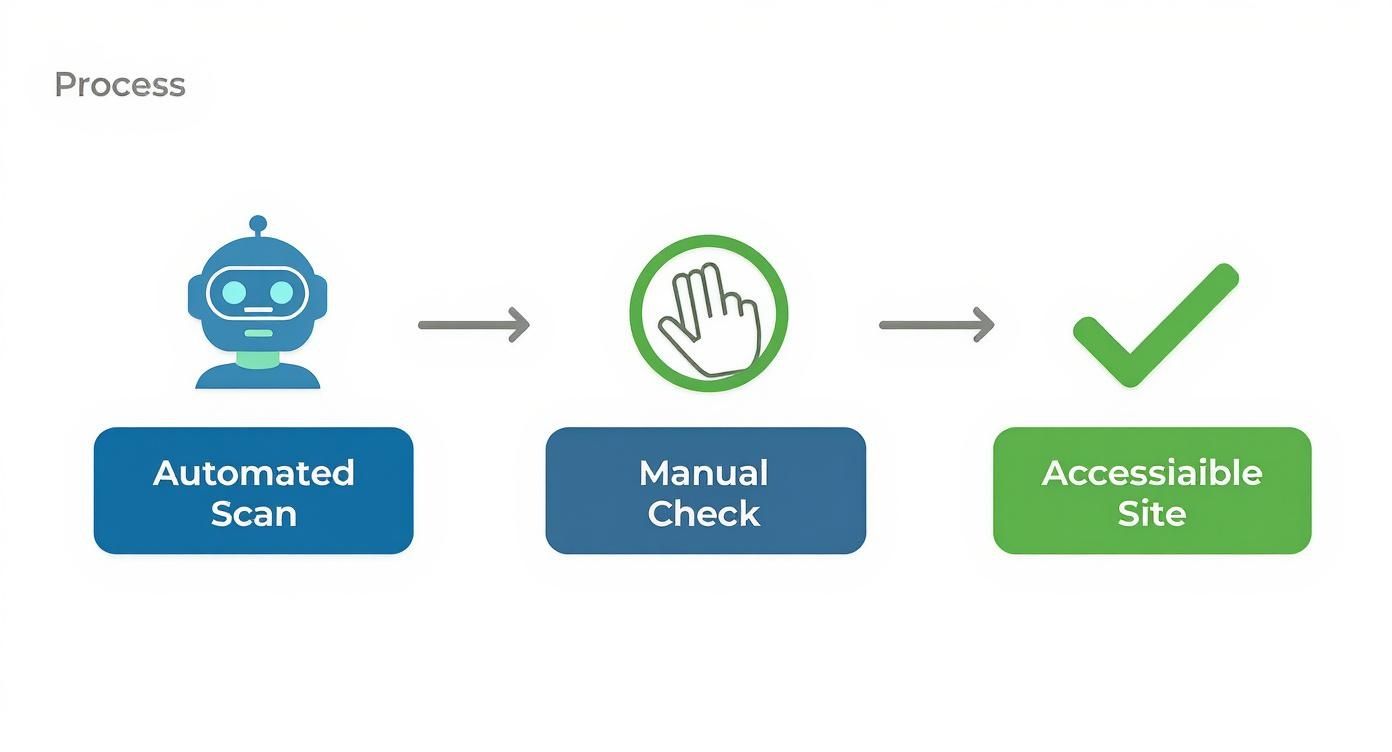
Think of it this way: a scan can tell you if a door exists, but only a person can tell you if it's too heavy to open or if there's a step in front of it. Neither method is enough on its own; blending them is the most effective path to genuine compliance. With this foundation, you'll be ready to confidently tackle the hands-on work of making your website work for everyone.
Too often, I see businesses treat accessibility like a chore—a legal box to be ticked off a list. But that’s a huge mistake. Thinking of it that way means you're missing the bigger picture. Digital accessibility isn't just about avoiding a lawsuit; it’s a genuine business strategy that opens doors to new customers, strengthens your brand, and frankly, is just the right thing to do.
Before we dive into the "how" of auditing your site, it’s critical to understand the "why." This isn't just about compliance. It’s about recognizing that an accessible website is a powerful engine for growth, loyalty, and market expansion. In today's climate, sitting on the sidelines is no longer an option.
The legal ground is shifting fast, and the spotlight on businesses is getting brighter. ADA website accessibility lawsuits are not just happening; they're spiking.
A recent analysis really drives this point home. In just the first half of 2025, a staggering 2,014 cases were filed in the United States. That’s a 37% jump from the same time last year. This trend is a clear signal that legal action over inaccessible websites is becoming more common.
While the threat of a lawsuit is a powerful motivator, focusing only on that is a defensive—and limited—mindset. The real conversation is about the immense upside you're missing out on. An accessible website is your gateway to a huge, and largely underserved, segment of the market.
When you make your website inclusive, you’re not just dodging a legal bullet; you're actively welcoming a wider audience. This proactive stance shows a real commitment to social responsibility, something that resonates deeply with today's consumers and builds a much stronger brand reputation.
This commitment pays off in tangible ways. From my experience, companies that get serious about accessibility tend to see real benefits:
A Wider Customer Base: You’re essentially opening your digital doors to millions of potential customers with disabilities who hold significant spending power.
Stronger Brand Loyalty: A user-friendly, inclusive experience creates goodwill and builds a fiercely loyal community around your brand.
Better SEO: It's a happy coincidence that many accessibility best practices—like clear heading structures and descriptive alt text for images—are exactly what search engines love. It’s a win-win for visibility.
Let’s be clear: ignoring accessibility comes with a hefty price tag that goes far beyond court fees. We break down all the cost of ADA non-compliance in another guide, but the risks to your finances and reputation can snowball quickly, damaging both your bottom line and your public image.
Ultimately, running through an ADA compliance website test is a smart investment in your company’s future. It shields you from legal headaches while unlocking new revenue, building a more respected brand, and ensuring your business truly serves everyone. This isn’t just a legal hoop to jump through; it's a competitive advantage for the taking.
When you're first diving into an ADA compliance website testing project, automated tools are the perfect place to start. I always think of them as the first wave of an audit—they're incredibly fast and efficient at sweeping across your entire site to catch common, code-level accessibility problems. They give you a quick diagnostic, highlighting issues you can fix right away for some immediate wins.
These scans are fantastic at finding black-and-white violations of the Web Content Accessibility Guidelines (WCAG). Their algorithms are built to catch technical mistakes that are easy for a human to miss, especially on bigger sites with thousands of pages. An automated tool can check every single image for missing alt text in a matter of minutes—a task that would take a person days.
The real power of automated tools is their ability to operate at scale. They crawl your site methodically, checking the code against a known set of WCAG rules. This lets them flag specific, often-repeated issues with pinpoint accuracy.
They’re especially good at catching things like:
Missing Alt Text: This is a classic. The tool will find every image that’s missing a text description, which is essential for anyone using a screen reader.
Low Color Contrast: It can instantly spot text that doesn't stand out enough from its background—a huge hurdle for people with visual impairments.
Broken Links and ARIA Errors: Scans can detect dead-end links and incorrect ARIA attributes that can completely derail assistive technologies.
Improper Heading Structure: A tool will immediately notice when headings (H1, H2, H3) are out of order, which messes up the logical flow for screen reader users.
Automated scanning is the essential first step in any accessibility audit. It provides a data-driven baseline, allowing you to quickly identify and categorize the "low-hanging fruit" and build a prioritized roadmap for remediation. This initial scan gives you momentum and clarity.
After the scan finishes, you'll get a report, and it will be full of data. The real trick is turning that raw information into a clear to-do list for your team. A quality report won't just dump a list of errors on you; it'll group them by type, severity, and where they appear, which helps you spot patterns.
For instance, if the scan reveals that 80% of your product images are missing alt text, you know you have a systemic problem—it's likely an issue with your CMS or your content creation process. Or, if hundreds of your pages fail a color contrast check, that points to a fundamental flaw in your site's design template. Fixing these root causes is way more effective than tackling each problem one by one.
Of course, choosing the right tool matters. You'll find everything from free browser extensions for quick developer spot-checks to comprehensive platforms that provide detailed reporting for project managers. If you need some help navigating the options, our guide on the top automated accessibility testing tools is a great place to start. Getting this initial automated step right in your ADA compliance website testing really sets the stage for the more nuanced, human-led testing that comes next.
Automated scans are a great first step in any ADA compliance website testing, but they can only tell you so much. To really get a feel for how usable your website is for people with disabilities, you have to put yourself in their shoes. That means rolling up your sleeves and doing some manual checks.
This is where you move from a technically compliant site to one that’s genuinely easy and pleasant for everyone to use. An automated tool can see a button in the code, for instance, but it has no idea if that button is impossible for someone who can't use a mouse to actually click. That’s why manual testing is so important.
One of the first things I always do is a keyboard-only navigation test. It’s simple, but it uncovers a ton of basic usability problems. A lot of people with motor disabilities, along with many blind users, navigate the web using only their keyboard.
Just unplug your mouse. Seriously. Now, try to get around your website using only the Tab key. Can you get to every link, button, and form field? Is the order logical? Can you actually trigger them with the Enter or Spacebar key?
As you go, keep an eye out for these common issues:
Visible Focus: When you tab to a new element, is it obvious where you are? There should be a clear visual outline or "focus ring." If you can't tell what's selected, you're lost.
Sensible Order: Does the focus jump logically from one element to the next, like reading a book? Or does it leap randomly around the page?
Keyboard Traps: This is a big one. Can you get stuck somewhere, like inside a pop-up modal or an embedded video player, with no way to tab out?
Next up, you need to find out how your site communicates with people who are blind or have low vision. Screen readers are tools that read on-screen content aloud, turning text and code into synthesized speech. Firing up a screen reader like NVDA (which is free) or JAWS for the first time is a truly eye-opening experience.
Listen closely as you navigate. Does the screen reader announce a link's destination, or just a generic "click here"? When it gets to an image, does it read helpful alt text, or does it just say something useless like "image123.jpg"? These small details completely change the experience. And since so much traffic is mobile, applying flawless mobile testing practices is also key to ensuring a good experience on every device.
Manual testing is where compliance meets empathy. It forces you to move beyond code and engage with the real-world experience of your users. This process uncovers the nuanced, context-driven barriers that automated tools will always miss.
The W3C Web Accessibility Initiative (WAI) has a fantastic, extensive list of evaluation tools that can help with both automated scanning and manual checks.
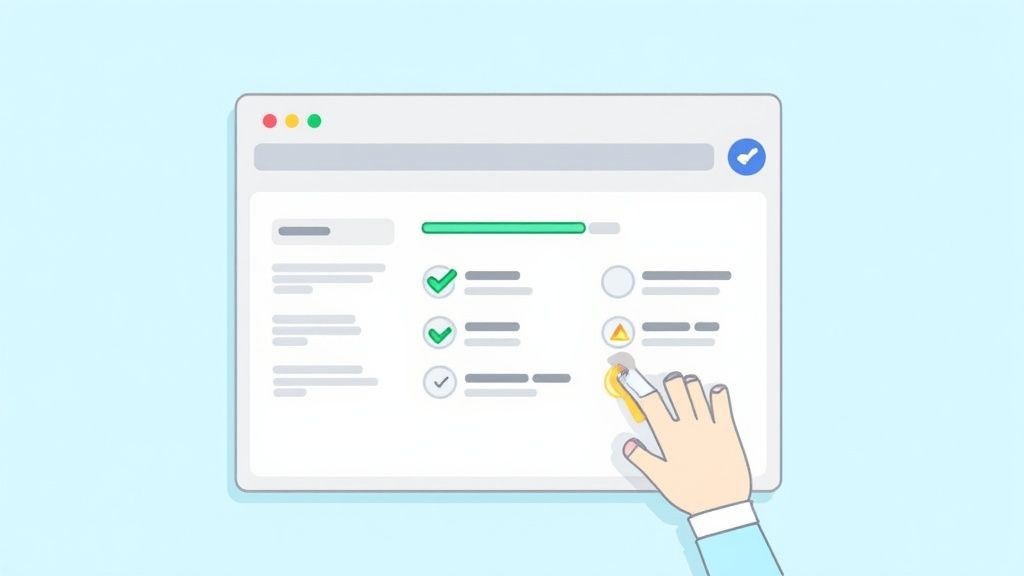
This directory is great for finding the right tool for the job, whether you need a simple browser extension or a full-blown evaluation suite.
At the end of the day, these manual checks provide the deep, human insights that automated scans just can't. They are the absolute core of any thorough ADA compliance website testing process. If you're looking for a more structured approach, our guide on how to perform a complete web accessibility audit can give you a more detailed roadmap.
A one-time audit is a great start, but it's just that—a start. Real, sustainable accessibility doesn't come from a single checklist. It comes from shifting your entire mindset from reactive fixes to proactive design.
You have to weave accessibility into the very fabric of your team's daily process. Inclusion becomes everyone's job, from the first brainstorm all the way to the final code push.
The payoff for this approach is huge. Fixing an accessibility issue during the design phase is exponentially cheaper and easier than trying to patch it after a product is already live. The goal is to make ADA compliance website testing a continuous loop, not a one-off event you scramble to complete.
Truly embedding this mindset means pulling it as far left as possible. I've found that integrating accessibility into the software development discovery phase is a game-changer, making it a foundational element from day one.
The only way to maintain compliance over the long haul is to make it a natural, almost instinctual part of your design and development cycles. This cultural shift starts by arming your team with the right knowledge and tools.
For Designers: Hand them checklists that force them to think about color contrast, focus states, and logical content hierarchy before they even start designing.
For Developers: It's about training them to write inclusive code by default. This means semantic HTML and proper ARIA attributes become second nature, not an afterthought.
For Content Creators: Teach them why descriptive alt text, clear headings, and readable link text matter for every single thing they publish.
This proactive mindset is no longer just a best practice; it's becoming a requirement. With the updated Department of Justice rules in 2024, state and local governments are now on the clock. Jurisdictions with 50,000 or more residents must meet WCAG Level AA standards by April 24, 2026.
Don’t treat accessibility as a final, separate step before launch. That’s a recipe for delays and frustration. Instead, build accessibility reviews directly into your existing project management framework, like sprint planning and key milestones.
A great tool for this is the Accessibility Conformance Report (ACR), which is often based on a Voluntary Product Accessibility Template (VPAT). This document is a formal way to track and declare how your website conforms to specific standards. It provides a clear benchmark for everyone on the team to work toward.
When accessibility becomes a standard agenda item in project kickoffs and a mandatory checkpoint before launch, it stops feeling like a burden and starts becoming a habit. It’s this consistent, baked-in attention that ensures your digital products aren’t just compliant on day one, but stay inclusive as they evolve. It's the only strategy that really works.
https://www.youtube.com/embed/_B1o6DyLCVY
Once you start digging into digital accessibility, a few questions always seem to pop up. It's totally normal. Getting a handle on these key concepts from the start will give you a solid foundation for your ADA compliance website testing and help you build a more inclusive experience with confidence.
Let's clear up some of the most common points of confusion I hear from teams just like yours.
This is probably the most frequent question I get, and the confusion is understandable. People often use ADA and WCAG interchangeably, but they play very different roles.
Here’s a simple way to think about it: the Americans with Disabilities Act (ADA) is the "what," and the Web Content Accessibility Guidelines (WCAG) is the "how."
The ADA is a major U.S. civil rights law that prohibits discrimination against people with disabilities. It’s broad and powerful, but it wasn't written with specific code snippets or design instructions for websites. That's where WCAG comes into the picture. It provides the detailed, technical roadmap for making web content accessible to everyone. In legal cases, U.S. courts consistently point to WCAG as the standard for measuring whether a website is meeting its obligations under the ADA.
To satisfy the legal spirit of the ADA, your practical goal is to conform to the technical standards of WCAG. Specifically, WCAG 2.1 Level AA is the widely accepted benchmark that covers the most critical and common barriers for users with disabilities.
Accessibility isn't a "set it and forget it" task. Thinking of it as a one-off project is a recipe for trouble, because as soon as you add new content or features, your site can fall out of conformance.
I always recommend a full, in-depth accessibility audit at least once a year. This gives you a comprehensive baseline and a clear picture of your site's overall health.
But the real magic happens when you make accessibility a part of your daily routine. You should be running smaller, more frequent checks every time you:
Launch a new feature
Redesign a key page
Publish a new blog post or video
Update your site's code
By integrating accessibility into your regular development and content creation cycles, you stop problems before they start. This proactive approach is far more effective and less costly than fixing a mountain of issues once a year.
This is a tricky one. The goal shouldn't be to claim 100% "compliance," because that's not really a thing. The ADA doesn't provide an official government checklist or certification for websites. It's a law, not a technical manual.
A much better and more accurate goal is to achieve "conformance" with a specific, defensible standard—like WCAG 2.1 Level AA. This gives your team a clear, measurable target and shows you've done your due diligence.
From a practical and legal standpoint, your best defense is demonstrating a consistent, good-faith effort to make your site accessible. This involves:
Regular Testing: Using a mix of automated tools and expert manual audits.
Clear Documentation: Keeping detailed records of your audits, findings, and the fixes you implement.
Ongoing Remediation: Having a process to actively fix issues as they're discovered.
Ultimately, a robust and continuous accessibility program is the most effective way to mitigate legal risk while creating a genuinely welcoming digital space for everyone.
Ready to build a defensible, future-proof accessibility program? WebAbility.io provides an end-to-end platform with AI-enhanced tools, real-time monitoring, and expert support to help you achieve and maintain compliance with confidence. Discover how our solutions can streamline your ADA compliance website testing and open your brand to a wider audience at https://www.webability.io.