What Is Title III A Plain English Guide to ADA Website Compliance

Sidharth Nayyar
TLDR: Title III of the ADA requires businesses to make their websites accessible to people with disabilities. This applies to almost all businesses, including online-only ones. The best way to comply is by following the Web Content Accessibility Guidelines (WCAG) 2.1 Level AA. Ignoring this can lead to expensive lawsuits, so a proactive approach combining automated tools and expert audits is the smartest strategy.
Think of Title III of the Americans with Disabilities Act (ADA) as a fundamental civil rights law that guarantees people with disabilities have the same access to businesses as everyone else. While it’s easy to picture this in the physical world—like a ramp at a storefront—the law extends to your digital front door, too.
Simply put, your website and mobile apps are considered “public accommodations,” meaning they must be accessible to all.
What is Title III? A Plain-English Guide
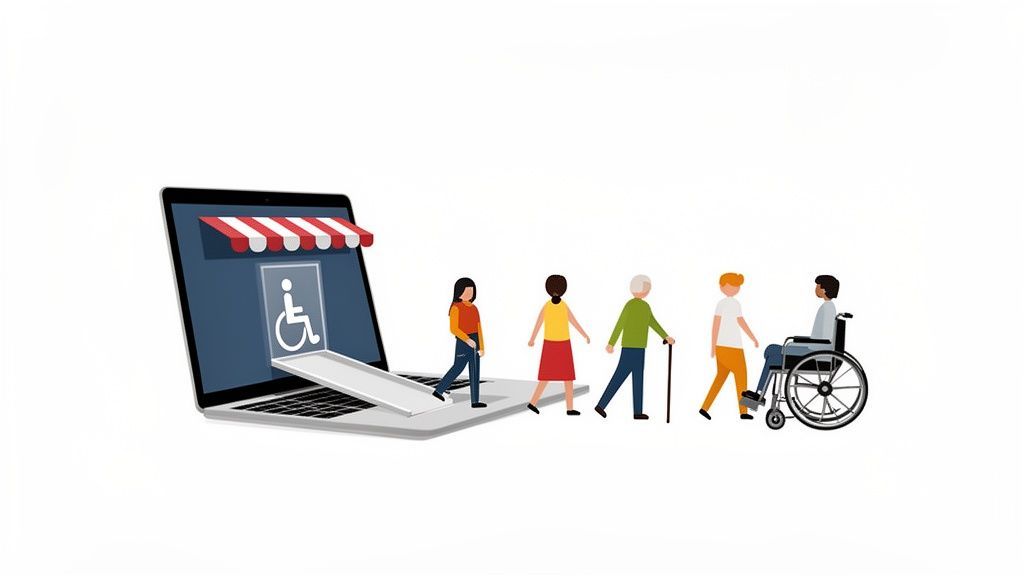
At its heart, Title III is about equal opportunity. For a brick-and-mortar business, that means providing things like wheelchair ramps or signs in Braille. This same principle applies directly to your online presence. Today, U.S. courts consistently treat websites, apps, and other digital services as places of public accommodation.
This means your business could be violating federal law if your website isn't usable for everyone. For example, if someone with a visual impairment can't navigate your site with a screen reader, or if a person with a motor disability can't click a button because they don't use a mouse, you've created a barrier. The entire point of the law is to knock down these barriers and bring people with disabilities fully into the mainstream.
Title III at a Glance
To make this even clearer, here's a simple breakdown of what Title III covers:
| Concept | Brief Explanation |
|---|---|
| Purpose | Prohibits discrimination against individuals with disabilities, ensuring they have full and equal enjoyment of the goods, services, and facilities offered by any place of public accommodation. |
| Who Must Comply? | Privately-owned businesses that serve the public. This includes retailers, restaurants, hotels, theaters, banks, and—by legal precedent—their corresponding websites and mobile apps. |
| Primary Standard | The Web Content Accessibility Guidelines (WCAG) have become the universally accepted benchmark for determining whether a digital property is accessible and compliant with the ADA. |
This table simplifies the core ideas, but the real-world application is what truly matters for your business.
The Legal Foundation for Digital Access
The ADA was signed into law back in 1990, long before the internet shaped our daily lives. But its core mission—to prevent discrimination—is timeless. Over the years, the Department of Justice (DOJ) and federal courts have made it clear that these protections are not confined to physical spaces.
The exclusion of online-only businesses from the ADA’s coverage is often seen as inconsistent with the law's mandate to ensure equal access. Shopping on a retail website is not meaningfully different from shopping at a physical store.
This ongoing interpretation is precisely why digital accessibility is no longer optional. To help businesses find a clear path forward, the Web Content Accessibility Guidelines (WCAG) are now the gold standard. Adhering to WCAG is the most reliable way to make sure your digital storefront is genuinely open for business to everyone. You can learn more about what ADA accessible means and how it all connects.
Ultimately, getting a handle on Title III is the first, most crucial step. It’s not just about mitigating legal risk; it’s about creating an inclusive experience for the over one billion people worldwide who live with a disability.
How Title III of the ADA Applies in a Digital World
When Title III of the Americans with Disabilities Act was signed into law back in 1990, it was all about preventing discrimination in "places of public accommodation." Think stores, restaurants, and movie theaters—the brick-and-mortar spots people visit every day. The internet as we know it wasn't even on the radar.
But the core idea behind the law—ensuring everyone has equal access—is timeless. Over the years, courts have consistently stretched that principle to cover the digital world. Your website, mobile app, or online portal is now seen as today’s “digital storefront.” It’s where people go to learn about your business, buy your products, and use your services.
This means your digital platforms are held to the same accessibility standards as your physical locations. You wouldn't put a barrier in front of your main entrance, right? In the same way, your website can't be built in a way that blocks access for people with disabilities.
From Wheelchair Ramps to Clean Code
It helps to think about the parallels between physical and digital access. A store needs a ramp so a wheelchair user can get inside. A website needs to be coded correctly so someone who is blind can navigate it with a screen reader.
The heart of the matter is this: a public accommodation must provide equal access, whether it’s a physical space or a virtual one. Shopping online isn't fundamentally different from shopping in a store, and the law has evolved to treat them the same.
This shift isn't happening in a vacuum. It’s being pushed forward by both the Department of Justice (DOJ) and a long line of court rulings. The DOJ, which is in charge of enforcing the ADA, has made it clear that websites fall under Title III. And while they haven't handed down a specific set of technical rules, their enforcement actions consistently point to the Web Content Accessibility Guidelines (WCAG) as the benchmark for compliance.
The Legal Ground Is Shifting
The legal landscape is anything but static. Courts are increasingly clarifying that even online-only businesses are subject to Title III. You don't need a physical storefront for your website to be considered a place of public accommodation.
A recent federal court decision in Minnesota, for example, confirmed that web-only businesses are covered, reinforcing a nationwide trend. This isn't an outlier; it’s part of a broader interpretation of the ADA’s goal: to integrate people with disabilities into every part of modern life. For a deeper dive into this topic, you can explore our detailed guide to website accessibility laws.
This growing legal consensus means that simply hoping for the best is no longer a viable strategy. Proactive compliance has become a business necessity. We’ve seen a sharp rise in legal challenges, making Title III a central focus of digital accessibility lawsuits.
In fact, one recent year saw a 7% increase in ADA lawsuits, culminating in 8,800 ADA Title III complaints filed against businesses. This data makes the growing legal risk for non-compliant organizations impossible to ignore.
Why You Can't Afford to Wait
Ignoring digital accessibility puts your business in a vulnerable position, both legally and financially. Companies that don't make their websites accessible are opening themselves up to lawsuits, expensive settlements, and significant damage to their brand's reputation. A reactive approach is just too risky when plaintiffs and law firms are actively searching for inaccessible websites.
But this is about more than just avoiding trouble. A proactive commitment to accessibility shows that you value inclusivity and want to serve every customer well. It opens your doors to millions of potential customers with disabilities who want to engage with your brand. Ultimately, creating a welcoming digital experience for everyone isn't just a legal requirement—it's a smart business move that builds trust, loyalty, and your bottom line.
The Real-World Impact of Title III on Businesses
The theory behind Title III is one thing, but seeing how it plays out for real businesses is another. This isn’t just an academic exercise in legal definitions; it’s a core part of modern risk management. As commerce has moved from Main Street to the internet, accessibility rules have come right along with it, creating very real consequences for businesses that don't keep up.
Simply put, ignoring digital accessibility is no longer an option. We've seen a massive shift in litigation, with a huge number of ADA Title III lawsuits now aimed squarely at websites and apps. In a single year, individuals with disabilities filed over 4,000 lawsuits in federal and state courts over digital barriers. What's really telling is that 77% of these lawsuits targeted companies with under $25 million in revenue. This isn't just a "big company" problem; small and mid-sized businesses are very much in the crosshairs. You can dig into the data on these ADA Title III trends to see the full picture.
What Triggers a Lawsuit?
Legal action doesn't just happen randomly. It's usually sparked by specific, preventable barriers that stop people with disabilities from doing basic things online. Think of them as digital "steps" leading up to your front door—they effectively lock out a whole group of potential customers.
Here are the most common culprits cited in legal complaints:
Incompatible with Screen Readers: When a website isn't coded properly, screen readers—the software people with visual impairments use to browse the web—can't make sense of the content. This makes navigation impossible.
Missing Alt Text on Images: Images without descriptive alt text are just blank spaces to a screen reader. All the information in that product photo or important icon is completely lost.
Can't Be Used with a Keyboard: Many people with motor disabilities navigate with a keyboard, not a mouse. If they can't get to your menus, fill out your forms, or click your buttons using the Tab key, they're stuck.
Poor Color Contrast: Text that blends into the background is unreadable for people with low vision or color blindness. It's like printing your menu in invisible ink.
These aren't just minor technical glitches. They're fundamental flaws that prevent someone from using your website the way it was designed to be used.
The Real Costs of Getting It Wrong
The financial fallout from a Title III lawsuit is much more than just a single settlement payment. The costs of non-compliance are layered, hitting your bottom line and your brand's reputation hard.
An accessibility lawsuit isn't just a legal problem—it's a business problem. The costs ripple through an organization, affecting legal budgets, marketing teams, and developer resources, all while sending a negative message to customers.
Let's break down what you’re actually paying for:
Legal Fees and Defense Costs: The meter starts running the second a demand letter hits your inbox. Defending an ADA lawsuit can easily run into tens of thousands of dollars, even if you settle quickly.
Settlement Payouts: To avoid a long, expensive court battle, most businesses choose to settle. This usually involves paying the plaintiff directly and, critically, agreeing to fix your website.
Website Remediation Expenses: Trying to fix an inaccessible website under the pressure of a lawsuit is almost always more expensive than just building it right in the first place. You're often forced to hire specialized auditors and developers on a tight, legally mandated deadline.
Brand and Reputational Damage: Nothing sours a brand's image like a public lawsuit. It tells customers you're not inclusive, which can drive away business and make it harder to attract partners and talent.
Ultimately, looking at accessibility as a form of risk management just makes good business sense. Being proactive isn't only about checking a compliance box—it’s a smart, strategic decision that protects your company, opens your doors to more customers, and shows you're committed to serving everyone.
Your Practical Roadmap to Title III Website Compliance
Knowing the risks of a non-compliant website is one thing, but actually doing something about it is what truly protects your business. Taking a proactive approach isn't just about sidestepping lawsuits; it’s about creating a better, more inclusive online experience for everyone. This roadmap will walk you through the essential steps, starting with the one standard everyone in the accessibility world agrees on.
The Gold Standard: WCAG
While Title III of the ADA doesn’t give you a technical checklist, the courts and the Department of Justice (DOJ) consistently point to one place: the Web Content Accessibility Guidelines (WCAG). The simplest way to think about WCAG is as the official blueprint for building that digital ramp.
These guidelines are built around four core principles, often called POUR: Perceivable, Operable, Understandable, and Robust. For any business looking to get serious about compliance, the target is WCAG 2.1 Level AA. This is the level most often referenced in legal settlements and DOJ guidance. Hitting this standard shows you're making a genuine, good-faith effort to open your digital doors to all.
Let's quickly break down what those four principles actually mean for your website.
The Four Core Principles of WCAG
| Principle | What It Means for Your Website |
|---|---|
| Perceivable | Users must be able to perceive the information being presented. This means providing text alternatives for non-text content (like alt text for images) and ensuring content can be presented in different ways without losing information (like a simple layout). |
| Operable | The interface can't require interaction that a user cannot perform. Think keyboard accessibility for everything, giving users enough time to read and use content, and avoiding content that is known to cause seizures. |
| Understandable | Information and the operation of the user interface must be understandable. This involves making text readable and predictable, and helping users avoid and correct mistakes (like clear error messages on a form). |
| Robust | Content must be robust enough that it can be interpreted reliably by a wide variety of user agents, including assistive technologies. This means using clean code that follows standards so that screen readers and other tools can make sense of it. |
In short, these principles ensure your site is built to work for people, not just for a specific browser.
Starting with a Thorough Accessibility Audit
The first step toward compliance is figuring out where you stand right now. An accessibility audit is like a professional inspection of your digital property, designed to uncover every single barrier that could trip up a user with a disability.
This is much more than just running an automated scanner. For instance, many businesses conduct comprehensive UX audits as part of this process to see where their digital platforms are falling short. A proper audit blends automated tools with hands-on manual testing by experts who use assistive tech—like screen readers—the same way a blind user would.
The chart below shows the straightforward risk businesses run when these barriers aren't addressed.
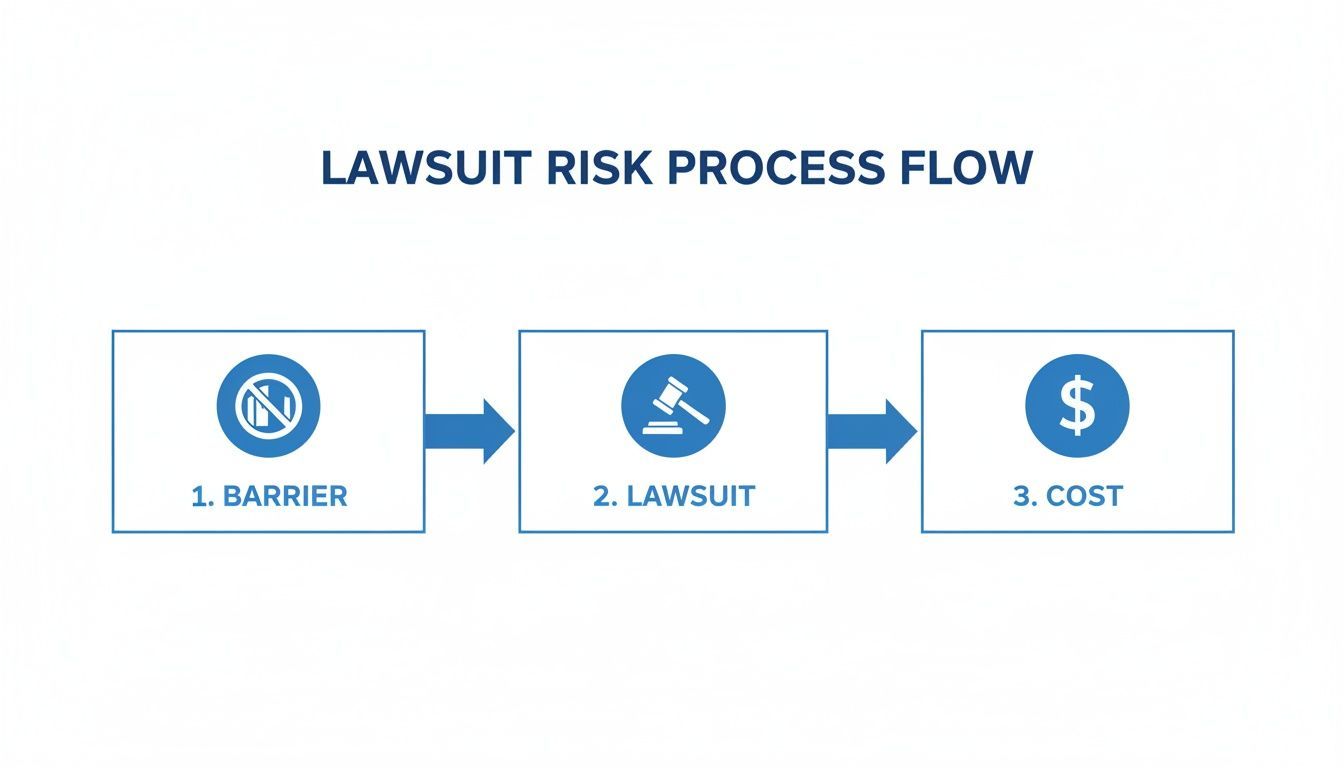
It’s a direct line: a barrier on your site can quickly lead to major legal and financial headaches.
Your Actionable Remediation Checklist
Once your audit shows you the problem areas, it's time to start fixing them. This is the remediation phase, where you tackle the technical and content issues creating those barriers. While every site has unique challenges, most of the work usually falls into a few key categories.
Here's a practical checklist to get your team started:
Ensure Full Keyboard Navigation: Can you use your entire website with just the Tab, Enter, and arrow keys? Every link, button, and form field must be fully operational without a mouse. This is a non-negotiable for users with motor impairments.
Write Meaningful Alt Text for Images: Every image that conveys information needs descriptive alternative text. For purely decorative images, use a null alt attribute (
alt="") so screen readers know to ignore them.Check and Fix Color Contrast: Grab a contrast checker tool. You need a ratio of at least 4.5:1 for normal text and 3:1 for large text against its background to meet the WCAG AA standard.
Add ARIA Labels Where Necessary: For custom interactive elements that aren't standard HTML (like a uniquely designed menu), Accessible Rich Internet Applications (ARIA) attributes can give screen reader users the context they need to understand what's happening.
Structure Content Logically: Use your heading tags (H1, H2, H3) correctly to build a clear outline of the page. This is one of the most important ways assistive technology users navigate and understand your content.
Maintaining Long-Term Compliance
Getting compliant isn't a one-and-done project. It's a commitment. Accessibility needs to become part of your team's DNA, woven into your everyday workflows.
This means training your developers, designers, and content creators on best practices. Every new blog post, product launch, or site update needs to be checked for accessibility from the start. Adopting this "accessibility-first" mindset ensures your digital doors stay open to everyone, all the time. For a deeper dive into specific rules, check out our guide on ADA website compliance guidelines.
By following these steps, you build a framework that doesn't just reduce legal risk—it creates a better, more usable experience for every single customer.
A Smarter Path to Title III Compliance
So, how do you actually get this done? Knowing you need to be compliant is one thing, but putting a plan into action without derailing your entire business is another. The real goal is to build an inclusive digital presence that works for everyone, and modern tools have made this much more achievable.
The most effective strategy I've seen in my experience is a hybrid one. You blend the efficiency of technology with the irreplaceable nuance of human expertise. This combination ensures you catch the wide-net issues with automation while also understanding the real-world experience of your users. It covers all your bases.
Using Technology to Do the Heavy Lifting
Let’s be honest: manually checking every line of code on your site isn’t practical. This is where technology becomes your greatest ally, simplifying how you achieve and, just as importantly, maintain accessibility. AI-powered tools and accessibility widgets can be a game-changer.
Think of these tools as having two functions. First, they help your internal team find and fix problems. Second, they can offer immediate, on-the-fly adjustments for your visitors, like screen reader enhancements or color contrast options. This allows users to tailor their experience right away, making your site more welcoming from the get-go.
The secret to long-term success is weaving accessibility into your daily operations. It's not a one-and-done project. It's about continuous monitoring and regular updates to stay ahead of legal risks.
If you're looking for a great starting point, this ultimate website accessibility checklist breaks down the technical requirements into manageable steps.
The Power of a Centralized Dashboard
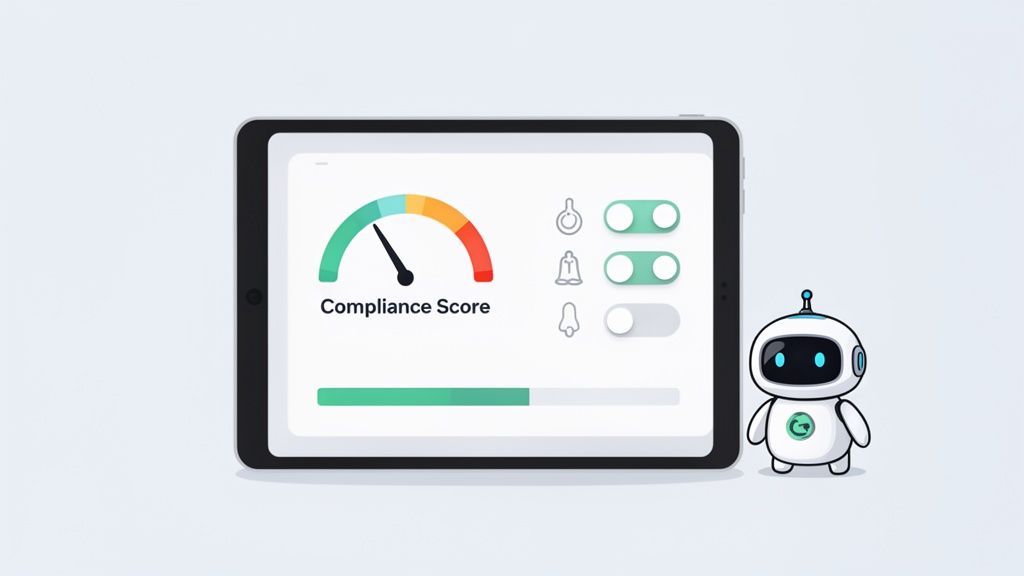
As your website or app grows, trying to keep track of accessibility can feel like whack-a-mole. A centralized dashboard is the answer. It pulls everything together into one place, giving you a clear, single source of truth for your compliance status.
This command center is essential for ongoing monitoring. It lets you:
Run Automated Scans: Set up regular scans to automatically flag new issues, especially after you've pushed an update or added new content.
Track Your Compliance Score: A simple score gives you a visual snapshot of your progress, helping you set clear goals and show improvements to leadership.
Spot Historical Trends: See if the same types of problems keep popping up. This helps you fix the root cause—maybe a faulty template or a training gap—instead of just patching symptoms.
This approach turns compliance from a vague, intimidating goal into a measurable part of your business strategy.
Why You Still Need Human Experts
Technology is fast and scalable, but it has its limits. Automated tools are fantastic at finding black-and-white code violations, but they can easily miss issues that impact a real person’s ability to use your site. This is why a complete strategy absolutely must include human experts.
Expert services fill the gaps that automation can’t:
Manual Audits: Real people, including those who rely on assistive technologies every day, test your site’s usability. They navigate it from a human perspective, finding frustrating dead ends or confusing layouts that a scanner would never notice.
Remediation Guidance: A good audit doesn't just give you a list of problems; it provides your developers with clear, actionable instructions on how to fix them according to WCAG standards.
Team Training: To make this stick, experts can train your team—from developers to content writers—on accessibility best practices. This builds an internal culture where inclusivity is second nature, not an afterthought.
When you combine the power of automated monitoring with the deep insights from manual audits, you create a truly robust framework. This integrated approach doesn't just check a legal box; it ensures your digital presence is genuinely usable and welcoming for everyone.
Answering Your Questions About Title III and Web Accessibility
Let's cut through the noise. When it comes to the ADA and your website, there's a lot of confusing information out there. Here are the straight answers to the questions we get asked most often.
TLDR: Quick Answers to Your Top Questions
Does Title III apply to my website? Yes, it absolutely does. Courts have consistently ruled that commercial websites are "places of public accommodation."
What happens if I'm not compliant? You're opening your business up to lawsuits. These can be incredibly expensive, not just in legal fees and settlements, but in the damage they do to your brand.
Is my small business exempt? No. The ADA doesn't have a small business loophole. In fact, most digital accessibility lawsuits are aimed squarely at small and medium-sized businesses.
What standard should I follow? The Web Content Accessibility Guidelines (WCAG) 2.1 Level AA. This is the gold standard that courts and legal experts recognize.
Can I achieve compliance on my own? You can try, but it's a huge risk. The best approach is always a mix of automated tools and detailed manual audits from experts. This is the only way to be sure your site is truly accessible and legally sound.
Who Really Needs to Comply with Title III?
One of the biggest misconceptions is that Title III only applies to large corporations. The truth is much simpler: if your business serves the public, the law applies to you.
The law was written to cover any "public accommodation," a term that courts have stretched to include just about every business imaginable—from your local coffee shop and dentist's office to major banks and retailers. More importantly, this rule now applies to their digital storefronts, too. If you have a website that people use to interact with your business, it's seen as an extension of your physical space.
And no, there's no "small business exemption." Data shows that over 75% of digital accessibility lawsuits target companies with less than $25 million in annual revenue. This isn't just a big-company problem; it's a critical issue for everyone.
What If My Business Is Online-Only?
This was a gray area for a while, but the debate is pretty much over. Federal courts across the country have made it clear: online-only businesses are also subject to Title III.
The reasoning is simple. Denying someone access to your e-commerce store is functionally the same as locking the door to a physical shop. So much of our lives and commerce now happens online, and excluding digital businesses would completely miss the point of the ADA. You don't need a brick-and-mortar location to have a legal responsibility to be accessible.
WCAG: The Unofficial Rulebook for Compliance
While Title III tells you that you need to be accessible, it doesn't give you a technical how-to guide. In the absence of specific government regulations, the legal system has consistently pointed to one single, comprehensive standard: the Web Content Accessibility Guidelines (WCAG).
Think of WCAG as the official set of blueprints for building an accessible website. It provides a clear, internationally recognized framework with testable criteria for making web content work for people with all kinds of disabilities.
When a lawsuit lands, the settlement almost always demands that the business bring its website into conformance with WCAG 2.1 Level AA. Following this standard is, without a doubt, the single best way to protect your business and show you're making a good-faith effort to comply with the law.
Can We Just Handle This In-House?
It's tempting to think you can tackle accessibility on your own, but it's a much bigger job than most people realize. It requires a deep understanding of assistive technologies and how people with disabilities actually navigate the web. A common mistake is relying solely on an automated scanner.
These tools are helpful, but they can only detect around 30% of WCAG issues. That leaves you wide open to legal action for the 70% of problems they completely miss.
A smart accessibility strategy blends technology's scale with human insight. Automation is great for catching code-level errors, but only a human expert can identify the real-world usability barriers that frustrate users and lead to lawsuits.
The most effective and legally defensible approach is a hybrid one. Use automated tools for day-to-day monitoring, but pair them with comprehensive manual audits conducted by accessibility specialists. This dual strategy ensures you fix not just the easy-to-find code issues but also the complex user experience problems that machines can't see.
Getting compliant with Title III doesn't have to be a nightmare. WebAbility.io offers a complete solution that combines powerful AI tools with expert human oversight, giving you a clear and sustainable path to accessibility. See how we can help protect your business and welcome every customer at https://www.webability.io.
Quick Questions
Tap to ask AI about this article