What Is Compliance Reporting? a Guide for Web Teams

Sidharth Nayyar
Compliance reporting is the systematic process of providing verified evidence that your organization meets regulatory standards and internal policies, and it matters because non-compliance costs businesses an average of $4,005,116 in annual revenue losses while CEO and board-level compliance reporting saves $1.08 million on average. For web teams, that makes reporting more than documentation. It becomes a way to reduce risk, prioritize fixes, and turn compliance work into measurable UX and business improvement.
Organizations often first encounter compliance reporting as a legal deliverable. That's too narrow. In practice, it's a governance system for proving what was tested, what passed, what failed, what changed, and what still needs remediation. When that system is built well, it supports accessibility, privacy, security, stakeholder trust, and cleaner internal decision-making.
A mature digital team doesn't treat reporting as a file created at the end of a project. It treats reporting as evidence infrastructure. The report is the output, but the strategic value comes from the workflow behind it: data collection, validation, prioritization, remediation, and leadership visibility.
What Is Compliance Reporting Explained
What is compliance reporting? It's the structured process of collecting, verifying, and presenting evidence that an organization is operating in line with external regulations and internal controls. In web operations, that usually means proving how your site, platform, or digital product aligns with accessibility standards, privacy obligations, security controls, and documented policies.
The financial stakes are high. Non-compliance can cost businesses an average of $4,005,116 in revenue losses annually, while the cost to maintain compliance is less than half that amount. CEO and board-level reporting on compliance efforts saved businesses $1.08 million on average according to Hyperproof's compliance statistics. That changes the conversation. Reporting isn't overhead. It's risk control with executive relevance.
What the process actually looks like
A practical reporting process usually follows a clear chain:
- Aggregate evidence from scans, audits, logs, issue trackers, policy documents, and remediation records.
- Verify accuracy so the report reflects what's true, not what teams assume is true.
- Compile findings into a structured document with scope, evidence, results, and remediation actions.
- Submit or share the report with auditors, regulators, procurement teams, leadership, or internal stakeholders who need proof of compliance posture.
That definition aligns with the practitioner view captured in Sprinto's explanation of compliance reporting, which frames reporting as verified evidence tied to both legal obligations and performance benchmarking.
Practical rule: If a report can't show the evidence behind a claim, it's a status update, not compliance reporting.
Why web teams should care
For digital teams, the report is rarely the end goal. The primary value is what the report forces the organization to do well: document ownership, standardize checks, spot repeated defects, and route fixes to the right people faster. That's where compliance starts affecting user journeys.
Accessibility is a good example. A report that documents keyboard traps, obscured focus states, poor heading structure, and missing form labels doesn't just support legal defensibility. It reveals friction in the experience that also blocks users from completing key actions on high-value pages like pricing, checkout, registration, support, and contact forms.
Why Compliance Reporting Is a Strategic Imperative
A lot of teams still frame compliance reporting as a cost center. That mindset usually leads to rushed audits, fragmented spreadsheets, and reports that live in a shared drive until the next procurement request or legal review. The stronger approach is to treat reporting as operating intelligence.
It creates a defensible audit trail
When reporting is disciplined, teams can show what standards were applied, what systems were tested, what defects were identified, and how remediation was handled. That matters in audits, vendor reviews, public sector procurement, and internal governance.
A defensible report also reduces institutional confusion. Instead of debating whether a team “looked at accessibility,” the organization can point to scope, evidence, dates, and remediation history. Legal, product, design, engineering, and leadership all work from the same record.
It improves trust across the organization
Trust doesn't come from claiming compliance. It comes from being able to show your work. Good reporting gives executives a clearer view of risk, gives product managers a cleaner backlog, and gives development teams a practical map of what to fix first.
For digital leaders, E-E-A-T holds real operational significance:
- Experience means the report reflects how users actually interact with the site, not just automated scan output.
- Expertise means findings are mapped to the right standards and interpreted correctly.
- Authoritativeness comes from structured evidence, repeatable methods, and clear ownership.
- Trustworthiness comes from transparent limitations, documented scope, and remediation follow-through.
It helps improve UX and CRO
Compliance reporting becomes strategic. The same issues that create compliance exposure often create user friction. Hidden focus indicators, weak form feedback, low-contrast text, inaccessible navigation, and unclear error handling make it harder for people to complete tasks.
For a digital team lead, that means compliance data can inform optimization priorities on your most important pages. Homepage navigation. Category pages. Product detail pages. Signup flows. Quote forms. Checkout. Support portals. If reporting shows users may struggle to use or understand those experiences, the fix isn't just about conformance. It's about reducing friction where conversions happen.
The strongest compliance reports don't stop at “pass” or “fail.” They show where experience quality is breaking down and who needs to act on it.
It strengthens internal linking and page prioritization
A strategic reporting workflow also helps teams decide where to focus content and technical effort. If a report identifies recurring issues across your pricing page, checkout flow, and support center, those become natural candidates for stronger internal linking, remediation attention, and CRO testing.
That's one reason smart web teams don't distribute effort evenly. They use reporting to support highly important pages first. The pages that drive revenue, lead capture, customer service deflection, or procurement confidence should have the cleanest evidence trail and the clearest user path.
The Anatomy of a Powerful Compliance Report
Most weak reports fail for the same reason. They contain findings, but they don't create a reliable chain between standards, evidence, and action. A strong report does.
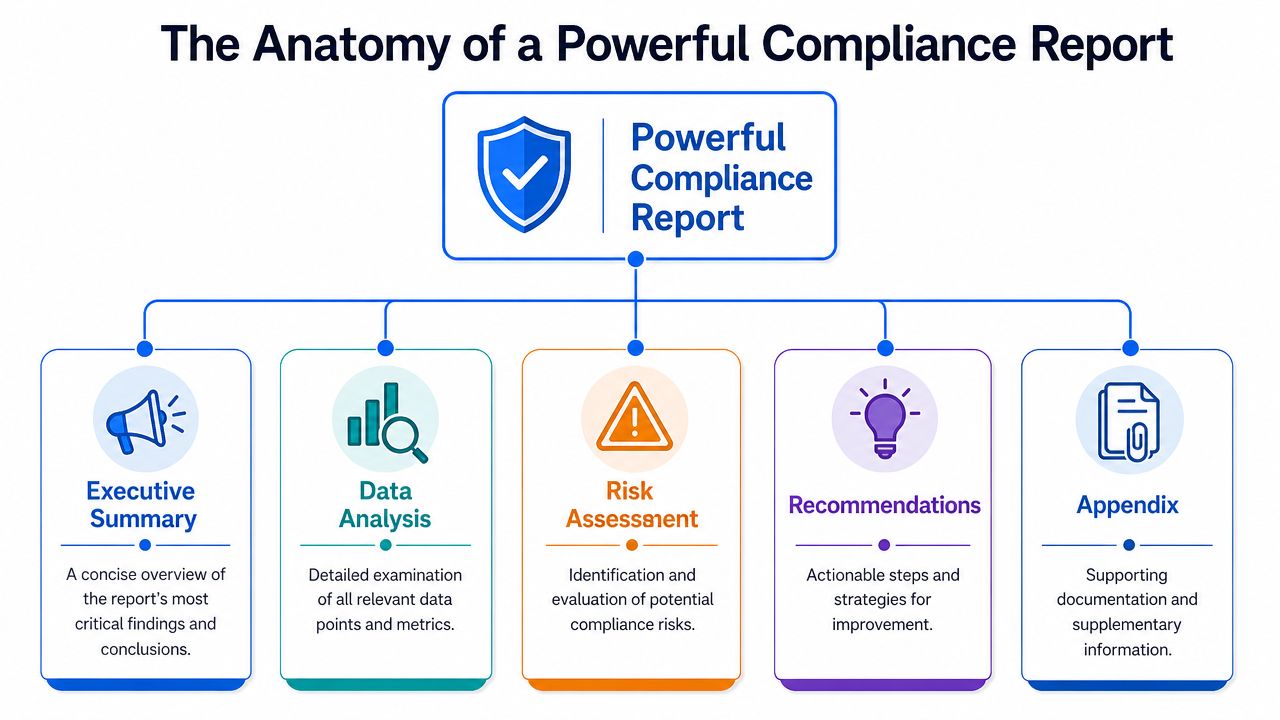
A complete report needs five core elements. Secureframe's guidance on compliance reports identifies them clearly: Executive Summary, Scope, System Description, Attestation of Compliance, and Remediation Plan. Reports that miss these elements, especially the remediation plan, are often rejected by auditors.
Executive Summary and Scope
The Executive Summary is where leadership gets the signal without reading the entire document. It should answer a few practical questions fast:
- What standard or policy was assessed
- What the overall status is
- Where the major risks sit
- What decisions or resources are needed next
The Scope defines boundaries. This sounds simple, but it's where many reports become unreliable. Scope should identify the pages, systems, user flows, environments, time period, and testing assumptions included in the review. If a report doesn't define scope tightly, readers can't tell what the findings cover.
System Description and Attestation
The System Description explains the environment being assessed. For web teams, that might include the CMS, frontend framework, design system, third-party scripts, embedded tools, authentication layers, and content governance model. This section gives auditors and stakeholders enough context to understand where compliance controls live and where risk may be introduced.
The Attestation of Compliance is the evidence core of the document. It should map each requirement to proof. That may include manual test notes, scan outputs, issue IDs, screenshots, code samples, policy references, and remediation validation.
A report becomes credible when each claim can be traced back to concrete evidence.
Remediation Plan
The Remediation Plan is where a report stops being archival and starts being useful. It should identify:
- Priority level based on user impact and risk
- Owner for each issue or issue group
- Recommended fix path
- Status and retest requirement
- Target review cadence
For teams working on achieving website compliance standards, this section is what turns a report into an operational document instead of a static PDF.
A practical trade-off exists here. If the remediation plan is too technical, leadership won't use it. If it's too high level, engineering can't act on it. The best reports translate between those audiences without dumbing anything down.
Key Types of Reports for Modern Web Teams
Web teams usually deal with three reporting categories more than any others: accessibility, privacy, and security. They overlap in process, but the evidence requirements are different, and confusing them creates weak reporting.
Accessibility reporting
Accessibility reports are the most visible compliance reports for many digital teams because they touch design, content, development, QA, procurement, and legal review all at once. A serious accessibility report doesn't just say a site “follows WCAG.” It documents the scope, methods, defects, affected components, and remediation path.
Formal claims have specific requirements. According to the W3C WCAG 2.2 documentation, any conformance claim must include the date of the claim, the full guidelines title or version or URI, the exact conformance level, and a description of the web pages covered by the claim.
That matters because many teams publish vague accessibility statements that sound reassuring but don't hold up as formal reporting. Precision matters. So does technical specificity. For example, WCAG 2.2 AA includes success criterion 2.4.11 Focus Not Obscured (Minimum), which requires that when a user interface component receives keyboard focus, at least a portion of it remains visible and not hidden by overlapping content, as explained in this WCAG 2.2 accessibility discussion.
For public entities, timing matters too. The U.S. Department of Justice's final rule for ADA Title II requires state and local government websites to meet WCAG 2.1 Level AA, with deadlines described in this ADA website compliance timeline summary.
Teams preparing this documentation usually start with performing an accessibility audit, then build the report around verified findings and remediation evidence.
Privacy reporting
Privacy reporting focuses on proof of lawful data handling. That can include consent records, data processing documentation, disclosure practices, incident handling, and governance controls around personal information. For a web team, the operational challenge is often proving what scripts, forms, cookies, and third-party tools are doing across the site.
A useful comparison comes from ecommerce operations. Teams often rely on structured reporting libraries like Amazon Seller Central reports because operational decisions become easier when reporting categories are explicit and repeatable. The same principle applies to privacy compliance. Clear reporting taxonomy improves governance.
Security reporting
Security compliance reports document controls related to system integrity, access, monitoring, and incident response. For digital teams, these reports often intersect with platform architecture, hosting, third-party services, deployment workflows, and account permissions.
A common mistake is to isolate security reporting inside infrastructure teams. In reality, modern websites depend on frontend code, embedded vendors, and customer-facing workflows that can introduce risk. If the report doesn't reflect that shared ownership, the evidence will look complete on paper and incomplete in practice.
A Sample Web Accessibility Report Structure
Theory helps, but teams usually need a working template. A solid web accessibility report should read like a document an auditor, procurement officer, legal reviewer, product lead, and frontend developer can all use without guessing what the findings mean.
What to include in the outline
The structure below keeps the report practical. It also mirrors the way good accessibility work gets reviewed: high-level summary first, evidence next, remediation last.
| Report Section | Content/Evidence Example |
|---|---|
| Executive Summary | Overall accessibility status, major issue categories, business risk summary, leadership actions needed |
| Scope | List of tested URLs, templates, user flows, devices, assistive technology assumptions, testing dates |
| Standards Referenced | WCAG version and level, ADA or Section 508 applicability, internal design system rules |
| Methodology | Automated scanning, manual keyboard testing, screen reader checks, form review, component inspection |
| System Description | CMS, frontend framework, reusable components, third-party widgets, embedded media, navigation model |
| Findings Summary | Grouped issues such as focus visibility, alt text quality, color contrast, labels, heading hierarchy, modal behavior |
| Evidence and Attestation | Screenshots, issue IDs, code references, sample affected pages, pass/fail mapping against criteria |
| Remediation Plan | Issue owner, fix recommendation, priority, status, retest requirement |
| Conformance Claim Details | Date of claim, full WCAG title/version/URI, conformance level, list or description of covered pages |
| Appendix | Raw scan outputs, test notes, accessibility statement draft, glossary, change log |
How teams use it in practice
This format works because each audience gets what it needs:
- Leadership gets risk visibility and priority decisions.
- Product and UX get patterns, affected journeys, and backlog direction.
- Developers get issue-level evidence tied to components and code.
- Legal and procurement get traceable documentation.
Good accessibility reporting doesn't just document defects. It documents decisions.
If your team needs a reusable starting point, WebAbility helps with compliance reports through structured report workflows that can support documentation and remediation tracking.
One practical tip matters here. Don't write the report as if every reader already knows WCAG terminology. Keep the evidence technical, but keep the summaries readable. That's how reports survive beyond the audit moment and become useful to the broader organization.
Best Practices for Effective Reporting Workflows
The biggest workflow mistake is treating compliance reporting as a quarterly scramble. That creates stale evidence, incomplete ownership, and long remediation cycles. Teams work better when reporting is continuous enough to support decisions while still structured enough for audit readiness.
The market is moving that way. 85% of business executives report that compliance requirements have become more complex, 82% of companies plan to invest more in technology to automate compliance activities, and 72% identified regulatory disclosures and reporting as a top area for technology use according to Stripe's global compliance and reporting guide.
Build a reporting system, not a document habit
A reliable workflow usually includes these operating principles:
- Automate repeatable checks so teams aren't manually recreating the same evidence every cycle.
- Separate detection from validation because automated scans can identify patterns, but humans still need to confirm severity and context.
- Track issues by component and journey so recurring defects in forms, menus, carousels, and modals are visible across the site.
- Centralize ownership so product, design, engineering, and compliance teams aren't each maintaining conflicting versions of status.
For accessibility reporting in particular, a centralized platform can support scanning, issue tracking, trend history, and executive summaries. One option is automated compliance monitoring, which helps teams keep reporting tied to current site conditions instead of one-time assessments.
Prioritize pages that matter commercially
Not every page deserves the same reporting intensity. Start with the pages that shape trust and conversion:
- Revenue pages such as product, pricing, cart, and checkout.
- Lead generation pages such as demos, contact, quote, and trial signup.
- Support and policy pages where clarity affects customer confidence and legal defensibility.
- Navigation hubs that influence how users reach everything else.
Compliance reporting can support CRO. If your reporting workflow highlights recurring accessibility or usability barriers on commercial pages, you now have evidence to prioritize fixes that improve both conformance and task completion.
Keep leadership reporting short and specific
Executives don't need every defect. They need a short view of risk posture, important trends, blocked remediation, and resource needs. Teams often lose momentum because they send leadership raw issue exports instead of concise summaries tied to business outcomes.
A better executive update usually answers:
- What changed since the last review
- Which risks affect important user journeys
- What teams are doing next
- Where support or budget is needed
That reporting style creates accountability without burying the decision-maker in scan noise.
Overcoming Common Compliance Reporting Challenges
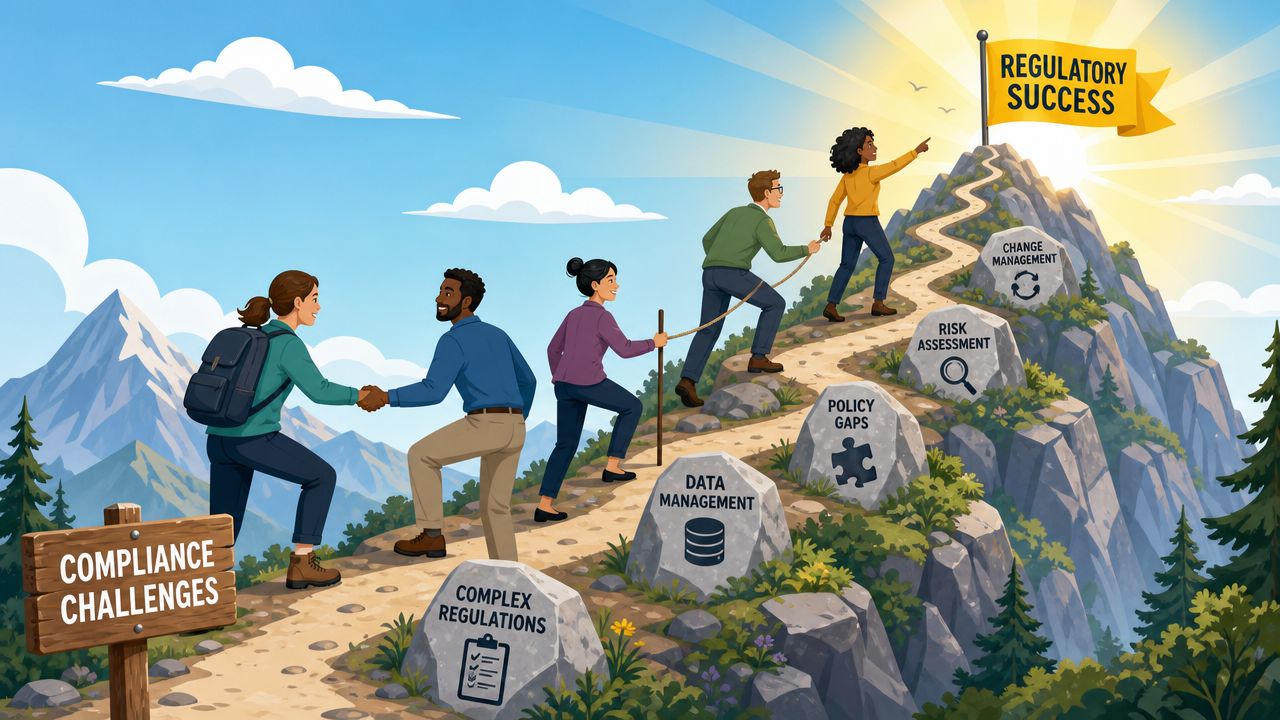
The hardest part of compliance reporting usually isn't writing the report. It's getting clean, current, usable evidence from scattered teams and tools.
Fragmented evidence and vague dashboards
Many organizations pull evidence from issue trackers, scanners, analytics tools, design files, policy documents, spreadsheets, and email threads. The result is usually a report that's technically complete but strategically weak. Nobody can see which issues matter most.
That's why passive tracking isn't enough. As noted in Absorb LMS's discussion of compliance reporting challenges, many teams struggle to move from passive tracking to active prediction, and effective dashboards need to be risk-ranked so they highlight specific high-priority vulnerabilities instead of generic completion rates.
Generic completion rates rarely tell a digital team what to fix next. Risk-ranked reporting does.
Manual work and changing standards
Another common problem is over-reliance on manual assembly. Manual workflows break when content changes quickly, multiple site owners are involved, or standards evolve faster than reporting templates. Web teams feel this acutely because sites are living systems. New components, third-party tools, campaign pages, and design changes can all shift compliance posture.
The practical response is process discipline:
- Use shared evidence standards so each team knows what proof is acceptable.
- Review scope regularly when sites, templates, or tools change.
- Tie remediation to owners instead of assigning generic “web team” responsibility.
- Re-test after fixes so reporting reflects current conditions, not assumptions.
Leadership buy-in often depends on framing
If compliance reporting is presented as a legal task, leadership may underfund it. If it's presented as a risk, UX, trust, and conversion issue, the conversation changes. The same report can support procurement readiness, public sector obligations, user experience improvements, and better prioritization on key pages.
That's the shift mature teams make. They stop asking, “Do we have a report?” and start asking, “Does our reporting help us make better decisions?”
If your team wants a practical way to centralize accessibility evidence, monitor changes over time, and generate documentation that supports governance workflows, WebAbility.io is built for that use case. It combines scanning, reporting, remediation tracking, and executive-level visibility so compliance reporting can support both conformance and better digital experience management.
Quick Questions
Tap to ask AI about this article