How Do You Audit a Website in 2026 for SEO and Accessibility

Sidharth Nayyar

Think of a website audit as a complete health check for your online presence, guided by principles of Experience, Expertise, Authoritativeness, and Trust (E-E-A-T). It's not just about running a quick scan; it's a deep dive into your site’s technical SEO, content strategy, user experience, and accessibility, performed by people with proven experience.
The whole point is to spot what’s holding you back, uncover hidden growth opportunities, and build a concrete action plan. This means blending automated tools with hands-on manual testing to ultimately improve search rankings, keep users engaged, and drive more conversions. By demonstrating expertise in your site's functionality and user needs, you build trust with both users and search engines.
If you're looking to get a head start, a professional SEO audit service can lay the groundwork for you.
TL;DR: Your Fast-Track to an Effective Website Audit
A comprehensive website audit identifies and fixes issues to boost your site's performance, user experience, and conversions. The process involves:
- Automated Scanning: Use tools to quickly find widespread technical SEO, performance, and accessibility errors.
- Manual Testing: Manually check critical user journeys, test with assistive technologies like screen readers, and verify keyboard-only navigation to find issues automated tools miss. This step is crucial for improving your conversion rate.
- Action Plan: Prioritize fixes based on user impact and effort. Create a clear roadmap to guide your development team.
- Continuous Improvement: Shift from one-off audits to ongoing monitoring to maintain quality and continuously enhance your site, which is key for long-term SEO and CRO success.
Your Quick Guide to a Comprehensive Website Audit
So, what does it really mean to audit a website? Picture it as a doctor's check-up for your most valuable digital asset. A thorough audit is a systematic look at your site's performance across the board, from the behind-the-scenes technical code to the content your visitors actually see. This is an exercise in demonstrating expertise and authority over your digital domain.
The goal is always twofold: fix what's broken and find smart ways to make your site work harder for your business. It's about answering the tough questions and generating real, measurable results that contribute to a trustworthy user experience.
The Core Pillars of a Modern Website Audit
Any effective audit is built on a few fundamental pillars. By looking at each one, you get a complete, 360-degree view of your site's health and can pinpoint exactly where to focus your efforts.
To really understand what's going on, an audit needs to cover several key areas. Think of it as a checklist for excellence:
- Technical SEO: Is your site easy for search engines to crawl and index? Are there technical snags like broken links, slow pages, or redirect chains getting in the way?
- Content & E-E-A-T: Does your content actually meet user needs? We'll review it for quality, relevance, and how well it demonstrates Experience, Expertise, Authoritativeness, and Trust (E-E-A-T).
- Accessibility (a11y): Can everyone use your site, including people with disabilities? This involves checking against established guidelines like the Web Content Accessibility Guidelines (WCAG).
- User Experience (UX): How does it feel to use your site? We'll look at navigation, clarity, and how easily a visitor can achieve their goal, whether that’s buying a product or signing up for a newsletter.
The table below breaks down these core components, showing what each one focuses on and the kinds of tools you might use.
Core Pillars of a Website Audit
| Audit Pillar | Primary Objective | Example Tools & Techniques |
|---|---|---|
| Technical SEO | Ensure search engines can efficiently crawl, index, and render the site. | Screaming Frog, Google Search Console, PageSpeed Insights |
| Content & E-E-A-T | Evaluate content quality, relevance, and authority to meet user intent. | Ahrefs, SEMrush, manual content review, plagiarism checkers |
| Accessibility (a11y) | Make the site usable for people with disabilities, following WCAG standards. | WAVE, Axe DevTools, screen reader testing (NVDA, VoiceOver) |
| User Experience (UX) | Analyze site navigation, usability, and conversion paths. | Hotjar, Crazy Egg, user testing, heuristic evaluation |
By examining each pillar, you ensure no stone is left unturned. This holistic approach is what separates a surface-level scan from a truly impactful audit.
The simple flow diagram below shows how these checks come together in a practical, three-stage process.
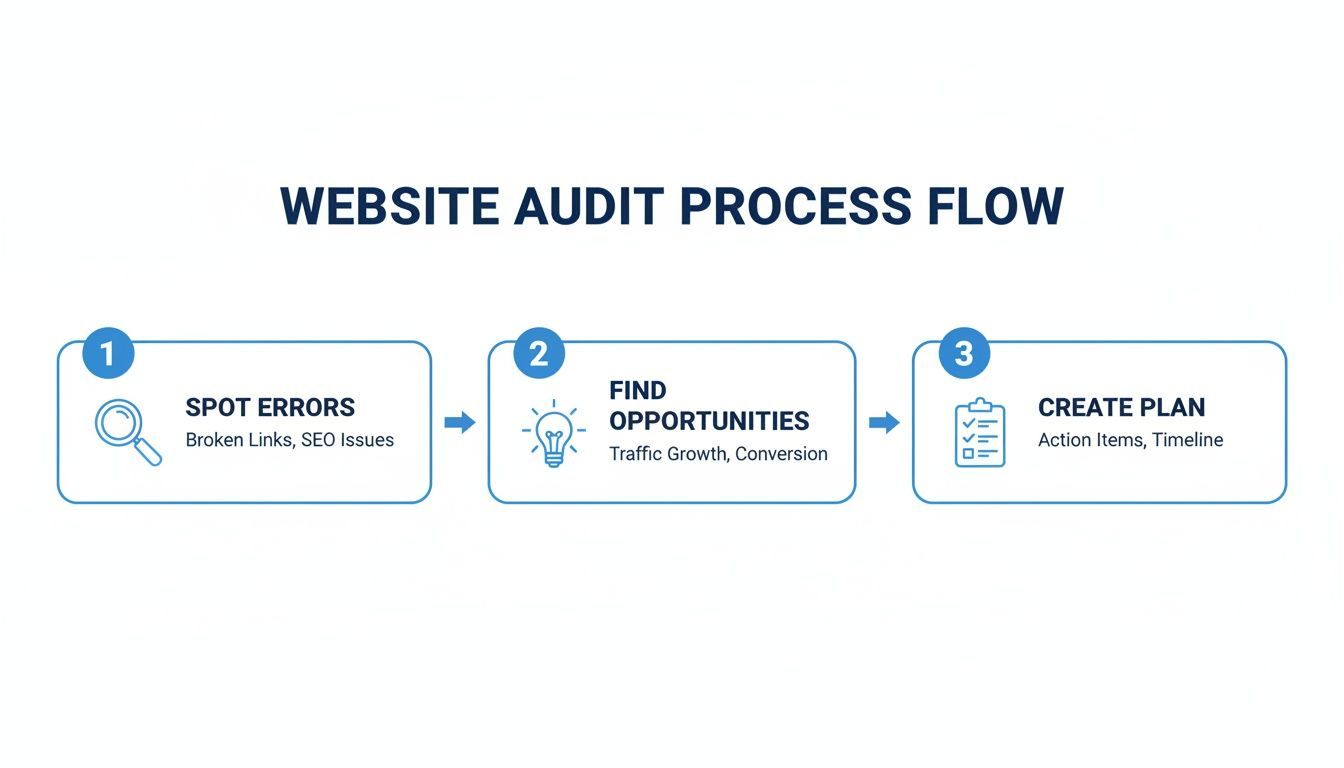
As you can see, a good audit isn't just about finding problems. It's about turning those findings into a strategic roadmap for improvement. In the rest of this guide, we'll walk through each of these stages in much more detail.
Laying the Groundwork for a Strategic Audit
Before you run a single automated scan, you need a plan. Kicking off a website audit by just diving into tools is like starting a road trip without a destination—sure, you’ll gather a ton of data, but you won't have any idea if it’s getting you where you need to go. The very first thing we do is figure out what success actually looks like for the project at hand, drawing on our experience to set realistic goals.
Is the main goal here to boost organic traffic by shoring up your technical SEO? Or are you trying to smooth out a clunky user experience to get more conversions? Maybe the whole point is to achieve WCAG compliance, making your site accessible to everyone and building brand trust. When you define these objectives from the start, you turn a vague, open-ended audit into a focused mission with real, measurable outcomes.
Define Your Audit Goals and Scope
Your audit goals should tie directly back to your bigger business objectives. A goal like "improve the website" is useless because it’s not actionable. You need to get specific. We recommend using SMART goals—specific, measurable, achievable, relevant, and time-bound.
Here’s what that looks like in the real world:
- Boost organic search traffic to blog pages by 15% in the next quarter by finding and fixing all high-priority technical SEO problems.
- Cut shopping cart abandonment by 10% by manually testing and streamlining the entire checkout flow for speed and usability.
- Achieve WCAG 2.1 AA conformance within six months to improve the experience for all users and solidify the company’s legal position.
A website audit is an unbiased review of a company’s internal systems, processes, and procedures. The goal is to provide independent assurance over a company’s operations and bring a disciplined approach to evaluating the effectiveness of controls and risk management.
Defining your scope is just as critical. Are we looking at the entire corporate website, or just a specific microsite or a brand-new app? You’ll want to create a complete inventory of all your digital assets so nothing important gets missed. Getting this clarity right away helps you pour your energy and resources into the areas that will make the biggest difference.
Map Critical User Journeys and Business Impact
With your goals set, it's time to identify the most important user journeys on your site. These are the specific paths people take to do something valuable, like buying a product, filling out a contact form, or signing up for a free trial. When you map these flows, you can focus your audit on the pages and interactions that directly impact your bottom line and improve conversion rates.
Think about an e-commerce site. A critical journey might look like this:
- Land on a product category page.
- Click through to a specific product page.
- Add that item to the cart.
- Navigate the multi-step checkout process.
Every single step in that journey is a potential drop-off point. A slow page, a confusing form, or a button that’s impossible to click can make someone give up and leave. By zeroing in on these high-stakes pathways, you make sure your fixes will deliver a real, tangible return on investment.
This strategic approach is also a key part of managing risk. With a notable increase in ADA-related lawsuits, thorough website audits are a crucial first line of defense. Both automated solutions and manual validation play a role in a comprehensive accessibility strategy. A complete audit that pairs automated scanning with manual validation is the surest way to find all barriers and demonstrate due diligence. For anyone interested, you can explore a deeper dive into these legal trends to get a better handle on the current situation.
Once you've defined your goals and scope, it's time to let the machines do the heavy lifting. The initial automated scan is your first pass, designed to sweep across your entire website and quickly identify the most common and widespread problems. I like to think of it as sending out a scout to map the terrain before the ground troops move in for a closer look.
This first pass is all about creating a data-driven baseline. It finds and quantifies issues at scale, flagging those systemic errors that pop up on page after page. This allows you to knock out the low-hanging fruit early, so your manual testing can be saved for the tricky, nuanced problems that automated tools just can't catch.
The Four Pillars of Automated Scanning
A good automated audit never looks at just one thing. It should be a holistic check-up, assessing four critical pillars of your website’s health all at once.
- Accessibility: Automated tools are brilliant at finding programmatic accessibility errors. They can instantly check for things like missing image alt text, low-contrast text, empty links, or missing form labels across thousands of pages in minutes.
- Performance: We all know how much page speed matters for both user experience and SEO. Scanners measure Core Web Vitals, hunt down oversized images, and pinpoint scripts that are dragging down your load times.
- SEO: These tools crawl your site just like a search engine would, flagging technical SEO problems like broken links, endless redirect chains, duplicate content, and missing title tags.
- Security: A basic scan can spot common vulnerabilities, check for outdated software on your stack, and make sure essential security headers are configured correctly.
Gaining Clarity with Centralized Dashboards
Juggling multiple reports from different tools is a recipe for confusion. The real advantage of modern automation lies in platforms that consolidate all this data into one place, giving you a single source of truth.
For example, a platform like WebAbility.io uses AI-enhanced scanning to generate a real-time compliance score. It pulls all its findings into one clear interface, letting you see trends over time and track your progress as you fix things. This is the kind of at-a-glance view you should be looking for.
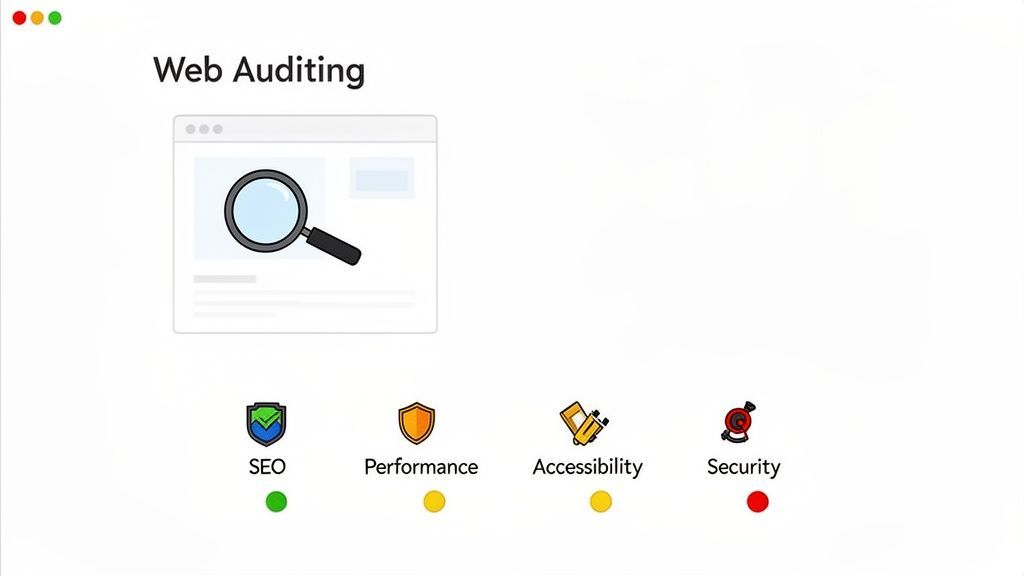
From a dashboard like this, you can immediately spot which area—be it accessibility, performance, or SEO—needs your attention the most.
Why Automation Is Critical for Accessibility Audits
When it comes to accessibility, the sheer scale of the problem makes automation non-negotiable. One analysis found that a shocking 96.3% of the top one million websites have basic accessibility failures. The average homepage has roughly 51 distinct accessibility errors, and most of them come from just six common culprits: low contrast, empty links, missing button labels, unlabeled inputs, absent alt text, and undeclared page language.
Now, consider that 73% of users with disabilities will just leave a site that’s difficult to use. Suddenly, the business case for fixing these problems becomes crystal clear. If you want to dive into the data yourself, you can explore the full web accessibility report from We Are Tenet.
An automated scan is your first line of defense. It rapidly identifies these common, widespread issues, giving your team a clear and prioritized list of fixes that can make an immediate impact on user experience and compliance.
Putting Automated Tools to Work
Choosing the right toolset is half the battle. While plenty of standalone tools exist, an integrated platform that combines multiple checks into a single workflow will save you a ton of time and effort.
Look for platforms with 24/7 scanning capabilities. This is what truly shifts you from doing a one-off audit to practicing continuous monitoring. Instead of waiting for an annual check-up, you get real-time alerts as soon as new issues are introduced. This allows your team to tackle them right away, before they fester and become major headaches. To get a better feel for how these systems work in practice, you can check out our guide on automated accessibility testing tools.
By starting with an automated scan, you build a solid, data-rich foundation for your entire audit. You’ll have a clear picture of your site’s biggest technical challenges, a prioritized list of quick wins, and the perfect launchpad for the deeper, human-led testing that comes next.
Uncovering the User Experience with Manual Testing
Automated scans are a fantastic starting point for catching widespread, code-level errors. They’re fast and efficient. But they can't tell you how your website feels to a real person trying to get something done. This is where manual testing makes all the difference in a truly comprehensive website audit.
Think of it this way: an automated tool can tell you a door exists, but only a human with direct experience can tell you if it’s too heavy to open, if the handle is in an awkward spot, or if it leads somewhere confusing. Stepping into your users' shoes is the only way to find the frustrating dead ends and usability hurdles that cause people to leave and hurt your conversion rates.
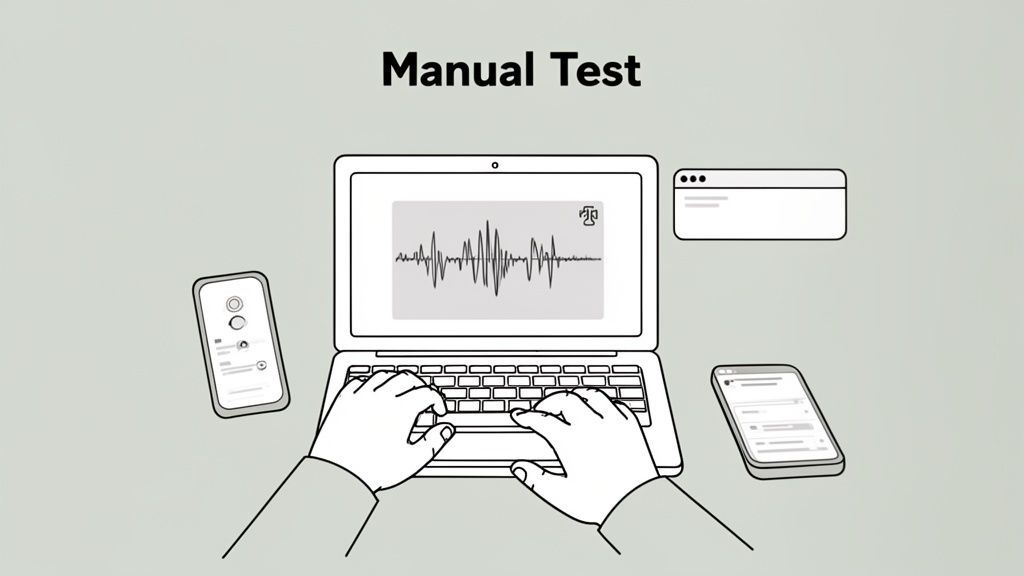
While automated tools are great for speed and scale, they lack the contextual understanding of a human tester. The table below highlights the unique strengths each approach brings to an audit.
Automated Scanning vs Manual Testing
| Aspect | Automated Scanning | Manual Testing |
|---|---|---|
| Speed & Scale | Scans thousands of pages in minutes. | Slow; focused on representative user journeys and key templates. |
| Error Detection | Finds programmatic errors like missing alt text or contrast issues. | Uncovers contextual issues like illogical navigation or confusing user flows. |
| Accuracy | Prone to false positives; can't confirm if alt text is actually meaningful. | High accuracy for usability and real-world accessibility barriers. |
| Effort | Low initial effort to set up and run. | High effort; requires time, expertise, and focus. |
| Scope | Covers a wide range of technical best practices (WCAG, SEO, performance). | Dives deep into user experience, keyboard navigation, and screen reader compatibility. |
Ultimately, neither method is sufficient on its own. A hybrid approach that combines the breadth of automation with the depth of manual testing is the gold standard for a thorough audit.
Keyboard-Only Navigation Testing
Here's a simple but powerful test: unplug your mouse. Can you still use your entire website? Many people with motor disabilities depend solely on a keyboard to navigate, as do many power users.
Try to perform key tasks using only the Tab, Enter, Spacebar, and arrow keys. As you go, keep an eye out for a few critical things:
- Visible Focus: Is it clear which button or link is currently selected? A clear, visible focus outline is non-negotiable.
- Logical Order: Does the focus jump logically from one element to the next, or does it bounce around the page unpredictably?
- Full Accessibility: Can you reach and operate everything? Pay close attention to dropdown menus, pop-up modals, and complex form fields.
If a user can't navigate your site with a keyboard, it's fundamentally broken for them. This is one of the most impactful manual checks you can perform, and it reveals major blockers that automated tools almost always miss.
Screen Reader and Assistive Technology Checks
To truly grasp how people with visual impairments experience your website, you have to test with a screen reader. Tools like NVDA (free for Windows), VoiceOver (built into Apple devices), and JAWS (a popular paid tool) read on-screen content aloud.
This test quickly reveals if your site’s structure makes sense when you can't see it. Do your images have descriptive alt text? Are form fields labeled correctly so someone knows what to type? To get started, our guide on how to conduct a screen reader test walks you through the entire process.
This is why a hybrid audit approach is so effective. Top-tier enterprise teams combine automated scanning with manual checks precisely for this reason. This blended methodology has been shown to catch up to 92% of all accessibility issues—far more than either method could alone.
Visual QA and Content Review
Automated tools analyze code, but they can't judge visual design or content quality. This is where your eyes and brain are the best tools for the job.
Cross-Browser and Device Testing Your website might look pixel-perfect on your 27-inch monitor running Chrome, but what about on an older iPhone using Safari? Manually checking your key pages across different browsers, devices, and screen sizes is the only way to spot visual bugs.
Be on the lookout for:
- Broken layouts where elements overlap or wrap incorrectly.
- Text that becomes unreadably small on mobile screens.
- "Fat finger" issues where buttons or links are too close together to be tapped easily.
Content and E-E-A-T Review Finally, it’s time to actually read your content. A manual audit gives you the chance to evaluate your site against Google’s E-E-A-T guidelines (Experience, Expertise, Authoritativeness, and Trustworthiness). Is the information accurate, helpful, and clearly written by someone with demonstrable experience? Does the tone of voice feel authentic to your brand?
This human-led review ensures your website not only functions correctly but also communicates effectively, building the trust needed to drive conversions.
Creating Your Actionable Remediation Plan
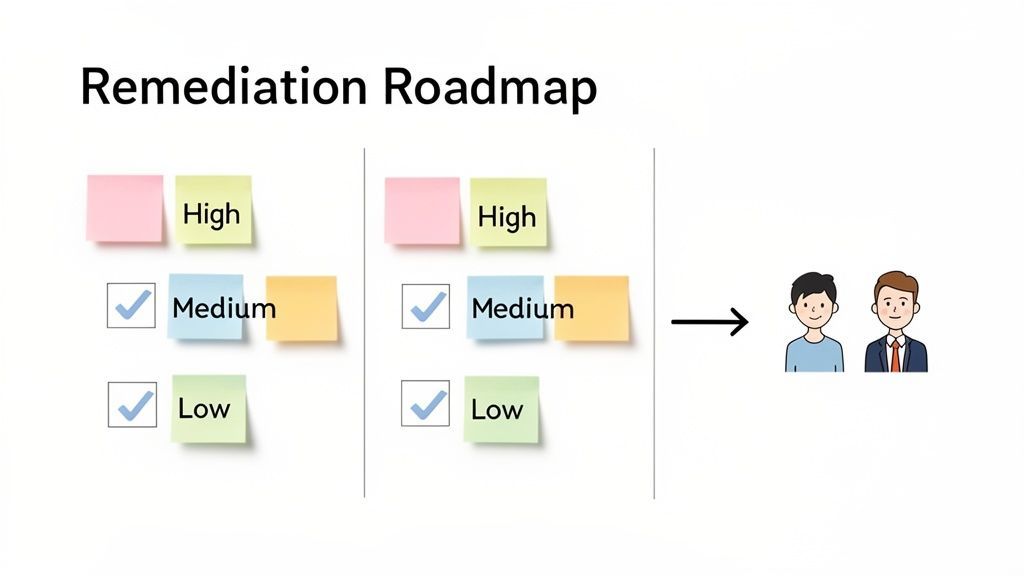
An audit's real value isn't in the massive list of issues it uncovers, but in the focused action it inspires. After running your scans and finishing manual tests, you're left with a mountain of data. The next move is the most important one: turning those raw findings into a clear, prioritized, and actionable remediation plan.
Without a structured plan, it’s easy for teams to get overwhelmed. This "analysis paralysis" is common, where so much is wrong that nothing gets fixed. The goal here is to create a living document that guides your team’s efforts, making sure the most critical issues are tackled first to get the biggest bang for your buck in user experience and business goals. This roadmap is your bridge from discovery to resolution.
Prioritizing Issues with a Scoring Framework
Let's be honest: not all findings are created equal. A small typo on a blog post doesn't carry the same weight as a broken checkout button that's costing you sales by the minute. To move forward effectively, you need a system for scoring and prioritizing every single issue. A simple but powerful way to do this is to judge each finding against three core factors.
This framework is what helps you move beyond a simple to-do list and start making strategic decisions backed by data.
- User Impact: How badly does this mess with the user's experience? A critical accessibility flaw blocking a keyboard user from submitting a form is obviously a high-impact issue. A minor visual glitch on an old page? That's low impact.
- Fix Effort: How much time and developer muscle will it take to resolve? Changing a line of text is a classic low-effort fix. Re-architecting a complex navigation menu, on the other hand, is a high-effort undertaking.
- Business Risk: What's the potential damage to the business? This bucket includes everything from legal risk (like WCAG non-compliance) and lost revenue to a hit on your brand’s reputation.
By giving each factor a score (say, 1-5), you can calculate a total priority for every issue you've logged. This objective method forces you to focus on what truly matters. The high-impact, low-effort fixes and critical-risk items should jump to the top of your list, while low-impact, high-effort tasks can be scheduled for a later sprint.
Tailoring Reports for Different Audiences
A single, hundred-page report is a recipe for inaction. Different people in your organization need different information, presented in a way they can actually understand and use. Your findings have to be translated into crisp, tailored reports for each audience.
For Your Development Team
Developers need the technical details, plain and simple. Their tickets should include:
- Clear descriptions of the issue and what should be happening.
- Specific URLs where the problem exists.
- Screenshots or, even better, video recordings that show the bug in action.
- Relevant code snippets and direct references to WCAG success criteria.
- The priority score you’ve already assigned.
For Leadership and Executives
The C-suite doesn’t need to wade through code. They need a high-level executive summary that clearly spells out business impact and risk. This report should focus on:
- An overall compliance score or "health rating" for the site.
- A summary of the most critical risks, especially legal and financial ones.
- The proposed remediation roadmap with estimated timelines.
- A transparent look at the resources required to get it done.
The best audit reports don’t just point out problems; they tell a story. They explain why an issue matters to that specific audience and provide a clear path forward for fixing it. This builds trust and authority, which is a key part of Google's E-E-A-T framework.
Streamlining Remediation with Integrated Workflows
Manually creating tickets and tracking progress in spreadsheets is a quick way to lose your mind—and your data. Modern platforms are built to streamline this entire process by plugging your audit findings directly into your existing development cycle.
For example, a tool like WebAbility.io connects these dots for you automatically. When its scanner flags an issue, it can instantly create a pre-populated ticket in your project management system, like Jira or Asana. These integrated bug-reporting workflows ensure nothing falls through the cracks and give everyone a single source of truth for monitoring progress.
You can also generate legal compliance reports and audit trails straight from the dashboard, which makes governance much simpler. This approach gives a serious boost to your CRO efforts, since fixing user experience snags directly impacts conversions. It’s also a big piece of the puzzle for improving the relationship between SEO and accessibility.
Building a Culture of Continuous Improvement
A one-time audit is really just a snapshot. It tells you where you stand at a specific moment, but your website is constantly changing. To achieve real excellence, you need to shift your thinking from a periodic check-up to a system of continuous monitoring and governance. This is how you make quality a core part of your company’s DNA, not just another task on a checklist.
TL;DR To get ahead, you have to move past one-off audits. This means plugging automated scans into your development cycle, setting up alerts for real-time issues, and making someone responsible for digital quality. A central dashboard is your best friend here, showing compliance scores and proving that your efforts are paying off. It's how you turn quality assurance from a chore into a cultural win that boosts both inclusion and conversions.
Think of an audit's findings not as a finish line, but as a starting line. It's a goldmine of insights that can fuel an ongoing commitment to quality.
The goal is to break free from the stressful "audit-fix-repeat" cycle. Instead, you want to build a proactive system where quality, accessibility, and performance are always on the radar and constantly getting better.
Shifting from Audits to Ongoing Governance
The most successful teams I've worked with don't treat audits as isolated events. They weave them into a much larger governance strategy that embeds digital quality into their daily work. It’s a culture shift that turns quality assurance into a shared responsibility, not just a problem for the QA team.
Here are the key pieces of that puzzle:
Establish Clear Ownership: You need a champion. Assign a specific person or team to own digital quality. Their job is to oversee monitoring, report on progress, and fight for the resources needed to get things done.
Integrate Scans into Development: This is a game-changer. By embedding automated accessibility and performance scans into your CI/CD (Continuous Integration/Continuous Deployment) pipeline, you catch problems before they ever go live. New code gets checked automatically, stopping issues at the source.
Set Up Real-Time Alerts: Don't wait for a customer to tell you a form is broken. Configure your monitoring tools to send instant notifications for high-priority issues. This empowers your team to fix a critical bug in minutes, not months.
Adopting these practices transforms your audit process from a periodic headache into a dynamic, always-on function that actively protects and improves your digital experience.
Using Dashboards to Drive Progress
A centralized dashboard is your command center. It’s where all your data comes together in one easy-to-understand view, making it simple to track your progress and prove the value of your work to stakeholders.
A dashboard that shows compliance scores and historical data is one of the most powerful tools for building accountability. When leadership can see quality metrics improve over time, it’s much easier to secure buy-in and resources for future initiatives.
Platforms like WebAbility.io are built for this. They provide a unified view, tracking compliance scores 24/7. This turns an abstract goal like "improving accessibility" into a concrete, measurable KPI that the entire organization can rally behind.
You can literally watch your scores climb as your team knocks out issues. It creates a powerful, positive feedback loop that motivates everyone. This data-driven approach is fundamental to knowing how to audit a website effectively and showing that your hard work is delivering real results.
Got questions about website audits? You're not alone. It's a big topic, and it's easy to get lost in the details. I've pulled together some of the most common questions I hear to give you clear, practical answers and get you started on the right path.
How Often Should I Audit My Website?
For most businesses, a full, deep-dive audit once a year is a solid baseline. Think of it as an annual physical for your website. It's also a great idea to run one right after any major redesign to catch any new issues that might have cropped up.
But if you're running a high-traffic e-commerce store or any site where the user experience is absolutely critical, you’ll want to do a comprehensive review at least quarterly. Even better, pair those quarterly deep dives with continuous, automated monitoring. A platform that scans your site 24/7 means you’ll catch problems the moment they happen, not three months down the road.
What's the Difference Between an SEO and an Accessibility Audit?
It's a great question because they definitely have some overlap, but their core focus is totally different.
- An SEO audit is all about getting found on search engines like Google. We look at technical stuff like how fast your pages load and whether search bots can crawl them easily. We also dig into on-page content and off-page factors like backlinks. The end game here? More organic traffic.
- An accessibility audit, on the other hand, is focused on making sure people with disabilities can actually use your website. This involves testing against established standards, like the Web Content Accessibility Guidelines (WCAG), to find and remove any barriers for users.
Good technical structure helps both, but you can’t just do an SEO audit and assume your site is accessible. You really need to address them as separate, but related, disciplines.
Can I Just Do a Website Audit Myself?
You can absolutely get the ball rolling on your own. Automated tools are fantastic for a quick health check. They can flag common SEO issues, performance problems, and some of the more obvious accessibility errors. For any team just starting out, this is a perfect first step.
But for a really deep analysis—and especially for ensuring legal compliance—a hybrid approach is what the pros use. You combine the wide net cast by automated scanners with the detailed, real-world insights that only a professional manual audit can provide. This gives you the most reliable and bulletproof results.
What Are the Most Important Checks to Run in an Audit?
While your own goals will always shape your priorities, some checks are non-negotiable for almost any website.
If you’re focused on accessibility, you absolutely have to start here:
- Can someone navigate your entire site using only a keyboard?
- How does your site function with a screen reader?
- Is your color contrast high enough for people with low vision to read everything?
For SEO and user experience, your top priorities should be:
- How does the site look and work on a mobile phone?
- What are your Core Web Vitals scores, and how’s the overall speed?
- Are you tracking and fixing crawl errors and broken links?
And above all, always, always test your most critical user journeys. Whether it’s your checkout flow or a simple contact form, make sure nothing is getting in your user's way.
Ready to stop reacting to problems and start preventing them? WebAbility.io offers an end-to-end platform that combines automated 24/7 scanning with real-time dashboards and built-in workflows. It’s designed to help you bake accessibility into everything you do. Start your free trial today and see how much easier it is to build a better website for everyone.
Quick Questions
Tap to ask AI about this article