EAA Compliance Services: Meet the European Accessibility Act (2026)

Sidharth Nayyar
EAA Compliance Services for the European Accessibility Act
EAA compliance services are the mix of audits, tools, expert testing, documentation, and ongoing monitoring needed to meet the European Accessibility Act's digital accessibility rules. They matter now because the June 28, 2025 enforcement deadline has already arrived, and most organizations need a process, not a patch, to stay compliant.
That urgency isn't theoretical. 96% of websites fail basic accessibility tests, and 1 in 5 Europeans require digital accommodations to access online services according to iCrossing's EAA compliance guide. For project managers, founders, and digital leads, that changes the conversation. This is no longer a niche UX initiative or a one-time legal review. It's operational work that affects release cycles, procurement readiness, user experience, and market access.
Teams usually get stuck in one of two places. They either treat the EAA as a legal memo and never translate it into delivery tasks, or they treat it as a technical cleanup and miss the documentation, testing, and governance side. Good eaa compliance services close that gap. They give you a way to identify issues, prioritize remediation, document conformity, and keep new regressions from slipping into production.
See where your site stands. Run a free scan against EN 301 549 and WCAG with the WebAbility accessibility checker, no signup, results in seconds. For hands-on remediation, see our accessibility compliance services.
Your Guide to European Digital Accessibility
Most businesses don't need more accessibility jargon. They need a practical answer to a simple question: what do eaa compliance services do?
In practice, they bring together four things. First, they assess your digital properties against the relevant standard. Second, they identify remediation work in a form product, design, and engineering teams can act on. Third, they support the evidence you may need to show regulators, customers, or procurement teams. Fourth, they help you maintain compliance as the site, app, and content keep changing.
Why this has become a business priority
The EAA has pushed accessibility out of the specialist corner and into ordinary business operations. If your organization sells, serves, or supports users in the EU, accessibility now sits alongside privacy, security, and service quality as a board-level responsibility.
That matters because accessibility failures usually aren't isolated. A missing form label can block checkout. A broken keyboard flow can stop account creation. Poor semantic structure can make support content unusable for assistive technology users. Each of those issues touches revenue, service delivery, and brand trust.
Practical rule: If accessibility work only appears in a legal checklist, it will arrive too late to influence design and development.
Many teams also underestimate the upside. Accessible digital systems are often clearer, easier to use, and easier to maintain. For younger companies, that overlap is especially useful. This overview of the benefits of accessible design for startups is worth reading because it connects accessibility to product quality and growth, not just compliance.
What useful support looks like
Strong eaa compliance services don't just give you a report. They help teams answer questions like:
What's in scope: Which websites, apps, documents, flows, and support channels need review.
What blocks users first: Which issues prevent core tasks such as browsing, purchasing, logging in, or contacting support.
What proof exists: Whether you have the technical documentation and formal records needed to show conformity work.
What happens next: How accessibility becomes part of QA, publishing, design review, and release governance.
That's the difference between activity and compliance. Activity produces tickets. Compliance produces a defensible, repeatable process.
Why the European Accessibility Act Matters for Your Business
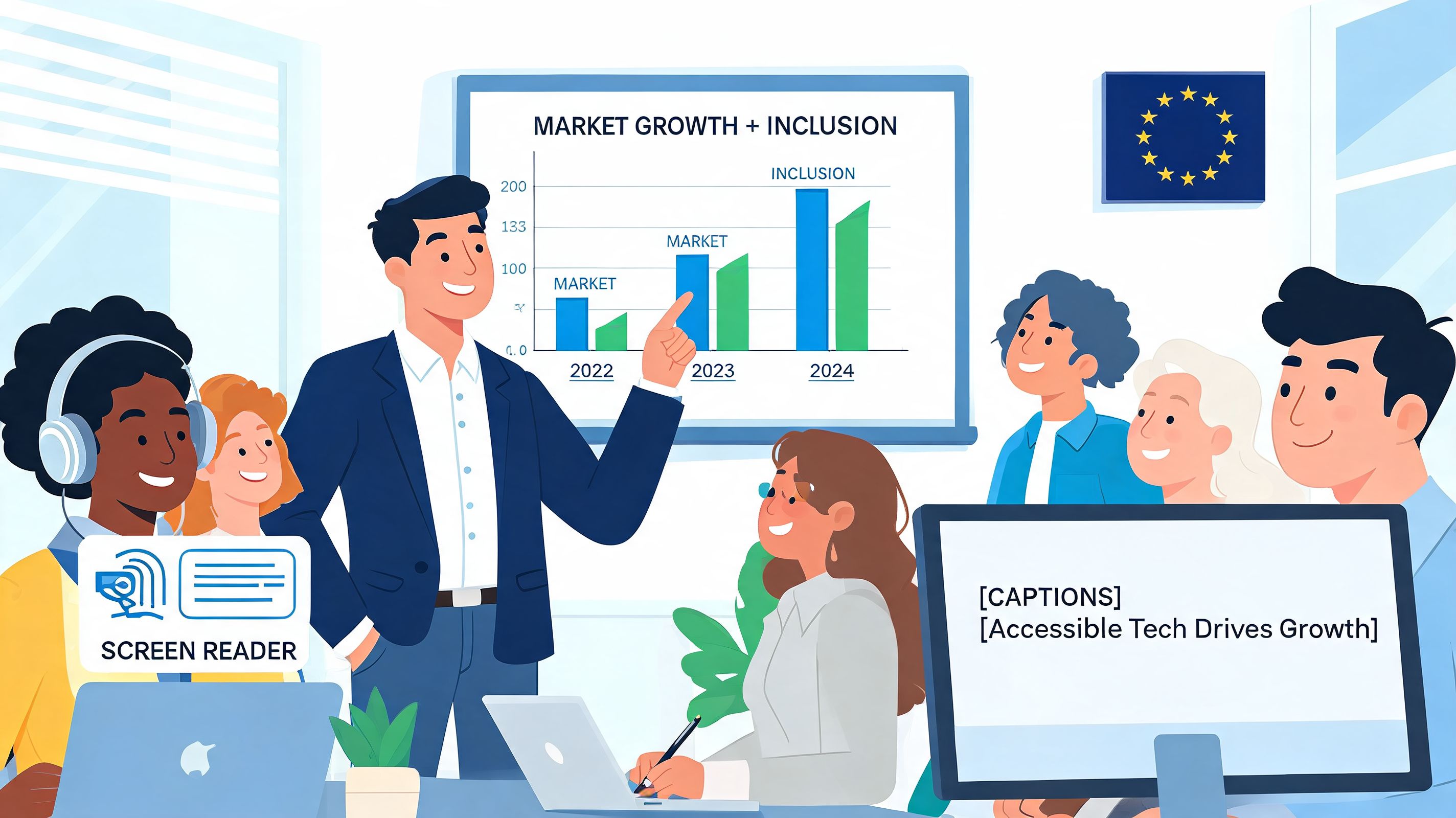
The EAA matters because it reaches far beyond a company's homepage. It applies to a broad set of digitally enabled products and services placed on the EU market, and that scope pulls accessibility into ordinary commercial operations.
According to iCrossing's EAA guide, the Act covers areas including websites, mobile apps, e-commerce platforms, banking services, and transportation systems, and it requires newly marketed products and services to meet EN 301 549 accessibility standards aligned closely with WCAG 2.1 AA. It also notes that each EU member state has established market surveillance authorities with the authority to identify non-compliant services and require corrective action.
Does this apply to you
A practical test is simple. If your organization offers covered digital services into the EU market, this is likely your issue. That includes many businesses based outside the EU if they sell to, serve, or support EU users through covered channels.
Project managers should also look past the public website. Exposure often sits in the business-critical layers around it:
Customer journeys: checkout, account registration, payments, subscription management
Support systems: help centers, chat flows, service portals, complaint forms
Product interfaces: apps, authenticated dashboards, booking tools, kiosks, or self-service experiences
Operational documents: accessibility information, support content, and technical records tied to the service
The legal issue quickly becomes an operational one
A common mistake is assuming compliance belongs only to legal or only to engineering. It belongs to both, but it also belongs to product, content, QA, procurement, and customer experience. That's because accessibility obligations affect how teams design interfaces, buy software, publish content, and respond when regulators or buyers ask for evidence.
In cross-border work, businesses are already used to handling formal complaint and rights processes in other contexts. For readers who manage people operations as well as digital risk, this guide to navigating the HRTO complaint process is a useful reminder that procedural readiness matters, not just intent.
Accessibility enforcement doesn't ask whether your team meant well. It asks whether users can access the service and whether your organization can demonstrate that it addressed the requirement properly.
That's why eaa compliance services have become a business function. They translate law into workflows, evidence, and accountability.
Understanding EN 301 549 Your Technical Compliance Guide
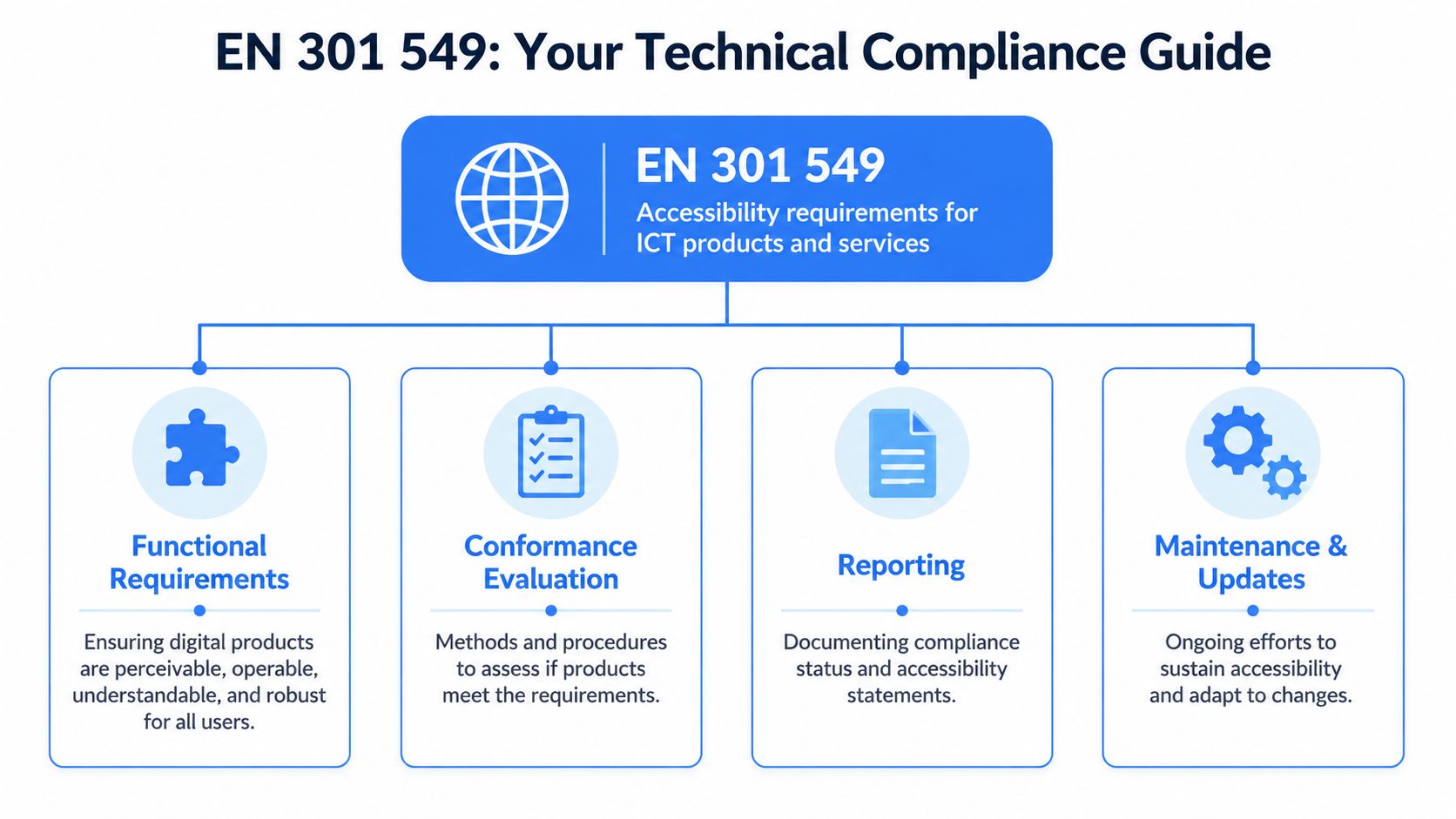
If the EAA is the legal framework, EN 301 549 is the technical standard that turns that framework into something teams can test and implement.
The easiest way to explain it is this: WCAG is the foundation many web teams already recognize, but EN 301 549 is the broader operating manual for digital accessibility across the full ICT environment. It includes the web experience, but it doesn't stop there.
According to GetWCAG's explanation of the European Accessibility Act, EAA compliance requires adherence to EN 301 549, which incorporates all 78 WCAG 2.1 Level AA success criteria and extends accessibility requirements to non-web software, hardware, and telecommunications. That is why a web-only review can leave material gaps.
Why WCAG alone may not be enough
Many teams start with WCAG because it's familiar. That's sensible, but incomplete if your digital service includes more than public web pages. EN 301 549 reaches into the surrounding ecosystem, including software behavior, support materials, and other user touchpoints that affect actual access.
Building accessibility is comparable to airport compliance. WCAG checks whether one terminal works well. EN 301 549 asks whether the signs, kiosks, counters, announcements, and service routes work together for the full journey.
For delivery teams, this has practical implications:
Front-end code matters: semantic HTML, focus order, keyboard operation, labels, status messages
Interaction logic matters: scripts, dynamic components, and API-driven experiences have to remain usable with assistive technology
Supporting assets matter: documentation and service information can be part of the compliance picture
Non-web surfaces matter: apps, software interfaces, and device-linked experiences may sit in scope
What technical leaders should do with this
Don't ask, “Are we WCAG compliant?” Ask, “What parts of our service are covered by EN 301 549, and how are we testing them?”
That shifts the work from checklist compliance to systems thinking. It also helps product owners avoid a frequent failure mode: signing off on a homepage review while the login flow, account area, downloadable content, or app experience remains inaccessible.
For teams that need a grounded overview, this European accessibility standards guide is a useful starting point for mapping EN 301 549 into delivery language.
What a Comprehensive EAA Compliance Service Includes
A proper service model should match how digital products are built and maintained. That means finding issues, validating real user access, documenting conformity, and keeping watch after release. Anything narrower may help, but it won't cover the full risk picture.
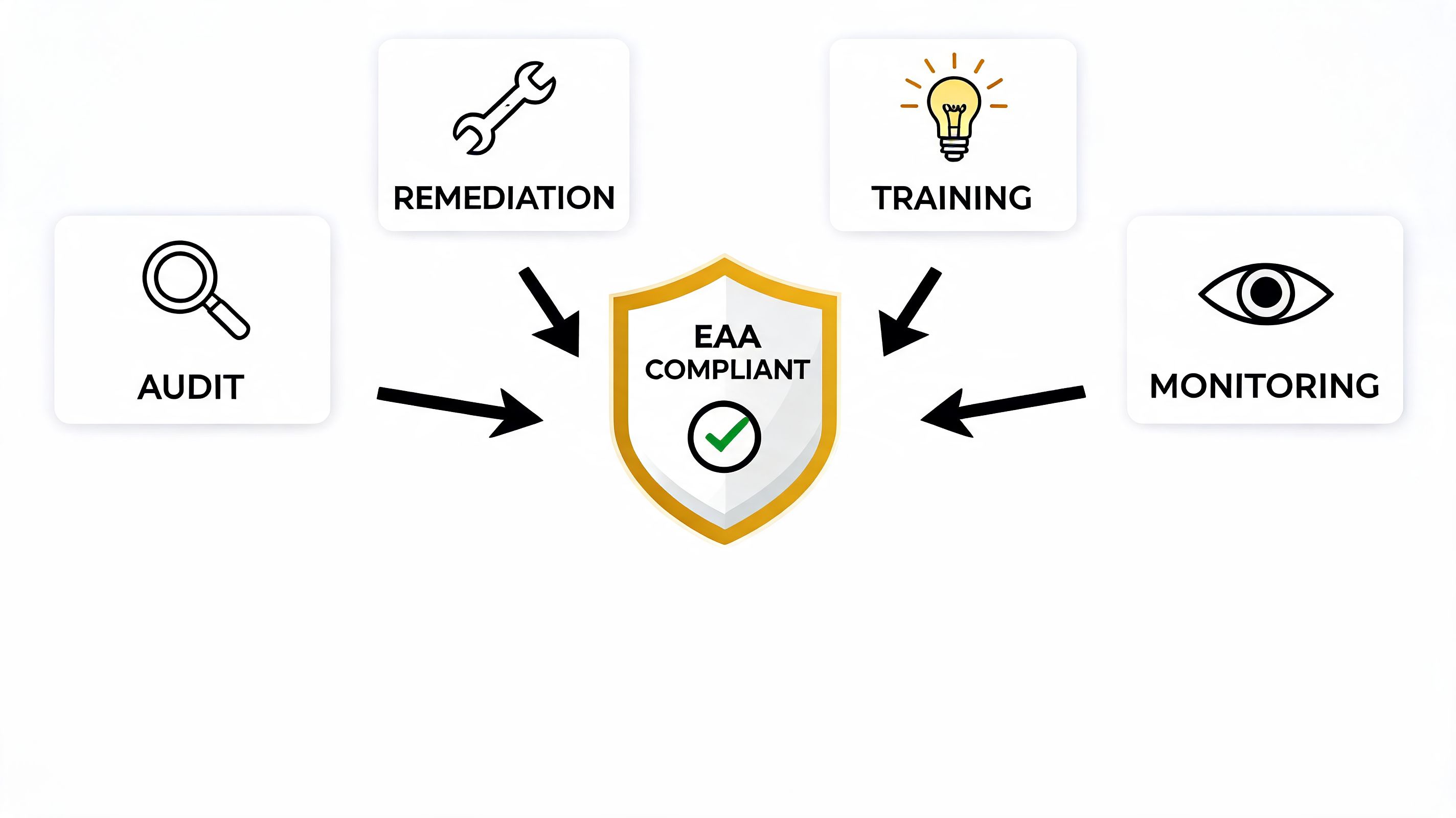
According to Accessible.org's overview of EAA compliance services, professional support should include manual audits by assistive technology users, automated scanning, user testing, and complete technical documentation such as a VPAT to demonstrate conformity to regulators. That combination is the practical baseline.
Audit first, but audit the right way
The first job is to establish where your risks are. Automated scanners are useful for recurring issue classes, but they won't tell you whether a customer can complete a booking, compare products, submit a claim, or recover a password using assistive technology.
A strong audit should review templates, core journeys, common components, and the places where business logic collides with accessibility. For many teams, the right first step is a formal website accessibility audit that produces prioritized findings rather than an undifferentiated list.
What works:
Journey-based testing: checkout, onboarding, search, forms, authentication
Component review: navigation, modals, menus, carousels, date pickers
Manual verification: keyboard use, screen reader behavior, focus handling
Clear severity logic: blockers separated from lower-priority issues
What doesn't work:
Homepage-only review
Pass-fail summaries with no remediation detail
Scanning without manual validation
A report that engineering can't translate into tickets
Monitoring and user-facing support
After remediation starts, the process has to keep running. New releases introduce regressions. New content introduces fresh failures. New integrations create conflicts teams didn't anticipate.
That's where continuous monitoring and user-facing accessibility tools have a practical role. Monitoring helps teams catch issues earlier, and front-end accessibility features can support users as they interact with the site. Managed accessibility layers and widgets can be part of that support model when they're used alongside audits, remediation, and governance rather than as a substitute for them.
WebAbility.io is one example of a platform built around that broader model. It combines monitoring, reporting, audit support, and user-facing accessibility features in one system. For teams trying to operationalize compliance across multiple sites or recurring releases, that kind of consolidation can reduce handoff friction.
Good eaa compliance services don't force a choice between tools and expertise. They combine both, because software finds patterns and people find barriers.
Here's a short explainer that shows how teams think about implementation and ongoing support:
Documentation is part of the service, not an afterthought
A surprising number of teams do real remediation work and still leave themselves exposed because the evidence trail is weak. Regulators, procurement teams, and enterprise buyers often want to see more than intent. They want documentation that shows what standard was used, what was tested, what was found, and how conformity is being maintained.
That documentation often includes accessibility statements, testing records, issue logs, and standardized templates such as VPAT-style reporting where appropriate. Legal teams increasingly use AI-assisted workflows to sort and review complex regulatory material. For in-house counsel evaluating tooling around that process, LegesGPT's guide to legal AI offers a practical look at where automation can help without replacing legal judgment.
Navigating the Risks and Rewards of the EAA
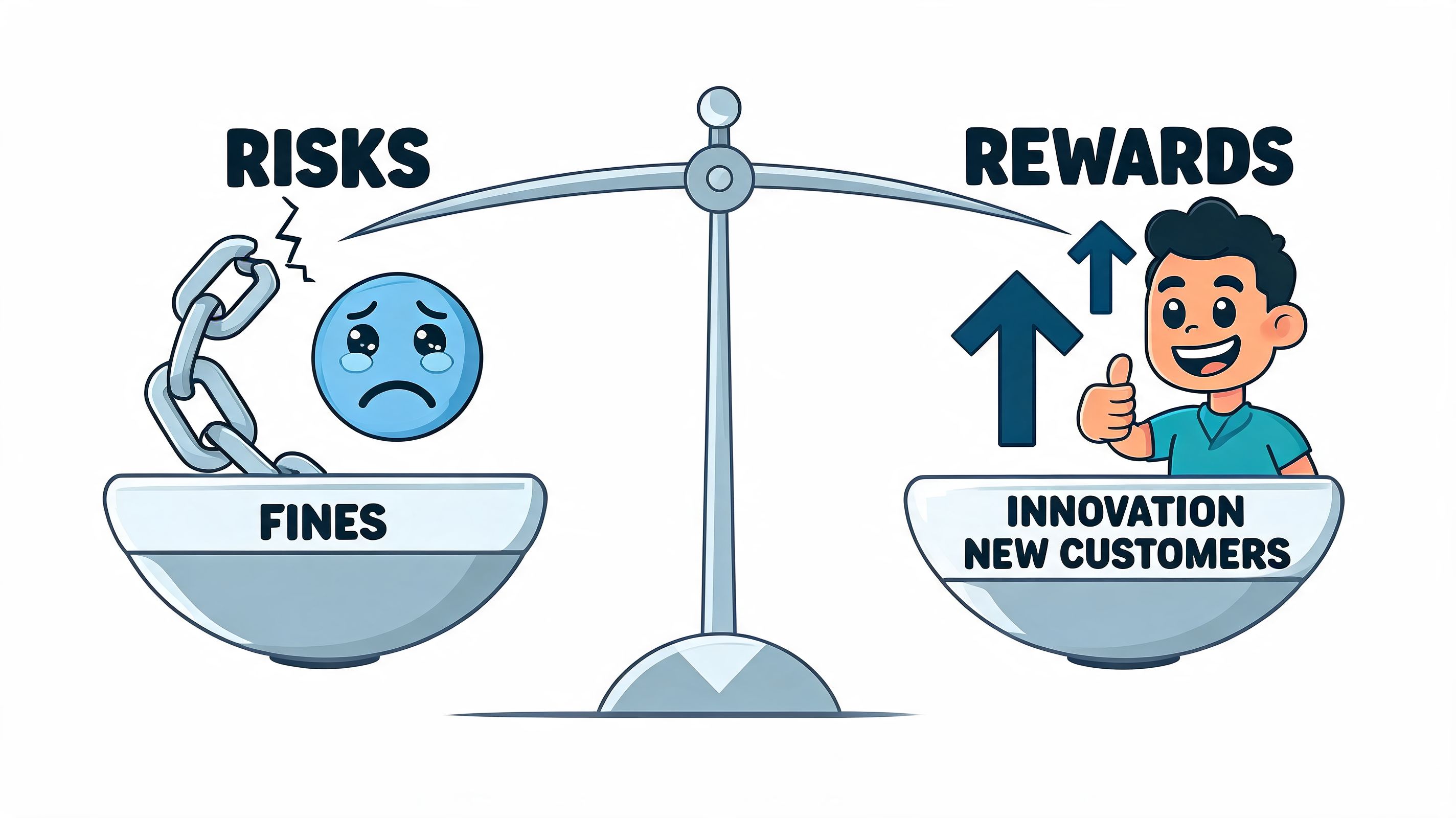
The risk side is easy to understand. Non-compliance can trigger fines, enforcement action, commercial disruption, and brand damage. The reward side is just as real, but it only becomes visible when leadership stops treating accessibility as a side project.
According to Greenberg Traurig's overview of EAA compliance risk, fines can reach up to €100,000 in Germany and as high as €1.2 million or 5% of annual turnover in other jurisdictions, alongside risks such as marketplace removal and reputational damage. The same analysis notes that compliance duties continue beyond the initial deadline, with existing products and services introduced before 2025 having until June 2030, and certain legacy systems potentially until June 2045.
The risk isn't only financial
Teams often focus on fines because they're concrete. In practice, the harder problems are often operational. A marketplace issue can interrupt sales. Procurement exclusion can block deals. Public accessibility failures can force rushed remediation under pressure, which is always more expensive and more disruptive than planned work.
There's also a management cost. When accessibility isn't built into governance, every release becomes a potential exception process. Product managers negotiate trade-offs late. Engineers patch under deadline pressure. Legal reviews work from incomplete evidence. Nobody wants that operating model.
The upside is broader than compliance
Accessible digital products are usually easier to use. They support clearer content structure, better interaction patterns, more predictable navigation, and stronger QA discipline. Those are not side benefits. They are signs of mature product delivery.
Accessibility done early improves product quality. Accessibility done late becomes incident response.
There's also a commercial signal in being able to answer buyer and regulator questions with confidence. When a team can show its audit trail, explain its testing model, and describe how it monitors changes over time, accessibility stops looking like a hidden liability.
That's the strategic value of eaa compliance services. They reduce downside risk, but they also help organizations run a more disciplined digital operation.
How to Create Your EAA Compliance Strategy
The teams that make progress don't start with perfection. They start with scope, ownership, and a realistic remediation plan.
Build your strategy in phases
Use a staged model that fits your release process and internal capacity.
Define scope
List the digital services, apps, transactional flows, documents, and support channels that may fall within your EAA obligations. Include third-party tools that affect core user tasks.
Get a baseline
Establish current accessibility status through structured review. If you need a fast initial signal before commissioning deeper work, run an accessibility test online to surface obvious issues and identify where manual assessment is needed next.
Prioritize remediation
Fix blockers on high-value user journeys first. Account access, checkout, booking, service requests, and core forms should move ahead of lower-impact content refinements.
Assign ownership
Accessibility fails when it belongs to everyone in theory and no one in practice. Product should own prioritization, design should own patterns, engineering should own implementation, QA should own verification, and legal or compliance should own recordkeeping and escalation.
Make maintenance part of the plan
The EAA doesn't reward one-time cleanup. It expects ongoing conformity as products and services evolve. That means accessibility checks have to live inside normal delivery work.
A practical governance model usually includes:
Design review gates for patterns, contrast, focus, and content structure
Development standards for components, semantics, and interaction behavior
QA checks using both automation and manual review
Documentation updates when products, content, or support terms change
If your team is still deciding how formal the process needs to be, use one simple test: could you explain your accessibility workflow clearly to a regulator, buyer, or procurement lead? If not, the strategy probably lives in too many people's heads.
Frequently Asked Questions About EAA Compliance
Do small businesses need eaa compliance services
That depends on what the business offers and how it operates in the EU market. The safest assumption is not to rely on size alone as a strategy. A small team can still expose itself if it provides covered services into the EU and has no way to test, document, or maintain accessibility.
In practice, smaller organizations often benefit from focused support because they have less internal compliance capacity. They need help scoping the work, sequencing fixes, and avoiding rework.
Is the EAA the same as the ADA
No. They are different legal frameworks with different jurisdictions and enforcement contexts. They overlap in purpose, because both are concerned with accessible access to services, but they are not interchangeable.
| Aspect | European Accessibility Act (EAA) | Americans with Disabilities Act (ADA) |
|---|---|---|
| Geographic focus | European Union market | United States |
| Technical anchor | EN 301 549, which incorporates WCAG 2.1 AA and extends beyond web-only coverage | Often assessed in practice through web accessibility expectations, commonly discussed alongside WCAG, but the law itself is different |
| Primary scope in this context | Covered digital products and services marketed in the EU | Accessibility obligations under U.S. civil rights law |
| Compliance posture | Requires a conformity-oriented, documentation-backed approach | Often approached through accessibility risk reduction and equal access obligations |
If your organization operates across both regions, don't collapse them into one policy memo. Build a unified accessibility program, but map obligations separately.
Can automated tools handle EAA compliance on their own
No. They are valuable, but they are only one layer of the process.
Automated tools are strong at identifying repeatable technical patterns. They can scan large volumes of pages, monitor changes, and help teams catch regressions early. What they can't do alone is confirm whether a real user can complete a task with assistive technology, whether documentation is complete, or whether a complex interaction works as intended.
That's why mature programs combine automation with manual testing, user testing, and formal records. If you need a practical starting point for that work, use a checklist to ensure EU accessibility compliance and then tie it to actual owners, dates, and review cycles.
The strongest accessibility programs treat automation as continuous QA, not as final proof of compliance.
If you need a structured way to move from uncertainty to action, WebAbility.io can help you assess your current state, organize remediation, and support ongoing accessibility governance across your digital properties. Use it to turn accessibility from an occasional project into a repeatable business process.
Quick Questions
Tap to ask AI about this article