AODA Compliance for Websites A Practical Guide

Sidharth Nayyar
Sidharth Nayyar
Ready to make your website accessible? Engage with our team or start a free trial today.
TLDR: To comply with Ontario's AODA, public sector organizations and private/non-profit businesses with 50+ employees must ensure their websites meet Web Content Accessibility Guidelines (WCAG) 2.0 Level AA. This makes your site accessible to people with disabilities, a requirement for all new or significantly refreshed web content.
Think of AODA compliance as the digital version of a wheelchair ramp for a physical storefront. It’s all about tearing down virtual barriers so that everyone, no matter their ability, gets the same access to online information and services. This isn't just a friendly suggestion—it’s a legal mandate with a purpose.
The Accessibility for Ontarians with Disabilities Act (AODA) was passed back in 2005 with the ambitious goal of making Ontario completely accessible by 2025. For your website, this means if you're a public sector organization or a private/non-profit with 50+ employees, you need to follow WCAG 2.0 Level AA standards for any new or significantly refreshed web content.
Figuring out if AODA applies to you is the first, most important step. The law is pretty specific about who needs to take action, breaking it down by organization size and sector.
The main groups required to meet these digital accessibility rules are:
All public sector organizations in Ontario, regardless of employee count.
Private and non-profit organizations with 50 or more employees.
For thousands of businesses, this has shifted web accessibility from a "nice-to-have" feature to a fundamental part of doing business online. Getting this right doesn't just keep you on the right side of the law; it opens up your digital front door to a much larger audience.
By making your website accessible, you ensure that roughly 2.6 million Ontarians living with a disability can actually use your site, buy your products, and engage with your services without hitting a wall.
To give you a quick reference, here's a simple breakdown of the core AODA website requirements.
| Requirement Area | Key Details |
|---|---|
| Who is Affected? | Public sector organizations (any size) and private/non-profit organizations with 50+ employees in Ontario. |
| Required Standard | Web Content Accessibility Guidelines (WCAG) 2.0 Level AA for all new websites and web content. |
| Key Deadline | The deadline for full compliance with WCAG 2.0 Level AA was January 1, 2021. |
| Penalties | Fines can be severe: up to $50,000 per day for individuals and up to $100,000 per day for corporations. |
This table covers the basics, but there's more to understand about the specific technical standards and timelines. For a deeper dive into what this means for your team, you can explore our complete overview of AODA website requirements.
So, what is the Accessibility for Ontarians with Disabilities Act (AODA), really? It's not just another technical checklist to hand off to your web team. At its heart, AODA is a civil rights law aimed at building a completely barrier-free Ontario by 2025.
For websites, it’s best to think of it as a digital wheelchair ramp. A ramp provides physical access to a building, and in the same way, AODA ensures everyone has equal access to the information, services, and products you offer online. It’s about creating an open door for all, not just avoiding a fine.
The law is very specific about who needs to fall in line. Knowing where your organization stands is the first crucial step.
AODA’s web accessibility rules apply to two main groups in Ontario:
All public sector organizations. This includes everything from government bodies and municipalities to hospitals, universities, and school boards.
Private and non-profit organizations with 50 or more employees.
This isn’t just about your homepage, either. The rules cover all public-facing websites, web content, and web-based applications. If the public can get to it online, it needs to be accessible.
AODA is part of a much larger movement. To really get why it's so important, it helps to understand the broader legal framework for disability in Ontario. This context shows that accessibility isn't just a technical problem to be solved; it's a fundamental human right.
When you commit to AODA, you're doing more than just meeting a legal requirement—you're adopting an ethical business practice. Consider this: roughly one in four people in Ontario has a disability. That represents a massive part of the population, a huge segment of your potential customer base, and a deep pool of talent. An inaccessible website slams the door on them.
By making digital inclusion a priority, you're not just ticking a box. You are sending a powerful message that your organization values every single person and is committed to serving the entire community.
Ultimately, AODA pushes us all to see our websites from a different perspective. It's a catalyst for smarter design, a better user experience for everyone, and a more inclusive society. When you shift your mindset, compliance stops feeling like a burden and becomes a genuine opportunity for growth and connection.
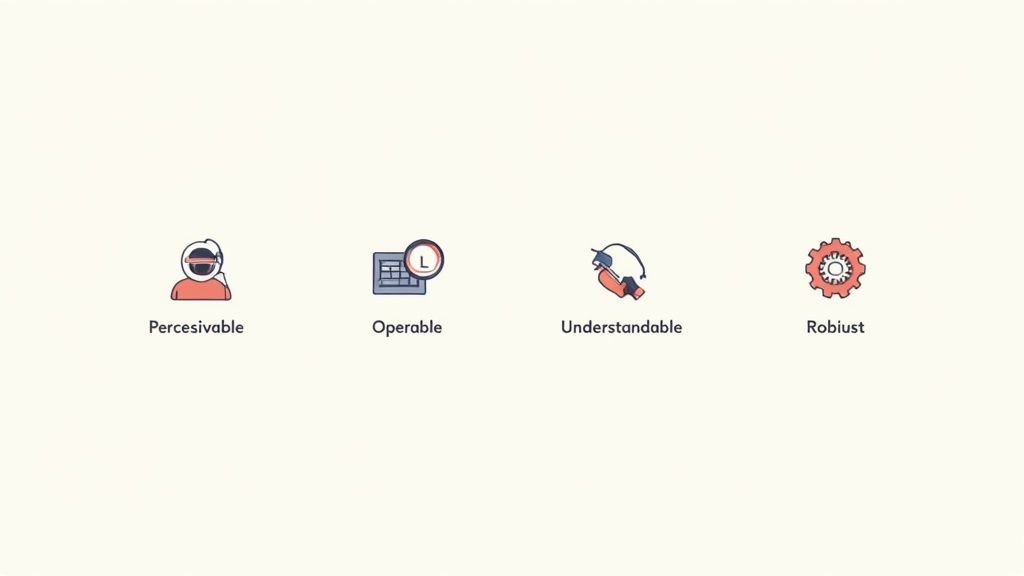
If you want your website to be AODA compliant, you need to get familiar with the Web Content Accessibility Guidelines (WCAG). Think of WCAG not as a complex technical manual, but as the blueprint for building a more inclusive web. The entire framework is built on four common-sense principles, which you can easily remember with the acronym POUR.
These principles—Perceivable, Operable, Understandable, and Robust—form the bedrock of a truly accessible website. Once you grasp what they mean in the real world, you'll start to see accessibility less as a chore and more as a fundamental part of creating a great experience for everyone.
The first principle, Perceivable, is all about making sure information can be taken in through the senses. Simply put, content can't be hidden from someone just because they have a sensory disability, like being blind or having significant hearing loss.
Imagine someone who is blind trying to use your site. If you have a critical infographic that explains a service, they can't see it. That information has to be available in other ways.
This is where some of the most well-known accessibility features come into play:
Text Alternatives (Alt Text): Every meaningful image needs a short, descriptive "alt text" that a screen reader can read aloud. So, for a picture of a product, the description should detail the item, not just say "product photo."
Captions and Transcripts: Any video with speech needs accurate, synchronized captions for users who are deaf or hard of hearing. It's also best practice to provide a full transcript for both video and audio content.
Adaptable Layout: The site’s design should be flexible enough to be displayed in different ways—like a super-simplified layout—without losing its structure or meaning.
Color Contrast: Text needs to stand out from its background. The standard is a contrast ratio of at least 4.5:1 for normal text, which ensures people with low vision can read it without strain.
Next up is Operable. This principle is about ensuring users can actually interact with everything on your website, from navigation menus to contact forms. It's not enough for them to see a button; they have to be able to use it.
Think about someone who can't use a mouse because of a motor impairment. They might rely entirely on a keyboard or another assistive device. If a dropdown menu on your site only opens when a mouse hovers over it, that user is completely stuck.
An operable interface is one where no one gets trapped. Every interactive element must work for different ways of navigating, not just the one you happen to use.
Here's how to make a site operable:
Full Keyboard Accessibility: Every single action, from browsing menus to hitting "submit" on a form, must be possible using only a keyboard.
No Keyboard Traps: A user navigating with a keyboard should never get stuck in one part of your page, like a pop-up, without being able to get out.
Sufficient Time: If your site has a time limit on tasks (like a shopping cart timeout), you must give users the ability to turn it off, adjust it, or extend it.
No Seizure-Inducing Content: Your site must not contain anything that flashes more than three times per second, as this can trigger seizures.
The third principle, Understandable, focuses on clarity and predictability. The information on your site and the way it works must be easy to comprehend. This moves beyond pure technical function and into the realm of cognitive accessibility.
If your site is filled with jargon, has confusing navigation, or gives vague error messages like "Invalid Input," you're creating a frustrating experience. An understandable website guides people logically and intuitively.
For instance, a form that puts a red box around a field but doesn't explain why it's an error fails this principle. A much better approach is a clear message like, "Please enter your email address in this field."
To make your site more understandable:
Readable Language: Write in plain, simple language. If you have to use acronyms or slang, explain them first.
Predictable Navigation: Your menus, links, and buttons should look and act the same way across the entire website. People shouldn't have to relearn how to get around on every new page.
Input Assistance: Design your forms to help people avoid and fix mistakes. This means clearly labeling fields and providing specific, helpful error messages. To get a better sense of this, you can dig into the detailed breakdown of all WCAG success criteria.
Finally, Robust means your website's code is clean enough to be interpreted reliably by a wide range of browsers and assistive technologies. This is the most technical of the four principles, but the idea is straightforward: build things the right way.
Essentially, your website should follow modern web standards (like HTML and CSS). When your code is robust, it ensures that as technology changes—new browsers, updated screen readers, different devices—your site will keep working correctly for everyone.
For example, if a developer uses sloppy code to make something look like a button, a screen reader might not recognize it as one, and the user won't know they can click it. A robust site uses standard HTML so that assistive tech knows exactly what each element is and how to interact with it.
Following these POUR principles isn't just about checking off boxes; it's the clearest path to achieving genuine AODA compliance for your website.
Here's the bottom line: AODA compliance isn't a "one-and-done" task. It's a living, breathing legal requirement for many organizations in Ontario. Every piece of new and updated web content must meet WCAG 2.0 Level AA standards. Ignoring this can lead to massive daily fines for both the company and its leadership, which is why making accessibility a core part of your business is just plain smart.
Let's get one thing straight about AODA compliance: it's not a project you can check off a list and forget about. Think of it as an ongoing commitment to making your digital front door open to everyone.
Every time you hit "publish" on a new blog post, launch a fresh landing page, or even just give an existing section of your site a major facelift, it has to meet the WCAG 2.0 Level AA standards. It’s a lot like a building code. You wouldn’t build a new office and then ignore the safety rules for every renovation afterward, right? The same principle applies to your website.
The Ontario government isn't messing around here. The penalties for non-compliance are steep enough to make any business owner pay attention. These aren't just slaps on the wrist; they're designed to be a serious deterrent.
If your organization fails to meet AODA standards, the fines can be staggering. For a corporation, we're talking about a maximum penalty of $100,000 per day. The directors and officers can also be held personally liable, facing fines of up to $50,000 per day for as long as the site remains out of compliance. Similar legal frameworks, like those discussed in this overview of ADA website accessibility risk, show just how serious these financial risks can be.
These fines can stack up for each day you're in violation, turning a small oversight into a massive financial headache very quickly. It drives home the point that non-compliance is seen as a continuous problem, not a single mistake.
With such serious legal and financial consequences on the line, the only logical approach is to build accessibility into the very fabric of how your organization operates. Stop thinking of it as a final hurdle to clear and start treating it as a fundamental part of your process.
A truly compliant organization doesn’t just patch up problems after the fact. It gives its people the tools and knowledge to create accessible content right from the get-go.
Content Creators: Need to know how to write clear, simple copy, add descriptive alt text to images, and use proper heading structures.
Developers: Must build websites with accessibility at the forefront, making sure everything works with a keyboard and plays nice with screen readers.
Designers: Should be focused on strong color contrast, readable fonts, and clean, intuitive layouts that guide users instead of confusing them.
By embedding accessibility into every step—from initial concept to final launch—you drastically reduce your risk of non-compliance. More importantly, you create a far better and more welcoming experience for every single person who visits your site. It’s so much more efficient than trying to bolt on accessibility as an afterthought.
If you're mapping out your strategy, our guide on ensuring AODA compliance by 2025 provides a detailed roadmap to get you there.
It can also be helpful to see where accessibility fits into the bigger picture of your legal duties. A general nonprofit compliance checklist can provide that wider context. At the end of the day, meeting AODA deadlines is about more than just avoiding fines—it's about showing you're committed to serving everyone in your community.
Here is your guide to making your website AODA compliant. Think of it less as a one-time checklist and more as a continuous process. The journey starts with a deep dive into your site's current accessibility, followed by a smart plan to fix what's broken. From there, it's all about training your team, building accessibility into your everyday work, and being open about your commitment.
Knowing the rules and risks of AODA is one thing, but actually getting your website compliant is another beast entirely. It’s not something you can knock out in an afternoon; it requires a deliberate, step-by-step plan. This roadmap breaks that big goal into five clear, manageable stages to guide your team from where you are now to full compliance.
Following this process ensures you cover all your bases, from digging up old problems to creating a culture where new ones don't happen in the first place. It’s a strategy for lasting success, not just a band-aid fix.
First things first, you need to know exactly where you stand. An accessibility audit is basically a full diagnostic scan of your website, pinpointing every single barrier that could stop a person with a disability from using your site. A proper audit isn't just one thing; it’s a smart mix of technology and human insight.
Automated tools are fantastic for a first pass. They can quickly crawl your site and flag common red flags like missing image descriptions, low-contrast text, or wonky heading structures. But they can’t catch everything because they don't understand context.
That’s where manual testing comes in. This is where real people—ideally including those who use assistive technologies every day—navigate your site using tools like screen readers or just a keyboard. They'll find the nuanced, complex problems an automated scan would miss, like a confusing checkout process or an interactive map that’s impossible to use without a mouse.
With your audit results in hand, you'll have a list of issues. Now you need a game plan to fix them. A simple to-do list won't cut it; you need to prioritize.
A solid remediation plan sorts issues based on two key factors: severity and effort. A critical bug that completely blocks someone from buying your product? That goes straight to the top of the list. A minor typo that’s a quick fix? You might tackle that right away for an easy win.
Your remediation plan is more than a to-do list; it's a strategic document that assigns responsibility, sets timelines, and ensures the most critical accessibility barriers are removed first. This targeted approach makes the process far more efficient and impactful.
Ignoring this can be a costly mistake. The path from non-compliance to AODA compliance is paved with very real financial risks for organizations that drag their feet.
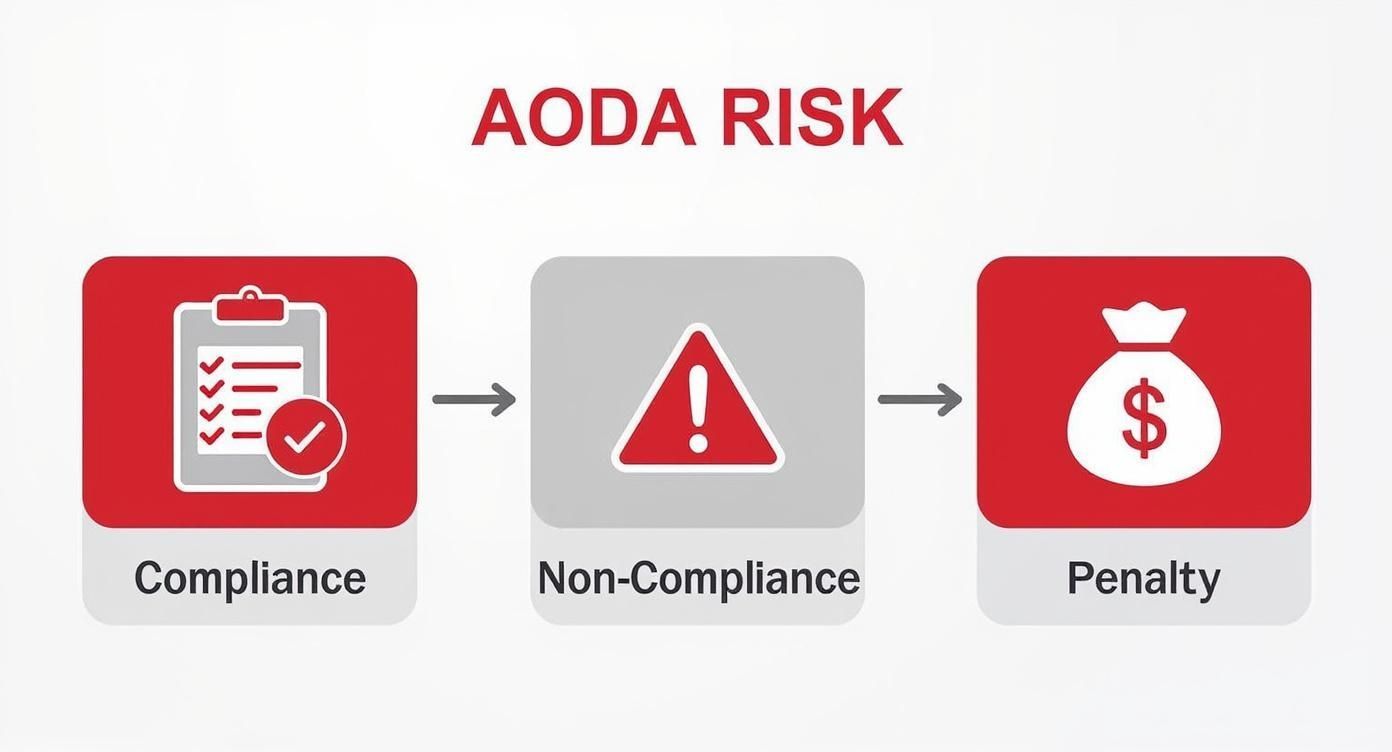
This diagram says it all: inaction leads directly to financial penalties. A proactive strategy isn't just good practice; it's good business.
To bring this planning to life, it helps to map out the entire project.
Breaking down a large compliance initiative into distinct phases makes the entire process more manageable and ensures no critical steps are missed.
| Phase | Key Activities | Primary Goal |
|---|---|---|
| Phase 1: Discovery & Audit | - Run automated scans - Conduct manual testing with assistive tech - Review content and code | To get a comprehensive list of all WCAG violations and user experience barriers on the site. |
| Phase 2: Strategy & Planning | - Prioritize issues by severity - Assign tasks to team members - Set clear deadlines and milestones | To create a detailed, actionable remediation plan that focuses on the most critical issues first. |
| Phase 3: Remediation | - Developers fix code issues - Designers adjust visual elements - Content creators update copy and alt text | To systematically resolve all identified accessibility problems according to the plan. |
| Phase 4: Verification | - Re-run audits and manual tests - Involve users with disabilities for feedback - Document all fixes | To confirm that all issues have been successfully resolved and the site meets compliance standards. |
| Phase 5: Maintenance & Training | - Train staff on accessibility best practices - Integrate checks into daily workflows - Establish a public feedback channel | To embed accessibility into the company culture and ensure the site remains compliant over time. |
This phased approach provides a clear structure, helping teams stay organized and focused on achieving and maintaining full AODA compliance.
AODA compliance isn't just a developer’s problem. It’s a team sport. To make accessibility stick, you need to train everyone who has a hand in creating your digital presence.
Content Creators: They need to know how to write meaningful alt text, structure articles with proper headings, and use plain language.
Designers: They must understand color contrast rules, choose readable fonts, and design layouts that are intuitive for everyone.
Developers: They need to write clean, semantic code that screen readers can understand and ensure everything works with a keyboard.
QA Testers: They should be adding accessibility checks to their regular testing routines to catch problems before they ever go live.
This kind of training gives your team the skills to build inclusively from the start, shifting the mindset from fixing problems to preventing them.
To keep old issues from popping up again, accessibility needs to be baked right into your daily operations. It can’t be a final check right before launch; it has to be part of the process from day one.
So, what does that look like?
Adding accessibility requirements to creative briefs and design mockups.
Making accessibility testing a mandatory part of your QA checklist.
Requiring an accessibility sign-off before any new feature or page goes live.
When you embed these checkpoints into your standard procedures, accessibility just becomes part of how you work. That’s the secret to maintaining AODA compliance for websites for the long haul.
Finally, you need to be transparent about your efforts. An accessibility statement is a dedicated page on your website that signals your commitment to inclusion. It tells your users you care and gives them the info they need.
Your statement should name the standard you're aiming for (WCAG 2.0 Level AA), explain what you’ve done to get there, and be honest about any areas you’re still working on.
Most importantly, it has to include a clear way for people to give you feedback. This lets users report any barriers they find, making them partners in your accessibility journey. This open dialogue not only helps you fix things faster but also builds a massive amount of trust with your audience.
When it comes to making your website AODA compliant, it’s natural to have a few questions. As teams start digging into the requirements, certain details about the scope, rules, and best approaches can seem a little fuzzy. Let’s clear up some of the most common questions we hear.
Getting these details right is the key to building a compliance plan that actually works. Whether you're trying to figure out which laws apply to you or which parts of your digital footprint are covered, solid answers will help you avoid common pitfalls and focus your energy where it counts.
This is probably the most frequent point of confusion. People often hear "AODA" and "ADA" and assume they're related, but while both are about preventing discrimination against people with disabilities, they operate in completely different worlds.
Think of it this way:
Location, Location, Location: The AODA is a provincial law that applies only to organizations in Ontario, Canada. The ADA, on the other hand, is a federal law in the United States, covering organizations nationwide. They are two separate sets of rules for two different countries.
The Rulebook: AODA is very specific about web accessibility. It points directly to the Web Content Accessibility Guidelines (WCAG) 2.0 Level AA and says, "This is the standard you must meet." The ADA is less direct; it doesn't name a specific technical standard in the law itself, but courts have consistently pointed to WCAG as the benchmark for compliance.
The Referees: AODA has a built-in enforcement system with mandatory reporting and clear, escalating fines for non-compliance. The government actively checks on organizations. ADA enforcement is mostly driven by civil lawsuits and actions from the Department of Justice (DOJ) after a complaint is filed.
Bottom line? If you operate in Ontario, AODA is the law you need to follow. If you're in the U.S., it's the ADA. And if your business has a presence in both, you'll need a strategy that addresses both.
Another great question is whether AODA’s rules for websites also cover internal sites meant only for employees. The answer isn't a simple yes or no—it depends on who you are.
For most private companies and non-profits, AODA’s web accessibility rules are focused on your public-facing websites and content. The law's main goal here is to make sure your customers, clients, and the general public can access your digital information and services without running into barriers.
But there’s a big exception:
For the Government of Ontario and the Legislative Assembly, AODA’s rules absolutely apply to their internal (intranet) websites. This makes perfect sense, as it ensures government employees with disabilities have the same access to the digital tools and information needed to do their jobs.
So, if you're a private business with 50+ employees, your legal priority for AODA compliance for websites is your external, public site. That said, making your intranet accessible is a fantastic best practice for creating an inclusive workplace.
As you explore options for AODA compliance, you will likely encounter various accessibility widgets, toolbars, and automated solutions. These can play a valuable role in a comprehensive accessibility strategy.
These tools are often designed to enhance the front-end user experience. They provide visitors with controls to customize the site to better suit their individual needs. For instance, a user might use a widget to increase text size, change to a high-contrast color scheme, or select a font that is easier to read for individuals with dyslexia. This layer of personalization can significantly improve usability for many people.
These tools are most effective when they are part of a broader accessibility effort. The foundation of a compliant website is solid, accessible code and design—things like proper heading structures, descriptive alt text for images, and full keyboard navigability. When you pair this strong foundation with a user-facing tool, you can create a more robust and inclusive digital experience.
Digital accessibility isn't a one-and-done project; it's an ongoing commitment. With the right strategy and support, you can ensure your website is not only compliant but genuinely welcoming to every visitor. The WebAbility.io platform provides an end-to-end solution to help you tackle AODA requirements with confidence. Learn more at https://www.webability.io.
Tap to ask AI about this article