Americans with disabilities act website accessibility guide

Sidharth Nayyar
Your Quick Guide to ADA Website Accessibility
Making your website accessible isn't just a good idea—it's a legal necessity under the Americans with Disabilities Act (ADA). Courts consistently treat websites as "places of public accommodation," meaning they must be usable by people with disabilities. The gold standard for compliance is the Web Content Accessibility Guidelines (WCAG) 2.1 Level AA. The best way to start is with a thorough accessibility audit that combines automated scans with manual testing using assistive technologies. From there, create a plan to fix the most critical issues first. Remember, accessibility is an ongoing process, not a one-time fix.
Let's cut to the chase: The Americans with Disabilities Act (ADA) applies to your website. Just as a physical store needs a wheelchair ramp, your digital storefront must be accessible to people with disabilities. While the law itself doesn't give you a technical manual, the courts have made it clear: the Web Content Accessibility Guidelines (WCAG) 2.1 AA is the gold standard they use to measure compliance.
Getting this right isn't just about avoiding a lawsuit—it's a smart, ethical, and profitable business decision.
So, What Is ADA Website Accessibility, Really?
When the ADA became law back in 1990, the web was a completely different beast. The law was written for brick-and-mortar spaces, but its spirit of preventing discrimination has evolved. Courts now consistently rule that websites are "places of public accommodation," putting them under the ADA's umbrella.
Think about it. For many, your website is your business. If a person with a disability can't navigate it, they're effectively locked out from your services, products, and information—a barrier just as real as a flight of stairs with no ramp.
Why Digital Accessibility Is Non-Negotiable
Adopting Americans with Disabilities Act website accessibility is so much more than a box-ticking exercise to keep lawyers happy. It's a strategic move that unlocks a wider audience and, frankly, leads to a better website for every single person who visits.
An accessible website is just a well-designed website. The benefits are real and measurable:
Wider Audience: You open your doors to the massive market of people with disabilities and the people who care about them.
Stronger Brand: Showing you care about inclusion builds trust and loyalty. It says your brand is for everyone.
SEO Boost: Many of the things you do for accessibility—like clean code, proper heading structures, and good alt text—are things Google loves, too.
Better UX for All: Simple navigation and clear, readable content make a site easier for everyone to use, not just those with disabilities.
The best starting point is to see where you stand right now. A comprehensive user experience and accessibility audit checklist can give you a clear picture of what needs work.
Where WCAG Fits Into the Picture
Since the ADA law doesn't get into the nitty-gritty of HTML tags and color contrast ratios, the world has turned to the Web Content Accessibility Guidelines (WCAG). These guidelines, created by the World Wide Web Consortium (W3C), are the globally recognized rulebook for web accessibility.
If there's one thing to remember, it's this: WCAG 2.1 Level AA is the standard you need to meet. It's the benchmark cited time and again in legal settlements and DOJ guidance. It provides a clear, achievable target for making your site reasonably accessible.
Following WCAG means building your site around its four core principles: it must be Perceivable, Operable, Understandable, and Robust (often called POUR). This framework ensures that people using screen readers, keyboard-only navigation, or other assistive technologies can actually use your website as intended. WCAG provides the practical roadmap you need to follow.
Let’s be honest: digital accessibility isn't just some abstract concept or a legal box to check. For millions of people, it’s about the daily frustration of trying to navigate a web that wasn't built for them. The hard truth is that over 96% of websites fail even basic accessibility tests, creating very real roadblocks for people with disabilities who are just trying to shop, learn, or connect online. This isn't just a missed opportunity—it's a massive failure in user experience that alienates a huge part of your potential audience.
The Real-World Impact of Digital Barriers
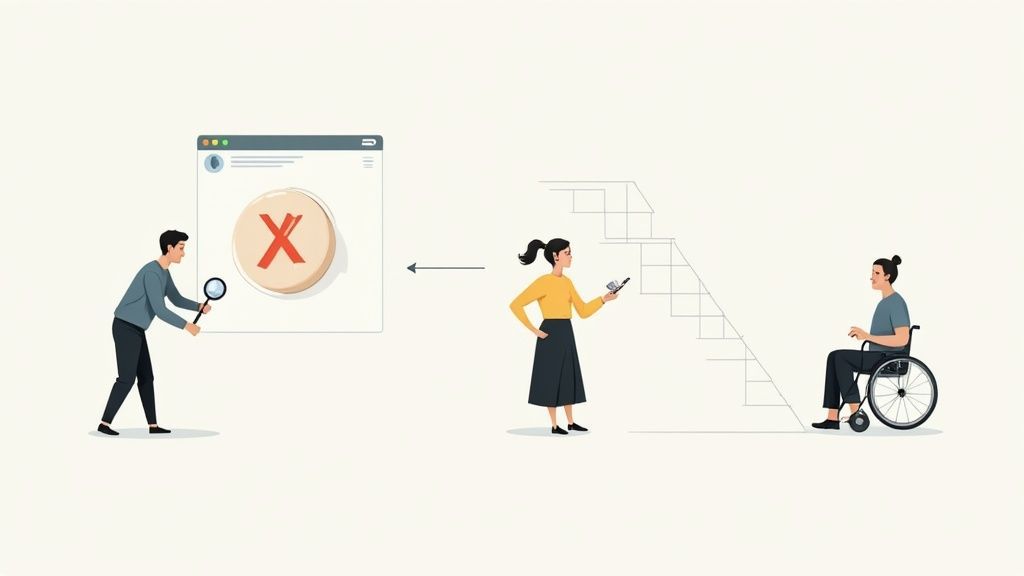
It’s easy to get lost in the technical jargon of Americans with Disabilities Act website accessibility, but at its core, this is a human issue. We’re talking about real people facing digital dead-ends that prevent them from doing things many of us do without a second thought.
Imagine you're trying to order groceries, but you use a keyboard to navigate and the "add to cart" button is completely unreachable. Or picture a student who is blind trying to study for an exam, but their online course materials are just images of text, making them totally useless to their screen reader.
These aren't edge cases. They happen every single day. An inaccessible website can be the difference between getting a job offer and missing it, or between finding critical health information and being left in the dark. The impact is huge, leading to frustration and reinforcing a sense of exclusion.
The Problem Is Bigger Than You Think
Despite years of conversation around inclusivity, the state of website accessibility is still alarmingly poor. The WebAIM Million report, which audited the homepages of the top one million websites, found over 50 million distinct accessibility errors in 2023. That’s an average of 51 errors per page.
The most shocking statistic? A staggering 96.3% of those homepages failed to meet basic WCAG 2.0 standards. This means a person with a disability is almost guaranteed to hit a wall on any given site they visit.
The data tells a clear story: digital inaccessibility is the default experience on the web. This gap between legal expectations and real-world practice creates significant risk for businesses and immense frustration for users.
Common Barriers Users Face Every Day
So, what do these barriers actually look like? They often come from simple oversights in design and code that have massive consequences for people using assistive technologies.
Here are a few of the most frequent culprits I see:
Missing Alt Text: When an image is missing descriptive alt text, it's just a blank void for someone using a screen reader. Product photos, charts, and important graphics become completely meaningless.
Poor Keyboard Navigation: Many people with motor disabilities navigate exclusively with a keyboard. If your site’s links, buttons, and menus can't be reached with the Tab key, you've essentially locked them out.
Low Color Contrast: Text that blends into the background might look stylish, but it can be completely unreadable for users with low vision or color blindness. It’s one of the easiest fixes, yet one of the most common failures.
Broken Forms: Forms are critical for everything from checkouts to contact pages. If they don't have proper labels, clear instructions, and helpful error messages, they become a major roadblock.
Beyond these specific fixes, we also have to think about the bigger picture of user experience. For instance, optimizing website performance is crucial, as a slow, clunky site is a barrier for everyone—especially for users on slower connections or whose assistive tech requires more processing power. Making your site truly accessible means building an experience that is functional and inclusive from the ground up.
Navigating the Legal Landscape and Litigation Trends
Let's be honest: the legal side of Americans with Disabilities Act (ADA) website accessibility can feel like a minefield. But getting a handle on it is absolutely crucial for protecting your business.
The whole issue stems from Title III of the ADA, which says "places of public accommodation" can't discriminate. For years, courts have been siding with the view that websites count as these "places," essentially treating them as the digital front doors to your business.
This isn't just some legal theory, either. The consequences are very real. We've seen a massive spike in legal action around website accessibility. In 2024 alone, people with disabilities filed over 4,000 lawsuits in federal and state courts, all centered on websites and mobile apps that didn't comply with ADA Title III. You can find a solid breakdown of this risk on Saul.com.
These lawsuits usually boil down to digital barriers that stop people from getting the same access as everyone else. The frustrating part? The complaints often highlight common, totally fixable problems.
Here’s what typically gets called out in court filings:
Websites don't work with screen readers, leaving blind users completely in the dark.
Images are missing alternative text, so users have no idea what they're looking at.
Videos have no captions, shutting out anyone who is deaf or hard of hearing.
You can't navigate with a keyboard, trapping anyone who can't use a mouse.
This flood of litigation makes one thing crystal clear: being proactive about compliance is no longer optional.
WCAG 2.1 AA: The Unofficial Rulebook
While the ADA law itself doesn't hand you a technical checklist for your website, the courts and the Department of Justice (DOJ) have pointed to a clear standard: the Web Content Accessibility Guidelines (WCAG) 2.1 Level AA. These international guidelines have become the accepted legal benchmark for digital accessibility.
Think of WCAG as the detailed blueprint for building a website that works for everyone. It gives you specific, testable criteria to follow. Meeting them ensures your site is perceivable, operable, understandable, and robust for most people with disabilities. Following this standard is, without a doubt, the best way to show you're making a good-faith effort and drastically cut your legal risk.
If you're a business owner, here's the bottom line: you can't afford to ignore WCAG 2.1 AA anymore. Courts consistently use these guidelines as the yardstick to decide if a website offers the "full and equal enjoyment" the ADA demands.
Who's Getting Sued and Why?
A dangerous myth is that only huge corporations get hit with these lawsuits. The truth is, businesses of every shape and size are in the crosshairs—from giant retailers to mom-and-pop ecommerce stores and local service providers. If the public can access your website, it's considered a place of public accommodation.
The legal arguments can get a bit complicated, and different courts see things slightly differently. Some courts look for a link—a "nexus"—to a physical location, but others have decided that online-only businesses are covered, too. The dominant trend, however, is applying the ADA to all digital properties, period. To see what factors often trigger legal action, you can learn more about website accessibility lawsuits in our detailed article.
Turning a Legal Headache Into a Business Win
Instead of just playing defense, think of this as an opportunity. Embracing accessibility is a smart, proactive strategy that turns a legal requirement into a genuine business advantage.
An accessible website does more than just shield you from six-figure lawsuits. It opens your doors to millions of potential customers with disabilities who have money to spend.
Ultimately, smart risk management means weaving accessibility into your company's DNA. When you make WCAG standards a priority, you're not just ticking a legal box. You're building a better, more inclusive experience for every person who visits your site, boosting your brand's reputation and setting yourself up for long-term growth. It's how you turn a potential liability into a tangible asset.
Your Roadmap to an Accessible Website
So, you understand the risks and you're ready to get your website compliant. That's the first major step. But turning that understanding into action is where most people get stuck. Creating an accessible website isn't some abstract concept; it's a project with a clear, practical workflow. The key is to break it down into manageable stages, focusing on a process that finds and fixes the real-world barriers your users face.
This approach ensures your efforts are targeted, efficient, and actually solve problems for people. Forget that overwhelming feeling of not knowing where to start. This is your path forward.
The whole journey begins with a thorough audit, which then informs a smart remediation plan, and finally leads to implementing the necessary changes. This process is a common one for a reason—it works. In fact, many businesses only start this journey after receiving a legal challenge, forcing them to adopt WCAG 2.1 AA as the standard to get things right.
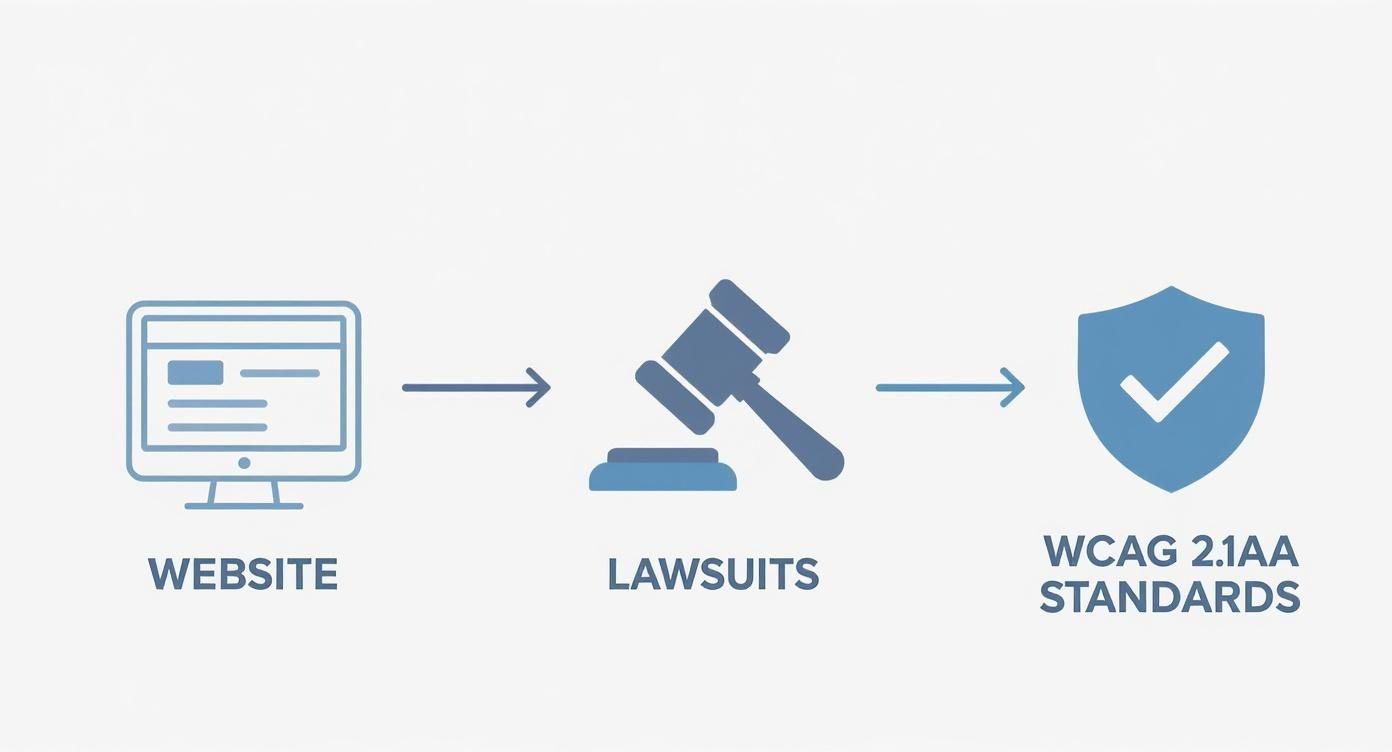
This visual really drives home the reality of the situation. Getting ahead of this process isn't just good practice; it's smart business.
The Foundational Step: Your Accessibility Audit
You can't fix what you don't know is broken. An accessibility audit is your diagnostic phase, giving you a clear, honest baseline of where your site stands today. A truly effective audit isn’t just about running a quick automated scan and calling it a day—it demands a blended approach.
Automated Testing Tools: These are great for catching the low-hanging fruit. Tools like WAVE or Axe can quickly scan your entire site for common programmatic errors like missing alt text, poor color contrast, or heading structure issues. Think of them as your first line of defense, flagging a solid chunk of WCAG failures.
Manual Testing with Assistive Tech: This is where the real insights come from, and it’s absolutely essential. Automated tools can’t tell you if the user experience makes sense or if a task is frustrating to complete. Manual testing means you (or an expert) navigate your site just like a person with a disability would—using screen readers like JAWS or NVDA, and relying only on a keyboard. This is how you uncover the critical usability barriers that scanners always miss.
A common mistake I see all the time is companies relying solely on automated scans. While helpful, they only catch about 30-40% of potential accessibility issues. The real, nuanced problems that make users give up and leave your site are almost always found through hands-on, manual testing.
Prioritizing Your Remediation Efforts
Once your audit is done, you're going to have a list of issues. It might even be a bit intimidating. The next step is to prioritize them intelligently. Instead of just diving in and tackling things randomly, you need a game plan based on impact.
Focus on fixing the biggest roadblocks first—the ones that completely prevent users from completing essential tasks. For example, a "Buy Now" button that someone can't click with a keyboard is a much higher priority than a minor color contrast issue on a footer link.
Group your fixes into tiers:
Critical Blockers: These are showstoppers. Think checkout processes that don't work or forms that can't be submitted.
Serious Obstacles: These issues make the site incredibly difficult to use but not completely impossible. Examples include confusing link text or missing page landmarks that make navigation a nightmare.
Minor Hurdles: These are problems that create inconvenience but don't derail the entire user journey, like inconsistent styling on non-critical elements.
Implementing Core Accessibility Fixes
With a prioritized list in hand, your development team can start rolling out the changes. The good news is that many of the most common issues have straightforward solutions.
Below is a quick breakdown of the most frequent problems we find during audits and how you can go about fixing them.
Common Accessibility Issues and How to Fix Them
| Common Issue (WCAG Failure) | Impact on Users | How to Fix It (Remediation Step) |
|---|---|---|
| Missing Alt Text on Images (1.1.1) | Screen reader users have no idea what the image is or why it's there, missing crucial context. | Add descriptive alt text to all meaningful images (alt="A golden retriever catching a red frisbee"). For purely decorative images, use an empty alt attribute (alt=""). |
| Poor Color Contrast (1.4.3) | Users with low vision or color blindness can't read the text against its background. | Adjust text and background colors to meet a minimum contrast ratio of 4.5:1 for normal text and 3:1 for large text. Use a contrast checker tool. |
| No Keyboard Focus Indicator (2.4.7) | Keyboard-only users can't see where they are on the page, making navigation impossible. | Ensure all interactive elements (links, buttons, forms) have a clear, visible outline or border when they receive keyboard focus. This is often a simple CSS fix. |
| Vague Link Text (2.4.4) | Screen reader users hear a list of meaningless links like "Click Here" or "Learn More" out of context. | Write descriptive link text that makes sense on its own. Instead of "Click Here," use "Read Our 2024 Accessibility Report." |
| Unlabeled Form Fields (3.3.2) | Users with assistive tech don't know what information to enter into a form field. | Programmatically connect a <label> to every <input>, <textarea>, and <select> element. Placeholder text is not a substitute for a label. |
This table covers the basics, but there’s often more to it. For a deeper dive, our guide on how to make a website accessible provides more detailed, step-by-step instructions for these and other fixes.
By systematically working through these stages—audit, prioritize, and remediate—you transform what seems like a daunting challenge into an achievable project. This structured approach is the most effective way to improve your site’s accessibility and meet your obligations under the Americans with Disabilities Act website accessibility framework.
The world of digital accessibility is anything but static. If you want to stay compliant with the Americans with Disabilities Act, you have to think about what's coming next. With recent Department of Justice regulations locking in WCAG 2.1 AA standards for state and local governments, we now have the clearest benchmark yet. The smartest move is to stop treating accessibility as a one-off project and make it a constant in your workflow through team training, integrated development checks, and regular audits.
Future-Proofing Your Digital Accessibility
Getting your website accessible isn't a task you can just check off a list and forget about. It's a genuine, ongoing commitment to inclusion, and that demands a strategy built for the long haul. The standards, the technology, and even the legal interpretations are always moving forward, so your compliance plan has to be nimble enough to keep up.
Fixing today’s problems is only half the battle. A truly sustainable approach means weaving accessibility into the very fabric of your organization's culture and daily operations. This proactive mindset doesn't just keep you out of legal trouble; it ensures your website and apps remain welcoming to everyone as your business evolves.
Staying Ahead of Regulatory Changes
The legal side of Americans with Disabilities Act website accessibility just got a lot clearer, particularly for public organizations. This shift is a strong signal for everyone, pointing toward more defined digital compliance standards across the board.
On April 24, 2024, the Department of Justice published a final rule under Title II of the ADA. This is a big deal. It officially requires state and local government websites and mobile apps to meet WCAG 2.1 Level AA standards. This rule covers everything, even content from third-party vendors. Governments with populations over 50,000 have until April 24, 2026, to comply, while smaller entities get until April 26, 2027. You can read the full details of this web rule on the official ADA website.
While this new rule is aimed at the public sector, it sends a powerful message to private businesses. It cements WCAG 2.1 AA as the definitive benchmark for accessibility. Think of it as the new gold standard for your own compliance efforts.
Weaving Accessibility Into Your Workflow
The secret to future-proofing isn't a crystal ball; it's building a resilient process that adapts to change. This means pulling accessibility out of the final pre-launch checklist and making it a core part of your design and development cycle from day one.
In the industry, we call this a "shift-left" approach. You’re moving accessibility considerations to the earliest stages of a project, not tacking them on at the end.
Here’s what that looks like in practice:
During Design: Your team checks wireframes and mockups for things like color contrast, logical reading order, and clear navigation right from the start.
In Development: Developers don't just build features; they write clean, semantic HTML, ensure everything works with a keyboard, and use ARIA attributes correctly as they go.
For Content Creators: Writers learn to craft meaningful alt text for images, structure content with proper headings, and use plain language that's easy to understand.
With Quality Assurance: QA testers don't just look for bugs. They make manual testing with screen readers and keyboard-only navigation a standard part of their process.
By building these habits, you spot and fix accessibility barriers early on, which is far cheaper and less stressful than scrambling to fix them later. It fosters a culture where accessibility is just part of doing good work.
The Role of Continuous Monitoring and Training
Think of your website as a living thing. New pages go up, features get updated, and content is always changing. To keep things accessible, you need a system to keep an eye on it.
Regular, automated scans are great for this. They act like an early-warning system, flagging new issues as they pop up. But they're not enough on their own. You should pair them with periodic manual audits—maybe quarterly or annually—to get a real sense of the user experience and catch the more complex usability problems that automated tools miss.
Just as important is keeping your team's skills sharp. When new standards like WCAG 2.2 or 3.0 are released, your team needs to understand what's changed and how it affects their work. Investing in education ensures everyone is ready to maintain a high accessibility standard. To learn more about what's on the horizon, check out our article on future trends in web accessibility and how to prepare for 2026 and beyond.
This holistic approach—blending technology, solid processes, and skilled people—is how you truly future-proof your digital accessibility.
Common Questions About ADA Website Accessibility
Even with a plan in hand, you're bound to have questions. Everyone does. Getting solid answers to the most common concerns is the key to building a strategy that actually works and sticking with it. Let's break down some of the things people ask most often.
Is ADA Website Accessibility a Legal Requirement for My Business?
For the vast majority of businesses, the answer is a resounding yes. Title III of the ADA has been interpreted by U.S. courts time and again to include websites. They see them as digital extensions of your physical "places of public accommodation."
So, if your business serves the public—whether you're a retailer, a restaurant, a doctor's office, or a law firm—your website has to be accessible. While the Department of Justice hasn't handed down a specific set of technical rules, the courts consistently use the Web Content Accessibility Guidelines (WCAG) as the gold standard. Ignoring that standard is a major legal gamble.
What Are the First Steps I Should Take to Make My Website Accessible?
Your first move, without a doubt, should be to get a real sense of where you stand with an accessibility audit. This isn't a vague check-up; it's a detailed diagnosis that gives you a baseline to work from.
A legitimate audit has two critical parts:
Automated Testing: These tools are fantastic for a quick first pass. They'll scan your site and flag common coding errors, catching somewhere around 30-40% of potential issues.
Manual Testing: This part is absolutely non-negotiable. It involves a real person navigating your site just like a user with a disability would—using screen readers, keyboard-only navigation, and other assistive tech. This is where you find the real-world usability problems that automated scans completely miss.
With the audit results in hand, you can map out your remediation plan. The smartest way to do this is to prioritize the showstoppers—fix the things that are completely blocking a user from doing something important, like buying a product or filling out a contact form.
A great, simple step you can take right away is to add an accessibility statement to your website. This page signals your commitment to inclusion, gives people a way to contact you if they run into trouble, and shows you're making a good-faith effort.
What Are Accessibility Widgets and Overlays?
You've probably seen them before—tools that add a piece of code to your site, promising to fix accessibility issues on the fly. These are often called accessibility widgets or overlays. They can offer some quick-fix adjustments for users and are one of many tools some businesses consider.
A truly effective accessibility strategy is built from the ground up. It means getting into your website's code and design to make sure it follows WCAG standards natively. Things like using proper semantic HTML, making sure everything works with just a keyboard, and providing text alternatives for images are what create a foundationally inclusive experience for everyone.
How Often Should I Audit My Website for Accessibility?
Think of accessibility as ongoing maintenance, not a one-off project. It needs regular attention to stay in good shape. Plan on doing a full, deep-dive audit at least once a year. You'll also want to do one anytime you launch a major redesign or add significant new features.
Beyond that, you should weave accessibility checks into your everyday workflow. Running automated scans or doing quick manual spot-checks every quarter is a great habit to get into.
Most importantly, new features or content should be checked for accessibility before you push them live. This proactive mindset is the only real way to keep your site compliant and genuinely usable for all your visitors over the long haul.
Ready to make your website accessible for everyone and stay compliant? WebAbility.io offers an all-in-one platform to audit, remediate, and maintain ADA and WCAG standards with ease. Start your free trial today.
Quick Questions
Tap to ask AI about this article