Ada Compliance 508: A Guide to ADA Compliance 508 and Accessibility

Sidharth Nayyar
TL;DR: The ADA is a broad US civil rights law requiring accessibility but doesn't specify technical rules. Section 508 is a federal law that does get technical, mandating that government agencies follow the Web Content Accessibility Guidelines (WCAG). Because of this, courts consistently use WCAG as the benchmark for ADA compliance for private businesses, making it the de facto standard for everyone. Achieving compliance involves a cycle of automated scanning, expert manual audits, fixing issues, and continuous monitoring.
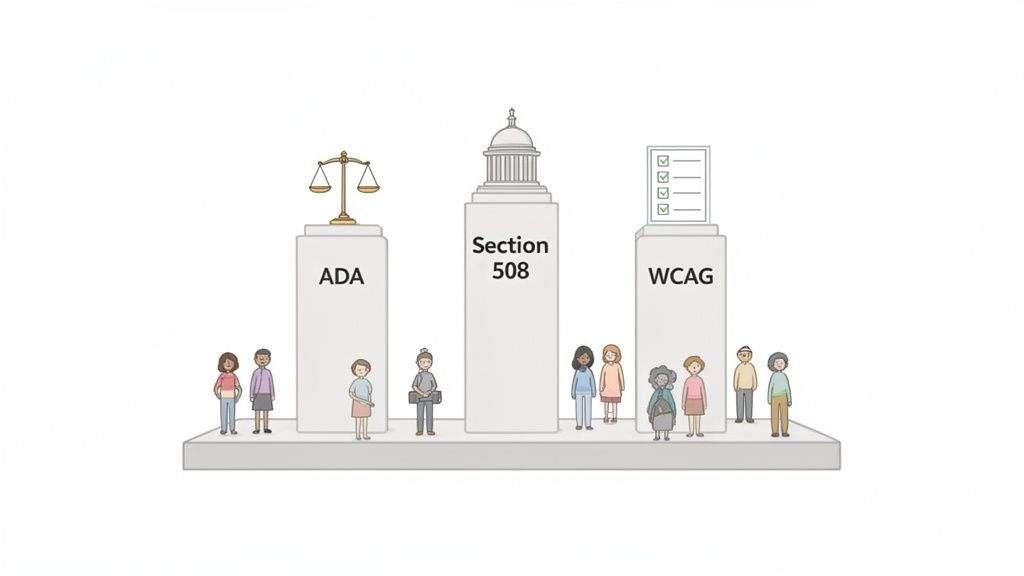
When you're trying to get a handle on digital accessibility, you'll hear three acronyms come up again and again: ADA, Section 508, and WCAG. They’re the cornerstones of this whole world. In a nutshell, ADA is a broad civil rights law, Section 508 is for federal agencies and their partners, and WCAG provides the technical "how-to" guidelines that everyone uses to get the job done.
The Essentials of ADA and Section 508 Compliance
Figuring out the landscape of ADA compliance 508 is the first real step toward building digital products and websites that welcome everyone. These aren't just legal terms or tech jargon; they represent a fundamental promise of equal access. Think of them as the architectural plans for a more inclusive and functional digital society.
The journey starts by understanding the core ideas that drive accessibility rules for both government and private businesses. Each piece of the puzzle plays a specific, yet connected, role in making sure websites, apps, and even PDFs can be used by people with disabilities.
Key Pillars of Digital Accessibility
To make sense of it all, it helps to see how these elements work together. They aren't competing against each other. Instead, they’re complementary parts of a larger framework built to ensure universal access.
Americans with Disabilities Act (ADA): This is the big one—a landmark civil rights law that makes it illegal to discriminate against people with disabilities in all areas of public life.
Section 508: This is a federal law that specifically requires government agencies to make their electronic and information technology (like websites and software) accessible.
Web Content Accessibility Guidelines (WCAG): These are the globally recognized technical standards. They've become the de facto rulebook for what "accessible" actually looks like online.
At its core, digital accessibility is about designing technology that works for everyone, regardless of their abilities. It’s about removing barriers and creating opportunities for all users to participate fully online.
Grasping the spirit behind laws like ADA and Section 508 means seeing how they push for a universally accessible online world. It’s a big part of the larger movement toward digital inclusion, which is worth exploring to get the full picture.
To help clarify these concepts, here’s a quick breakdown of how these pieces fit together.
Core Accessibility Concepts at a Glance
| Standard/Law | Primary Scope | Who It Applies To |
|---|---|---|
| Americans with Disabilities Act (ADA) | A broad civil rights law prohibiting discrimination based on disability. | State and local governments (Title II) and public accommodations (Title III). |
| Section 508 of the Rehabilitation Act | Requires federal electronic and information technology to be accessible. | Federal agencies, their contractors, and vendors. |
| Web Content Accessibility Guidelines (WCAG) | A set of technical standards for web content accessibility. | Widely adopted as the benchmark for both public and private sector compliance. |
This table simplifies the key players, but it shows how laws create the "why" and standards like WCAG provide the "how."
The Reality of Federal Compliance
Even with clear rules in place, getting to full compliance is a real challenge. A Governmentwide Section 508 Assessment found that only 23% of public federal web pages were fully conformant with WCAG 2.1 AA standards.
That number really drives home the need for dedicated, systematic approaches to accessibility. It’s not a one-and-done task. You can dig into these federal compliance findings to learn more about the ongoing work in this area.
A Simple Breakdown of Accessibility Laws
In short: The ADA is a broad civil rights law that demands accessibility but doesn't give technical instructions. Section 508 provides those rules for the federal government by requiring them to follow the Web Content Accessibility Guidelines (WCAG). Because courts consistently use WCAG to measure ADA compliance for private businesses, it has become the gold standard for everyone.
Let's use a simple analogy to understand how these laws work together.
Imagine the Americans with Disabilities Act (ADA) is the main zoning ordinance for a city. It declares that all public buildings must be accessible to people with disabilities. But it doesn't give you the specific blueprints—it just sets the fundamental rule of equal access. Over the years, courts have made it clear this "public building" rule applies to websites, too.
So, if the ADA is the zoning law, Section 508 is the specific building code for all government-owned properties. It provides the exact instructions federal agencies must follow, legally requiring their digital "buildings" to conform to a detailed set of technical blueprints: the Web Content Accessibility Guidelines (WCAG).
The Unofficial Rulebook for Everyone
Here's where it gets interesting for private businesses. The ADA doesn't officially name a technical standard, and Section 508 only applies to federal agencies. So what's the benchmark for everyone else?
The answer has been hammered out in the courtroom. In legal disputes over digital accessibility, judges repeatedly turn to WCAG as the yardstick to determine if a website meets its ADA obligations.
This pattern of legal decisions has effectively made WCAG the de facto standard for all businesses. If you want to meet your ADA requirements and build a truly inclusive website, following WCAG is the clearest and most reliable path forward.
But this isn't just about avoiding lawsuits. It's about opening your doors to a massive and often overlooked audience. By making your site accessible, you're welcoming the 1 in 4 adults in the U.S. who live with a disability and command significant spending power.
Taking Positive Steps Toward Inclusivity
Every organization can start making its digital presence more welcoming today. You might decide to tackle remediation yourself, bring in accessibility experts, or use a platform to continuously monitor and manage your site.
No matter which path you choose, the journey begins with a simple commitment: to build a better, more accessible web for everyone.
TL;DR: The ADA is the big-picture civil rights law that demands accessibility but stays quiet on the technical specifics. Section 508 is a federal law that does get technical, but it only applies to government agencies and their contractors. To give those agencies a clear set of rules, Section 508 officially adopted the Web Content Accessibility Guidelines (WCAG). Because of this, WCAG has become the de facto standard for private businesses trying to comply with the ADA, even though the ADA itself never mentions it by name.
How ADA, Section 508, and WCAG Fit Together
To really get a handle on digital accessibility, you need to see how its three main pillars—the ADA, Section 508, and WCAG—work in concert. They aren’t three different roads to the same destination; they're more like a set of nested instructions, connecting a broad civil rights vision to the specific, practical steps needed to make it a reality.
Think of it like building a house.
The Americans with Disabilities Act (ADA) is the zoning law. It sets the foundational "why" by establishing that people with disabilities deserve equal access to public spaces, a rule that courts have consistently applied to websites and apps. But the zoning law doesn't tell you where to put the nails or what kind of wiring to use.
That’s where Section 508 comes in. It's the specific building code for a particular neighborhood—in this case, for federal government agencies and any companies they hire. It takes the ADA's broad principle and turns it into a direct order: all your technology must be accessible. It answers the "who" (the federal government) and the "what" (their websites, software, and documents).
So, how do government developers actually follow that code? They use the Web Content Accessibility Guidelines (WCAG), which acts as the detailed architectural blueprint. This became official when Section 508 was updated to directly adopt WCAG 2.0 Level AA as its technical standard, finally bridging the gap between legal theory and coding practice.
WCAG: The Unofficial Rulebook for Everyone
By formally adopting WCAG, Section 508 didn't just give federal agencies a clear set of instructions; it elevated WCAG to become the gold standard for accessibility across the entire country.
This flowchart shows how the ADA's broad mandate provides the foundation for Section 508, which in turn points directly to WCAG for its technical standards.
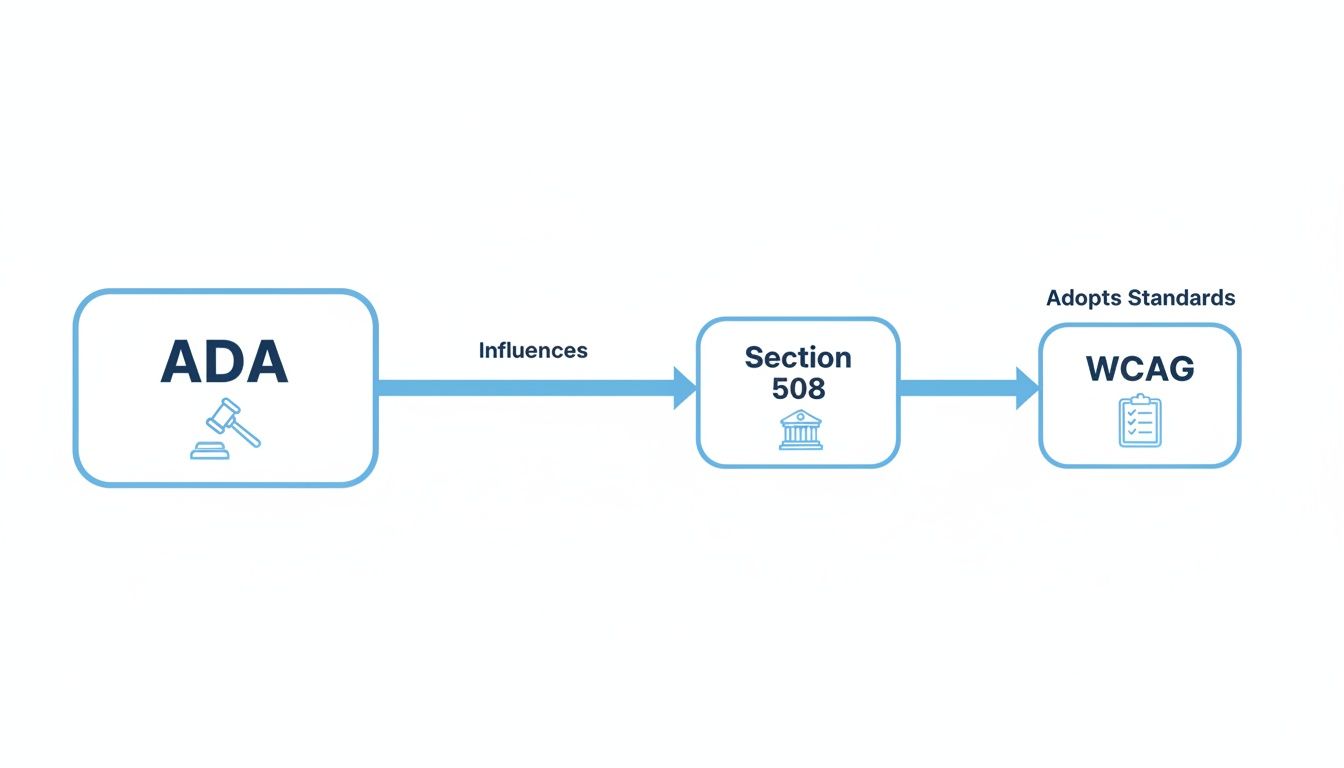
This logical flow—from high-level law (ADA) to specific government regulation (Section 508) to a hands-on technical guide (WCAG)—is how the abstract concept of accessibility becomes something you can actually build and test.
Naturally, the private sector took notice. When businesses face ADA lawsuits over inaccessible websites, judges and legal experts consistently turn to WCAG as the yardstick for measuring what "reasonable access" looks like in the digital world. If you want to dive deeper into those technical rules, our guide on what is WCAG compliance breaks it all down.
Comparing ADA Title III vs Section 508
While they share the same goal of accessibility, the ADA and Section 508 operate in different spheres. The ADA's Title III covers public accommodations (most businesses), while Section 508 is strictly for the federal government. This table highlights the key distinctions.
| Aspect | ADA Title III | Section 508 |
|---|---|---|
| Who It Applies To | Privately-owned "public accommodations" (e.g., retailers, banks, hotels, healthcare) and state/local governments. | Federal government agencies and their contractors, vendors, and partners. |
| What It Covers | Physical places and, by legal interpretation, digital spaces like websites and mobile apps. | Electronic and information technology (EIT), including websites, software, hardware, and documents procured, used, or maintained by the federal government. |
| Technical Standard | No specific technical standard is written into the law. WCAG is the commonly accepted benchmark used in court cases. | Explicitly adopts WCAG 2.0 Level AA as the legally required technical standard. |
| Enforcement | Primarily through civil lawsuits filed by individuals or groups, and investigations by the Department of Justice (DOJ). | Complaints filed with the responsible federal agency, which are then investigated. It’s an internal compliance mechanism. |
Understanding these differences is crucial. A business might not be directly subject to Section 508, but ignoring the standards it sets (WCAG) leaves them wide open to an ADA lawsuit.
Why a Technical Standard Is Non-Negotiable
Without a clear benchmark like WCAG, "accessibility" would be a vague, subjective mess that's nearly impossible to enforce. WCAG changes that by providing clear, testable success criteria that designers, developers, and testers can actually use. These rules cover everything from keyboard-only navigation and sufficient color contrast to providing text alternatives for every image.
Following these guidelines isn't just about avoiding lawsuits; it's about tearing down real barriers that people face every day. And the problem is widespread. According to AudioEye's Digital Accessibility Index, the average webpage has 297 WCAG violations. That’s a massive jump from the prior year and represents a huge risk for the 1.3 billion people worldwide living with a disability.
By making WCAG its official standard, Section 508 established a consistent and reliable framework. It gives everyone a clear path to follow, turning the abstract goal of "making things accessible" into a process you can manage, measure, and achieve.
Your Action Plan for Section 508 Compliance
Getting a handle on Section 508 compliance feels daunting, but it boils down to a straightforward, repeatable process. Think of it as a four-step cycle: Scan, Audit, Remediate, and Monitor. You'll start with automated scans to catch the easy stuff, bring in experts for a deeper look, fix the problems you find, and then set up a system to keep it that way.
This isn't about a one-and-done project. It's about building accessibility into the way you work.
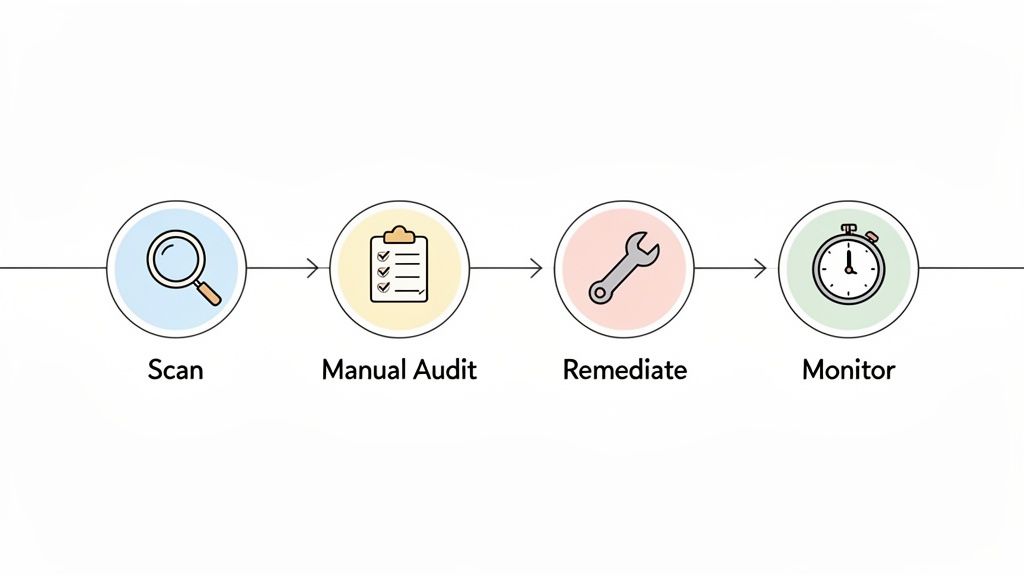
This workflow—Scan, Audit, Remediate, and Monitor—is your blueprint for sustainable compliance. It shifts you from putting out accessibility fires to proactively building an inclusive digital space. Let's walk through each stage.
Start with Automated Scans
The first thing you need is a quick snapshot of where you stand. Automated scanning tools are perfect for this. They crawl your entire site in minutes, acting like a preliminary inspection that flags common, code-based errors.
These scans are great at catching things like:
Missing Alt Text: Images that are invisible to screen readers without a text description.
Empty Links or Buttons: Clickable elements that offer no clue as to what they do.
Basic Color Contrast Errors: Text that’s hard to read against its background, especially for people with low vision.
Missing Form Labels: Fields in a form that don't tell a user what information to enter.
Think of automated scans as picking the low-hanging fruit. They give you a fast, high-level overview and an immediate list of fixes to get started on. It's a fantastic starting point, but it's only the beginning.
Conduct a Manual Audit
Here's the reality: automated tools only catch about 30-40% of all accessibility issues. So much of what makes a site usable requires human eyes and empathy. This is where a manual audit by accessibility experts becomes absolutely essential.
A manual audit goes far beyond just checking code. It’s about evaluating the real-world user experience. Experts use the same assistive technologies as people with disabilities, like screen readers, and they try to navigate your site using only a keyboard.
This hands-on approach uncovers the subtle but critical problems that automated tools will always miss—things like a confusing navigation path, an illogical reading order on a page, or "keyboard traps" where a user gets stuck and can't move forward. It answers the one question that truly matters: Can someone with a disability actually get things done here?
You can learn more about what this involves by reading our guide on how to test for 508 compliance. A proper manual audit gives you the full picture, which is exactly what you need for effective remediation.
Prioritize and Remediate Issues
Once you have your full list of issues from both scans and the manual audit, it's time to start fixing them. This is the remediation phase. But trying to tackle everything at once is a recipe for disaster. Smart prioritization is key.
Focus on the biggest barriers first. These are the critical issues that completely block a user from completing a core task, like submitting a contact form or making a purchase. After you've cleared those major roadblocks, you can systematically work your way through the moderate and minor issues.
Implement Continuous Monitoring
Your website is a living thing. Every new blog post, page update, or feature launch can accidentally introduce new accessibility problems. That’s why the final step—continuous monitoring—is what separates a one-time fix from a long-term commitment to ada compliance 508.
By implementing an ongoing monitoring system, you can track your site's accessibility health over time. This ensures that a simple content update doesn't erase all your hard remediation work.
Platforms like WebAbility.io are built for this. They automate the process, scanning your site continuously and flagging new issues the moment they appear. This proactive approach turns accessibility from a stressful, reactive project into a manageable part of your everyday workflow. It’s how you stay compliant and ensure your digital door is always open to everyone.
TL;DR: Section 508 is enforced through formal complaints to federal agencies, which can jeopardize government contracts and funding. The ADA, in contrast, is primarily enforced through private lawsuits and demand letters, making legal action a major driver for private-sector compliance. However, the real opportunity isn't just avoiding legal trouble; it's about tapping into the massive global disability market and building a brand known for inclusivity, turning a legal necessity into a powerful business advantage.
Understanding Enforcement and Legal Risk
To make accessibility a real priority, you have to understand the consequences of getting it wrong. While both the ADA and Section 508 aim for inclusivity, the way they're enforced couldn't be more different. Grasping these mechanisms reveals the tangible risks your organization faces and why a proactive approach is just smart business.
For companies working with the federal government, the stakes are directly tied to your contracts and funding. For everyone else, the risk usually arrives in the form of a legal challenge from the public.
How Section 508 Is Enforced
Section 508 enforcement happens through a structured, internal government process. It’s not about headline-grabbing public lawsuits.
Instead, if someone with a disability hits a roadblock on a federal website or piece of technology, they file a formal complaint directly with that agency. This kicks off an official investigation. If the complaint holds up, the agency must fix the problem. Failure to do so can lead to serious consequences, like losing federal funding or having a government contract terminated.
And this isn't just a theoretical threat. The U.S. Access Board, which oversees Section 508, handles a steady stream of these complaints. In a recent fiscal year, 100 case closures came after federal agencies took corrective action—a 17.6% increase from the year before. This shows that while non-compliance is taken seriously, prompt remediation is the key to resolving issues.
ADA Enforcement in the Private Sector
Unlike the administrative path of Section 508, ADA compliance is almost entirely driven by private litigation. When a person with a disability can't access a private company's website, their main option is to file a civil lawsuit or send a legal demand letter.
This has fueled a massive surge in digital accessibility lawsuits over the past decade. These legal actions—and the high costs of fighting them—have become the number one reason businesses are finally paying attention to accessibility. It's crucial to understand the landscape of business litigation over alleged ADA violations to appreciate the risk.
The rise in litigation isn't just a trend; it's a clear signal from both the public and the courts that digital spaces are considered places of public accommodation. Ignoring accessibility is no longer a viable option for any business with an online presence.
If you want to dig into the details of these legal challenges, you can learn more about website accessibility lawsuits and see what they mean for businesses today.
Beyond Risk: The Business Opportunity
While avoiding legal headaches is a great motivator, focusing only on risk means you’re missing the bigger picture. The real value of accessibility isn't in what you avoid, but in the massive opportunity it creates. This isn't just about legal duty; it’s a strategic advantage waiting to be claimed.
Just look at the numbers:
Global Impact: Over 1.3 billion people worldwide live with some form of disability.
Economic Power: This community, along with their friends and family, controls an estimated $13 trillion in annual disposable income.
Brand Loyalty: A staggering 71% of users with disabilities will simply leave a website if it isn't accessible to them.
When you build an inclusive digital experience, you're doing more than just minimizing legal exposure. You are throwing open your doors to a vast and loyal market that most of your competitors are ignoring. Embracing accessibility transforms your brand, showing a genuine commitment to inclusion that builds trust with all customers. This is how you turn a requirement into a powerful competitive edge.
How Modern Platforms Make Compliance Manageable
Staying on top of accessibility used to feel like a constant, uphill battle. You'd fix one thing, only for a new website update to create a dozen more problems. Thankfully, that reactive approach is becoming a thing of the past.
Modern accessibility platforms, like WebAbility.io, fundamentally change the game. They turn compliance from a scattered, manual chore into a proactive, centralized strategy. Think of it as moving from occasional spot-checks to having a 24/7 security guard for your website's accessibility.
These platforms typically combine two powerful elements: a front-end interface that empowers users to customize their experience and a back-end dashboard that automates scanning, monitoring, and reporting. It’s this combination that makes achieving and maintaining ADA and Section 508 standards not just possible, but practical.
Putting Users in Control with an Accessibility Interface
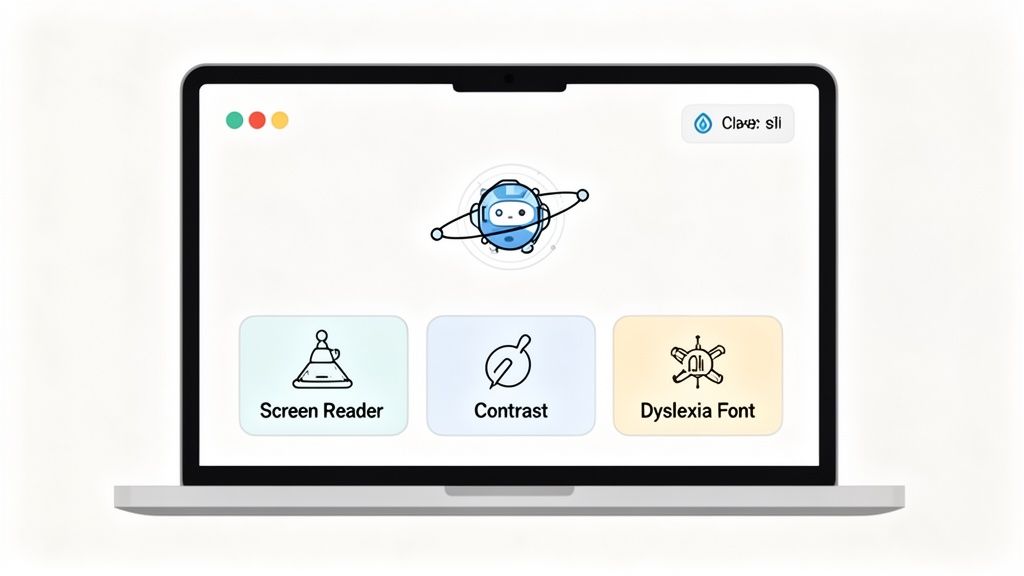
One of the most visible features of these platforms is the AI-powered Accessibility Interface. This is a small, user-facing toolbar that allows visitors to adjust the site's design and functionality to fit their individual needs. It's an instant win for user experience, giving people the power to create a more comfortable browsing session on their own terms.
The interface offered by WebAbility.io, for instance, includes over 40 different features. Instead of being stuck with a one-size-fits-all design, a user can instantly make adjustments that matter to them.
This creates a level of personalization that a static website simply can't match. It’s about meeting users where they are.
Some of the most common options include:
Screen Reader Adjustments: Fine-tunes the site's code to work seamlessly with screen reader software.
Full Keyboard Navigation: Lets users navigate every link, button, and form field without ever touching a mouse.
High-Contrast Modes: Provides different color schemes to make text pop for people with low vision.
Dyslexia-Friendly Fonts: Swaps the standard typeface for one designed to reduce reading strain for individuals with dyslexia.
Text Scaling and Spacing: Gives users control over font size, letter spacing, and line height to improve readability.
Staying Ahead with a Proactive Monitoring Dashboard
While the interface enhances the user-facing experience, the real work of compliance happens behind the scenes. This is where a central dashboard becomes your mission control. It gives you a live, comprehensive view of your site's accessibility health, helping you catch problems before they become serious liabilities.
A dedicated accessibility platform transforms compliance from a series of reactive fixes into a proactive, data-driven process. It provides the visibility and tools needed to maintain standards as your digital properties evolve.
Instead of relying on a yearly audit to find out what’s broken, a platform like WebAbility.io provides 24/7 automated scanning. It crawls your website continuously, flagging new issues the moment they appear. This means a minor code change or a new blog post won't silently undo all your hard work.
Simplifying Reporting and Governance
Meeting ADA and Section 508 standards isn't just about fixing code; it's also about proving you did it. Documentation is critical, and modern platforms handle this automatically. The dashboard can generate everything from high-level summaries for leadership to granular audit logs that track every single remediation effort.
This built-in reporting is a lifesaver for organizations that need to demonstrate due diligence or maintain internal accountability. It connects the dots from scanning and remediation to long-term monitoring, creating a clear, documented history of your commitment to accessibility. It makes sustainable compliance a realistic goal for any team.
tldr: For ADA compliance, the courts point to WCAG 2.1 AA as the standard to follow, even if it's not officially written into the law. Section 508 makes that same standard mandatory for federal agencies. Remember, this isn't a one-and-done task; it’s an ongoing commitment. The ADA applies to businesses of all sizes, and real compliance needs both automated tools and human expertise.
Common Questions About ADA and Section 508
When you start digging into digital accessibility, a lot of the same questions tend to pop up. It's easy to get tangled in the legal jargon and technical standards. Let's clear up some of the most common points of confusion so you can move forward with a clear plan.
Think of this as the FAQ section you'd get from a consultant who's seen it all. We'll cover which rules to follow, who they apply to, and what it really takes to get compliant.
What Is the Official Standard for ADA Compliance?
This is the big one, and the answer isn't as straightforward as you'd hope. The Americans with Disabilities Act (ADA) is a civil rights law, not a technical manual. It doesn't explicitly name a web standard to follow.
However, over the years, the Department of Justice (DOJ) and U.S. courts have consistently pointed to one set of guidelines as the benchmark: the Web Content Accessibility Guidelines (WCAG) 2.1 Level AA. It has become the unofficial, but legally accepted, standard for what "accessible" means online. So, if you're aiming for ADA compliance, WCAG 2.1 AA is your target.
Are Small Businesses Exempt from ADA Requirements?
In a word: no. Title III of the ADA covers all "public accommodations," which is just a legal way of saying businesses that serve the public. That includes everything from a multinational corporation to the local coffee shop down the street. The courts have made it clear that a business's website is an extension of its physical location.
The size of your business doesn't change your legal responsibility to be accessible. The good news is that accessibility solutions are not one-size-fits-all; they can be scaled to fit your budget and resources.
The key isn't perfection overnight. What matters most is showing a consistent, good-faith effort to improve. Documenting your progress is your best defense and the right thing to do for your customers.
Is It a One-Time Fix or an Ongoing Process?
If you think of accessibility as a one-time project, you're setting yourself up for failure. It’s absolutely an ongoing process. Your website is a living thing—you add blog posts, update product pages, and tweak the design. Each one of those changes can accidentally create a new barrier for someone with a disability.
The only way to stay compliant is to weave accessibility into your everyday operations. A realistic workflow looks something like this:
Initial Audit and Remediation: Start with a deep dive to find and fix all the existing problems.
Continuous Monitoring: Use automated tools to act as a first line of defense, catching new errors as soon as they appear.
Regular Manual Checks: Have an expert periodically test the site to ensure the actual user experience is still smooth and accessible.
Treating compliance as a cycle of continuous improvement is the only sustainable path. It keeps your site open to everyone and protects your business in the long run.
Ready to build a sustainable accessibility strategy and open your brand to a wider audience? WebAbility.io provides the platform and expert support you need to achieve and maintain compliance with confidence. Explore our end-to-end accessibility solutions at https://www.webability.io.
Quick Questions
Tap to ask AI about this article