What is an ada compliant website: A Simple Guide to Accessible Web Design

Sidharth Nayyar
TL;DR: An ADA-compliant website is legally required to be accessible to people with disabilities, following standards like the Web Content Accessibility Guidelines (WCAG) 2.1 Level AA. This means designing your site so everyone, including those with visual, auditory, or motor impairments, can use it. Key features include providing alt text for images, captions for videos, and ensuring full keyboard navigation. Making your website accessible not only prevents costly lawsuits but also expands your audience, improves user experience for everyone, and enhances your brand's reputation.
When we talk about an ADA-compliant website, we’re really talking about a site that’s built for everyone. That includes people with disabilities who might navigate the web differently.
The core idea is to follow a set of technical standards, specifically the Web Content Accessibility Guidelines (WCAG) 2.1 Level AA. Think of it like adding digital ramps and automatic doors to your website—it’s all about ensuring universal access.
Your Quick Guide to an ADA Compliant Website
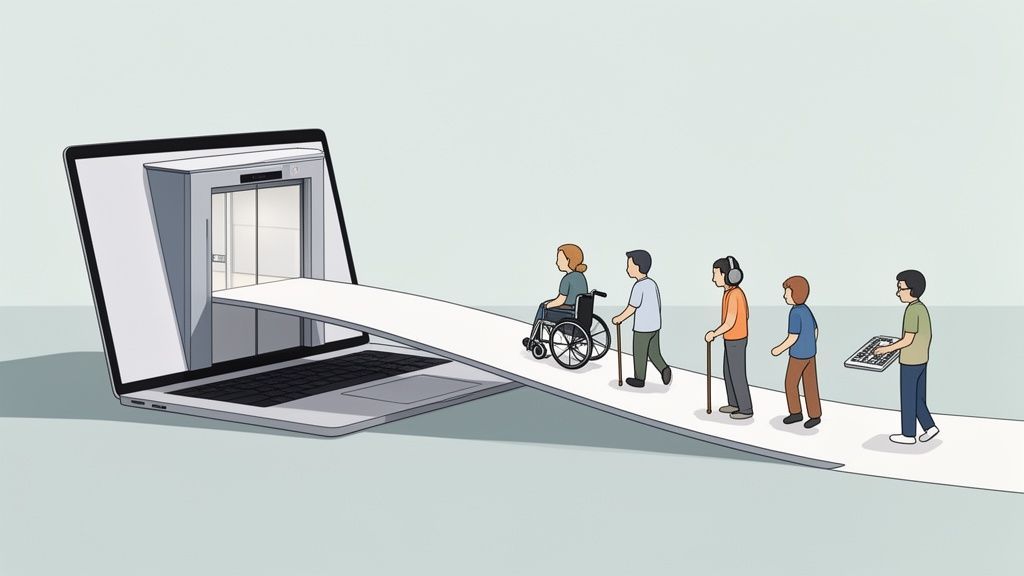
Getting a handle on what makes a website ADA compliant is the first real step toward building an online space that welcomes everybody. While the original Americans with Disabilities Act (ADA) text doesn't specifically mention websites, US courts have consistently interpreted it to cover the digital world.
What this means for you is that your website is legally viewed as a "place of public accommodation," just like your physical storefront. It needs to be designed and built so that users with visual, auditory, motor, or cognitive impairments can navigate your content and use its features without hitting a wall.
The Foundation of Digital Accessibility
So, how do you actually do it? This is where the Web Content Accessibility Guidelines (WCAG) come in. These internationally recognized standards give us a clear, technical framework for making web content accessible. For ADA compliance, the gold standard is WCAG 2.1 Level AA.
An accessible website isn't some separate, watered-down version of your site. It is your main website, built from the ground up with inclusive design principles that end up benefiting every single visitor.
Making your site compliant isn’t just about checking a legal box. It’s about achieving some major business goals:
Broadening Your Audience: You’re essentially opening your digital doors to millions of potential customers who have disabilities.
Improving User Experience: It turns out that many accessibility features, like clear navigation and readable text, make the site better for everyone.
Strengthening Your Brand: Showing a real commitment to inclusivity builds trust and gives your public image a serious boost.
At the end of the day, an ADA-compliant website is one that champions equal access. It ensures that no one gets left behind online.
Navigating the Legal Side of Web Accessibility
To really get why ADA compliance is such a big deal, you have to look at the legal picture. The Americans with Disabilities Act was signed into law back in 1990, long before the internet was a part of our daily lives. Because of that, the law itself doesn't explicitly mention websites.
But that hasn't stopped U.S. courts from weighing in. Over and over again, they have ruled that websites count as "places of public accommodation," putting them squarely under the ADA's umbrella of non-discrimination rules.
This court-driven interpretation has completely changed the game. Web accessibility is no longer just a best practice; it's a critical part of managing business risk. For any company, an inaccessible website isn't just a missed opportunity—it's a potential lawsuit waiting to happen.
The Rising Tide of Accessibility Lawsuits
This isn't just a theoretical risk. The trend in litigation is clear, and it's growing. Businesses in every industry are facing legal action for inaccessible websites, and the pace is picking up.
Take the numbers, for example. In one recent year, a staggering 4,605 web accessibility lawsuits hit U.S. courts. Data from the first half of the following year showed over 2,000 filings, which marked a 37% year-over-year jump. If that pace holds, we could soon see more than 5,500 federal cases filed annually. You can learn more about these lawsuit trends and what they mean for businesses.
This surge tells a very clear story. Having an ADA-compliant website is no longer a choice for businesses that want to operate without the constant threat of legal challenges.
Financial Stakes and Industry Impact
The price tag on these lawsuits goes far beyond a single settlement check. The costs can pile up fast, putting a major financial strain on a non-compliant business.
Think about all the expenses involved:
Legal Fees: Just defending your company in a lawsuit requires a significant budget for lawyers.
Settlement Costs: To avoid a long, drawn-out court battle, many businesses opt to settle, which can still cost a hefty sum.
Remediation Expenses: On top of the legal and settlement costs, companies are almost always required to fix their website and make it fully accessible.
The reality is, the cost of being proactive about compliance is almost always a fraction of the cost of reacting to a lawsuit. Investing in accessibility upfront is a smart move that protects your business and your bottom line.
No industry is safe, but we see retail and e-commerce companies targeted most often simply because of how much they interact with the public online. This isn't about scaring anyone; it's about making a smart, informed decision to protect your business in a legal environment that is only getting stricter.
Understanding the WCAG Accessibility Framework
If the ADA tells us why we need to make websites accessible, the Web Content Accessibility Guidelines (WCAG) show us how to actually do it. Developed by the World Wide Web Consortium (W3C), WCAG is essentially the instruction manual—the globally recognized standard for building digital experiences that work for everyone.
These guidelines aren't just a jumble of technical rules. They're built on four core principles. To get this right, your website's content needs to be Perceivable, Operable, Understandable, and Robust.
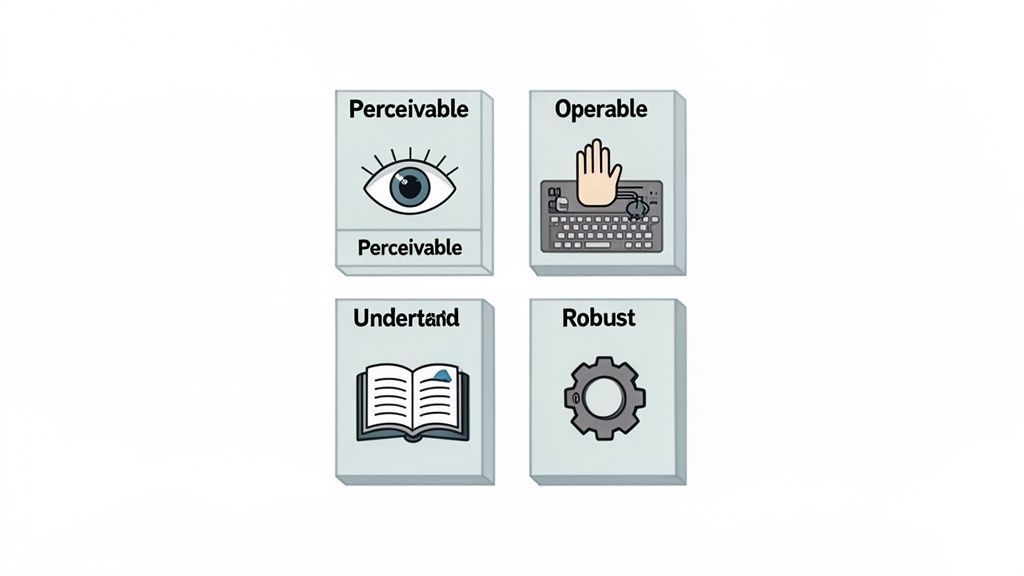
The Four Pillars of WCAG
These four principles, often remembered by the acronym POUR, form the foundation of true digital accessibility. They're designed to address the full spectrum of disabilities so that no one gets left out.
Perceivable: Can users see or hear your content? This is about making sure information is presented in ways people can actually perceive. Think of it like adding captions to a video for someone who is deaf or using high-contrast colors so text is readable for someone with low vision.
Operable: Can users actually navigate and interact with your site? Imagine trying to open a door with a knob you can't grip. On a website, this principle means ensuring everything works with a keyboard, not just a mouse, and giving people enough time to fill out forms without being timed out.
Understandable: Does your site make sense? The language should be clear, and the navigation should be predictable. When a user clicks a button, it should do what they expect it to do. It’s all about creating a straightforward, confusion-free experience.
Robust: Will your site work with different technologies, now and in the future? This principle ensures your website can be reliably interpreted by screen readers and other assistive tools. It’s about future-proofing your site so it doesn't break when new technology comes along.
WCAG isn’t just a rigid checklist to tick off. It's a framework that encourages a more inclusive design mindset, pushing us to build for the diverse ways people actually use the web.
If you're ready for a more detailed breakdown, our guide on what is WCAG compliance gets into the specifics. And for those interested in how these standards are applied internationally, you can find great information on WCAG 2.2 and the European Accessibility Act.
The Building Blocks of an Accessible Website
So, how do we get from abstract ideas to a website that people can actually use? An ADA-compliant website isn't built on a single, magical feature. It’s about thoughtfully layering different elements together to create a digital space that’s truly open to everyone. These are the nuts and bolts that support people with all kinds of needs.
Take alternative text (alt text) for images. It's one of the most fundamental pieces. For someone using a screen reader because they can't see the screen, an image without alt text is just a blank spot, a silent void. But with a good description, that visual element becomes meaningful information, giving them the full context of the page.
It’s the same story with navigation. A lot of people can't use a mouse—maybe due to a motor disability—so they rely on their keyboard to get around. Full keyboard navigability is non-negotiable. It means every single link, button, form, and menu has to be reachable and usable with just the Tab, Enter, and arrow keys.
Core Features for Universal Access
To build a website that works for everyone, you have to focus on the specific features that break down the most common barriers. These aren't just for a small group of users; they are core requirements that make the experience better for all your visitors. Each one serves a critical function.
Here are some of the most important features to get right:
Sufficient Color Contrast: Text has to pop. The goal is a minimum contrast ratio of 4.5:1 for normal text. This simple rule makes a world of difference for people with low vision or color blindness, letting them read your content without eye strain.
Video Captions and Transcripts: A video without captions is completely silent to users who are deaf or hard of hearing. You need accurate, synchronized captions. Even better, provide a full transcript—it's great for accessibility and gives your SEO a nice boost, too.
Logical Heading Structure: Think of your headings (H1, H2, H3, etc.) as the outline of your page. When used correctly, they create a clear hierarchy. Someone using a screen reader can jump between these headings to find what they need, just like a sighted person would scan the headlines.
Descriptive Link Text: Vague links like "click here" are a dead end for context. The text should always describe the destination. Something like, "Read our complete guide on website accessibility testing," tells a user exactly what to expect.
If you want to get into the nitty-gritty of implementation, you can explore how to make a website accessible in our detailed guide.
Empowering Users with Modern Tools
Beyond getting the basics right, today’s accessibility solutions give users the power to tailor the experience to their own needs. This is a huge step forward because it acknowledges that accessibility isn't a one-size-fits-all solution.
Think of these tools as a personalized accessibility toolkit. They allow individuals to adjust the website to their specific needs, providing them with control and making the digital world more welcoming.
These tools often appear as an on-site menu or toolbar, letting visitors make instant changes. Common options include dyslexia-friendly fonts, adjustable text size and spacing, high-contrast modes, and even a text-to-speech feature that reads the page aloud. When you offer these controls, you're putting the power directly into your visitors' hands, letting them create the best possible experience for themselves.
How to Confidently Test Your Website's Compliance
So, how can you know for sure if your website is truly accessible? It's not a simple yes-or-no question. Getting to the bottom of it requires a smart, multi-layered approach to testing. You need a strategy that blends the raw speed of technology with the irreplaceable nuance of human experience to understand what ADA compliance actually looks like in practice.
The first layer usually involves automated scanning tools. Think of these as a first pass, great for quickly sweeping your site to find common, code-based problems. They’re fantastic at flagging things like missing alt text on images, poor color contrast, or broken links. This initial scan gives you a solid baseline and helps you knock out the low-hanging fruit.
But here’s the catch: relying only on automation leaves some serious gaps. Research shows that a staggering 96.3% of websites fail to meet basic accessibility standards, and the average homepage has around 51 distinct accessibility errors. A big reason for this is that automated tools can only catch about 30% of all potential WCAG issues. The rest of the problems are simply invisible to a machine.
The Critical Role of Manual Testing
This is where the second—and arguably more important—layer comes into play: manual testing. This is where accessibility experts get hands-on. They navigate your website using the same assistive technologies that people with disabilities rely on every day, like screen readers or keyboard-only navigation. They dive deep to uncover the complex usability issues that automated scanners just can't see.
An automated scan can tell you if an image has alt text, but only a human can tell you if that alt text accurately and meaningfully describes the image. That distinction is at the heart of genuine accessibility.
Manual testing is all about validating the real-world user experience. It answers the questions that really matter: Can a screen reader user navigate your site logically? Can someone buy a product using only their keyboard? Are your forms clearly labeled and easy to fill out?
To get a clear picture of how these methods stack up, let’s compare them side-by-side.
Comparing Web Accessibility Testing Methods
This table breaks down the three main approaches to testing: automated, manual, and a hybrid model that combines the best of both.
| Testing Method | What It Covers | Best For | Limitation |
|---|---|---|---|
| Automated | Code-level issues like missing alt tags, contrast errors, and ARIA attributes. | Quick, broad scans across many pages to identify common, technical errors. | Catches only about 30% of issues; cannot assess usability or context. |
| Manual | Real user experience, keyboard navigation, screen reader compatibility, and logical flow. | Deep-diving into user journeys and identifying complex, context-dependent barriers. | Slower and more resource-intensive; not practical for scanning thousands of pages. |
| Hybrid | Combines automated scans for wide coverage with expert manual audits for deep validation. | A comprehensive, ongoing compliance strategy that balances speed with accuracy. | Requires coordination between tools and human expertise. |
Ultimately, a hybrid approach offers the most robust and reliable path to compliance. For a more detailed breakdown, you can check out our guide on website accessibility testing tools.
The process below shows a few of the fundamental elements that both testing methods look for to ensure a site works for everyone.
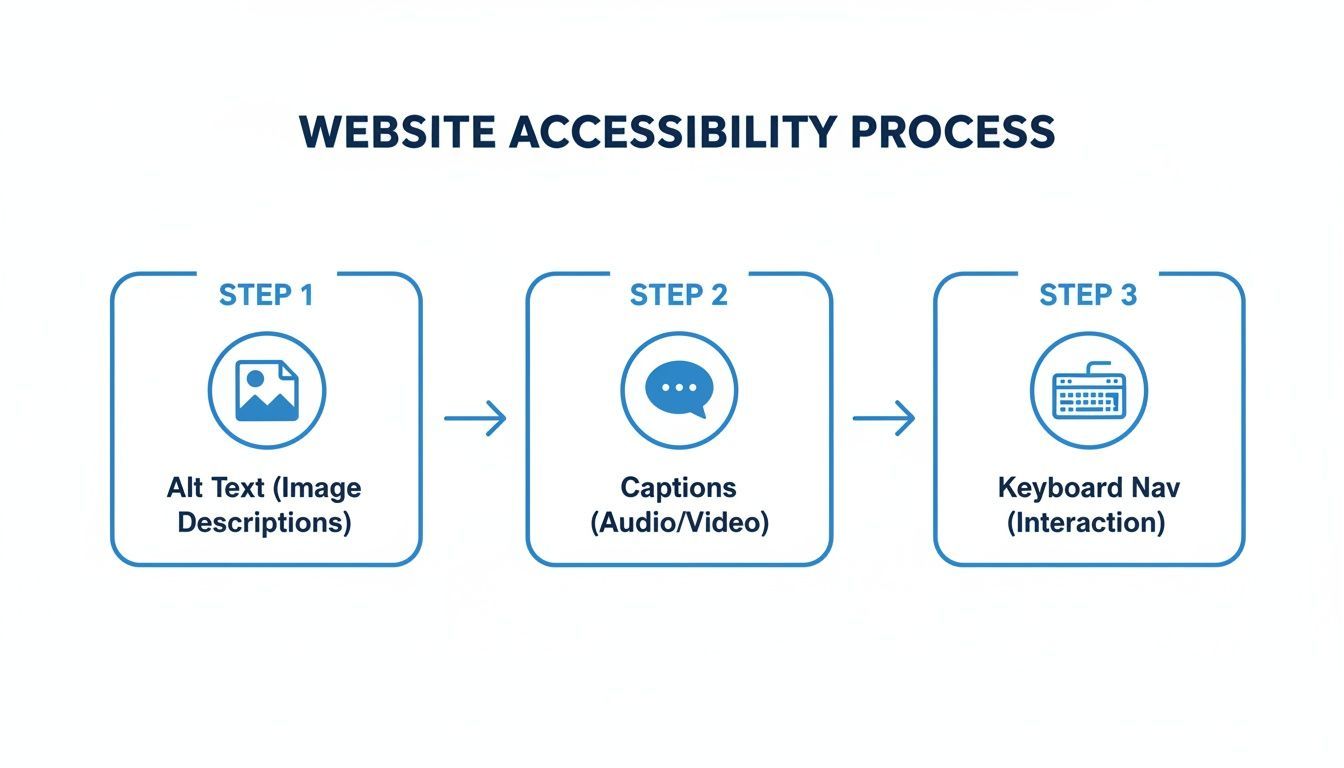
This illustrates how core features like alt text, captions, and keyboard navigation are the building blocks of an accessible experience. By pairing AI-powered tools for routine monitoring with human experts for deep validation, you create a powerful and sustainable strategy. This is how you can confidently achieve and maintain true compliance over time.
The Real ROI of Investing in Accessibility
Too often, the conversation about making a website ADA compliant gets stuck on one thing: the cost. It’s time we started looking at this differently. Think of it less as an expense and more as a powerful investment. While there's a price tag, focusing only on that means you're completely missing the massive, tangible returns accessibility brings to your business.
Thinking beyond legal defense is the key. A proactive investment in inclusive design is one of the smartest financial moves a modern business can make, with benefits that ripple across the entire organization.
Unlocking New Revenue and Enhancing Your Brand
At its core, an accessible website simply opens your digital doors to more people. The global population of people with disabilities represents a huge, often overlooked market. By making sure your site works for everyone, you're not just doing the right thing—you're tapping into a loyal customer base actively searching for brands that meet their needs.
Beyond the direct revenue, your brand’s reputation gets a major lift. When you commit to inclusivity, you send a powerful message that your company values every single customer. This builds trust and goodwill, setting you apart from competitors and shaping a positive public image that connects with all consumers, not just those with disabilities.
An accessible website is a direct reflection of your company's values. It demonstrates a commitment to equality and customer-centricity, which strengthens brand loyalty and attracts socially conscious consumers.
Improving Performance for Every Single User
Here's something many people miss: the technical work required for an ADA-compliant website overlaps almost perfectly with SEO best practices. Features like a logical heading structure, descriptive alt text for images, and video transcripts make your content far easier for search engine crawlers to understand. This improved structure can directly lead to better search rankings, driving more organic traffic right to your site.
It's the same story for user experience. The principles of inclusive design create a better experience for everyone. Clear navigation, readable fonts, and high color contrast reduce frustration and make your website more intuitive for all visitors, which naturally improves engagement and conversion rates. To really grasp the benefits and justify the resources, you have to know how to effectively calculate marketing ROI.
The financial commitment for accessibility does vary. Simple automated audits might run you $500–$2,000, but they often catch only about 30% of the real issues. On the other hand, comprehensive hybrid audits with full remediation—ranging from $10,000 to $30,000 or more—can tackle over 95% of accessibility barriers. That’s where you see genuine improvements and a far greater return on your investment. You can explore more about website compliance costs and benefits to better understand all the options.
Your Action Plan for a More Accessible Website
Taking that first step toward building an ADA-compliant website can feel like a huge project. The key is breaking it down into a clear, manageable plan. This roadmap will walk you through the process, so you can move forward with confidence and build a site that's genuinely open to everyone. It's all about taking methodical steps to achieve and maintain real accessibility.
The journey starts with discovery. You first need to get a solid baseline—to understand where your site currently stands and what barriers might be getting in the way for users with disabilities. This initial phase sets the stage for a targeted and effective remediation process.
A Five-Step Roadmap to Compliance
Creating a truly accessible website isn't a one-and-done fix; it’s a continuous process. Following a structured plan helps ensure you cover all your bases, from the first assessment all the way to long-term maintenance. This approach helps you build an inclusive digital experience that lasts.
Here is a simple, five-step action plan to guide you:
Get a Baseline with an Automated Scan
Start with an automated scanning tool to get a quick overview of your website's accessibility health. This first check will flag common code-based problems like missing alt text or contrast errors, giving you an immediate list of low-hanging fruit to tackle.
Partner with Experts for a Full Audit
Next, bring in accessibility specialists for a comprehensive manual audit. Experts use the same assistive technologies your users do, like screen readers, to test real user journeys. They uncover the complex usability issues that automated tools simply can't see, and this human-led validation is essential for understanding the full picture.
Prioritize and Implement Fixes
With a complete audit in hand, you can work with your development team to prioritize and roll out the necessary fixes. A good strategy is to focus on high-impact barriers first—things like critical navigation menus or broken checkout processes—to make the biggest immediate improvement for your users.
Integrate Powerful Accessibility Solutions
Look into tools that offer both user-facing adjustments and ongoing support. An accessibility interface or widget, for example, can empower visitors to customize their experience with features like dyslexia-friendly fonts or high-contrast modes. At the same time, it gives you a platform for continuous management.
Establish Continuous Monitoring
Finally, set up a system for ongoing monitoring. Your website is always changing with new content and features. Regular automated scans and periodic manual checks will help you maintain compliance and catch any new accessibility issues before they become major problems.
Ready to build a more accessible, compliant, and user-friendly website? WebAbility.io provides an end-to-end platform that combines powerful AI-driven tools with expert guidance to simplify your accessibility journey. Start your free trial today and see how easy it can be to open your digital doors to everyone.
Quick Questions
Tap to ask AI about this article