A Practical Guide to Testing 508 Compliance

Sidharth Nayyar
TLDR: Effective 508 compliance testing combines automated scans to quickly find common coding errors with manual testing using assistive technologies like screen readers. This blended approach is the most efficient way to identify and fix accessibility barriers. A solid testing plan should define the scope, choose a mix of testing methods, and integrate these checks into your regular development workflow to catch issues early.
Look, when it comes to testing forSection 508 compliance, you really need a two-pronged attack. You start with automated scans to quickly find the low-hanging fruit—common coding mistakes—and then follow up with hands-on manual testing using the same assistive technologies your users do. This blended approach is, without a doubt, the most efficient way to pinpoint and squash accessibility barriers and make sure you're meeting federal law.
Your Quick Guide to 508 Compliance Testing
So, what exactly is 508 compliance testing? It’s the structured process of checking your digital products—websites, apps, documents, you name it—against the U.S. government's accessibility standards. This isn't just about ticking a box to avoid legal trouble; it's about making sure your technology is genuinely usable for everyone, especially people with disabilities.
Before you jump into the weeds of testing, it’s worth taking a step back to grasp what digital accessibility is all about. If you're new to the concept, this ultimate guide to website accessibility is a fantastic primer.
A solid 508 audit really boils down to three main stages: planning what you'll test, actually doing the testing, and then reporting what you found so it can get fixed.
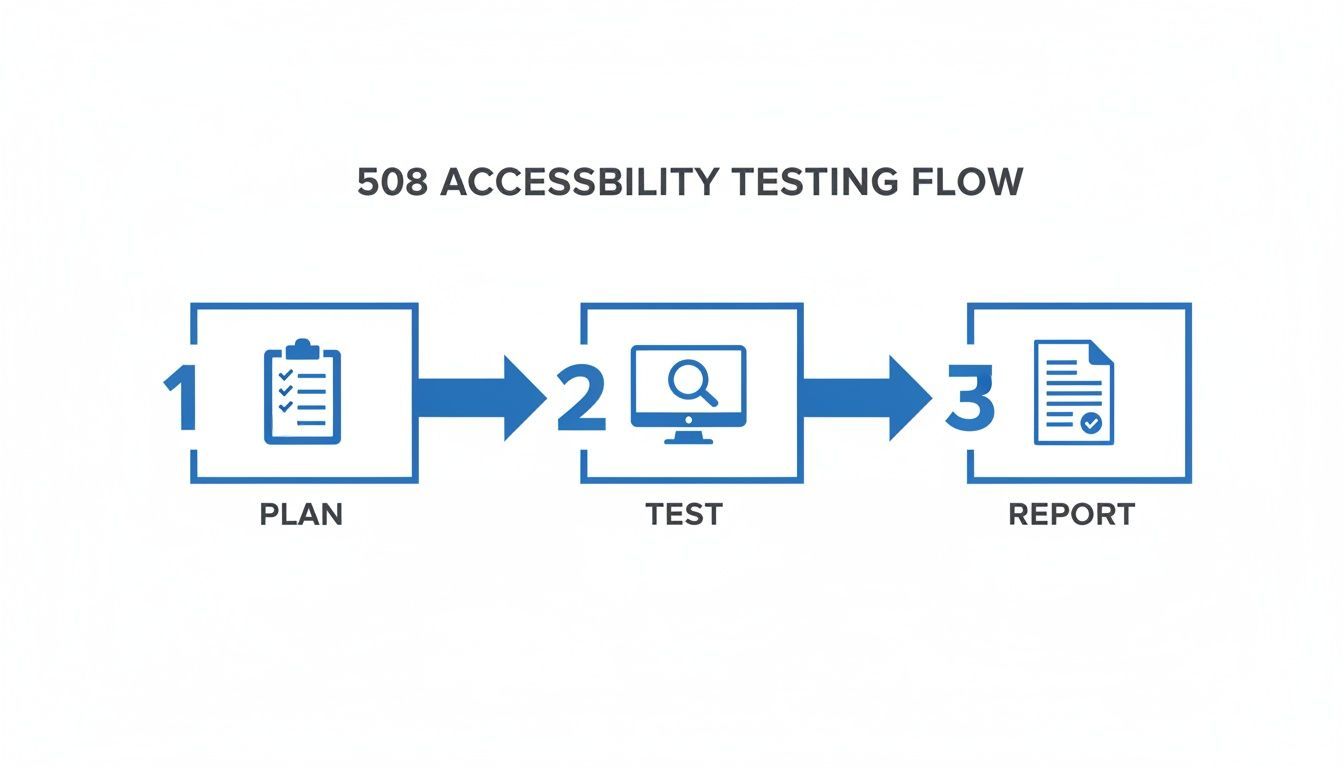
This workflow shows that proper testing isn't just a haphazard series of clicks. It's a methodical process that produces clear, actionable bug reports that developers can actually use. Following this cycle helps teams systematically improve their product’s accessibility and, just as importantly, document their progress toward conformance.
Building Your 508 Testing Strategy
A successful compliance audit doesn't just happen. It all starts with a smart, documented strategy. I've seen too many teams jump straight into scanning, and it’s a recipe for chaos. Rushing into testing 508 compliance without a plan is like building a house without a blueprint—you'll create more problems than you solve.
Your strategy is the roadmap for every decision you’ll make, from defining the project's scope and choosing the right tools to assigning clear responsibilities to your team. It’s what turns a reactive, fire-drill process into something proactive and genuinely manageable.
Defining Your Testing Scope
Before you run a single test, you have to get crystal clear on what you're actually evaluating. Are you looking at a single public-facing website? An internal web app for employees? Or your entire digital portfolio? Without a defined scope, your efforts will be scattered and ineffective.
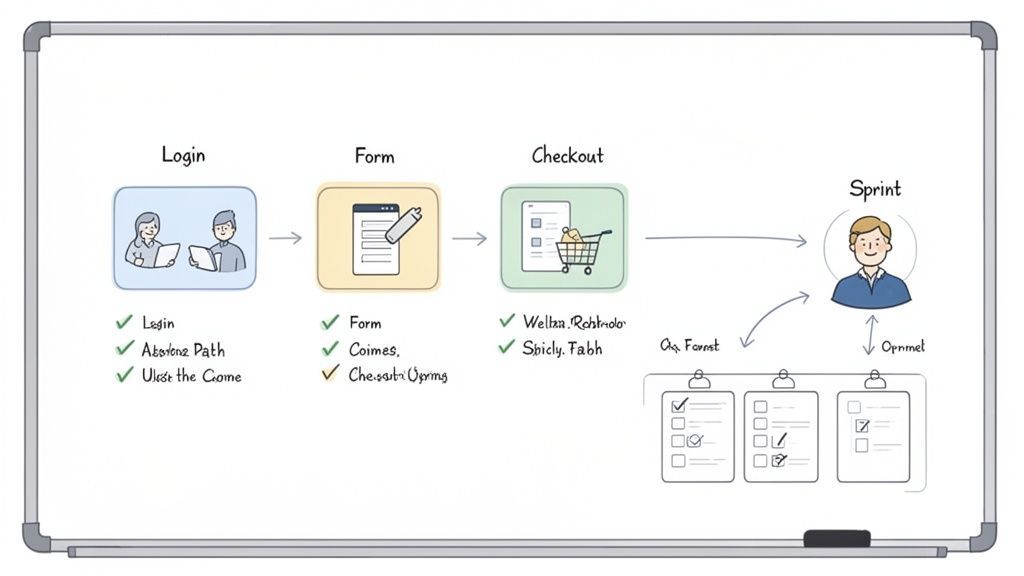
Once you’ve set those boundaries, it's time to prioritize. Let's be real: not all pages and user flows are created equal. You need to identify the most critical paths your users take.
In my experience, these are the areas that need attention first:
Core Functionality: This means login portals, account registration flows, and the password recovery process. If users can't get in, nothing else matters.
Primary Tasks: Think about the main reason people come to your site—completing an application, submitting a form, or accessing key information.
Transactional Journeys: For e-commerce sites, this is the whole funnel, from searching for a product all the way through checkout.
High-Traffic Pages: Don't forget your homepage, contact page, and other frequently visited sections.
By focusing on these essential journeys first, you’re delivering the biggest impact right out of the gate and ensuring the most important functions are accessible to the widest audience.
Choosing the Right Mix of Testing Methods
A truly effective 508 testing strategy never relies on just one method. No single approach can catch every accessibility issue. Think of it as a layered defense system, where each layer catches what the others might miss.
Your strategy should blend three key types of testing:
Automated Scanning: Use tools to run a quick sweep across your entire site. They're great for catching common, code-based issues like missing alt text, low color contrast, or messed-up heading structures. This is your first pass—it finds the low-hanging fruit efficiently.
Manual Testing: This is where the human element is critical. An automated tool can't tell you if the user experience is frustrating. This involves navigating the site using only a keyboard to check for a logical focus order, keyboard traps, and whether every interactive element actually works.
Assistive Technology Testing: The ultimate gut check. You need to experience your site the way a user with a disability would. That means firing up screen readers like JAWS, NVDA, or VoiceOver to make sure content is announced logically and all functions are truly operable.
A robust 508 testing strategy benefits from a foundational understanding of what constitutes a positive experience for all users. A key part of this is grasping core user experience design principles to ensure usability is at the heart of your compliance efforts.
Integrating Accessibility into Your Workflow
This might be the most important piece of the puzzle for a modern team. Treating accessibility as a last-minute checkpoint right before launch is a costly, painful mistake. The smart move is to "shift left," embedding accessibility checks throughout your entire development lifecycle.
This means accessibility becomes a standard part of your sprints and QA processes. When developers check for accessibility as they write code, and QA teams include manual keyboard checks in their regular testing cycles, you catch issues early. And believe me, fixing a bug then is far easier and cheaper than fixing it after it's already launched.
For organizations that want to formalize this, conducting a comprehensive website accessibility audit is a great way to establish a strong baseline and create a clear path forward. By documenting your plan, assigning roles, and setting clear goals, you transform compliance from a reactive chore into a strategic asset that improves the experience for every single user.
Automated scanners are the perfect starting block for testing 508 compliance. Think of them as a quick, wide-net approach to catch the low-hanging fruit—the obvious, code-based errors. They’re brilliant at scanning your entire site in minutes to find things like missing alt text, blatant color contrast failures, and broken heading structures.
Just remember their limits. They can only catch about 30% of potential accessibility barriers because they can't understand context or what a real user actually experiences. They get your foot in the door, clearing the way for the essential manual and assistive technology testing that follows.
Using Automated Scanners in 508 Testing
When you're staring down a huge website, automated tools are your best friend for that initial pass. They’re your first line of defense, efficiently flagging the most common, programmatic errors at a scale that would be impossible to do by hand. This is all about gaining efficiency, letting you knock out widespread problems before your team dives into the more nuanced manual checks.
These scanners essentially crawl your website's code, comparing it against a known list of WCAG rules. They're fantastic at flagging objective, yes-or-no problems that don't need a human to interpret them.
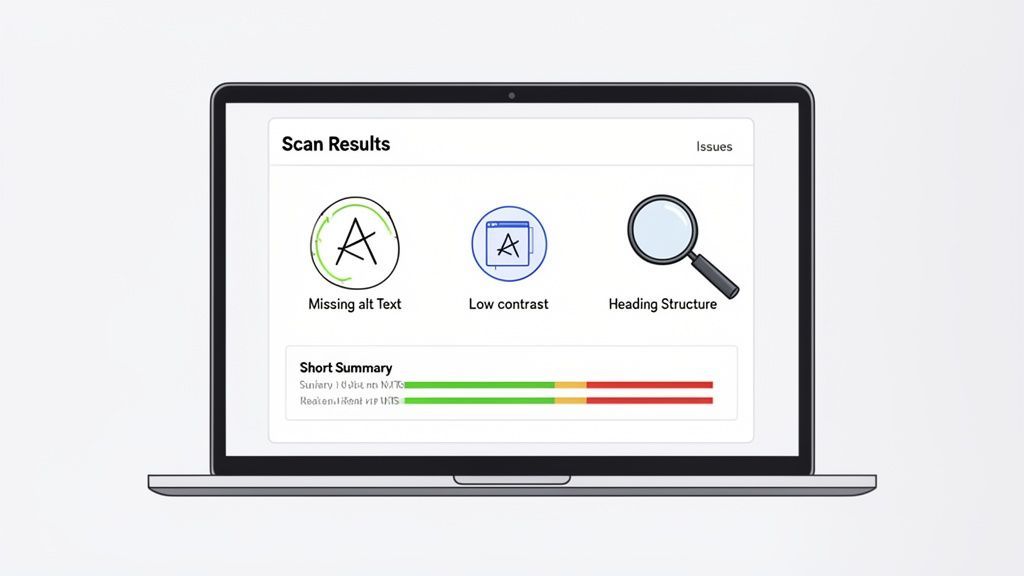
What Automated Tools Excel At Finding
The real power of automated scanners is their speed; they can zip through hundreds or even thousands of pages in just a few minutes, recognizing patterns in the code.
They are especially good at catching things like:
Missing Alt Text: An
<img>tag without analtattribute is an instant flag.Low Color Contrast: The tool programmatically checks the hex codes for text and its background, flagging anything that falls short of the WCAG AA 4.5:1 contrast ratio.
Improper Heading Structure: Jumping from an
<h1>to an<h3>or having empty heading tags will get caught right away.Missing Form Labels: A scanner will spot form inputs that aren't properly connected to a
<label>tag.Ambiguous Link Text: Those generic "Click Here" or "Learn More" links that offer zero context to a screen reader user are easily identified.
For a deeper dive into the mechanics, our guide on automated accessibility testing breaks down how the technology works and where it fits into a full compliance strategy.
Understanding the Limitations of Automation
This is the most important part: you have to go in with realistic expectations. Automated tools are only a starting point, not the finish line. The general consensus is that scanners can only detect around 30% of all WCAG issues. That leaves a massive 70% that absolutely require a human to evaluate.
The core problem is that scanners have zero understanding of context. A tool can see that an alt attribute exists, but it can't tell you if the description is actually useful. An alt tag that just says "image" will pass an automated check, but it's completely useless for someone using a screen reader.
The following table breaks down what you can realistically expect from each testing approach.
Automated vs Manual Testing Coverage
| Accessibility Check | Detected by Automated Tools | Requires Manual Testing |
|---|---|---|
| Missing Image Alt Text | Yes | No |
| Meaningful Alt Text | No | Yes |
| Color Contrast Ratio | Yes | No |
| Color as the Only Means of Conveying Information | No | Yes |
| Keyboard-Only Navigation | Partially | Yes |
| Screen Reader Compatibility | No | Yes |
| Logical Reading Order | No | Yes |
| Proper Heading Structure | Yes | No |
| Clear and Descriptive Link Text | Partially | Yes |
| Plain Language and Cognitive Load | No | Yes |
As you can see, the most critical user experience issues—like whether a site is truly navigable with a keyboard or makes sense to a screen reader—can only be verified by a person. Over-relying on automation is why so many accessibility initiatives fall short.
Choosing the Right Scanner for Your Needs
There's a whole world of automated tools out there, from free browser extensions to powerful subscription platforms. The best one for you really depends on your team's workflow and budget.
Here are a few popular types of tools to get you started:
Browser Extensions: Tools like WAVE and axe DevTools are perfect for developers and designers who need to do quick, on-the-fly checks. They give you instant visual feedback right on the page, making it easy to spot and fix things as you build.
Integrated Platforms: For ongoing governance, platforms like WebAbility.io offer a central dashboard for continuous monitoring. They provide 24/7 automated scanning, track your compliance score over time, and generate detailed reports—all essential for managing accessibility on large, complex websites.
After you run a scan, your real work begins: interpreting the results. A good report will categorize issues by severity and often provide code-level fix suggestions. It’s up to you to review that report, weed out any false positives, and turn the raw data into a prioritized list of tickets for your development team. This is how you transform a simple scan into a real remediation roadmap.
Mastering Manual and Assistive Technology Tests
Alright, you've run the automated scanners. They've given you a list of low-hanging fruit, but now it's time to roll up your sleeves for the most important part of testing 508 compliance. This is where you uncover the subtle yet show-stopping usability issues that a machine will always miss.
Manual and assistive technology (AT) testing is all about experiencing your site as a person with a disability would. It's the only way to know for sure if a user can actually complete a task. This phase is non-negotiable if you're serious about accessibility.
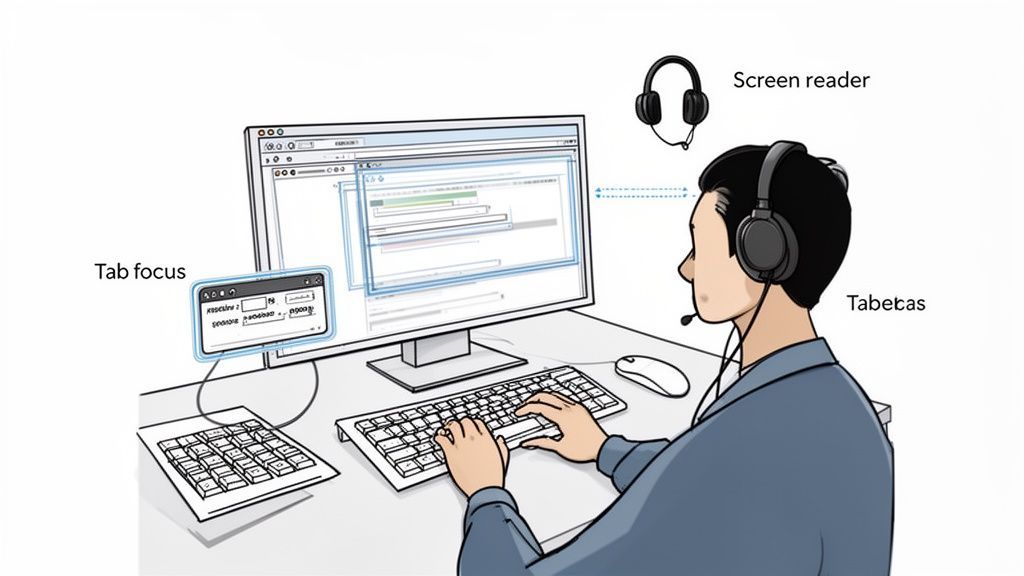
The Cornerstone of Manual Testing: Keyboard Navigation
Before you even launch a screen reader, start with the absolute foundation: keyboard-only navigation. Many users with motor disabilities, along with everyone who uses a screen reader, depend entirely on a keyboard to get around.
It's simple to start. Just unplug your mouse and try to use your website.
Your primary tools will be:
Tab: Jumps to the next link, button, or form field.
Shift + Tab: Jumps to the previous element.
Enter/Spacebar: Activates a focused element.
Arrow Keys: Moves within components like menus or radio button groups.
What you're hunting for are the common blockers. The most infamous is a keyboard trap, where you tab into a modal window or widget and can't get out—your focus is stuck in a loop. Another big one is a nonsensical focus order, where the focus indicator bounces randomly across the page instead of following a logical path.
Stepping into Your Users' Shoes with Screen Reader Testing
Once you're confident that every interactive element is reachable by keyboard, it's time to experience your site through a screen reader. This software reads the screen's content aloud, and it’s what people with visual impairments use to browse the web. You can get started for free with NVDA on Windows or the built-in VoiceOver on Apple devices.
This part of the process is often a huge eye-opener for development teams. It immediately highlights just how much of the user experience relies on purely visual information.
When you're running a screen reader test, you'll want to pay close attention to a few key things:
Meaningful Alt Text: When the screen reader gets to an image, what does it say? "graphic-123.jpg" is a failure. "A team of developers collaborating around a whiteboard" is a success.
Clear Form Labels: As you tab into a form field, does the screen reader announce what it's for? It needs to say "First Name, edit text," not just "edit text."
Announced Dynamic Content: What happens when an error message pops up or new content loads? If the screen reader doesn't announce the change, the user is left in the dark, wondering why nothing is happening.
Getting the hang of basic screen reader commands is the first step. For a deeper dive, our guide on how to perform a screen reader test will walk you through the whole process.
"The difference between a technically conformant site and a truly usable one is often revealed in the first five minutes of a screen reader test. Automation tells you if you followed the rules; manual testing tells you if you created a good experience."
This step is critical because it’s where so many organizations fall short. Many federal IT teams still misunderstand Section 508 compliance testing protocols, which has contributed to declining conformance scores and invited aggressive enforcement. Too many managers and developers simply trust their automated tools, which often catch less than 50% of WCAG issues, and skip the essential human-centered testing that really matters.
Finding an accessibility issue is just the start. The real work begins when you need to explain that finding to your development team in a way that’s clear, actionable, and easy to fix. Vague reports like "the login button doesn't work" are a surefire way to get your tickets ignored or sent back with questions.
Effective documentation is what turns an audit from a simple list of problems into a practical roadmap for getting things fixed. It’s the bridge between testing 508 compliance and actually achieving it.
Writing Bug Reports Developers Will Actually Use
The goal of any good bug report is to completely eliminate guesswork. A developer should be able to read your ticket and immediately understand the problem, its impact, and exactly how to replicate it. Ambiguity is your enemy.
After years of writing and triaging these tickets, I've found that the best ones always contain a few key ingredients. Think of this as your recipe for a perfect bug report.
A rock-solid ticket must include:
A Descriptive Title: Instead of "Image missing alt text," try "User Profile Image lacks descriptive alt text on Account Settings page." Be specific about the component and its location.
The WCAG Success Criterion: Always state the rule you're referencing, like WCAG 2.1.1 Keyboard (Level A). This gives the developer crucial context and helps them understand the why behind the fix.
Your Testing Environment: List the browser (e.g., Chrome 125), operating system (e.g., Windows 11), and any assistive technology you used (e.g., NVDA 2024.1). This is critical for helping developers reproduce the exact conditions you found.
Precise Steps to Reproduce: Number your steps clearly. For example: "1. Navigate to the homepage. 2. Tab to the 'Sign In' button. 3. Press Enter. 4. Observe that keyboard focus is trapped in the modal."
Visual evidence is your best friend here. A simple screenshot with an arrow pointing to the problem element can save a mountain of back-and-forth. For more complex issues, like a confusing focus order or a screen reader announcing things incorrectly, a short screen recording is undeniable proof.
Tracking Remediation and Proving Compliance
Individual bug tickets are great for day-to-day fixes, but for any large-scale compliance effort, you need a system to track the big picture. Tools like Jira, Asana, or Azure DevOps are perfect for this. I often recommend creating a dedicated accessibility "epic" or project board to manage all the related tickets in one place.
This centralized tracking lets you see your team's velocity, identify bottlenecks, and report on remediation progress to stakeholders. It moves your accessibility work from a chaotic scramble to a managed, predictable process.
Beyond your internal tracking, you need a formal way to document your product's conformance level. This is where the Accessibility Conformance Report (ACR) comes in.
An ACR is a formal document created using the Voluntary Product Accessibility Template (VPAT). It details exactly how your product or service meets (or doesn't meet) each of the Section 508 standards. This document is absolutely crucial for government contracts and serves as vital evidence of your good-faith efforts to comply.
Why This Documentation Is So Critical
Creating this paper trail isn't just about bureaucratic busywork; it's a critical risk-management strategy. The hard truth is that achieving perfect compliance is a persistent challenge, even for the federal agencies that create the rules.
Recent data paints a clear picture. The Fiscal Year 2024 Governmentwide Section 508 Assessment showed that the average conformance score for federal agencies actually dropped from 1.79 in FY23 to 1.74. This highlights a widespread struggle, with conformance for public web pages at only 62% and internal intranet pages falling to 52%.
A major reason cited for these ongoing difficulties is a lack of sufficient testing resources and staff. You can find more details in the federal government’s assessment summary.
This is precisely why robust documentation is so important. When you can produce detailed bug reports, a well-managed remediation log, and a comprehensive ACR, you’re not just fixing bugs—you’re building a defensible record of your commitment to accessibility. This documentation is your strongest asset in demonstrating due diligence and mitigating legal risk.
Achieving Section 508 compliance is a huge win, but let's be honest—that's when the real work begins. Your website is a living thing. You're constantly pushing new code, updating content, and plugging in third-party tools. Every single one of those changes can accidentally introduce a new accessibility barrier, quietly chipping away at the compliant foundation you've built.
This is why we need to stop thinking about 508 testing as a one-and-done project. It has to become an ongoing program, something woven into the very fabric of how your team operates. True sustainability means making accessibility a shared responsibility, not a final checkbox before launch.
Shift Left: Bake Accessibility In from the Start
The most powerful strategy for staying compliant is to "shift left." This simply means moving accessibility considerations from the end of the line to the very beginning of your development process. It's infinitely cheaper and faster to design an accessible component than it is to go back and fix a broken one that's already live.
Pulling this off requires a few key cultural changes:
Train your developers. Your engineers need to know how to write accessible code from scratch. Get them familiar with ARIA roles, semantic HTML, and the keyboard interaction patterns that users with disabilities rely on.
Arm your designers with checklists. Before they even hand off a mockup, designers should be thinking about color contrast, clear focus indicators, and a logical reading order. This prevents accessibility debt from piling up before a developer even touches it.
Make it a QA requirement. Accessibility checks should be as standard as browser compatibility testing. Your QA team should be running through every new feature with a keyboard and a basic screen reader check. No exceptions.
When accessibility is just part of everyone's daily job, most problems get solved before they ever become problems. You move from a reactive, fire-fighting mode to a proactive, preventative one.
Catch What Slips Through with Automated Monitoring
Even with the best "shift left" culture, things will occasionally slip through the cracks. That's where a good safety net comes in, and for that, you need continuous automated monitoring. A centralized platform gives you the real-time view you need to manage compliance across your entire site.
Think of it as a smoke alarm for accessibility. These systems constantly scan your most important pages and user flows, often daily. If a new deployment suddenly breaks your heading structure or introduces a button with poor contrast, you get an alert right away.
A solid monitoring platform gives you a real-time dashboard of your compliance score. You can see trends over time and spot regressions the moment they happen. It turns accessibility from a guessing game into a clear, data-driven process.
This kind of constant vigilance means your team can jump on new accessibility bugs with the same urgency as any other critical software bug. For example, a platform like WebAbility.io offers 24/7 scanning to provide precisely this level of oversight, helping you protect the compliance you've worked so hard to achieve.
Your Users Are Your Best Allies
Finally, don't overlook one of the most powerful resources you have: your users. When you're open about your accessibility efforts and make it easy for people to give feedback, you turn them into genuine partners.
Start by publishing a public accessibility statement. This isn't just fluff; it's a critical tool. It should clearly:
State your commitment to Section 508 and WCAG standards.
Describe the accessibility features you've implemented.
Provide a simple, accessible way for users to report any issues they find.
This feedback loop is priceless. It gives you direct insight into the real-world roadblocks that even the most thorough internal testing can miss. When a user tells you something is broken, you get the chance to fix a real problem and show that you're truly committed to building an experience that works for everyone.
Let's clear up some of the most common questions that come up when teams start digging into 508 compliance testing.
Your 508 Testing Questions Answered
If you're new to accessibility testing, you're not alone in having questions. The rules and best practices can feel a bit tangled at first. Here are some plain-language answers to the questions we hear most often.
What’s the Difference Between Section 508 and WCAG?
This is easily the most common point of confusion, but the relationship is actually pretty simple.
Think of it this way: Section 508 is the law, and WCAG is the rulebook.
Section 508 is a United States federal law that mandates federal agencies—and those who do business with them—must make their technology accessible to people with disabilities. But the law itself doesn't list every technical requirement.
Instead, the latest revision of the law points directly to the Web Content Accessibility Guidelines (WCAG) 2.0 Level AA as the official technical standard. So, if you want your website to be 508 compliant, you need to make sure it meets the specific success criteria laid out in WCAG 2.0 AA. One is the legal requirement; the other is the technical checklist you have to follow.
How Often Should We Be Testing for 508 Compliance?
Accessibility isn't a "one-and-done" project. Your website is a living thing—code gets updated, new content is published, and features are added. Any one of these changes can accidentally introduce a new barrier. That’s why testing has to be an ongoing process.
Here's a practical schedule that works for most teams:
Automated Scans: Run these constantly. Daily or weekly scans are great for catching low-hanging fruit and preventing new, simple errors from creeping into your codebase during routine updates.
Manual Audits: A full, deep-dive manual audit using assistive technology should happen at least once a year. This is non-negotiable for getting a true picture of your site's usability.
Major Updates: Plan for a full audit any time you launch a major redesign, add a complex new feature, or migrate to a new platform.
The goal is to shift from a reactive mindset where you're constantly chasing down bugs to a proactive one where accessibility is just part of how you build things. It's about maintaining compliance, not just achieving it once.
Can an Accessibility Widget or Overlay Make My Site 508 Compliant?
This is a hot topic, and the answer requires a bit of nuance. Accessibility platforms and widgets offer a suite of fantastic tools that can genuinely improve the experience for many visitors. They give users direct control over things like font sizes, color contrast, and reading guides.
However, these tools work on top of your existing website. They can’t, on their own, fix underlying problems in your site's code—like a missing form label, improper heading structure, or an inaccessible custom JavaScript component.
The best approach is to see these platforms as one piece of a complete accessibility strategy. For true Section 508 compliance, you need to pair the user-facing enhancements of a widget with a commitment to fixing the core accessibility issues in your source code. When you combine a great user-controlled experience with a technically sound foundation, you get a website that is both compliant and genuinely usable for everyone.
At WebAbility.io, we've built an end-to-end platform that tackles both sides of the coin. It combines a powerful AI-enhanced widget for user customization with continuous automated monitoring to help you find and fix underlying code issues. See how our solutions can help you achieve and maintain compliance by visiting us at https://www.webability.io.
Quick Questions
Tap to ask AI about this article