A Practical Guide to Section 508 Compliance Testing

Sidharth Nayyar
TL;DR: Section 508 compliance testing ensures your website, app, or document is usable by people with disabilities, a legal requirement for federal agencies and contractors. Success requires a four-part strategy: planning your scope (what to test), using automated tools to find easy-to-fix code issues, conducting manual checks for user experience problems, and testing with assistive technologies like screen readers to find real-world barriers. The goal is to meet WCAG 2.0 Level AA standards.
So, what exactly is Section 508 compliance testing? At its core, it's a structured evaluation to make sure your digital products—websites, software, documents—are genuinely usable by people with disabilities. This isn't just about running a quick scan; it involves a blend of automated tools, expert manual review, and hands-on testing with assistive technologies to guarantee that everyone can access your content.
Understanding The Testing Lifecycle
Think of Section 508 testing not as a one-and-done task, but as a continuous cycle. The goal is to weave accessibility into your development process from the start, rather than treating it as an afterthought. For any organization that works with the federal government or receives federal funding, this isn't optional—it's a critical part of doing business. Getting it wrong can put contracts at risk and open the door to serious legal trouble.
A solid testing strategy almost always breaks down into a few key stages. You start by planning out what needs to be tested and what the most critical user journeys are. Then, you use automated tools to catch the low-hanging fruit. Finally, you bring in human experts and assistive technologies to find the nuanced issues that software alone can't detect.
This flow chart gives a great visual overview of what that process looks like in practice.
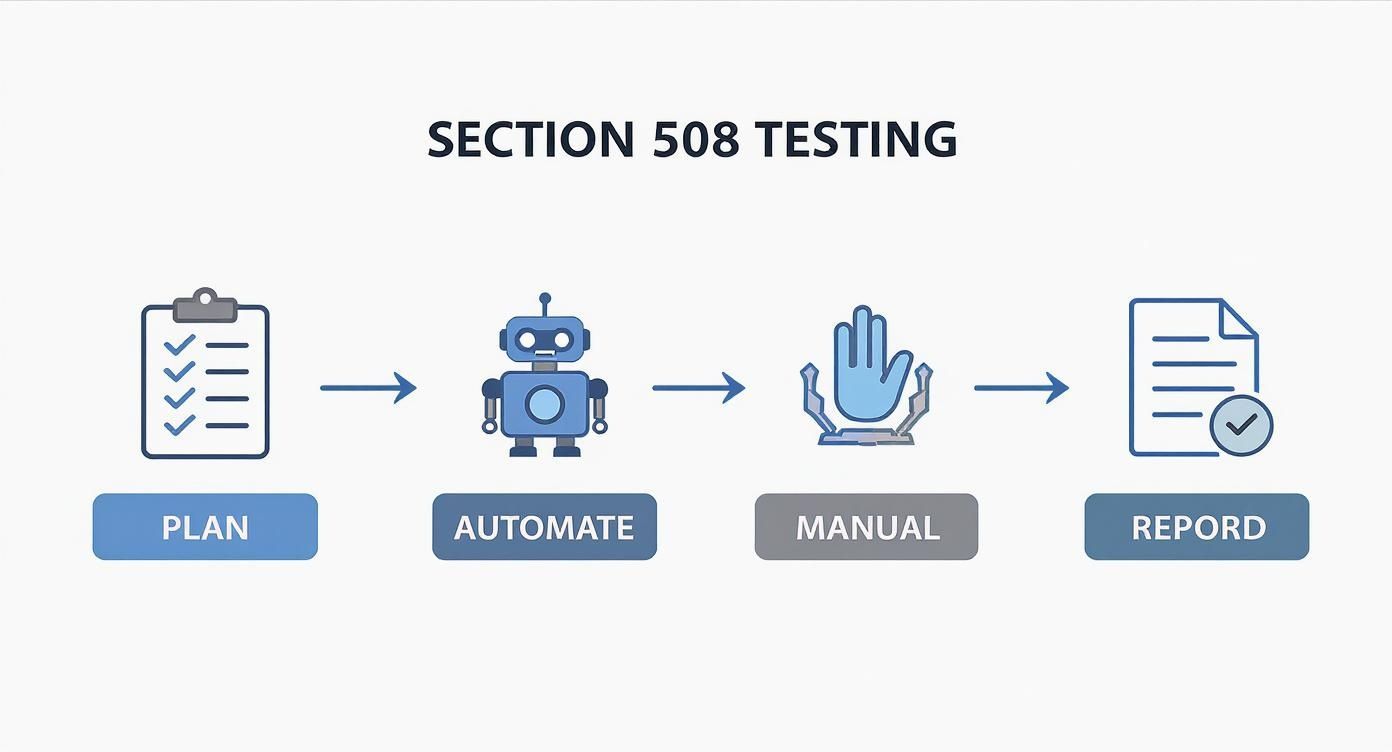
As the graphic shows, a truly comprehensive approach moves from high-level strategy down to detailed, user-focused testing. To get a better handle on the specifics, it's worth exploring the complete list of Section 508 compliance requirements, which will give you a solid foundation for your planning phase.
The Four Pillars of Section 508 Testing
To really nail compliance, your testing needs to cover four distinct but interconnected areas. I like to think of them as the four pillars that hold up a truly accessible experience. Each one plays a unique role in uncovering different types of barriers.
| Testing Type | Primary Goal | Common Tools or Methods |
|---|---|---|
| Automated Testing | Quickly identify common, code-based accessibility violations. | WAVE, axe DevTools, Lighthouse |
| Manual Testing | Assess nuanced issues that require human judgment and context. | Keyboard-only navigation checks, logical content order review |
| Assistive Technology Testing | Simulate the experience of users with disabilities. | Screen readers like JAWS or NVDA, screen magnifiers |
| User Testing | Gather direct feedback from people with disabilities. | Usability studies, interviews, and feedback sessions |
Relying on just one or two of these isn't enough. Automated scans are fast but miss a lot, while manual checks are thorough but time-consuming. It’s the combination of all four that gives you the complete picture you need to confidently claim compliance.
Success with Section 508 compliance really boils down to your prep work. Before you even think about testing, you need a solid game plan. This means figuring out exactly what you're auditing—every website, app, and document—and mapping out the most critical paths a user might take. Think logging in or filling out a form. You'll also need to get the right people in the room, from developers to QA, and agree that the Web Content Accessibility Guidelines (WCAG) are your North Star. A good pre-audit checklist keeps everything organized and ensures you hit the ground running.
Laying the Groundwork for a Successful Section 508 Audit
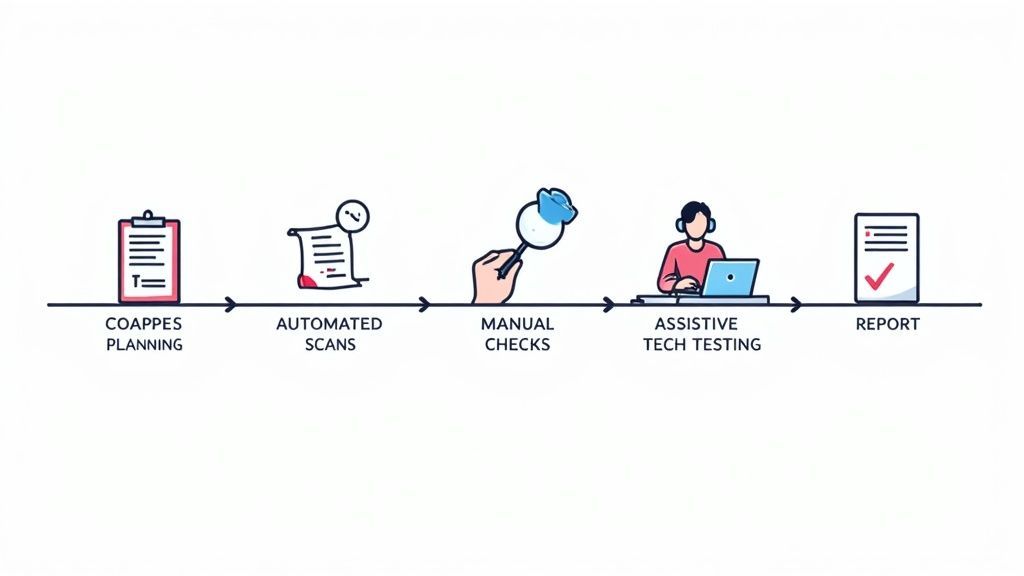
A thorough Section 508 compliance test doesn't just happen. The best ones are built on a strong foundation laid well before the first line of code is ever checked. This upfront work is what separates a chaotic, ineffective scramble from a structured audit that actually improves accessibility. The first order of business? Pinning down the scope.
You need to take stock of every piece of Information and Communication Technology (ICT) that needs to comply. This isn't just your main website. It includes all public-facing sites, internal applications your team uses, mobile apps, and even electronic documents like PDFs and slide decks. If you miss something here, you’re starting with a compliance gap.
Defining Your Testing Scope
With a full inventory in hand, it's time to prioritize. You can't test every single thing with the same level of intensity, so focus on what matters most. The best way to do this is by identifying the critical user journeys—the essential tasks someone needs to accomplish on your site or app.
What are the core functions people rely on?
Signing up for an account: Can someone complete the entire registration form without needing help?
Buying a product: Is the path from adding an item to the cart all the way through payment accessible?
Finding critical information: Can users easily access vital content, like contact pages or support articles?
By mapping these key flows, you can direct your resources to the parts of your digital property that have the biggest impact. It's a much more efficient and meaningful way to test.
I've seen teams make the mistake of testing random pages instead of complete user flows. Accessibility isn't about isolated components—it's about whether a person can actually get something done from start to finish.
Assembling Your A-Team and Setting the Standard
An audit is a team sport; no single person can do it all. You'll want to pull together a cross-functional group. This typically means developers who know the codebase inside and out, QA testers who are pros at running test cases, and a project manager to orchestrate the whole effort. Bringing a UX designer into the mix can also offer fantastic insights into the real-world user experience.
Once the team is set, you have to agree on your technical benchmark. For Section 508, the standard is the Web Content Accessibility Guidelines (WCAG) 2.0 Level AA. It's crucial that every single person on the team understands what these guidelines mean. This is the yardstick you'll use to measure success and failure.
Here’s a simple checklist to make sure you're ready to go:
List all digital assets: Every website, app, and document.
Map out 3-5 critical user journeys.
Establish WCAG 2.0 AA as the official technical standard.
Define roles: Who is doing what?
Get your tools ready: Line up screen readers, automated scanners, and anything else you'll need.
Nailing down these fundamentals means that when the audit officially kicks off, your team is aligned, focused, and ready to conduct a truly effective review.
A Hybrid Approach: Blending Automated and Manual Testing
When it comes to Section 508 compliance testing, one of the biggest mistakes I see teams make is leaning too heavily on a single method. The reality is, the most bulletproof strategy is a hybrid one. You let automated tools do the heavy lifting and then bring in human experts to catch the nuanced issues that software will always miss.
Think of automation as your first pass. These tools are incredibly fast, scanning your entire site for black-and-white violations of WCAG standards. They’re fantastic at flagging the kind of technical errors that can be measured by code.
Automated scanners are especially good at catching things like:
Missing alt text for images, a showstopper for screen reader users.
Low color contrast that makes text unreadable for people with vision impairments.
Broken heading structures, like jumping from an H1 to an H3, which messes up navigation.
Empty links or buttons that leave assistive technology users guessing.
Running these scans early gives your development team a clear, actionable punch list. It's the fastest way to knock out the easy-to-fix problems. If you're looking for the right tool, our guide on the top automated accessibility testing tools is a great place to start.
Why You Can't Skip the Manual Review
Automation is a powerful ally, but it can only get you so far. The truth is, scanners can only identify about 30-40% of all potential accessibility barriers because they have no understanding of context. That's where a manual audit becomes non-negotiable for achieving real compliance.
A manual review is exactly what it sounds like: a person meticulously goes through your site or application, testing it from the perspective of someone with a disability. This hands-on process uncovers the kind of usability problems that software just can't see.
For example, an automated tool can tell you an image has alt text, but it can't tell you if that text is a meaningless "image1.jpg" or a genuinely helpful description. It can verify a form field has a label, but it has no idea if that label actually makes sense to a human being.
Where Manual Testing Really Makes a Difference
Manual checks are all about the real-world user experience. An expert will dive deep into things like keyboard-only navigation, making sure every single link, button, and menu can be operated without a mouse. They'll also check that the reading order is logical, so a screen reader user doesn't get a jumbled, confusing experience.
Here's a classic scenario: a pop-up modal. An automated scan might give it a clean bill of health. But a manual tester could discover a "keyboard trap"—they can tab into the pop-up but can't tab back out, essentially getting stuck on the page.
This gap between what’s technically coded and what’s actually usable is where many compliance efforts fail. Even federal agencies have struggled with this, often because they relied too much on automated scans. Governmentwide conformance scores have stayed frustratingly low, even dipping from an average of 1.79 to 1.74 on a 5-point scale in 2024. This just underscores how critical thorough, human-led reviews are. You can dig into the data yourself in the government’s official Section 508 assessment.
Automated scans and manual code reviews are a great starting point, but they will only get you so far. To truly nail Section 508 compliance, you have to see how your site performs in the real world with assistive technologies (AT). This is where the rubber meets the road.
This means getting hands-on with tools like screen readers, magnifiers, and voice control software to uncover the usability barriers that automated scans simply can't find. It’s about moving beyond a technical checklist and actually experiencing your product the way many of your users do.
Using Assistive Technology to Get Real-World Insights
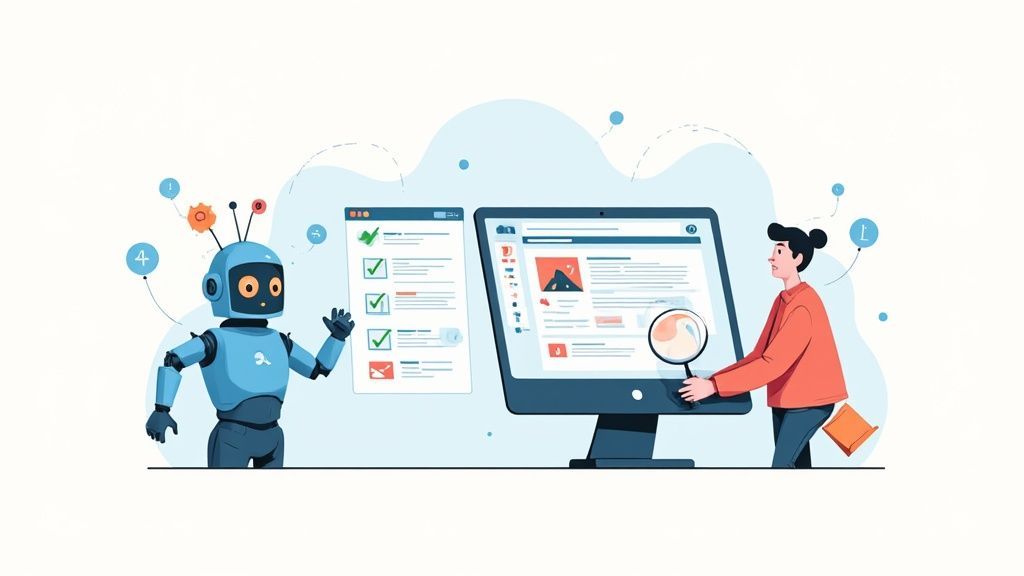
Think of it this way: automated tools can tell you if an image is missing alt text, but they can't tell you if the alt text is actually helpful. A manual review might confirm that a form has labels, but it won't reveal how frustrating that form is to navigate with a keyboard and a screen reader.
Only by simulating the user experience with the actual tools they rely on can you uncover those critical, show-stopping flaws.
Getting Your Hands Dirty with Screen Reader Testing
For users with visual impairments, screen readers are their primary window to the web. That makes testing with them an absolute must. The big players in this space are JAWS (Job Access With Speech), the open-source NVDA (NonVisual Desktop Access), and VoiceOver, which is built right into Apple's ecosystem.
The goal here isn't just to listen. It's to complete core tasks using nothing but the keyboard and the screen reader's audio output. Try it yourself. Can you get through your main navigation? Can you fill out and submit the contact form? Does the content on the page make sense when read aloud?
Pay close attention to things like:
Announcements: Are buttons and links announced clearly? Does "click here" tell the user anything useful? (Hint: no.)
Reading Order: Does the screen reader move through the content in a logical, predictable way, or does it jump around erratically?
Form Usability: Are all form fields properly labeled so a user knows exactly what to enter?
If you're new to this, we have a complete guide on how to perform a screen reader test that breaks down the commands and what to look for.
One of the most common failure points I see in audits is with complex data tables. To a sighted user, it’s easy to scan. But without proper
<th>tags and scope attributes, a screen reader just spits out a confusing jumble of data. The information becomes completely inaccessible.
Looking Beyond Screen Readers
While screen readers are a huge piece of the puzzle, a thorough audit needs to account for other disabilities, too.
For instance, users with low vision often depend on screen magnifiers. Your testing needs to confirm that the site remains functional and readable when zoomed in to 200% or more. Do key elements disappear off-screen? Does the layout completely fall apart?
And don't forget about users with motor impairments who might use voice control software like Dragon NaturallySpeaking. This involves testing whether you can activate every link, button, and control using voice commands. If you have five buttons all labeled "Learn More," you’ve just created a nightmare for these users.
This intense focus on real-world usability is why the accessibility testing market is growing so fast, projected to hit USD 801.31 million by 2030. Regulations like Section 508 are a major driver, especially in North America where federal rules are strict. If you want to dig into the numbers, you can find more on these market trends in published research on accessibility testing.
Creating Actionable Reports and Remediation Plans
So, you've run all your tests and gathered a mountain of data. Now what? Raw data from Section 508 compliance testing won't fix a single accessibility issue. The real magic happens when you translate those findings into clear, actionable reports that your development team can actually use. Just dumping a list of WCAG violations on their desk is a surefire way to see that report gather dust.
Great reports do more than list problems; they tell a story. I always start with a high-level executive summary that paints a clear picture of the overall compliance status, immediately calling out any critical, show-stopping issues. This gives stakeholders the "need-to-know" without bogging them down in technical jargon.
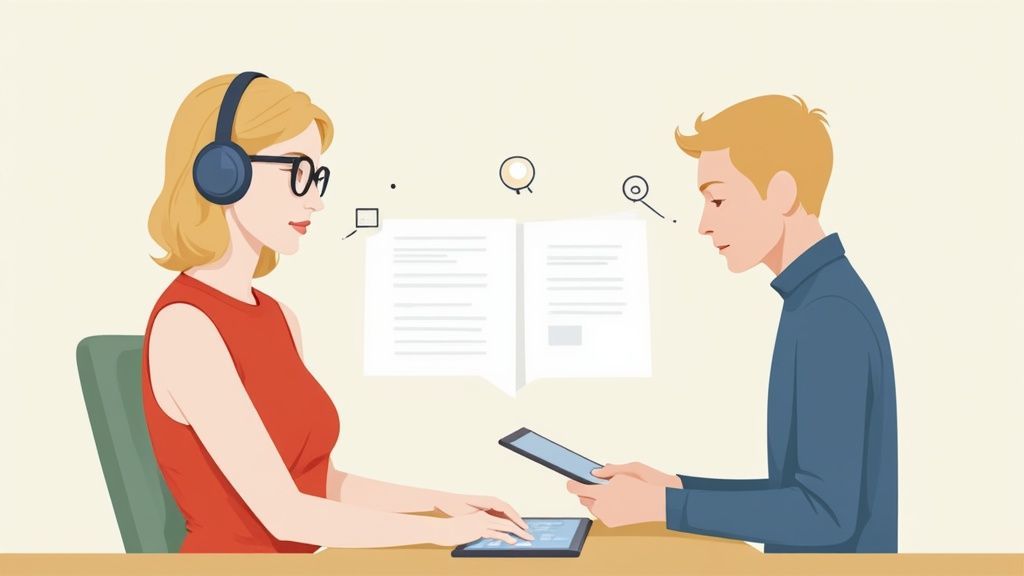
After the summary, the report needs to get into the details with a prioritized list of findings. I find it most effective to categorize issues by severity—from critical blockers down to minor annoyances. This helps teams focus their limited time and resources on what will make the biggest impact first. Each individual bug report should be a complete, self-contained roadmap to a solution.
Crafting a Developer-Friendly Bug Report
If you want a developer to fix a bug, you need to give them more than a blurry screenshot and a vague complaint. To get traction, a bug report has to provide all the context and guidance they need to tackle the problem efficiently.
From my experience, a truly effective bug report must contain:
A Clear Description: Explain exactly what the issue is and where to find it (URL, component, view).
User Impact: This is crucial. Describe how the bug creates a real barrier. For instance, "A user relying on keyboard navigation cannot access the main menu, preventing them from reaching key sections of the site."
Steps to Reproduce: Give them a simple, numbered list of steps to see the problem for themselves. No ambiguity.
Relevant WCAG Criterion: Point to the specific rule being violated, like WCAG 2.1.1 Keyboard.
Suggested Remediation: Don't just point out the problem; offer a clear path to a solution. Code snippets and examples are golden here.
This level of detail transforms a fuzzy "it's broken" complaint into a concrete, solvable task. It takes the guesswork out of the equation and dramatically speeds up the entire fix-it process.
Integrating Findings into Your Workflow
A brilliant audit report is useless if it just sits in an email inbox. To make sure these issues get addressed, you have to plug them directly into your team's existing workflow. That means creating tickets in whatever system they already use, whether it's Jira, Azure DevOps, or Asana.
The goal is to make accessibility a natural part of the development lifecycle, not a separate, one-time project. When a bug is in the same backlog as a feature request, it gets the same attention and visibility.
This approach builds a bridge between testers and developers, turning what could be a contentious audit into an ongoing, collaborative process. It helps foster a culture where everyone feels responsible for accessibility. The need for this is urgent; global web accessibility remains disappointingly low. A staggering 88% of websites are not fully compliant, and even in North America, the average compliance score is just 63 out of 100.
Once you have a remediation plan, it's time to roll up your sleeves and implement the fixes. To ensure these updates don't accidentally break something else, it's a good idea to review best practices on how to update a website safely. This helps protect all the hard work you've put in and keeps you moving forward.
Common Questions We Hear About Section 508 Testing
Let's cut right to the chase: For Section 508 compliance, you need to meet the Web Content Accessibility Guidelines (WCAG) 2.0 Level AA. And no, automated scans alone won't get you there. Real compliance demands a mix of smart automation, hands-on manual testing, and testing with assistive technologies.
When teams first dive into Section 508 compliance testing, the same handful of questions always pop up. It's completely normal. Getting clear on the standards, the right testing cadence, and the best methods is the foundation for building an accessibility program that actually works.
One of the first hurdles is often understanding how Section 508 and the WCAG standard fit together. It’s a critical piece of the puzzle, as it defines the technical bedrock for all your testing.
How Do Section 508 and WCAG Relate?
Think of it this way: Section 508 is the law, but WCAG is the technical rulebook.
When the Section 508 standards were refreshed back in 2018, they officially adopted the Web Content Accessibility Guidelines (WCAG) 2.0 Level AA as the technical benchmark. This was a huge step forward, aligning U.S. federal requirements with a globally recognized standard.
So, when you're testing for Section 508 compliance, you're actually testing against the specific success criteria laid out in WCAG 2.0 AA. This makes life much easier for everyone involved by creating one clear, consistent target for developers and testers.
Section 508: This is the legal requirement for federal agencies and their contractors to make their technology accessible.
WCAG 2.0 AA: This is the technical guide that spells out how to achieve that accessibility.
Essentially, every test you run—from an automated scan to a detailed manual review—is designed to see if you meet those WCAG criteria.
How Often Should We Be Testing?
Another question that comes up constantly is about timing. Accessibility isn't a "one-and-done" project you can check off a list. Your digital products are always changing with new features, content, and design tweaks.
The best testing strategies blend continuous checks with periodic deep dives.
A truly mature accessibility program weaves testing right into the development lifecycle. This means running automated scans with every new code commit and performing manual spot-checks before every major release. This approach catches issues early on, when they’re far easier and cheaper to fix.
Beyond that, you need to plan for comprehensive, full-scale audits. A good rule of thumb is to conduct a full audit—including testing with screen readers and other assistive tech—at least once a year or after any major redesign. This gives you a clear picture of your compliance posture and helps catch anything that might have slipped through the cracks.
Are Automated Tools Enough for Compliance?
This is probably the most important question, and the answer is a hard no. While automated accessibility scanners are a fantastic starting point for Section 508 compliance testing, relying on them alone will leave you with major accessibility gaps and a false sense of security.
Automated tools are great at flagging clear-cut, code-level issues like missing alt text or poor color contrast. But here’s the catch: they can typically only identify about 30-40% of all potential accessibility problems. Why? Because they can't understand context or human experience.
A tool can see that an image has an alt attribute, but it can't tell you if the text is a genuinely useful description. A scanner can confirm a button is reachable by keyboard, but it can’t know if a user gets stuck in a "keyboard trap" and can't navigate away. These are the kinds of show-stopping barriers that only manual testing with assistive technology can uncover.
Ready to build a complete and effective Section 508 compliance strategy? WebAbility.io provides an end-to-end platform that combines automated scanning, real-time monitoring, and expert guidance to help you achieve and maintain compliance with confidence. Discover how our tools can simplify your testing and remediation workflow at https://www.webability.io.
Quick Questions
Tap to ask AI about this article