Navigating the Rise of the Accessibility Website Lawsuit

Sidharth Nayyar
TLDR: Website accessibility lawsuits, based on laws like the ADA, are a growing risk for businesses of all sizes. These lawsuits happen when a website is unusable for people with disabilities. The key to prevention is proactive compliance. This involves auditing your site for common issues (like missing alt text or poor keyboard navigation), using modern tools like managed accessibility platforms and widgets, and making accessibility a core part of your business strategy. Taking these steps not only reduces legal risk but also expands your audience and strengthens your brand.
Ever heard of a website accessibility lawsuit? It’s a legal claim filed against a company because its website is difficult or impossible for people with disabilities to use. Essentially, these lawsuits argue that a commercial website is a "place of public accommodation," just like a physical storefront.
This means that under laws like the Americans with Disabilities Act (ADA), an inaccessible website can be considered a form of discrimination.
What You Need to Know About Website Accessibility Lawsuits
This guide is your executive summary for getting up to speed on the world of website accessibility lawsuits. In a nutshell, they’re legal challenges against businesses whose sites create barriers for people with disabilities—and they’re becoming incredibly common.
The legal muscle behind most of these cases is the Americans with Disabilities Act (ADA). Even though the ADA was written long before the internet became a daily staple, courts have consistently ruled that its protections extend to the digital world. If your site isn't usable by someone with a visual, hearing, or motor impairment, you could be facing a lawsuit.
Why This is a Big Deal for Your Business
Let's be clear: this isn't a problem that only affects massive corporations. Businesses of all sizes, from local e-commerce stores to national brands, are at risk. But the good news is that the path to compliance is more straightforward than you might think. Taking proactive steps now can dramatically lower your legal risk and even turn a potential problem into a competitive edge.
Here’s what you’ll get from this guide:
Real Risks, Practical Solutions: The threat of a lawsuit is serious, but we’ll show you effective strategies and tools that can help you get compliant and stay that way.
Accessibility as an Opportunity: We'll help you see accessibility not as a chore, but as a smart business decision that protects your brand, improves the user experience for all your customers, and opens your doors to a wider audience.
A Clear Path Forward: Getting your site compliant is a manageable process. We’ll cover modern solutions like managed platforms and accessibility widgets that give you powerful tools to find issues, fix them, and monitor your site over time.
Embracing digital accessibility is about more than just dodging a lawsuit—it's about building a better, more inclusive brand. This guide will give you the foundational knowledge you need to tackle this issue with confidence.
What Exactly Is a Website Accessibility Lawsuit?
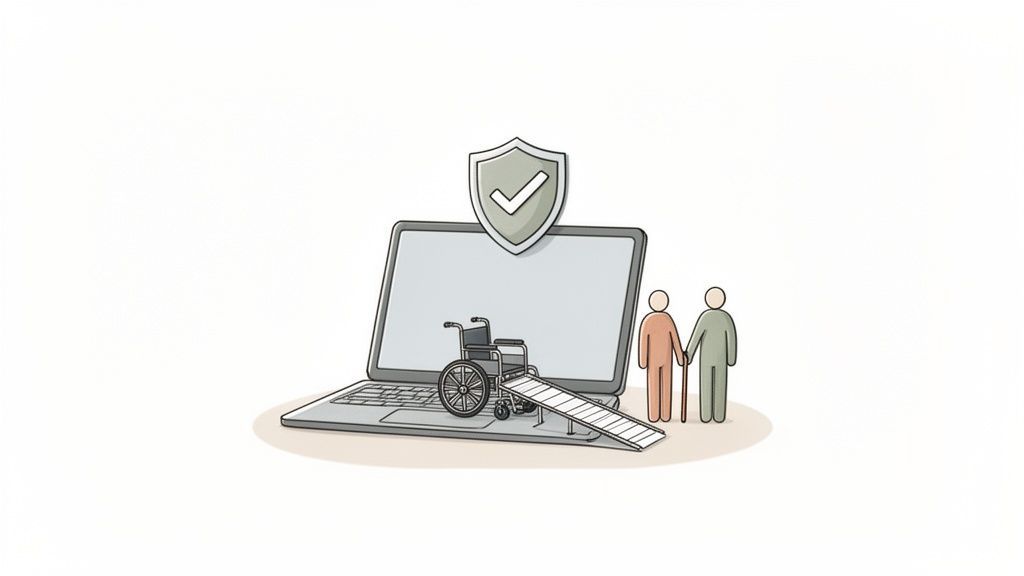
Simply put, a website accessibility lawsuit is a legal claim filed against an organization when its website or mobile app is unusable for people with disabilities. Imagine a brick-and-mortar shop with stairs but no ramp—it effectively locks out customers in wheelchairs. An inaccessible website does the exact same thing in the digital world.
These lawsuits aren't just one-off complaints from individuals, either. Advocacy groups often step in to represent entire communities of people with disabilities, pushing companies to provide the same seamless online access that they offer in their physical locations. The core of their argument is that digital discrimination is still discrimination.
From Physical Ramps to Digital Code
The legal muscle behind most of these lawsuits comes from the Americans with Disabilities Act (ADA). Originally signed into law in 1990, the ADA was created decades before the internet became the backbone of modern commerce. But courts across the U.S. have consistently interpreted its rules to cover the digital sphere, classifying websites as "places of public accommodation."
This means if your website can't be used by someone with a visual, hearing, or motor impairment, you could be breaking federal law. This isn't a hypothetical problem. In 2024 alone, businesses faced over 4,000 of these lawsuits. The message is clear: the law demands equal access, and today, that access happens online.
Think of your website as the digital front door to your business. A website accessibility lawsuit argues that this door is locked for a huge number of people, preventing them from enjoying the same products and services as everyone else.
Who Files These Lawsuits and Why?
The people bringing these cases forward are usually individuals who hit a specific roadblock that stops them from doing something essential. For example, a person who is blind might rely on a screen reader to navigate the web. If your website’s "buy now" button isn't coded correctly, their software can't find it. That’s not just an annoyance—it's a complete barrier to a sale.
Often, the first step isn't a lawsuit but a demand letter from a lawyer. This letter will detail the accessibility problems and suggest a settlement. To get a feel for the legal groundwork, it's helpful to understand the process for filing a human rights complaint, as the principles of preventing discrimination are very similar.
And don't assume this is just an issue in tech hubs like California. While states like New York, Florida, and California do see the highest volume of cases, these lawsuits are now being filed all over the country. The legal landscape can be tricky because different courts have slightly different views on how the ADA compliance applies to online-only businesses, but the trend is undeniable. Digital spaces are being held to the same standard as physical ones.
The Growing Trend of Digital Litigation
The idea of getting sued over your website's accessibility isn't some far-off hypothetical anymore—it's a real, measurable business risk. The numbers don't lie. Every year, thousands of businesses get hit with demand letters and lawsuits, turning what was once an overlooked issue into a major threat to their finances and reputation.

And this trend isn't slowing down. In the first half of 2025 alone, U.S. courts saw a massive 2,014 ADA website accessibility lawsuits filed. That's a 37% jump compared to the same time in 2024. This spike is a clear warning that businesses are under increasing legal pressure to get their digital house in order. You can get more details on this trend in the 2025 Mid-Year ADA Website Accessibility Lawsuit Report.
This data makes the abstract worry of an accessibility website lawsuit a concrete risk that needs a real strategy, right now. It's a loud and clear signal that being proactive about compliance is a whole lot cheaper than dealing with the legal fallout.
Which Industries Are Most Vulnerable?
While any company with a website is technically on the hook, some sectors are getting hit much harder than others. The industries that find themselves in the legal crosshairs most often are the ones where the website is the main way they do business with their customers.
E-commerce and Retail: This is ground zero. These businesses are sued more than any other. When a customer can't browse products, add something to their cart, or check out because of an accessibility barrier, it's a clear-cut case of being denied service.
Hospitality and Travel: Think hotels, airlines, and booking sites. They're also prime targets. If someone with a disability can't look up rooms, check availability, or book a trip online, they're essentially shut out.
Food Service and Restaurants: Online menus and ordering systems are everywhere now. If a website stops a user from reading a menu or placing an order, it's a huge problem and a magnet for litigation.
Healthcareand Finance: These sectors are all about critical personal services. Inaccessible patient portals or online banking platforms don't just create an inconvenience; they create serious barriers to managing one's health and finances.
What do they all have in common? Their websites are basically digital storefronts, acting as an extension of a physical location. This makes it pretty easy for lawyers to argue they fall under the ADA's definition of a "public accommodation."
"The velocity of digital litigation shows that waiting to address accessibility is no longer a viable strategy. The question is not if a non-compliant business will face a demand letter, but when."
Understanding the Geographical Hotspots
The surge in accessibility lawsuits isn't spread evenly across the map. Certain federal court circuits have become hotspots, mainly because of past legal decisions that have made it easier for plaintiffs to win. For a long time, the action has been concentrated in just a few key states.
Top States for Lawsuit Filings:
New York: Consistently the national leader. The federal courts in its Southern and Eastern Districts are absolutely flooded with these types of cases.
California: As a massive tech and commerce hub, California sees a ton of lawsuits. The state also has its own powerful accessibility law, the Unruh Civil Rights Act, which adds fuel to the fire.
Florida: Another major player, with a huge number of cases. Businesses in the state's large hospitality and retail sectors are especially common targets.
But the map is changing. We're seeing a rapid increase in cases in other jurisdictions, like the 7th Circuit (which includes Illinois, Indiana, and Wisconsin), as more courts start to interpret the ADA in a broader way. This really means that no business, no matter where it's located, can afford to think it's safe.
If you're looking for a deeper dive into the numbers, you can explore more web accessibility lawsuit trends and statistics.
What Kinds of Website Problems Actually Lead to Lawsuits?
An accessibility lawsuit isn't some random, unlucky event. It’s almost always triggered by specific, well-known barriers on a website that stop people with disabilities from doing what they came to do. Think of them as digital roadblocks that plaintiffs' attorneys and advocacy groups are trained to spot.
Getting a handle on these common issues is the single best thing you can do to protect your business. We're not talking about obscure technical glitches here; these are fundamental flaws that lock real people out of your digital front door every single day.
Let's dig into the most common culprits.
Problems for People with Visual and Motor Impairments
A huge chunk of accessibility claims comes down to how people with visual or motor impairments get around a website and understand its content. When these basic building blocks are broken, your site becomes a frustrating, confusing mess for them.
One of the most frequent complaints is missing alt text for images. It sounds simple, but for someone using a screen reader, an image without a descriptive alt tag is just a silent void. The context is completely lost, whether it's a picture of a product for sale or an important chart.
Another big one is poorcolor contrast. If your text color is too close to your background color, people with low vision can't read it. It's a simple design oversight that can render entire pages useless.
And finally, a site that can’t be fully navigated with a keyboard is a major red flag. Many people with motor disabilities don't use a mouse. If they can't tab through links, access dropdown menus, or submit forms using just their keyboard, they’re effectively shut out.
Barriers in Videos and Interactive Content
Things like videos, pop-ups, and online forms can make a site more engaging, but they can also create serious accessibility headaches if they aren't built right. These interactive elements are often cited in lawsuits because they frequently block access to essential information or functions.
Take videos without captions or transcripts, for instance. For users who are deaf or hard of hearing, watching a video without captions is like watching a movie on mute—the entire message is gone.
Forms are another minefield. The most common issues we see are:
Missing Labels: A screen reader can’t tell a user what to type into a box if there's no programmatically linked label. It’s just a blank field with no instructions.
Keyboard Traps: This happens when a user can tab into an element, like a pop-up window, but then can't tab back out. They're literally trapped.
Vague Error Messages: If someone makes a mistake on a form, an unhelpful message like "Error" does nothing to help a screen reader user figure out what went wrong and fix it.
Here’s a quick look at the top five issues that consistently show up in legal complaints. These are the low-hanging fruit that plaintiff firms often look for first.
Top 5 Accessibility Barriers Leading to Lawsuits
| Accessibility Barrier | Impact on Users with Disabilities | Example |
|---|---|---|
| Missing Alt Text | Users with screen readers cannot understand the purpose or content of images. | A product image on an e-commerce site is announced as "image123.jpg" instead of "Red running shoe with white laces." |
| No Keyboard Navigation | Users with motor disabilities who rely on keyboards cannot access menus, links, or buttons. | A user cannot tab to the "Checkout" button to complete a purchase. |
| Lack of Video Captions | Users who are deaf or hard of hearing cannot access audio content. | An instructional video explaining how to assemble a product has no text alternative. |
| Poor Color Contrast | Users with low vision cannot read text against its background. | Light gray text is placed on a white background, making it unreadable. |
| Inaccessible Forms | Users with screen readers cannot fill out forms due to missing labels or unclear error messages. | A login form has fields without labels, so the user doesn't know where to enter their username vs. password. |
Seeing these issues laid out makes it clear that they aren't just minor bugs; they fundamentally break the user experience for millions of people.
Why "Quick Fix" Widgets Aren't the Answer
Trying to patch these problems, many businesses reach for third-party accessibility widgets or overlays. While the intention is good, relying on them as your only solution is a huge risk. The hard truth is that these quick-fix tools rarely solve the deep-seated code issues that lead to lawsuits in the first place.
A mid-year analysis found that 456 lawsuits (22.6% of 2,014 total) filed in the first half of 2025 were against sites using these very overlays. The data, detailed in these legal insights and litigation analysis on DarrowEverett.com, shows that courts and plaintiffs see right through these superficial fixes.
A truly accessible website is built on a solid foundation of clean, compliant code. Band-aid solutions might cover up some surface-level problems, but they often leave the core structural issues—the ones that lawyers look for—completely exposed.
Knowing what to look for is half the battle. To dive deeper, check out this guide on the top 10 common web accessibility mistakes and how to avoid them. The goal should always be to fix accessibility at the source, creating a site that’s genuinely inclusive for everyone.
How to Reduce Your Risk and Achieve Compliance
The best way to protect your business from an accessibility lawsuit is to get ahead of the problem. Don't wait for a demand letter to land in your inbox. Instead, start with a professional website audit to find out exactly where you stand.
A proactive strategy involves combining automated scanning with manual expert testing to uncover all potential barriers. From there, you can leverage modern tools like managed accessibility platforms and user-facing widgets for continuous monitoring. The end goal isn't a quick, one-time fix; it's about building a sustainable, ongoing accessibility program that protects your business for the long haul.
Start with a Comprehensive Audit
The first step is a thorough website audit. This isn't just a quick scan; it's a deep dive into your site's code and user interface to identify potential barriers that could trigger a lawsuit. One of the most effective ways to get a clear picture is through a professional ADA rewview, which meticulously checks your website against established compliance standards.
This kind of expert-led process uncovers the nuanced issues that automated tools alone almost always miss, giving you a complete and actionable list of your compliance gaps.
Why a Hybrid Approach Is Non-Negotiable
Relying solely on technology or human review won't cut it. Robust compliance comes from blending the two. Automated tools are fantastic for scanning hundreds of pages quickly and catching common, "low-hanging-fruit" issues. Think of them as a first-pass filter.
But automation can't understand context or usability the way a person can. That’s where manual testing by accessibility experts becomes so critical. These specialists use the same assistive technologies your customers do, like screen readers, to navigate your site. They simulate the real-world experience of users with disabilities, finding problems that automated scans are blind to.
Combining both methods ensures you identify and fix the maximum number of potential legal liabilities.
This visual shows just a few of the most common technical barriers that a hybrid audit can help you find and resolve.
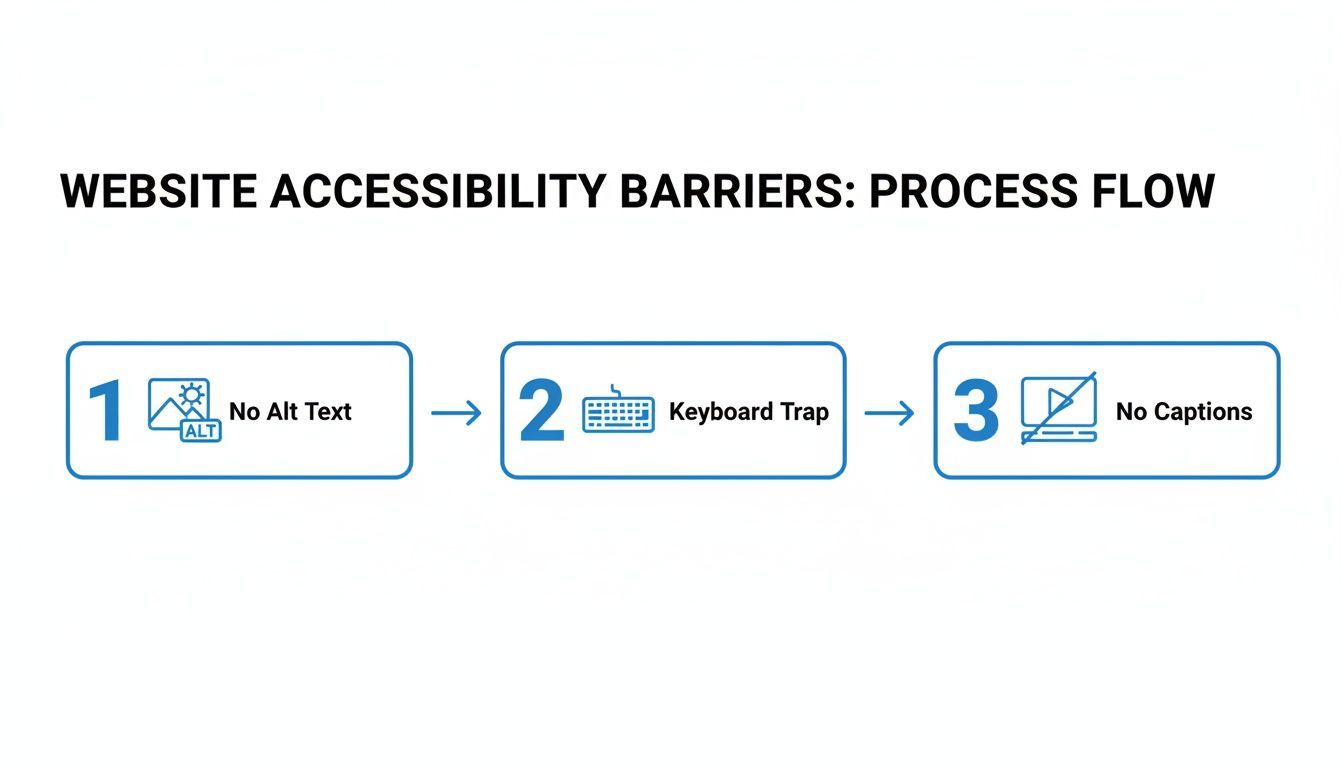
This process highlights how seemingly small issues—like missing image alt text, keyboard navigation traps, or uncaptioned videos—can completely block a user and become the basis for a lawsuit.
Put Modern Compliance Tools to Work
Once your audit gives you a clear roadmap, the next phase is fixing the problems and keeping them fixed. This is where managed accessibility platforms and user-facing widgets have become essential to any modern compliance strategy.
These solutions provide a powerful layer of support. Many offer continuous, automated monitoring that scans your site 24/7, catching new issues as soon as content is updated. This is key to preventing your site from slowly falling out of compliance over time.
A sustainable accessibility program transforms compliance from a one-time project into an ongoing business practice. It's about building a framework for long-term protection and inclusivity.
Furthermore, these platforms often include user-facing tools, or widgets, that empower visitors to customize their own experience. A user can adjust text size, change color contrast, or enable a screen reader mode on the fly, immediately overcoming many common barriers. This not only provides immediate help but also clearly demonstrates your commitment to accessibility while you work on fixing deeper, code-level issues.
Build a Program That Lasts
The threat of an accessibility lawsuit isn't going away. After a deceptive dip in 2024, when courts recorded around 4,000 ADA website accessibility lawsuits, the trend reversed sharply heading into 2025. This shows that any complacency among businesses is short-lived.
Even more telling, a staggering 67% of those cases targeted small businesses, and 41% hit repeat offenders. This proves that plaintiffs' law firms are actively searching for non-compliant sites.
Ultimately, your goal should be to build a sustainable program that weaves accessibility into your everyday business operations. This means:
Regular Audits: Schedule periodic expert audits to catch what automation misses.
Continuous Monitoring: Use an automated platform to keep a constant watch on your site's compliance health.
Team Training: Educate your developers, designers, and content creators on accessibility best practices so they can build it in from the start.
By taking these steps, you shift from a reactive, defensive posture to a proactive one. You can learn more about this approach in our guide on how to avoid ADA lawsuits at https://www.webability.io/blog/how-to-avoid-ada-lawsuits. This strategy not only minimizes legal risk but also opens your digital doors to millions of potential customers you might otherwise be turning away.
Building a Future-Proof Accessibility Strategy
Let's reframe this whole conversation. Instead of just trying to avoid a lawsuit, think about accessibility as a genuine competitive advantage. When you build an inclusive culture, bake accessibility into your development process from day one, and keep your team trained up, you’re not just checking a box. You’re creating better digital experiences for everyone.
This proactive approach doesn’t just minimize legal risk; it expands your market, bolsters your brand's reputation, and builds real, long-term business resilience.
To truly protect your organization from an accessibility website lawsuit down the road, you have to move beyond just putting out fires. A truly effective strategy treats accessibility not as a chore, but as a core part of a forward-thinking business plan that actually drives growth.
It all comes down to a cultural shift where accessibility becomes everyone's job. This is about laying a foundation of inclusivity that cements your brand as a leader in the space.
Shifting Left: Integrating Accessibility from the Start
The single most effective way to build a resilient and accessible website is to make it a priority from the absolute beginning of the design and development cycle. In the industry, we call this "shifting left." It simply means you're thinking about inclusive design before your team has even written a single line of code.
Think about it: when accessibility is an afterthought, fixing the problems is a nightmare. It’s expensive, complicated, and frustrating. But by making it a non-negotiable part of your initial workflow, you stop barriers from ever being built in the first place, saving a ton of time and money later on. This proactive mindset is your best defense against future legal headaches.
Cultivating an Inclusive Culture
A future-proof strategy is about more than just technical fixes. It’s about cultivating a truly inclusive culture inside your organization. That has to start at the top, with leadership championing the cause and giving their teams the training and tools they need to get it right.
Here’s how you can start fostering that environment:
Ongoing Education: Don't just do a one-and-done training. Provide regular sessions for your developers, designers, and content creators on WCAG standards and real-world best practices.
Clear Policies: Put it in writing. Develop an official accessibility policy and publish a public statement. This signals your commitment and holds your teams accountable.
User-Centric Focus: Get real feedback from real users. Involve people with disabilities in your testing and feedback loop to understand how your site actually works for them.
By embedding accessibility into your company's DNA, you transform it from a compliance task into a shared value. This cultural commitment not only reduces legal risk but also drives the creation of superior products and services for all users.
This holistic approach turns accessibility into a powerful business driver. An accessible website immediately expands your market, opening the door to the 61 million adults in the U.S. alone who live with a disability. It also does wonders for your brand reputation by showing customers you genuinely care about inclusivity.
Plus, here's a bonus: accessibility best practices often overlap with great SEO—things like structured data, alt text, and clear headings. Your efforts here can give you a nice boost in search rankings. Ultimately, building an accessible digital presence is one of the smartest investments you can make for sustainable growth.
Got Questions? We’ve Got Answers
If you’re dealing with the threat of an accessibility lawsuit, you probably have a lot of questions running through your mind. Let’s tackle some of the most common ones head-on so you can figure out what to do next.
What Should I Do If I Receive an Accessibility Demand Letter?
First things first: don't panic, but don't ignore it either. The absolute first call you should make is to a lawyer who lives and breathes digital accessibility and ADA defense. They'll be your guide through this whole process.
While you're waiting to connect with your legal counsel, it's a smart move to get a preliminary scan of your website using a trusted audit tool. This won't solve the problem, but it will give you a clearer picture of what you're up against. Acting quickly and with good information is your best bet for keeping costs and headaches to a minimum.
Can an Accessibility Widget Make My Site Fully Compliant?
This is a great question, and the answer is nuanced. Accessibility widgets are fantastic tools. They can make a real, immediate difference for users by letting them adjust the site to their needs, and they're an excellent first step in a broader accessibility plan.
But for true, lasting compliance, widgets are best used as one part of a bigger strategy. They work best when paired with expert audits and manual fixes to the underlying code. Think of it like this: a widget is a powerful and necessary layer of accessibility, but a truly defensible site is built on a solid foundation of inclusive design from the ground up.
It's a common myth that you can just "install" accessibility and be done. The reality is that the strongest, most lawsuit-proof strategies combine smart technology with human expertise. This creates a digital experience that's not just legally sound, but genuinely welcoming to everyone.
How Much Does an Accessibility Lawsuit Typically Cost?
There's no single price tag, but one thing is certain: it's always expensive. You’re looking at a pile of costs that includes the plaintiff's legal fees, your own defense lawyers, and a potential settlement. These settlements often fall in the $10,000 to $50,000 range, and sometimes much higher.
Then, you have to add the cost of actually fixing your website—often on a tight, legally mandated deadline. When you look at the total bill, it becomes crystal clear that investing in accessibility before a lawsuit is a massive cost-saver. The price of being proactive is just a fraction of the cost of being reactive.
Are Small Businesses Exempt From ADA Website Requirements?
In a word: no. The Americans with Disabilities Act (ADA) doesn't have a "small business" loophole when it comes to public accommodations. And courts have repeatedly affirmed that commercial websites count as places of public accommodation, no matter how big or small the company is.
In fact, small and medium-sized businesses are frequent targets for these lawsuits, precisely because they're seen as less likely to have the resources for a protracted legal fight. This makes it absolutely critical for businesses of every size to make accessibility a priority.
Ready to build a future-proof accessibility strategy and protect your business? WebAbility.io offers an end-to-end platform with AI-enhanced tools and expert services to help you achieve and maintain compliance. Start your free trial today.
Quick Questions
Tap to ask AI about this article