Achieve 508 compliance testing: A Practical Accessibility Guide

Sidharth Nayyar
TL;DR: 508 compliance testing ensures federal technology is accessible to people with disabilities by following WCAG 2.0 AA standards. The most effective strategy is a hybrid approach, combining automated scans to catch common code issues and manual testing with assistive technologies (like screen readers and keyboard-only navigation) to find critical usability barriers. A good testing plan, prioritized fixes, and integrating accessibility into your development workflow are key to achieving and maintaining long-term compliance.
508 compliance testing isn't just about running a quick scan and checking a box. It’s a hands-on, methodical process for making sure federal technology is genuinely usable by people with disabilities. At its core, it's about aligning with the WCAG 2.0 AA standards, which requires a smart mix of automated tools and, crucially, manual testing with assistive technologies.
You have to think like a user. Automated scans are great for catching obvious code-level mistakes, but they can't tell you if a user relying on a screen reader can actually complete a task. That's where the human element comes in.
Decoding the Essentials of 508 Compliance
Section 508 is much more than a technical checklist; it’s a legal mandate that stems from the Rehabilitation Act of 1973. It dictates that any digital technology bought, built, or used by the federal government (and its contractors) must be accessible to people with disabilities. The goal is to create a digital public square that's open to everyone.
This law has very real consequences. It’s about tearing down digital barriers for individuals with visual, auditory, motor, or cognitive disabilities. The best analogy is a wheelchair ramp for a building—it’s not an optional extra, it's a fundamental requirement for equal access.
The Scope of Section 508
Section 508 has a wide reach, covering pretty much any piece of information and communication technology (ICT) you can think of. Knowing what's in scope is the first step to building a solid testing plan.
Websites and Web Applications: This covers everything from public-facing government agency sites to internal intranets and the web-based tools that federal employees use daily.
Software and Operating Systems: Any application or system developed for or purchased by the government is on the list.
Electronic Documents: This is a big one. PDFs, Word documents, slide decks, and spreadsheets all fall under 508 rules.
Multimedia: All videos must have accurate captions and, where necessary, audio descriptions. Audio-only files, like podcasts, need transcripts.
Getting a handle on the foundational website accessibility requirements is a great starting point, as they form the basis for much of this work.
The Current State of Federal Accessibility
Despite being law for years, full compliance is still a moving target for many agencies. The FY2024 Section 508 Assessment from the GSA painted a stark picture, revealing that only a small portion of high-traffic federal content is fully accessible—just 23% of public internet pages and 25% of public documents.
A huge part of the problem? Resources. The same report found that about half of all federal agencies admit they don't have what they need to properly test their most important content. This often leads to a heavy reliance on automated scans, which are known to miss the more subtle, but critical, usability issues that only manual testing can uncover.
The heart of any effective 508 compliance strategy is a two-pronged attack. Use automated tools to quickly find and fix the low-hanging fruit. But for true accessibility, manual audits using screen readers and keyboard-only navigation are absolutely non-negotiable. This hybrid model protects you legally while fulfilling the human-centered mission of digital inclusion.
Charting Your Course: Creating a Practical Accessibility Testing Plan
Jumping into 508 compliance testing without a solid plan is a recipe for chaos. It's like trying to build a house without a blueprint—you'll end up with a lot of wasted effort, missed deadlines, and a final product that doesn't meet code. A well-defined plan is your roadmap; it turns a big, intimidating goal into a series of clear, manageable steps.
First things first, you need to define what you're actually testing. Is it the entire public-facing website? A complicated internal web app for employees? Or a collection of PDFs and other documents? Each of these has its own set of quirks and requires a tailored approach.
For instance, with a public site, you might zero in on the most common things visitors do, like signing up or filling out a contact form. For an internal tool, the focus would be on the daily tasks that staff need to get their jobs done. Be brutally specific about what’s in and what’s out.
Pinpoint the Mission-Critical User Paths
Once you’ve drawn the boundaries, it’s time to identify the most important user journeys. These are the essential tasks people come to your site or application to complete. Don’t rely on guesswork here; pull up your analytics and see which pages get the most traffic and which workflows are most common.
You'll want to concentrate your initial testing on these make-or-break pathways:
The checkout flow for any e-commerce functionality.
Submitting a critical form, like an application or a support request.
Finding and reading your most important content.
Managing personal information in an account dashboard.
Focusing on these core journeys first means you're tackling the biggest potential barriers for the most people right away. It’s the smart way to make a significant impact early on. If you need a refresher on the legal standards that dictate this work, our guide on the Section 508 compliance requirements breaks it all down.
Building Your A-Team
From my experience, accessibility is never a one-person show. It’s a team sport. To get it right, you need a mix of different skills and perspectives at the table. Your ideal team should have people from development, QA, UX, and project management.
Everyone brings something vital. Developers live in the code, QA folks are masters of systematic testing, and UX designers ensure the final product is not just compliant, but genuinely usable. And of course, a good project manager is the glue that holds the entire effort together, keeping everything moving forward.
One of the biggest mistakes I see organizations make is trying to relegate accessibility to a single person or department. It just doesn't work. Success comes when accessibility becomes a shared value—when developers, designers, and testers all understand why it matters.
Set Your Sights and Gear Up
Your plan needs a clear target. For Section 508, that target is conformance with the Web Content Accessibility Guidelines (WCAG) 2.0 Level AA. This gives you a concrete, globally recognized benchmark to aim for.
With your goal locked in, you can pick the right tools. A good accessibility toolkit is always a hybrid. It combines the raw speed of automated scanning with the irreplaceable insight of manual, human-led testing. Automated solutions like ADA site scan tools are fantastic for quickly flagging low-hanging fruit—think missing alt text, color contrast violations, and other code-level issues across hundreds of pages.
But don’t stop there. An automated scan is just a starting point. Your plan must account for the critical time needed for manual testing with assistive technologies. Firing up a screen reader or navigating with only a keyboard is the only way you'll catch the subtle, real-world usability problems that automated tools are blind to.
Executing Your Hybrid Testing Strategy
With your plan in place, it’s time to get down to the real work: the actual 508 compliance testing. This isn't about just one method; it’s about a smart, hybrid strategy that blends the raw speed of automation with the irreplaceable insight of a human being. Frankly, neither approach can stand on its own. Real compliance happens where the two meet.
Think of automated scanning as your first pass. It’s like casting a wide net to quickly catch the most common, code-level accessibility bugs scattered across your website or app. These tools are incredibly efficient at flagging problems a machine can easily spot.
The Power of Automated Scanning
Automated tools are a non-negotiable part of any serious accessibility effort today. They can crawl thousands of pages in minutes, giving you a high-level snapshot of your compliance health and a list of immediate fixes.
So, what do these scans usually catch? They’re great at finding predictable, rules-based errors, such as:
Missing
alttext: Pinpointing images that lack a text description for screen reader users.Low color contrast: Flagging text that’s too faint against its background, a major hurdle for users with low vision.
Improper heading structure: Catching when heading tags (H1, H2, H3) are used out of order, which can completely disorient assistive tech.
Missing form labels: Finding input fields that aren't properly connected to a descriptive label.
These tools handle the grunt work. They take care of the repetitive, high-volume checks, which frees up your human testers to dig into the complex, nuanced issues that only a person can find.
This is the classic two-part process in action, moving from broad automated scans to deep, focused manual analysis.
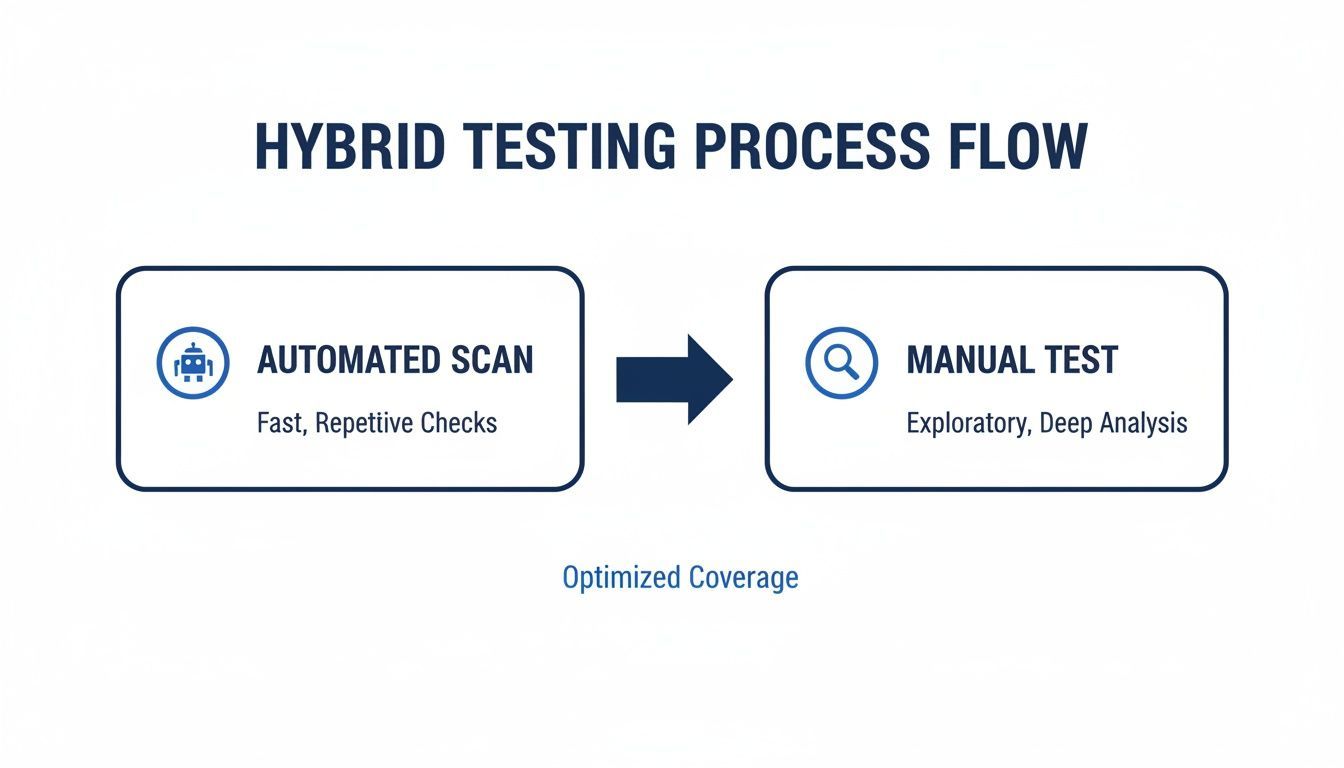
Automation gives you a running start, but manual testing is what gets you across the finish line to genuine usability and compliance.
The Critical Role of Manual and Assistive Technology Testing
While automation gives you scale, manual testing delivers the depth. This is where you have to put yourself in the shoes of someone with a disability and try to use your site the way they would. No tool on earth can replicate the human experience of navigating a confusing checkout flow or making sense of ambiguous content.
This phase is absolutely essential for true 508 compliance testing. It’s how you find the show-stopping usability barriers that automated scanners are completely blind to.
The evolution of Section 508, especially after the 2017 refresh aligned it with WCAG 2.0 Level AA, really drives this point home. Automation is great for finding missing alt text, but only manual testing with assistive technologies can expose deep keyboard traps or provide the qualitative feedback needed for an audit. Government reports even show that an over-reliance on automation is why compliance scores have stalled. Resource shortages affect about 50% of agencies, and without manual validation, testing coverage plummets.
Manual testing isn't just about finding bugs; it's about understanding barriers. An automated tool can tell you a button is missing a label. A manual tester using a screen reader can tell you that the entire checkout process is unusable as a result.
To truly understand what your users experience, you need to test the way they navigate. That starts with the keyboard.
Keyboard-Only Navigation Testing
One of the most fundamental manual tests you can run is to unplug your mouse and navigate your site using only the keyboard. Many users with motor disabilities depend entirely on a keyboard or a similar device. If they can’t get to and operate something with the Tab, Enter, and Spacebar keys, it might as well not exist.
As you test, keep these questions in mind:
Can I reach everything? Every single link, button, form field, and menu item needs to be accessible.
Is the focus order logical? When you press Tab, does the focus jump around unpredictably, or does it move in an intuitive sequence?
Is the focus always visible? There should be a clear visual indicator—a border or highlight—so you always know exactly where you are on the page.
Are there any “keyboard traps”? This is a huge one. Can you get stuck inside a component, like a pop-up modal, and find yourself unable to tab out?
Screen Reader Testing
Next up is testing with a screen reader, like the free NVDA or the industry-standard JAWS. Screen readers convert on-screen content into speech or braille for users who are blind or have low vision. This is where you’ll find out if your site actually makes sense when you can’t see it.
Testing with a screen reader helps you uncover issues that are otherwise invisible:
Vague link text: Hearing a list of links that just say "Click Here" or "Learn More" is completely useless.
Illogical reading order: Does the screen reader announce content in the same order a sighted user would read it, or does it jump around chaotically?
Inaccessible custom widgets: Fancy components like date pickers, sliders, or interactive charts often fail to communicate properly with screen readers unless they’re built with accessibility in mind.
Poorly described images: Is the
alttext genuinely helpful, or is it just a lazy keyword?
Understanding which method finds what is key to building an effective testing workflow. While there's some overlap, each approach has its clear strengths.
Automated vs Manual Testing: What Each Method Finds
| Accessibility Issue | Typically Found by Automated Scans | Requires Manual & Assistive Tech Testing |
|---|---|---|
| Missing Alt Text on Images | ✅ | |
| Insufficient Color Contrast | ✅ | |
| Incorrect Heading Order (H1, H2, etc.) | ✅ | |
| Missing Form Field Labels | ✅ | |
| Keyboard Traps in Modals/Widgets | ✅ | |
| Illogical Focus Order | ✅ | |
| Vague or Ambiguous Link Text ("Click Here") | ✅ | |
| Meaningful Alt Text (Is it useful?) | ✅ | |
| Complex Workflows (e.g., checkout process) | ✅ | |
| Screen Reader Compatibility with Custom Widgets | ✅ |
As the table shows, automation gives you a fantastic head start on clear, code-based violations. But for the issues that truly define a user's experience—logic, context, and usability—there's no substitute for a human tester.
This hybrid approach, blending the efficiency of automated scans with the critical insights from manual and assistive technology testing, is the only reliable path to achieving and maintaining 508 compliance. For teams looking to integrate these capabilities, it's worth exploring how different Section 508 compliance testing software can support this balanced strategy.
Turning Audit Findings Into Actionable Fixes
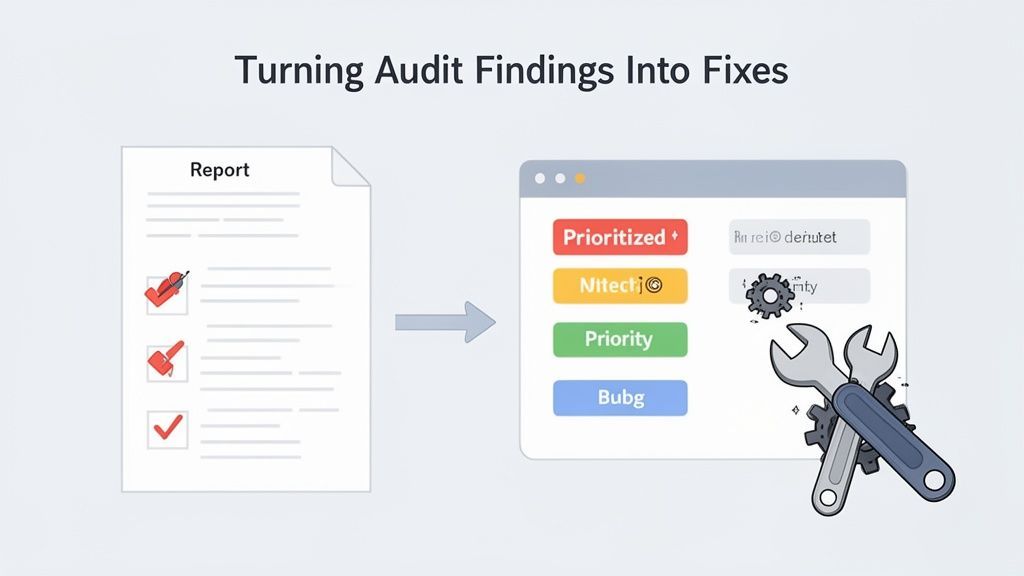
An accessibility audit gives you a list of errors, but that's just the start. That raw data won't fix itself. Real progress happens when you translate those findings into a clear, actionable remediation plan.
Without a solid strategy, development teams can get swamped by a long list of issues, which often leads to analysis paralysis. The goal is to move from a simple bug list to a strategic workflow that actually makes your site better for everyone.
This whole process kicks off with prioritization. Let’s be real: not all accessibility issues carry the same weight. Their impact on users can range from a minor annoyance to a complete showstopper. You need a straightforward way to decide what to tackle now, what comes next, and what can wait. A great approach is to categorize issues based on both user impact and the effort required to fix them.
A Framework for Priorioritizing Fixes
Imagine a ‘Submit’ button on a form that a keyboard user can't click. That's a critical blocker. It completely stops someone from finishing what they came to do. This kind of issue should jump to the absolute top of your list, no questions asked.
On the other hand, a minor color contrast problem on a footer icon that isn't crucial for navigation has a much lower impact. It definitely needs to get fixed, but it doesn't need to blow up your current development sprint.
To bring some order to the chaos, you can rank issues using a simple matrix:
Critical Blockers: These are the big ones. They stop users from completing essential tasks or getting key information. Think keyboard traps, inaccessible forms, or broken navigation for screen readers. Fix these immediately.
High Impact: These create major headaches but might not be complete blockers. This could be missing alt text on an important product image or out-of-order headings on a long article, making it a nightmare to skim. Address these in the next sprint.
Medium Impact: These are frustrating but often have workarounds. Maybe you have links that don't clearly describe where they go, or form fields without proper labels that still technically work. Schedule these for an upcoming release.
Low Impact: These are minor violations that affect the user experience but don't stop anyone in their tracks. A decorative image with pointless alt text is a perfect example. Fix these when you have the time.
Prioritization isn't just about technical severity; it's about human impact. By focusing on the issues that cause the most significant barriers first, you make the biggest positive difference for your users with the resources you have.
This structured approach makes sure your team's valuable time is spent on the most meaningful improvements, which is the whole point of effective 508 compliance testing.
Writing Bug Reports Developers Will Appreciate
Once your priorities are set, you need to communicate the problems clearly to your developers. A vague bug report like "the menu is not accessible" is a recipe for frustration and wasted time. A truly effective report gives a developer everything they need to understand, reproduce, and resolve the problem without a dozen follow-up questions.
A great bug ticket is a developer's best friend. It turns a complex accessibility problem into a clear, solvable task. To see how this fits into the larger picture, from initial checks to final reporting, you can explore the detailed steps in our comprehensive guide to running a website accessibility audit.
Here’s what every good accessibility bug report should contain:
A Clear, Concise Title: Describe the problem and where it is. For example, "Keyboard Focus Not Visible on Main Navigation Links."
Steps to Reproduce: Give them a numbered list of the exact steps needed to see the bug for themselves. Get specific—mention the browser, the assistive technology you used, and precisely what you did.
The User Impact: Explain why this matters. Don't just state the technical violation; describe the barrier it creates for a real person. For instance, "A keyboard-only user cannot see where they are on the page, making navigation impossible."
Relevant WCAG Success Criterion: Point to the specific WCAG guideline being violated (e.g., "WCAG 2.4.7 Focus Visible"). This gives them context and a direct link to the official standard.
Screenshots or Video: A picture is worth a thousand words, and a video is even better. Include a screenshot with the issue circled or, better yet, a short screen recording that shows the bug in action.
This level of detail transforms remediation from a frustrating guessing game into a streamlined, collaborative effort. It respects your developer's time and empowers them to implement fixes that actually work. When you turn audit findings into well-documented, prioritized tasks, you build a sustainable process for improving and maintaining digital accessibility for the long haul.
Keeping Your Accessibility Efforts on Track for the Long Haul
Getting your website or application to a state of compliance is a huge win, but I have to be honest—it’s not the finish line. Think of accessibility less like a one-time project and more like a continuous commitment. Your digital world is always in flux. New content gets published, features are added, and code gets updated. Every single one of those changes can accidentally put up a new barrier for users with disabilities.
To stay compliant over time, you need to move away from a reactive, fire-fighting mentality. The goal is to build a proactive program where accessibility is just part of the normal routine. It has to be woven into how you create content and how you build software, not just a final audit that happens right before a release.
Making It Official: How to Report Your Compliance
If you're working with or selling to federal agencies, you absolutely have to document your accessibility status formally. This is where the Voluntary Product Accessibility Template (VPAT) becomes your best friend. A VPAT is basically a standardized form that details how well your product or service meets the Section 508 standards.
Once you fill it out, that VPAT becomes what’s known as an Accessibility Conformance Report (ACR). This report is a critical document in the government procurement process. It gives a transparent, point-by-point breakdown of where you stand on compliance. A well-crafted, honest ACR is essential for building trust and winning those contracts—it's your official declaration of accessibility.
Baking Accessibility into Your Development Workflow
The only way to move beyond stressful, last-minute audits is to integrate accessibility directly into your team's day-to-day work. When you catch issues early, you save a ton of time and money, and you start building a real culture of inclusive design. It’s about making accessibility a reflex, not an afterthought.
This is more important than ever. Recent data from the Fiscal Year 2024 Governmentwide Section 508 Assessment showed the average federal agency's conformance score actually dropped to 1.74. A big reason for this was a drop in testing coverage. Public website testing fell from 78% to 70% of agencies surveyed, covering a mere 41% of public-facing pages. You can read a summary of the government's findings on their official site. This data is a stark reminder of what happens when 508 compliance testing is treated as a one-off event instead of a continuous process.
Here are a few core strategies I've seen work time and again for building a sustainable program:
Automate Scans in Your CI/CD Pipeline: The best place to start is by plugging automated accessibility checks right into your Continuous Integration/Continuous Deployment (CI/CD) pipeline. This is your first line of defense, catching low-hanging fruit like missing alt text or glaring color contrast problems before they ever see the light of day.
Schedule Regular Spot-Checks: You don’t need a massive audit every single week. Instead, get into a rhythm of doing smaller, targeted manual checks on your most important pages and user journeys. Think login forms, the shopping cart, or key navigation menus. This helps you spot regressions and new issues without a huge time investment.
Train Your Developers (and Everyone Else): Give your team the tools and knowledge they need to build accessible products from the very beginning. When developers understand ARIA, proper semantic HTML, and common keyboard traps, they stop seeing accessibility as bug fixing and start seeing it as just good, clean coding.
Sustaining accessibility isn't about just running more tests; it's about building a culture where accessibility is a shared responsibility. When developers, designers, and content creators all understand the 'why' behind the work, compliance becomes a natural outcome of good design.
Shifting from Reactive Fixes to Proactive Building
Ultimately, the real goal is to stop chasing down accessibility problems and start preventing them in the first place. A reactive "find and fix" model is incredibly inefficient, frustrating for developers, and always more expensive. A bug found late in the game costs exponentially more to fix than one caught during the initial design or development phase.
By embedding practices like automated pipeline checks and ongoing manual monitoring, you create a powerful feedback loop that reinforces good habits. This proactive approach doesn't just keep you compliant; it shows a genuine commitment to creating an experience that works for everyone. Tools like WebAbility.io can be invaluable here, providing the continuous monitoring and reporting infrastructure needed to support a truly proactive program.
Got Questions About 508 Compliance? We've Got Answers.
Diving into 508 compliance testing often brings up a ton of questions. It's a specialized field, and whether you're just starting out or trying to sharpen your skills, getting clear answers is crucial. Here are some of the most common questions I get asked, with straightforward, no-nonsense explanations.
So, What Exactly Is 508 Compliance Testing?
At its heart, 508 compliance testing is the process of methodically checking digital products—websites, software, documents—to make sure they meet the accessibility rules laid out in Section 508 of the Rehabilitation Act. It’s all about finding and squashing any barriers that would prevent someone with a disability from using the technology.
This isn't just a simple checklist. A proper audit involves a blend of automated scanning to catch low-hanging fruit in the code and, more importantly, hands-on manual testing. That means getting in there with screen readers, navigating with just a keyboard, and really experiencing the product the way a user with a disability would.
Think of it this way: 508 testing isn't just about passing a technical scan. It's about confirming that a real person can actually get something done without hitting a wall. It’s where the rubber meets the road for accessibility.
How Is Section 508 Different From the ADA?
This is a common point of confusion. Both Section 508 and the Americans with Disabilities Act (ADA) aim to prevent discrimination, but they target different groups.
Section 508 is a specific federal law. It applies directly to federal agencies and any organization that does business with them or receives federal funds. It's a procurement requirement, meaning if the government buys it, it has to be accessible.
The ADA is a much broader civil rights law covering all sorts of public life. Title III of the ADA is the part that gets applied to websites, arguing that a commercial website is a "place of public accommodation."
The simplest way to think about it is that Section 508 is for the federal space, while the ADA casts a wider net that has been increasingly interpreted to cover the private sector's digital footprint.
Can I Just Use Automated Tools and Call It a Day?
Absolutely not. Let me be clear: automated scanning tools are fantastic for what they do. They're great for a first pass and can quickly spot about 30-40% of potential accessibility issues, like missing image alt text or basic color contrast failures. But that's where they stop.
Automation can't understand context. It can't tell you if the navigation order makes logical sense when tabbing through with a keyboard. It can't detect a "keyboard trap" where a user gets stuck in a component. And it certainly can't tell you if the alt text for an image is actually useful or just garbage.
True 508 compliance testing demands a human touch. You need manual testing with assistive technology to cover the massive gaps that automated tools will always miss.
Do I Really Need to Test with People with Disabilities?
While a basic audit might not strictly require it to check the technical boxes, skipping user testing is a huge missed opportunity. Involving users with disabilities is how you go from compliant to genuinely usable.
Someone who navigates the web with a screen reader every single day will find friction points and confusing user flows that a trained tester, no matter how skilled, might overlook. Their real-world experience is invaluable. If you want to be sure your product doesn't just pass an audit but actually works well for everyone, bringing in real users is the single best thing you can do.
Ready to build a sustainable accessibility program and move beyond reactive fixes? WebAbility.io provides an end-to-end platform for achieving and maintaining compliance with continuous monitoring, automated scanning, and powerful user-centric tools. Start your free trial today and make accessibility a core part of your workflow.
Quick Questions
Tap to ask AI about this article