Your Practical Guide to a Successful 508 Compliance Test

Sidharth Nayyar
TL;DR: A 508 compliance test is a three-step process to ensure your digital products are accessible to people with disabilities, as required by U.S. law. First, you Plan by defining what to test (websites, apps, documents) and prioritizing critical user journeys. Next, you Test using a hybrid approach: automated tools to catch common code issues and manual testing (keyboard-only, screen readers) to check real-world usability. Finally, you Remediate by creating a detailed report of findings and an actionable plan to fix them, integrating accessibility into your ongoing development workflow. This process is benchmarked against the Web Content Accessibility Guidelines (WCAG) to ensure true inclusivity.
A 508 compliance test is a systematic review to determine if your digital tools—websites, software, or documents—are accessible to people with disabilities, as mandated by U.S. law. It's not just a box-checking exercise; it’s a deep dive that combines automated scanning with hands-on manual testing to uncover and eliminate real-world barriers for users.
Your Quick Guide to 508 Compliance Testing
Think of a 508 compliance test as a three-part process: first, you plan and define your scope. Then, you test using a mix of automated tools and manual, human-driven checks. Finally, you create a clear roadmap to fix the problems you found. The whole process is anchored to the Web Content Accessibility Guidelines (WCAG) 2.1 AA, which provides the technical benchmarks for what "accessible" actually means.
This simple workflow gives you a bird's-eye view of how the process flows from one stage to the next.
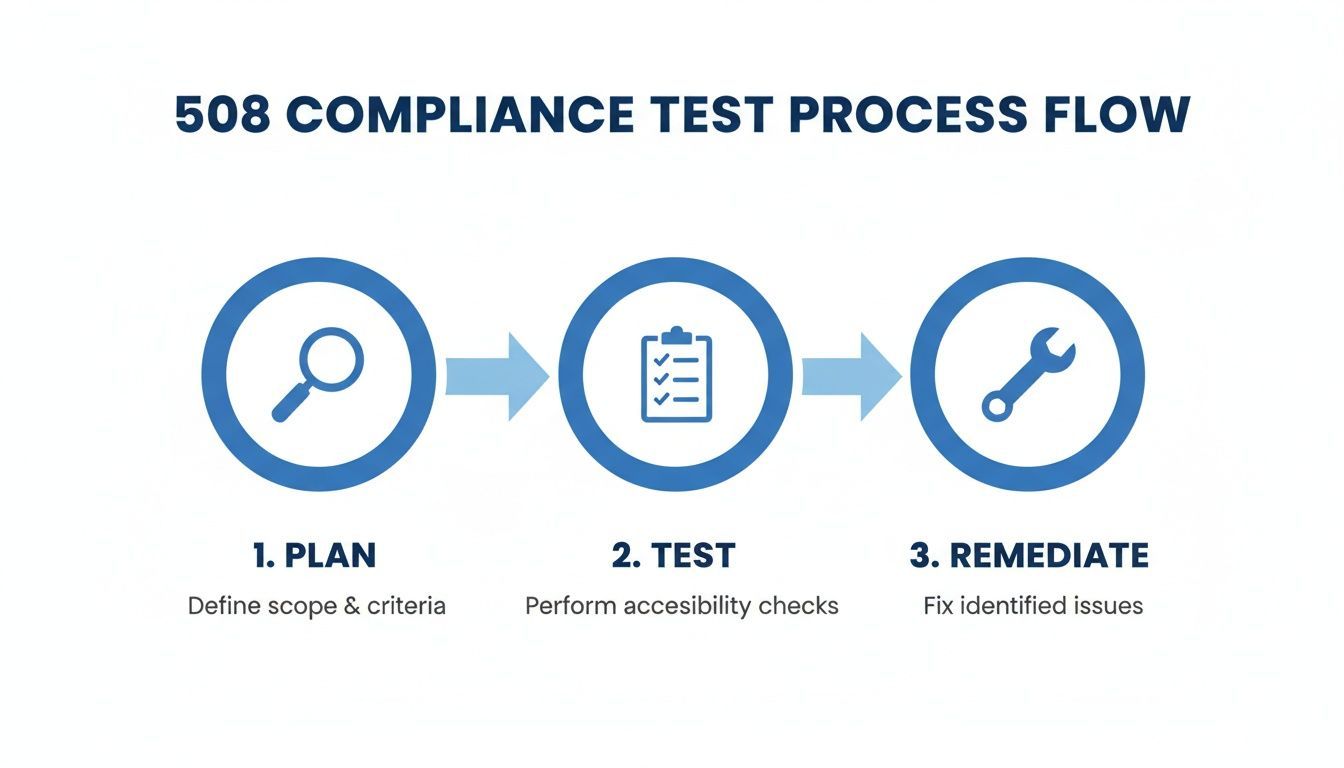
As the diagram shows, a solid test isn't just about finding flaws. It's a continuous cycle of planning, identifying issues, and implementing fixes to make your digital property truly usable for everyone.
Why Conduct a 508 Test?
At its core, a 508 compliance test verifies that federal employees and the public can access and use information equally, which is the entire point of the Rehabilitation Act. It’s about ensuring fairness and removing digital roadblocks.
To do this right, your testing needs to confirm that your site or application works for people with a wide range of disabilities. You should be asking questions like:
Visual: Can someone who is blind or has low vision navigate effectively with a screen reader or zoom tools?
Hearing: Are videos and audio files equipped with accurate captions and transcripts so no one misses out?
Motor: Can a person who can't use a mouse operate every single feature using only a keyboard?
Cognitive: Is the layout clean, consistent, and predictable enough to avoid causing confusion or frustration?
A great 508 test goes way beyond a simple pass/fail checklist. It’s about putting yourself in the user’s shoes to confirm the actual experience is seamless, ensuring technology empowers people instead of putting up walls.
For example, making media accessible is a huge part of compliance. It helps to understand the nuances, like SDH subtitles and their role in accessibility. The ultimate goal isn't just to pass an audit but to cultivate a genuinely inclusive digital space. To get your testing strategy off to a strong start, it’s worth reviewing the official Section 508 compliance requirements in detail.
To get a clearer picture of the entire process, I've broken down the test into its essential phases. Each stage builds on the last, moving from high-level strategy to detailed, hands-on evaluation.
| Core Phases of a 508 Compliance Test |
| :--- | :--- | :--- |
| Phase | Objective | Key Activities |
| Planning and Scope | Define the test boundaries, goals, and success criteria. | Identify key user flows and pages, select testing tools, and assemble the testing team. |
| Testing and Execution | Systematically evaluate the digital product against WCAG 2.1 AA standards. | Run automated scans, perform manual checks, and conduct assistive technology testing. |
| Reporting and Remediation | Document findings clearly and create an actionable plan to fix issues. | Compile a detailed report with evidence, prioritize fixes based on impact, and track progress. |
| Continuous Monitoring | Establish a process to maintain compliance over time. | Integrate accessibility into the development lifecycle and schedule periodic re-tests. |
This table outlines a repeatable framework that ensures nothing falls through the cracks, transforming compliance from a one-time event into an ongoing commitment.
Laying the Groundwork: Planning and Scoping Your 508 Audit
Before you even think about running a single test, you need a solid game plan. A successful 508 compliance audit is built on a strong foundation of planning and scoping. Think of it like building a house—you wouldn't start hammering nails without a detailed blueprint.
Skipping this step is a recipe for disaster. You'll end up with unfocused efforts, wasted time, and results that don't tell the full story. This initial phase is all about setting clear boundaries: what are we testing, why are we testing it, and what does success look like? Getting this right prevents the dreaded "scope creep" and ensures your audit delivers real value from day one.
First, Map Your Digital Territory
You can't test what you don't know you have. The first real task is to take a complete inventory of all your Information and Communication Technology (ICT). This is almost always more extensive than people think, going far beyond just the main company website. You need to map out every single digital touchpoint.
Get granular with your inventory. It should cover:
Public Websites: The main corporate site, plus any marketing microsites, event pages, or blogs.
Web Applications: Think customer portals, internal dashboards, and any interactive online software your users or employees access.
Mobile Apps: Don't forget your native iOS and Android applications.
Electronic Documents: Any PDFs, Word docs, spreadsheets, or slide decks available for public download or internal use are part of your digital footprint.
Once you have this master list, you can start making some strategic decisions.
Prioritize Ruthlessly: Where to Focus First
Let’s be realistic: you probably can't test every single digital asset with the same deep-dive intensity all at once. That’s okay. The smart move is to prioritize based on a blend of user impact and legal risk. You want to focus your initial energy where it will make the biggest difference.
A practical prioritization strategy usually targets a few key areas:
Core User Journeys: These are the make-or-break pathways. Things like creating an account, going through a checkout process, or submitting a critical form. If these fail, users are stuck.
High-Traffic Pages and Features: Look at your analytics. Your homepage, key product or service pages, and popular content get the most eyeballs and need to be solid.
Essential Internal Systems: What tools do your employees absolutely need to do their jobs? These are just as important as your public-facing sites.
Addressing the most significant barriers first delivers immediate wins for the most people. This is especially critical for internal tools, which often get overlooked. The Fiscal Year 2024 Governmentwide Section 508 Assessment found that intranet conformance actually dropped from 59% to 52%. It’s a common blind spot, and you can dig into more of the official government assessment findings to see the trends.
Assemble Your A-Team and Toolkit
With your scope defined, it's time to gather your resources. This means getting the right people in the room and the right software on their machines. An effective accessibility testing team is rarely a one-person show; it's a mix of developers, QA testers, UX designers, and project managers. Each role brings a vital, unique perspective to the table.
Your toolkit is just as important. You’ll want a combination of tools that support a hybrid testing approach—pairing the speed and scale of automated scanners with the critical thinking and nuance that only a human can provide.
An accessibility audit isn’t a solo mission. It’s a collaborative effort. The best results come from bringing together different skills to spot issues that one person, working alone, would almost certainly miss. Your team is your single greatest asset.
Put It in Writing: The Formal Test Plan
The final piece of the planning puzzle is to document everything. A formal test plan becomes your single source of truth, keeping everyone aligned and on the same page. It doesn’t have to be a 100-page novel, but it does need to clearly spell out the rules of engagement for the audit.
Make sure your test plan clearly states:
Methodology: Briefly describe how you'll be testing—what automated tools you'll use, what manual checks you'll perform, and which assistive technologies will be part of the review.
Success Criteria: Define what "passing" looks like. For most, this means meeting WCAG 2.1 Level AA standards.
Timeline: Set realistic deadlines for each phase, from the initial discovery and scanning all the way through to final reporting and remediation planning.
This simple document transforms your high-level strategy into a concrete, actionable roadmap that will guide your team through a focused and effective 508 compliance test.
Executing a Hybrid Testing Strategy
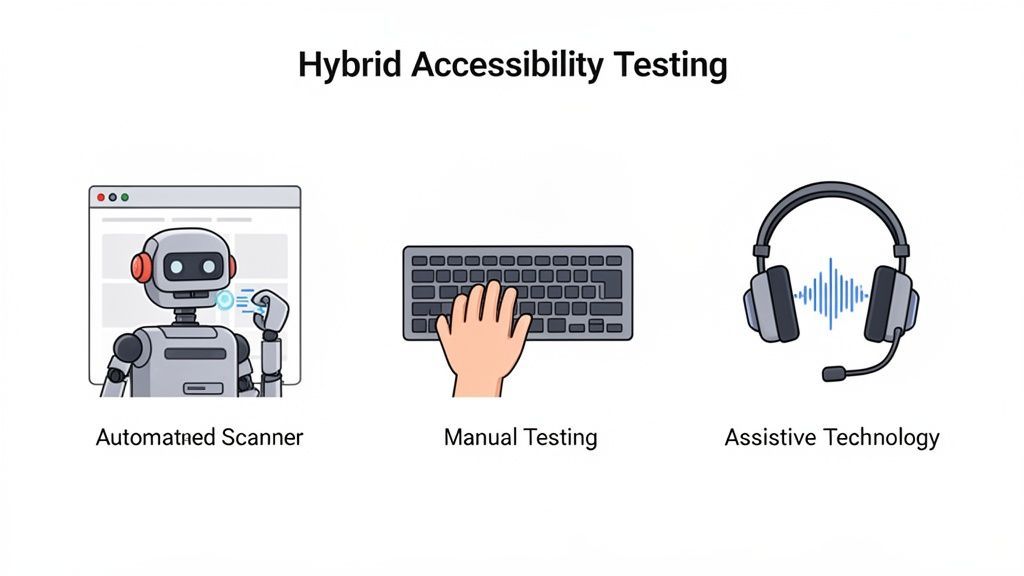
When it comes to a proper 508 compliance test, there's no single silver bullet. The most reliable path to genuine accessibility is a hybrid strategy, where you layer different testing methods to catch everything from glaring code errors to subtle user experience roadblocks. This blended approach is how you cover all your bases and build something that truly works for everyone.
We always start broad with the efficiency of automated tools. From there, we zero in with the nuance and judgment that only manual and assistive technology testing can provide. Each layer uncovers issues the others would miss, creating a far more comprehensive safety net.
The Foundation: Automated Scanning
Think of automated scanning as your first pass, your first line of defense. These tools are fantastic for crawling an entire site or application to find common, code-based problems at scale. They excel at programmatically spotting violations, and in my experience, they can catch around 30-40% of potential WCAG issues right out of the gate.
An automated scan will quickly flag things like:
Missing
alttext: It instantly finds images that are missing thealtattribute entirely.Insufficient color contrast: The tool analyzes the hex codes of your text and background colors to see if they fail the required ratios.
Empty links or buttons: It’s great at detecting interactive elements without any text or accessible name.
Basic heading structure errors: It can check for skipped heading levels, like an
H3showing up without a parentH2.
But here’s the catch: automated tools have no concept of context. They can tell you an alt tag exists, but they can't tell you if it's actually helpful. A tag that just says "image" is technically present but functionally useless. That's where a human tester becomes essential. To get started, you can explore the different types of Section 508 compliance testing software available to build out your initial toolkit.
The Human Touch: Manual Testing
Manual testing is where the real detective work begins. It’s a hands-on process that picks up right where the automated scan left off, focusing on the nuanced aspects of usability and function that require human judgment.
A non-negotiable part of any manual audit is a full keyboard-only navigation check. Can a user access and operate everything—links, forms, menus, buttons—using only their keyboard? We systematically go through every interactive component using just the Tab, Shift+Tab, Enter, and Spacebar keys.
Here's what we’re looking for:
Is there a highly visible focus indicator (a border or outline) showing exactly where you are on the page?
Does the tab order make sense? It should follow the visual layout of the page logically.
Can you open and interact with complex components like dropdown menus or pop-up modals?
Do you ever get stuck? A "keyboard trap" is a massive failure where you can tab into a component but can't tab back out.
A keyboard trap is a critical accessibility failure. If a user can navigate into a component but cannot navigate out using only their keyboard, they are effectively stuck, rendering the rest of the page unusable.
Beyond the keyboard, we're visually inspecting the page structure, confirming form labels are clear, and ensuring that any information conveyed with color is also available in another way. This is a level of detail you'll never get from an automated tool.
The Real-World Experience: Assistive Technology Testing
This final layer is the ultimate reality check. Testing with assistive technology (AT) like a screen reader shows you exactly how your product behaves for users with disabilities. It moves beyond technical compliance to validate genuine, real-world usability. Firing up a screen reader like NVDA (free) or JAWS provides unfiltered insight into how a user who is blind will experience your content.
When testing with a screen reader, you’re not just listening for words; you're listening for clarity and coherence.
Sample Screen Reader Test Cases:
Image Alt Text: Does the screen reader announce a descriptive
alttext that clearly communicates the image's purpose?Form Navigation: Can you complete a form from start to finish? The screen reader must announce every label, any specific instructions, and all error messages.
Data Tables: When you navigate a table, does the screen reader announce the correct column and row headers for each cell? Without this context, the data is just a meaningless jumble of words and numbers.
Dynamic Content: When a success message or error alert appears on the screen, does the screen reader announce it to the user? If not, they'll have no idea their action was successful.
By combining these three methods—automated, manual, and AT—you build a truly robust 508 compliance test process. Each approach covers the blind spots of the others, giving you a complete picture of your accessibility posture and helping you move past just checking boxes to building truly inclusive digital products.
Documenting Findings and Creating Actionable Reports
Finding accessibility barriers during a 508 compliance test is just the first step. The real work—and where most efforts fall flat—is in communicating those findings effectively. An audit's value isn't measured by the number of bugs you log; it's measured by how clearly you report them to drive meaningful change.
Without rock-solid documentation, even the most exhaustive testing becomes academic. The goal is to create a clear, repeatable paper trail that empowers your team to take action.
Building a Strong Evidence Locker
For every single barrier you uncover, your mission is to create a self-contained bug report that leaves zero room for interpretation. Think of it this way: could a developer who has never seen this page before understand, reproduce, and fix the issue based only on your ticket? If not, you haven't provided enough detail.
Here's what every single issue report needs:
Precise Location: The exact URL where the issue lives.
Steps to Reproduce: A crystal-clear, step-by-step guide. For example, "1. Navigate to the login page. 2. Tab to the 'Username' field. 3. Observe the lack of a visible focus indicator."
Visual Proof: Screenshots are good, but short screen recordings are even better. Annotate them to pinpoint the exact element causing the trouble.
Relevant Code Snippets: Don't make developers hunt. Pull the problematic HTML or CSS right into the ticket.
WCAG Reference: Always link to the specific WCAG success criterion being violated. This provides crucial context and official guidance for the fix.
Following this formula transforms a vague complaint like "the menu is broken" into an actionable ticket: "The main navigation submenu fails WCAG 2.1.2 No Keyboard Trap, preventing keyboard-only users from returning to the main page." One is a headache; the other is a solution waiting to happen.
Crafting a Report for Different Audiences
A comprehensive audit report has to speak two different languages. It needs to give the technical team the nitty-gritty details to implement fixes while also giving business stakeholders the high-level summary they need to approve the resources. A single, monolithic document just won't cut it.
Your primary report should be geared toward developers and designers. This is the deep-dive technical document listing every finding, complete with all the detailed evidence you’ve collected. Here, you'll prioritize issues by severity and map them to specific components or user journeys.
An effective accessibility report is a tool for change, not just a list of failures. It must provide a clear path forward for developers while simultaneously articulating the business risk and opportunity to leadership.
For your executives and project managers, you'll want to create a concise executive summary. Keep it to a page or two, and focus on the big picture. Summarize the key findings, quantify the overall risk (legal exposure, brand reputation), and make a clear business case for why remediation is a priority.
The Role of a VPAT in Your Reporting
Beyond your internal audit report, a Voluntary Product Accessibility Template (VPAT) is an essential deliverable, especially if you work with or sell to federal agencies. A VPAT is a standardized form that documents exactly how your product conforms to Section 508 standards.
Think of it as your official accessibility scorecard. When you complete a VPAT, you create what's known as an Accessibility Conformance Report (ACR). It forces you to evaluate your product against each provision of the law and declare its level of conformance. You can learn more about how an Accessibility Conformance Report is structured and why it's so important in procurement.
This level of detailed, actionable reporting is more critical than ever. Recent data shows a staggering 96.3% of the web’s top homepages failed to meet basic WCAG 2.1 AA standards, with an average of 50 unique barriers per page. When so few websites are fully compliant, a thorough report from a 508 compliance test is the only way to illuminate these issues and ensure you aren't shutting the door on the 15-20% of users who rely on assistive technology. You can see more details from these website accessibility findings and how they impact modern web development.
Managing Remediation and Continuous Monitoring
Getting your 508 compliance test report back isn't the end of the road—it’s the beginning. Think of it as a detailed health check for your website or app. Now comes the important part: turning those findings into fixes and building a process to stay compliant as your digital product grows and changes.
Building a Prioritized Remediation Plan
When you’re staring at a long list of accessibility issues, it’s easy to feel overwhelmed. The key is not to try and fix everything at once. You need a strategy. The best approach is to prioritize based on a smart mix of user impact and development effort. This way, you tackle the most critical barriers first.
A solid prioritization matrix usually weighs three factors:
Severity: How badly does this issue block someone? A keyboard trap on the checkout page is a critical showstopper. Missing alt text on a purely decorative icon? Far less severe.
User Impact: How many people will run into this? A problem on your homepage or login screen affects nearly everyone, while an issue on a rarely seen "About Us" page from 2015 has a much smaller blast radius.
Ease of Implementation: How much work is the fix? Adjusting a color contrast ratio might be a quick CSS tweak. Rearchitecting a complex navigation menu for screen reader users, on the other hand, could be a major development effort.
By plotting your issues against these criteria, you can build a practical roadmap. Knock out the high-impact, low-effort "quick wins" first to build momentum. Then, you can slot the more complex fixes into your development sprints in a way that makes sense.
Integrating Accessibility into Your Workflow
If you want to stop playing catch-up, you have to weave accessibility directly into your development lifecycle. Don't treat remediation like a separate project you tackle once a year. Instead, accessibility tasks should be added to your team's sprints and backlogs right alongside new features and bug fixes.
This shift from a reactive to a proactive mindset is everything. For bigger teams or more complex products, using a dedicated compliance management software can help provide the structure you need to track these tasks effectively. The goal is to make accessibility a shared responsibility, not just one person’s problem.
Accessibility isn't a feature you tack on at the end. It's a foundational practice that needs to be there from the very beginning—from initial design mockups and user stories all the way through development, QA, and deployment.
Shifting to Proactive Continuous Monitoring
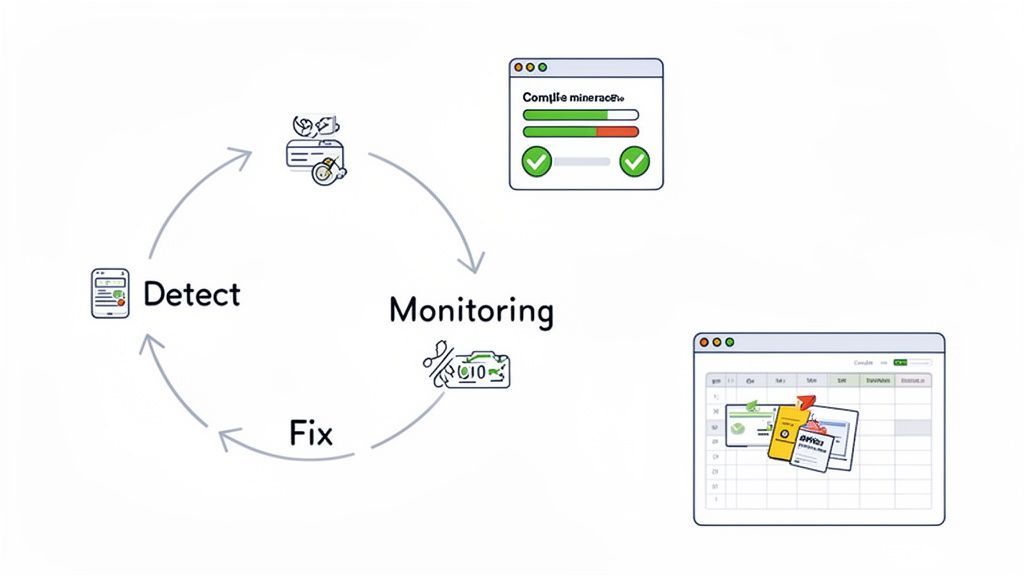
The most effective way to manage compliance over the long haul is to catch problems before they have a chance to grow. That’s the whole idea behind continuous monitoring. Every time you push a new feature or update content, you need a system that checks for new accessibility barriers.
This is where automated scanning tools really shine. By integrating automated checks directly into your CI/CD pipeline, you create a safety net that flags obvious errors before they ever make it to production. This "shift-left" approach makes fixing issues much cheaper and faster.
This proactive stance is more critical than ever. Website accessibility lawsuits saw a 7% surge in 2024. What’s really telling is that 77% of the suits filed in 2023 targeted businesses with less than $25 million in revenue. This isn't just a big-company problem anymore; non-compliance poses a major financial risk for everyone. You can dig into more data on the rise of website accessibility lawsuits to see why monitoring is no longer a "nice-to-have."
Using Dashboards to Track and Report Progress
Keeping the momentum going requires visibility. A compliance dashboard gives everyone a central, at-a-glance view of your accessibility health, tracking key metrics over time. It's an invaluable tool for showing progress to stakeholders and keeping your team focused on the right goals.
A good dashboard will visualize things like:
Overall Compliance Score: A high-level number showing how close you are to meeting WCAG 2.1 AA.
Issue Trends: A graph showing open vs. resolved issues, which clearly demonstrates your team's remediation velocity.
Issue Breakdown: A chart categorizing errors by type (e.g., contrast, forms, ARIA) to help you spot recurring patterns in your code.
This data-driven approach turns accessibility from a vague ideal into a measurable business objective. It proves the value of your work and helps build the case for continued investment in creating a digital experience that truly works for everyone.
Common Questions About 508 Compliance Testing
Let's cut to the chase: A 508 compliance test is all about making sure your digital products are legally accessible. The law itself is Section 508, but it points directly to WCAG 2.0 AA as the technical standard you have to meet. Automated tools are a fantastic starting point and will catch about 30-40% of the low-hanging fruit, but you absolutely cannot skip manual and assistive technology testing. As for how often to test? It should be part of your normal workflow—continuously for a site that changes often, and at least annually for a more static one.
Diving into accessibility testing for the first time can feel a bit overwhelming, and it always brings up good questions. Here are the answers to some of the most common ones I hear.
What Is The Difference Between Section 508 And WCAG
It’s easy to mix these up, but the relationship is actually pretty straightforward. I always tell people to think of it this way: Section 508 is the law, and WCAG is the rulebook you follow to obey that law.
Section 508 of the Rehabilitation Act is a U.S. federal law. It states that any technology bought, built, or used by the federal government has to be accessible to people with disabilities. It’s the legal mandate.
The Web Content Accessibility Guidelines (WCAG), on the other hand, is the set of internationally recognized technical standards for how to achieve that accessibility. The most recent update to Section 508 specifically points to WCAG 2.0 Level AA as the technical benchmark. So, when you're doing a 508 compliance test, you're really testing against the WCAG 2.0 AA success criteria.
Can Automated Tools Alone Ensure Full Compliance
In a word: no. While automated scanners are an indispensable part of any modern testing strategy, they can't get you all the way to the finish line. They're brilliant as a first pass, quickly finding code-level problems across hundreds of pages in minutes.
But here’s the catch: these tools don't have human judgment.
A scanner can tell you if an image has an
alttag.It cannot tell you if that alt tag is actually helpful or just says "image.jpg."
Relying only on automated tools gives you a false sense of security. They typically catch around 30-40% of accessibility barriers. The other 60-70% are issues that require a human to find—things that only become apparent through hands-on keyboard testing and screen reader evaluation.
True compliance comes from a blended approach. You run the automated tools to catch the programmatic stuff, then bring in human testers to check keyboard navigation, verify the screen reader experience makes sense, and assess the logical flow of your content.
How Often Should We Conduct A 508 Compliance Test
This really depends on how often your website or application changes. Accessibility isn't something you check off a list once and then forget about. It's an ongoing practice that needs to be woven into your development and content management processes.
Here’s how I advise teams to approach their testing schedule:
For Dynamic Sites and Applications: If you're constantly pushing new code, features, or content, you need to be testing constantly. This means running automated scans as part of your CI/CD pipeline and scheduling a full, in-depth manual audit at least annually or after any significant redesign.
For Static Content: For a site where the content is mostly fixed, a comprehensive audit once a year is probably fine. That said, anytime you do update a section, that new content should be tested immediately.
The ultimate goal is to stop thinking of accessibility testing as a separate, periodic event. When you make it part of your team's everyday work, you not only stay compliant but also build a culture that prioritizes inclusive design from the start.
Ready to move from asking questions to taking action? WebAbility.io provides an end-to-end platform to automate scanning, manage remediation, and maintain continuous compliance. See how our tools can simplify your 508 compliance test at https://www.webability.io.
Quick Questions
Tap to ask AI about this article